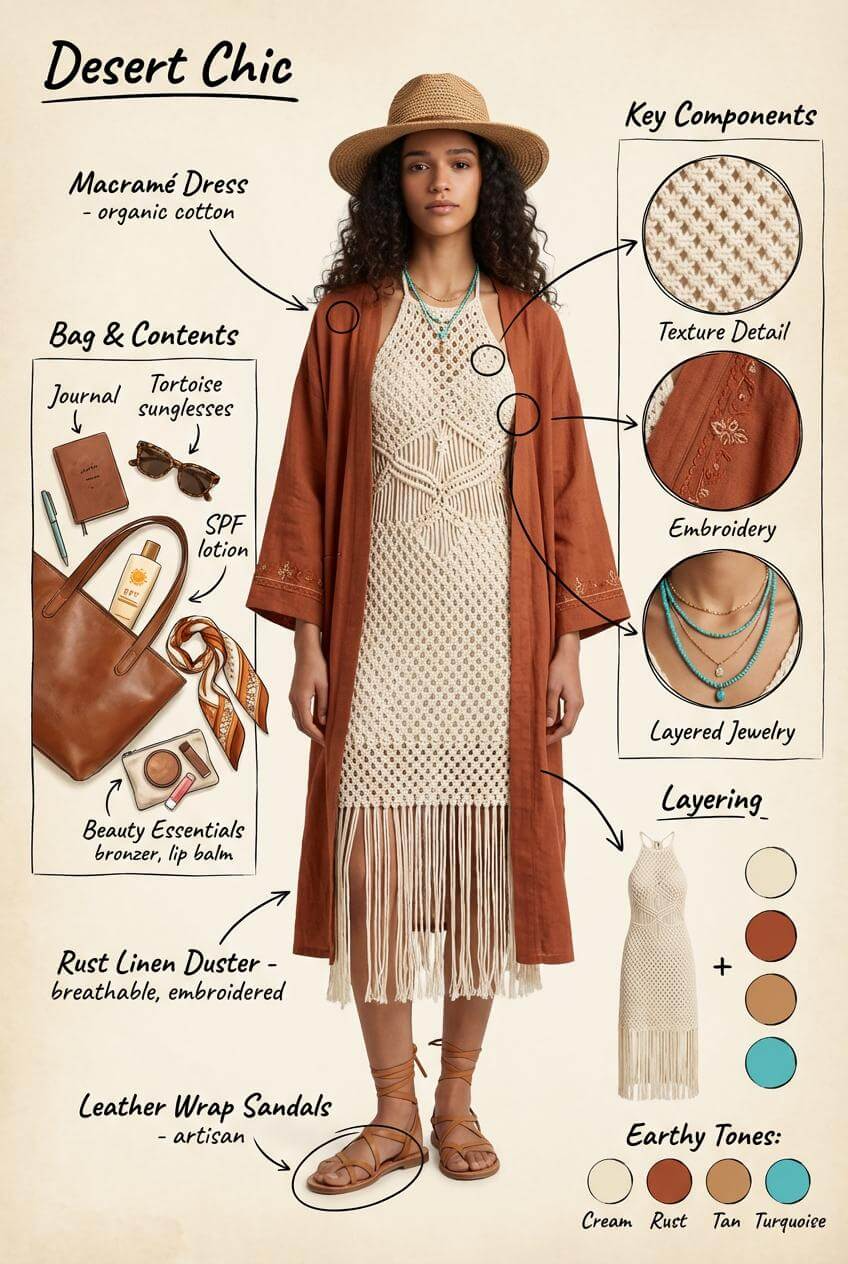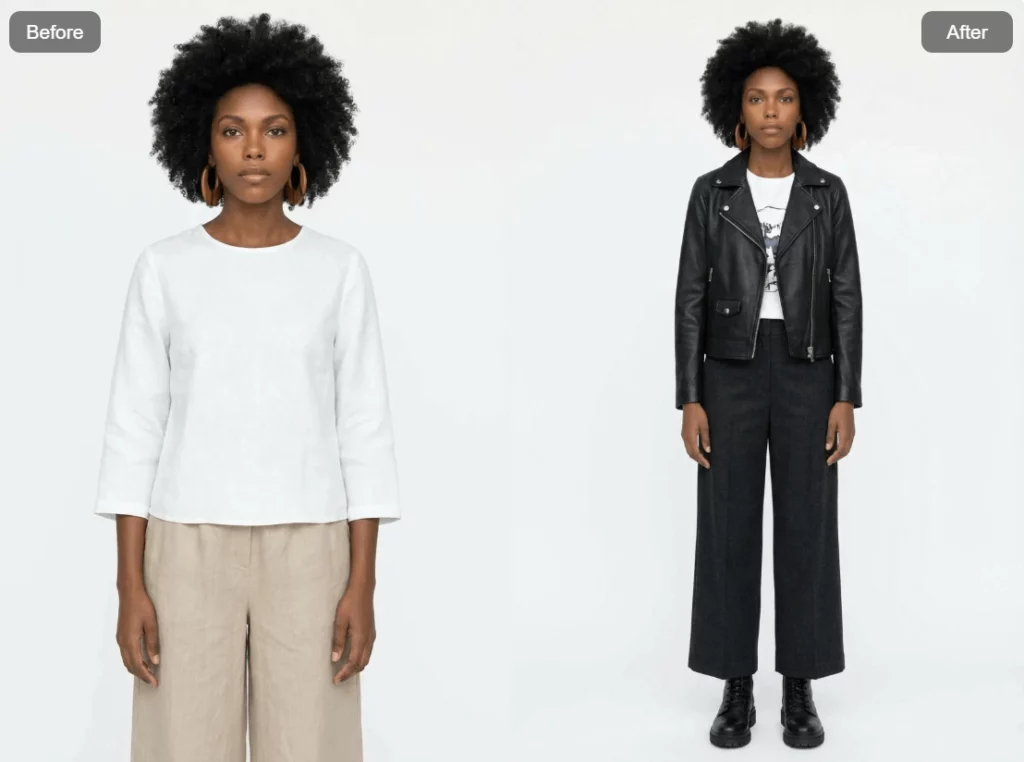
Creating a new outfit usually takes time. You need ideas, references, styling logic, and sometimes even a stylist. With Outfit Generator, WeShop AI changes that process completely.
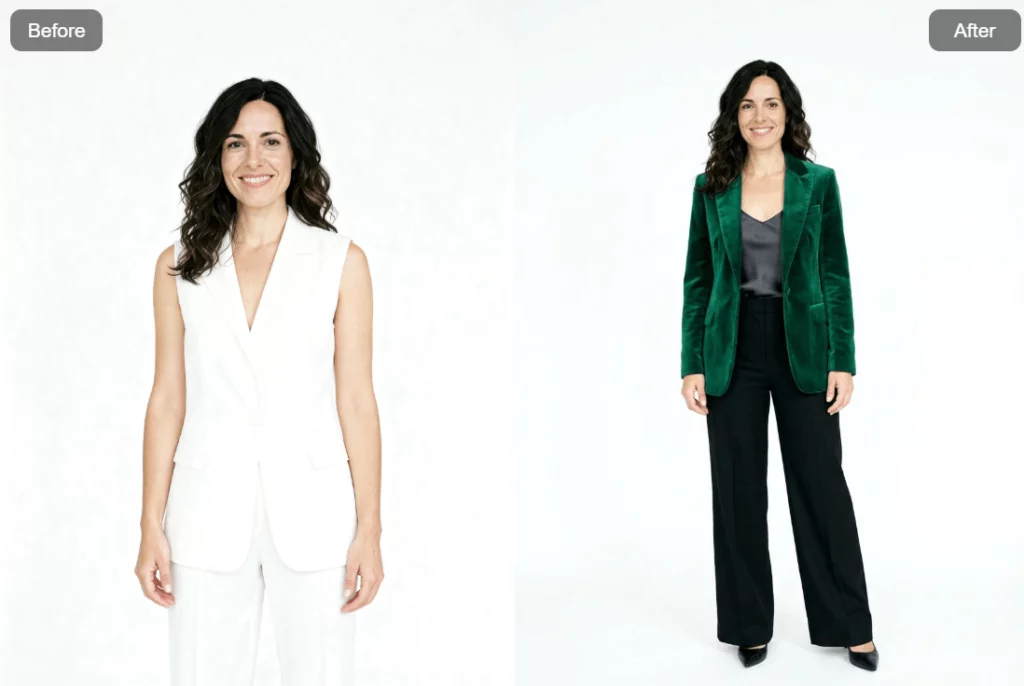
This new feature allows you to generate a complete, recommended outfit based on a single image. You upload a photo. You click generate. A new look appears, while the face, pose, and background stay the same.
Simple. Fast. Surprisingly effective. Outfit Generator is one of the latest tools released by WeShop AI, and it is designed for sellers, creators, and brands who want fresh styling ideas without starting from zero.
Let’s break down how it works, why it matters, and how you can actually use it.
What Is Outfit Generator in WeShop AI?
Outfit Generator is an AI styling tool inside the WeShop AI platform.
Its main goal is very clear:
generate a complete new outfit based on an existing image, while keeping everything else unchanged.
That includes:
- Original face
- Original body proportion
- Original pose
- Original background
- Original image composition
Only the outfit changes.
This makes it perfect for:
- E-commerce product visuals
- Fashion look exploration
- Content testing for social media
- Styling inspiration without reshooting photos
Instead of editing each clothing item manually, Outfit Generator handles the logic for you.
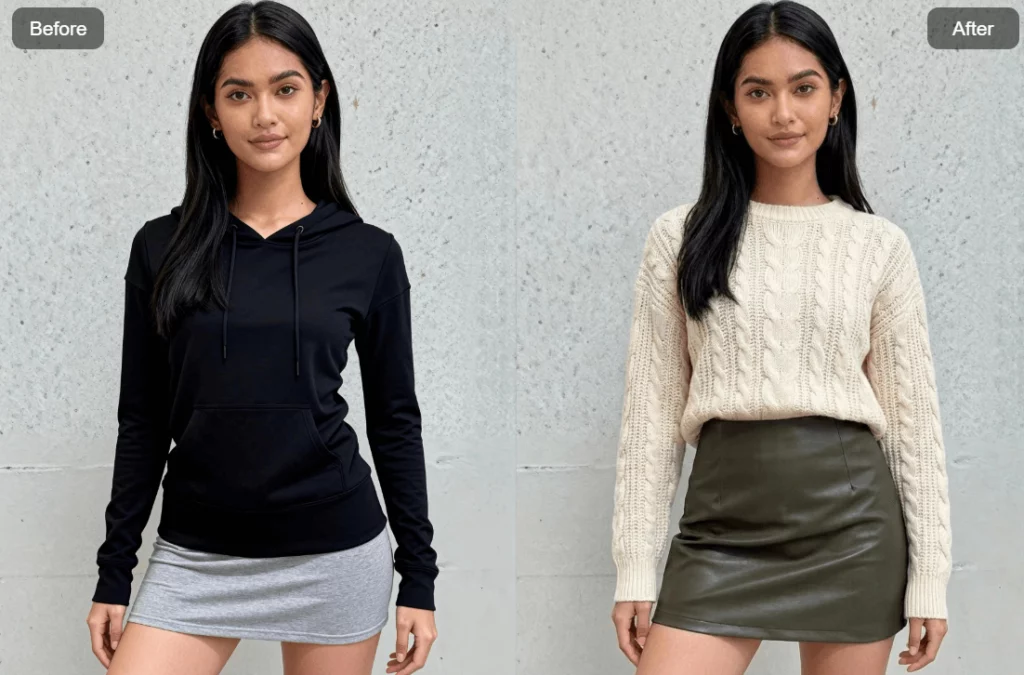
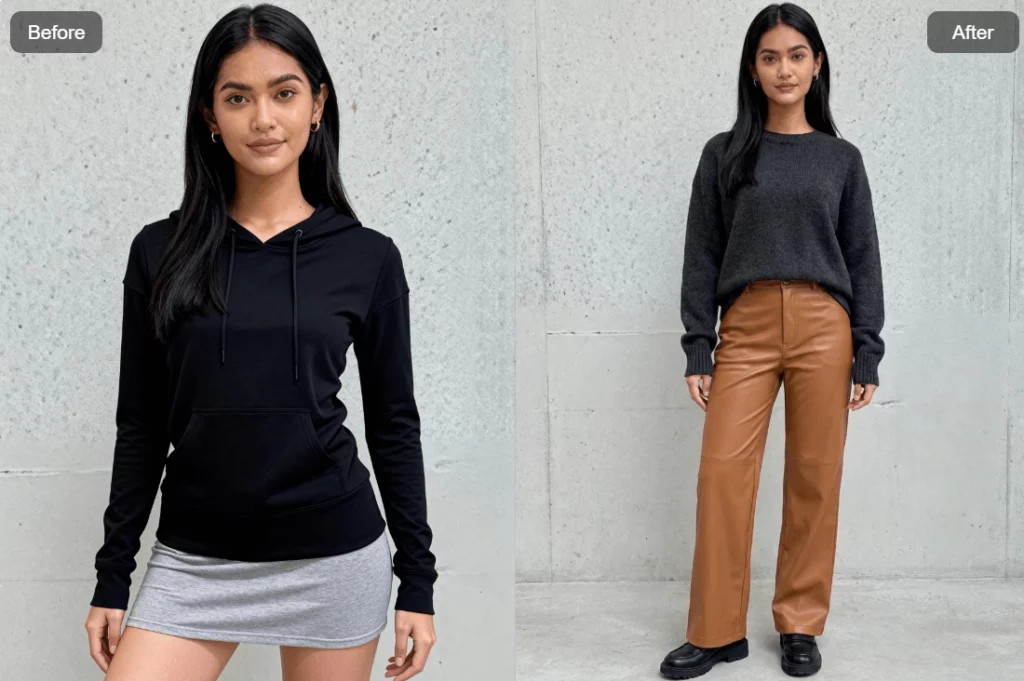
Where to Find Outfit Generator
Getting started is easy.
First, log in to WeShop AI.
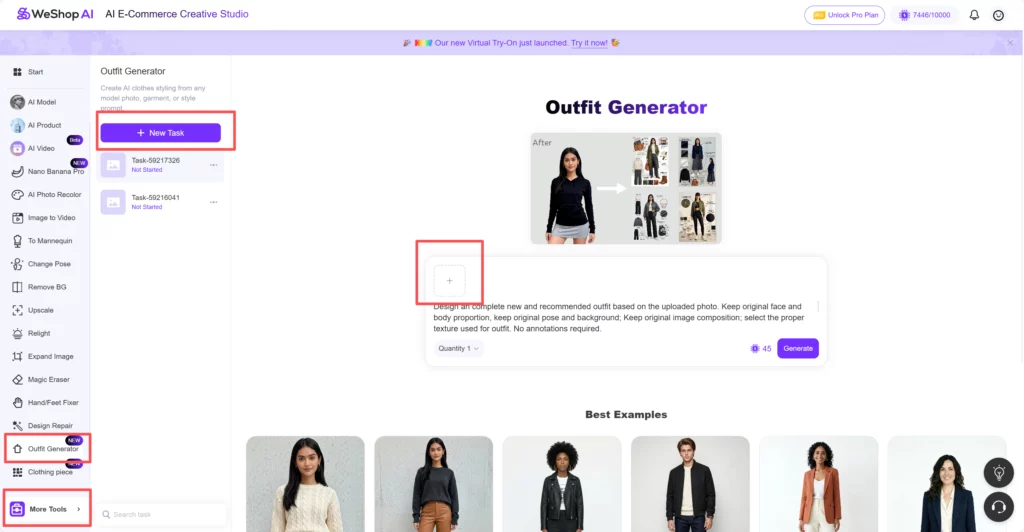
Then follow this path:
- Look at the left-side task bar
- Click More Tools
- Find Outfit Generator
- Click Add New Task
Once you do that, you will enter the Outfit Generator workspace.
No extra setup. No confusing steps. Everything starts from one image.
Uploading Your Image: What Works Best
Inside the Outfit Generator page, the first thing you’ll do is upload an image.
The good news is that this tool is flexible.
You can upload:
- A professional model image
- A lifestyle fashion photo
- Your own photo
- A content creator image
- A clean e-commerce model shot
As long as the subject is clear, Outfit Generator can work with it.
For best results, here are a few tips:
- Make sure the full outfit is visible
- Avoid heavy motion blur
- Keep lighting relatively even
- Simple backgrounds work well, but are not required
Once the image is uploaded, you’ll notice something important.
The prompt is already there.
The Built-In Prompt: Ready to Use
One of the most useful parts of Outfit Generator is that you don’t need to write a prompt from scratch.
WeShop AI already provides a carefully designed default prompt:
Design a complete new and recommended outfit based on the uploaded photo.
Keep original face and body proportion, keep original pose and background;
Keep original image composition; select the proper texture used for outfit.
No annotations required.1. Analyze the core characteristics of the model, dressing style and potential personality of the subject.
2. Extract the disassemblable first-level elements (coat, shoes, big expression)
3. Generate a composite diagram containing all these elements, ensuring accurate perspective, unified lighting and shadow, keep everything else same.
This prompt already covers:
- Style analysis
- Outfit logic
- Visual consistency
- Lighting and perspective
Because of that, you can simply click Generate and let the AI handle the rest.
For many users, this default prompt is more than enough.
When You Should Customize the Prompt
Even though the default prompt works well, customization is where Outfit Generator becomes truly powerful.
If you have specific needs, you can edit the prompt before generating.
For example, you might want:
- A more formal outfit
- A streetwear look
- A seasonal style
- A luxury aesthetic
- A minimalist vibe
You can add simple instructions like:
- “Make the outfit suitable for fall”
- “Focus on neutral colors”
- “Create a modern urban street style”
- “Design an outfit for high-end fashion e-commerce”
You don’t need complex wording.
Short, clear instructions work best.
This flexibility allows Outfit Generator to adapt to different brands, audiences, and platforms.
What Outfit Generator Actually Does Behind the Scenes
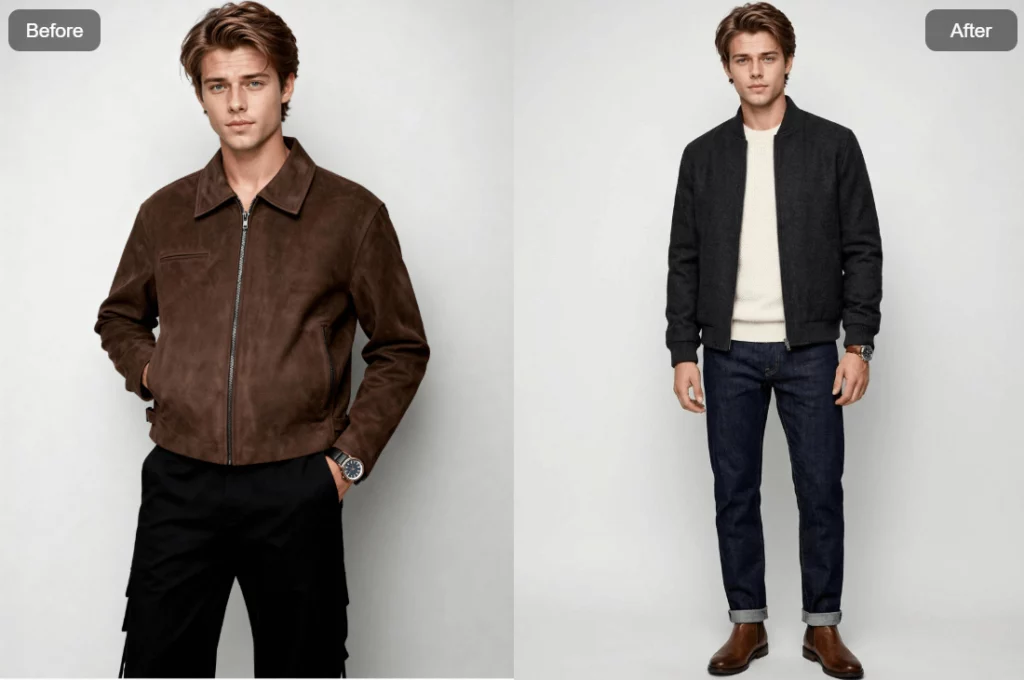
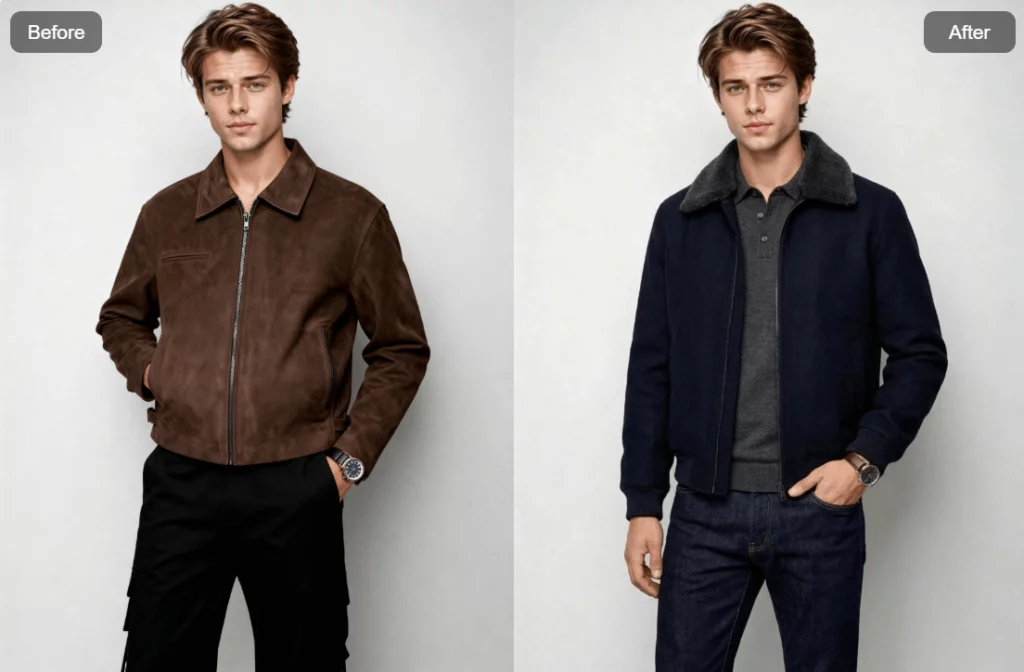
Outfit Generator does more than just “change clothes.”
First, it analyzes the subject in the image.
This includes body proportion, posture, and overall visual balance.
Next, it infers potential style and personality cues.
This step helps the AI avoid random outfit choices.
Then, it breaks the outfit into first-level elements, such as:
- Top or coat
- Bottom
- Shoes
- Key visual accents
Finally, it rebuilds everything into a single, unified outfit.
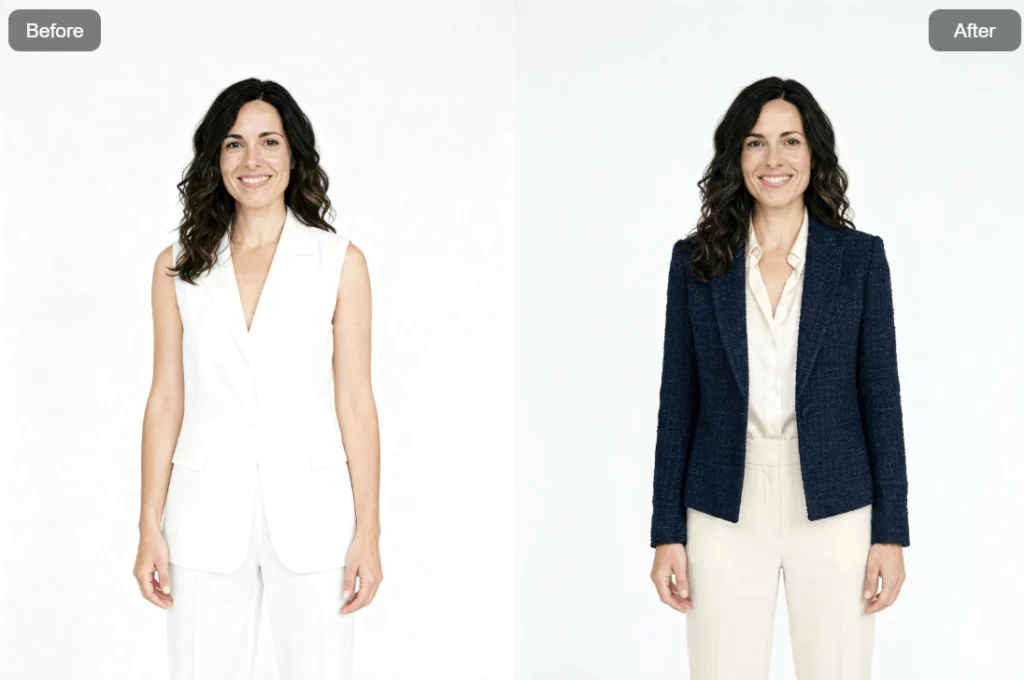
Lighting, shadows, and perspective stay consistent. The background remains untouched. And the pose does not change. The result feels natural, not stitched together.
Perfect Use Cases for Outfit Generator
Outfit Generator fits into many real-world workflows. Here are some of the most common ones.
E-Commerce Product Styling
If you run an online store, this tool saves time and budget.
You can:
- Generate different outfit styles from one model image
- Test how products look in different combinations
- Create seasonal visuals without reshooting
This is ideal for small teams or fast-moving brands.
Social Media Content Creation
Content creators need variety.
With Outfit Generator, one photo can become:
- Multiple outfit posts
- Different styling moods
- New visual storytelling angles
That means less shooting, more posting.
Personal Styling Inspiration
This tool is not just for sellers.
If you upload your own photo, Outfit Generator can:
- Suggest new outfit ideas
- Help you visualize styles you haven’t tried
- Give inspiration for daily dressing
It feels like a digital stylist that works instantly.
Tips for Better Results
To get the most out of Outfit Generator, keep these tips in mind:
- Start with clean images
- Avoid extremely complex backgrounds
- Be specific when editing prompts
- Test different prompts with the same image
- Compare results before final use
Small adjustments can lead to big visual improvements.
Conclusion
Outfit Generator gives you a smarter way to explore fashion styling with AI. By turning one image into multiple outfit ideas, WeShop AI helps you create faster, test more, and stay visually consistent across platforms. Let’s try Weshop AI Now!