The promise of “one-click background removal” has existed for years. The reality used to be: one click to start, then 15 minutes of cleanup. Edge artifacts, missed regions, halo effects — the AI got you 70% there and manual work finished the job. That ratio has flipped. Today’s best AI background remover tools deliver production-ready results that need zero post-processing. Here’s what changed.

The Three Breakthroughs That Killed the Cleanup Step
Breakthrough 1: Trimap-free matting. Older AI models required a “trimap” — a rough outline marking definite foreground, definite background, and uncertain zones. Creating the trimap was itself a manual step. Modern models like WeShop AI’s process raw images end-to-end, eliminating the entire preparation phase.
Breakthrough 2: Multi-scale attention. Previous architectures processed images at a single resolution, forcing a choice between global understanding (what is the subject?) and local precision (where exactly is the hair strand boundary?). Multi-scale attention processes both simultaneously, resolving the quality-speed tradeoff that previously required cleanup.
Breakthrough 3: Edge-aware loss functions. Training AI models requires a loss function — a mathematical measure of how wrong the model’s predictions are. Early matting models used simple pixel-wise loss, which treated boundary pixels and interior pixels equally. Modern loss functions weight boundary pixels 10–50x more heavily, specifically optimizing the model for the exact regions where cleanup used to be needed.

One click, zero cleanup — edge-aware loss functions specifically eliminate the artifacts that used to require manual correction.
What “Zero Cleanup” Actually Means in Practice
Zero cleanup doesn’t mean the AI is perfect on every conceivable image. It means: for the use cases these tools are designed for — product photography, portrait extraction, e-commerce catalog processing — the output is directly usable in final deliverables without opening Photoshop for edge refinement.
WeShop AI’s integrated pipeline extends this principle: after background removal, the cutout feeds directly into AI Change Background for scene compositing or Image Enhancer for resolution upscaling. Each step is designed to accept the previous step’s output without manual intervention — a truly zero-cleanup end-to-end workflow.

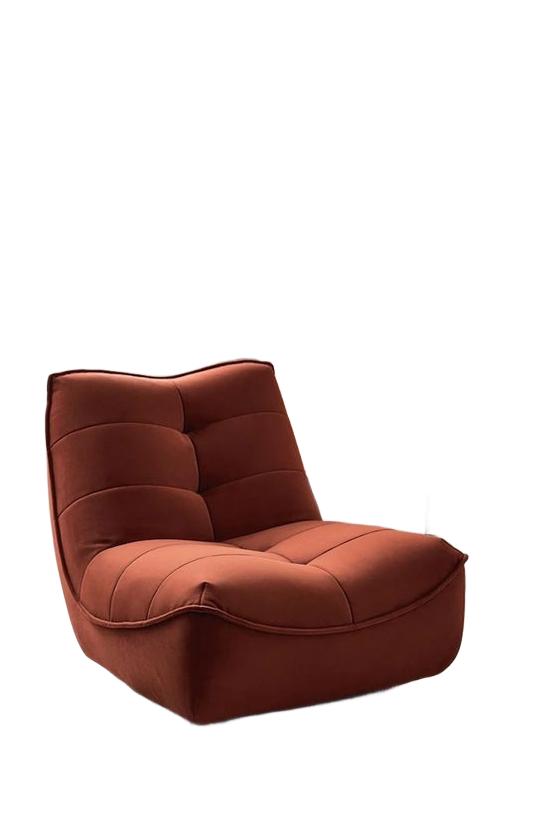
The output goes straight to the deliverable — no Photoshop detour required.
Time Savings at Scale: The Compound Effect
Eliminating 5 minutes of cleanup per image seems minor. At scale: a designer processing 40 images per day saves 3.3 hours daily. That’s 16+ hours per week — two full working days recovered. Over a year, that’s 860 hours: enough time to complete an entire additional product line’s visual assets.


860 hours per year — that’s the compound time savings of eliminating the cleanup step at production scale.
Expert FAQ
Is “zero cleanup” realistic, or is it marketing hype?
For standard product photos and portraits: realistic. WeShop AI’s results on these subjects are production-ready without post-processing. For edge cases (extreme transparency, unusual compositions), occasional 30-second touchups may be needed — but starting from an AI-generated mask is still dramatically faster than manual extraction.
What if I still see a slight halo on my specific image?
Try uploading at higher resolution — more pixel data at boundaries gives the AI finer-grained information. If the halo persists, a 15-second “defringe” adjustment in Photoshop removes it. This is still 95% faster than manual extraction from scratch.
Do one-click tools work for batch processing, or only single images?
WeShop AI supports batch upload — drag an entire folder and every image processes with the same zero-cleanup quality. The batch output maintains consistent quality across all images, which manual processing never achieves.
How does the quality compare to a professional retoucher?
A top retoucher spending 15–30 minutes per image can still produce marginally better results on the most challenging subjects. But for 95% of images, AI matches or exceeds human quality — and does it in 3 seconds instead of 20 minutes.
Will future AI updates make cleanup even less necessary?
Yes. Each model generation closes the remaining gap. Attention-based matting and video-consistent processing are the next frontiers. Within 2–3 years, even the hardest edge cases (smoke, glass, fine mesh) should be cleanup-free.
© 2026 WeShop AI — Powered by intelligence, designed for creators.