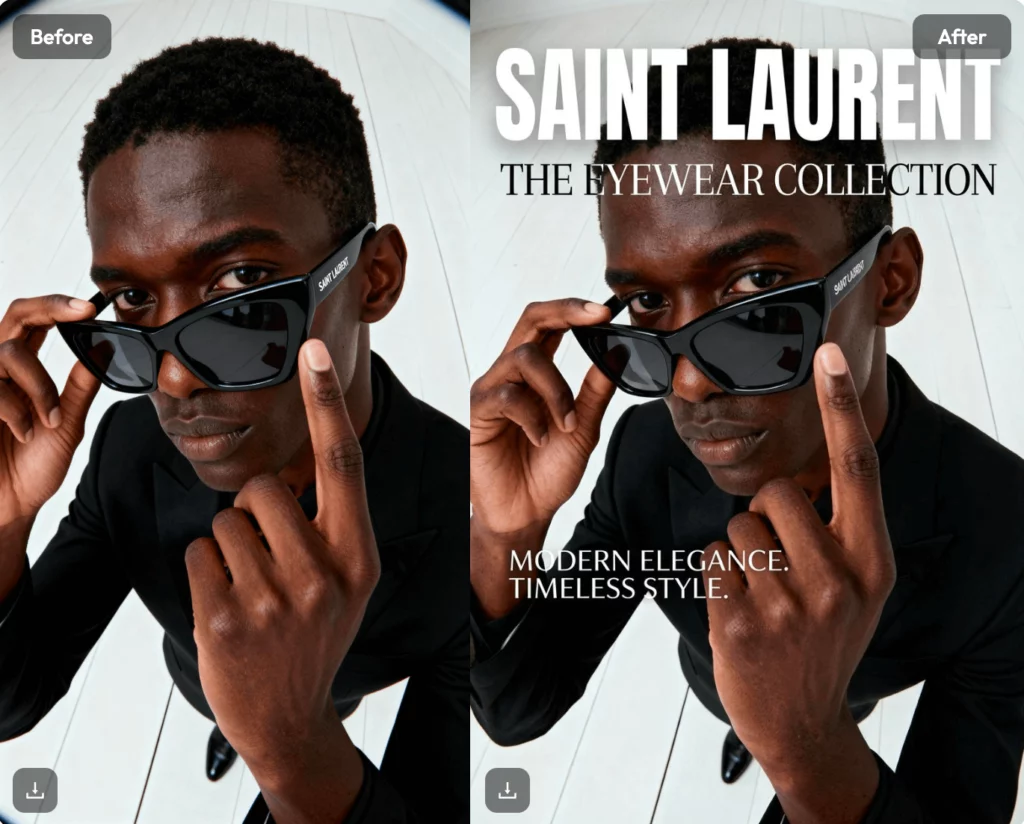
We’ve all been there. You have a great photo, but you spend forty minutes trying to find the right font. You move a text box two pixels left, then two pixels right. Suddenly, an hour has passed, and you’ve only finished one Instagram post. If you want to scale your brand, you need a professional photo text editor that stops the “pixel-pushing” nightmare and actually speeds you up.
Efficiency isn’t about working harder; it’s about using the right tools. A pro-level tool doesn’t just put words on a screen. It handles alignment, style consistency, and branding in seconds. Let’s look at how you can transform your workflow and 10x your output.
Why You Need a Reliable Photo Text Editor for Your Brand
In 2026, visual content is the only currency that matters. Whether you are running an e-commerce store or a personal blog, your images need to speak. Using a high-quality photo text editor ensures your message isn’t lost in a cluttered background.
Good typography builds trust. If your text looks amateur, people assume your product is amateur too. A solid pic text editor helps you maintain a consistent “vibe” across every platform. It allows you to save your brand colors and fonts so you don’t have to guess every time.
Consistency is the secret to being remembered. When your followers see a specific font style, they should immediately know it’s yours. A dedicated tool makes this automatic rather than a chore.


3 Ways a Pro Photo Text Editor Speeds Up Your Design
Speed is the ultimate competitive advantage. Most creators fail because they can’t keep up with the demand for daily content. Here is how a photo text editor changes the game.
1. Batch Processing in Your Photo Text Editor
Imagine you have twenty product photos. You need to add a “Summer Sale” badge to all of them. Doing this one by one is a waste of your life. A pro photo text editor allows you to apply the same text layer to multiple images at once. You set the style once, click “apply to all,” and you’re done. This alone can save you hours of repetitive work every week.
2. Smart Templates for Faster Posting
Stop starting from a blank white canvas. Use a picture text editor that offers pre-made typography layouts. These templates are designed by professionals who understand visual hierarchy. You just swap the words, change the photo, and export. It takes the guesswork out of design.
3. Integrated AI Features
Modern tools now include AI that suggests font pairings based on the mood of your photo. If you upload a dark, moody landscape, the AI won’t suggest a bubbly “Comic Sans” style font. It helps you make better creative decisions faster.


Using WeShop AI to Generate Assets
Before you can add text, you need high-quality images. This is where WeShop AI becomes your best friend. In the past, you needed a studio, a model, and a photographer. Now, you just need an AI creative studio.
WeShop AI allows you to generate realistic model shots and product visuals from a single photo. You can swap backgrounds or change the model’s nationality in seconds. Once you have these stunning visuals, you can bring them into your text in image editor to add your marketing copy.
By combining AI generation with a fast text workflow, you eliminate the biggest bottlenecks in content creation. You no longer wait for a photoshoot to finish. You create the image and the ad on the same afternoon.
Finding the Best Pic Text Editor for Social Media
Not every tool is built for every platform. If you’re focusing on social media, you need something lightweight and mobile-friendly. A mobile pic text editor should allow you to add captions while you’re on the go.
Look for features like “auto-resize.” This lets you turn one square Instagram post into a vertical Reel cover with one click. Your text should automatically adjust its size to fit the new dimensions. If your current tool makes you manually resize every text box, it’s time to upgrade.
Final Thoughts on Your New Photo Text Editor
Scaling your content doesn’t mean hiring a massive team. It means choosing a photo text editor that works as hard as you do. By automating your typography and using AI tools like WeShop AI for your base images, you can produce more in a day than most people do in a week.
The goal is to move from “spending time on content” to “investing in assets.” Every template you build and every batch you process adds time back to your schedule. Start small, pick a style, and let your tools do the heavy lifting.