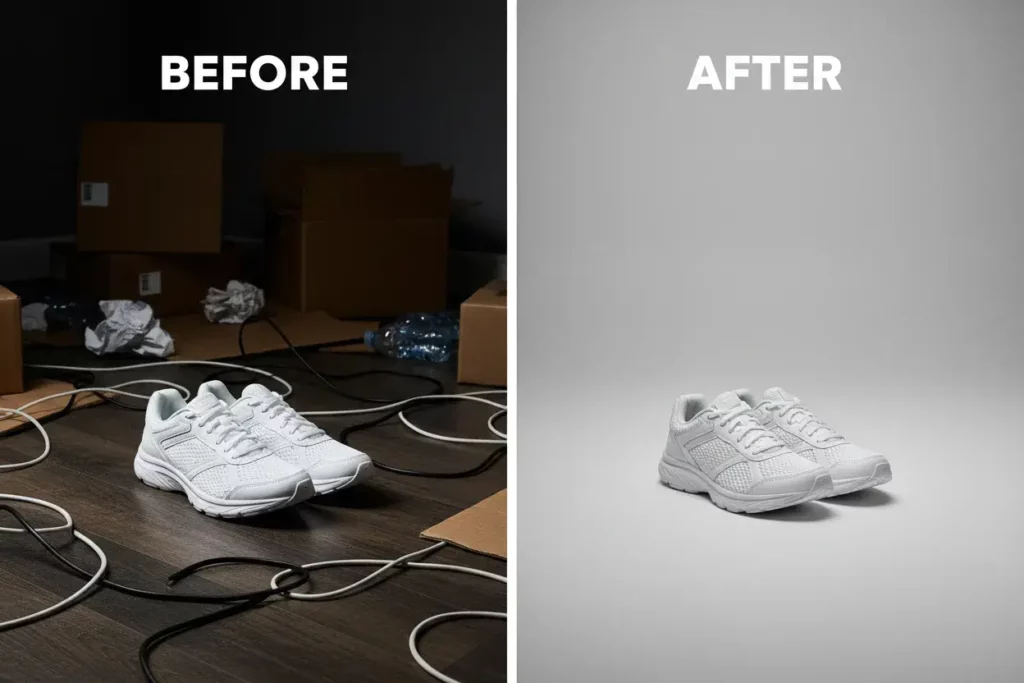
Have you ever taken a great photo but felt something was missing? Usually, the problem isn’t your subject. It is the messy, dull, or distracting backdrop. A high-quality photo enhancer can fix this in seconds. It turns a boring snapshot into a professional masterpiece. You don’t need to be a design expert to get results. You just need the right workflow.
In this guide, we will explore how to master your background. We will look at tools that make editing easy. We will also show you how to use a photo enhancer background to save time. By the end, you will know how to create images that truly stand out.
The Role of a Professional Photo Editing Background
Your background tells a story. It sets the mood for your entire image. A cluttered photo editing background pulls attention away from your subject. It makes your brand look disorganized. On the other hand, a clean background builds trust. It makes your products or portraits look high-end.
Think about your favorite Instagram creators. Their photos always feel cohesive. This is because they pay attention to the space behind them. They use tools to blur distractions or swap them entirely. A good background provides contrast. It helps your subject “pop” off the screen.
Choosing the right backdrop is a skill. But with modern technology, it is a skill anyone can learn. You no longer need expensive studios. You just need a solid plan for your digital edits.
The Secret Power of a Photo Enhancer Background
Why should you use a photo enhancer background? The answer is simple: quality. Standard editors often leave “halos” or jagged edges. A true enhancer uses AI to understand the image. It knows where the hair ends and the sky begins.
A photo enhancer background tool does more than just remove things. It improves the resolution of the backdrop. It can add realistic depth of field. This makes your photo look like it was shot on a $3,000 camera.
When you use an enhancer, you aren’t just hiding mistakes. You are adding value to your visual assets. This is essential for e-commerce and social media. People judge your quality based on your visuals. High-resolution backgrounds show that you care about the details.
How a Photo Enhancer Fixes Low-Quality Backdrops
Sometimes your best photos are low resolution. Maybe they were taken in bad lighting. A photo enhancer can save these images. It uses “upscaling” technology to add missing pixels. This is perfect for when you need to print an image or show it on a large screen.
The tool analyzes the textures in your background. It sharpens the blurry parts without making them look fake. This creates a crisp, clean look that is hard to achieve manually. If your background is grainy, an enhancer smooths it out. It gives your photo a polished, commercial finish.
Using WeShop AI for Professional Results
If you are in e-commerce, you know the struggle of photoshoots. Hiring models and finding locations is expensive. This is where WeShop AI changes the game. It is a powerful AI creative studio.
With WeShop AI, you can generate realistic model shots instantly. You can change the background to fit any vibe. Want your product in a sunny garden? Done. Need a minimal indoor studio? Easy.
It works perfectly as a photo editing background partner. You start with a basic product shot. Then, you let the AI build a world around it. This saves you thousands of dollars in production costs. It also lets you test different styles in minutes.

Tips to Edit Photo Online Free Background Like a Pro
You don’t always need a paid subscription. You can edit photo online free background styles with many great tools. The key is knowing how to use them effectively. First, always look for an “Auto-Remove” feature. AI has made this very accurate.
After removing the old background, don’t just pick a random color. Look for a scene that matches your lighting. If the light on your subject is from the left, your background should match. This makes the edit look natural.
To edit photo online free background assets, follow these steps:
- Upload your original image.
- Use the AI remover to clear the clutter.
- Choose a high-quality replacement image.
- Adjust the “blur” or “transparency” to create depth.
- Match the color temperature of both layers.
Consistency is key here. If you have ten photos, they should all feel like they belong together. Use the same editing settings for every image in a set.
Perfecting Your Style with a Photo Enhancer
A photo enhancer allows you to go beyond basic removal. It lets you fine-tune the “energy” of the shot. You can use it to boost colors in the background. If the sky is gray, you can make it a vibrant blue.
This tool also helps with “subject isolation.” By slightly darkening the background, your subject stays the focus. You can also add a subtle “vignette” effect. This draws the eye toward the center of the frame.
Using a photo enhancer makes these professional tricks easy. You don’t have to spend hours on manual masks. You just adjust a few sliders and let the AI do the heavy lifting.
Balancing Light and Depth
A common mistake is having a background that is too sharp. In real life, our eyes focus on one thing at a time. The rest should be slightly soft. Use your photo editing background tools to add a “Gaussian blur.”
This creates a “3D” effect. It gives your photo a professional sense of scale. Make sure the light sources make sense. If there is a window in your background, the light on your subject should be bright. Small details like this make a huge difference.
Why Every Creator Needs a Photo Enhancer Background
Efficiency is the name of the game in 2026. You cannot spend three hours on one photo. A photo enhancer background workflow lets you produce more content. It helps you stay consistent on every platform.
Whether you are a YouTuber, a brand owner, or a blogger, your visuals matter. High-quality images get more clicks. They get more shares and more likes. A photo enhancer background is the fastest way to get there.
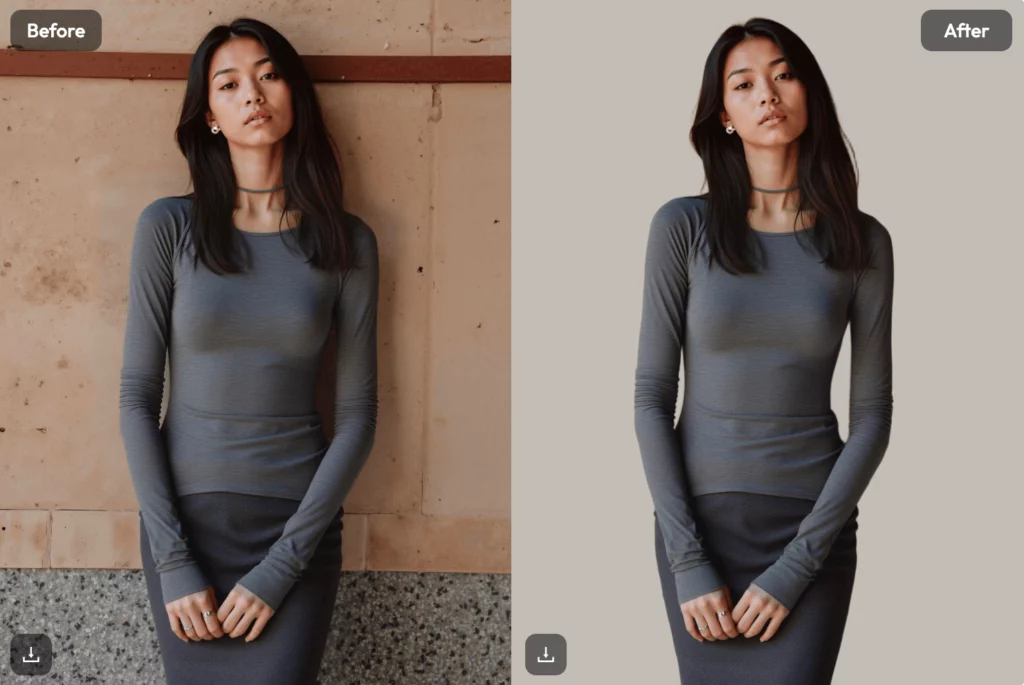
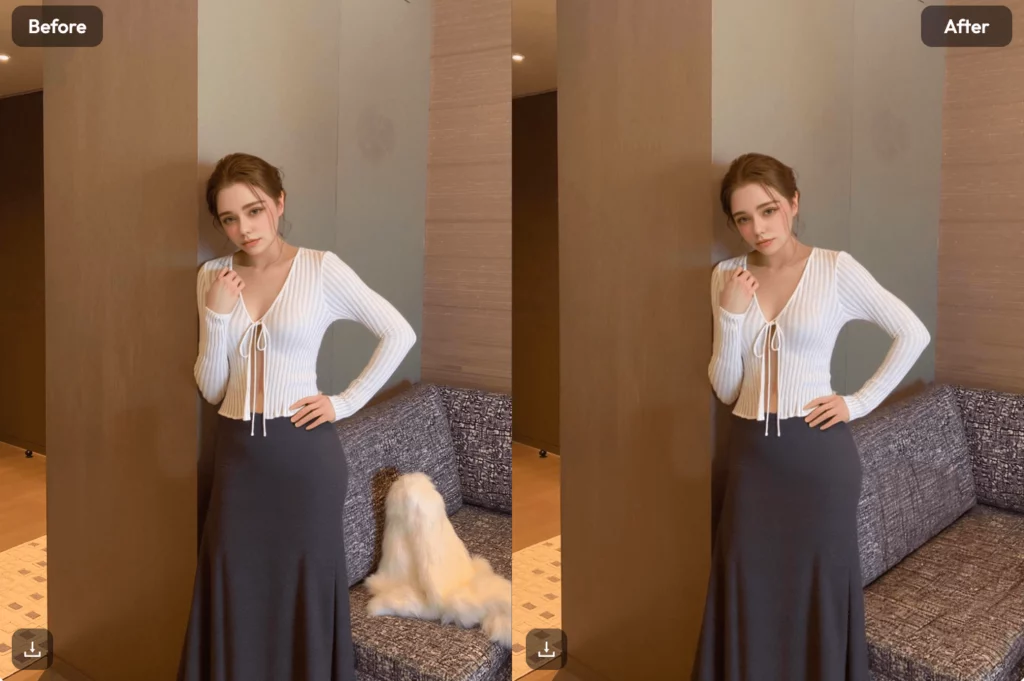
It bridges the gap between “amateur” and “pro.” It gives you the confidence to post your work. You no longer have to worry about the messy room in the background. You just fix it and move on.
Real-World Use Cases
Let’s look at how different people use these tools. An e-commerce seller uses WeShop AI to put their clothes on diverse models. They use a photo enhancer to make sure the fabric textures look sharp.
A travel blogger might use a photo enhancer background to remove tourists. They can then sharpen the mountain in the distance. This makes their adventure look even more epic.
Even for a LinkedIn profile, a clean background is vital. You can edit photo online free background styles to give yourself a professional office setting. It is about presenting the best version of yourself or your product.
Final Workflow Optimization
To 10x your output, you need a system. Start by taking your photos in RAW format if possible. This gives your photo enhancer more data to work with. Then, use a batch-editing tool to apply the same background to multiple shots.
Always keep a folder of “good backgrounds.” These can be textures, solid colors, or nature shots. Having these ready saves you from searching for hours. Finally, use a tool like WeShop AI to handle the complex creative work.
Conclusion
Visual content isn’t just about art; it’s about communication. Every time you improve a photo editing background, you improve your message. You are telling your audience that you are professional and reliable.
Using a photo enhancer is no longer optional for serious creators. It is the only way to keep up with the competition. It allows you to focus on the big picture while the AI handles the pixels.