How do I integrate WeShop AI with Shopify?
This is a question many Shopify sellers start asking once their store begins to grow.
At first, uploading product images manually works fine. But as your catalog expands, things get messy. New SKUs arrive every week. You need clean product photos, model images, banners, and sometimes videos—fast. Coordinating photoshoots, designers, and revisions quickly becomes expensive and slow.
This is where AI tools for ecommerce start to make sense.
WeShop AI is built specifically for online stores that need to create and manage visual content at scale. And for Shopify users, the good news is simple: you can integrate WeShop AI directly through an official Shopify app—no code required.
What Is WeShop AI for Shopify Sellers?
Before talking about integration, it helps to clarify what WeShop AI actually does.
WeShop AI is an AI-powered visual creation platform designed for ecommerce workflows. Instead of focusing on generic design, it helps online stores produce:
- Product images
- Model and try-on visuals
- Background-optimized assets
- Marketing posters and banners
- Video-ready visuals
All of this is designed to work with real ecommerce constraints—SKUs, listings, campaigns, and platforms like Shopify.
For sellers looking for practical AI tools for online stores, WeShop AI focuses on production speed and reuse, not just creativity.
The Easiest Way to Integrate WeShop AI with Shopify
For most merchants, integrating WeShop AI with Shopify does not involve APIs, code, or developers.
Official Shopify App Installation
WeShop AI offers an official app on the Shopify App Store. Once installed:
- You connect WeShop AI to your Shopify store
- Your store media library becomes part of the workflow
- Generated visuals can be uploaded back to Shopify in batches
This means you don’t need to build custom integrations or manage technical settings. The app handles the connection for you.
From a seller’s perspective, it feels like adding a new productivity tool inside your existing Shopify workflow.

How Shopify Sellers Actually Use WeShop AI Day to Day
Instead of walking through buttons and clicks, let’s look at how integration feels in practice.
A typical Shopify seller workflow might look like this:
You start with a batch of new products. Instead of sending everything to a photographer, you open WeShop AI from your Shopify-connected account. You select product images from your media library, generate new visuals, and then push the results back into Shopify.
There’s no need to download files one by one or rename assets manually. The integration keeps things organized where you already work.
That’s where the time savings really show up.
Key Use Cases Enabled by Shopify Integration
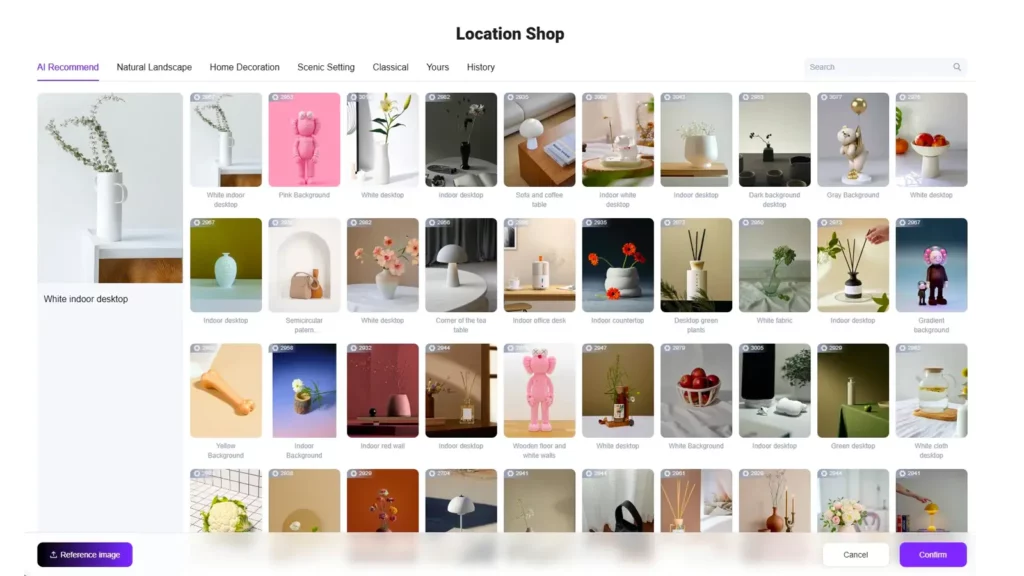
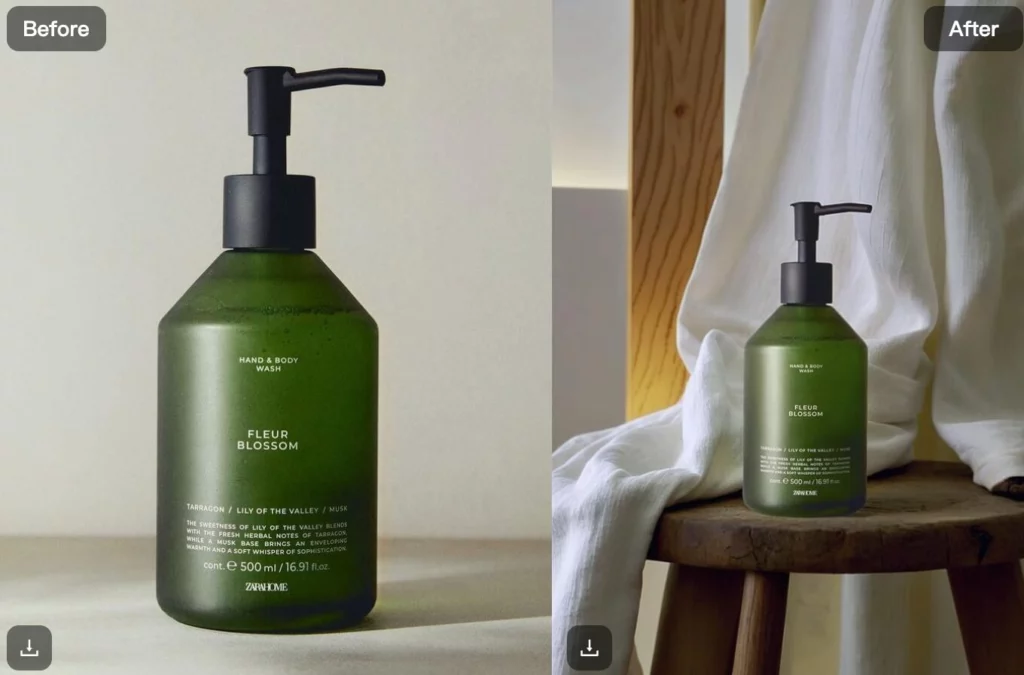
1. AI Product Images Without Repeated Photoshoots
Using the AI Product tool, sellers can generate clean product images in different scenes or lighting styles.
For Shopify stores, this means:
- Faster product launches
- More visual variety per listing
- Less reliance on physical photography
Instead of re-shooting for every variation, you generate what you need digitally and upload it directly to your store.
2. AI Model and Virtual Try-On for Fashion Stores
Fashion sellers often struggle with model images.
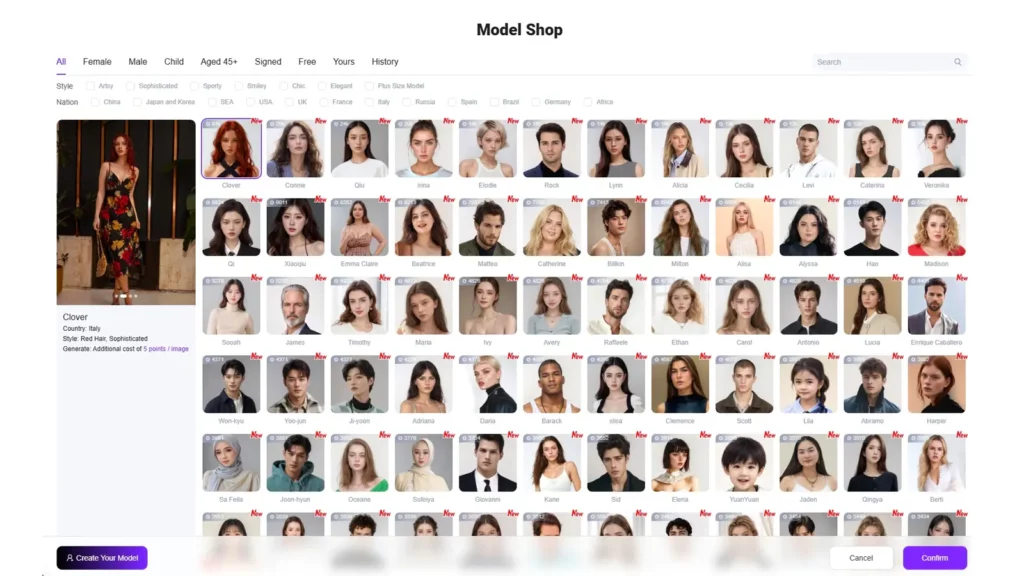
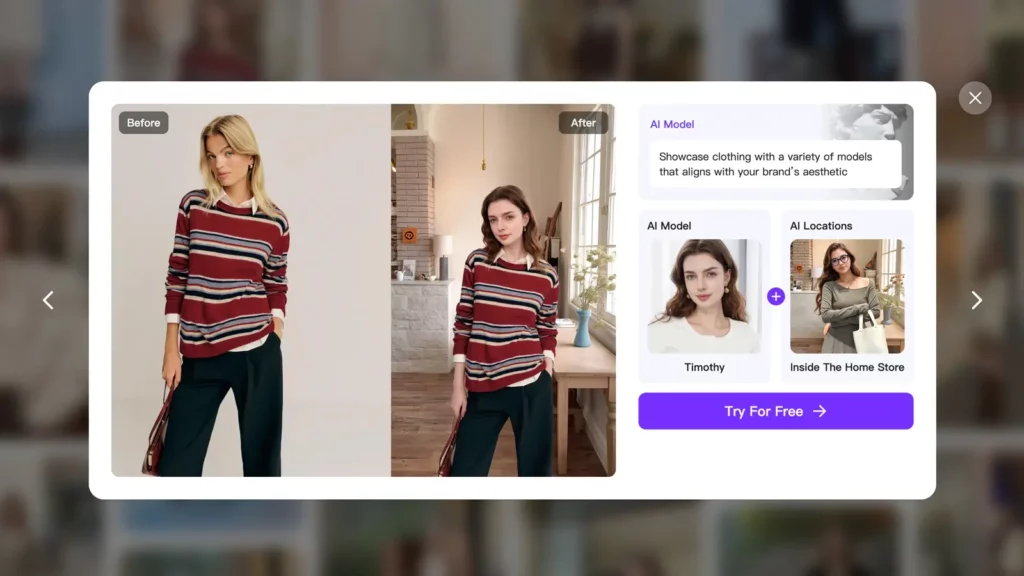
With AI Model and Virtual Try-On, WeShop AI lets Shopify merchants:
- Show clothing on different models
- Present fit and drape visually
- Create consistent model visuals across collections
This works especially well for apparel stores that want to improve presentation without scheduling new shoots for every drop.
3. Background Optimization for Marketplace Requirements
Many Shopify sellers also sell on marketplaces that require white backgrounds or specific formats.
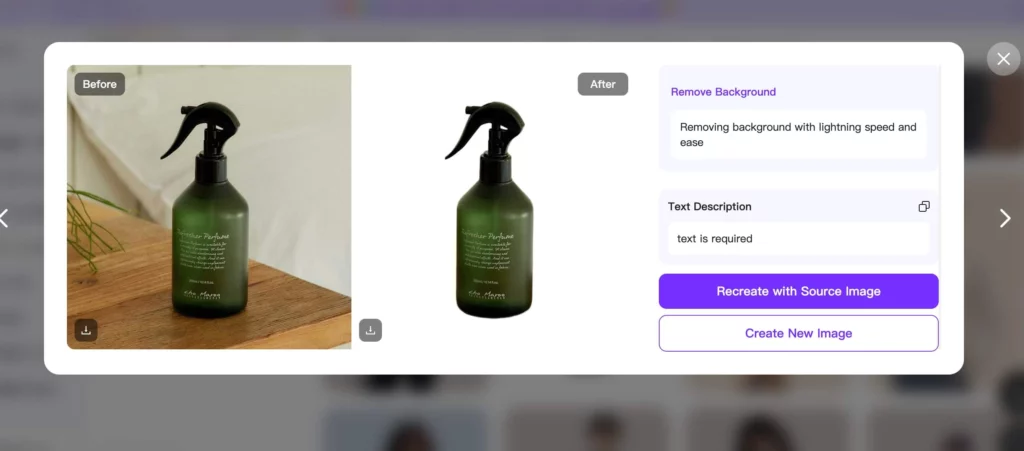
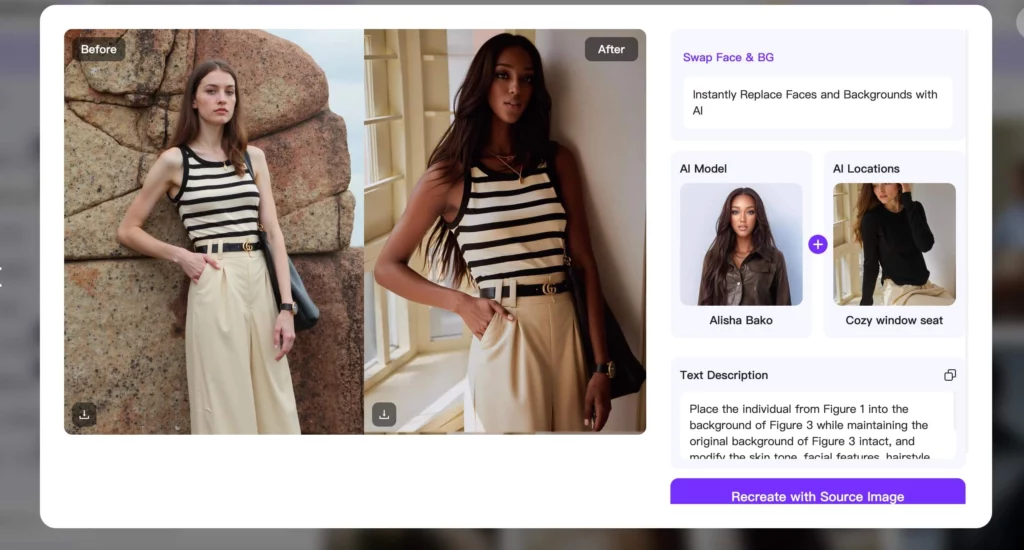
With Swap Face & BG and Remove Background, you can:
- Prepare compliant listing images
- Reuse visuals across channels
- Keep brand style consistent
Because these tools work inside the same platform, there’s no need to move files between apps.
4. AI Video Generation for Shopify Campaigns
Static images are often not enough anymore—especially for ads and social commerce.
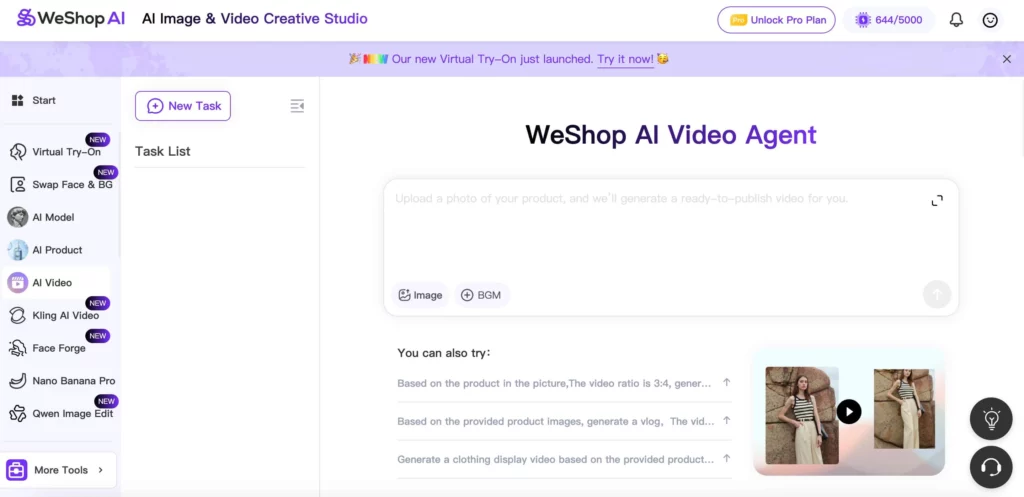
With AI Video, WeShop AI helps Shopify sellers turn existing product images into short, engaging videos that are ready for campaigns. Instead of planning a full video shoot, sellers can generate motion-based content directly from their product visuals.
In practice, Shopify merchants use AI Video to:
- Create short product videos for ads and landing pages
- Turn listing images into motion content for TikTok and Instagram
- Test different video styles without reshooting
- Prepare video assets quickly for seasonal campaigns
Because AI Video works on top of existing images, it fits naturally into the Shopify workflow. Sellers can generate videos in batches, review results, and upload the final assets back to Shopify without switching tools.
For stores running frequent promotions, this makes video creation faster and far more accessible—especially for teams without dedicated video editors.

5. Batch Creation for Scaling Stores
One of the biggest advantages of WeShop AI is that batch generation is built into every tool.
When integrated with Shopify, batch workflows allow sellers to:
- Process dozens of products at once
- Generate multiple versions for A/B testing
- Prepare assets for future campaigns in advance
This is where AI tools for ecommerce outperform traditional workflows.
Do I Need Technical Skills to Integrate WeShop AI?
Short answer: no.
For Shopify users, WeShop AI is designed for non-technical merchants. The official app handles the connection, and most workflows feel like configuration rather than development.
If you’re comfortable uploading products, managing media, and running promotions in Shopify, you’ll feel comfortable using WeShop AI.
For advanced teams, deeper automation is possible later—but it’s not required to get value.
Why Shopify Integration Matters More Than Using AI Separately
Some sellers wonder: Can’t I just use AI tools manually without integration?
You can—but integration changes how efficient the process becomes.
With Shopify integration:
- Assets stay connected to products
- Teams avoid duplicate uploads
- Visual updates happen faster
- Fewer mistakes slip into listings
This is why many sellers see WeShop AI not just as a design tool, but as part of their ecommerce infrastructure.
Who Benefits Most from Integrating WeShop AI with Shopify?
This setup works especially well for:
- Shopify sellers managing frequent product launches
- Fashion and apparel brands
- Small teams without dedicated design staff
- Marketing teams running multiple campaigns
- Growing stores that need consistency at scale
If visual content is a bottleneck in your Shopify workflow, integration makes the difference.
Conclusion
So, how do I integrate WeShop AI with Shopify?
For most sellers, the answer is simple: install the official Shopify app and start using it within your existing workflow.
By connecting WeShop AI directly to Shopify, online stores gain access to practical AI tools for ecommerce—product images, model visuals, background optimization, and marketing assets—without adding technical complexity.
If your store is growing and visual content is slowing you down, integrating WeShop AI with Shopify is a low-effort way to scale faster and work smarter.