We all have that one shoebox. It sits on a high shelf or is tucked away in the back of a closet. Inside, you find a treasure trove of family history. There are black-and-white weddings, sepia-toned portraits, and candid shots from decades ago. But when you look closer, you see the damage. Time is cruel to paper. Edges are torn. Faces are faded. Water spots hide important details. This is where photo restoration becomes essential. It is not just about fixing pixels. It is about saving the stories behind the images. Thankfully, modern technology has made photo repair accessible to everyone. You don’t need to be a professional artist to bring these memories back to life.
Why Photo Restoration Matters for Your Legacy
A photograph is more than just ink on paper. It is a frozen moment in time. It connects us to ancestors we may never meet. However, physical photos degrade every single day. Chemicals break down. Sunlight bleaches colors. Humidity causes mold.
If you wait too long, the image might vanish forever. Photo restoration stops this process. It creates a digital safety net for your family history. Once an image is restored and digitized, it lasts forever. You can share it with relatives across the world in seconds. You can print it on a canvas for a gift. Most importantly, you preserve the identity of the people in the picture.
There is also an emotional release. Seeing a late grandparent’s face clearly for the first time is powerful. It bridges the gap between generations. This is why investing time in photo repair is so rewarding.
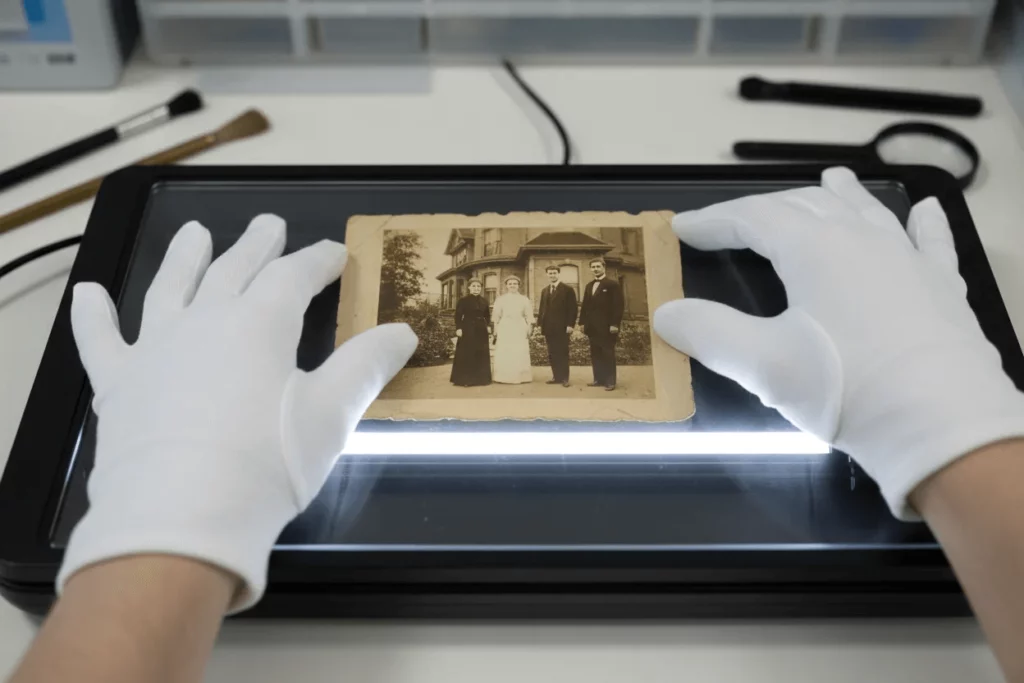
Choosing the Right Photo Restoration Software
The market is flooded with tools. It can be overwhelming. Some are complex desktop programs. Others are simple mobile apps. To get the best results, you need to pick the right tool for the job.
You generally have three categories to choose from. First, there is professional software. Second, there are AI-powered web tools. Third, you have mobile apps for quick fixes. Let’s look at the best options available.
Top Contenders for the Best Photo Restoration Program
If you want total control, desktop software is usually best. Adobe Photoshop is the industry standard. It has powerful tools like the “Healing Brush” and “Clone Stamp.” However, it has a steep learning curve. It is not for beginners.
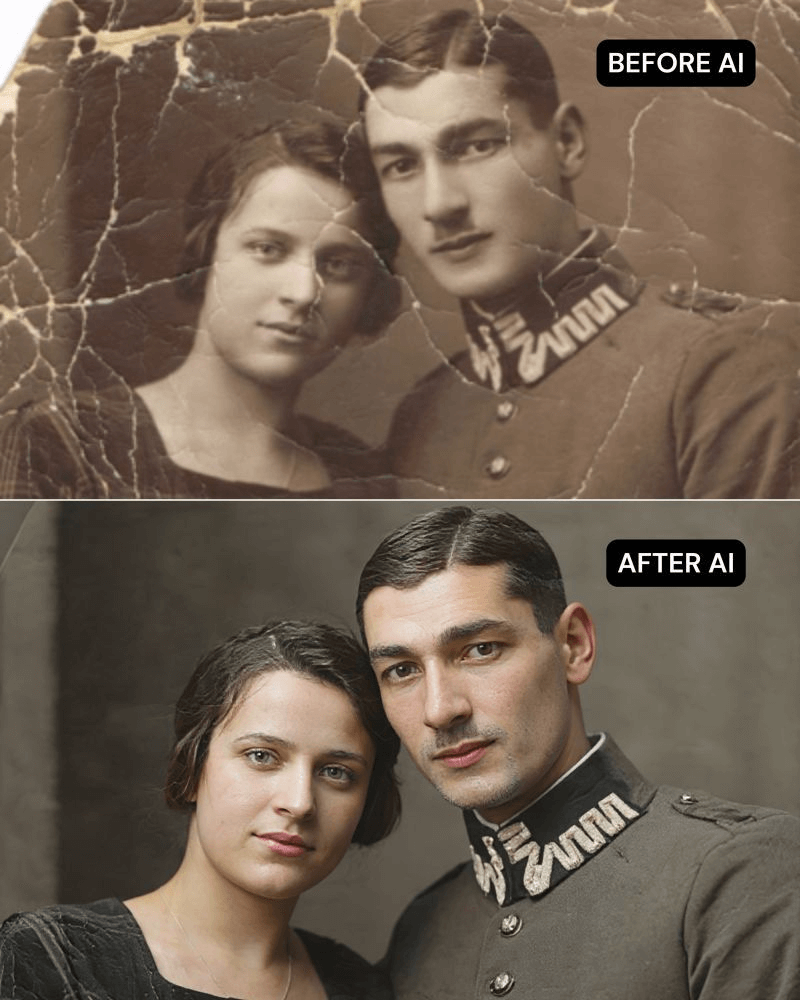
For most people, AI-driven software is the better choice. These programs do the heavy lifting for you. They analyze the image and automatically fill in missing details. They can sharpen blurry faces and fix cracks in seconds.
WeShop AI and the Power of Generative Tech
One interesting tool gaining traction is WeShop AI. While many know it for e-commerce, its underlying technology is impressive. It uses advanced generative AI. This is crucial for photo restoration. Sometimes, a photo is missing a large chunk of data. Standard tools simply blur these areas.
WeShop AI works differently. It understands context. It can predict what textures or details should exist in the damaged area. It can help enhance the clarity of a subject effectively. If you have a photo where the subject looks “soft” or out of focus, this tool can sharpen the details remarkably well. It represents the new wave of photo restoration software that creates rather than just edits.
Finding a Reliable Picture Restoration App
Not everyone wants to sit at a computer. sometimes you just want to use your phone. There are many apps for this. A good picture restoration app offers convenience. You can snap a photo of the old print and fix it instantly.
Remini is a popular choice here. It is famous for facial enhancement. It takes a blurry face and makes it high-definition. However, be careful. Sometimes mobile apps can make faces look too artificial. Always compare the result with the original.

The Truth About Free Photo Restoration
We all love free stuff. If you search for free photo restoration, you will find millions of results. But are they safe? And do they work?
Many free tools operate on a “freemium” model. They let you fix one or two photos for free. Then, they ask for payment. Others might watermark your image. This ruins the look of the photo.
There are some decent free options, though. GIMP is a free, open-source photo restoration program. It is like a free version of Photoshop. It is powerful but hard to learn.
Online web tools often offer free trials. These are great for one-off projects. Just be cautious with your data. Read the privacy policy before uploading personal family photos to a free photo restoration site.
A Step-by-Step Guide to Photo Restoration
You have your photos. You have your software. Now, how do you actually do it? Follow this simple workflow to get the best results.
1. Preparation and Scanning
Do not just take a photo of the photo. That adds glare and distortion. You need a high-quality scan. This is the most important step in photo restoration.
Use a flatbed scanner if possible. Set the resolution to at least 300 DPI (dots per inch). For small photos, go up to 600 DPI. This ensures you capture every detail. If you must use a phone, use a scanning app like Google PhotoScan. It removes glare automatically. Wipe the physical photo gently with a microfiber cloth before scanning. Dust is the enemy of photo repair.
2. The Repair Process
Open your photo restoration software. Start with the basics. Crop the uneven edges. Then, look for the biggest damage.
- Fix Tears First: Use the healing tool to remove cracks.
- Remove Dust: Zoom in close. Tap away the small white specks.
- Restore Contrast: Old photos often look “flat.” Adjust the levels to make the blacks blacker and the whites whiter.
3. Colorization (Optional)
Many modern tools offer auto-colorization. This turns B&W photos into color. It is a fun feature. However, it is not always historically accurate. Use it sparingly. Sometimes, the original black and white looks more authentic.
Common Mistakes in Photo Restoration
It is easy to get carried away. You want the photo to look perfect. But perfection can look fake. Here are common traps to avoid.
Over-Smoothing Faces
This is the biggest issue with AI tools. They can make skin look like plastic. A photo restoration app might remove all wrinkles. But those wrinkles show character. They show age and wisdom. If your grandmother looks like a wax doll, you have gone too far. Dial back the strength of the filter.
Ignoring the Background
You might focus entirely on the face. But look at the background. Is the tree behind them blurry? Is the house distorted? Good photo repair balances the whole image. Do not leave the background full of scratches while the face is flawless. It looks disjointed.
Saving in Low Quality
You spent hours fixing the photo. Do not save it as a small JPEG. Every time you save a JPEG, it loses quality. Save your master copy as a TIFF or PNG file. These formats preserve all the data. Only use JPEG when you are posting to social media.
Conclusion
Restoring old photos is a labor of love. It requires patience. It requires a gentle touch. But the result is worth it.
You are not just fixing paper. You are giving your family a gift. You are ensuring that future generations know where they came from. Whether you use a high-end photo restoration program or a simple picture restoration app, the goal is the same. You are keeping the memory alive.
Start small. Pick one photo today. Scan it. Try a tool like WeShop AI or a free alternative. See what is possible. You will be amazed at how much detail is hiding beneath the fading.
Do not let your history fade away. Dust off that shoebox. Start your restoration journey now. Your family will thank you for it.