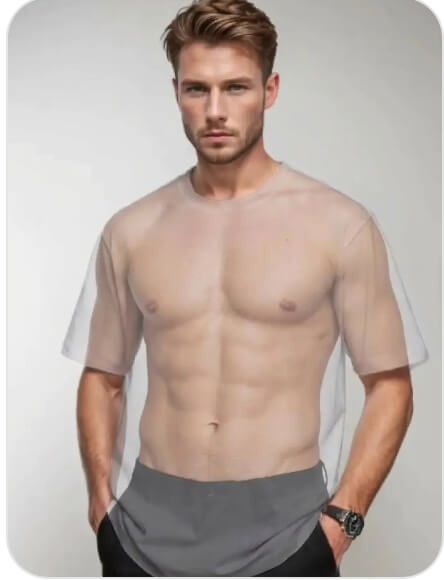
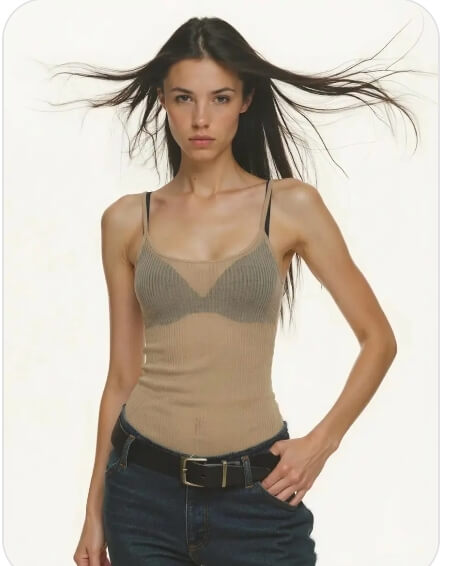
Previewing outfit changes in images often takes time and complex editing tools. From fashion design and apparel mockups to styling tests and marketing visuals, teams need a faster way to explore clothing variations. That’s where WeShop AI’s AI Xray Clothes tool comes in.
With this AI-powered tool, you can digitally adjust or remove clothing layers to preview different outfit options from a single image. It helps creators and brands test ideas, create variations, and move faster—without reshoots or heavy manual editing.
Next, I’ll walk you through how the AI Xray Clothes tool works and how it’s used in real scenarios.
What Is AI Xray Clothes?
AI Xray Clothes is an AI-powered visual tool in WeShop AI that helps creators and brands preview clothing changes in images. Instead of manually editing photos or organizing reshoots, you can digitally adjust or remove clothing layers to explore different outfit variations.
This tool is designed for fashion design, apparel visualization, and styling workflows. It allows teams to test new outfit ideas, create mockups, and compare styles using a single image. The focus is on visual experimentation and efficiency, not manual photo manipulation.
By using AI to detect clothing areas and handle adjustments automatically, AI Xray Clothes helps streamline creative workflows. As a result, brands can iterate faster, reduce production costs, and maintain consistent visual quality across projects.
How to Use AI Xray Clothes
Using AI Xray Clothes in WeShop AI is designed to be simple and controlled. The tool focuses on outfit visualization and styling workflows, not manual photo editing.
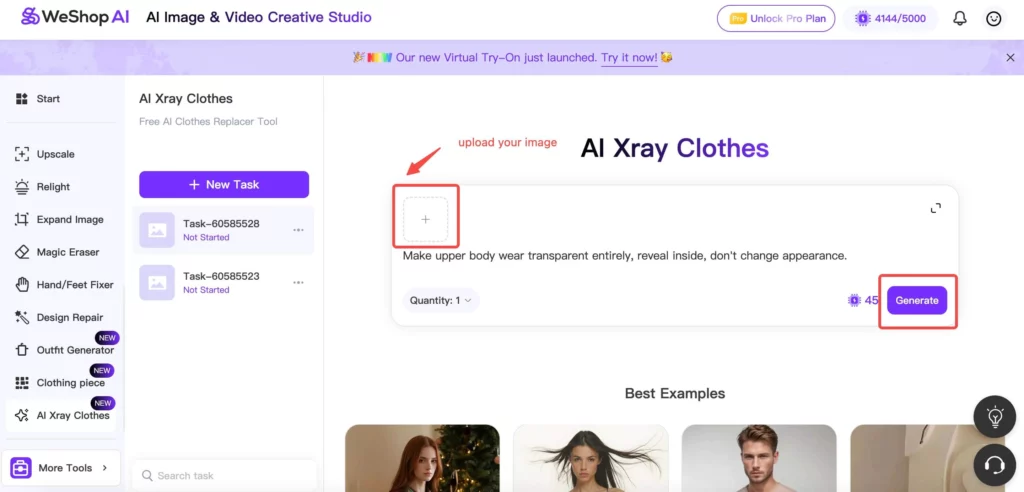
Step 1: Open the AI Xray Clothes Tool
First, open WeShop AI and select AI Xray Clothes from the AI tools menu.
This is where you can preview clothing changes and outfit variations digitally.
Step 2: Upload Your Image
Next, upload the image you want to work with.
For best results, use a clear photo where the clothing areas are visible and well-defined. This helps the AI detect outfit zones accurately.
Step 3: Describe the Clothing Adjustment
Then, use the prompt box to describe what you want to adjust.
For example, you can specify removing an outerwear layer, previewing an alternative outfit, or creating a clean base for styling tests.
At this stage, keep your description focused on clothing and styling, not body details.
Step 4: Generate and Review the Result
Once your prompt is ready, click Generate.
The AI analyzes the image, detects clothing regions, and creates a revised visual based on your request.
Review the result and check whether it fits your design or styling goal.
Step 5: Edit Again or Download
If you want to explore more variations, you can adjust the prompt and generate again.
Once you’re satisfied, download the image and use it for design previews, catalogs, or internal reviews.
Real Use Cases for AI Xray Clothes
The AI Xray Clothes tool is commonly used in professional styling and visual workflows. Here are a few real-world use cases:
- Fashion design and prototyping
Designers preview outfit variations digitally before moving into production or sampling. - Apparel mockups and catalogs
Brands create multiple outfit versions from one image, reducing the need for reshoots. - Styling and virtual try-on tests
Teams explore different looks and clothing layers during styling decisions. - Marketing and campaign visuals
Marketers update outfit styles in images while keeping visual consistency across campaigns. - Creative reviews and moodboards
Creators test styling ideas and align on concepts without manual cutouts or complex edits.
Across these scenarios, AI Xray Clothes helps teams move faster while keeping visuals clean and controlled.
Tips for Getting Better Outfit Preview Results
A few simple tips can help you get cleaner and more accurate results when using AI Xray Clothes:
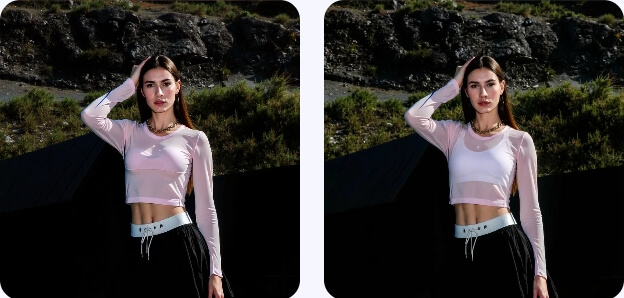
- Start with clear, well-lit images
Photos with good lighting and minimal shadows help the AI detect clothing areas more accurately. - Choose images with simple backgrounds
Clean backgrounds make it easier for the AI to focus on outfit regions without distractions. - Focus your prompt on clothing changes only
Describe outfit layers, styles, or adjustments clearly. Avoid unrelated details. - Preview one change at a time
Testing one outfit variation per generation helps you compare results more easily. - Regenerate to explore options
Small prompt adjustments can lead to better previews, so don’t hesitate to try multiple versions.
By following these tips, you can use AI Xray Clothes to create consistent and professional outfit previews with less effort.
Conclusion
The AI Xray Clothes tool in WeShop AI offers a practical way to preview outfit changes and styling ideas without complex editing or reshoots. By working directly with existing images, teams can test variations, create mockups, and move faster in their creative workflows.
Whether you’re designing apparel, preparing catalogs, or reviewing styling concepts, AI Xray Clothes helps streamline the process while keeping visuals clean and consistent. It’s a useful addition for brands and creators who want more flexibility with less manual work.