Every digital photograph is a lie of omission. Your sensor captures a fraction of the light field, your lens introduces aberrations at the edges, and your compression algorithm discards spatial frequency data it deems expendable. The result: an image that is technically “good enough” — until you zoom in. AI photo enhancement changes that equation entirely, using residual learning networks to reconstruct detail that was never recorded in the first place.
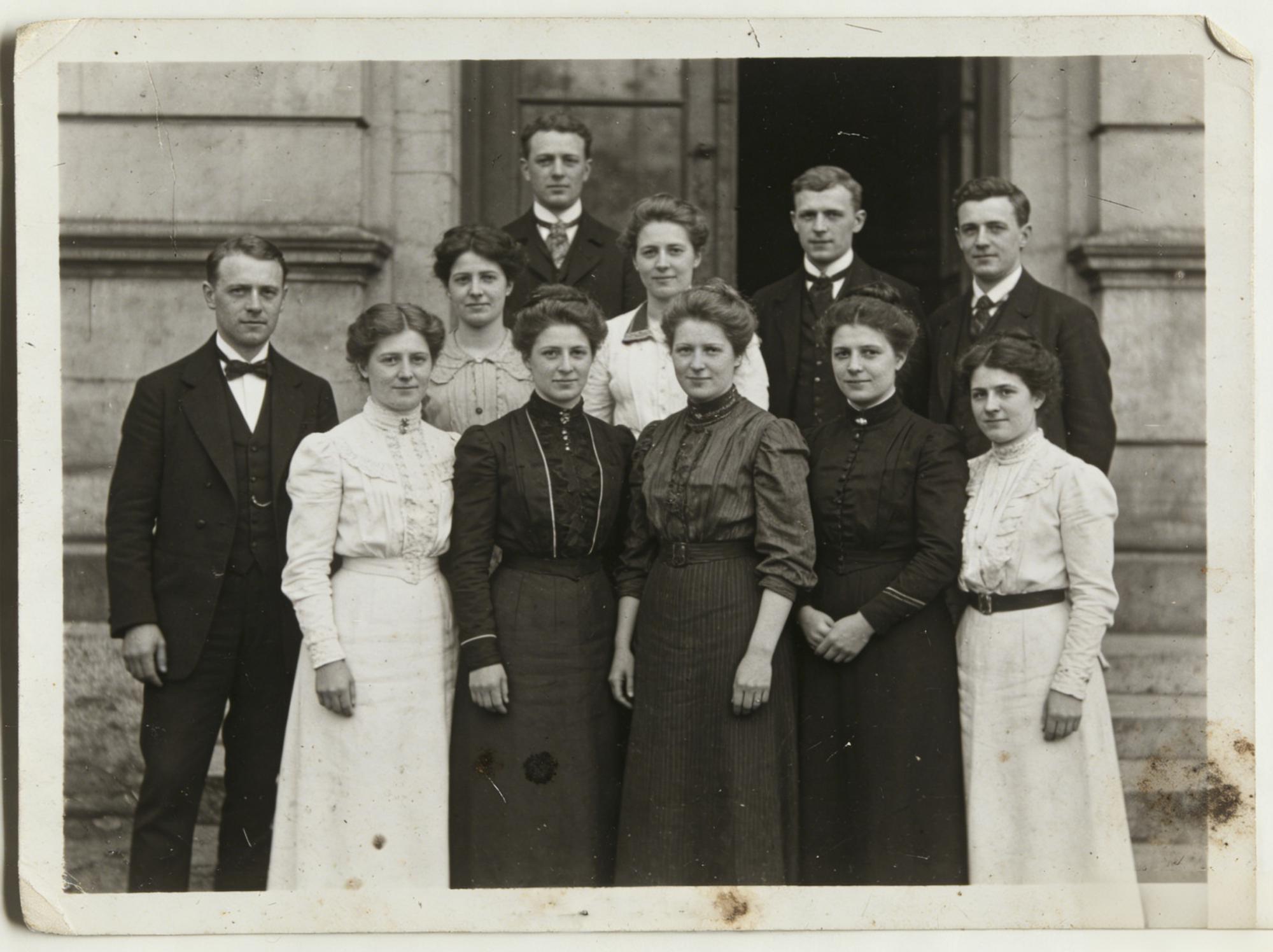
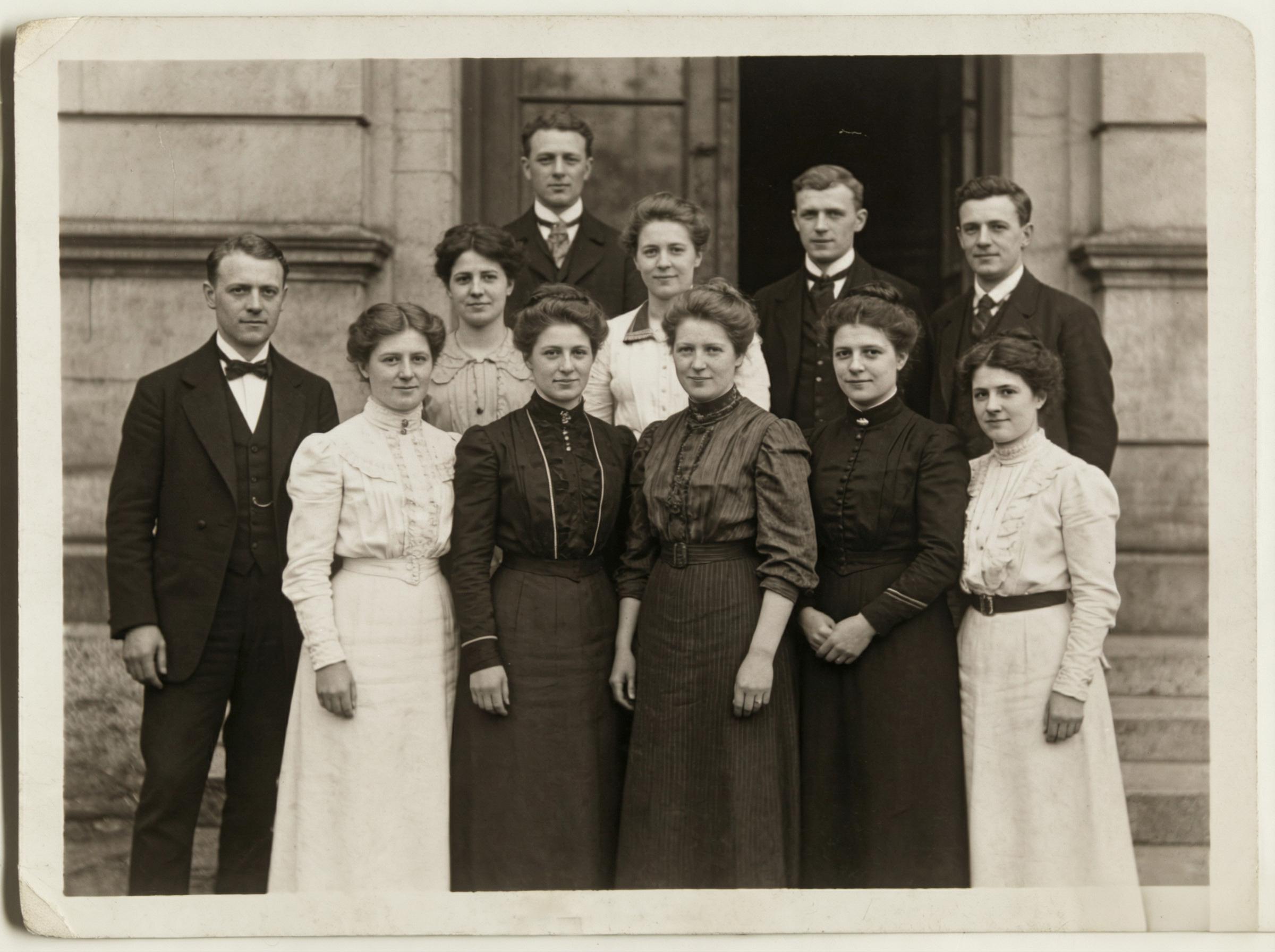
Before / After: A 1920s-era group portrait. The enhanced version recovers facial features, fabric textures, and architectural stone detail that the original scan had lost to grain and chemical degradation.
The Residual Learning Architecture Behind Modern AI Photo Enhancement
Classical upscaling — bicubic interpolation, Lanczos resampling — operates on a mathematically elegant but fundamentally flawed premise: that missing pixels can be inferred from their neighbors through weighted averaging. The output is smoother, yes, but also softer. Detail doesn’t emerge; it dissolves.
Residual learning networks invert this logic. Instead of predicting the high-resolution image directly, the network learns to predict the residual — the difference between the low-resolution input and the target high-resolution output. This architectural choice, first formalized in VDSR (Very Deep Super-Resolution) and refined through EDSR and RCAN, reduces the optimization burden dramatically. The network doesn’t need to learn “what a face looks like”; it only needs to learn “what’s missing from this particular face at this particular resolution.”
The perceptual loss function compounds this advantage. Rather than measuring pixel-level accuracy (L2 loss), the network optimizes against feature representations extracted from a pre-trained VGG network. The result: reconstructed images that match human perceptual expectations — sharper edges, coherent textures, plausible micro-detail — even when the ground truth is unavailable.


Before / After: Abstract book cover art. Neural upscaling sharpens the golden wave gradients and recovers clean typography — perceptual loss ensures the artistic intent survives resolution scaling.
WeShop’s AI Photo Enhancer implements this pipeline with a single click: upload, process, download at up to 4× the original resolution. No parameter tuning. No batch scripting. The residual network handles spatial frequency reconstruction while the perceptual loss ensures the output looks right, not just mathematically correct.
Inside the Pixel: How Neural Upscaling Recovers Lost Frequency Data
To understand why AI photo enhancement works, you need to think in frequency domains. Every image is a superposition of spatial frequencies — low frequencies carry broad tonal gradients (sky, skin), while high frequencies encode edges, textures, and fine detail (hair strands, fabric weave, text).
Compression and downsampling are high-frequency assassins. JPEG quantization tables aggressively truncate high-frequency DCT coefficients. Downsampling by 2× eliminates spatial frequencies above the new Nyquist limit. The information isn’t “blurred” — it’s gone.
Neural super-resolution networks recover these frequencies through learned priors. Trained on millions of image pairs (high-res originals and their degraded counterparts), the network builds an internal dictionary of “what high-frequency detail typically accompanies this low-frequency pattern.” A blurry edge near a skin tone? Likely a jawline — restore accordingly. A repeating low-frequency pattern with slight luminance variation? Probably fabric — synthesize appropriate texture.


Before / After: Consumer electronics product shot. The enhanced version resolves screen edge sharpness and metallic surface reflections that compressed e-commerce catalog images typically sacrifice.
This is reconstruction, not hallucination. The network operates within probabilistic bounds established by its training distribution. The restored detail is the most likely explanation for the observed low-frequency signal, constrained by the perceptual loss to remain visually coherent.
Real-World AI Photo Enhancement: Five Domains Where Neural Upscaling Delivers
Heritage and Archival Restoration
Scanned photographs from the early twentieth century suffer from grain, chemical degradation, and limited dynamic range. A 600 DPI scan of a 1920s family portrait contains perhaps 2 megapixels of genuine detail — the rest is noise and emulsion artifacts. AI photo enhancement separates signal from noise at the feature level, reconstructing facial detail that traditional denoising would simply smooth away.
E-Commerce Product Photography
Product images shot on smartphones or extracted from supplier catalogs rarely exceed 1000×1000 pixels. On a Retina display, that’s a postage stamp. AI upscaling to 4000×4000 delivers the resolution needed for zoom-capable product galleries without reshooting. Texture fidelity — leather grain, fabric weave, metallic finish — survives the process intact because the perceptual loss specifically preserves these feature classes.


Before / After: Cosmetics product packaging. AI photo enhancement resolves label typography, glass refraction, and golden lid specular highlights — exactly the texture fidelity that converts browsers into buyers.
Social Media Content Optimization
Instagram’s compression pipeline is merciless: a carefully edited 6000×4000 image gets crushed to approximately 1080 pixels on the long edge, then JPEG-compressed at quality levels that would make a photographer weep. Running the compressed output through AI photo enhancement before reposting to other platforms recovers significant sharpness — a net positive for multi-platform content strategies.
Print Production
The gap between screen resolution (72–150 PPI) and print resolution (300 PPI minimum) creates a chronic bottleneck for designers working with web-sourced assets. AI photo enhancement bridges that gap: a 1500×1000 web image upscaled 4× yields a 6000×4000 image — sufficient for a 20×13 inch print at 300 PPI.
Fan Edits and Creative Communities
Fan communities routinely work with low-quality source material — screen captures, compressed thumbnails, cropped group shots. AI photo enhancement transforms these into usable creative assets: clean enough for compositing, sharp enough for printing, detailed enough for close-crop portraits.
Actionable Scene Guide: Maximizing AI Photo Enhancement Output Quality
Input quality matters. The network reconstructs detail from patterns, not from nothing. A 100×100 pixel thumbnail has too little structural information for meaningful reconstruction. Target inputs of at least 500×500 for best results.
Lighting beats resolution. A well-lit 720p image will upscale better than a dark, noisy 1080p image every time. The network’s ability to separate signal from noise depends on signal-to-noise ratio in the input.
JPEG artifacts compound. If your source has visible blocking artifacts (quality < 60), consider running a deblocking pass before enhancement. The residual network may interpret JPEG blocks as genuine texture features, amplifying rather than removing them.
Batch processing for catalog workflows. WeShop’s enhancer supports batch operations — critical for e-commerce teams processing hundreds of SKU images. Upload a folder, set 4× upscaling, let the pipeline run. No per-image tuning required.
The enhancement-background-video pipeline. For maximum content leverage, chain AI Photo Enhancer with other WeShop tools: enhance resolution → remove or change background → generate product video. Each step feeds clean, high-resolution input to the next, compounding quality rather than degrading it.
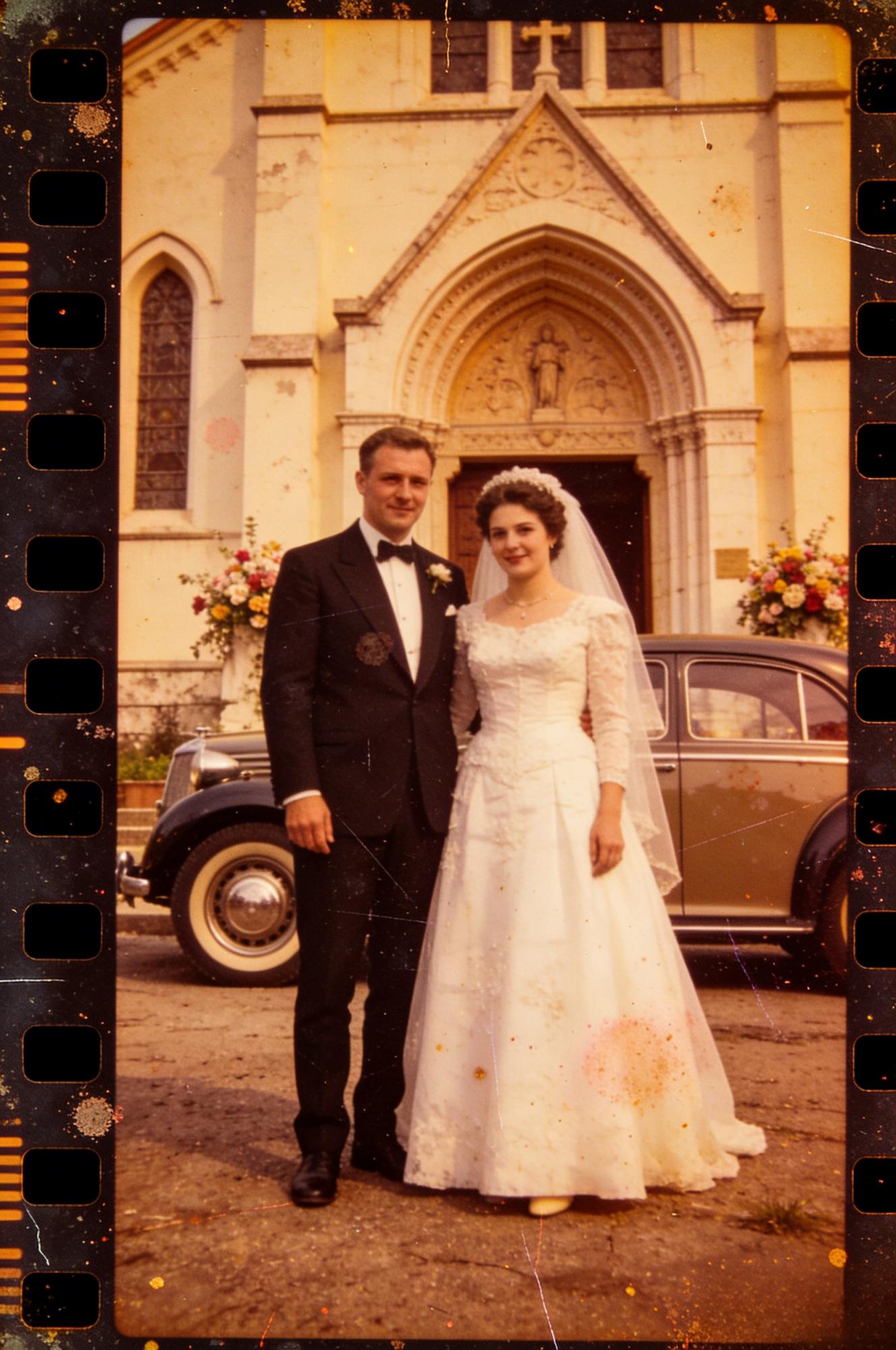

Before / After: A wedding portrait in front of a heritage building. AI enhancement recovers veil transparency, suit fabric weave, and the stone texture of the church facade — detail that matters for prints and albums.
For a detailed walkthrough of artistic enhancement techniques, see the official tutorial: Enhance and Upscale: Crystal-Clear Artistic Effects.
The Science of Perception: Why AI-Enhanced Images Look Better Than “Perfect” Upscales
Here’s a counterintuitive finding from super-resolution research: images that score highest on objective metrics (PSNR, SSIM) often look worse to human observers than images optimized for perceptual quality. The reason is mathematical: PSNR rewards pixel-level accuracy, which favors conservative, smooth predictions. Human vision rewards edge sharpness, texture coherence, and contrast — properties that require the network to “commit” to specific high-frequency reconstructions rather than hedging with averaged predictions.
This is why perceptual loss matters. By optimizing against feature representations rather than pixel values, the network produces images that satisfy the human visual system’s expectations. Edges are crisp. Textures are coherent. Fine detail is present and plausible. The image may not be pixel-identical to the original high-resolution source, but it looks right — and in every practical application, looking right is what counts.
Expert FAQ
Does AI photo enhancement create fake detail or recover genuine image information?
It operates in a probabilistic reconstruction space. The network generates the most statistically likely high-frequency detail given the observed low-frequency input, constrained by its training distribution. The output is a maximum-likelihood estimate of the original detail, not a fabrication — though the distinction is philosophical once you accept that all digital images are discrete approximations of continuous light fields.
What is the practical resolution ceiling for neural upscaling?
Diminishing returns set in hard above 4× magnification for photographic content. At 8×, the network’s reconstructions become increasingly speculative — plausible but not reliable. For most workflows, 2×–4× is the productive range. WeShop’s enhancer supports up to 4× natively, which covers the vast majority of practical use cases.
How does AI photo enhancement interact with subsequent editing operations?
Favorably. Enhanced images contain richer high-frequency information, which means sharpening, color grading, and compositing operations have more signal to work with. In a multi-tool pipeline (enhance → background removal → product staging), running enhancement first yields measurably better results at every downstream step.
Can AI enhancement recover detail from heavily compressed video frames?
Yes, with caveats. Video compression (H.264, H.265) introduces temporal artifacts — ghosting, macroblock smearing — that differ from still-image compression artifacts. Single-frame enhancement works but may amplify inter-frame inconsistencies. For video workflows, frame-level enhancement followed by temporal smoothing is the recommended approach.
What hardware requirements does neural photo enhancement demand for real-time processing?
Inference (the actual enhancement pass) is GPU-accelerated and runs in seconds per image on modern hardware. Cloud-based solutions like WeShop’s AI Photo Enhancer eliminate hardware requirements entirely — processing happens server-side on optimized GPU clusters, delivering results regardless of your local hardware.