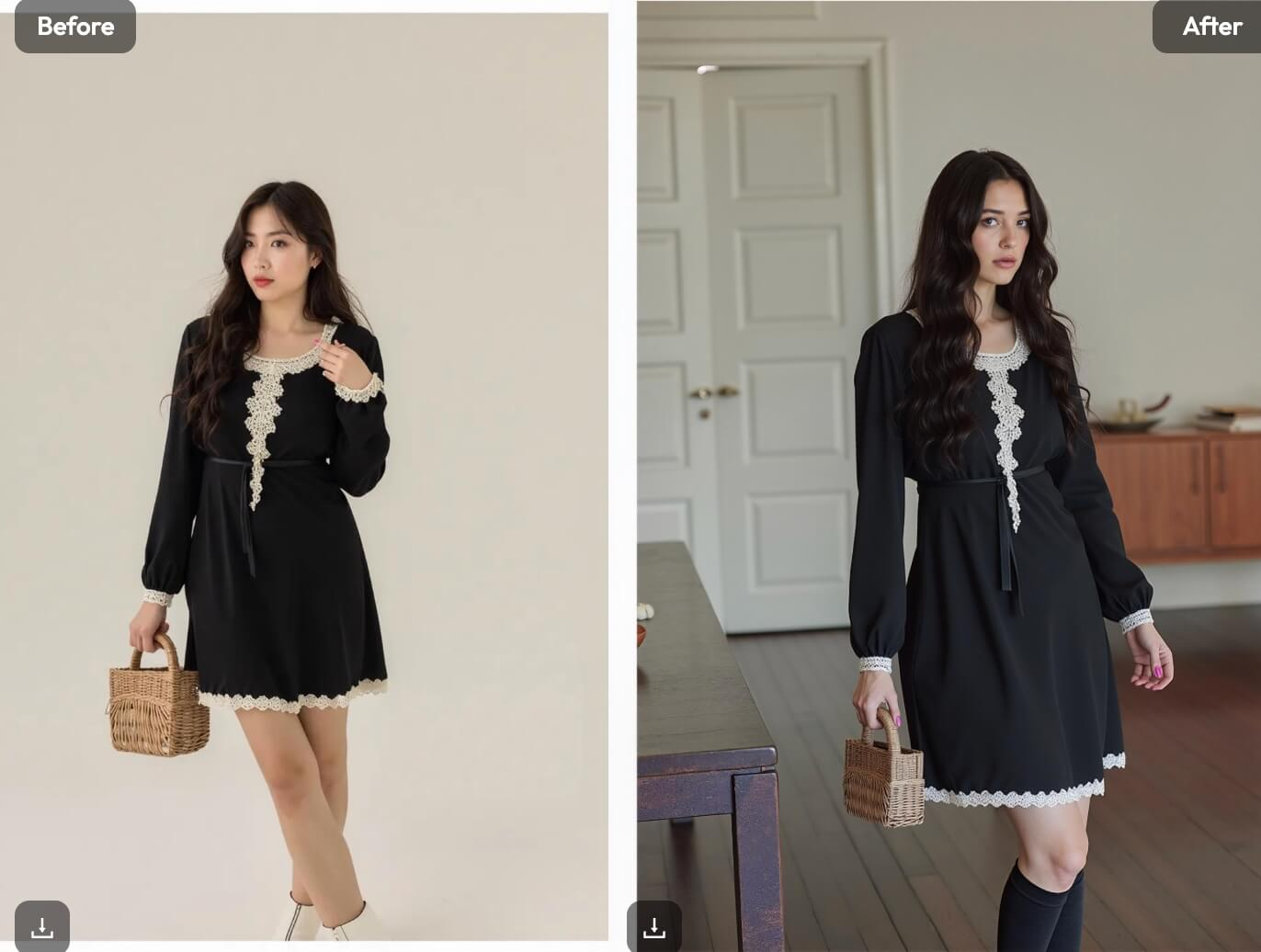

AI Photo Background Removal and Editing has become one of the most common needs in everyday image editing. Whether you’re removing a background, swapping scenes, or cleaning up an image, people now expect fast results without complicated tools. That’s exactly where WeShop AI stands out—by combining background removal, background replacement, and advanced image editing into one simple workflow.
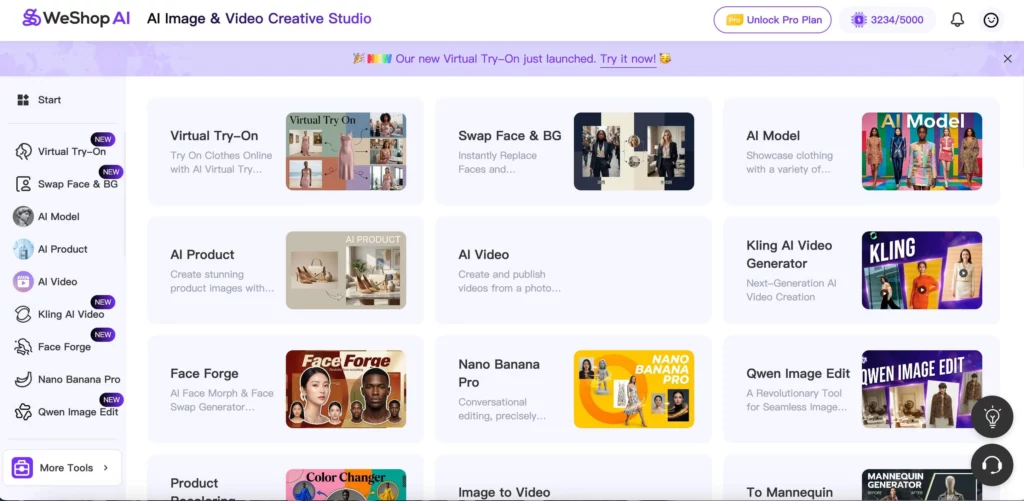
Instead of juggling multiple apps or learning professional software, WeShop AI lets you edit images in minutes. In this guide, we’ll walk through how its Swap Face & BG, Remove Background, and Qwen Image Edit tools work together to handle real-world photo editing needs.
Why AI Photo Background Removal and Editing Matters Today
Photo editing is no longer just for designers. Today, almost everyone edits images—content creators, small business owners, students, and everyday users. As a result, AI photo background removal and editing tools must be fast, flexible, and easy to use.
However, many tools only solve one problem at a time. Some remove backgrounds but stop there. Others allow editing but require too many steps. WeShop AI takes a different approach by covering the most common editing tasks in one place.
Let’s look at how each feature works—and when to use it.
Remove Background: Fast, Clean, and Accurate Cutouts
Removing a background is often the first step in image editing. Whether you want a white background, a transparent PNG, or a new scene, you need a clean cutout to start with.
What Remove Background Does Well
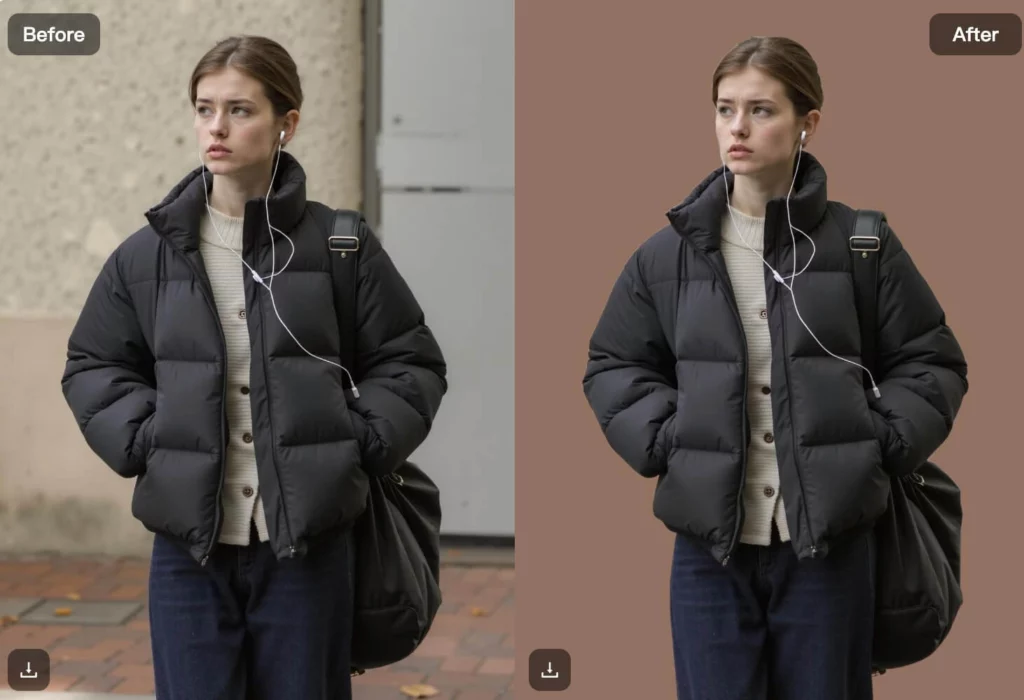
With Remove Background, WeShop AI automatically detects the main subject and removes the background in seconds. You don’t need to draw masks or fine-tune edges manually.
More importantly, the results look natural:
- Hair edges stay clean
- Clothing details remain intact
- Shadows don’t ruin the cutout
This makes the tool useful for:
- Profile photos
- Social media content
- Simple product images
- Personal photos
Why It Fits Everyday Editing
Many AI tools remove backgrounds, but WeShop AI focuses on speed and reliability. You upload an image, and you get a usable result immediately. That simplicity is exactly what everyday users want.
Once the background is removed, you can download the image—or move directly into background replacement.
Swap Face & BG: Replace Backgrounds Without Losing Realism
Removing a background is useful, but sometimes you want more than a blank canvas. That’s where Swap Face & BG comes in.
What Makes Swap Face & BG Different
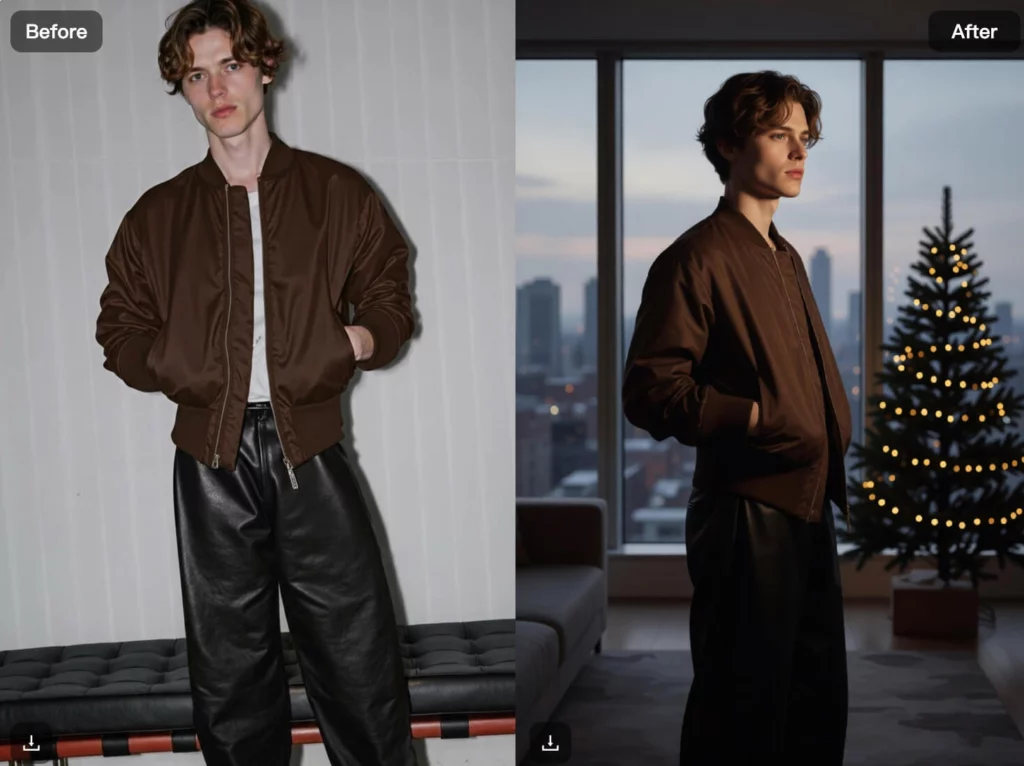
Instead of simply pasting a subject onto a new background, this tool:
- Matches lighting automatically
- Adjusts perspective and scale
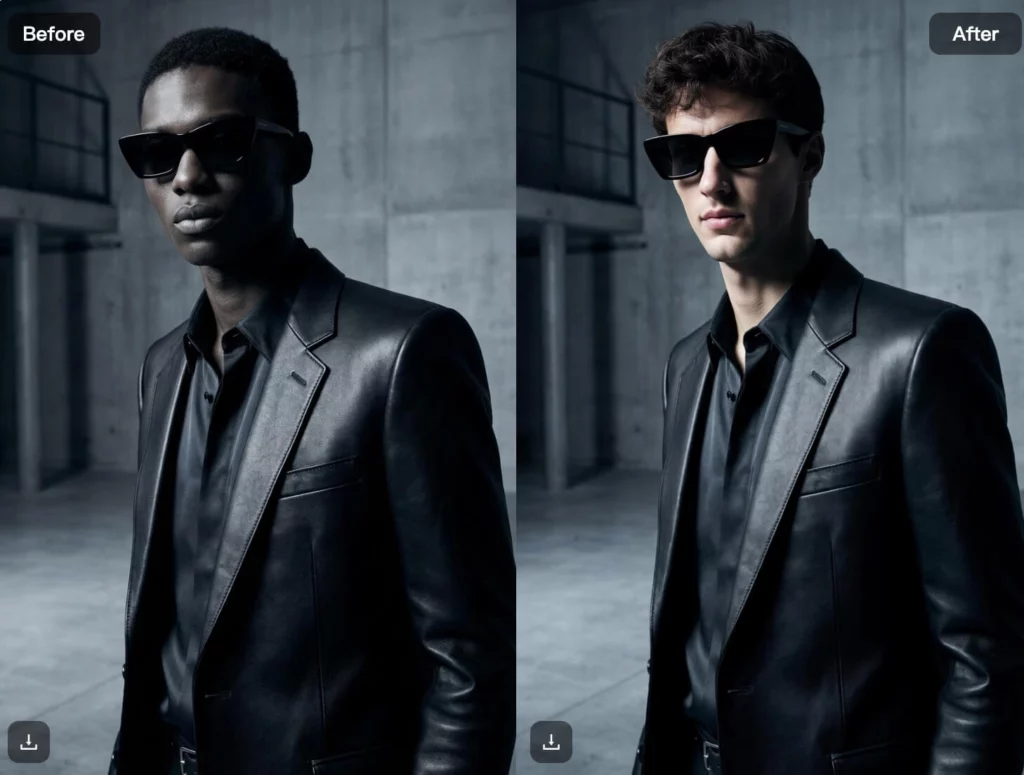
- Keeps facial features natural
As a result, the final image looks like it was taken in the new location—not edited afterward.
When to Use Swap Face & BG
This feature works best when you want to:
- Change photo locations
- Create lifestyle images
- Replace messy or boring backgrounds
- Combine people with new environments
For example, you can take a portrait shot indoors and place the person into a street, office, or studio scene. You can even swap faces and backgrounds at the same time, which saves multiple editing steps.
Why It Matters for AI Photo Background Removal and Editing
Traditional background replacement often looks fake. Faces don’t match lighting, and shadows feel wrong. Swap Face & BG solves this by handling face and background together, which makes the edit feel intentional and realistic.
Qwen Image Edit: Flexible AI Image Editing Without Complexity
Once your background looks right, you may still want to tweak the image. That’s where Qwen Image Edit becomes essential.
What Qwen Image Edit Can Do
Qwen Image Edit allows you to:
- Remove unwanted objects
- Fix small visual issues
- Adjust details using AI instructions
- Clean up or refine the image
Instead of sliders and layers, you describe what you want. The AI understands your request and edits the image accordingly.
Why This Matters for Non-Designers
Most people don’t want to learn professional editing software. Qwen Image Edit removes that barrier. You don’t need experience. You just need to know what looks wrong—and explain it.
This makes the tool ideal for:
- Personal photo fixes
- Content creation
- Image cleanup
- Everyday visual adjustments

How These AI Photo Backgrounds Removal and Editing Tools Work Together
What makes WeShop AI especially powerful is how these features connect.
A typical workflow looks like this:
- Remove Background to isolate the subject
- Swap Face & BG to place the subject into a new scene
- Qwen Image Edit to refine the final result
Because all tools live in one platform, you don’t need to export, re-upload, or switch apps. That seamless flow is what turns simple AI features into a complete AI photo background removal and editing solution.
Who Benefits Most from These Tools
Although these features work for ecommerce, they also serve a much broader audience.
Content Creators
Creators use background removal and swapping to create consistent visuals without reshooting photos.
Students and Casual Users
People editing profile pictures, school projects, or social content benefit from fast, clean edits.
Small Businesses
Business owners can update visuals quickly without hiring designers.
Anyone Editing Photos Regularly
If you edit images more than once in a while, having everything in one tool saves time and effort.
Why Choose WeShop AI for AI Photo Background Removal and Editing
Many tools specialize in one feature. WeShop AI focuses on the full editing experience.
It stands out because:
- Background removal is fast and accurate
- Background replacement looks realistic
- Image editing feels natural and simple
- Everything works in one place
Instead of stacking tools together, WeShop AI handles the full process from start to finish.
Conclusion
AI Photo Background Removal and Editing doesn’t have to be complicated. With the right tools, editing images becomes faster, cleaner, and more accessible.
WeShop AI brings together Remove Background, Swap Face & BG, and Qwen Image Edit to cover the most common editing needs people face every day. Whether you’re cleaning up photos, changing backgrounds, or fixing details, you can do it all without technical skills.
If you’re looking for an AI image editing tool that feels practical—not overwhelming—WeShop AI is built for exactly that.