

In the hyper-accelerated landscape of digital consumption, the visual medium has transcended mere decoration to become the primary language of global communication. Whether you are an influencer curating an aesthetic Instagram grid, a small business owner crafting professional marketing collateral, or a hobbyist preserving cherished memories, the challenge remains the same: how do you synthesize disparate images into a cohesive, compelling narrative? For too long, this process was tethered to steep learning curves or uninspired templates. Enter the AI collage maker by Weshop—a sophisticated, browser-based powerhouse that is effectively dismantling the barriers between amateur snapshots and professional-grade graphic design.
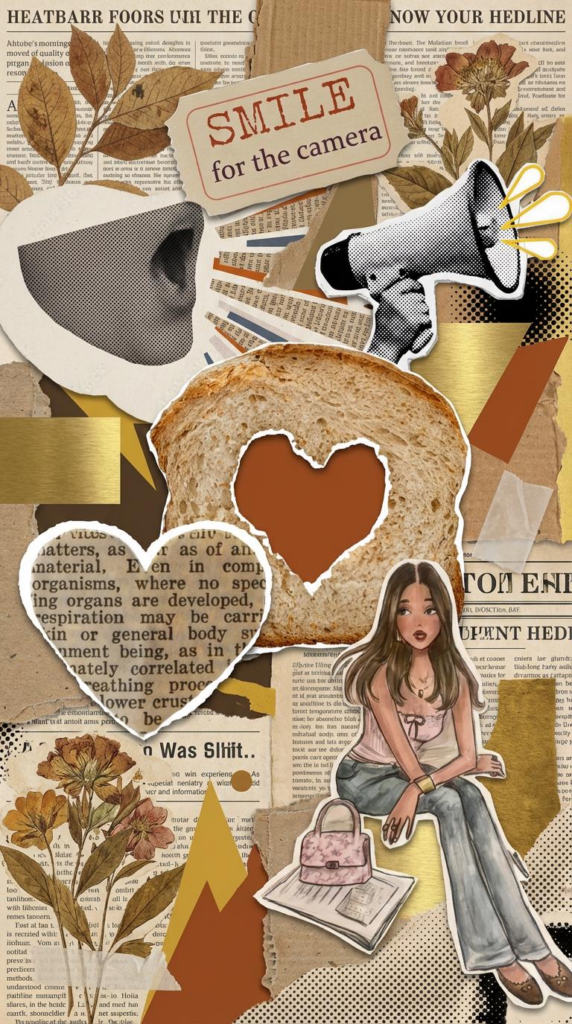
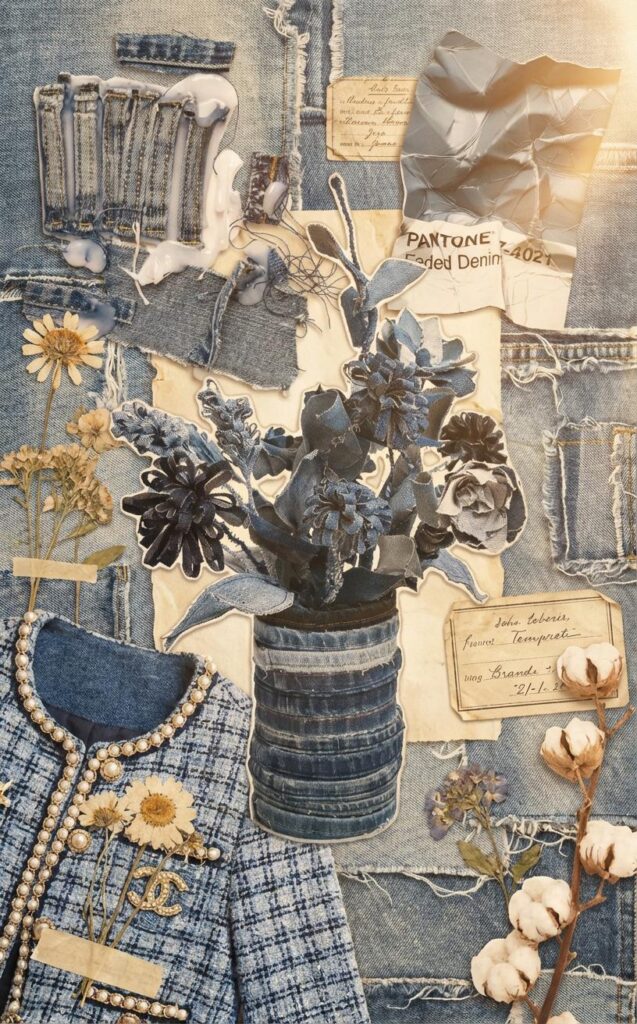
Redefining Creative Boundaries with the AI Collage Maker
The traditional approach to photo collaging has often been an exercise in frustration. Users were typically forced to choose between rigid, cookie-cutter grids that stifled creativity or complex software that required hours of manual pixel-nudging. Weshop has pivoted away from this dichotomy, introducing an AI collage maker that prioritizes “intelligent spatial awareness.”
This tool does not simply “place” photos; it interprets them. By leveraging advanced computer vision, the platform analyzes the focal points, color palettes, and structural weights of your uploaded images. The result is a layout that feels intentional rather than accidental. In an era where “AI-generated” can sometimes feel synonymous with “uncanny” or “robotic,” Weshop’s implementation feels remarkably human-centric, acting more like a silent co-designer that anticipates your aesthetic needs.
The Anatomy of Excellence: Why This AI Collage Maker Stands Out
To understand why the AI collage maker is gaining such rapid traction among the creative elite, one must look beneath the surface at its core functionalities. It isn’t just about sticking pictures together; it is about the sophisticated orchestration of visual elements.
1. Intelligent Layout Optimization and Spatial Fluidity
The hallmark of a professional designer is the ability to manage “white space” and “visual flow.” Weshop’s AI collage maker automates this high-level skill. When you batch-upload images from your camera roll, the AI doesn’t just dump them into a box. It calculates the optimal distribution to ensure that no single image overwhelms the others. This “Smart Auto Arrangement” ensures a balanced digital canvas, allowing the viewer’s eye to travel naturally across the collage, effectively telling a story in the sequence you intended.
2. High-Fidelity Outputs for a Post-Resolution World
There is nothing more disheartening than spending time on a design only to have it exported as a grainy, compressed file. This AI collage maker addresses this pain point by supporting high-resolution exports. Whether the final destination is a high-traffic blog, a professional portfolio, or a physical high-quality print for a scrapbook, the integrity of every pixel is maintained. This commitment to fidelity makes it a viable tool for commercial use, where clarity is non-negotiable for brand perception.
3. Curated Aesthetic Themes and Stylistic Cohesion
Modern design is less about the individual components and more about the “vibe.” Weshop offers a suite of theme-based styles that serve as an aesthetic North Star for your projects. From “Minimalist Chic” to “Vintage Scrapbook,” these presets allow the AI collage maker to apply consistent color grading and stylistic borders across all elements of the collage. This ensures that even if your original photos were taken in different lighting conditions, the final result looks like a curated collection rather than a haphazard jumble.

Transformative Use Cases for the Modern AI Collage Maker
The versatility of the AI collage maker allows it to slip seamlessly into various workflows, proving itself as an indispensable asset across multiple industries.
For Social Media Architects and Influencers
On platforms like Instagram and Pinterest, the “grid” is your resume. Influencers use the AI collage maker to create “photo dumps” that don’t actually look like dumps. By arranging travel highlights or outfit-of-the-day (OOTD) shots into structured, aesthetically pleasing layouts, creators can convey a much richer experience than a single photo ever could. It’s about increasing engagement through visual complexity without sacrificing cleanliness.
For E-commerce and Boutique Branding
Small business owners often lack the budget for a full-time design agency. The AI collage maker levels the playing field. It allows brands to create “Lookbooks,” product comparison charts, or promotional banners in minutes. By showcasing a product from multiple angles or in different lifestyle settings within one cohesive frame, businesses can significantly shorten the customer’s journey from “interest” to “purchase.”
For Bloggers and Digital Storytellers
A wall of text is a deterrent; a wall of images can be overwhelming. The middle ground is a thoughtfully constructed collage. Bloggers use this AI collage maker to summarize long-form content, create “mood boards” for interior design or fashion articles, and provide visual summaries that are easily shareable on social platforms, driving traffic back to their primary site.

A Step-by-Step Guide to Mastering the AI Collage Maker
One of the most impressive feats of Weshop’s interface is its accessibility. You do not need a degree in UI/UX to navigate this digital canvas.
1.Upload the Original Picture: Upload element photos you want to show in the collage. Ensure these pictures are clear to see.
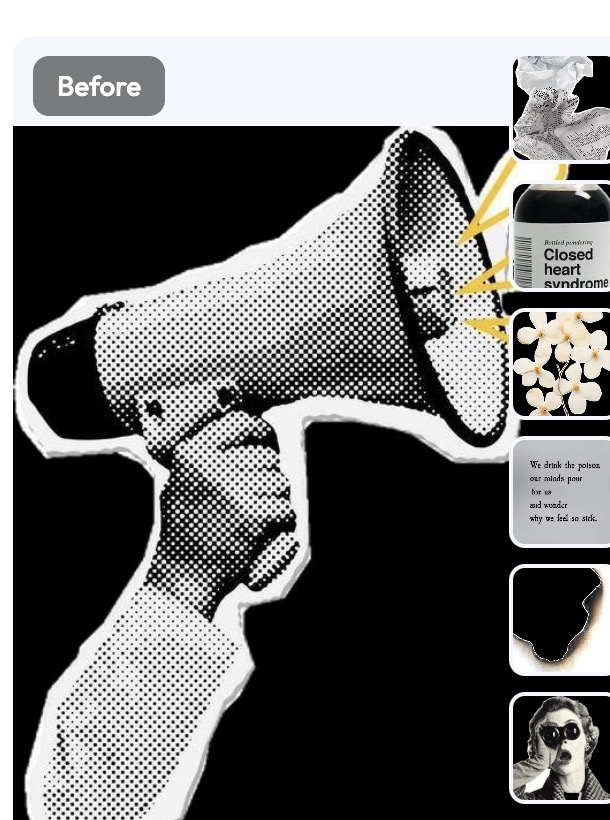
2. Configure Generation Settings: Before generating, select your preferred parameters. Keep in mind that your Credit Consumption will vary based on:
- Quantity: The number of variations you want to produce (one photo costs 45 credits).
3. Use the Command:
We automatically provide you with these prompts or you can generate other prompts with our AI agents to ensure the AI removes the model while maintaining the 3D shape:
Please don’t change any elements that I provide. Generate a chaotic and creative multi-media collage with a completely randomized aesthetic. Combine a wide array of contrasting elements: vintage magazine cutouts, neon-colored glitch art, 19th-century botanical illustrations, and sharp vector geometric shapes. The composition should be an experimental mix of textures—including torn glossy paper, rough cardboard, transparent celluloid film, and metallic foil. Incorporate a clashing color palette that shifts randomly across the canvas. Features an unpredictable focal point, layered with 3D drop shadows to create a sense of physical depth. High resolution, maximalist detail, eclectic and avant-garde style.
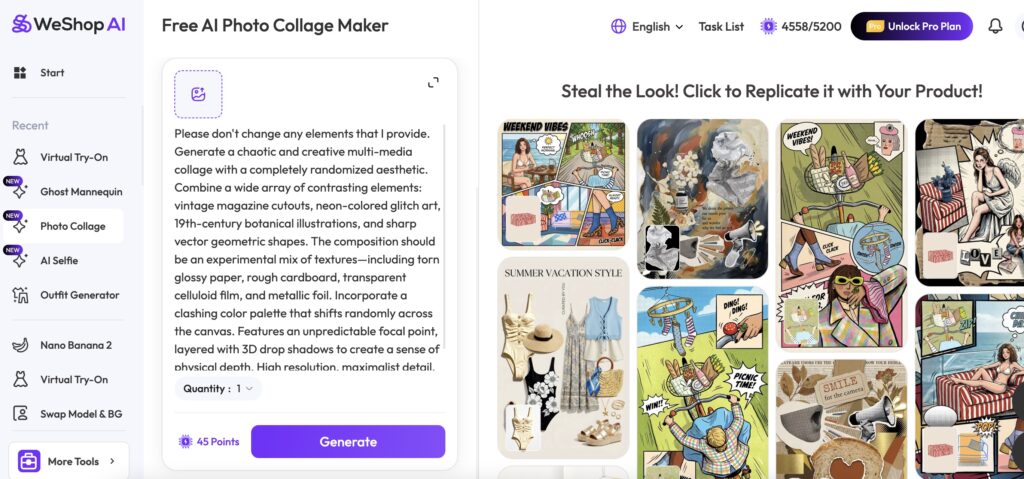
4.Final Export: Click the Generate button. The AI will process the textures and “fill in” the missing parts (like the inner collar) to create a hollow, floating effect. Once finished, download your professional e-commerce assets.

FAQ of AI Collage Maker by Weshop AI
Is the AI collage maker truly free to use?
Yes, Weshop offers a robust free tier for its AI collage maker. While there are premium points available for advanced AI features across the Weshop ecosystem, creating and exporting stunning collages is accessible to everyone looking to elevate their visual content without immediate financial commitment.
Do I need to download any software to use the AI collage maker?
Not at all. This is a fully browser-based tool. It is optimized for both desktop and mobile browsers, meaning you can start a project on your laptop and finish it on your phone while on the go. There’s no need to clutter your device with heavy applications.
How does the AI decide the layout of my photos?
The AI collage maker utilizes proprietary algorithms that detect the “Visual Weight” of an image. It identifies faces, horizons, and dominant colors to ensure that the most important parts of your photos aren’t cropped out or buried in a corner. It aims for a “Golden Ratio” style balance automatically.
Can I use the results from the AI collage maker for commercial purposes?
Absolutely. The high-resolution nature of the exports makes them perfect for marketing materials, social media advertisements, and website headers. Many small businesses use it specifically to create professional-looking assets for their Shopify or Etsy stores.
Is my data safe when using the AI collage maker?
Privacy is a top priority for Weshop. The images you upload to the AI collage maker are processed securely. Weshop employs industry-standard encryption and privacy protocols to ensure that your personal photos remain your own, providing a safe environment for your creative process.

Why Wait to Create?
The democratizing power of technology is best seen in tools like Weshop’s AI collage maker. It takes the sophisticated principles of graphic design—balance, rhythm, and unity—and places them into a user-friendly interface that anyone can master in seconds. We are no longer limited by our technical skills, but only by the boundaries of our imagination.
Whether you are building a brand or simply archiving a beautiful life, the way you present your images matters. Don’t settle for the mundane. Elevate your visual presence, tell deeper stories, and experience the future of design today.
