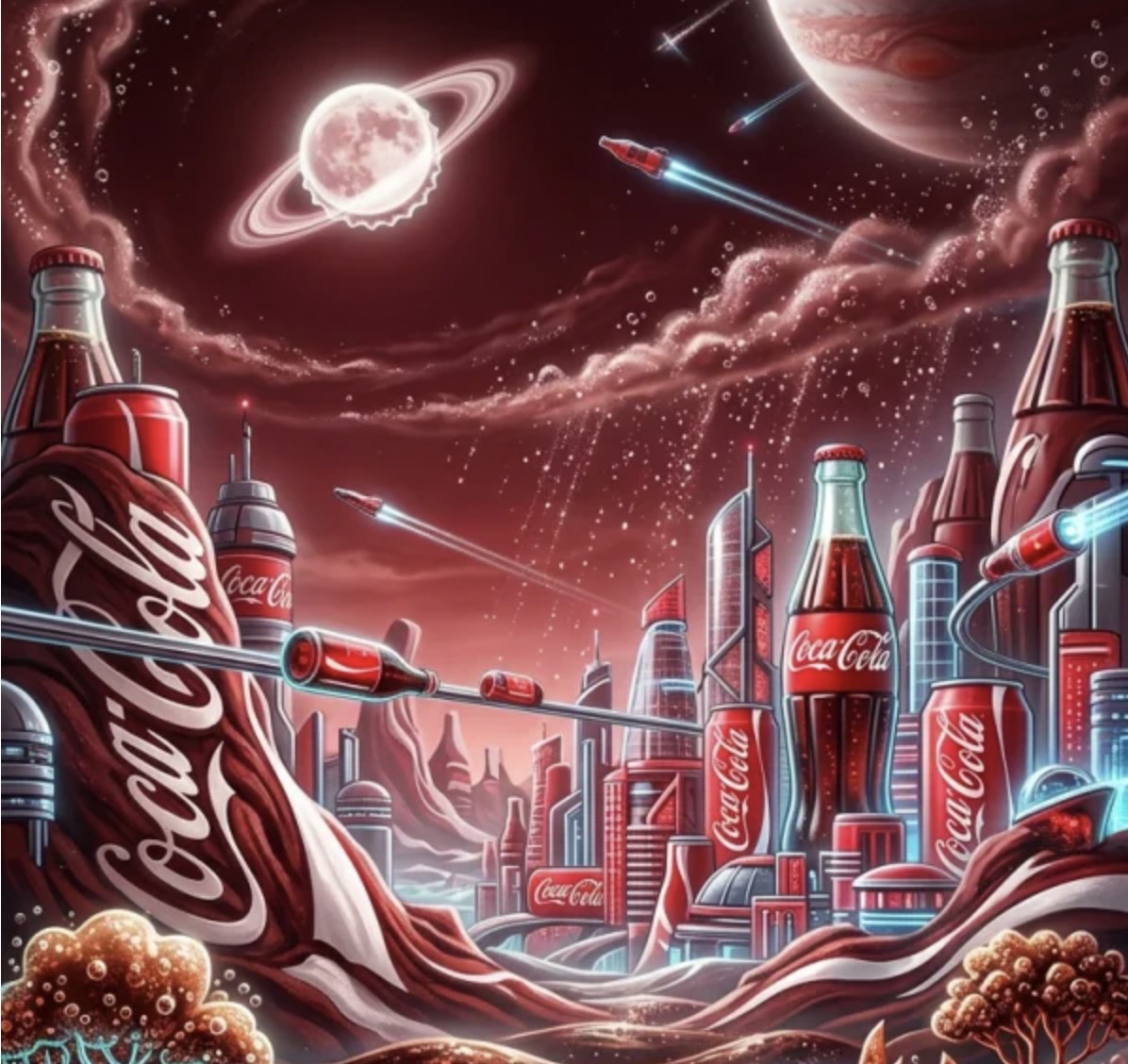
The productivity-obsessed creator’s guide to prompt engineering that never misses.
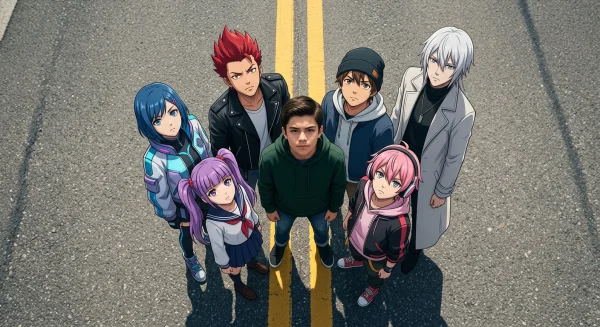
Most people treat AI image generation like a slot machine. They type something vague, hit generate, squint at the result, and try again. And again. And again. By the fifth attempt, they have burned twenty minutes and still do not have what they wanted.
That is not a tool problem. That is a prompt problem.
Nano Banana 2 — WeShop’s latest AI image generation model — is capable of extraordinary precision. But precision requires precision. The creators who consistently produce stunning outputs on the first try are not lucky. They have internalized a set of prompt formulas that align perfectly with how the model interprets language. The result: a near-100% hit rate, where every generation is usable.
Here is how they do it.
featured image
Understanding why certain prompts work requires understanding what Nano Banana 2 actually does with your words. Unlike earlier diffusion models that treated prompts as loose suggestions, Nano Banana 2 employs a hierarchical attention mechanism that weighs the first clause of your prompt most heavily, then cascades through modifiers in order of appearance.
This means prompt architecture matters more than vocabulary. A beautifully written prompt in the wrong order will produce mediocre results. A blunt prompt in the right order will produce exactly what you envisioned.
The model processes prompts in three layers: subject identification (who or what), environmental context (where and when), and stylistic modifiers (how it looks). When creators stack these layers correctly, the model’s internal representation aligns with their intent almost perfectly. When they scramble the order — or worse, omit a layer — the model fills gaps with defaults that rarely match expectations.
There is a deeper mechanism at work too. The cross-attention layers in Nano Banana 2 do not treat every token equally. They have learned, through training on millions of image-text pairs, that certain token positions carry more semantic weight. The first noun phrase anchors the entire generation. The last modifier refines the output but cannot fundamentally redirect it. Understanding this hierarchy is the difference between prompt engineering and prompt gambling.
The image above demonstrates what happens when every prompt layer fires correctly. Notice the coherent lighting direction, the intentional depth of field, and the consistency of material textures — none of this is accidental. It is the direct output of a well-structured prompt where subject, environment, and style were specified in the correct hierarchy.
The Zero-Waste Prompt Formula for AI Image Generation
After analyzing hundreds of successful first-try generations, a clear pattern emerges. The highest-efficiency prompts follow a consistent formula.
Layer 1: Subject With Specificity
Never say “a woman.” Say “a 30-year-old East Asian woman with shoulder-length black hair, wearing a cream linen blazer.” The more specific your subject description, the less the model needs to guess. Every guess is a potential miss.
Specificity is not the same as length. “A beautiful stunning gorgeous woman” is five words of nothing. “A freckled redhead in her mid-twenties” is five words that move pixels. The model responds to physical descriptors, not evaluative adjectives.
Layer 2: Environment as Context Anchor
The environment is not decoration — it is the model’s primary lighting and mood reference. “Standing in a sunlit greenhouse at golden hour” gives the model exponentially more to work with than “nice background.” Environment prompts should specify time of day, light source direction, and spatial depth.
Think of the environment as the model’s cinematography brief. “Narrow cobblestone alley in Rome, late afternoon, warm light filtering between buildings, shallow depth of field on the background” tells the model where to place the camera, where to point the light, and how to handle focus falloff. Without this information, the model defaults to flat, frontally-lit, featureless backgrounds — the AI equivalent of a blank studio wall.
Layer 3: Style as Final Polish
Style modifiers go last because they modify everything before them. “Editorial photography, Canon EOS R5, 85mm f/1.4, shallow depth of field” tells the model exactly how to render the scene you have already defined. Placing style first causes the model to build the scene around aesthetic constraints rather than narrative ones — and the results feel hollow.
The Anti-Pattern: Why “Beautiful, Stunning, Amazing” Kills Your Hit Rate
Superlatives are the enemy of efficiency. Words like “beautiful,” “stunning,” and “amazing” carry almost zero semantic weight in Nano Banana 2’s attention layers. They consume token space without providing directional information. Every superlative you remove makes room for a modifier that actually moves pixels.
I ran an informal test: the same scene described with and without superlatives. The version stuffed with “gorgeous,” “breathtaking,” and “spectacular” produced an image that was technically competent but generically attractive — a stock photo. The version stripped of all superlatives and packed with physical descriptors produced an image with character, specificity, and mood. The lesson is clear: describe what you see, not how you feel about it.
Actionable Scene Guide: High-Efficiency Prompts for Every Use Case
Theory is useful. Templates are better. Here is how the zero-waste formula applies across the most common commercial scenarios.
Scene 1: E-Commerce Product Photography With AI
Product shots demand clinical precision. The prompt formula tightens: [Product] + [Surface/Setting] + [Lighting Rig] + [Camera Spec]. For example: “Matte black wireless earbuds on a slate gray stone surface, single softbox from upper left at 45 degrees, product photography, Sony A7R IV, 90mm macro, f/8, white seamless background.” This eliminates ambiguity entirely. The model knows exactly what to render.
Once you have generated the perfect product shot, run it through WeShop’s image enhancer to upscale to print-ready resolution without losing detail.
Scene 2: Fashion and Lifestyle Content Generation
Fashion prompts need movement and narrative. Static descriptions produce static images. Instead of “woman in red dress,” try: “A confident woman mid-stride on a rain-wet Milan street at dusk, wearing a flowing scarlet silk dress, wind catching the hem, reflections on wet cobblestones, street photography, Leica Q2, natural ambient light.” The verb (“mid-stride”) and environmental interaction (“wind catching the hem”) give the model dynamic information that transforms a portrait into a story.
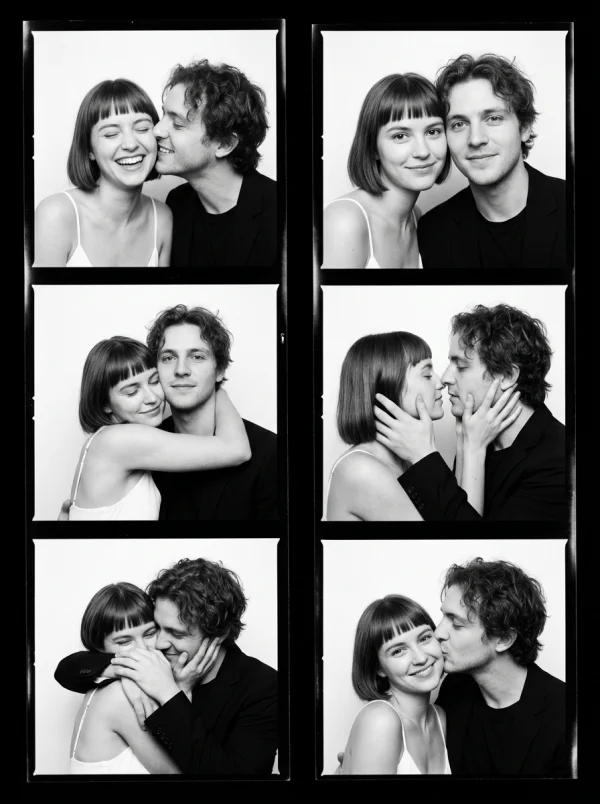
This generation captures exactly that principle in action — there is narrative tension in the frame, a sense of movement and place that goes beyond mere pose. The prompt specified interaction between subject and environment, and the model delivered a scene rather than a snapshot.
Scene 3: Social Media Content at Scale
Speed matters for social. The trick is building prompt templates with swappable variables. Create a master prompt for your brand aesthetic, then swap only the subject and one environmental variable per generation. This gives you visual consistency across a content calendar while keeping each post fresh. A creator running this system can produce 30 unique, on-brand images in under an hour.
For social posts that need the subject in a different setting, WeShop’s AI background changer lets you swap environments without re-generating from scratch.
Scene 4: Product Lifestyle Shots That Sell
The white-background product shot tells customers what something looks like. The lifestyle shot tells them how it feels to own it. And feeling drives purchasing more than knowing. For lifestyle prompts, embed the product in a scene that implies a desirable life: “Handcrafted ceramic mug on a weathered oak desk beside an open journal, morning light streaming through floor-to-ceiling windows, soft focus on a monstera plant in the background, warm color temperature, editorial still life.” The product is there, but the life is the subject.
Scene 5: Social Media Ad Variants at Scale
Performance marketing lives and dies by creative volume. The more variants you can test, the faster you find winners. Nano Banana 2 turns creative production from a bottleneck into a fire hose. Build your base prompt around your hero product and winning angle, then systematically vary one dimension per batch: background color, model ethnicity, time of day, camera angle. Run 20 variants, test them all, kill the losers, scale the winners. This is how performance creative should work — and until now, the production cost of 20 variants made it impractical for anyone below enterprise scale.
Scene 6: Scientific and Technical Illustration
Not all commercial imagery is lifestyle. Technical illustration — diagrams, process flows, conceptual visualizations — benefits enormously from Nano Banana 2’s ability to handle structured compositions. The key prompt difference: replace emotional descriptors with spatial and structural ones. “Isometric cutaway view of a lithium-ion battery cell, showing cathode, anode, separator, and electrolyte layers, clean technical illustration style, labeled components, white background, vector-clean edges.” Precision language produces precision output.
When technical illustrations need pose-specific elements — a hand holding a device, a figure demonstrating a process — WeShop’s AI pose generator provides controlled body positioning without requiring a complete re-prompt.
The ROI Math: How Prompt Efficiency Translates to Revenue
Let us talk numbers. Because prompt efficiency is not an abstract concept — it has a direct dollar value.
A creator operating at a 20% hit rate (industry average for casual users) needs 5 generations to produce 1 usable image. At a 100% hit rate, they need 1 generation for 1 image. That is a 5x productivity multiplier from prompt skill alone — no additional tools, no additional cost, no additional time.
Scale that across a real business. An e-commerce store with 500 SKUs needs at minimum 3 images per product: hero, lifestyle, and detail. That is 1,500 images. At a 20% hit rate, that is 7,500 generations. At 100%, it is 1,500. If each generation takes 30 seconds, the difference is 62.5 hours vs. 12.5 hours. That is 50 hours of human time saved — at $50/hour for a skilled creative, that is $2,500 in labor cost recovered from prompt skill alone.
Now compare that to traditional photography. 500 product shoots at even the most budget-friendly $100/shoot is $50,000. The AI route at zero marginal cost per generation, even with the human time factored in, runs under $1,000 total. The ROI is not incremental. It is categorical.
Common Prompt Mistakes That Kill Your AI Image Generation Efficiency
Learning what works is half the battle. Learning what fails — and why — is the other half. Here are the five most common prompt anti-patterns, drawn from real-world creator workflows.
Mistake 1: The Kitchen-Sink Prompt
Cramming every detail into a single prompt overwhelms the model’s attention budget. When everything is emphasized, nothing is emphasized. A 200-word prompt does not produce a 200-word-detailed image — it produces a confused compromise where the model tried to honor every instruction and succeeded at none. Edit ruthlessly. If a detail does not change the image meaningfully, cut it.
Mistake 2: Style Before Subject
Opening with “cinematic, dramatic, moody, 4K, hyper-realistic” before describing your actual subject is like giving a cinematographer lighting instructions before telling them what they are filming. The model locks onto early tokens first. If those tokens are stylistic rather than substantive, the generation starts from aesthetic constraints and shoehorns a subject in afterward — producing images that look pretty but feel empty.
Mistake 3: Contradictory Modifiers
“Bright sunny day with dramatic shadows and soft flat lighting.” The model cannot satisfy contradictory instructions, so it averages them — producing lighting that is neither sunny, dramatic, nor flat. It is just bland. Every modifier must be consistent with every other modifier. Read your prompt as if you were a lighting technician receiving instructions: would you be confused?
Mistake 4: Ignoring Negative Prompts
Nano Banana 2 supports negative prompts — instructions about what to exclude. Ignoring this feature is leaving precision on the table. A simple “no text, no watermark, no extra fingers, no blurry edges” catches the model’s most common failure modes before they waste your time. Advanced users go further: “no flat lighting, no centered composition, no stock photo feel” — actively steering the model away from default behaviors.
Mistake 5: Never Iterating Your Templates
The first version of your prompt template is never the best version. Treat templates as living documents. After every batch, review the results: which elements consistently nail? Which consistently miss? Update the template. The creators with the highest hit rates are the ones who have iterated their templates dozens of times — each iteration shaving off another failure mode.
Advanced Prompt Efficiency: Weight Tuning and Batch Strategies
Weight tuning takes prompt engineering to its final level. By assigning numerical weights to specific prompt elements — a feature Nano Banana 2 supports natively — you tell the model exactly how much attention to give each component. Subject at 1.3, environment at 1.0, style at 0.8 — this hierarchy ensures the model never sacrifices your subject’s accuracy for a pretty background.
The most productive creators do not generate one image at a time. They prepare prompt batches — sets of 10-20 related prompts that share a base template with systematic variations. This approach leverages the model’s consistency within sessions and produces cohesive sets that look intentionally curated rather than randomly generated.
Why Prompt Efficiency Is the Real AI Image Generation Competitive Advantage
The gap between a creator who generates 5 usable images per hour and one who generates 50 is not talent — it is system. The 50-per-hour creator has internalized the prompt hierarchy, built templates, eliminated wasted tokens, and treats each generation as a precision operation rather than a creative gamble.
In a market where AI-generated visual content is becoming table stakes, speed-to-quality is the only differentiator. The creators who master prompt efficiency today will own the visual landscape tomorrow. Everyone else will still be hitting “regenerate.”
Frequently Asked Questions About Nano Banana 2 Prompt Efficiency
What makes Nano Banana 2 different from other AI image generators for prompt accuracy?
Nano Banana 2 uses a hierarchical attention mechanism that processes prompt elements in order of appearance. This means well-structured prompts produce predictable, accurate results on the first try — unlike models that treat all prompt tokens with equal weight and require more trial and error.
How long should my Nano Banana 2 prompts be for best results?
Optimal prompts typically fall between 40-80 words. Shorter prompts force the model to guess, reducing accuracy. Longer prompts dilute attention across too many elements. The sweet spot is enough specificity to eliminate ambiguity without overloading the model’s attention budget.
Can I achieve 100% prompt hit rate as a beginner?
Not immediately, but faster than you would expect. Most creators report reaching 80%+ accuracy within their first week by following the three-layer formula (Subject → Environment → Style). The remaining 20% comes from learning negative prompts and weight tuning, which typically takes another week of practice.
What are the most common prompt mistakes that waste AI image generations?
Five mistakes account for most wasted generations: using subjective superlatives instead of descriptive specifics, placing style modifiers before subject descriptions, omitting environmental context, overloading prompts with contradictory modifiers, and never iterating on templates. Fixing these five habits can triple your first-try success rate.
How do I maintain visual consistency across multiple Nano Banana 2 generations?
Build a master prompt template with fixed style and environment parameters, then vary only the subject and one secondary element per generation. This creates a consistent visual language across outputs. Batch your generations in a single session for additional consistency.
What is the ideal workflow for producing 50+ images per hour with Nano Banana 2?
Prepare prompt batches of 10-20 related prompts sharing a base template with systematic single-variable changes. Run each batch sequentially, review outputs in bulk rather than one-by-one, flag the 5-10% that need regeneration, and iterate templates based on failure patterns. Most power users reach 50+ usable images per hour within two weeks of adopting this workflow.
Does prompt efficiency differ between text-to-image and image-to-image modes in Nano Banana 2?
Yes. Image-to-image mode benefits from less verbose prompts because the reference image already provides subject and environmental context. Focus your prompt on the transformation you want — “same composition, shift lighting to golden hour, add shallow depth of field” — rather than re-describing what the model can already see. Overwriting the reference image with redundant prompt details is one of the most common efficiency killers in image-to-image workflows.
© 2026 WeShop AI — Powered by intelligence, designed for creators.