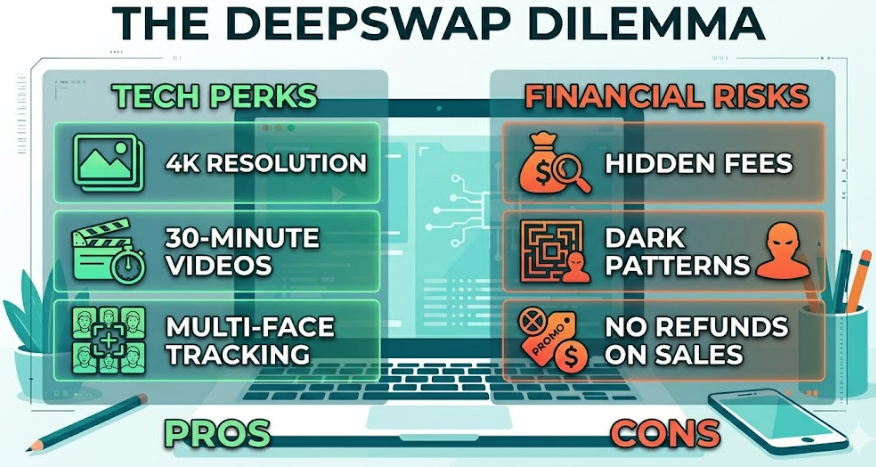
Most DeepSwap reviews make the same mistake: they treat face swap like a feature checklist. But the real story is more interesting than that.
DeepSwap presents itself as an online face editor for video, photo, and GIF workflows. Its face-swap flow starts with uploading a video, photo, or GIF and selecting the target face, and the site says video uploads can go up to 45 minutes or 1.5 GB. The company also says it supports up to 6 faces in one video, and its site now includes a separate video generator with image-to-video and text-to-video options.
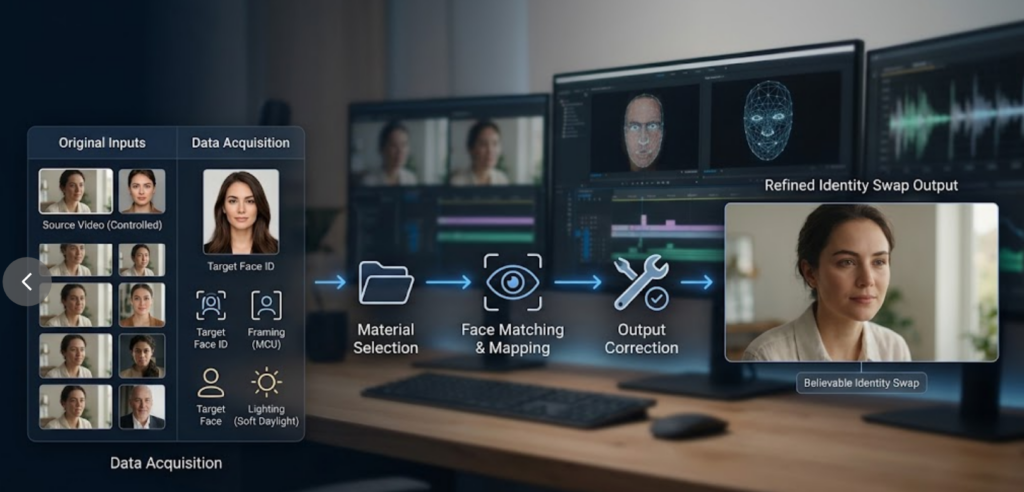
That matters because it tells you what DeepSwap really is: not just a “cool swap button,” but a pipeline for identity replacement. And once you see it that way, the whole question changes.
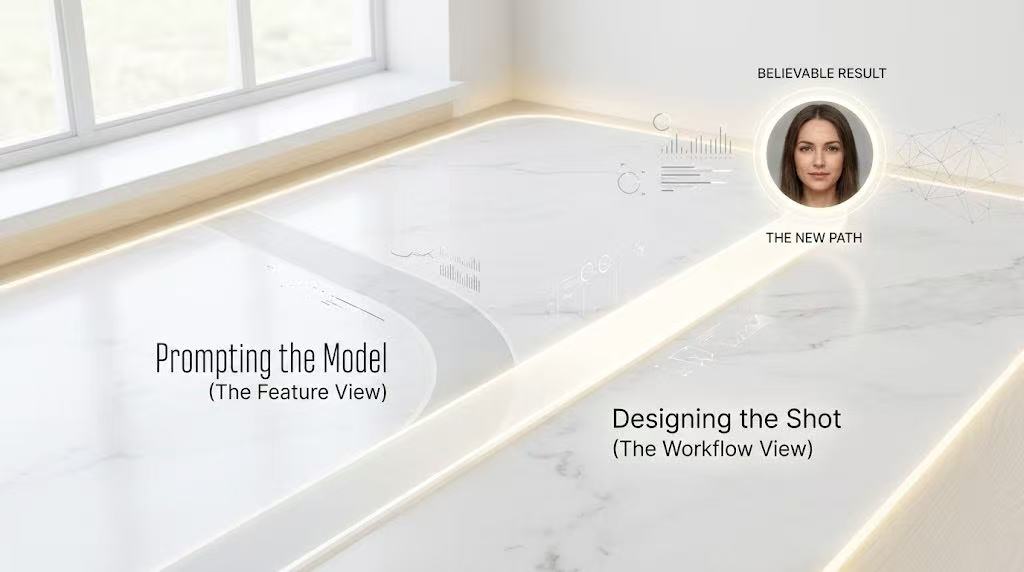
The right question is no longer, “How do I prompt it better?”
The better question is, “How do I design the input so the output has a chance to look real?”
The biggest misconception about face swap
People assume realism comes from the model being smarter. In practice, realism usually comes from the footage being easier.
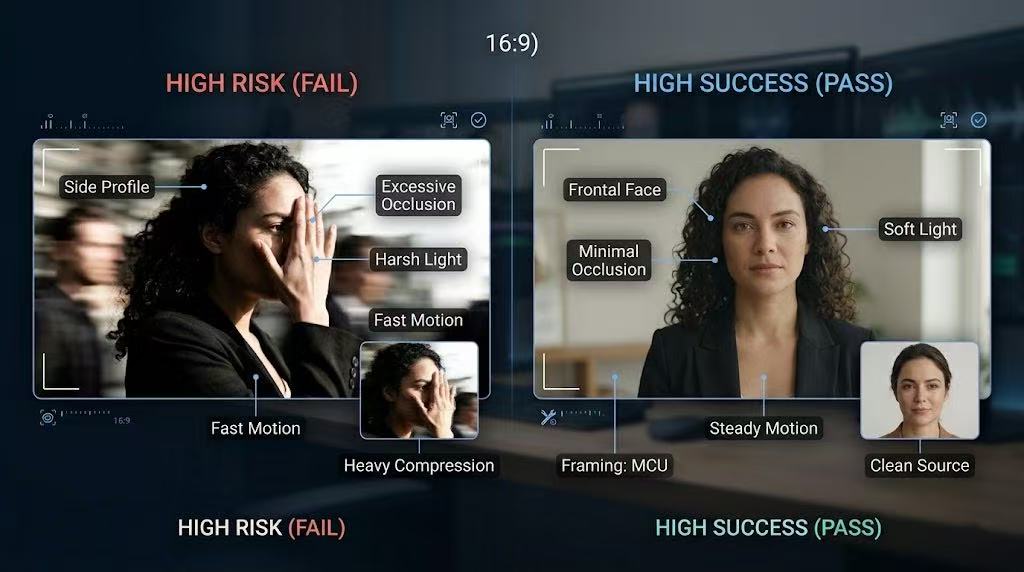
That means the winning inputs are often boring:
- steady camera movement
- medium close-up framing
- soft, even lighting
- a face that is not constantly turning away
- no heavy occlusion from hands, hair, glasses, or props
The losing inputs are usually cinematic but difficult:
- fast motion
- side profiles
- harsh shadows
- extreme close-ups
- expressive movement that changes frame by frame
This is why a “better prompt” often fails to fix a bad result. The problem is not the words. The problem is the scene.
What DeepSwap is actually good at
DeepSwap is strongest when the job is simple and repeatable: swap a face into a video, a photo, or a GIF without asking the user to understand the technical backend. The platform is built around that kind of convenience, and its public pages emphasize quick face editing and social-video use cases.
That makes it especially useful for:
- creator experiments
- comedy clips
- meme-style edits
- social content prototypes
- fast concept previews
In other words, DeepSwap is not trying to be a film studio. It is trying to be a shortcut.
And that is why the best review angle is not “Does it work?” but “What kind of workflow does it reward?”
The real secret: prompt the scene, not the face
Here is the most useful way to think about “prompting” DeepSwap:
You are not prompting the model to invent identity from scratch. You are designing a frame that gives the swap enough stability to hold together.
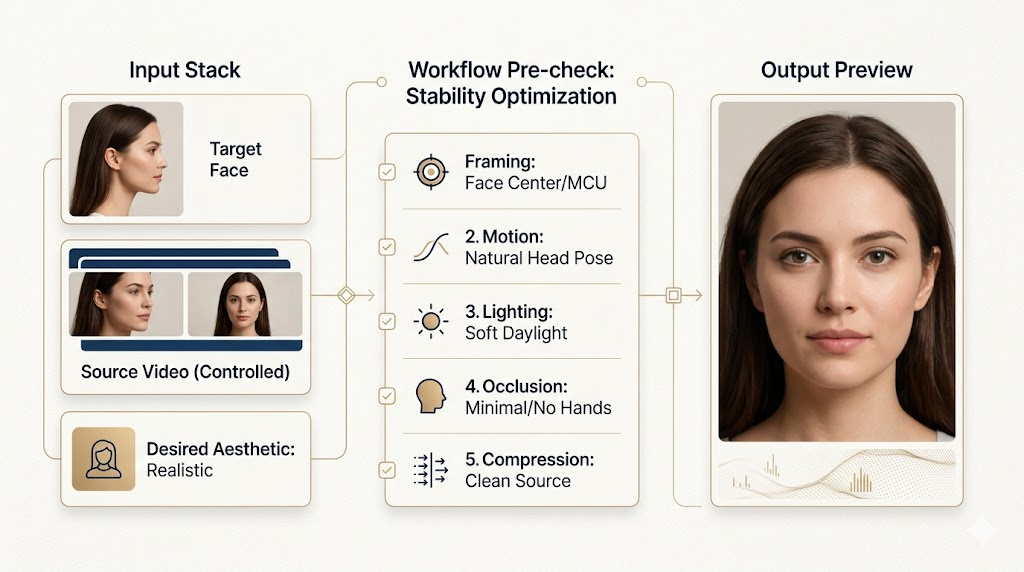
That means your job is to control the five things the audience notices first:
- Framing
Keep the face in the center area as much as possible. - Motion
Use footage where the head movement is natural, but not chaotic. - Lighting
Favor soft and consistent light over dramatic contrast. - Obstruction
Avoid hair, hands, microphones, sunglasses, or anything that cuts through the face. - Compression
Start from clean source footage, not a heavily compressed clip.
That is the “prompt.” Not text. Scene design.
A practical “prompt framework” you can actually use
If you are writing content around DeepSwap, the most useful tutorial is not a list of prompts. It is a framework for choosing inputs.
Use this structure:
1. Intent
What is the clip supposed to feel like? Comedy, realism, parody, product demo, or social teaser?
2. Shot type
Is it a talking-head shot, a walking shot, or a highly dynamic scene?
3. Face behavior
Does the face stay visible most of the time, or does it rotate, disappear, or get interrupted?
4. Light quality
Is the light even enough for the model to track the identity cleanly?
5. Output goal
Do you want “good enough for social media,” or “close-up realism”?
Once you define these five things, the output quality becomes much easier to predict.
Here is a simple template you can use in the article itself:
Swap brief template
- Scene: medium close-up, seated talking shot
- Lighting: soft daylight, no harsh shadows
- Motion: slow head movement, minimal hand blocking
- Background: clean, low distraction
- Goal: believable social clip, not cinematic realism
That kind of tutorial is more useful than a generic “best prompt” list because it teaches readers how to think.
Where DeepSwap feels strong, and where it still feels limited
DeepSwap’s strength is speed and accessibility. Its weakness is that it still depends heavily on the quality of the source footage and the shape of the scene. That is true for most face-swap tools, but it becomes especially visible when the clip gets more complex.
So the honest review is this:
DeepSwap is a good tool for controlled situations. It is less convincing when the scene starts fighting the swap.
That is not a flaw unique to DeepSwap. It is the central tradeoff of the entire category.
My verdict
If you write about DeepSwap as a feature list, your article will blend in.
If you write about it as a workflow problem, the article becomes useful.
That is the angle that stands out:
- not “what the tool does”
- but “why the same tool looks good in one clip and fake in another”
- not “how to prompt it”
- but “how to design the shot so the swap has a chance”
That is the more original story. And it is also the one readers will remember.
Final takeaway
DeepSwap is best described as an identity-editing workflow, not a prompt miracle. The better the scene, the better the swap. The better the framing, light, and motion, the less the result has to fight the footage. That is the real tutorial.
If you want, I can turn this into a more SEO-heavy version with stronger headings, FAQ schema style questions, and a more clickable intro.
Go to WeShop AI For Exploration: