



If you’ve spent any time managing an e-commerce store or a social media brand lately, you know the “visual tax.” It’s that exhausting cycle of hiring photographers, waiting weeks for edits, and realizing the lighting on your hero product looks slightly off compared to your Instagram grid. The tools we use to fix this are changing. We’re moving past basic filters and manual masking into an era where we can simply “talk” to our images. One tool leading this shift within the WeShop AI ecosystem is Qwen Image Edit.
It’s not just another AI gimmick; it’s a high-precision engine designed to handle the heavy lifting of product photography and digital art without the steep learning curve of Photoshop.
Why Your Current Image Workflow is Likely Broken
Most creators struggle with a fragmented workflow. You might use one app for background removal, another for color grading, and a third for adding text overlays. Every time you move a file between these apps, you lose quality, time, and—most importantly—brand consistency.
Qwen Image Edit functions as a centralized AI image editor, merging generative power with surgical editing precision. Whether you need a seamless background replacement for a winter coat or a stylized digital illustration for a blog header, the goal is the same: professional output in seconds, not hours.
Perfecting the E-Commerce Look: More Than Just Background Removal
For online sellers, a product photo isn’t just a picture; it’s a sales pitch. The first thing a customer notices isn’t the price—it’s the lighting and the environment.
The Magic of Robust Visual Analysis
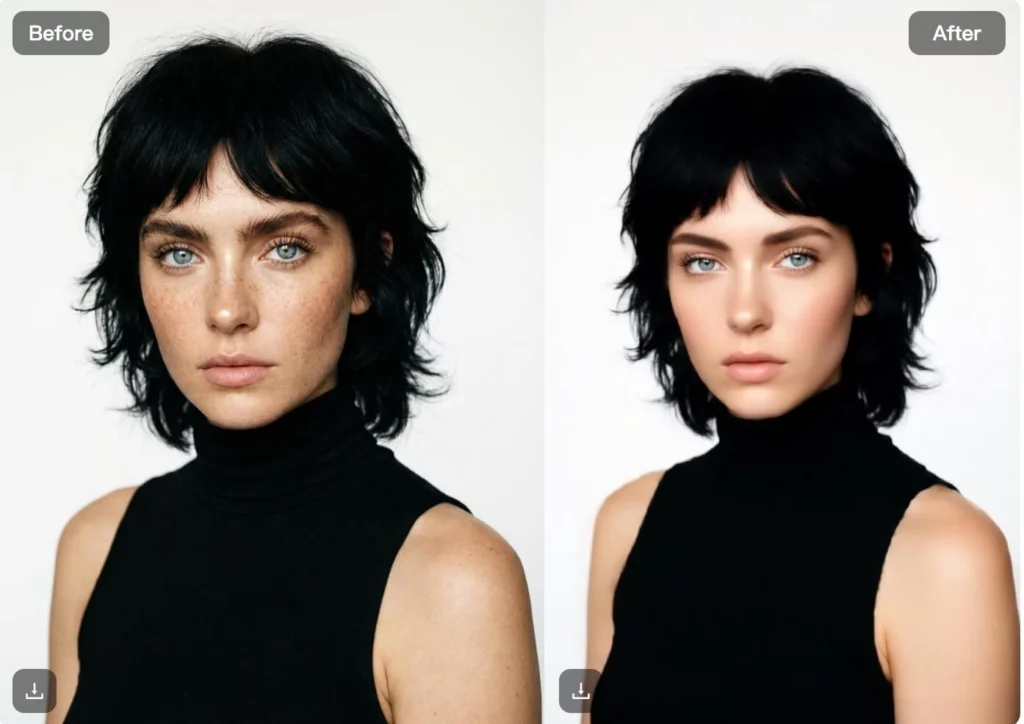
One of the standout features of Qwen-Image-Edit is its robust visual analysis tools. Traditional AI often fails at “edge detection”—that annoying halo effect you see around hair or fur when you change a background.
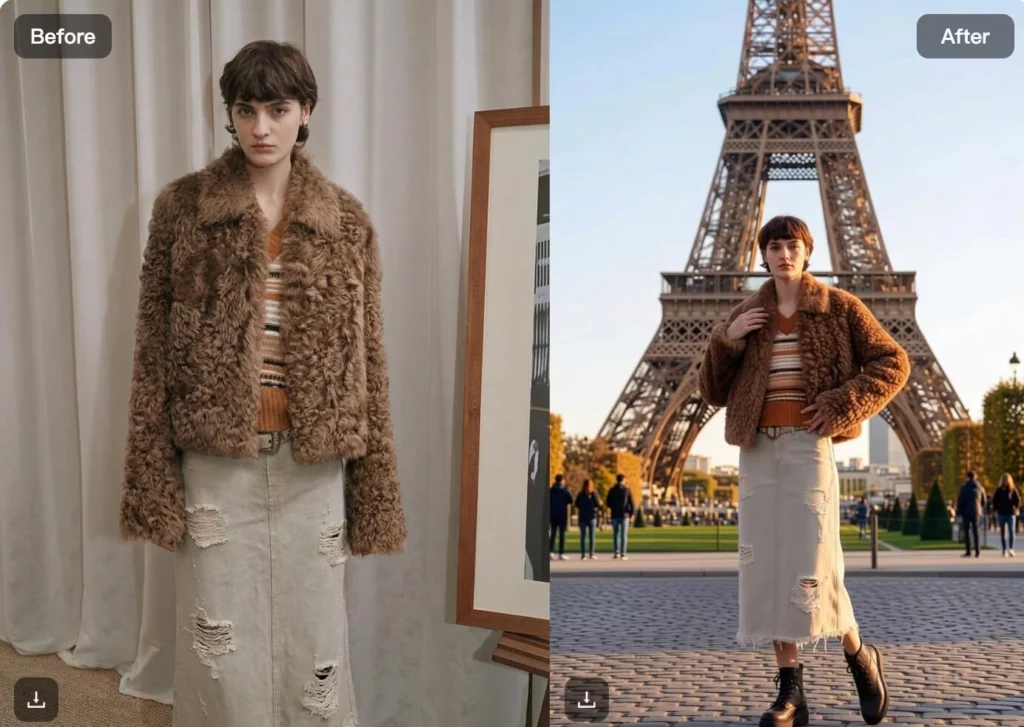
If you’re selling a textured item, like the brown faux-fur jacket seen in the Qwen interface, the AI understands the complexity of those fibers. When you move that model from a plain studio to the streets of Paris (as shown in the “E-Commerce Product Photos” example), the AI doesn’t just cut and paste. It analyzes the challenging lighting conditions of the new environment and adjusts the shadows and highlights on the product to match. This ensures your AI product photo editor results don’t look like a cheap collage.
Consistency Across Your Catalog
Branding is about repetition. If your summer collection is shot in bright sunlight, but your autumn line looks moody and dark, your storefront feels disjointed. With Qwen, you can use simple text prompts to define a specific lighting style and apply it across your entire inventory, ensuring your product branding remains cohesive.
Social Media Graphics That Actually Stop the Scroll
The “social” in social media has been replaced by “visual.” Platforms are now discovery engines, and your graphics need to compete with high-budget studio content.
Text-to-Image Capabilities for Content Creators
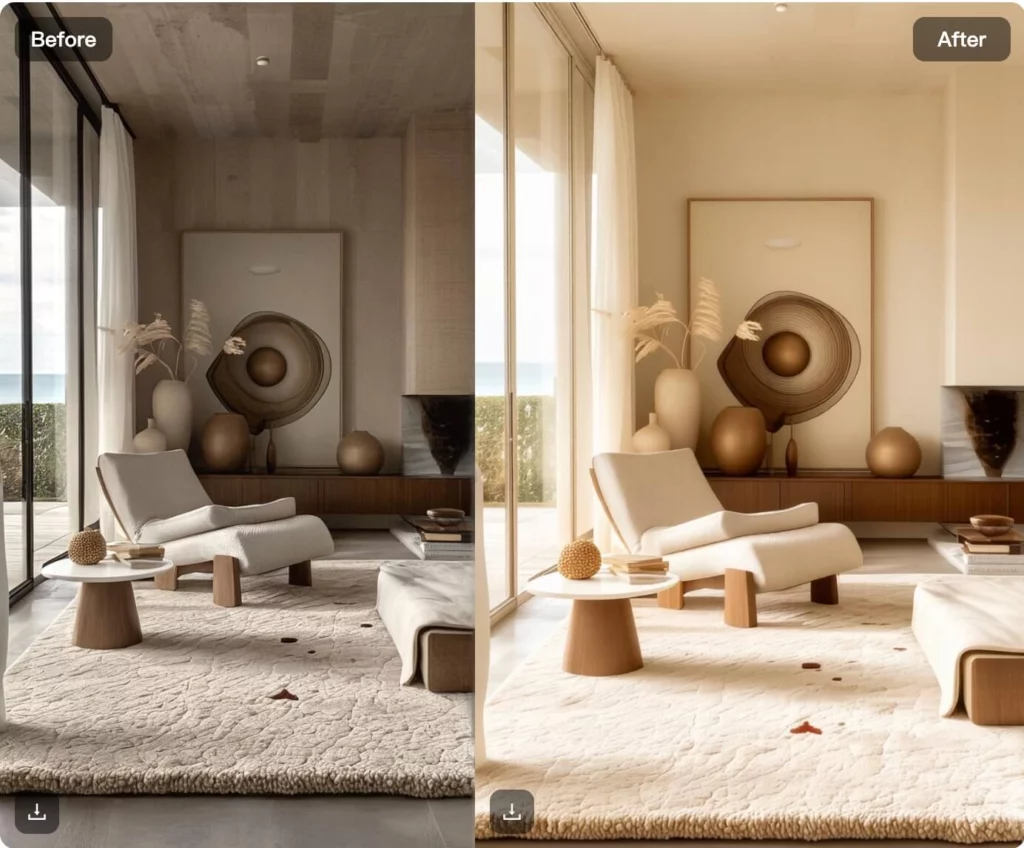
Qwen-Image-Edit isn’t limited to what’s already in the frame. By blending image generation with flexible text control, you can create assets from scratch. Imagine needing a promotional banner for a “Minimalist Home Decor” sale. Instead of hunting through stock photo sites, you can prompt the AI to generate a high-end, neutral-toned interior—like the sleek, sculptural living rooms seen in the “Social Media Graphics” section of the tool.
High-Fidelity Text and Overlays
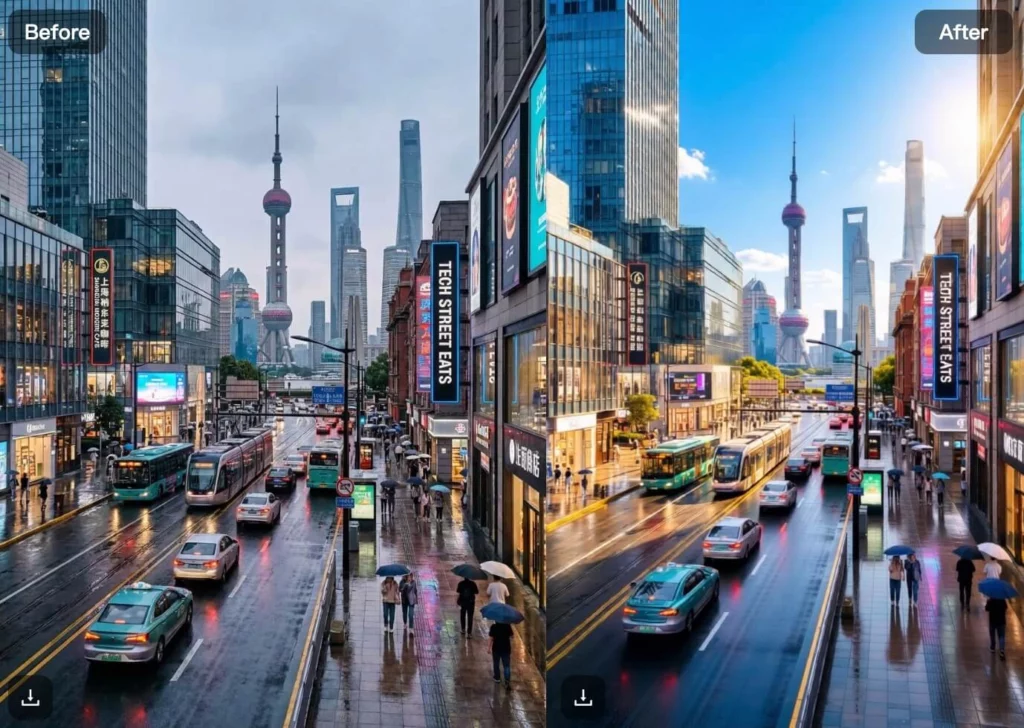
One of the biggest complaints about early AI models was their inability to render legible text. Qwen tackles this head-on, allowing for high-fidelity text rendering and overlays. This means you can add your brand’s name or a “50% OFF” call-to-action directly within the generation process, ensuring the text feels integrated into the image’s perspective and lighting rather than just floating on top.
From Photos to Personalized Digital Art with Qwen
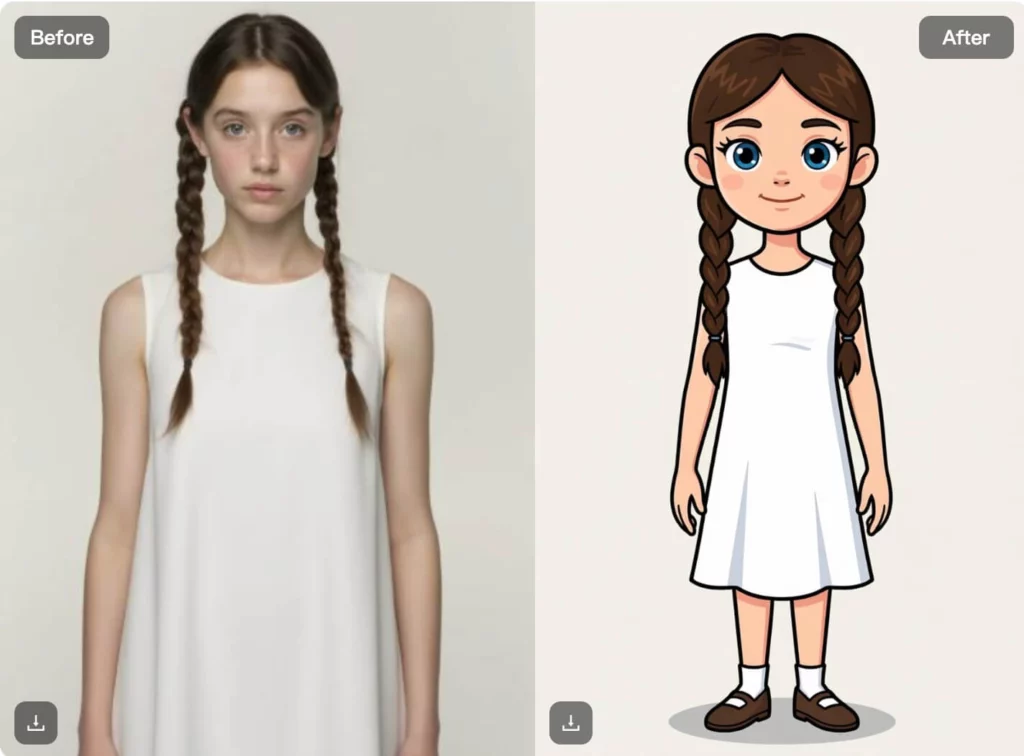
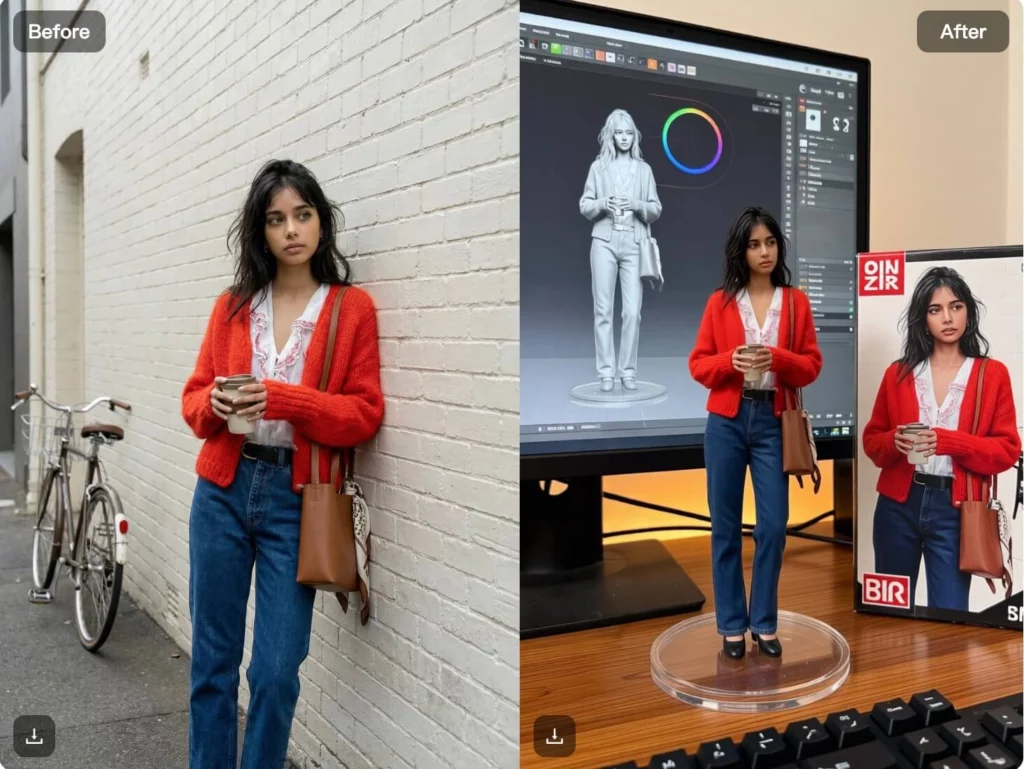
Not every image needs to be “realistic.” Sometimes, the goal is to stand out through stylization. The Personalized Digital Art module within the platform allows users to transform standard photos into everything from 3D-rendered toy aesthetics to hand-drawn illustrations.
Take the “Key!” doll example from the interface. It demonstrates how the tool can take a concept—like a personalized gift or a mascot—and wrap it in a cohesive “toy box” aesthetic. This is a game-changer for:
- Influencers looking for unique profile avatars.
- Small businesses creating custom stickers or digital merchandise.
- Agencies mocking up creative campaigns for clients without spending a week on concept art.
By using artistic effects and creative possibilities for personalized digital art, the barrier between “having an idea” and “seeing the result” has effectively vanished.
The Technical Edge: Why “Qwen Image Edit” Matters
Under the hood, Qwen-Image-Edit leverages advanced neural networks that understand spatial relationships. Most editors treat an image like a flat map of pixels. Qwen treats it like a 3D scene.
When you ask the tool to change the color of your products, it doesn’t just slap a color mask on top. It respects the folds in the fabric, the reflection of the light, and the texture of the material. This precision tool approach is what separates a “revolutionary tool for seamless image editing” from a basic smartphone app.
How to Integrate Qwen Image Edit into Your Daily Workflow
If you’re ready to stop “editing” and start “creating,” here is a simple roadmap for using the tool effectively:
- The Base Layer: Start with your cleanest product shot or a clear text prompt.
- The Environment: Use the background tool to place your subject in a context that tells a story. Selling hiking boots? Use a misty mountain trail. Selling high-end jewelry? A marble countertop with soft bokeh.
- The Polish: Utilize the real-time collaboration feature (available in the Pro plans) to let your team leave feedback or make micro-adjustments to the lighting and color balance.
- The Export: Choose the resolution that fits your platform—large-format for web banners or optimized ratios for social feeds.
Final Thoughts
The most underrated feature of the WeShop AI ecosystem is its user-friendly interface. You don’t need a degree in prompt engineering to get results. The platform is built for the “non-technical creative”—the entrepreneur who knows what they want but doesn’t have 40 hours to learn a complex software suite.
As we look toward the rest of 2026, the brands that win won’t necessarily be the ones with the biggest budgets. They will be the ones that use AI-powered creative studios to out-pace their competition, turning one product shot into a hundred different marketing assets in the time it takes to grab a coffee.


