Let’s be honest: generating a one-off “cool” image with Midjourney is easy, but building a professional brand with it is notoriously hard. Most sellers fall into the same trap—they spend hours fighting with Discord commands, only to end up with a store that looks like a mismatched collage. One photo is moody and dark, the next is bright and airy, and the AI model seems to have a different face in every shot. This “visual chaos” is the fastest way to make a premium product look like a cheap knock-off.
The good news? You don’t need a creative agency to fix this. By moving the power of Midjourney v7 into the clean, structured environment of WeShop AI, you can finally stop “guessing” and start building a coherent visual identity that actually looks like a brand.
The Consistency Crisis: Why Your Store Needs Midjourney v7
In e-commerce, consistency equals trust. Think about your favorite high-end brands; their photos all feel like they belong to the same family. If your product pages look like a random collection of stock photos, customers subconsciously start to wonder if your business is even real.
Previously, AI models were a bit of a gamble. You’d get a great shot, but you could never replicate it. Midjourney v7 changes that. It is the first model that truly understands the “soul” of an image—the specific way light hits a fabric or the exact texture of a model’s skin. When you use this engine through WeShop AI, you aren’t just making “pictures”; you are building a visual library where every file looks like it was shot by the same photographer on the same day.
Ditching the Discord Mess: Midjourney Made Simple
If you’ve ever tried to use Discord to run a business, you know how frustrating it is. You’re typing /imagine prompts in a crowded chat room while your important work gets buried under a mountain of other people’s cat pictures. It’s unorganized, public, and frankly, a bit of a headache.
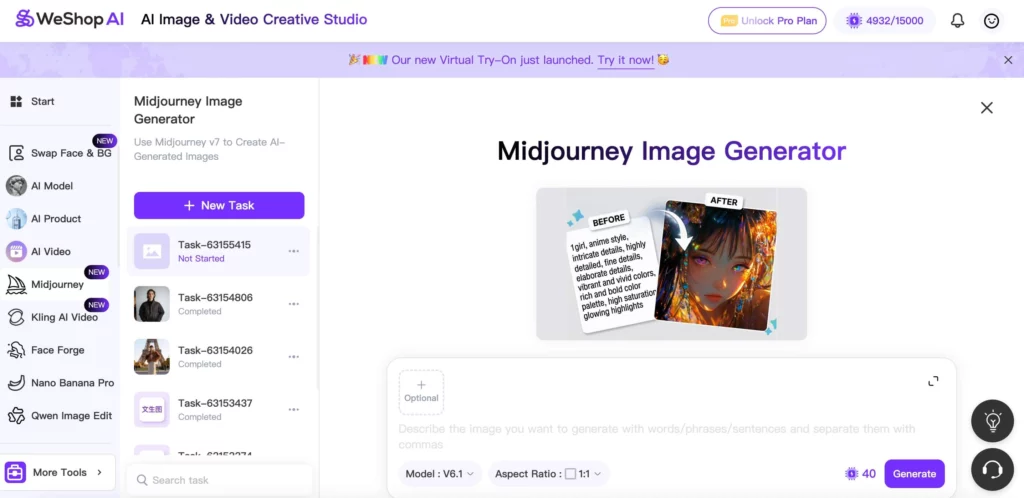
WeShop AI strips away all that friction. We took the heavy-duty power of the Midjourney API and put it behind a professional dashboard designed for people who have products to sell.
- No more code: You don’t have to memorize commands like
--ar 16:9or--v 7. You just click a button. - Visual Controls: Want to change your aspect ratio for an Instagram story? There’s a toggle for that. Want to switch to the artistic “Niji” style? It’s a dropdown menu.
- Private Workspace: Your brand assets stay yours. They are saved in a clean history sidebar where you can find them in seconds, not hours.
Locking in the “Vibe” with Midjourney Style Reference (SREF)
The biggest secret to a cohesive brand is the “Style Reference” (SREF) feature. Think of this as a digital DNA transplant. Instead of trying to describe “minimalist Scandinavian lighting with soft shadows” every single time, you just show the AI one photo that you love.
When you upload a style reference in the WeShop AI Midjourney tool, the AI “locks in” that specific aesthetic. Whether you are generating a photo of a watch, a t-shirt, or a living room, the color grading and lighting will remain identical.
Copy-Paste Prompt Examples for Style Harmony:
The “Quiet Luxury” Look (Jewelry/Accessories)
- Prompt: A gold minimalist necklace draped over a white sandstone rock, soft morning sunlight, cinematic shadows, 8k resolution, hyper-realistic.
- SREF Strategy: Upload a photo with muted cream and beige tones.
The “Cyber-Street” Vibe (Tech/Apparel)
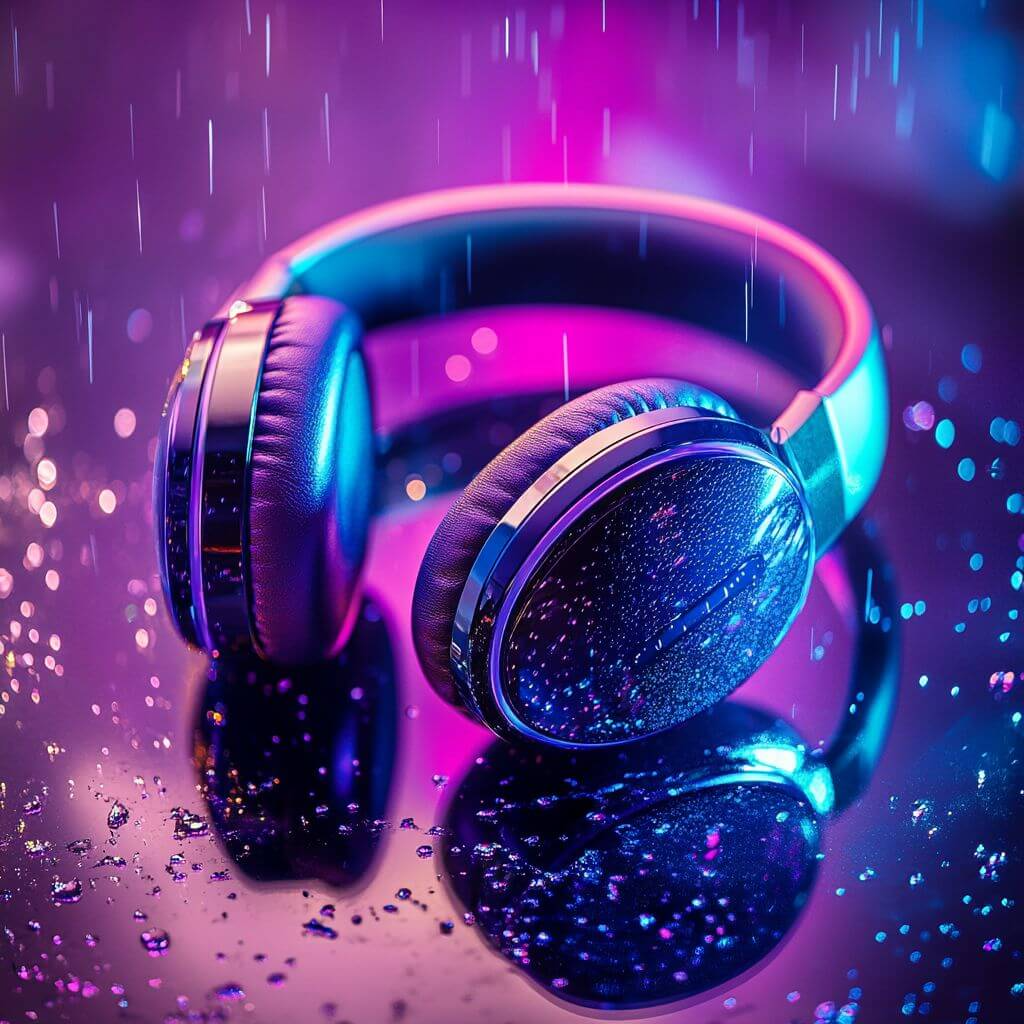
- Prompt: Close up of a premium wireless headphone on a glass table, purple and blue neon reflections, rain droplets on the glass, sharp focus.
- SREF Strategy: Upload an image with high-contrast neon lighting.

Meet Your New “Forever Model”: Midjourney Character Reference (CREF)
Nothing screams “fake” louder than an apparel store where the model’s face changes on every single page. To build a brand people actually recognize, you need a consistent “face.” This used to be the hardest part of using AI for fashion—until Midjourney introduced “Character Reference” (CREF).
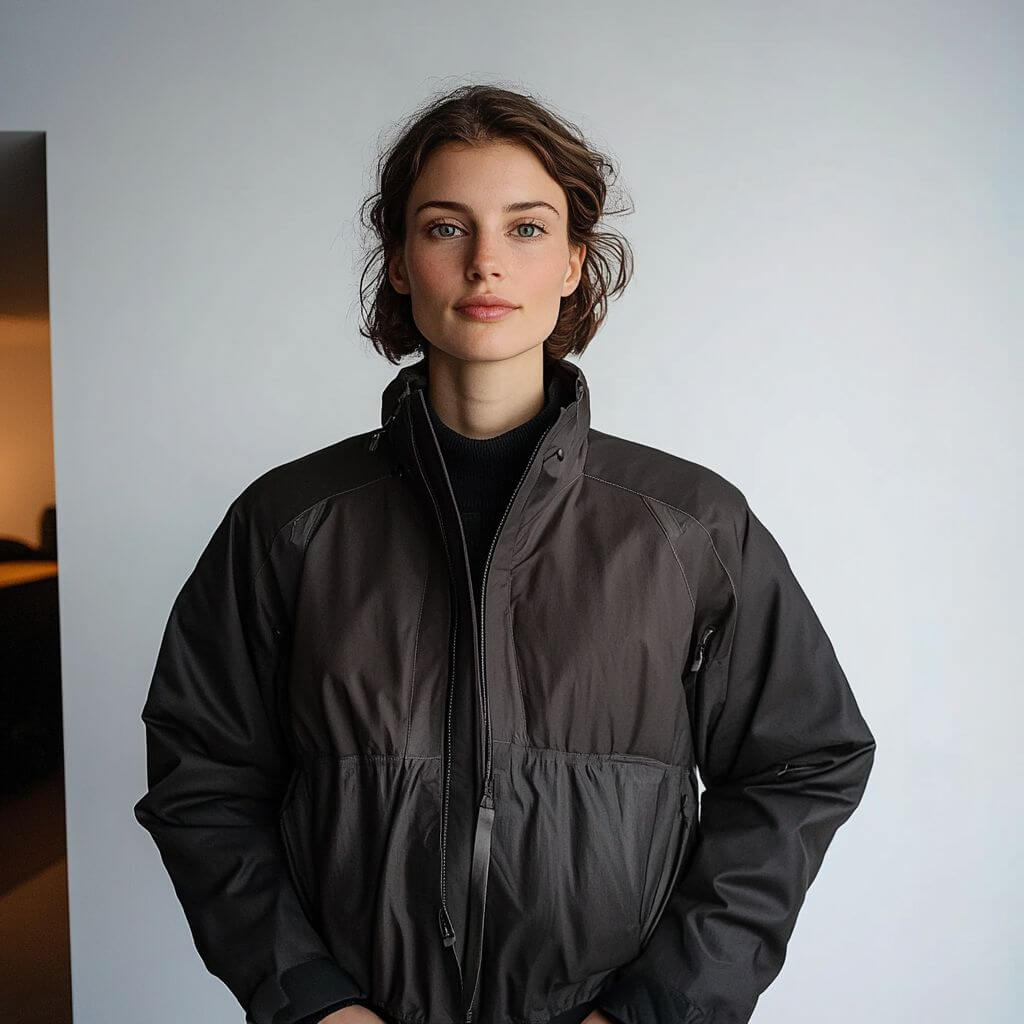
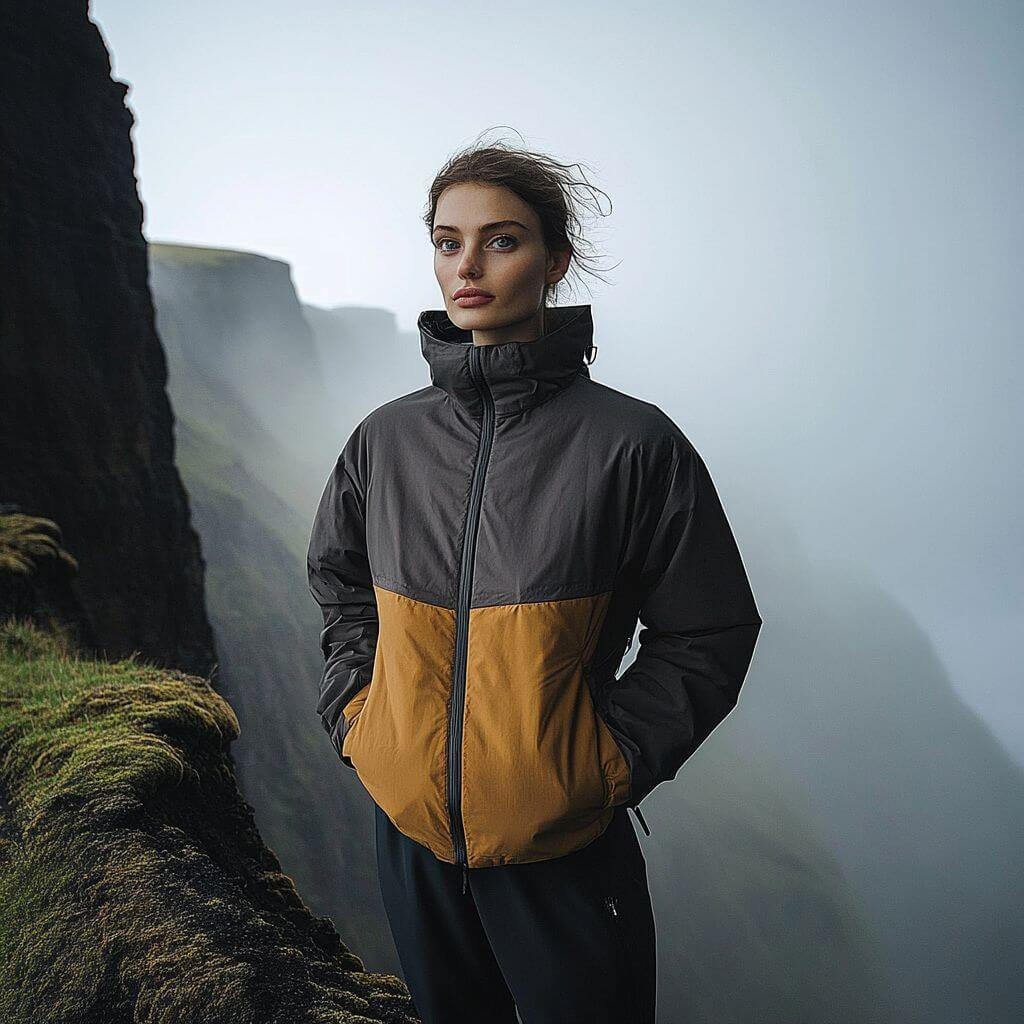
In the past, you had to mess around with hosting images and copying long URLs. WeShop AI has simplified this into a single click. You can now directly upload a photo of your model into the Character Reference slot. The AI “locks in” that specific person—their facial features, hair, and body type—and carries them across every new image you generate. You can take your favorite AI model and “send” them to a studio for your main images, then to a sun-drenched cafe in Paris for your lifestyle shots.
How to Keep Your Model Consistent in 3 Steps:
- Step 1: Upload Your Reference Image. Simply drag and drop a high-quality photo of your ideal model into the “Character Reference” upload box in the WeShop AI dashboard.
- Step 2: Write Your Scene. Describe the new outfit, the location, and the lighting you want.
- Step 3: Generate. The Midjourney v7 engine will blend your prompt with the uploaded model’s likeness, creating a brand-new photo with the exact same person.
Character Consistency Prompt Examples:
The “Outdoor Explorer” Brand
- Upload: [A high-res photo of your fixed model]
- Prompt 1 (The Catalog Shot): The same model wearing a waterproof hiking jacket, standing against a clean white background, professional studio lighting, 8k.
- Prompt 2 (The Lifestyle Shot): The same model wearing a waterproof hiking jacket, standing at the edge of a foggy cliff in Iceland, cinematic landscape, dramatic natural lighting.
By using the v7 model toggle in WeShop AI, these characters look more human than ever. The skin textures are lifelike, the eyes have depth, and the clothing drapes naturally over the body. It’s the ultimate way to build a professional lookbook without the professional price tag.
Your 3-Step Playbook for a Coherent Midjourney Collection
Ready to actually build something? Here is the workflow we recommend for creating a new product collection that looks 100% professional.
- Define the Anchor: Use WeShop AI to generate one “perfect” hero shot of your main product. This shot defines your lighting and color palette.
- Scale the Styles: Use that hero shot as your Midjourney Style Reference. Generate 5-10 lifestyle variations showing the product in different settings (office, park, cafe).
- Unified Socials: Switch the aspect ratio to 9:16. Using the same style and character references, generate “vibe” shots for TikTok and Instagram.
By the time you’re done, your website, your ads, and your social media will all look like they came from a high-end creative agency, but you did it all from one dashboard.
The Prompt Vault: 10+ Midjourney Ideas for Every Niche
Here are some “ready-to-use” prompt templates you can plug into the WeShop AI Midjourney generator right now.
For Home & Living:
- A minimalist linen sofa in a sun-drenched living room, large windows, shadows of palm leaves on the wall, 8k, photorealistic.
- Close up of a scented candle on a marble tray, flickering flame, cozy atmosphere, blurred bookshelf background.
For Footwear & Sportswear:
- A high-performance running shoe floating in mid-air, exploding colorful dust particles, dynamic lighting, high-speed photography.
- A lifestyle shot of [CREF Model] tying laces on a city track, early morning fog, realistic sweat on skin, 8k.
For Skincare & Beauty:
- A glass bottle of face serum sitting on a block of ice, frozen bubbles inside the ice, cool blue lighting, macro photography.
- Model with glowing, dewy skin, holding a cosmetic jar, natural sunlight, focus on skin texture, high-end skincare ad.
For Food & Drink:
- A condensation-covered can of sparkling water, sliced citrus fruits flying around it, water splashes, bright and refreshing.
- Top-down view of a gourmet pasta dish, steam rising, rustic wooden table, warm restaurant lighting, shallow depth of field.
Final Thoughts
The tools have changed, and the “good enough” era of AI is over. If you want to stand out, you have to move past the chaos of random images and start thinking about coherence. Using Midjourney v7 inside WeShop AI doesn’t just save you time—it gives you the keys to a professional brand identity that used to cost thousands of dollars to create.
Stop fighting with Discord and start building your legacy. Head over to the WeShop AI dashboard and launch your first unified collection today.