

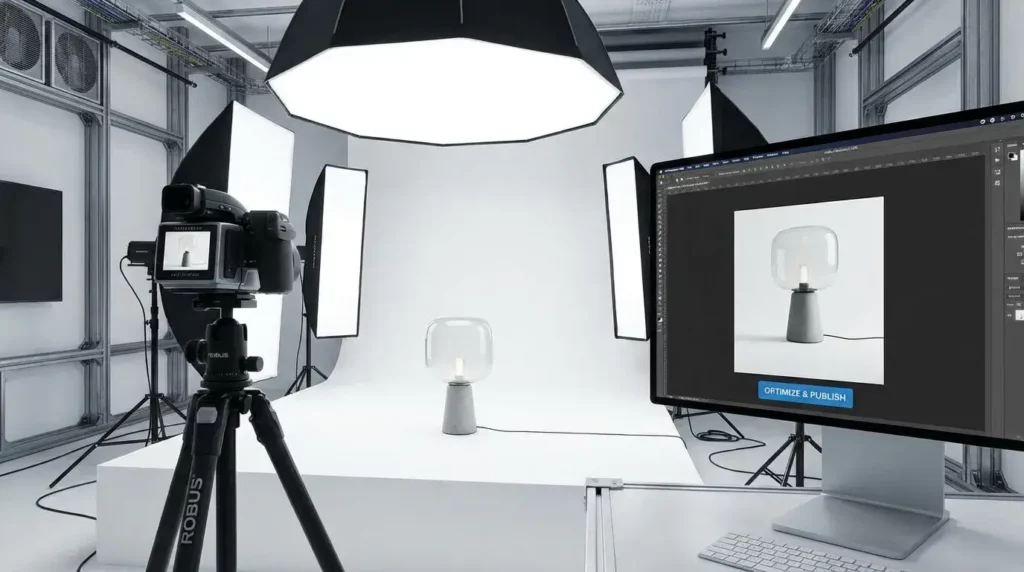
In the competitive world of e-commerce, a single product image is often the only thing standing between a “buy” and a “bounce.” By 2026, consumer expectations have shifted; shoppers no longer just want to see what a product looks like—they want to feel its texture, understand its scale, and see it in action, all within milliseconds. If your visuals aren’t optimized for both humans and search engines, you are leaving money on the table. This guide provides a comprehensive 10-point checklist to ensure every photo you upload is a high-converting asset.
Optimize Every Product Image for High Resolution
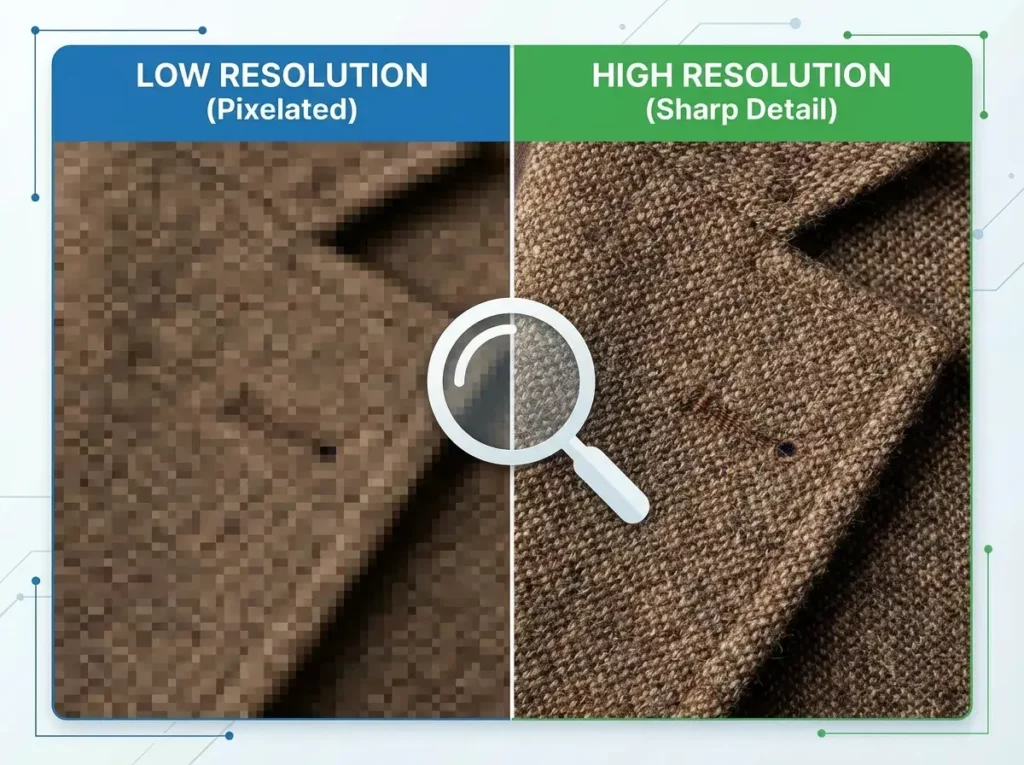
The first thing a customer does on a product page is try to zoom in. If your product image turns into a blurry mess of pixels, you immediately lose credibility. High resolution is non-negotiable in 2026, especially as more consumers use 4K monitors and high-density mobile screens.
To ensure clarity, aim for a minimum of 2000 pixels on the longest side. This provides enough data for the “loupe” or “hover-to-zoom” features to work effectively without losing detail. However, remember that high resolution shouldn’t mean a massive file size. You want to strike a balance where the image looks crisp but doesn’t slow down the page. This balance is the foundation of a professional shopping experience, giving customers the confidence to see the stitching on a garment or the fine grain of a wooden table.
Naming Your Product Image for Search Engines
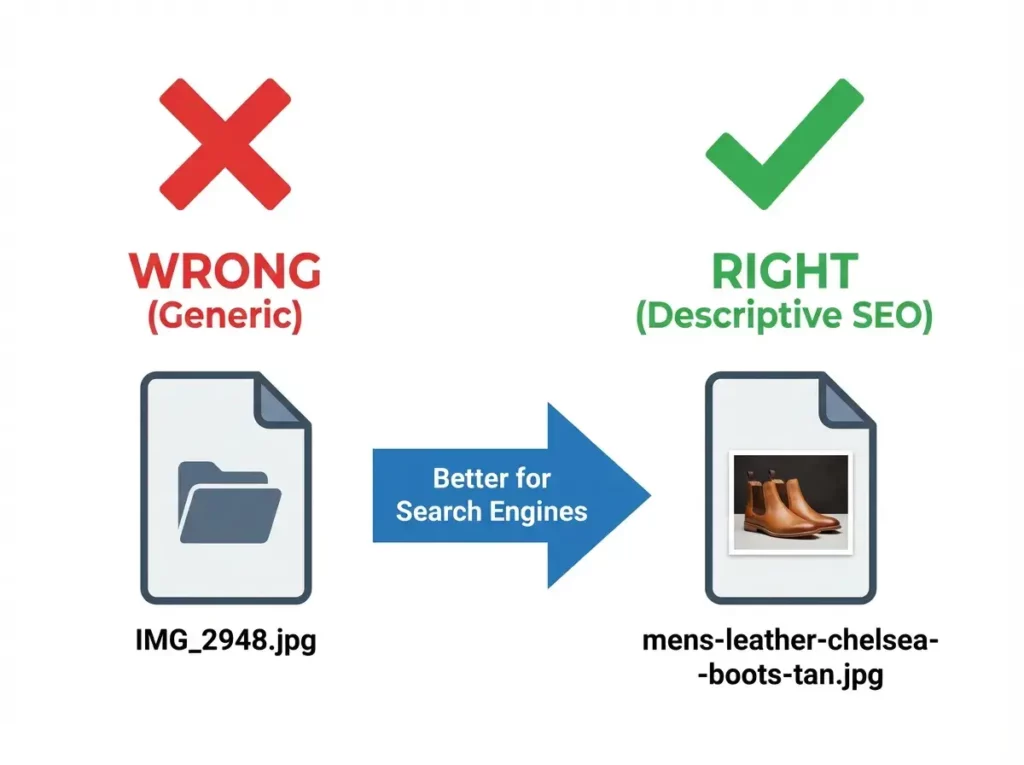
Many sellers overlook the simplest part of the process: the file name. Uploading a file named DSC001.jpg tells search engines absolutely nothing. To help your products appear in Google Image search results, you must give your product image a descriptive, keyword-rich name before uploading it to your server.
Instead of generic numbers, use hyphens to separate words. For example, organic-cotton-yoga-mat-forest-green.jpg is far more effective than yogamat1.jpg. This practice allows search engine crawlers to “read” what is in the photo, making it more likely to show up when a potential buyer searches for those specific terms. It is a small change that yields significant long-term organic traffic.
Selecting the Right File Format for Speed
In the past, JPEG and PNG were the only real choices. Today, modern formats like WebP and AVIF have taken the lead because they offer superior compression. When you prepare a product image, choosing the right format can reduce its file size by up to 30-50% compared to traditional JPEGs while maintaining the same visual quality.
Why does this matter? Because site speed is a critical ranking factor. A page that takes five seconds to load will lose half its visitors before they even see your products. By using WebP, you ensure that your high-resolution photos load almost instantly, even on slower 4G or 5G connections. Most modern e-commerce platforms now support these formats, so there is no reason to stick to outdated, “heavy” file types.
Why Product Image Alt Text Is Essential
Alt text (alternative text) serves two vital purposes. First, it makes your website accessible to visually impaired shoppers who use screen readers. Second, it is a primary driver of image SEO. Because search engines can’t “see” an image the same way humans do, they rely on the alt text to understand the context.
When writing alt text for a product image, be specific but natural. Instead of “shoes,” write “Men’s leather Chelsea boots in tan with rubber soles.” Avoid “keyword stuffing”—the practice of cramming twenty keywords into one tag. Google’s algorithms are now smart enough to recognize and penalize this behavior. Keep it descriptive, helpful, and relevant to the user’s search intent.
Perfecting the Product Image Background
Consistency is the hallmark of a professional brand. If your store features a mix of cluttered kitchen backgrounds, park benches, and plain white walls, it creates a chaotic shopping experience. For your primary “hero” shots, a clean, neutral background is usually best because it keeps the focus entirely on the item.
However, lifestyle backgrounds are becoming increasingly popular for secondary images to show the product in use. The key is to ensure that the background doesn’t compete with the product for attention. Whether you use a minimalist studio setting or a curated home environment, the lighting and tone should remain consistent across your entire catalog. This visual harmony builds a “brand voice” that customers learn to recognize and trust.

Enhancing the Product Image with AI Creative Tools
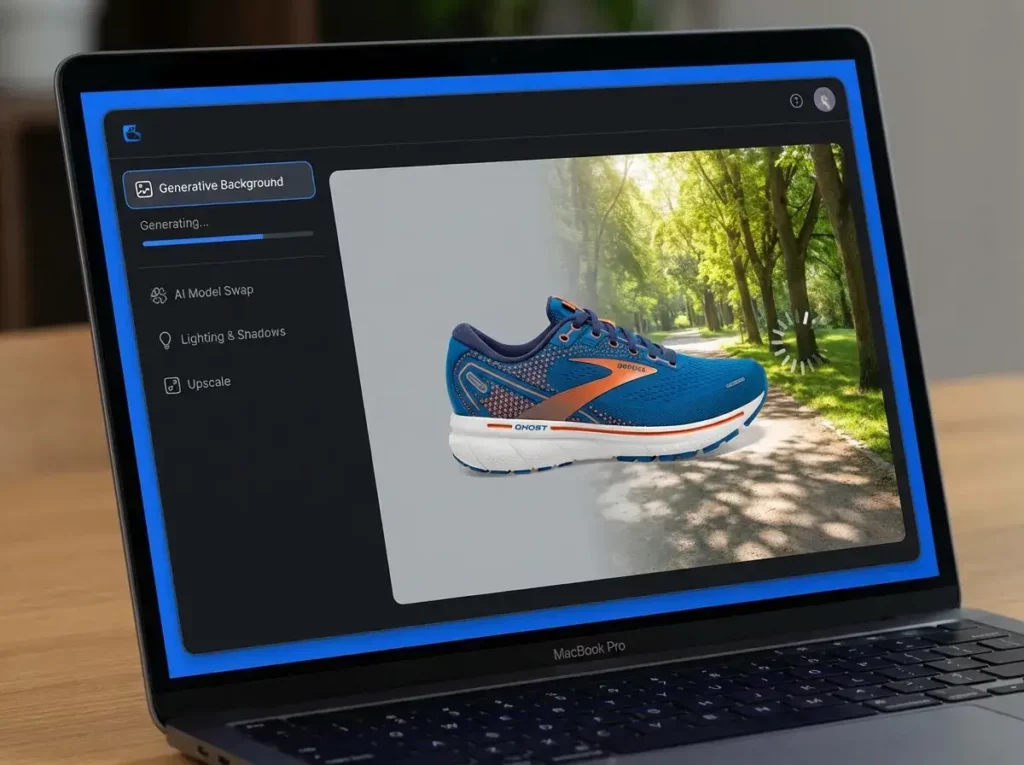
In recent years, the rise of AI has transformed how we produce and polish e-commerce visuals. You no longer need a massive studio budget to achieve high-end results. Several AI-powered platforms can help you refine a product image with professional precision, each offering unique strengths depending on your needs.
- Adobe Firefly & Photoshop: For those who prefer a traditional design workflow, Adobe has integrated generative AI directly into Photoshop. The “Generative Fill” feature allows you to extend a background or remove distracting objects with a few clicks. It is particularly useful if you have a great shot that just needs a little more “breathing room” or if there’s a small reflection on the product that needs to be polished out. It offers the most granular control for professional editors.
- WeShop AI: This platform has become a favorite for fashion and lifestyle brands. It specializes in transforming simple photos—like those taken of a ghost mannequin or a flat-lay—into professional model shots. One of its standout features is the ability to place products in diverse settings or change the nationality and age of a model to better suit different global markets. It serves as a comprehensive “AI studio” that helps merchants save on traditional photography costs while maintaining a high-fashion aesthetic.
- Canva Magic Studio: Canva has democratized design for small business owners. Its AI suite is incredibly intuitive, offering one-click background removal and a “Magic Edit” tool that can swap out elements in a photo. While perhaps less “technical” than Adobe, it is perfect for quickly resizing and adapting a product image for social media banners or email newsletters, ensuring your visuals are optimized for every channel without requiring a degree in graphic design.
Using these tools as part of your workflow allows you to maintain a high volume of quality content without the logistical headaches of a physical photo shoot.
Ensuring Color Accuracy and Realism
One of the leading causes of e-commerce returns is “product not as described,” often due to color discrepancies. A product image that looks vibrant pink on a screen but arrives as a dull mauve in the mail leads to unhappy customers and bad reviews.
To prevent this, ensure your images are saved in the sRGB color space, which is the standard for web browsers. Additionally, avoid over-using filters that distort the true colors of the material. If a product comes in multiple colors, try to provide a photo for each specific variant rather than using a “color swap” tool that might look artificial. Accuracy in color representation is a direct way to build long-term loyalty and reduce the operational costs associated with returns.
Testing Product Image Quality for Mobile Users
The majority of online shopping now happens on mobile devices. An image that looks impressive on a 27-inch desktop might be impossible to decipher on a 6-inch phone screen. Before you finalize your product image gallery, you must test how it scales down.
On mobile, the product should take up at least 70-80% of the frame. If there is too much “dead space” around the item, it will look tiny and insignificant on a smartphone. Also, ensure that the “swipe” gesture for the gallery is smooth and that the images don’t take too long to render. Mobile shoppers are famously impatient; if your images don’t pop up instantly, they will move on to a competitor’s site.

Leveraging Multiple Angles and Close-ups
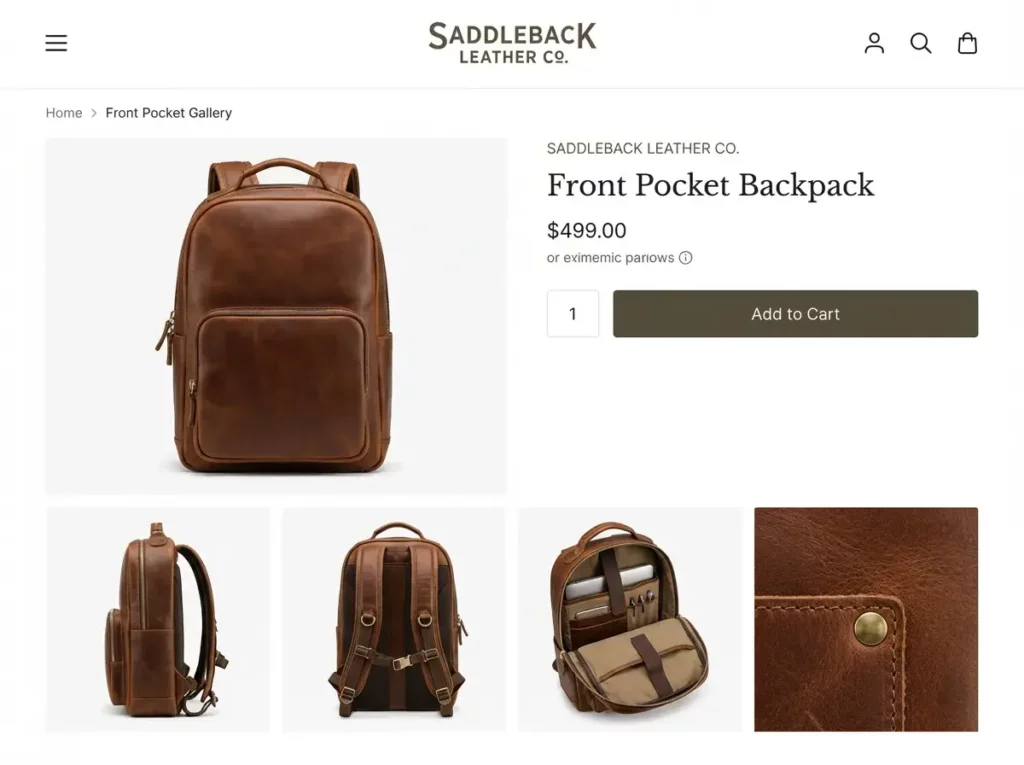
A single product image is rarely enough to close a sale. Consumers want to see the product from every angle—front, back, side, and top. Think of your image gallery as a virtual “unboxing” or a physical inspection.
Include close-up shots of “value-added” details: the texture of the fabric, the ports on an electronic device, or the ingredients label on a bottle. These detail shots answer the questions a customer would normally ask a salesperson. By providing a comprehensive visual story, you reduce the “perceived risk” of the purchase, which is the biggest hurdle in online shopping.
Implementing Structured Data for Visual Search
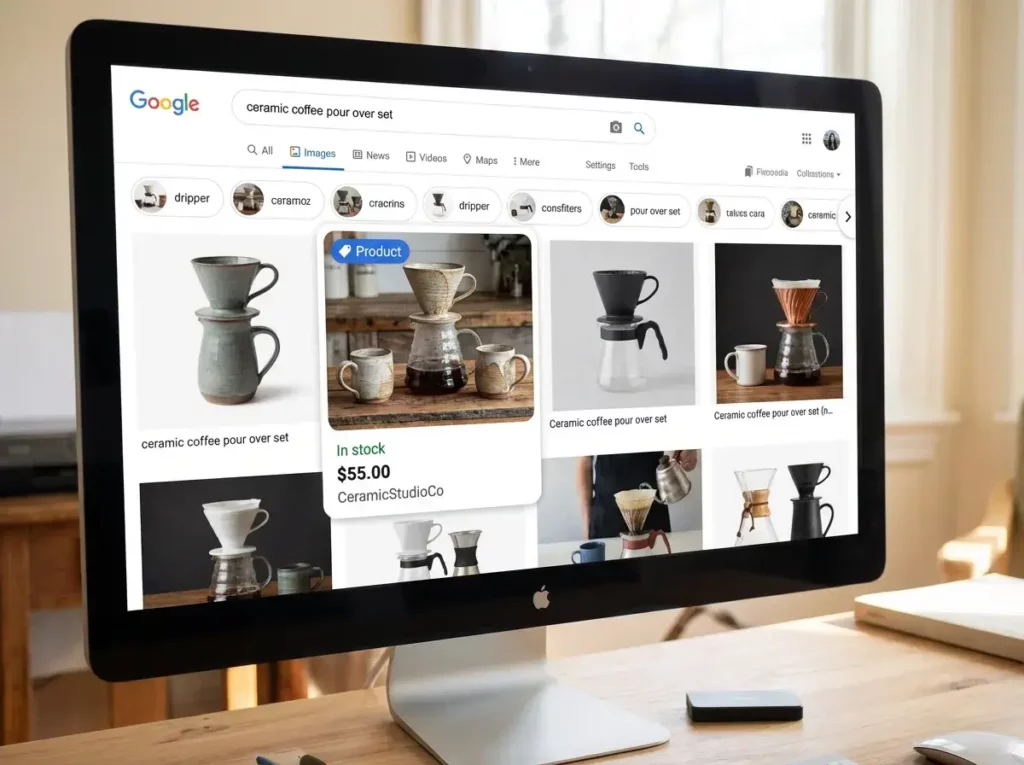
Finally, the technical “under-the-hood” work is what truly separates the pros from the amateurs. In 2026, Google uses “Structured Data” (Schema markup) to understand the specifics of your product image. By adding a small piece of code to your page, you can tell search engines the price, availability, and rating of the product shown in the photo.
When you do this correctly, your images can appear as “Rich Results” in Google Images, complete with a “Product” badge and a price tag. This significantly increases the click-through rate because shoppers can see at a glance that the item is within their budget and currently in stock. It turns your images from simple pictures into interactive, shoppable data points.
Conclusion: Turning Visuals into Value
Optimizing your product image library is a continuous process of balancing aesthetics with technical performance. By following this 10-point checklist, you ensure that your brand looks professional, your site runs fast, and your products are easy to find. Whether you are using industry-standard tools like Adobe, exploring the e-commerce-specific features of WeShop AI, or quickly iterating with Canva, the goal remains the same: clarity, consistency, and conversion.
Don’t treat your product photos as an afterthought. In the digital marketplace, they are your most powerful asset. Take the time to get the naming, the SEO, and the AI enhancements right before you hit publish—your bottom line will thank you.


