

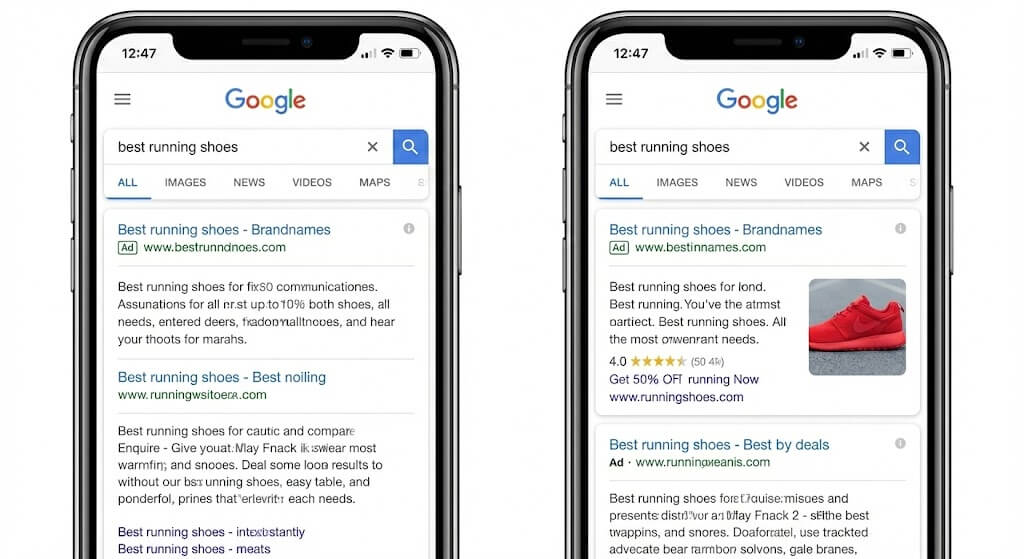
In the competitive landscape of digital marketing, a wall of text is no longer enough to capture a shopper’s attention. As we navigate 2026, the search results page has become increasingly visual. If you aren’t using Google Ads Image Extensions, you are essentially leaving money on the table. These extensions allow advertisers to upload rich, relevant visuals to complement their existing text ads, providing a powerful way to boost Click-Through Rates (CTR) and drive higher-quality traffic to your site.
Why Google Ads Image Extensions are a Game-Changer
For years, Search Ads were limited by character counts and headlines. Today, the integration of images into the search engine results page (SERP) has bridged the gap between “search” and “discovery.” When a user sees a visual representation of the product they just searched for, the cognitive load is reduced, and the desire to click increases.
Data from Google suggests that advertisers who use Google Ads Image Extensions see an average increase in CTR of up to 15%. This isn’t just about looking pretty; it’s about occupying more “real estate” on the screen—especially on mobile—and building immediate trust with the consumer.
Best Practices for High-Converting Google Ads Image Extensions
Simply uploading any photo won’t guarantee success. To truly move the needle on your ROI, your visuals need to be strategic. Here are the core pillars of a high-converting image strategy:
1. Relevance is King
The image must strictly match the keyword and the landing page. If a user searches for “linen summer dresses,” showing a generic storefront or a different clothing item will lead to a high bounce rate. The visual should be the “answer” to their search query.
2. Prioritize Quality and Clarity
Google has strict policies against blurry, distorted, or poorly cropped images. Your visuals should have a clear focal point. Avoid busy backgrounds that distract from the main product. High-contrast images often perform better as they “pop” against the white or dark mode background of the Google SERP.
3. Use Lifestyle Content
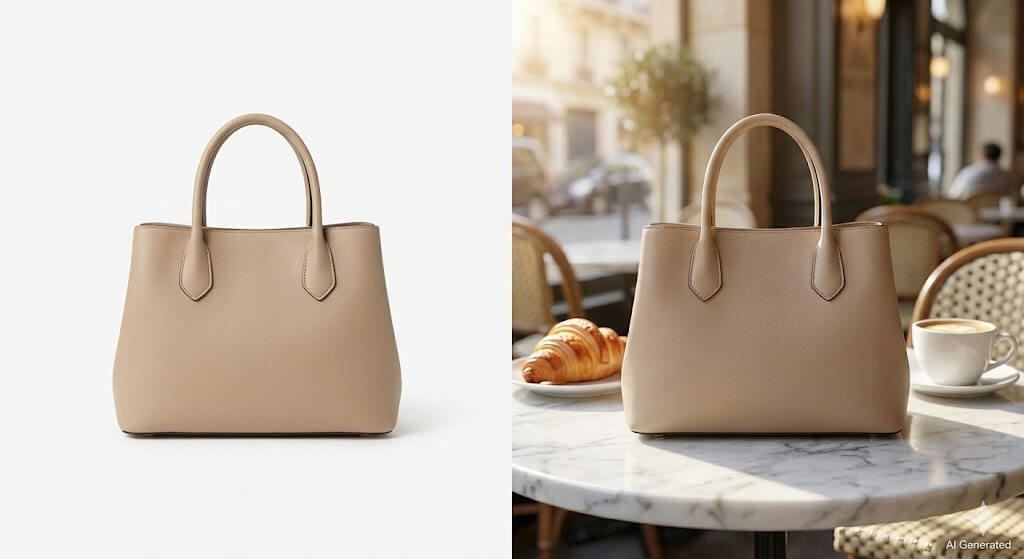
While white-background shots are great for catalogs, “lifestyle” images—showing the product in a real-world setting—often drive higher engagement for search ads. They help the user visualize ownership. For example, a high-performing Google Ads Image Extension for a coffee maker might show a steaming cup of coffee in a modern kitchen rather than just the machine itself.


Technical Requirements for 2026
Before you start uploading, you must ensure your assets meet Google’s technical specifications. Failing to do so will result in ad disapproval.
| Requirement | Specification |
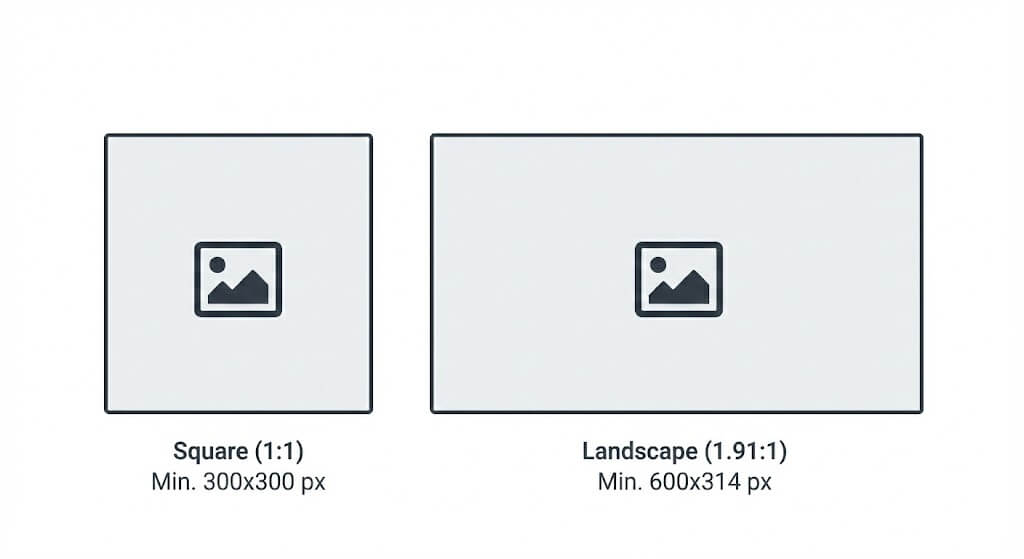
| Aspect Ratio | Square (1:1) is mandatory; Landscape (1.91:1) is optional but recommended. |
| Image Resolution | Minimum 300 x 300 pixels for Square; 600 x 314 for Landscape. |
| File Formats | PNG, JPG, or static GIF. |
| Max File Size | 5120 KB. |
Pro Tip: Keep the most important elements of your image in the center 80% of the frame. This ensures that even if Google applies slight cropping for different UI layouts, your product remains visible.
Navigating Google’s Strict Image Policies
Google aims to maintain a premium user experience. To ensure your Google Ads Image Extensions are approved, avoid the following:
- Text Overlays: Never put “Sale,” “50% Off,” or your brand name over the image.
- Logos: Avoid images that are just a logo (unless the logo is naturally part of the product).
- Collages: Use a single, powerful image rather than a grid of multiple photos.
- Sensitive Content: Ensure all images comply with standard safety and community guidelines.
Leveraging AI to Scale Your Google Ads Image Extensions
One of the biggest hurdles for e-commerce brands is the cost and time required for professional photography. Fortunately, the rise of generative AI has democratized high-quality content creation. In 2026, many savvy marketers are turning to AI tools to generate and optimize their search ad visuals.
To provide a balanced perspective, let’s look at three leading solutions that can help you create the high-converting assets needed for your Google Ads Image Extensions.
1. Adobe Firefly
Adobe Firefly is a powerful choice for those already embedded in the Adobe Creative Cloud ecosystem. Its “Generative Fill” and “Text-to-Image” features allow marketers to take existing product shots and expand the backgrounds or change the setting entirely.
- Best for: High-level creative control and integration with Photoshop.
- Solution: It helps in turning a basic studio shot into a lifestyle image that fits Google’s 1.91:1 landscape requirement without stretching the original photo.
2. WeShop AI
WeShop AI is a specialized tool tailored specifically for e-commerce and fashion brands. It excels at transforming simple snapshots into professional-grade commercial photography.
- Best for: Fashion, apparel, and home goods sellers who need diverse models and realistic backgrounds.
- Solution: For Google Ads Image Extensions, you can use its “AI Model” feature to place your product on a wide variety of virtual models or its “AI Background” tool to create seasonal settings (like a beach for summer or a cozy fireplace for winter) in seconds. This allows for rapid A/B testing of different visual styles.
3. Canva Magic Media
Canva has evolved from a simple design tool into an AI powerhouse. Their “Magic Media” suite allows users to generate images from text prompts or edit existing images with AI-driven tools like “Magic Edit.”
- Best for: Small business owners and social media managers who need a “one-stop shop” for both image generation and basic graphic layout.
- Solution: It is particularly useful for quickly resizing images to the specific 1:1 and 1.91:1 ratios required by Google while ensuring the image remains crisp and centered.
How to Set Up Image Extensions in Your Account
Adding these visuals to your campaign is straightforward. Follow these steps to optimize your setup:
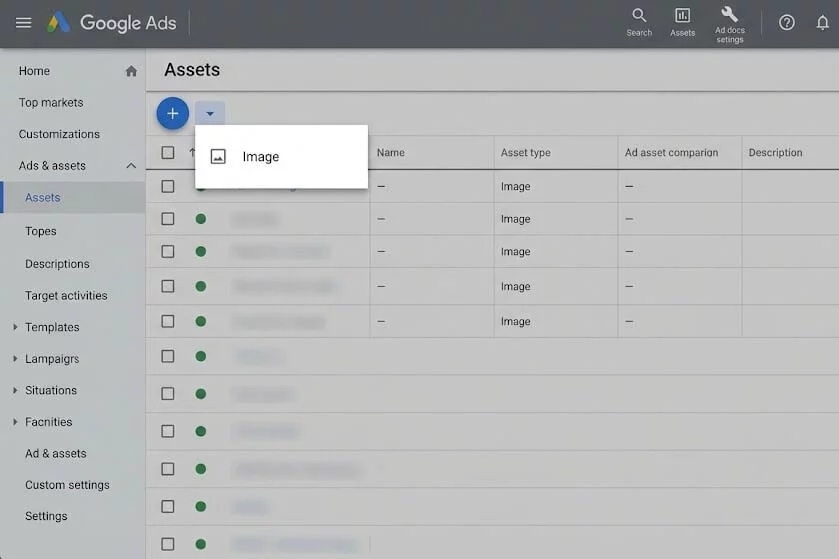
- Sign in to your Google Ads account.
- Navigate to Ads & assets in the left-hand menu, then click Assets.
- Click the plus (+) button and select Image.
- Choose the Campaign or Ad Group you want to apply the images to.
- Upload your AI-generated or professional photos.
- Review and Save.
It is highly recommended to upload at least 3 to 4 unique images per campaign. Google’s machine learning will then rotate these visuals to determine which one resonates best with your specific audience.
Measuring Success: Key Metrics to Watch
Once your Google Ads Image Extensions are live, you need to track their performance to justify the investment. Keep a close eye on:
- CTR (Click-Through Rate): Compare the CTR of ads with images versus those without.
- CPC (Cost Per Click): Often, a higher CTR leads to a better Quality Score, which can actually lower your CPC over time.
- Conversion Rate: Ensure that the “promise” made by the image is fulfilled by the landing page. If your image shows a red dress, the landing page must immediately show that red dress. To streamline performance reviews, many marketers pull Google Ads data into Claude to analyze CTR, CPC, conversion trends, and creative performance using natural-language prompts instead of manually reviewing reports.
Conclusion
The era of text-only search is behind us. As consumers become more visual-centric, the quality of your Google Ads Image Extensions will be the deciding factor in whether a user clicks on your link or your competitor’s.
By combining the strategic best practices of relevance and quality with the efficiency of modern AI tools like Adobe Firefly, WeShop AI, or Canva, you can create a library of high-converting assets without the traditional costs of a photography studio. The key is to start small, test often, and always keep the user’s visual journey in mind.


