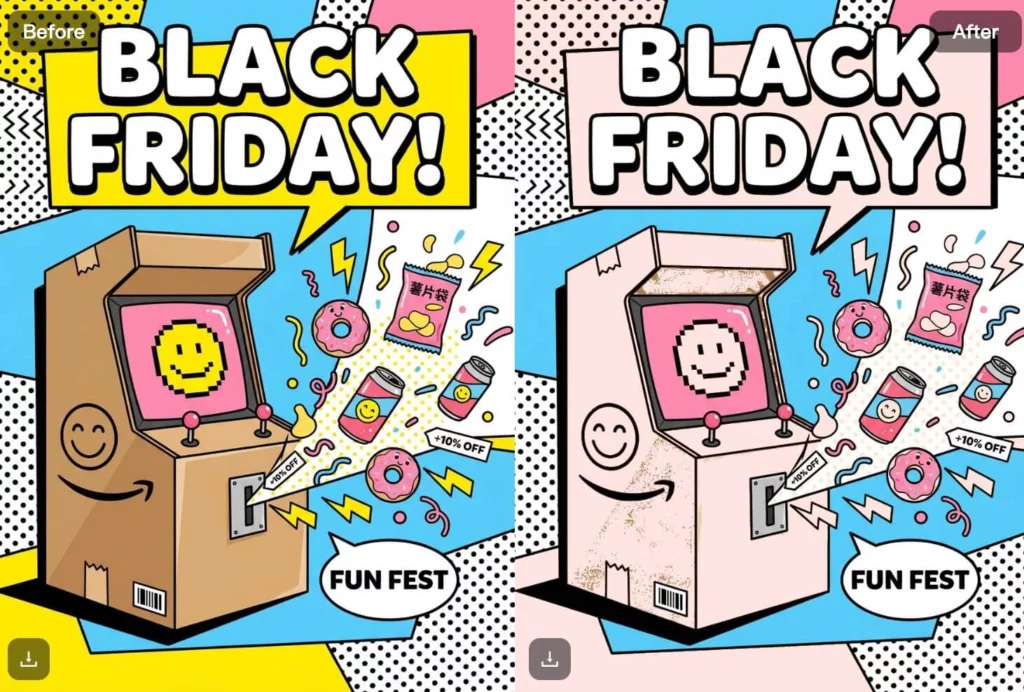
Changing colors in images sounds simple, but anyone who has tried it knows the reality. Traditional tools often require manual masking, layer adjustments, and repeated fine-tuning—especially when working with transparent PNG files.That’s where a PNG Color Changer powered by AI makes a real difference.
With WeShop AI’s PNG Color Changer, you can replace colors in PNG images quickly, keep transparency intact, and generate multiple variations without complex editing.
In this guide, we’ll walk through what a PNG Color Changer is, how it works, and how different teams use it in real workflows—from ecommerce listings to design and marketing assets.
What Is a PNG Color Changer?
A PNG Color Changer is an AI-powered tool that replaces specific colors in a PNG image while preserving transparency, edges, and original image structure.
Unlike basic recolor tools that flatten images or distort alpha channels, a smart PNG Color Changer understands the image’s layers, shading, and color boundaries. That means you can swap colors without damaging shadows, highlights, or transparent backgrounds.
With WeShop AI’s PNG Color Changer, users can:
- Upload PNG images with transparent backgrounds
- Replace one or multiple colors automatically
- Preserve color depth and texture
- Generate multiple color versions from a single image
As a result, color changes that once took minutes—or even hours—now take seconds.
How the PNG Color Changer Works in WeShop AI
The workflow behind WeShop AI’s PNG Color Changer is designed to feel simple, even if you’re not a designer.
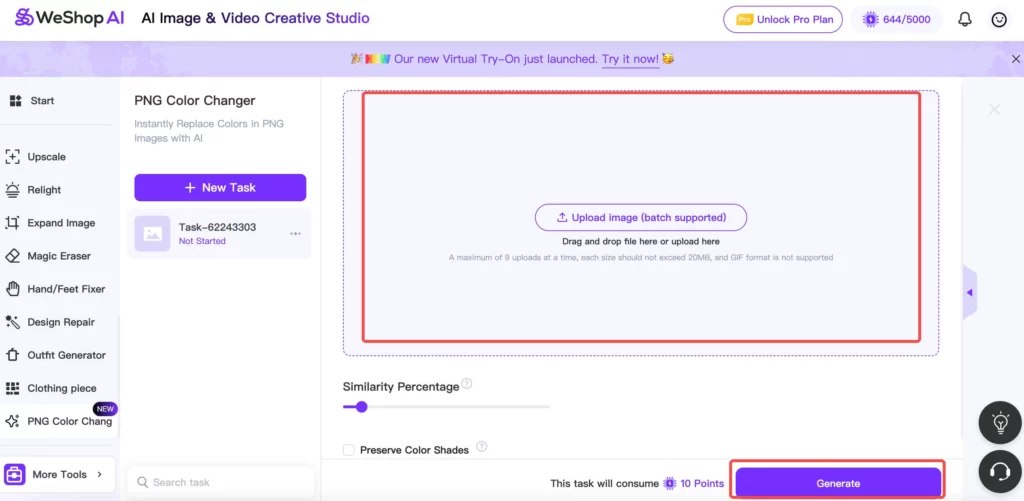
First, you upload your PNG image. This could be a product photo, icon, illustration, or graphic asset. The tool supports batch uploads, which makes it easy to process multiple files at once.
Next, you adjust the color replacement settings. You can control similarity levels to decide how strictly the AI matches the original color. If needed, you can also enable options to preserve subtle color shades and gradients.
Once you’re ready, generate the result. The AI replaces the selected colors while keeping transparent areas, edges, and textures clean. You can then download the updated PNG files and reuse them across platforms.
Because this process is automated, users avoid repetitive manual steps and keep results consistent across different images.
Why PNG Color Changer Matters for Visual Workflows
Color is not just aesthetic—it’s functional. Small color changes often signal different product variants, brand campaigns, or design directions.
However, traditional recoloring often introduces problems:
- Jagged edges around transparent areas
- Washed-out shadows
- Inconsistent color application across assets
A reliable PNG Color Changer solves these issues by handling color replacement at a structural level. This makes it especially useful when consistency matters more than artistic experimentation.
Common Use Cases for a PNG Color Changer
Ecommerce Product Images
For ecommerce sellers, color variants are essential. One product may come in five or ten colors, but photographing each version is expensive and time-consuming.
With a PNG Color Changer, sellers can:
- Recolor a single product image into multiple variants
- Keep lighting and angles consistent
- Update listings faster when new colors launch
This approach works well for clothing, accessories, cosmetics, home goods, and more.
Brand & Marketing Visuals
Marketing teams often need visuals that match campaign themes or brand palettes. Changing colors manually across banners, ads, and promotional images can slow campaigns down.
Using a PNG Color Changer, teams can quickly:
- Adapt visuals to seasonal campaigns
- Match assets to brand color updates
- Reuse the same design across different promotions
As a result, campaigns move faster without sacrificing visual quality.
Designers & Creative Teams
Designers frequently test multiple color directions before finalizing a design. Doing this manually for each variation adds unnecessary friction.
A PNG Color Changer helps designers:
- Experiment with color options quickly
- Maintain clean edges and transparency
- Avoid repetitive layer-based editing
This makes early-stage design exploration more efficient.
Social Media & Content Creators
Content creators often refresh visuals to stay aligned with trends or platforms. Instead of recreating assets from scratch, they can simply recolor existing PNG images.
This allows creators to:
- Reuse templates across platforms
- Adapt visuals for different moods or styles
- Maintain transparent backgrounds for flexible layouts
Personal Use & Everyday Edits
Even for non-professional users, a PNG Color Changer is useful. People recolor icons, profile images, and simple graphics without learning complex tools.
The key benefit here is accessibility—no design background required.

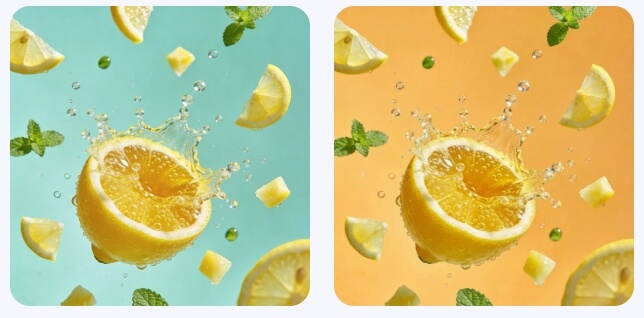


Who Is the PNG Color Changer Perfect For?
The PNG Color Changer fits a wide range of users, including:
- Ecommerce sellers managing large product catalogs
- Designers working on brand systems or assets
- Marketing teams creating campaign visuals
- Content creators producing platform-specific graphics
- Developers managing UI icons and digital assets
- Everyday users who want fast, clean color edits
Because the tool supports batch processing and consistent output, it scales well from individual tasks to team workflows.
Best Tips for Using a PNG Color Changer Effectively
To get the best results, keep a few practical tips in mind:
- Start with high-quality PNG images whenever possible
- Use similarity controls carefully to avoid over-replacement
- Preserve color shades when working with textured materials
- Batch-generate variations to maintain consistency
- Preview results across different backgrounds if transparency matters
These small adjustments help ensure professional-looking results.
How PNG Color Changer Fits into Modern Visual Production
Today’s visual workflows move fast. Assets need to adapt across platforms, campaigns, and formats without constant redesign.
A PNG Color Changer fits naturally into this environment. It allows teams to reuse, adapt, and scale visuals instead of rebuilding them repeatedly.
By reducing friction around color changes, teams spend more time focusing on creative direction and strategy.
Conclusion
A PNG Color Changer may seem like a simple tool, but its impact is significant. When color updates happen quickly and cleanly, teams move faster and maintain visual consistency.
WeShop AI’s PNG Color Changer offers a practical way to replace colors in PNG images while preserving transparency and quality. Whether you’re managing ecommerce listings, designing marketing assets, or experimenting with visuals, this tool removes unnecessary complexity from everyday workflows.