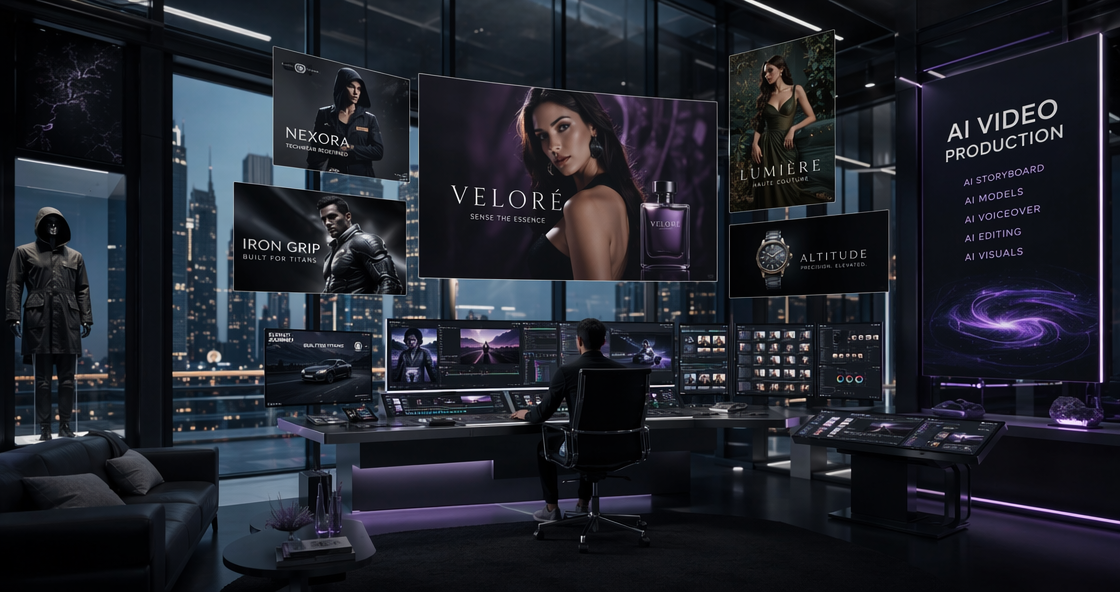
WeShop AI is a visual creation platform built for ecommerce teams that need to produce large volumes of product images, model visuals, and marketing assets—fast, consistently, and without relying on constant photoshoots.
Unlike general design tools, WeShop AI focuses on real ecommerce workflows. It helps online stores, designers, and marketing teams turn product ideas into ready-to-use visuals across listings, campaigns, and social channels. As a result, it has become one of the most practical AI tools for online stores and AI tools for ecommerce that want to scale visual output without scaling cost.
To understand how it works in practice, let’s look at the core use cases.
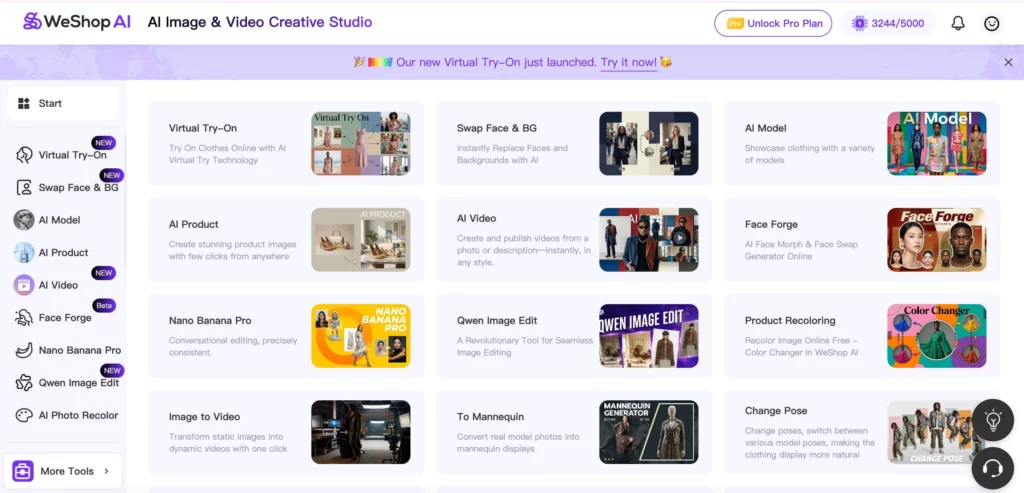
How WeShop AI Fits into Real Ecommerce Workflows
At its core, WeShop AI supports one goal:
help ecommerce teams create, adapt, and reuse visuals efficiently across channels.
Instead of offering a single “do-everything” tool, WeShop AI combines several focused modules that work together. Each one solves a common visual bottleneck in online selling.
A. AI Product: Creating Product Images Without Photoshoots
The AI Product tool helps sellers generate clean, professional product images from reference photos or simple visual ideas.
For many online stores, product photography is slow and expensive. Every new color, angle, or scene usually means another shoot. AI Product changes that workflow.
With AI Product, teams can:
- Generate product images in different environments or lighting styles
- Create multiple variations of the same product for listings
- Maintain visual consistency across a catalog
This makes it especially useful for:
- Amazon, Shopee, TikTok Shop, and Shopify sellers
- Small teams launching new SKUs quickly
- Brands testing product-market fit before investing in photography
Instead of replacing photography entirely, AI Product often works as a first production layer, reducing how often reshoots are needed. Additionally, using an Ai image detector can help verify that generated images are authentic and realistic, giving ecommerce teams confidence in the quality of their visuals.


B. AI Model + Virtual Try-On: Showing Clothes on Models at Scale
One of the strongest areas where WeShop AI helps an online store is fashion visualization.
AI Model: Flexible Model Presentation
The AI Model tool lets teams showcase clothing on different model types without booking new talent. This matters because modern ecommerce customers expect diversity, fit context, and lifestyle cues.
Use cases include:
- Showing the same outfit on multiple body types
- Matching models to different regional markets
- Creating consistent model visuals across a collection
Virtual Try-On: Bringing Clothing to Life
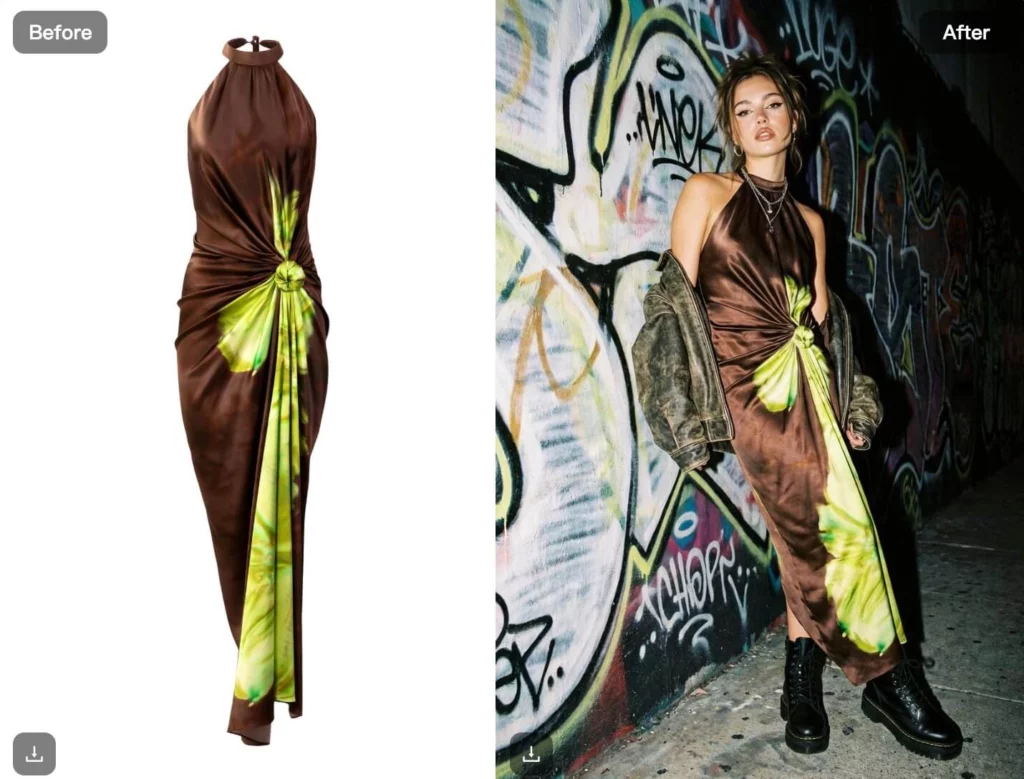
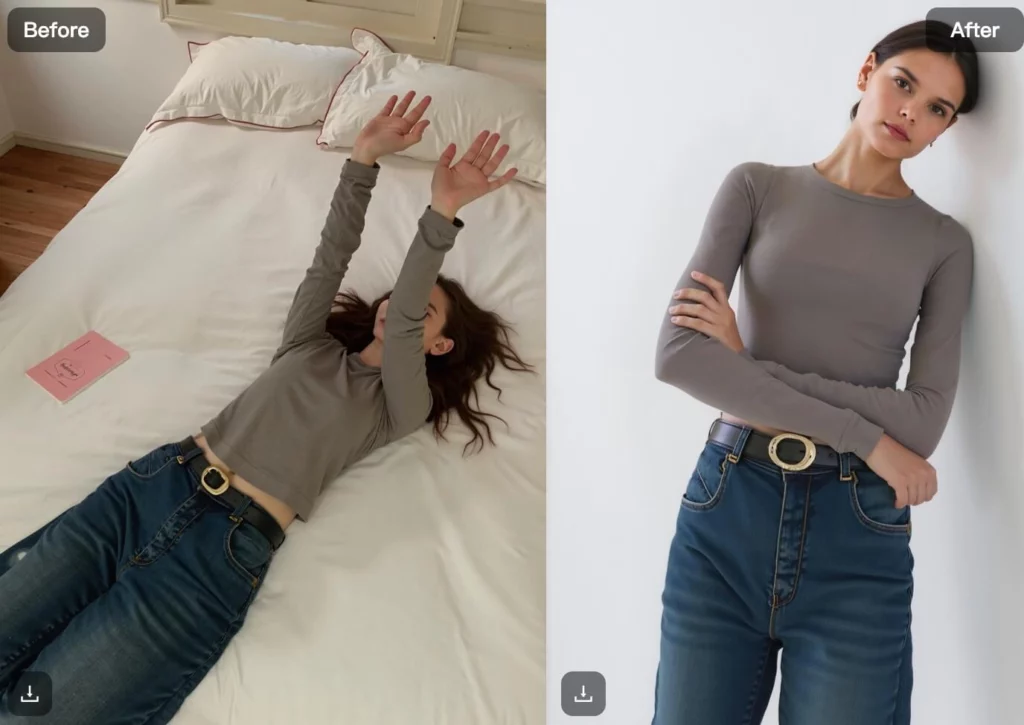
Virtual Try-On goes one step further by placing garments directly onto models or uploaded photos. Instead of flat product shots, customers see how clothing fits, drapes, and moves.
Together, AI Model and Virtual Try-On support:
- Faster collection launches
- Reduced dependency on physical shoots
- Better conversion through realistic presentation
For fashion-focused teams, this combination is one of the most practical AI tools for ecommerce available today.
C. Swap Face & BG + Remove Background: Adapting Visuals for Every Platform
Once images exist, the next challenge is adaptation. Different platforms have different visual rules, and manual editing slows everything down.
Swap Face & BG
Swap Face & BG allows teams to replace faces or backgrounds while keeping the clothing intact. This is especially useful when:
- Reusing the same outfit across campaigns
- Localizing visuals for different regions
- Aligning imagery with brand guidelines
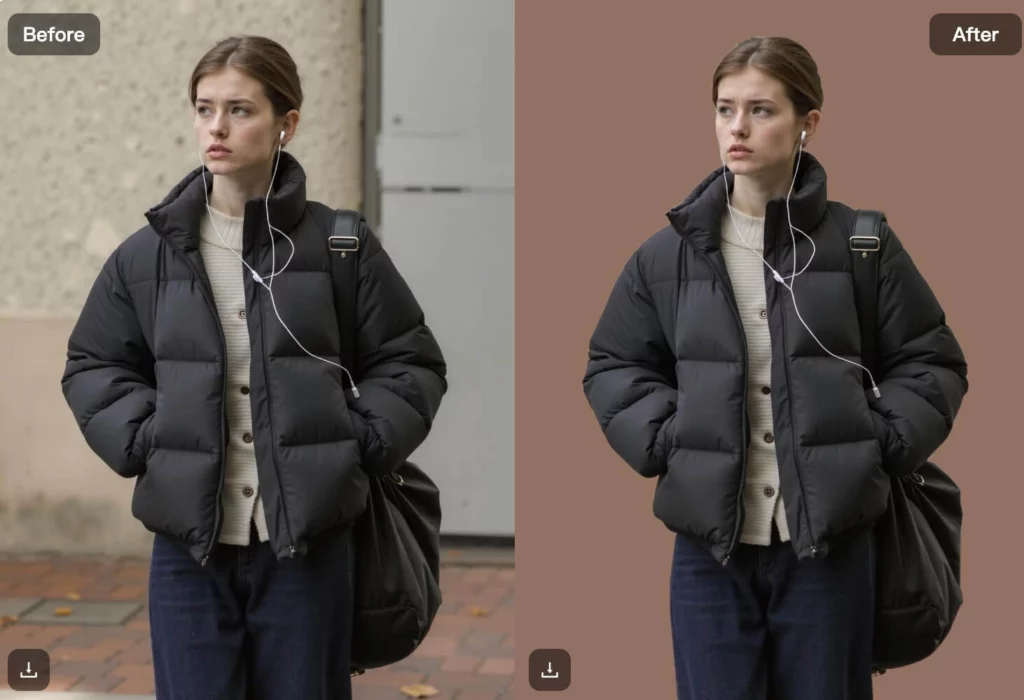
Remove Background
Remove Background simplifies one of the most repetitive tasks in ecommerce. With fast background removal, teams can:
- Prepare images for white-background marketplaces
- Layer products into banners or ads
- Keep visual consistency across platforms
These tools reduce friction between design and operations, making them essential for high-volume stores.

D. AI Poster: Turning Product Assets into Marketing Visuals
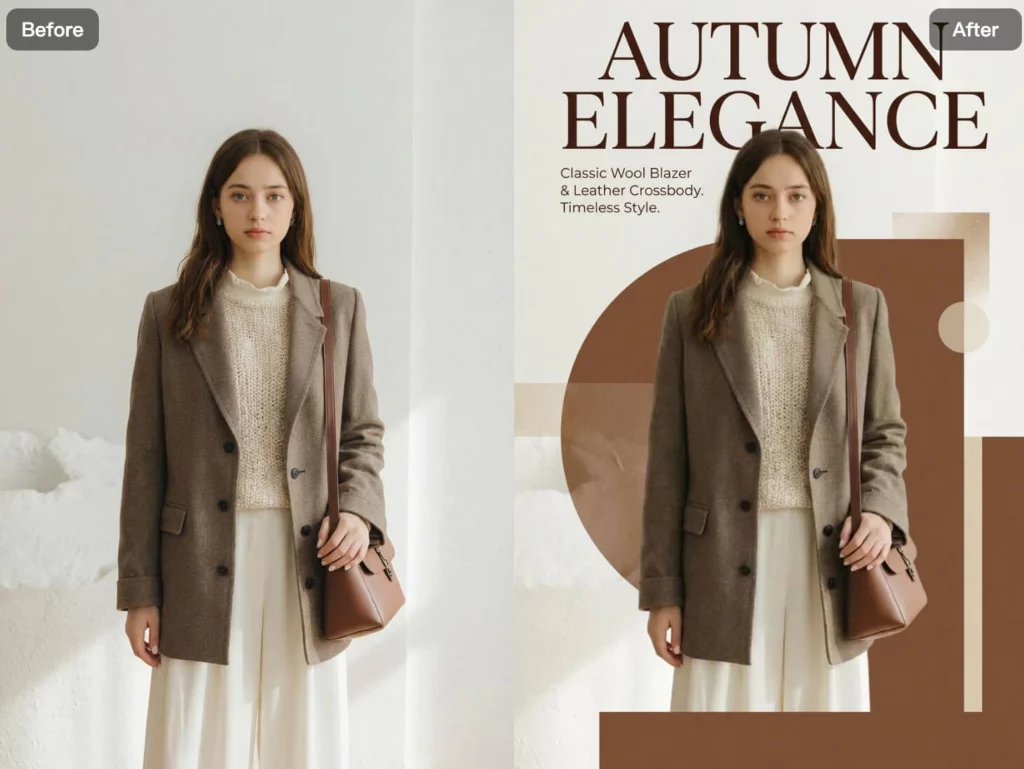
Product images alone are not enough. Campaigns need banners, promotions, and launch visuals.
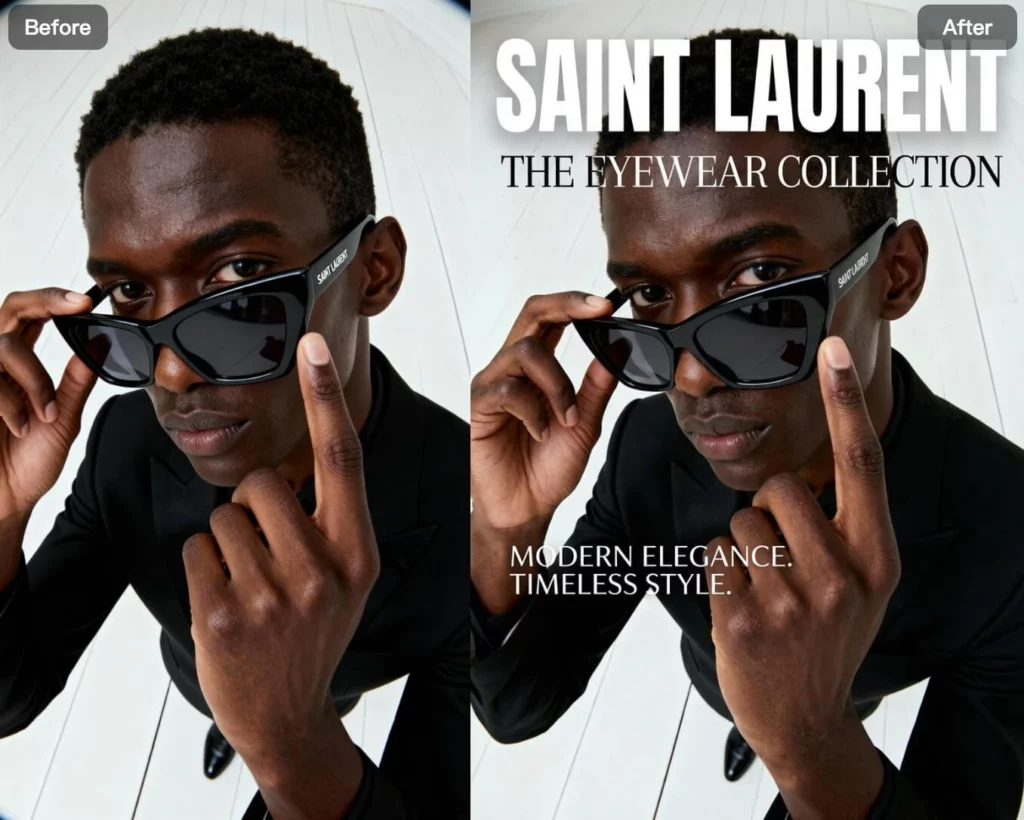
The AI Poster tool helps ecommerce teams transform existing assets into:
- Promotional posters
- Seasonal campaign images
- Social media creatives
Instead of starting from a blank canvas, teams can reuse product visuals and generate marketing-ready designs quickly. This is especially valuable for:
- Marketing teams working under tight timelines
- Sellers running frequent promotions
- Brands managing multiple campaigns at once
Horizontal Capabilities That Power Every Tool
Beyond individual features, WeShop AI includes production-level capabilities that apply across all modules.
Batch Generation
Every tool supports batch workflows. Teams can upload multiple images, generate multiple variations, and process content at scale—without repeating manual steps.
Prompt Assistance
Writing effective prompts can be time-consuming. WeShop AI includes prompt assistance powered by GPT, helping users refine descriptions and get better results faster.
Multi-Size Output
Visuals often need to fit different platforms. WeShop AI allows teams to export assets in multiple sizes and formats, reducing extra editing work.
These horizontal capabilities turn individual tools into a complete AI-powered visual pipeline.
Who Uses WeShop AI—and Why
WeShop AI supports multiple roles within ecommerce, each with different needs.
Ecommerce Sellers
Sellers use WeShop AI to:
- Launch products faster
- Create listing visuals without hiring photographers
- Adapt content for different marketplaces
Designers and Visual Teams
Designers rely on WeShop AI to:
- Prototype ideas quickly
- Maintain consistency across collections
- Reduce repetitive editing tasks
Marketing and Operations Teams
Marketing teams use WeShop AI to:
- Produce campaign assets at scale
- Test different visuals for conversion
- Respond faster to trends and promotions
Mid-to-Large Brands and Multi-Channel Retailers
For larger organizations, WeShop AI helps coordinate visual output across teams, regions, and platforms—without increasing production overhead.
How WeShop AI Compares to Traditional Visual Workflows
Traditional ecommerce visuals depend heavily on:
- Studio photography
- Manual retouching
- Repeated revisions
While these methods still have value, they struggle to scale. WeShop AI doesn’t eliminate traditional workflows, but it complements them by handling:
- Variations
- Adaptations
- Early-stage production
As a result, teams spend less time on repetitive tasks and more time on strategy and creativity.
Conclusion
So, what is WeShop AI, and how can it help your online store?
In practice, WeShop AI acts as a visual production engine for ecommerce. It helps teams create product images, model visuals, and marketing assets efficiently—without sacrificing consistency or speed.
For stores and brands looking for practical AI tools for online stores and scalable AI tools for ecommerce, WeShop AI offers a flexible way to modernize visual workflows while staying focused on real business outcomes.