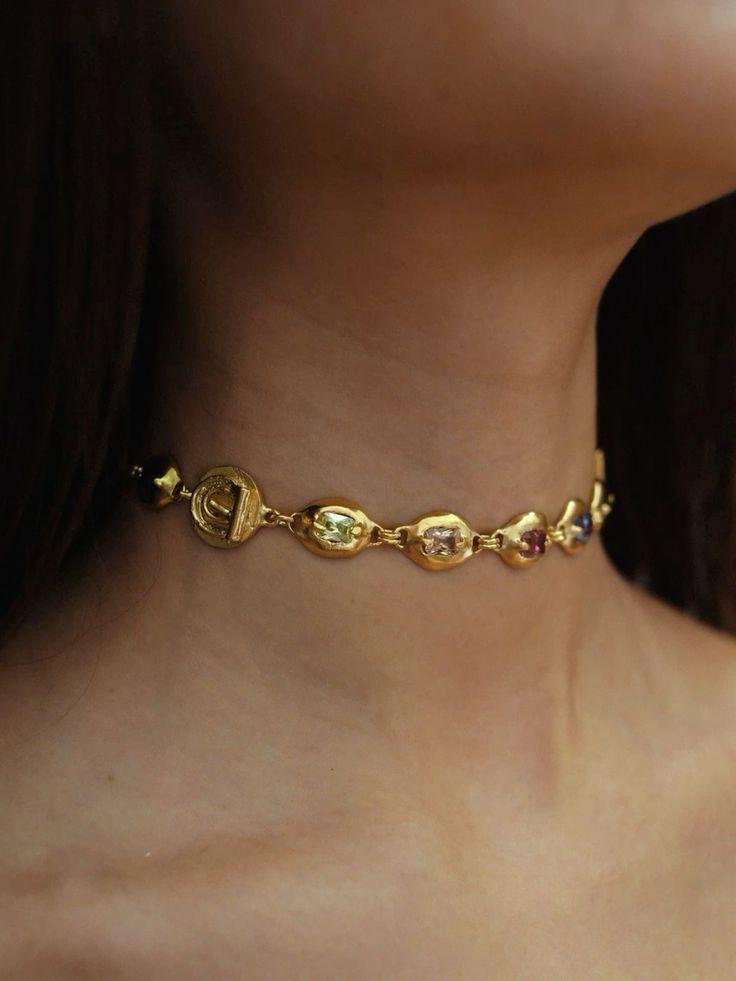
Every K-pop fan editor knows the agony: your bias looks perfect in a fancam frame, but the moment you crop and zoom, the image dissolves into a mosaic of muddy blocks. The gap between what your eyes remember and what your screen displays is not a creative failure — it is a mathematical one. AI photo enhancement closes that gap by predicting and reconstructing pixel data that never existed in the original capture.

Before

After
Earring geometry, iris gradients, and skin micro-texture recovered from a low-res source — zero manual retouching.
How Super-Resolution Neural Networks Reverse Entropy in Low-Res Idol Photos
Traditional upscaling applies bicubic interpolation — a fancy way of saying “guess the average color between two pixels and fill the gap.” The result is a smooth, soft blur that erases the very detail fandom editors crave: eyelash separation, fabric weave, hair strand texture.
Residual learning networks take a radically different approach. Instead of interpolating from neighbors, these models train on millions of paired low-res / high-res image patches. During inference, the network predicts a residual map — the precise difference between the degraded input and the ideal output — then adds it back to the original. The effect is additive detail injection rather than destructive smoothing.
WeShop’s AI Photo Enhancer implements this pipeline in a single click. Upload a 480p fancam crop, select 4× upscale, and the residual network fills in strand-level hair detail, iris texture, and fabric microstructure that bicubic math could never guess.

Before

After
Hair strand separation and skin texture restored through residual learning — the network predicts detail the camera never captured.
Perceptual Loss vs. Pixel Loss — Why AI Photo Enhancement Looks Real Instead of Painted
Early super-resolution models optimized for pixel-level accuracy (L2 loss). The outputs scored well on PSNR benchmarks but looked unnaturally smooth — the “AI feel” that frustrates editors using apps like Wink.
Modern architectures swap L2 for perceptual loss, which compares feature maps extracted by a pre-trained VGG network rather than raw pixel values. This forces the generator to produce textures that feel correct to the human visual cortex, even if individual pixel values deviate slightly from ground truth.
The practical consequence: edges stay crisp, skin retains pore-level micro-texture, and metallic accessories reflect light with physically plausible specular highlights — exactly the fidelity fandom editors demand when posting HD photo cards to Weibo or Twitter.

Before

After
Perceptual loss preserves petal-edge crispness and earring reflection — textures look photographed, not generated.
Five Fandom Editing Scenarios Where AI Photo Enhancement Replaces Manual Work
Scenario 1: Fancam Frame Extraction. Concert fancams shot at 1080p yield usable frames only at full resolution. The moment you crop to a headshot, pixel density drops below print threshold. Run the crop through a 4× enhancer, and the output holds up at 3000+ pixels on the long edge — enough for a fan-made photocard at 300 DPI.
Scenario 2: Low-Light Event Photos. Airport and red-carpet snaps taken under fluorescent light by phone cameras carry aggressive noise and chroma artifacts. The residual network suppresses noise while simultaneously hallucinating lost detail, producing a cleaner result than manual noise reduction followed by sharpening.
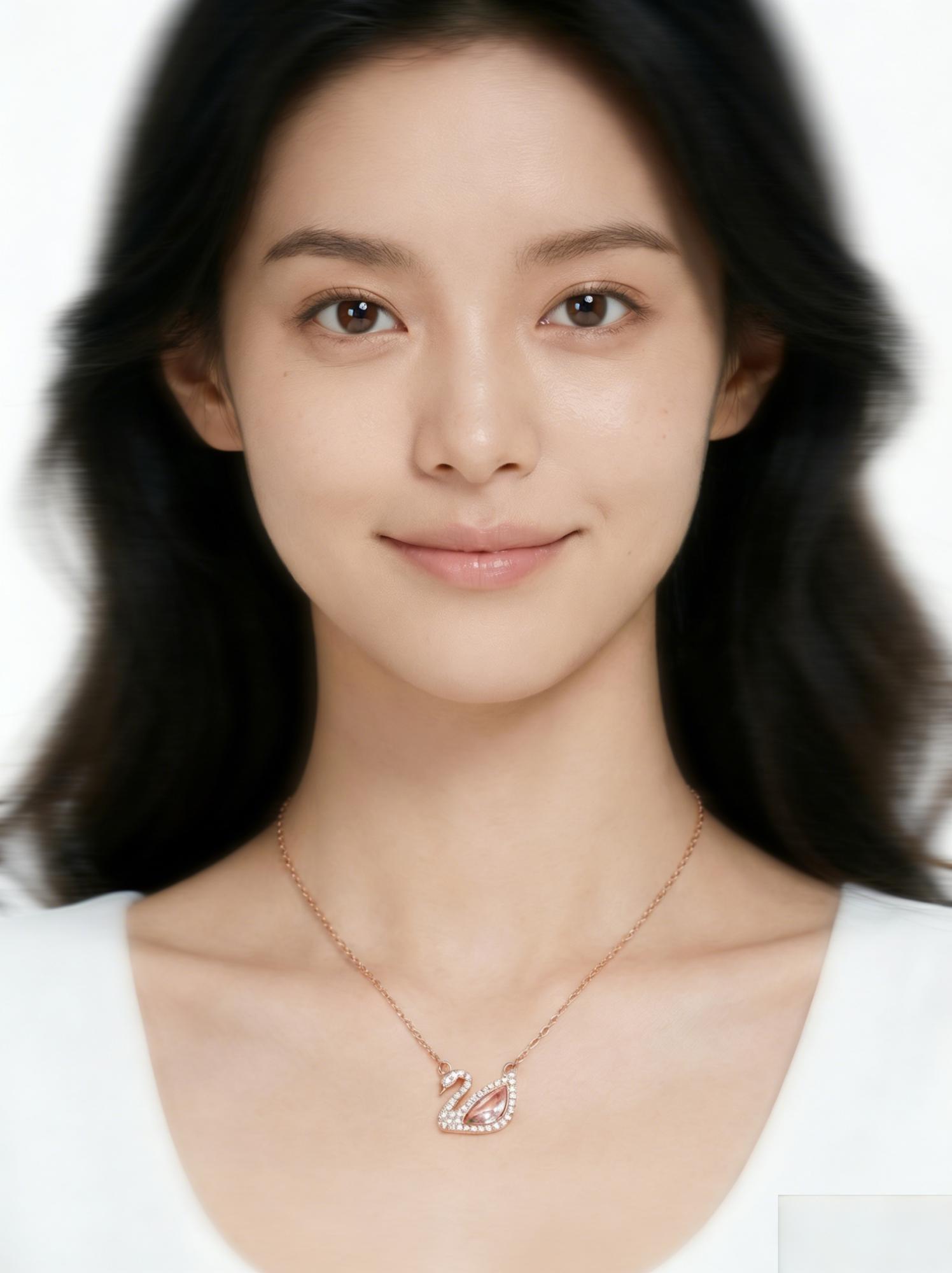
Before

After
Swan pendant detail: the enhancer reconstructs chain link geometry and specular reflections lost in the original capture.
Scenario 3: Vintage Scan Restoration. Older promotional scans from magazines suffer from halftone dot patterns and paper texture bleed. AI photo enhancement dissolves the halftone screen while reconstructing continuous-tone skin and fabric texture — perfect for anniversary fan projects.
Scenario 4: Group Photo Crop-and-Zoom. When your bias is one of twelve members in a group shot, the useful pixel budget per face is tiny. Enhancement lets you crop any individual to portrait scale without the mush that betrays a heavy zoom.
Scenario 5: Merch and Album Scan Upscale. Photocard scans at 600 DPI look decent but fall apart on 4K monitors. A 2× pass through the enhancer doubles effective resolution while preserving the print grain that gives the scan its authentic tactile feel.
Before

After
Full-body fashion shot: fabric weave, button stitching, and facial contour all sharpened without introducing AI artifacts.
The WeShop Workflow: Enhance, Then Extend
AI photo enhancement is the universal downstream tool. It slots naturally after almost any other editing step:
- Crop your source frame to the desired composition.
- Enhance with WeShop’s AI Photo Enhancer at 2× or 4×.
- Remove background if needed — the higher resolution gives the matting algorithm more edge data to work with. (See our deep dive on neural background removal.)
- Change background or adjust lighting for the final fan edit.
Because enhancement operates on pixel-level reconstruction, it is format-agnostic: JPEG, PNG, WebP — the network does not care about the container, only the pixel grid it receives. For a detailed walkthrough of advanced techniques, check the complete enhance and upscale tutorial.
A Technical Forecast: Where AI Photo Enhancement Heads Next
Current residual learning architectures top out at roughly 4× upscale with high fidelity. The next frontier is diffusion-guided super-resolution, which borrows the iterative denoising paradigm from text-to-image models to generate even more plausible high-frequency detail. Early research papers show 8× results that rival native 4K captures — but inference time remains too slow for production. Expect cloud-based enhancers to integrate diffusion priors within 12–18 months, collapsing the quality gap between phone snapshots and DSLR output.
Expert FAQ
Does 4× upscale introduce hallucinated artifacts on idol faces?
Modern perceptual-loss architectures are trained to avoid generating features not supported by surrounding context. Faces receive extra fidelity because the training corpus is disproportionately rich in facial data. Hallucination risk increases only on extreme upscales (8×+) of very low source resolution (<200px wide).
Can AI photo enhancement recover detail from heavily compressed JPEG fancam exports?
Yes, but with caveats. JPEG compression discards high-frequency data permanently. The network can predict plausible high-frequency detail from surrounding context, but it cannot recover the exact original texture. For best results, start from the highest-quality source available — even a 1080p frame is better than a 720p re-encode.
How does AI enhancement differ from Photoshop’s “Preserve Details 2.0” upscale?
Photoshop’s Preserve Details uses a lighter neural network optimized for speed within a desktop application. Dedicated cloud-based enhancers like WeShop deploy larger models with deeper residual blocks and perceptual loss training, producing sharper results at the cost of requiring a server round-trip.
Will AI photo enhancement become real-time in mobile editing apps within two years?
Inference speed halves roughly every 18 months as mobile NPUs improve. Sub-second 2× enhancement on flagship phones is already possible; 4× at full quality will likely require 2–3 more hardware generations. Cloud-based enhancement remains the quality ceiling for the foreseeable future.
Is there a resolution ceiling where further upscaling adds no perceptible benefit?
For screen viewing, diminishing returns begin around 4K (3840×2160) because standard monitors cannot display additional detail. For print, the ceiling depends on viewing distance — a billboard viewed from 10 meters needs far fewer PPI than a photocard held in hand. In practice, a single 4× pass from a 1080p source covers virtually every consumer use case.