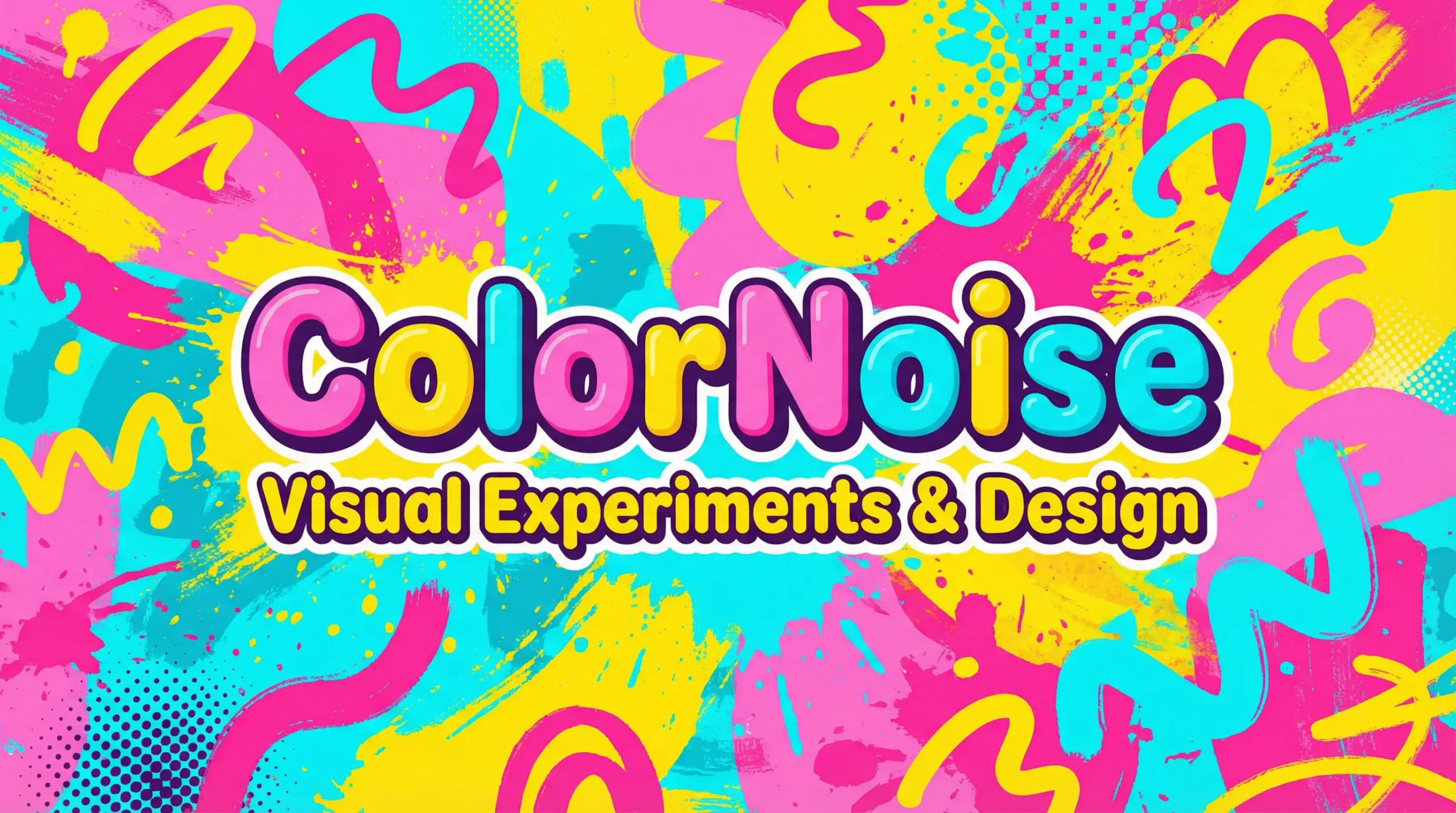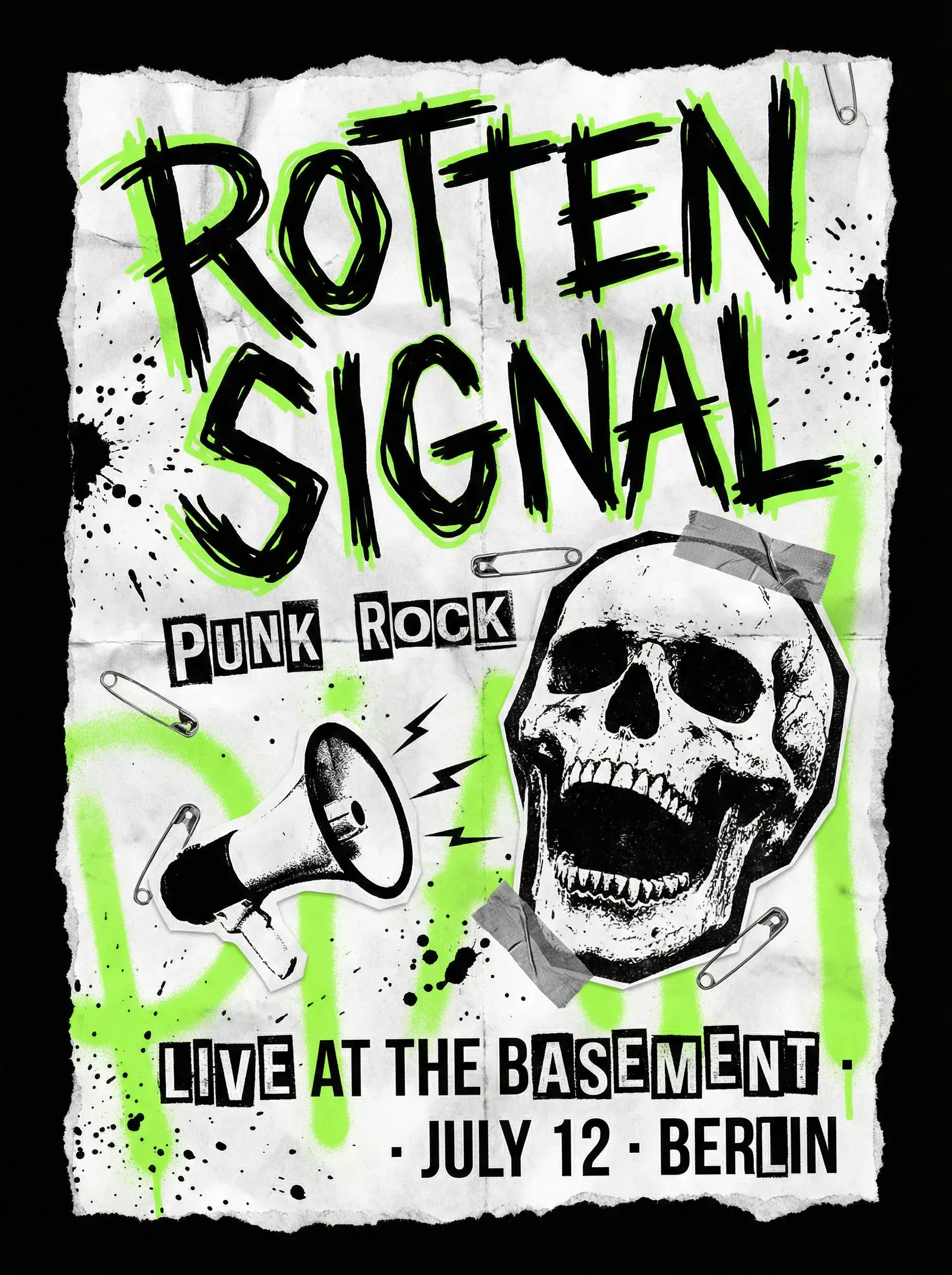
Designing a poster often sounds simple — until you actually do it. You need the right image, a clear message, and visuals that look polished. As a result, many sellers and marketers end up relying on extra tools, templates, or design help.That’s where WeShop AI’s AI Poster Generator comes in.
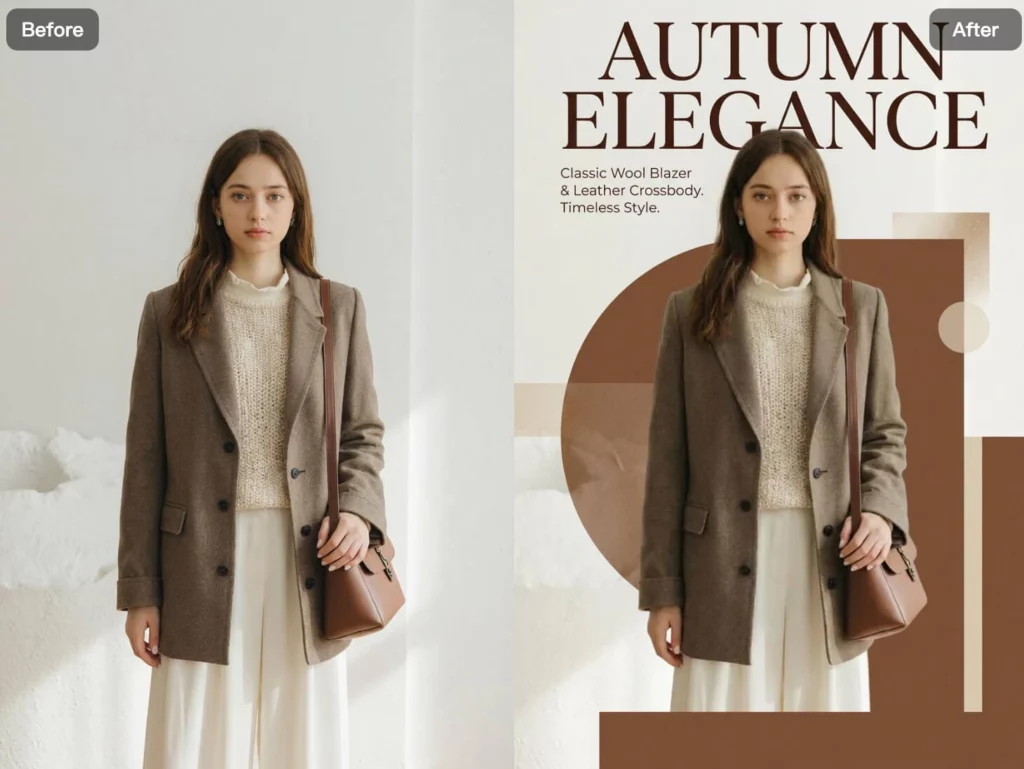
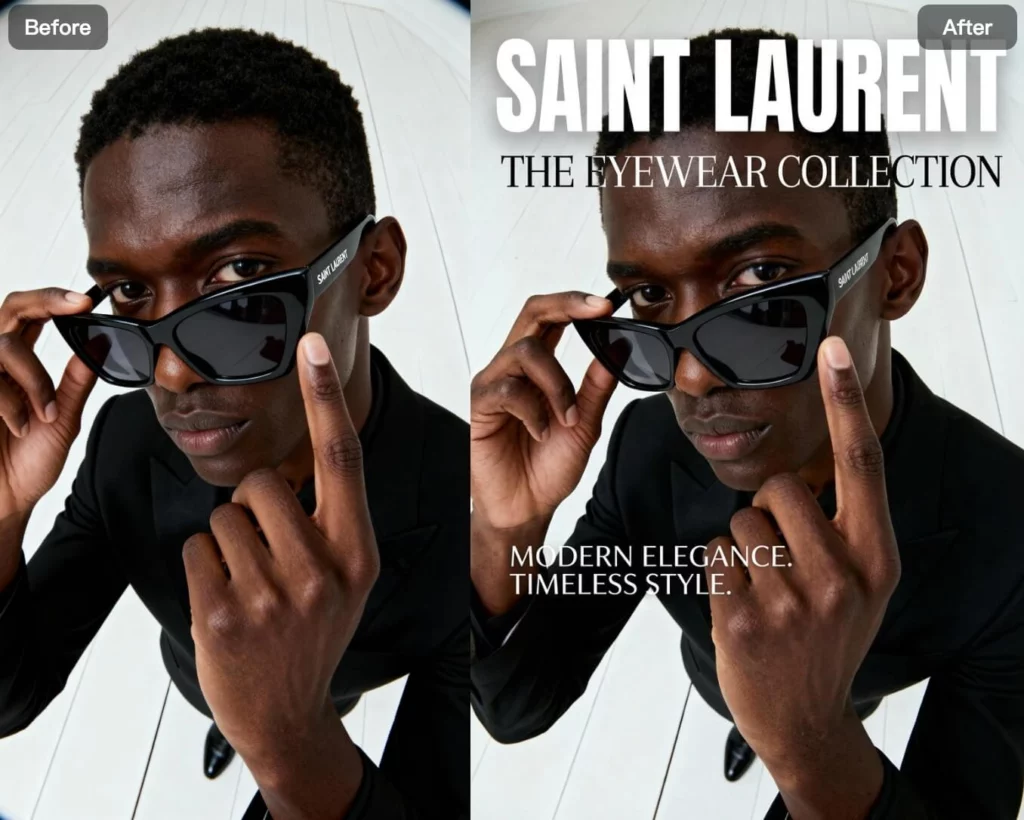
With this AI-powered poster generator, you only need one image to get started. Upload a model photo, a product shot, or any visual reference, and you instantly turn it into a ready-to-use poster. From there, the AI handles layout, typography, and visual balance, so you can focus on the idea instead of the design work.
You get a high-quality, AI-generated poster that works for product promotions, social media posts, and campaign visuals — without complex tools or long setup.
Fast, practical, and easy to use, the AI Poster Generator helps brands, creators, and sellers create stunning posters efficiently — without giving up visual quality.
Next, let’s walk through how it works and how you can use this tool to create posters in seconds with WeShop AI.
What is AI Poster Generator?
The AI Poster Generator in WeShop AI is an AI-powered tool that helps you create professional, ready-to-use posters from a single image. Instead of designing layouts manually or starting from templates, the AI analyzes your uploaded photo and automatically generates a visually balanced poster with text, layout, and styling applied.
Rather than adjusting fonts, spacing, and composition by hand, the AI understands the image content, visual focus, and overall aesthetic. It then builds a poster design that looks intentional — whether it’s for product promotion, branding, education, or social media use.
With WeShop AI’s AI Poster Generator, you can:
- Turn a model photo or product image into a polished promotional poster
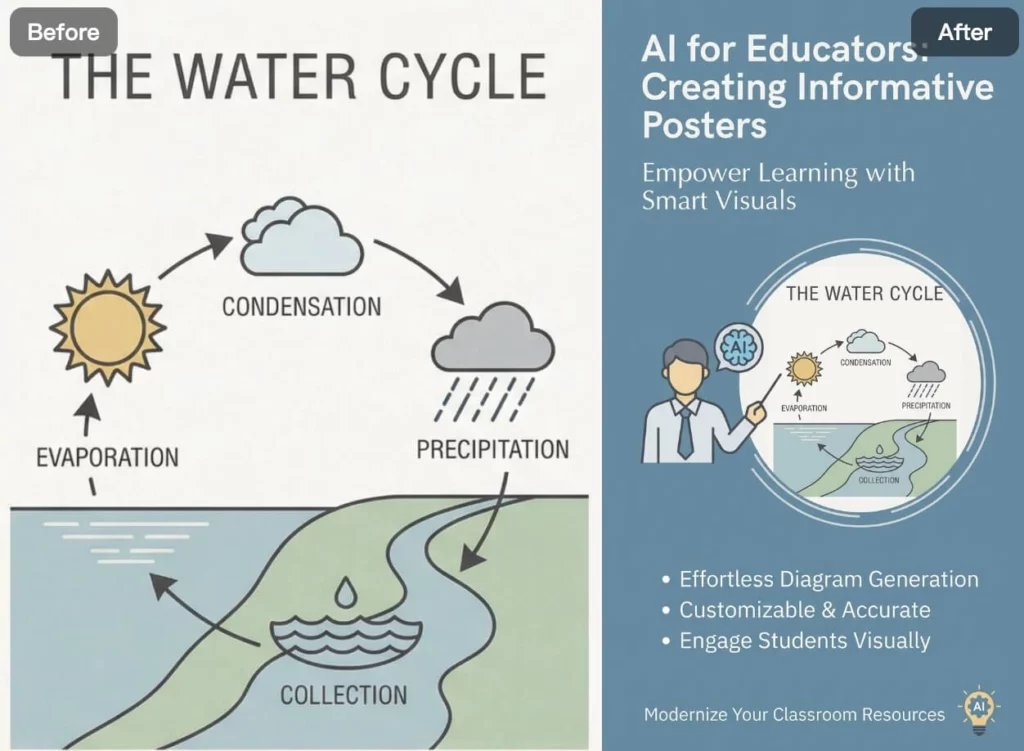
- Generate posters for different scenarios, from ecommerce campaigns to educational content
- Get consistent layouts and typography without design experience
- Create eye-catching visuals in seconds, not hours
- Experiment with poster ideas without committing to a final design
The AI Poster Generator is designed for visual exploration and fast creation, not complex manual editing — so you can focus on ideas and messaging while the AI handles the design work.
How to use AI Poster Generator
Using the AI Poster Generator in WeShop AI is designed to be simple and flexible. From upload to final poster, the entire process usually takes just a few minutes.
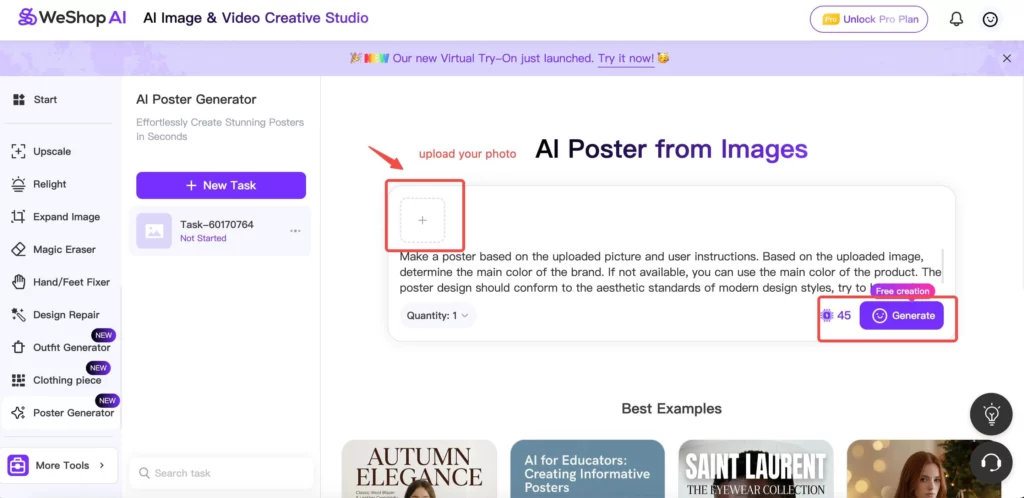
Step 1: Upload Your Image
First, upload a product image, model photo, or any visual reference you want to use for your poster. At this point, the image becomes the base of your design and helps the AI understand what to focus on.
In most cases, clear images with a strong subject work best. However, you don’t need a perfect photo to get started.
Step 2: Add Your Text and Layout Preferences
Once the image is uploaded, add the text you want to show on the poster. This can be a headline, a short description, or a promotion message.
Next, guide the layout by choosing how the text is placed, adjusting the image size, or telling the AI where to put your logo. This way, the AI can create a poster that looks clean, balanced, and on-brand.
Step 3: Preview and Fine-Tune
After the poster is generated, you can preview the result right away. Take a moment to check the layout, text placement, and overall look.
If something feels off, you can edit the text, change the layout, or regenerate the poster. This step makes it easy to try different versions until the poster looks right.
Step 4: Download and Share
Once you are happy with the result, download your poster in high quality.
From there, you can use it for product pages, social media posts, ads, or marketing campaigns. You can also share it with your team or save it for later use.
Who Should Use the AI Poster Generator?
The AI Poster Generator is built for anyone who needs polished visual content without spending hours on design. It’s especially useful for:
- Ecommerce sellers creating product posters, promotions, or campaign visuals
- Brands and marketers preparing ads, banners, and social media creatives
- Content creators who need eye-catching visuals for posts and storytelling
- Small businesses looking for professional posters without hiring a designer
- Educators and presenters creating clear, informative visual materials
- Teams that want to test multiple poster ideas quickly and efficiently
Whether you’re launching a product, running a promotion, or sharing content online, the AI Poster Generator fits naturally into fast-paced workflows where speed and visual quality both matter.
Tips for Best Results with an AI Poster Generator
To get the best results from an AI poster generator, a few simple best practices can help improve layout, text placement, and overall visual quality:
- Use a high-quality image with a clear subject
Product images or model photos with a strong focal point work best. - Choose images with open space
Extra background space gives the AI more flexibility for text and poster layout. - Keep your text clear and concise
Short headlines and simple descriptions help the AI generate cleaner poster designs. - Align the visual style with your goal
Make sure the image matches the purpose of the poster, whether it’s for ecommerce, branding, or promotion. - Regenerate to explore variations
Generating multiple versions helps you find the most effective composition quickly.
The clearer your input, the more accurately the AI poster generator can create a professional, ready-to-use poster.
Conclusion
The AI Poster Generator in WeShop AI makes poster creation faster, simpler, and more accessible. By turning a single image into a complete poster, it removes the need for complex design tools or starting from scratch.
Whether you’re creating visuals for ecommerce, marketing, education, or social media, this AI-powered tool helps you produce polished posters efficiently — while still giving you control over text, layout, and branding.
If you’re looking for an easier way to create posters that look professional and ready to share, the AI Poster Generator fits naturally into modern visual workflows.