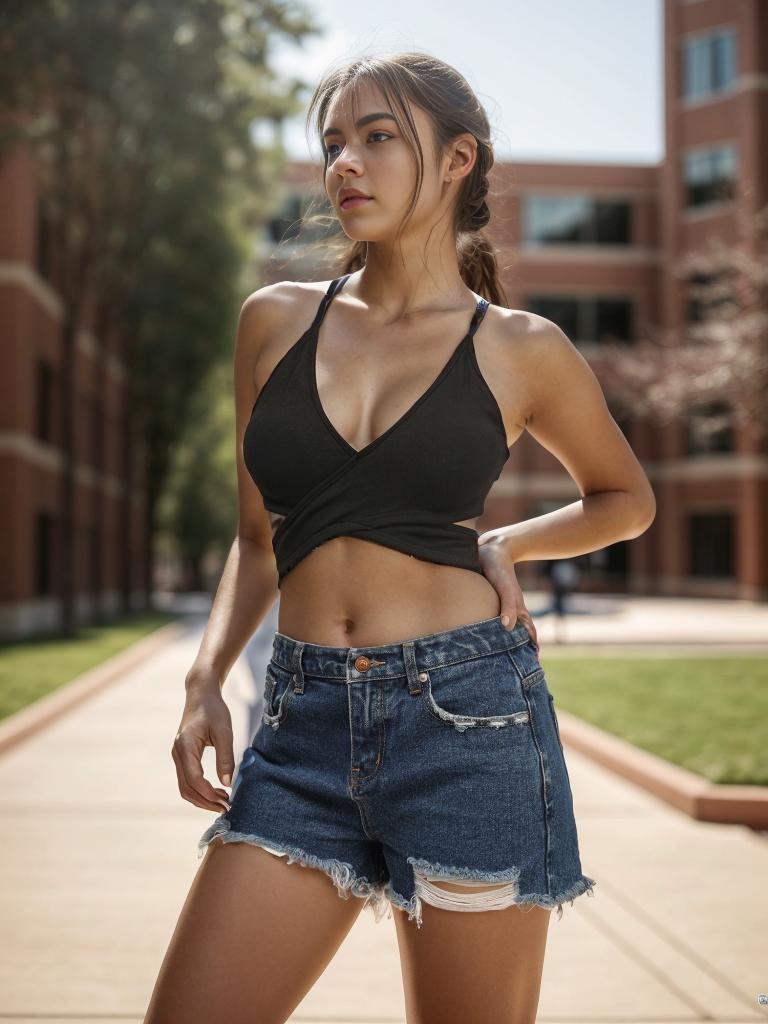
“The original was fine. But once AI touched it, it just felt… different.” This observation appears with increasing frequency as neural enhancement tools reach mainstream adoption. The phenomenon is real, measurable, and reveals something fundamental about how human perception processes image quality.


Left: Original with natural compression | Right: Neural enhancement revealing detail the original always contained but couldn’t display
The Science Behind the Uncanny Valley of AI Photo Enhancement
The uncanny valley in robotics describes the discomfort humans feel when something looks almost human but not quite. Image enhancement has its own version: the discomfort zone between “obviously processed” and “naturally high quality.” Poor enhancement tools land squarely in this zone — producing images that are technically sharper but perceptually unsettling.
The neuroscience is straightforward. Human visual cortex has specialized circuits for evaluating image quality that operate below conscious awareness. These circuits detect statistical regularities in natural images — the fractal patterns of skin texture, the frequency distribution of natural edges, the luminance gradients in smooth surfaces. When AI enhancement disrupts these regularities while improving resolution, the conscious brain sees “sharper” while the subconscious brain flags “unnatural.”
The solution isn’t less enhancement — it’s better enhancement. Models that preserve natural image statistics while increasing resolution avoid triggering the uncanny valley response entirely. The enhanced photo looks like a better camera captured it, not like a computer processed it.
Engineering Challenge: Why Some Enhancement Tools Produce That “AI Feel”
Three technical failures produce the characteristic “AI enhanced” appearance:
- Uniform sharpening — Applying the same sharpening kernel everywhere destroys the natural variation between in-focus and slightly-out-of-focus regions. Real photographs have depth-dependent sharpness. AI tools that ignore this create unnaturally uniform clarity.
- Texture homogenization — Low-quality models learn a single “skin texture” or “fabric texture” and apply it universally. Real skin varies between forehead, cheek, and jawline. Real fabric has weave irregularities. Eliminating this variation screams “processed.”
- Dynamic range flattening — Aggressive enhancement in shadow regions lifts noise alongside detail, compressing the perceived dynamic range. The resulting image looks “HDR-ed” — a visual signature most viewers now associate with heavy processing.
Technology Forecast: Where Perceptual Enhancement Is Heading
The next generation of enhancement models is moving toward perceptual optimization rather than pixel optimization. Instead of maximizing PSNR (Peak Signal-to-Noise Ratio — a mathematical metric that doesn’t correlate well with visual quality), new architectures optimize for LPIPS (Learned Perceptual Image Patch Similarity) — a metric that actually measures whether humans perceive the output as natural.
This shift has practical consequences. PSNR-optimized models produce outputs that score well on benchmarks but look subtly wrong to human eyes. LPIPS-optimized models sometimes sacrifice mathematical accuracy for perceptual naturalness — choosing a slightly “wrong” pixel value that makes the image look more “right” to a viewer. The engineering tradeoff: less perfect pixels, more perfect perception.

Perceptual optimization: the enhanced version looks like a naturally better photograph, not a processed one
Actionable Scene Guide: Avoiding the AI Enhancement Uncanny Valley
Portrait Enhancement Without the Plastic Skin Effect
The #1 complaint about AI-enhanced portraits. Solution: use tools that apply face-region-specific models with realistic skin texture variation. After enhancement, zoom to 200% and check — does the forehead texture differ from cheek texture? If yes, the enhancement is preserving natural variation. If not, the tool is homogenizing.
Landscape Enhancement Without the HDR Look
Landscapes are especially vulnerable to dynamic range flattening. The key: if the enhanced sky looks brighter and the enhanced shadows look lighter than the original, the tool is compressing dynamic range. Quality enhancement maintains or slightly extends the original dynamic range without making shadows look artificially lifted.
Product Photo Enhancement for E-commerce Without Color Distortion
Color accuracy is critical for e-commerce. After enhancement, compare a known-color reference area (white background, product packaging with specific brand colors) between original and enhanced versions. Any color shift means the tool is applying unwanted color correction. The background remover can help isolate products for targeted enhancement without background interference.
Document and Text Photo Enhancement for Readability
Enhancing photos of documents, receipts, or whiteboards requires text-aware processing. Generic enhancement models sometimes smooth text edges, reducing readability. Look for tools that detect text regions and apply edge-preserving rather than edge-smoothing enhancement in those areas.
Night Photography Enhancement Without Noise Amplification
Low-light photos contain meaningful signal mixed with sensor noise. Poor enhancement amplifies both equally. Quality enhancement distinguishes signal from noise using learned priors about light behavior — preserving city light gradients while removing sensor-generated speckle. The AI background changer can also replace noisy night backgrounds with clean alternatives when the subject is the primary concern.
Expert FAQ: The Psychology and Technology of AI Photo Enhancement
Why does my AI-enhanced photo look “too perfect”?
Because perfection itself is unnatural. Real photographs contain imperfections — slight lens softness, natural vignetting, subtle color fringing. Some enhancement tools remove these imperfections while adding detail, producing images that are technically better but perceptually uncanny. The best tools add detail while preserving the natural imperfection profile of the original.
Can I control the enhancement intensity to avoid over-processing?
Some tools offer intensity sliders, but counterintuitively, fixed-intensity tools often produce better results. A well-trained model applies precisely the right amount of enhancement to each region automatically. Manual intensity controls encourage over-processing — like giving someone a volume knob guarantees they’ll turn it too loud.
Does the uncanny valley effect apply to all types of photos?
It’s most noticeable in portraits (humans are exceptionally sensitive to facial irregularities), moderately noticeable in natural scenes (we have strong priors about how nature “should” look), and least noticeable in abstract or geometric subjects (buildings, products, patterns). Enhancement quality matters most for faces.
How can I tell if an enhancement tool is PSNR-optimized versus perceptually-optimized?
Look at flat color areas at 200% zoom. PSNR-optimized tools produce mathematically smooth gradients that look artificially clean. Perceptually-optimized tools maintain subtle texture variation even in smooth areas — because real photographs always contain micro-texture from sensor noise, lens diffraction, and atmospheric effects.
Will AI enhancement technology eventually eliminate the uncanny valley problem entirely?
Largely yes. Each model generation better preserves natural image statistics. The current frontier is context-dependent quality — understanding that a professional studio portrait should look different from a casual phone snapshot even after enhancement. Models that preserve the genre of the photograph (not just its content) will close the uncanny valley gap completely.
Published by the WeShop Visual Intelligence Team
© 2026 WeShop AI — Powered by intelligence, designed for creators.