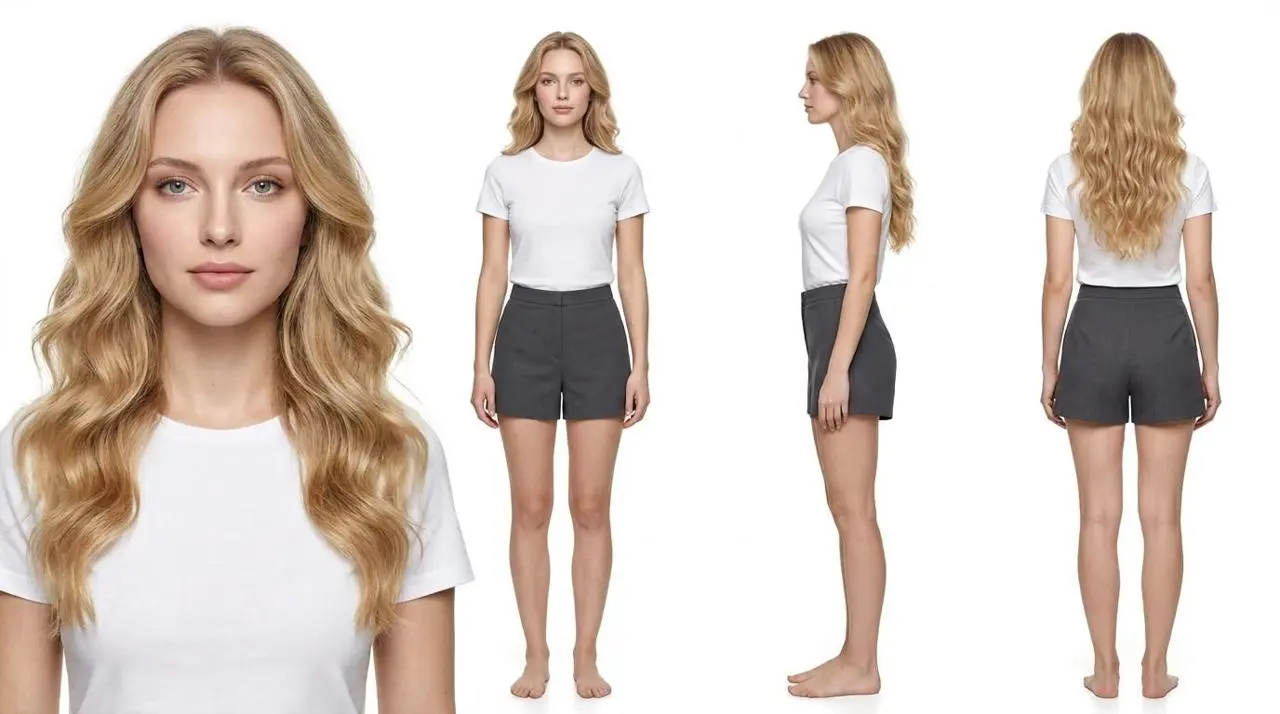
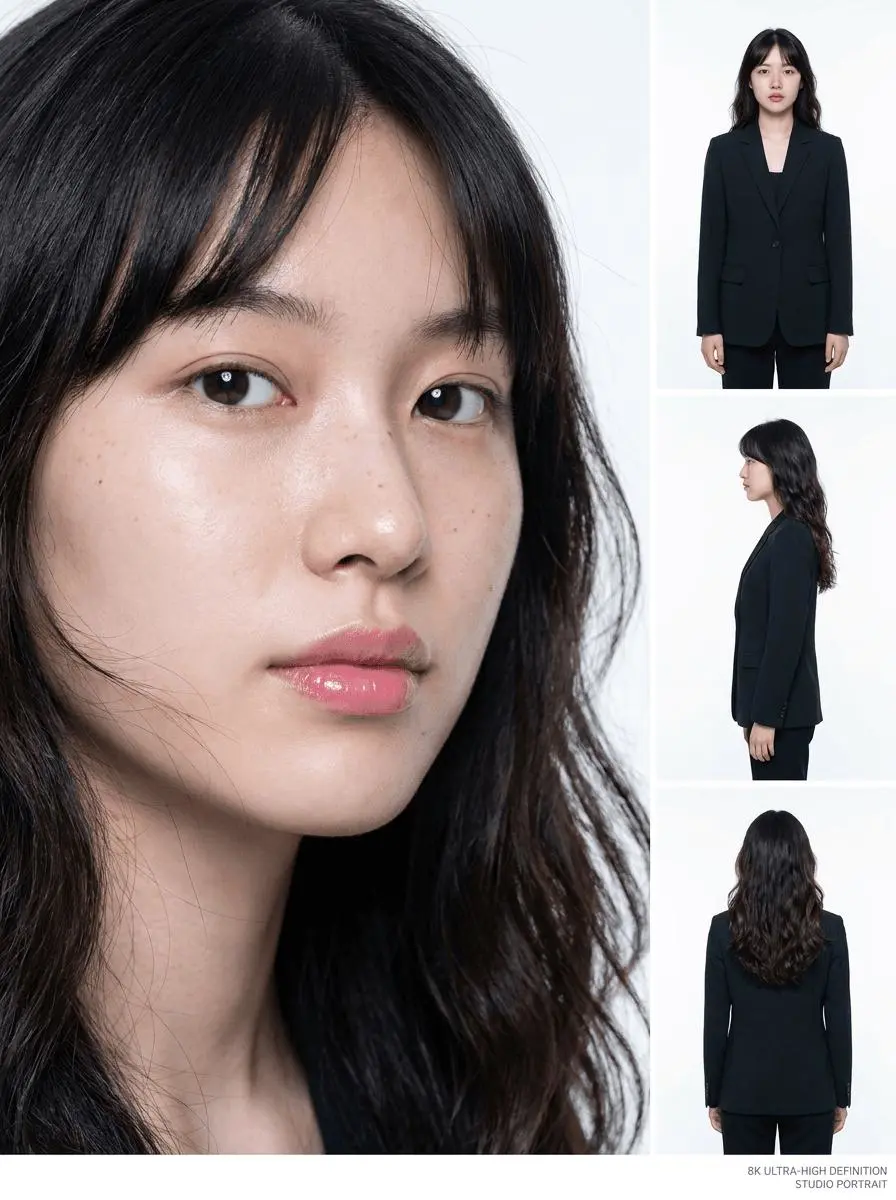
純文字生成的設定圖把肖像、正面、側面和背面排在同一畫面,使用相同的金髮、白色 T 恤和深灰短褲。本例選擇了 1K;提示詞中的「4K」描述不會取代輸出尺寸設定。
16:9 horizontal aspect ratio, 4K ultra-high definition, photorealistic photography, seamless pure-white background, and professional fashion studio lighting. Create a four-view character styling sheet.
Arrange the four views from left to right as follows: a large head-and-shoulders close-up, a full-body front view, a full-body left-side profile, and a full-body back view. Every view must show the same adult female model, with completely consistent facial features, hairstyle, skin tone, body proportions, and clothing details. Each full-body view must show the complete figure from the top of the head to the soles of the feet, without cropping or overlapping. The model should stand naturally in a neutral presentation pose.
The subject is a young European or North American female model, approximately 20–25 years old, with a tall, slender, naturally balanced figure, long limbs, and relaxed posture. She has an oval face, soft and refined facial contours, clear and expressive eyes, naturally light-colored irises, a defined yet natural nose bridge, and soft dusty-pink lips. Her expression is calm and peaceful, with a clear, gentle, non-aggressive gaze. Her overall presence should feel clean, relaxed, warm, and contemporary.
She has voluminous, long blonde hair styled in large, soft waves. The hair is a natural warm blonde with realistic tonal variation, dimension, and shine. It falls naturally over her shoulders and down her back, with a few lightweight strands framing her face. She wears no hair accessories. The length, curl pattern, parting, and color of her hair must remain identical in all four views.
Her makeup is fresh, sheer, and natural: subtle light-brown eye makeup, softly defined eyes with minimal eyeliner, individually visible eyelashes, a gentle pink blush, and hydrated natural-looking lips. Preserve authentic skin texture, visible pores, minor imperfections, and natural variations in skin tone. The complexion should appear clean and luminous without excessive smoothing, plastic-looking skin, or exaggerated influencer-style makeup.
Outfit: a minimalist solid-color fitted short-sleeve T-shirt paired with simple high-waisted shorts. The T-shirt is made from soft, fine cotton with a clean silhouette that follows the body without appearing overly tight. The shorts have a minimal, tailored design and an appropriate length that clearly shows the waistline and natural leg proportions. Use a white T-shirt with black or dark-gray shorts. Do not include patterns, prints, text, brand logos, elaborate pockets, or decorative details. The model is barefoot and wears no jewelry, hat, belt, or accessories.
Keep the subjects centered and evenly spaced in a clean, structured layout. The composition should feel full while maintaining enough separation between each view. Use a seamless pure-white background with no horizon line, scenery, furniture, props, text, or borders. Apply soft, even professional studio lighting that clearly reveals facial features, clothing construction, and fabric texture. Include only subtle, natural shadows beneath the feet.
The final image should resemble a premium commercial fashion portrait and a professional model styling reference sheet, featuring photorealistic detail, accurate anatomy, authentic skin texture, clearly defined individual hair strands, and rich fabric details. Identity consistency across all four views is essential.
Avoid: inconsistent identities, different faces, changes in hairstyle or body proportions, inconsistent clothing colors or designs, excessive skin smoothing, plastic skin, cartoon or anime aesthetics, exaggerated curves, distorted anatomy, extra limbs, missing hands or feet, cropped full-body views, overlapping figures, complicated poses, colored backgrounds, text, logos, and watermarks.
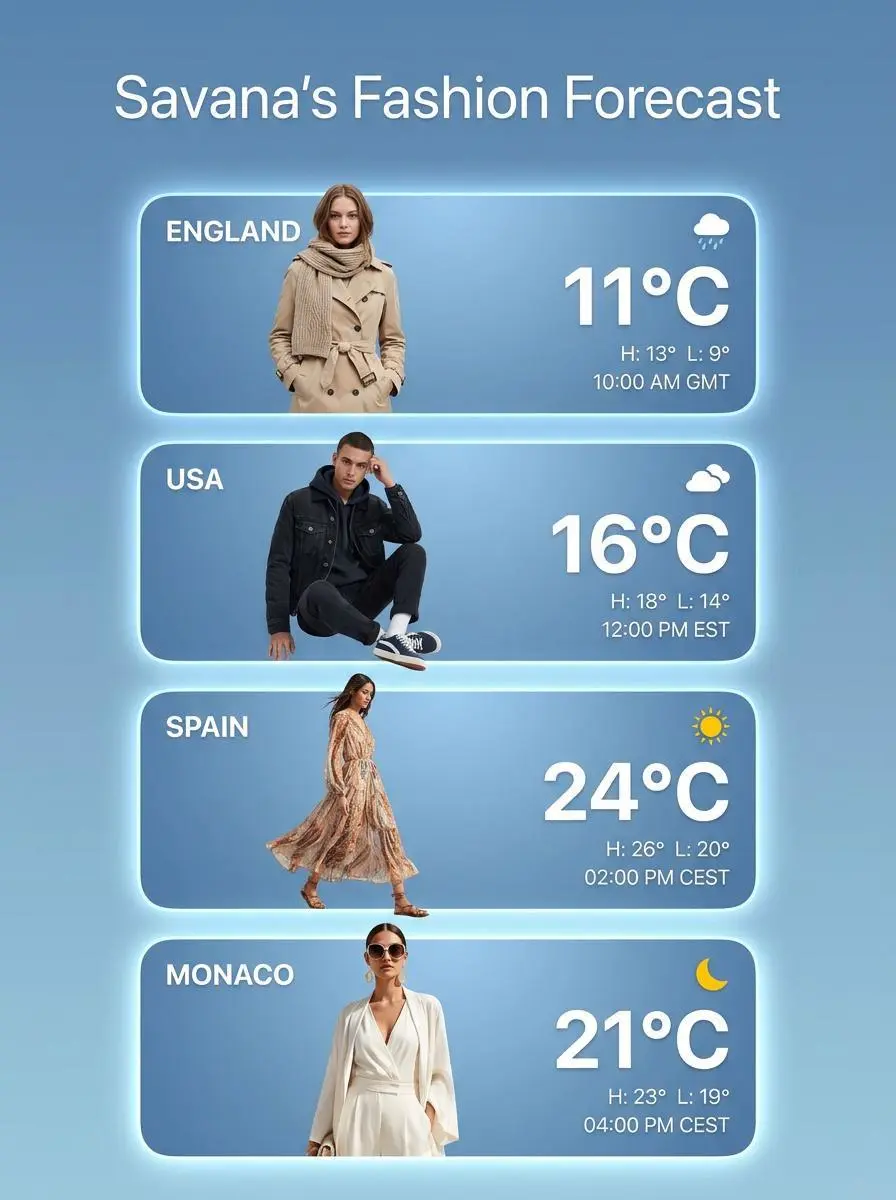
The third image combines weather app design with fashion styling in a sleek promotional poster. The background is a soft gradient blue, and the title at the top reads “Savana’s Fashion Forecast.” Below it are four large rounded weather cards stacked vertically, each representing a different country: England, USA, Spain, and Monaco. Each card displays a model dressed in an outfit that matches the mood of the location and temperature, along with time and weather data. The temperature numbers are large and bold, while the high and low temperatures are shown in smaller text. The styling varies from soft layering and neutral coats to darker denim and streetwear-inspired looks. The design feels polished, trendy, and lifestyle-oriented, as if it is promoting clothing choices based on climate. It merges fashion editorial imagery with modern app-style UI in a visually smooth and commercial way.
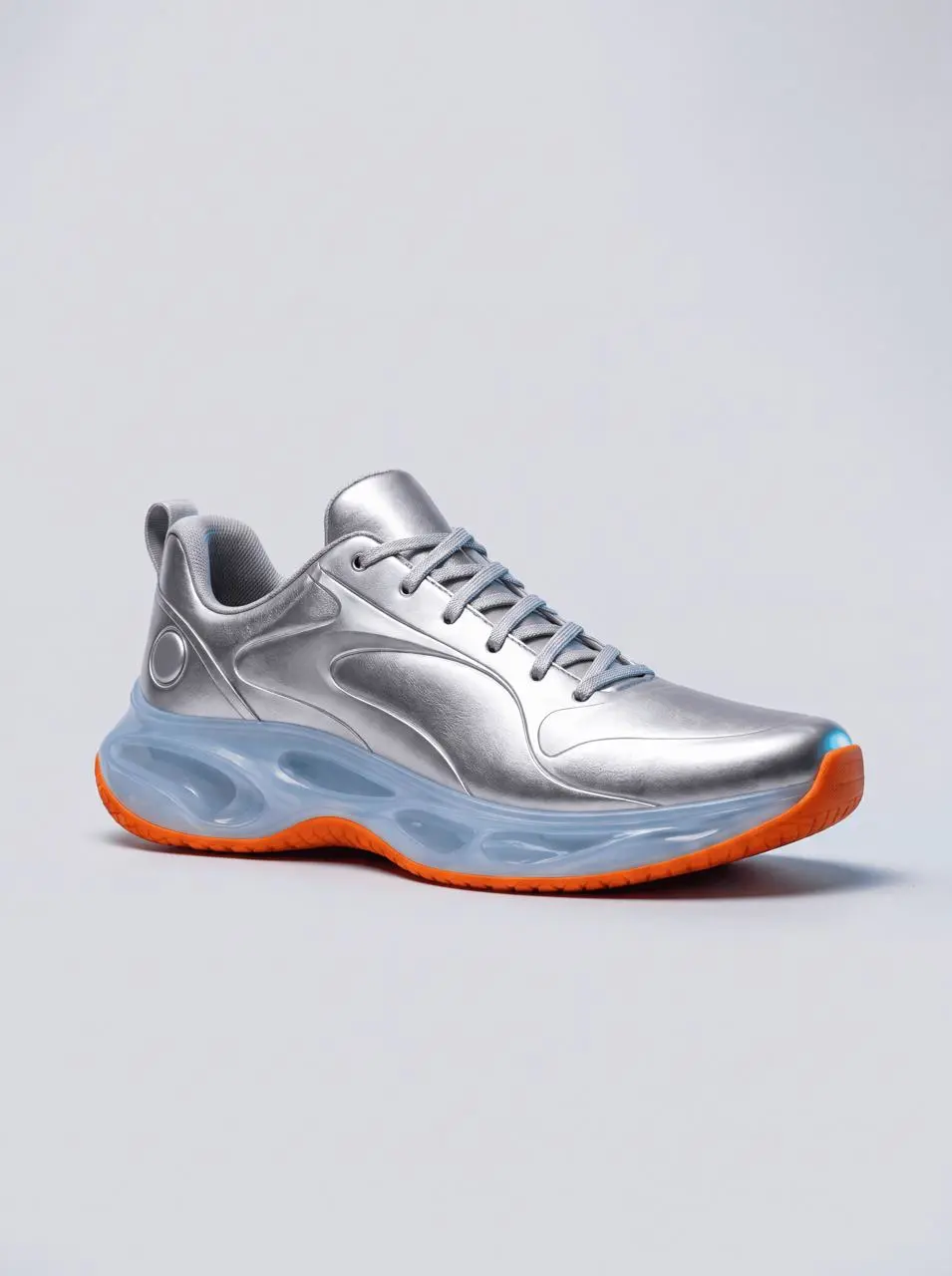
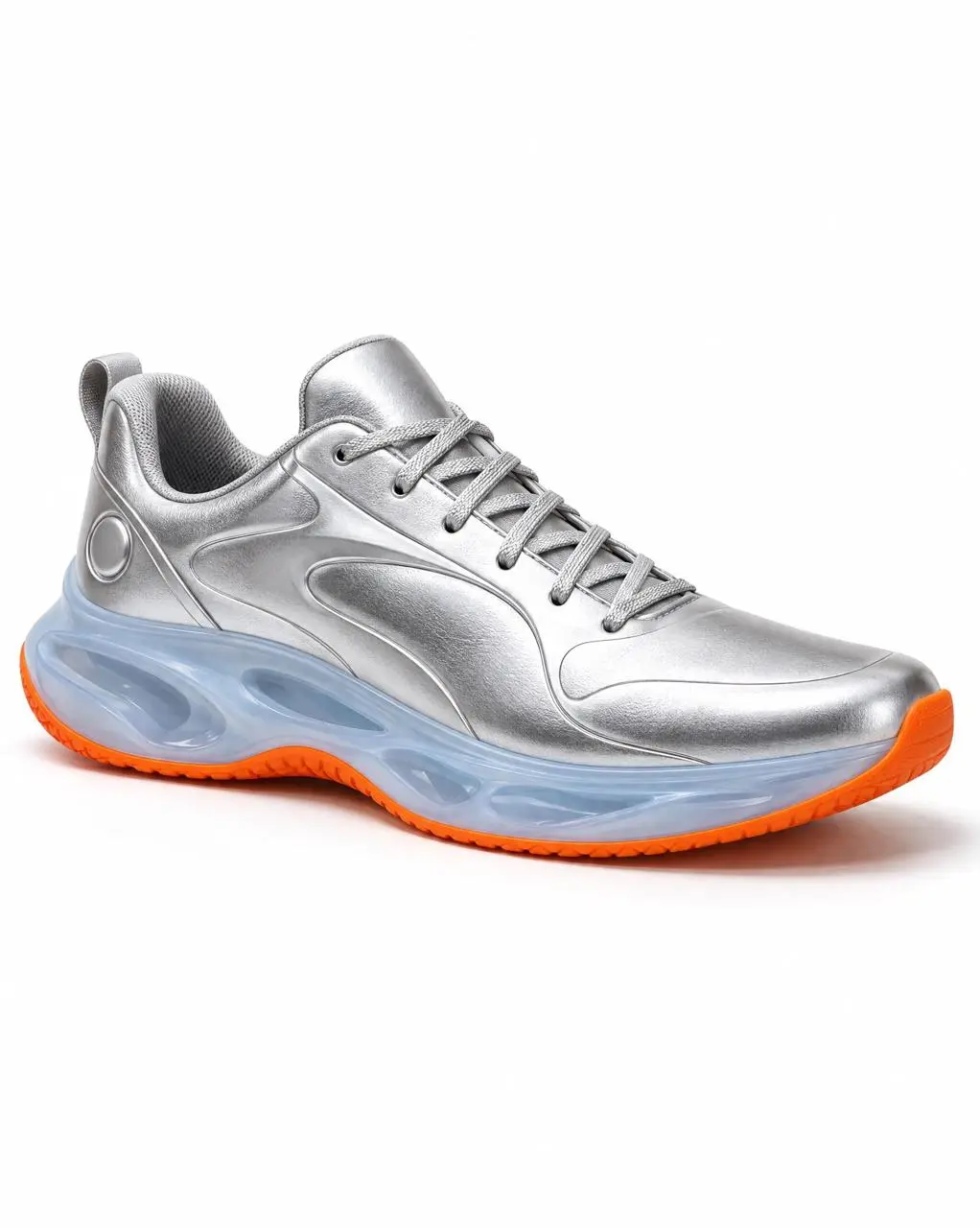
Use image 1 as the sole product reference. Create a high-resolution vertical 3:4 studio product photograph of the same sneaker, preserving the silver upper, silver laces, translucent ice-blue sculpted midsole, orange outsole, circular heel detail, and right-facing three-quarter orientation. Place exactly one sneaker on a pale-gray seamless studio surface. Use a large soft light from the upper left and a narrow cool rim light to show the metallic texture, translucent material, and contact shadow. Keep the complete shoe visible with breathing room around it. Do not redesign the product, change its colors, add text or logos, add another shoe, add a border, or add a watermark.
Google 的 Pro 提示詞指南建議明確主體、構圖、環境、風格與具體編輯指令。下面六個 WeShop 案例展示這些寫法如何出現在真實提示詞與結果中,可複製文字均為實際生成時的完整英文提示詞。
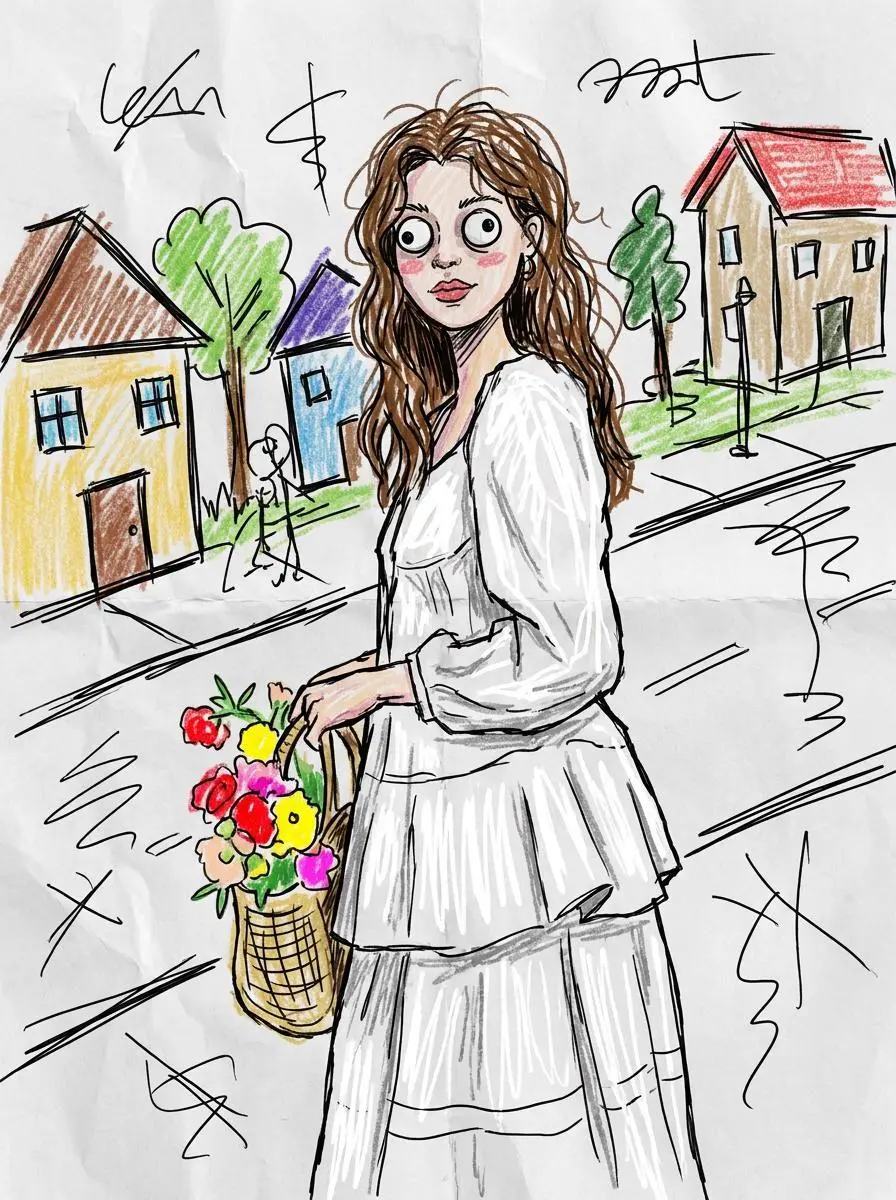
用可見筆觸描述風格
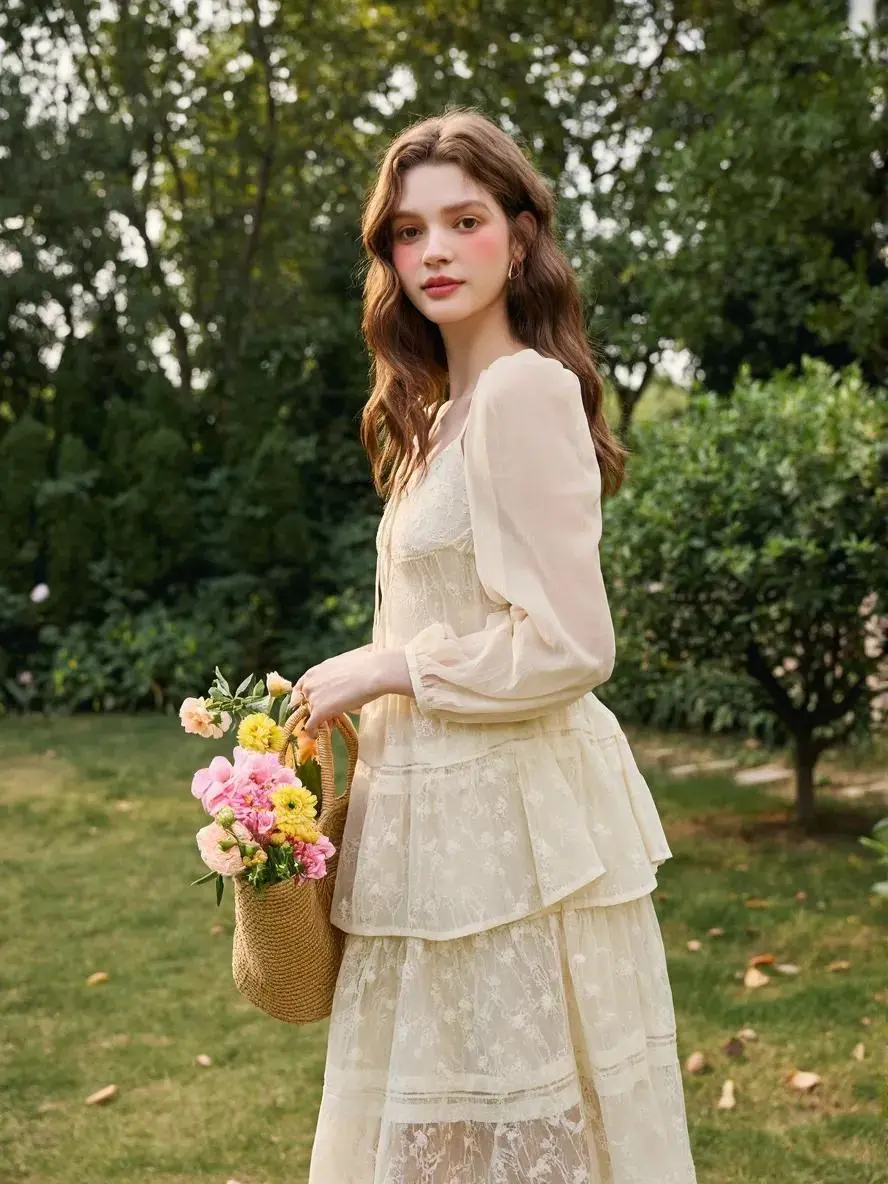
不要只寫風格名,也描述可見的繪畫痕跡。本例寫道:“uneven coloring and visible strokes”。對照人像輸入與塗鴉結果中的粗線條、簡化形狀及不均勻上色。
urn this photo into a funny ugly doodle drawing. Make it look like: a quick sketch using a cheap marker or crayon messy, rough, childlike style bad perspective and awkward proportions slightly exaggerated facial features Add: simple cartoon background (like buildings, trees, street) random sketchy lines and details uneven coloring and visible strokes Style: looks like a lazy drawing, not polished humorous and a bit stupid-looking meme-like, casual, internet style Do NOT: make it realistic
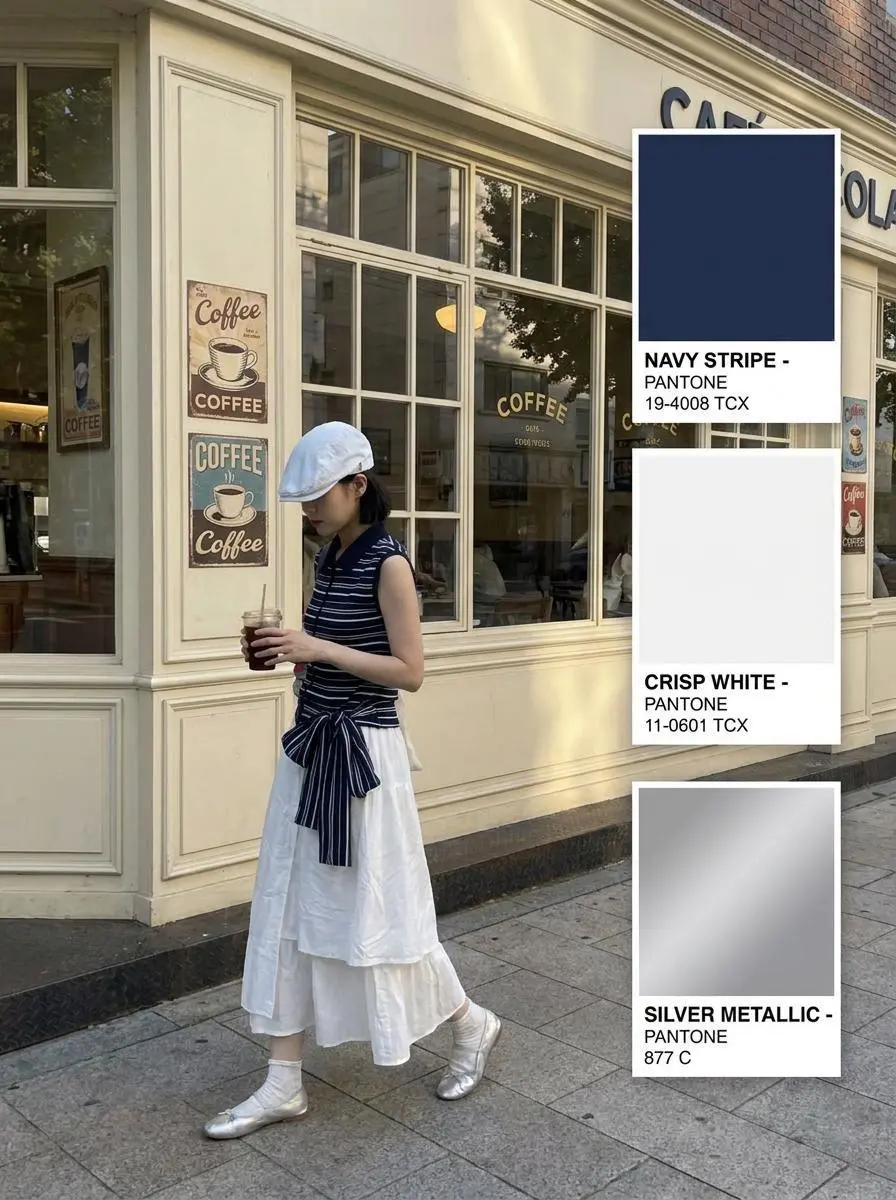
分開說明參考圖片與版式的用途
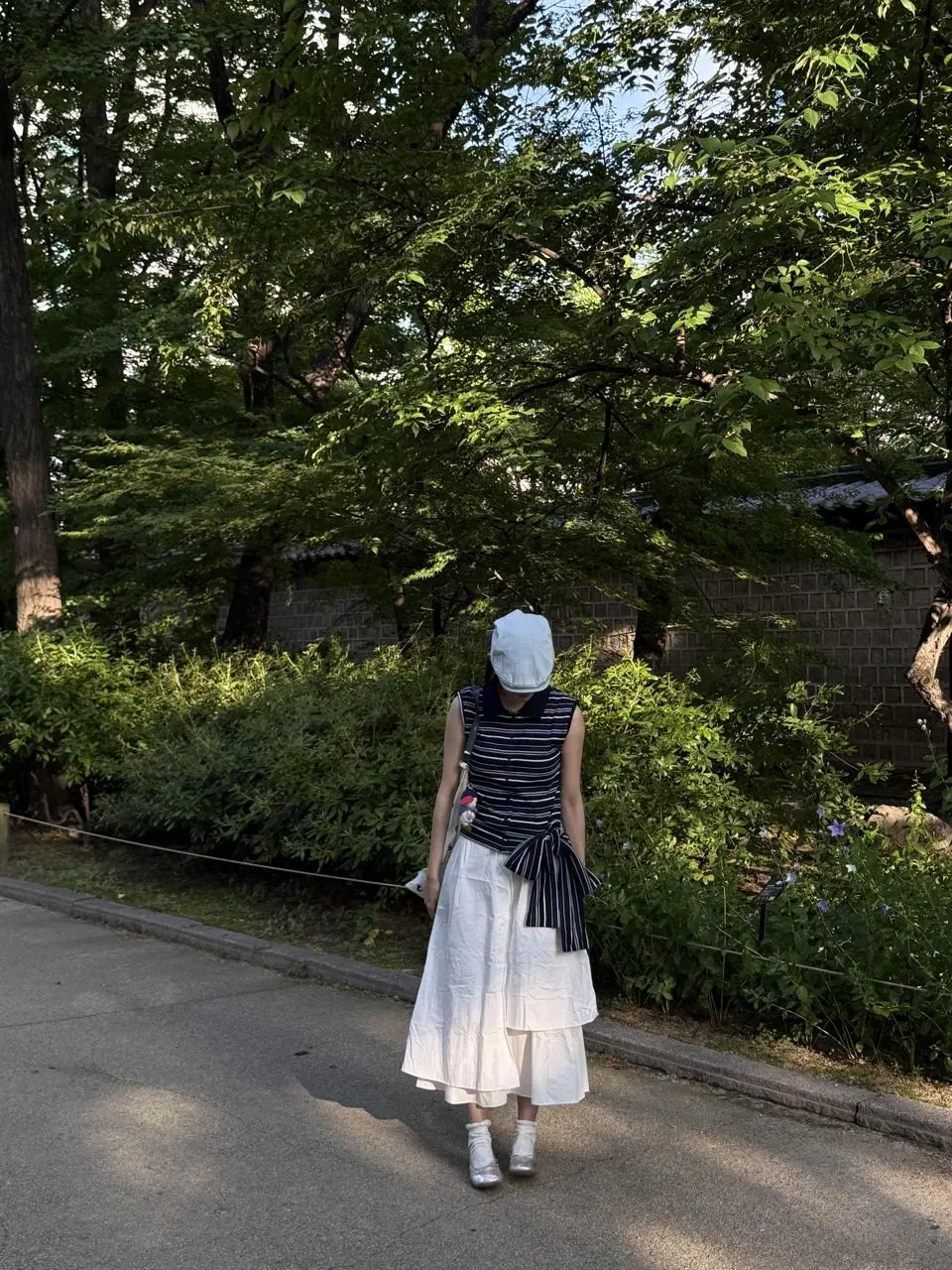
先說明參考圖片提供什麼,再指定主體與圖形元素的位置。本例寫道:“model on the left two-thirds of the image, vertical color palette cards on the right one-third.” 對照保留的服裝與獨立色卡列,提示詞分別安排了它們的職責。
Create a Pinterest-style street fashion color palette editorial using the 【uploaded model and outfit】
Preserve the uploaded outfit details accurately, including colors, textures, accessories, shoes, bag, hairstyle, and overall styling. The model should be walking casually in side profile or slightly from behind, holding an iced coffee or small drink, creating a natural candid street photo feeling.
Scene: vintage café exterior, cream or beige storefront, large coffee shop windows, retro coffee posters, warm urban sidewalk, subtle European street atmosphere.
Composition: model on the left two-thirds of the image, vertical color palette cards on the right one-third.
Color cards: add three Pantone-style rectangular color cards stacked vertically on the right side, using the main colors extracted from the uploaded outfit. Each card should include a large color block and simple black Pantone-style label text underneath.
Mood: cozy coffee-shop aesthetic, casual streetwear, soft daylight, warm muted tones, Pinterest fashion color analysis, editorial layout, realistic photography.
High-resolution, natural lighting, realistic fabric texture, clean graphic design, modern fashion magazine composition.
分開寫保留項與修改項
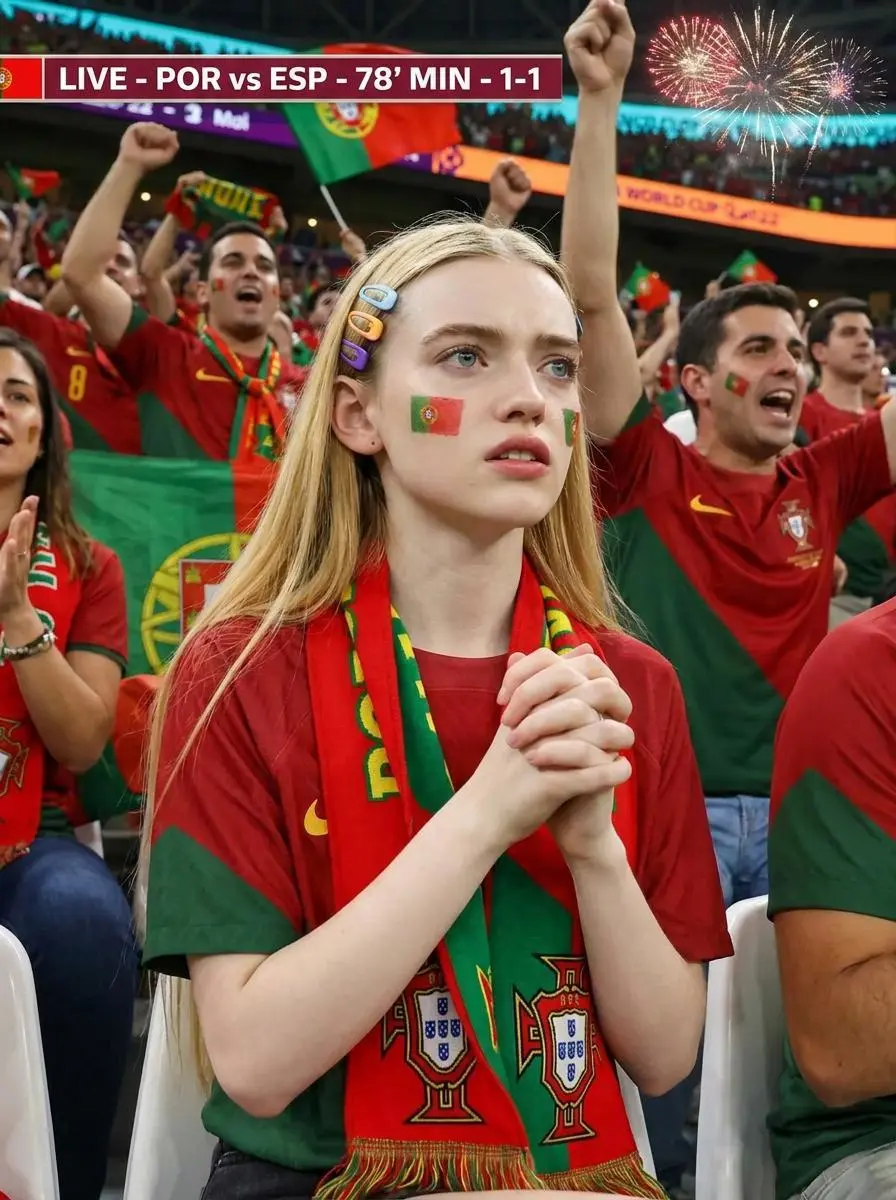
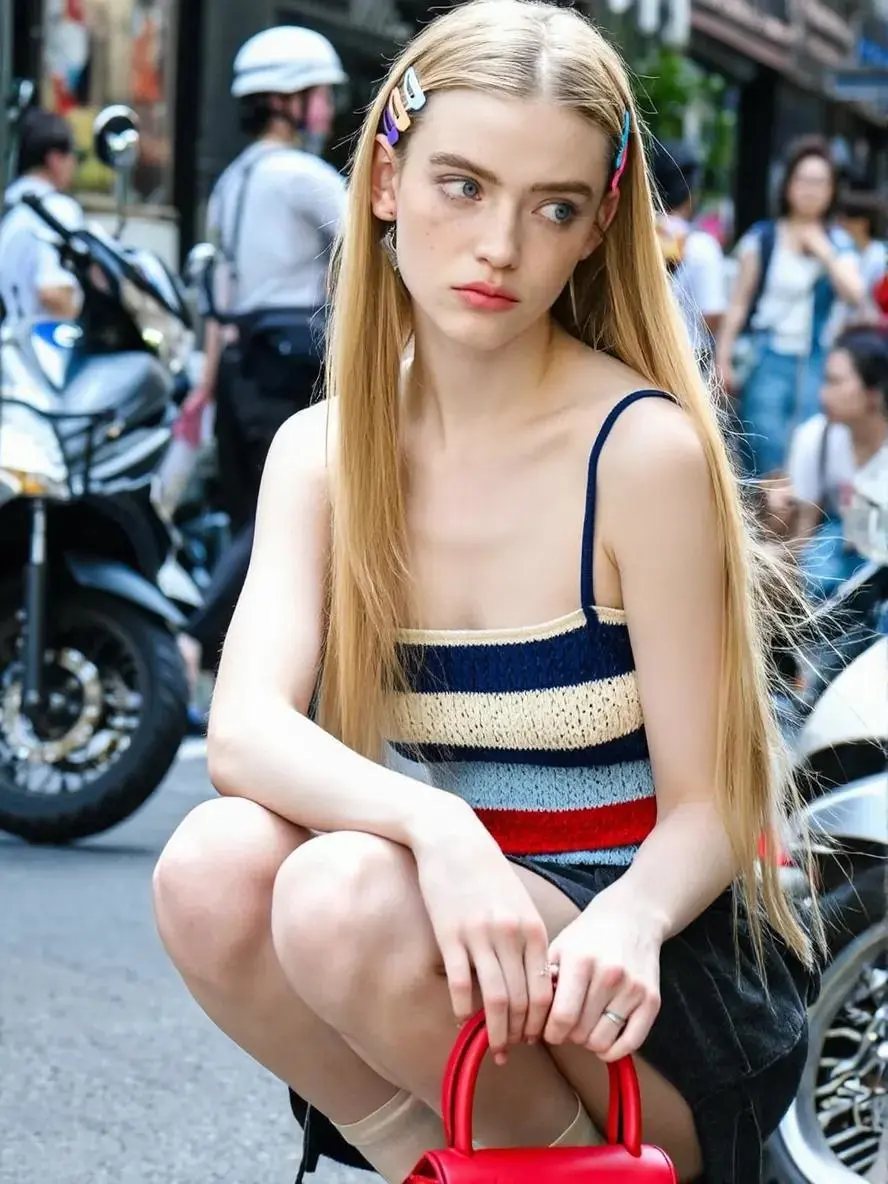
先寫需要保留的身份特徵,再描述新服裝與新場景。本例寫道:“retain facial features and identifiable characteristics.” 對照人像輸入與球場結果,分別檢查面部、新球衣與人群。轉播疊層是虛構設計。
Based on uploaded portrait photos, retain facial features and identifiable characteristics. Create a character positioned in the stands of a World Cup match, portraying a dedicated fan attentively watching the game. The character wears a [Portugal] home jersey, a support scarf around their neck, and has subtle national team paint on their cheeks. The camera angle is a close-up from a TV broadcast or a candid shot from the stands, showing the character seated, focused, slightly tense, or expectant. The background is a large stadium stand with densely packed fans, surrounding spectators also wearing the national team's colors. The scene includes realistic scoreboards, match times, broadcast subtitles, "LIVE" signs, bright lighting, fireworks, cheering sticks, banners, and a vibrant match atmosphere. The overall effect resembles a high-quality, attractive fan suddenly captured during a World Cup broadcast.
Do not include brand logos.
將顏色落實到具體物體
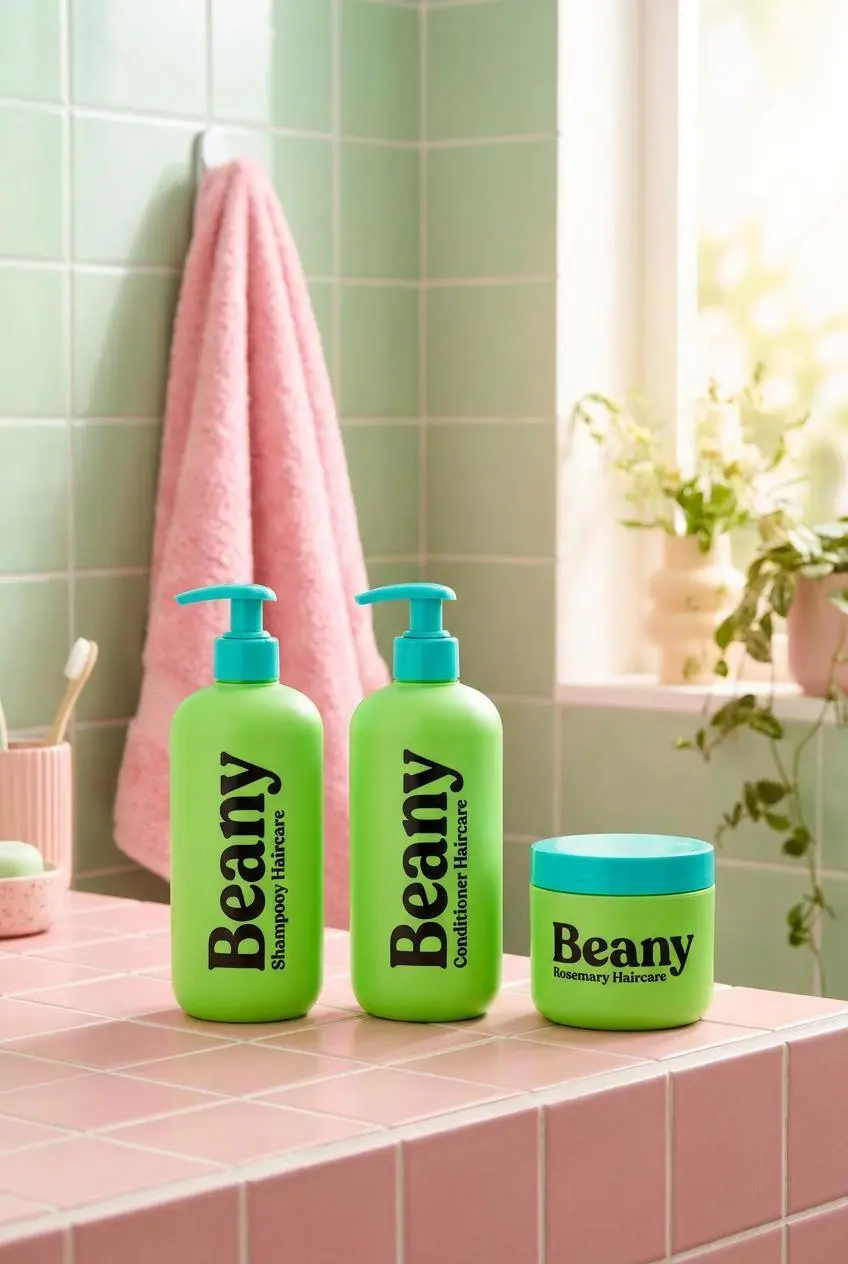
為具體表面指定顏色,並單獨描述文字。本例寫道:“bold black typography with turquoise pumps and caps”。觀察綠色容器、粉色瓷磚、青綠色瓶蓋與對比鮮明的包裝文字。
A playful bathroom product display featuring three bright green Beany rosemary haircare products on a pink tiled counter. The background includes pale green wall tiles, a pink towel, and a soft window detail. The product packaging uses bold black typography with turquoise pumps and caps, creating a fun retro color contrast. The image feels youthful, colorful, fresh, and suitable for haircare or shower routine advertising.
讓需要展示的細節成為焦點
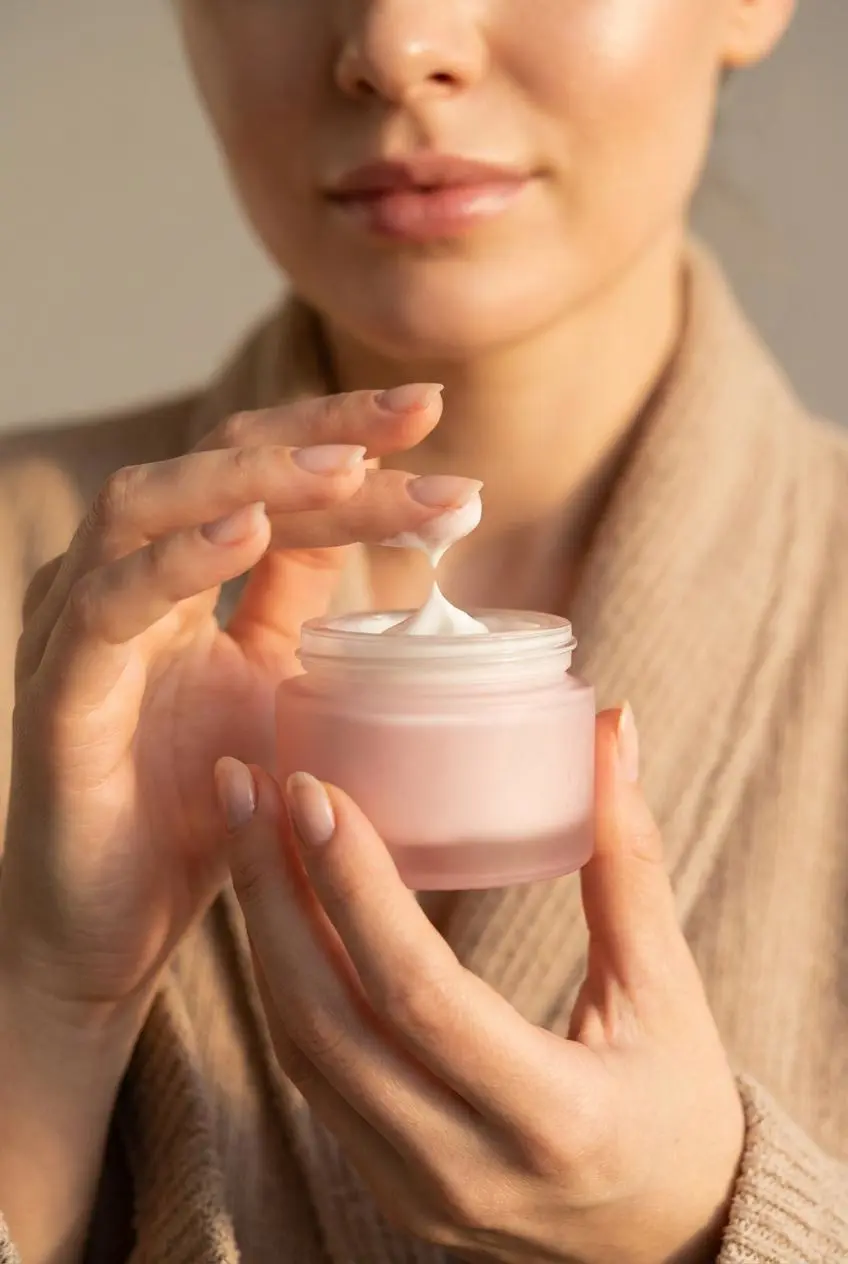
將材質細節放在焦點,並指定較柔和的背景。本例的「forming a soft peak of product texture」對應手指與罐口之間拉起的白色乳霜;人物下半張臉在後方虛化。
A close-up skincare texture shot showing a model holding a pink jar of face cream. Her hand lifts a small amount of white cream between two fingers, forming a soft peak of product texture. The background focuses on the lower face and skin, softly blurred to keep attention on the cream. The image feels intimate, sensual, moisturizing, and premium, with warm nude tones and soft lighting.
寫明文字內容與層級
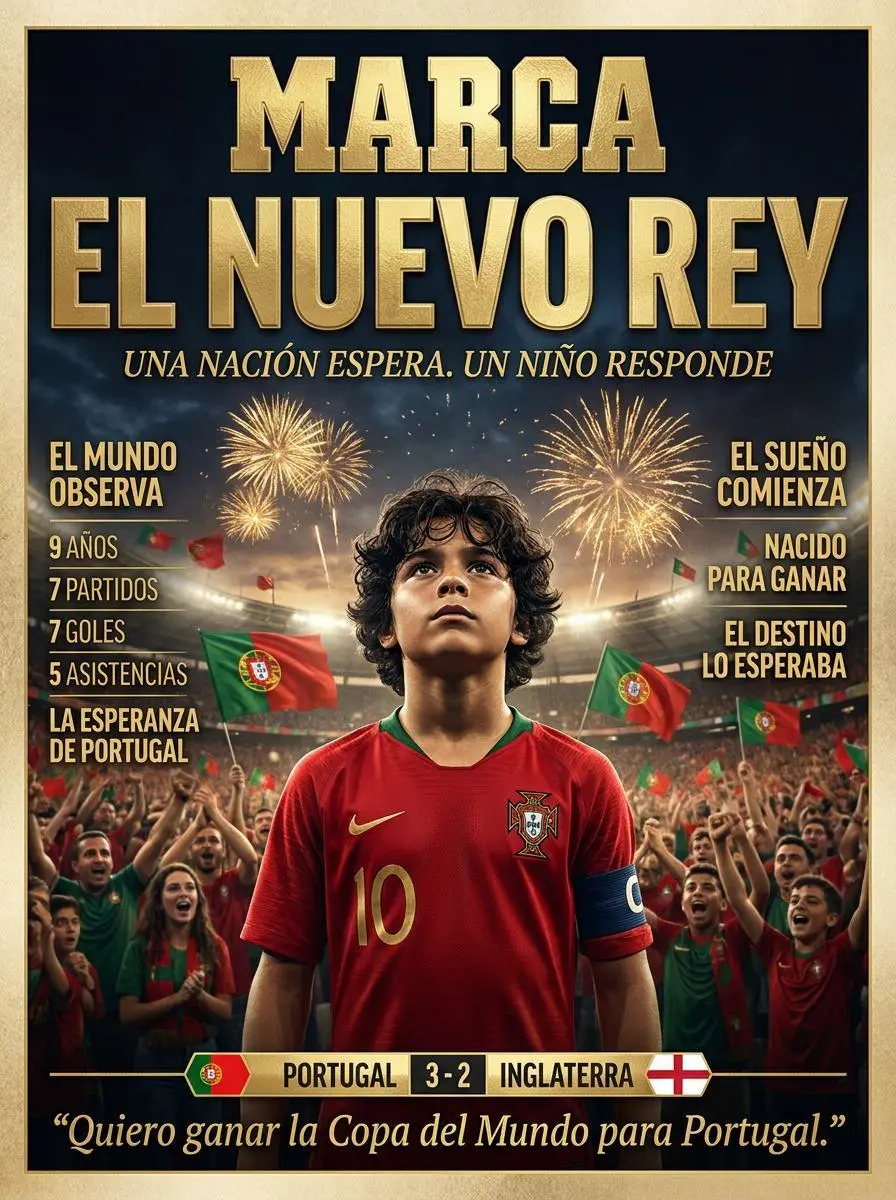
製作本地語言封面時,寫明準確文字及主次層級。本例用「EL NUEVO REY」作為大標題,並安排兩側文案和底部比分。檢查小字、人物細節與品牌標記;人物故事和比分為虛構設計。
World Cup 2026 newspaper cover, Spanish sports newspaper, luxury editorial design.
Massive headline:
EL NUEVO REY
Subheadline:
UNA NACIÓN ESPERA. UN NIÑO RESPONDE.
Center cover:
10 year old Portuguese football prodigy boy, dark curly hair, Portugal national team red number 10 jersey, captain armband.
Portuguese flags.
Golden fireworks.
Packed stadium.
Left column:
EL MUNDO OBSERVA
9 AÑOS
7 PARTIDOS
7 GOLES
5 ASISTENCIAS
LA ESPERANZA DE PORTUGAL
Right column:
EL SUEÑO COMIENZA
NACIDO PARA GANAR
EL DESTINO LO ESPERABA
Bottom scoreboard:
PORTUGAL 3-2 INGLATERRA
Bottom quote:
"Quiero ganar la Copa del Mundo para Portugal."
premium newspaper cover, gold typography, photorealistic, sports documentary poster, masterpiece.realistic, editorial design, masterpiece, 8K.