NANO BANANA 2.1 影像模型

Nano Banana 2.1 AI 圖片生成器

Nano Banana 2.1 是 Google 對 Nano Banana 2 的影像生成與對話式編輯更新,官方說明指出其改進文字呈現、佈局準確性及多輪角色一致性。

nano2.1
NANO BANANA 2.1 案例

Nano Banana 2.1 圖片案例

通過人物、服裝與環境參考組合、玻璃球雜誌風格靜物、雨水到水龍頭流程信息圖瞭解 Nano Banana 2.1。每例保留實際提示詞與已有輸入;用於自己的主體前,請先檢查結果。

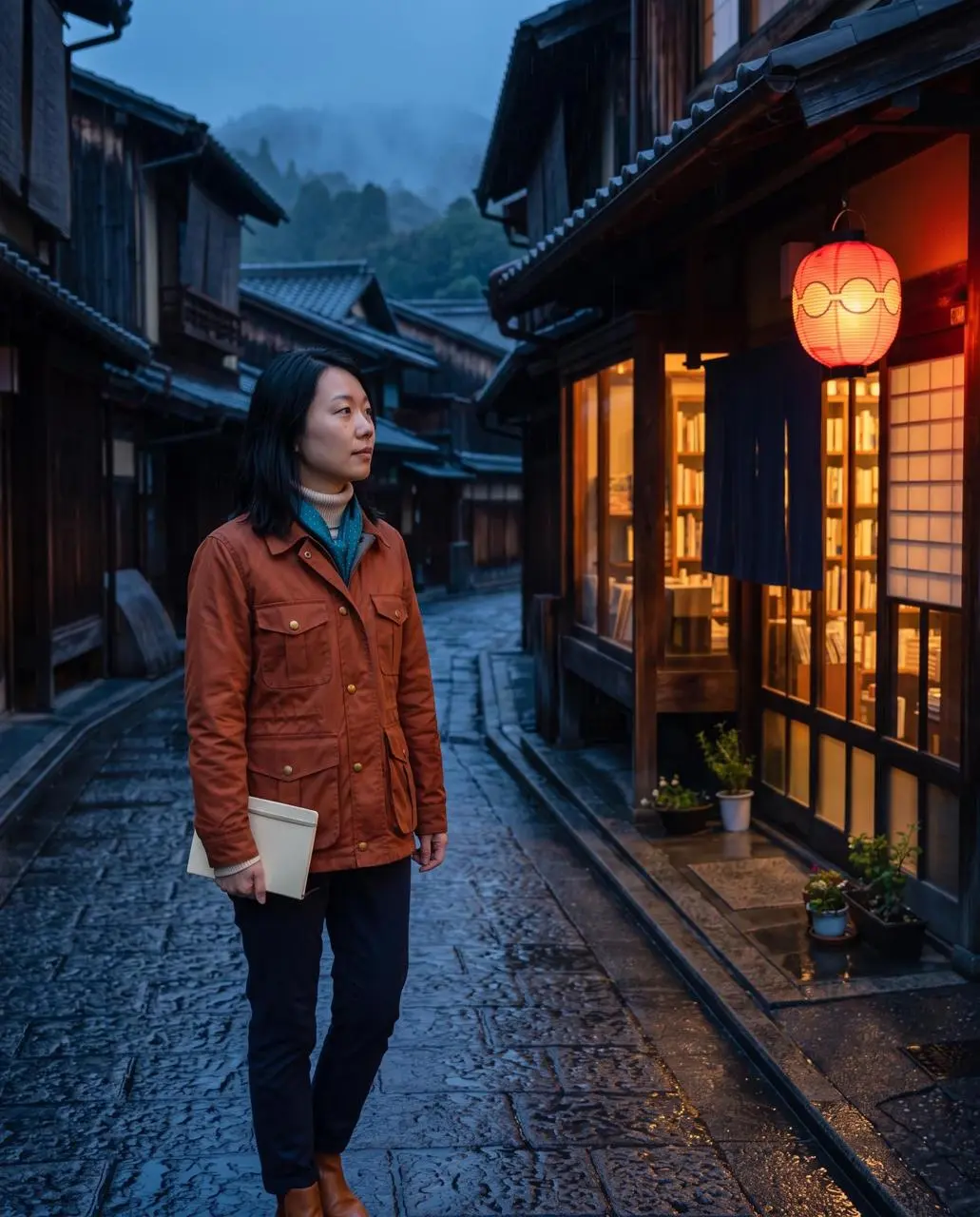
WeShop 結果:女子站在雨天的鵝卵石街道上……
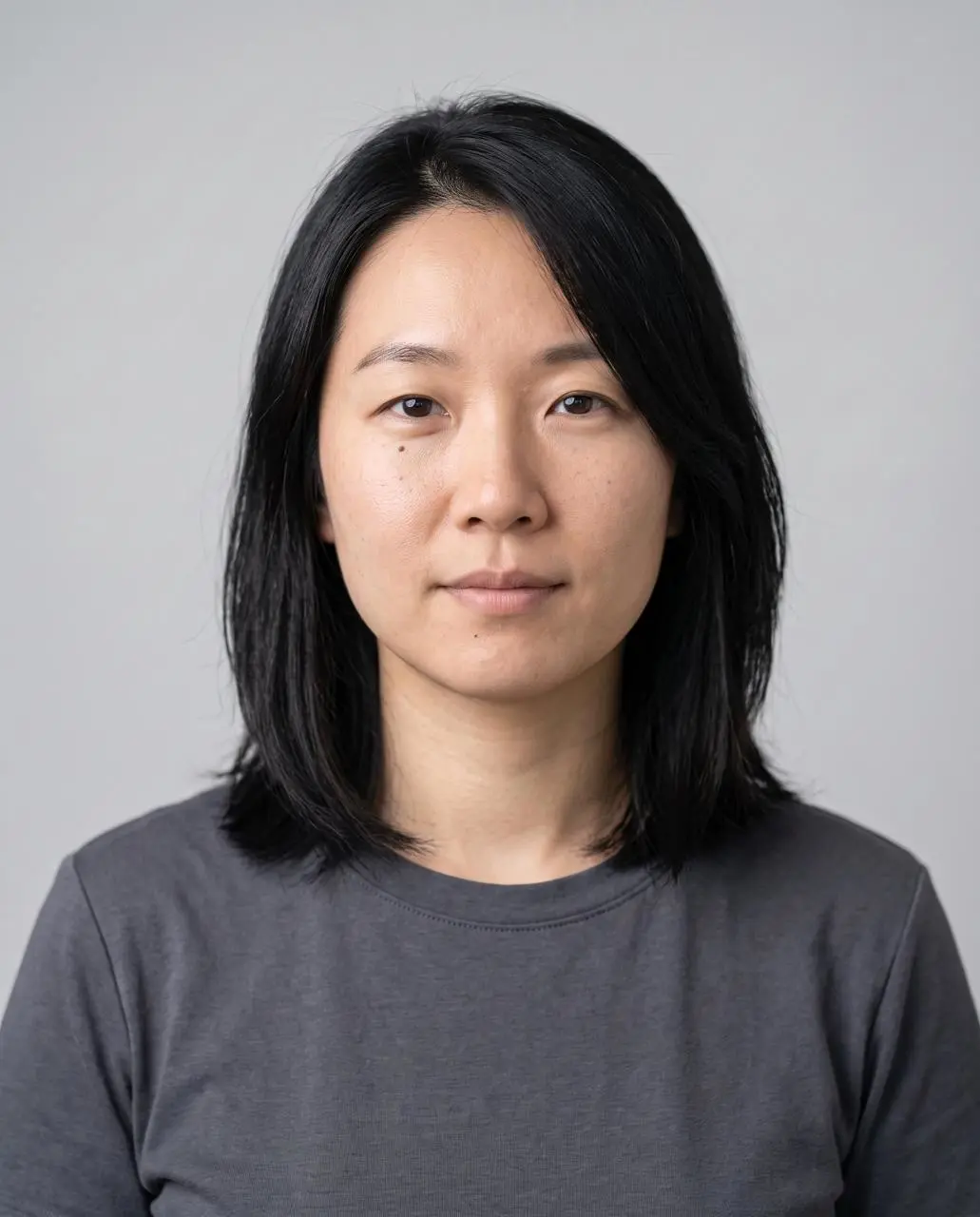
參考素材 1
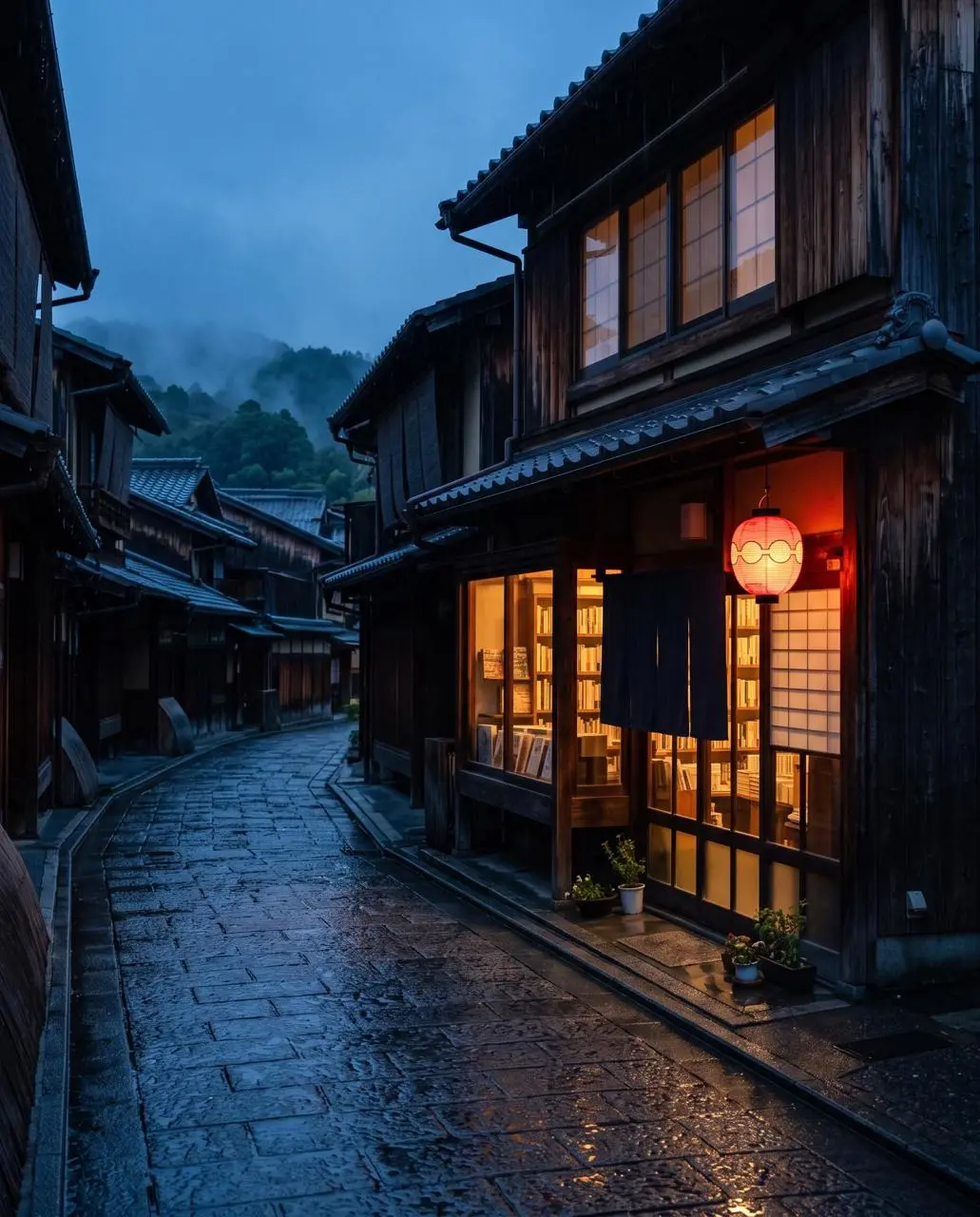
參考素材 2
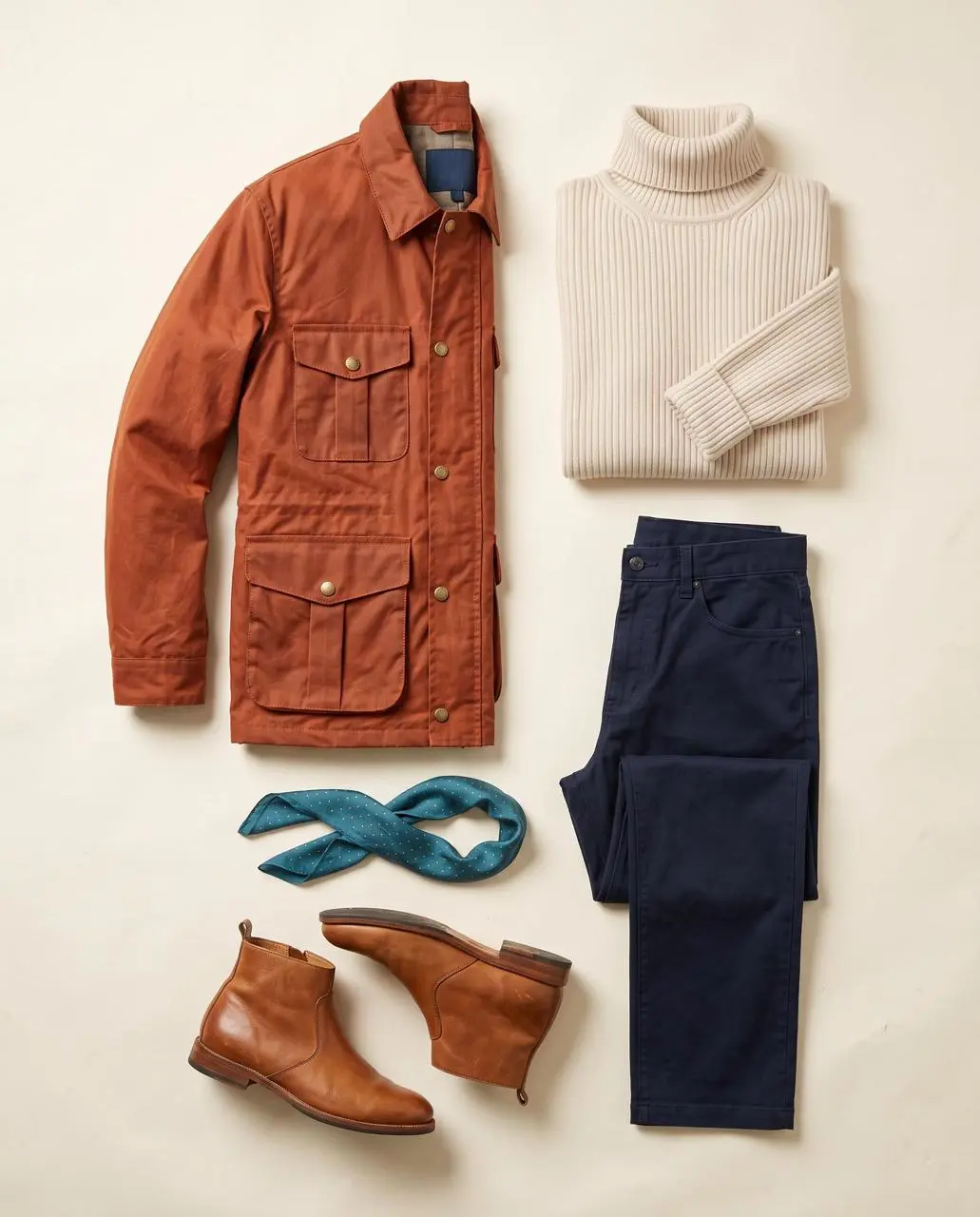
參考素材 3

人物、服裝與環境參考組合

為人物、服裝及環境分別指定參考圖片,再組合成雨天街頭人像。

Image 1 is the identity reference. Image 2 is the wardrobe reference. Image 3 is the location reference. Create a finished 4:5 realistic editorial travel portrait of the exact woman from image 1 standing outside the bookshop in image 3 at blue hour, wearing the complete outfit from image 2: burnt-orange four-pocket waxed jacket, cream ribbed turtleneck, navy trousers, teal scarf with tiny gold dots, and tan ankle boots. Show her three-quarter length in the left third, holding a closed cream notebook at her side and looking toward the warm shop window. Preserve her face shape, shoulder-length black hair, side part, and beauty mark below the left eye. Preserve the street layout, one red lantern, wet stone reflections, and warm-window/cool-street color contrast. Natural 50mm travel photography, light rain, no additional people, no bag, no hat, no extra accessories, no readable signs, no text, no logos, no watermark. Do not blend the outfit into the background or change the woman’s identity.
使用此提示
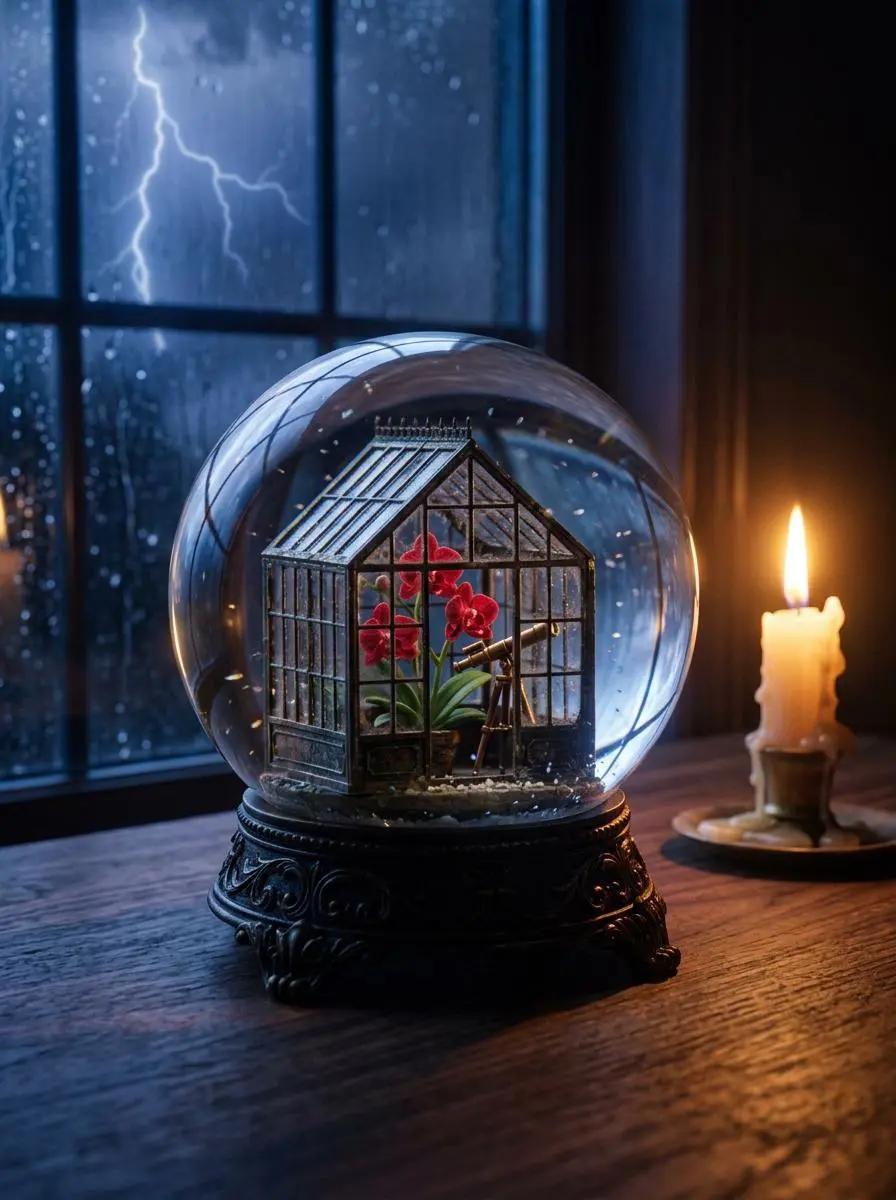
WeShop 結果:精緻玻璃球內的微型溫室……

玻璃球雜誌風格靜物

根據文字創作玻璃球靜物,結合微型溫室、暖色蠟燭與暴風雨背景。

Create a finished 3:4 photorealistic editorial image of exactly one clear glass snow globe resting on a dark walnut desk during a thunderstorm. Inside the globe is one miniature Victorian greenhouse containing exactly three red orchids and one small brass telescope. Place a sharp lightning bolt in the upper-left background and one lit ivory candle on the desk to the right of the globe. Use realistic glass reflections and refractions, cool blue storm light from the left, warm candlelight from the right, shallow depth of field, and detailed natural materials. Keep the entire globe visible. No people, no extra flowers, no extra globes, no text, no logo, no watermark.
使用此提示
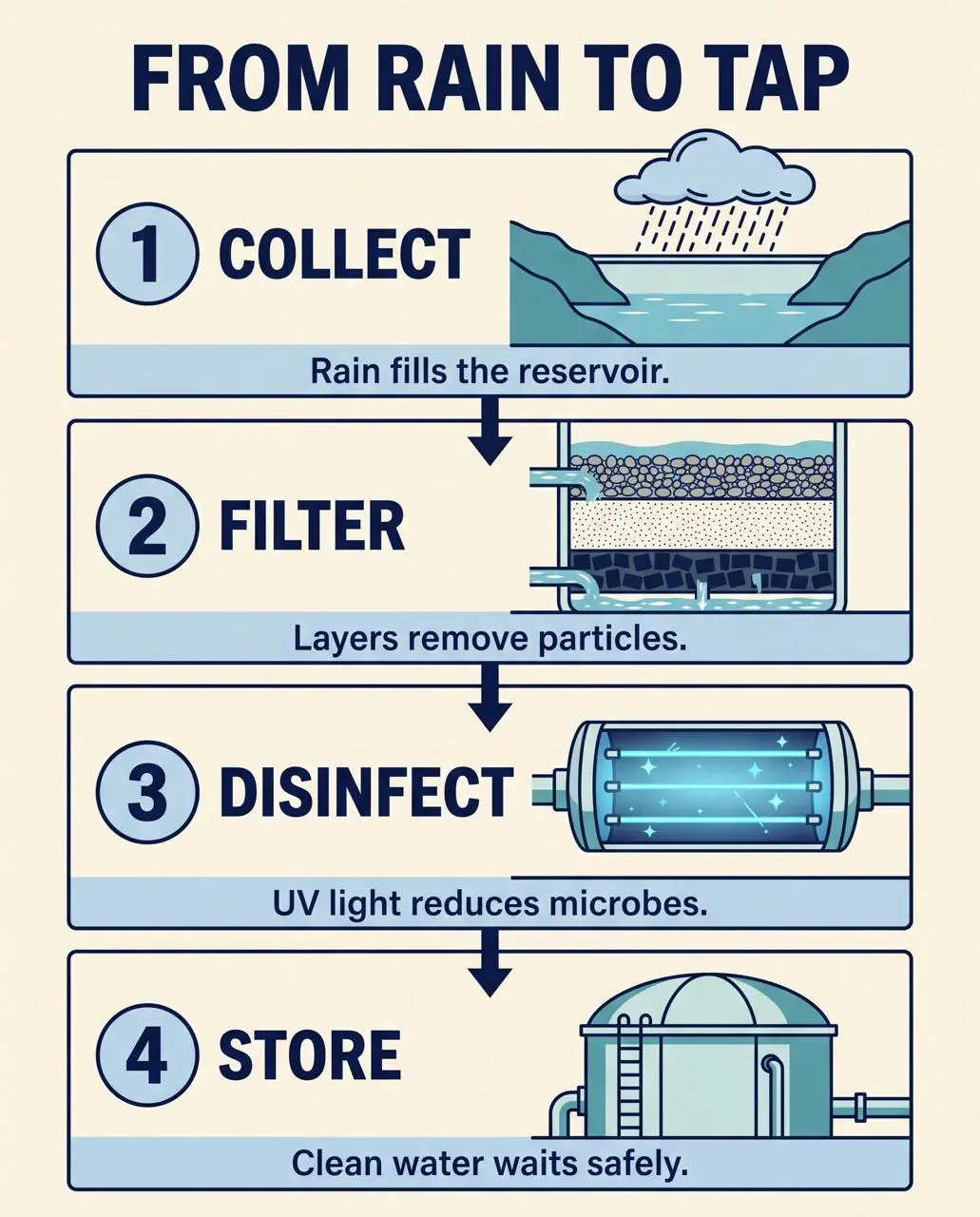
WeShop 結果:逐步展示轉化過程的信息圖……

雨水到水龍頭流程信息圖

將水處理文字描述組織為編號步驟,配上插畫、標籤和視覺閱讀順序。

Create a finished 4:5 educational process infographic titled exactly “FROM RAIN TO TAP”. Use four equal numbered panels stacked vertically with one clear downward arrow between panels. Panel 1 title exactly “COLLECT” with a rain cloud feeding a reservoir and caption exactly “Rain fills the reservoir.” Panel 2 title exactly “FILTER” with gravel, sand, and charcoal layers and caption exactly “Layers remove particles.” Panel 3 title exactly “DISINFECT” with a blue UV light chamber and caption exactly “UV light reduces microbes.” Panel 4 title exactly “STORE” with a covered water tank and caption exactly “Clean water waits safely.” Use flat vector illustration, navy outlines, pale blue and teal fills, warm ivory background, generous margins, consistent icons, high text contrast, and a single reading path from top to bottom. No other words, no decorative labels, no side panels, no logo, no watermark.
使用此提示
認識 NANO BANANA 2.1

Nano Banana 2.1 是什麼,適合做什麼?

Nano Banana 2.1 是 Google 對 Nano Banana 2 的影像生成與對話式編輯更新,官方說明指出其改進文字呈現、佈局準確性及多輪角色一致性。 2.1更新適用於文字較多的佈局與參考引導的圖片任務。多參考人像和流程資訊圖展示不同任務;單張結果不證明官方所述的多輪一致性改進貫穿整段對話。

文字與信息圖佈局

Google 官方說明指出此版本改進文字呈現與佈局準確性。請提供具體文字,並檢查結果中的小標籤。

組合參考圖片

用參考圖片在同一設計中組織人物、商品及其他視覺元素。

角色與視覺連續性

Google 將多輪角色一致性列為更新方向。每張保存的結果僅是獨立案例,不證明所有新請求都能復現。

創作模式

選擇起始輸入

新設計輸入文字,編輯則上傳人物、服裝、環境或商品參考圖片。明確各圖角色;本頁綁定2.1,而非2或 Pro 選項。

從參考照片開始

上傳用於編輯的主體或場景。如果有多份輸入,請說明各參考素材的用途和需要的修改。

從文字描述創作

描述新的主體、場景、構圖與視覺表現,並寫明需要出現在影像裡的文字。

提示詞指南

Nano Banana 2.1 提示詞怎麼寫?

結合下方實際 Nano Banana 2.1 提示詞、結果和已有參考輸入閱讀。每條說明指出應檢查的具體指令;請求某種效果不保證每個生成細節都符合。

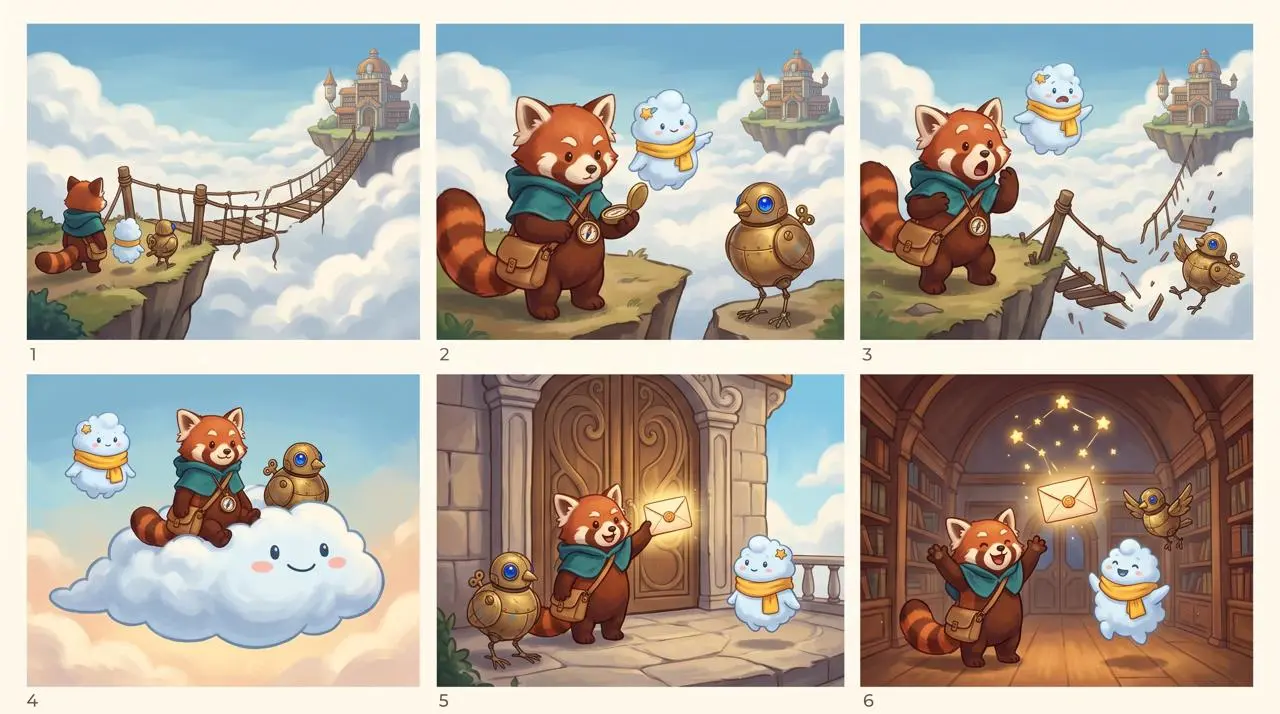
WeShop 結果:小熊貓、雲朵角色與機械鳥……
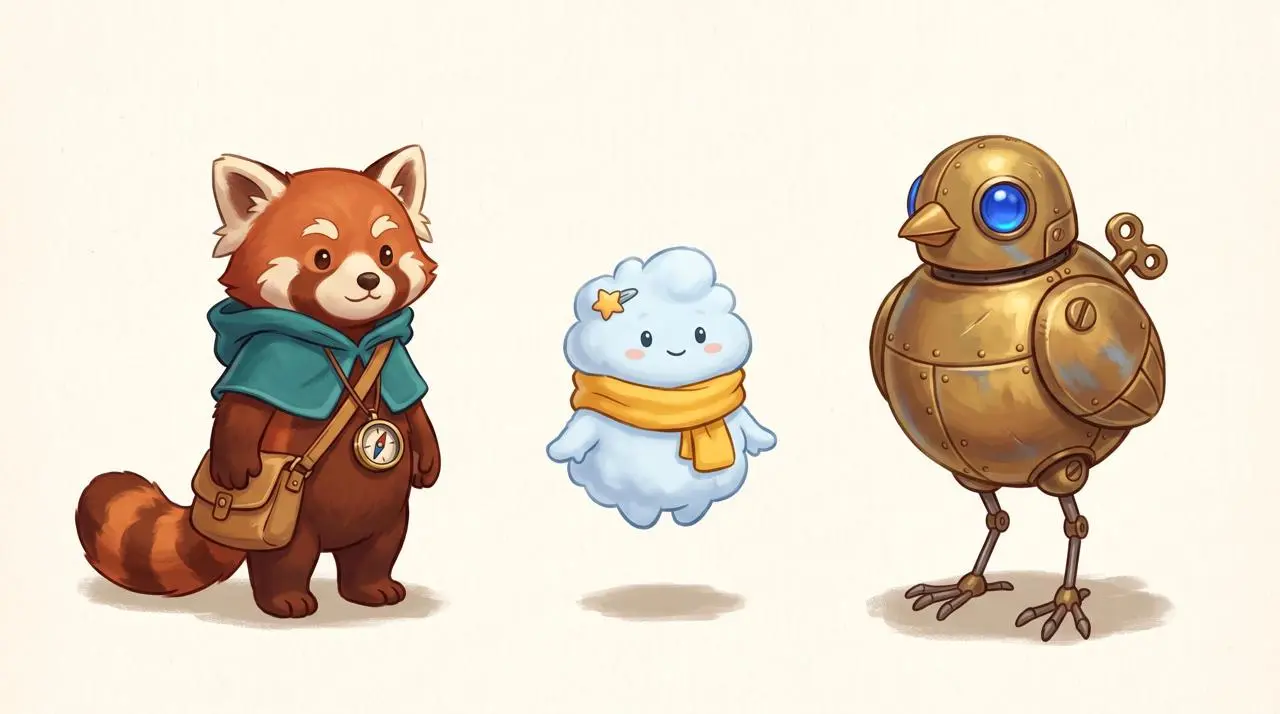
參考素材 1

在分鏡格間延續角色特徵

提示詞以上傳的角色陣容圖為參考,要求3×2分鏡佈局。Nimbus 的黃色圍巾等明確特徵幫助在分格中識別角色。請檢查所有格;一張分鏡圖不證明跨獨立對話輪次的一致性。

Use the uploaded lineup as the exact character reference. Create one polished 3-by-2 storyboard sheet with six equal cinematic panels, read left to right and top to bottom, in the same hand-painted storybook animation style. Preserve the identity, proportions, colors, clothing, and accessories of all three characters in every panel: Rhea is the red panda courier with teal hooded cape, tan satchel, and brass compass; Nimbus is the pale-blue cloud spirit with yellow scarf and star hair clip; Tock is the brass bird robot with cobalt-blue eye and winding key. Story: the trio delivers a glowing letter to a floating sky library. Panel 1: they arrive at the edge of a broken rope bridge above clouds. Panel 2: Rhea studies the compass while Nimbus points toward the distant library and Tock watches. Panel 3: the bridge collapses and all three react with surprise. Panel 4: Nimbus expands into a soft cloud platform carrying Rhea and Tock across the gap. Panel 5: they land at the sky library doors and Rhea holds up the glowing letter. Panel 6: inside the warm library, the three friends celebrate together as the delivered letter becomes a small constellation overhead. Keep exactly one Rhea, one Nimbus, and one Tock in every panel. Vary camera distance and poses, but keep faces, costume colors, body shapes, and signature accessories consistent. Clear white gutters between panels. No speech bubbles, no captions, no text, no logos, no watermark, no extra characters.
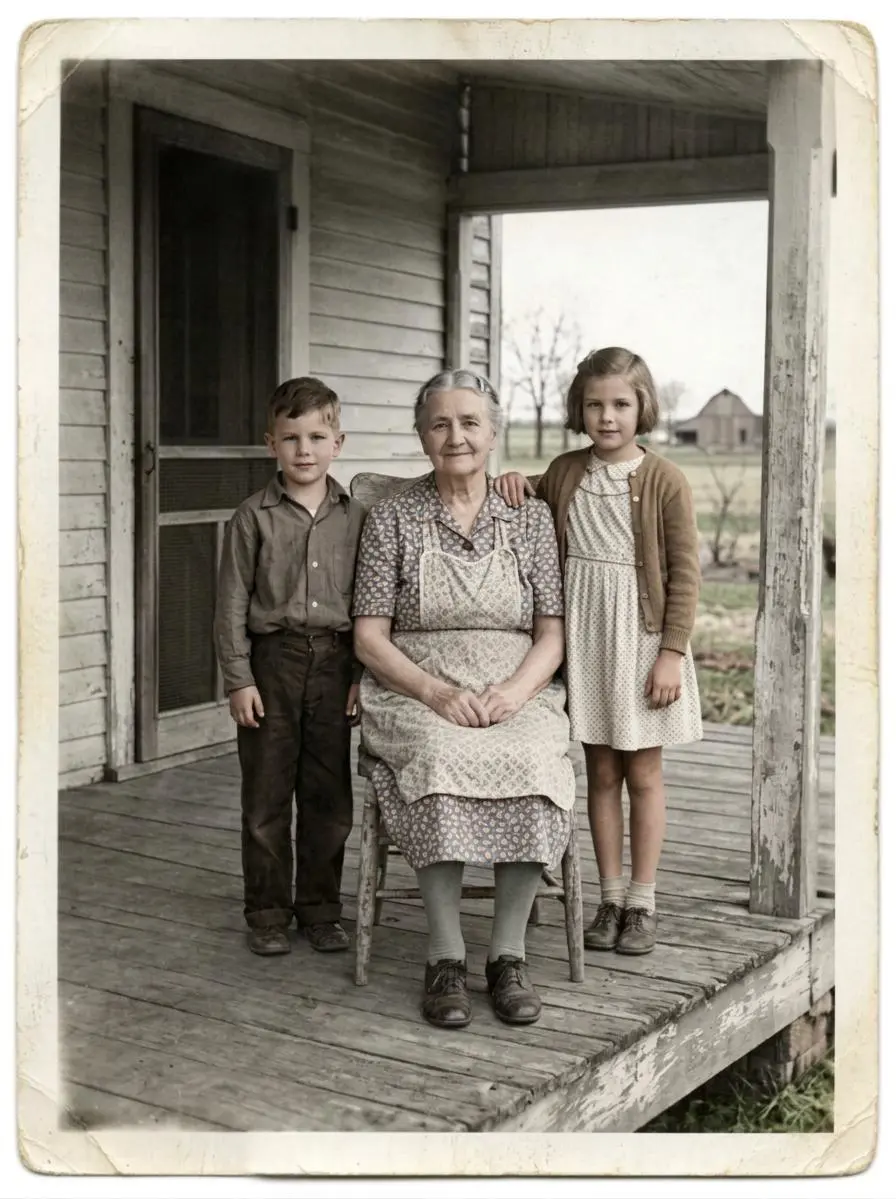
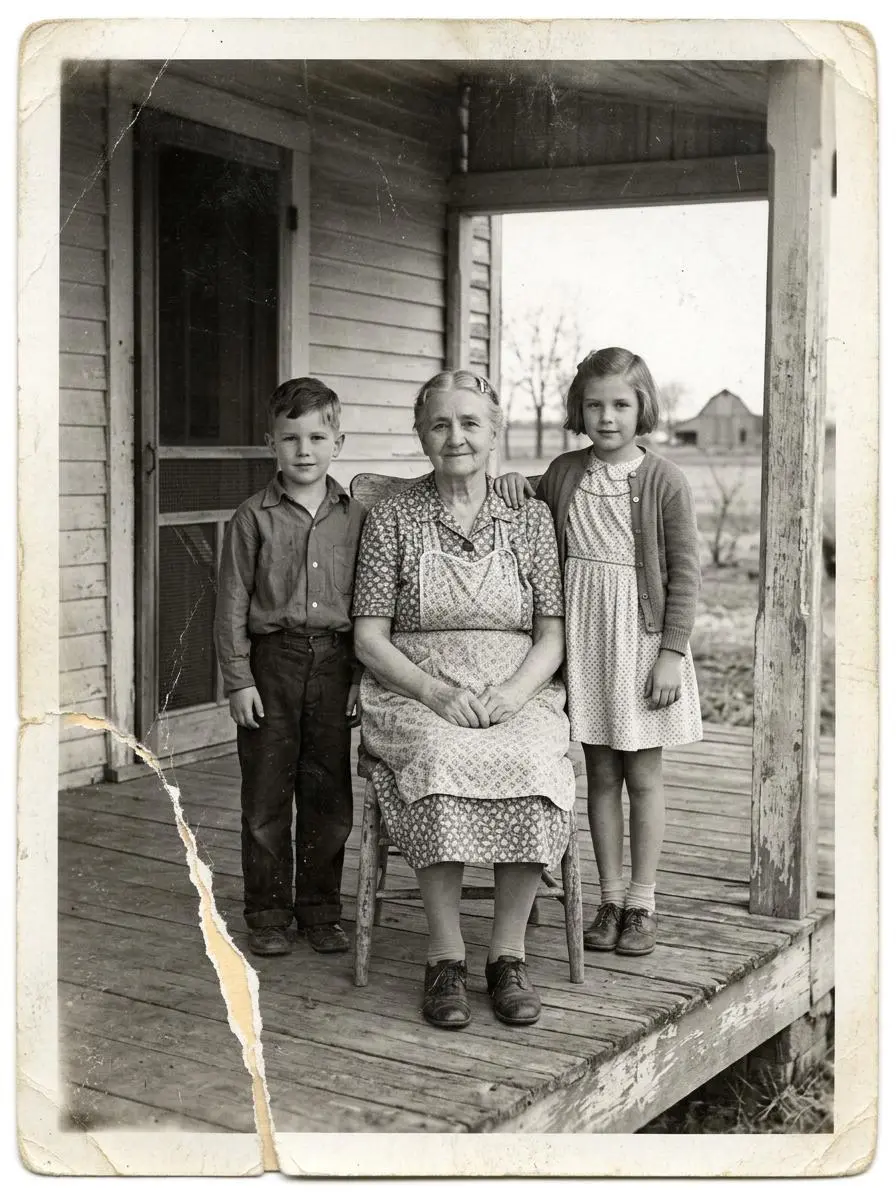
WeShop 結果:老婦坐在木質門廊上,身旁是……
參考素材 1

區分照片修復與人物改動

說明修復內容,並明確要保留的源圖細節。本例:“Restore this damaged 1948 black-and-white family photograph while preserving the exact identities, ages, facial proportions, poses, clothing, porch architecture, framing, and historical period.”

Restore this damaged 1948 black-and-white family photograph while preserving the exact identities, ages, facial proportions, poses, clothing, porch architecture, framing, and historical period. Repair the lower-left tear, remove scratches and dust, recover balanced contrast and fine facial detail, and add restrained historically plausible natural color: weathered gray porch boards, muted cream and brown clothing, natural skin tones, and subdued green countryside. Do not beautify faces, change expressions, invent jewelry, alter clothing, add people, remove people, crop, modernize, add text, logo, or watermark. Keep subtle film grain so it remains an archival photograph rather than a modern digital portrait.
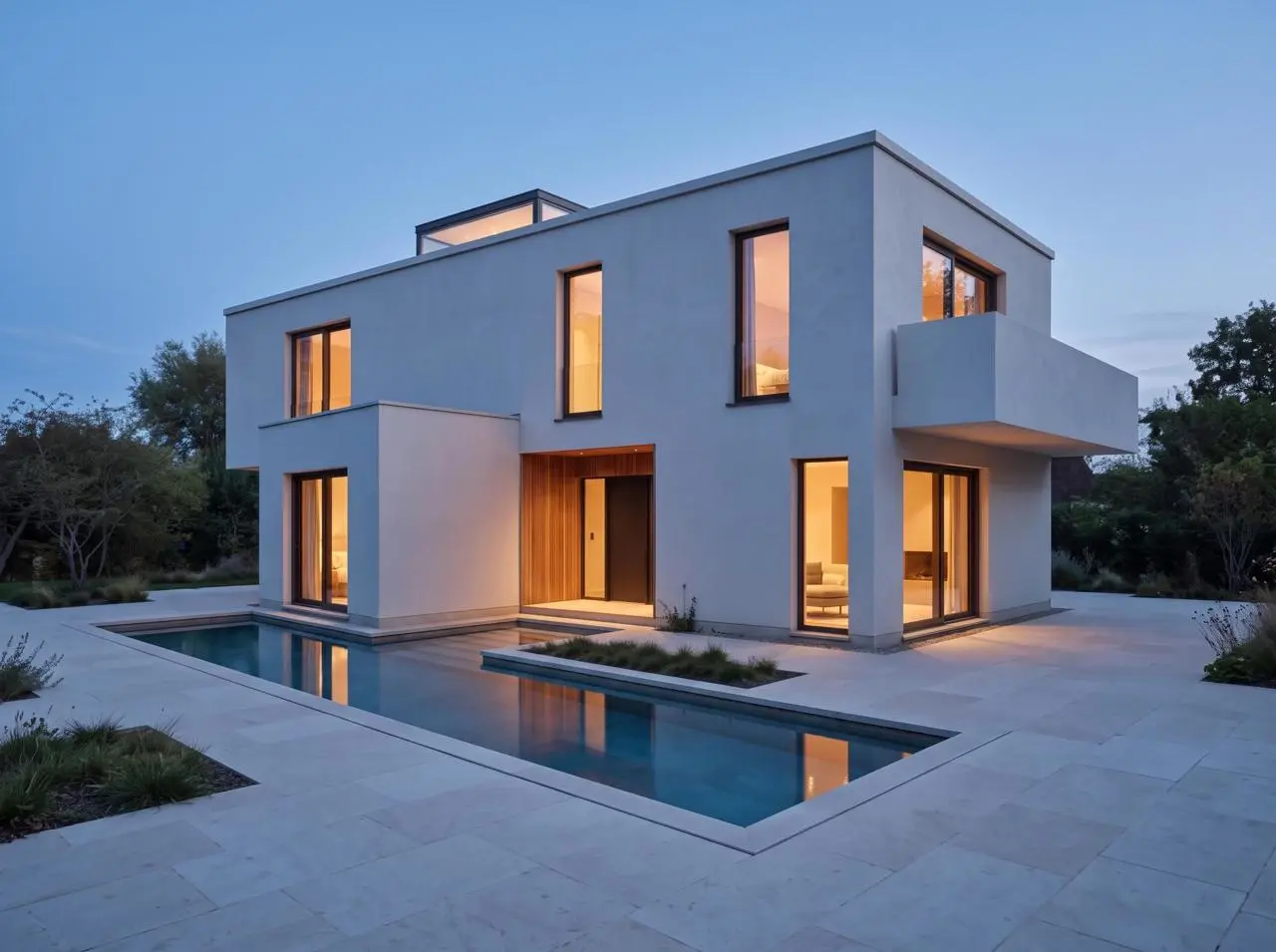
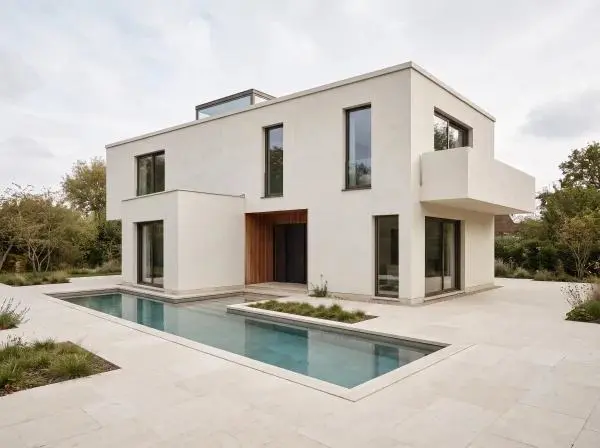
WeShop 結果:窗戶亮燈的現代住宅周圍……
參考素材 1

保留場景,改變光線

編輯指令同時寫明新光線條件和應保持的場景細節。本例:“Edit only the lighting and time of day in the uploaded architectural render.”

Edit only the lighting and time of day in the uploaded architectural render. Change the soft overcast daylight to calm blue hour just after sunset, with a deep blue sky, warm 3000K interior light visible through the existing windows, and subtle warm reflections on the existing pool. Preserve the camera, crop, lens perspective, house massing, flat roof, skylight, every window and door opening, recessed entrance, balcony, wall edges, pool footprint, paving, materials, planting, and all object positions exactly. Do not add, remove, move, resize, duplicate, or redesign any architectural element. No people, furniture, vehicles, text, logo, or watermark.
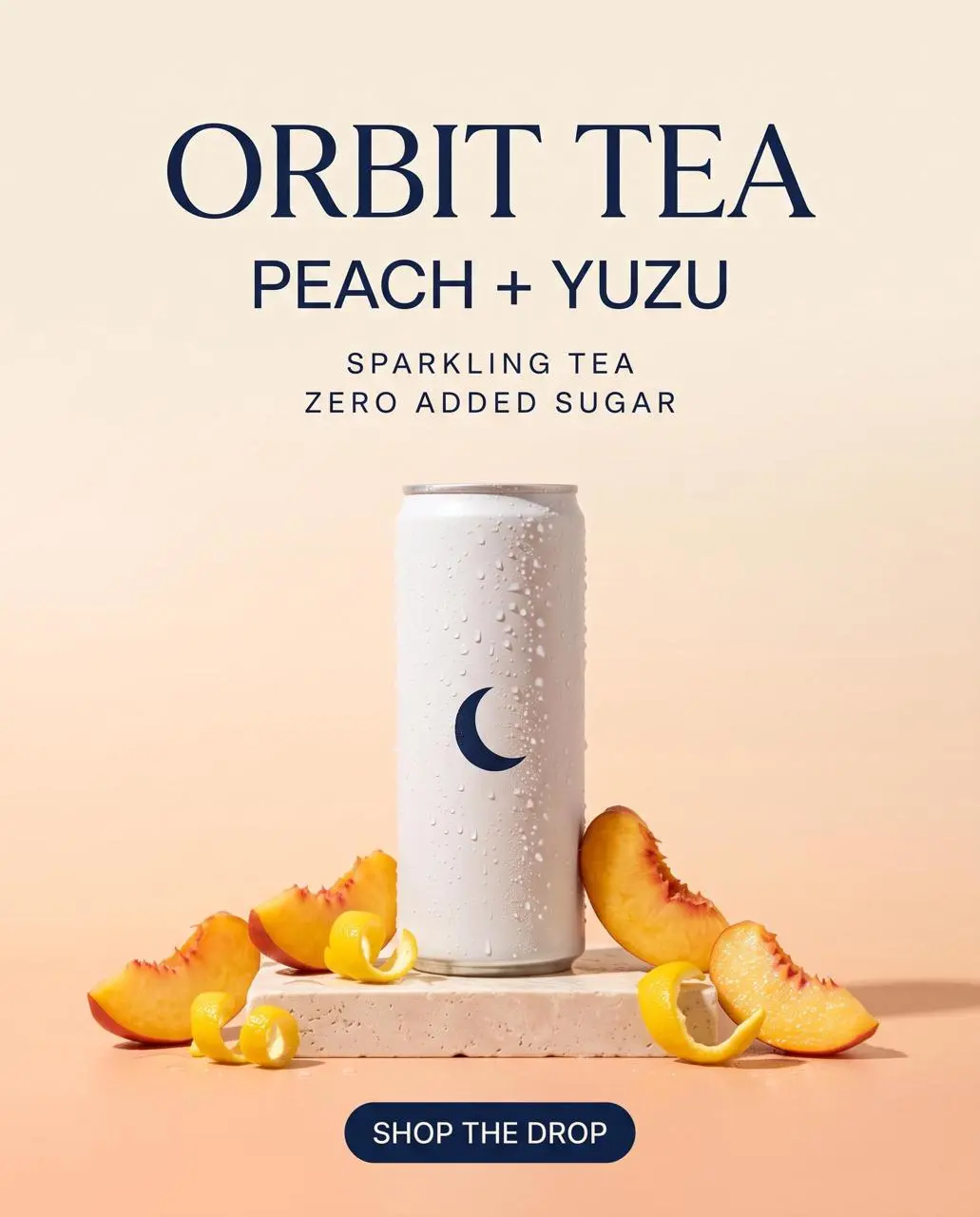
WeShop 結果:清爽的 Orbit Tea Peach + Yuzu 氣泡茶罐……

規劃文字與層級

寫明設計中的文字及其位置,使用前檢查生成文字。本例:“Create a premium vertical ecommerce launch poster for a fictional sparkling tea brand.”

Create a premium vertical ecommerce launch poster for a fictional sparkling tea brand. Hero product: one slim matte-white aluminum can with a simple navy crescent symbol, realistic condensation, peach slices and yuzu peel, on a pale stone pedestal. Warm peach-to-cream gradient background, soft studio shadows, refined editorial layout, photoreal product lighting, generous negative space. Render exactly these five text lines, spelled exactly as written: ORBIT TEA; PEACH + YUZU; SPARKLING TEA; ZERO ADDED SUGAR; SHOP THE DROP. Keep ORBIT TEA as the largest headline, PEACH + YUZU directly below it, SPARKLING TEA and ZERO ADDED SUGAR as small but clearly legible supporting lines, and SHOP THE DROP as a compact button-style callout. Do not add, duplicate, alter, or misspell any text. No people, no hands, no extra cans, no third-party logos, no watermark.
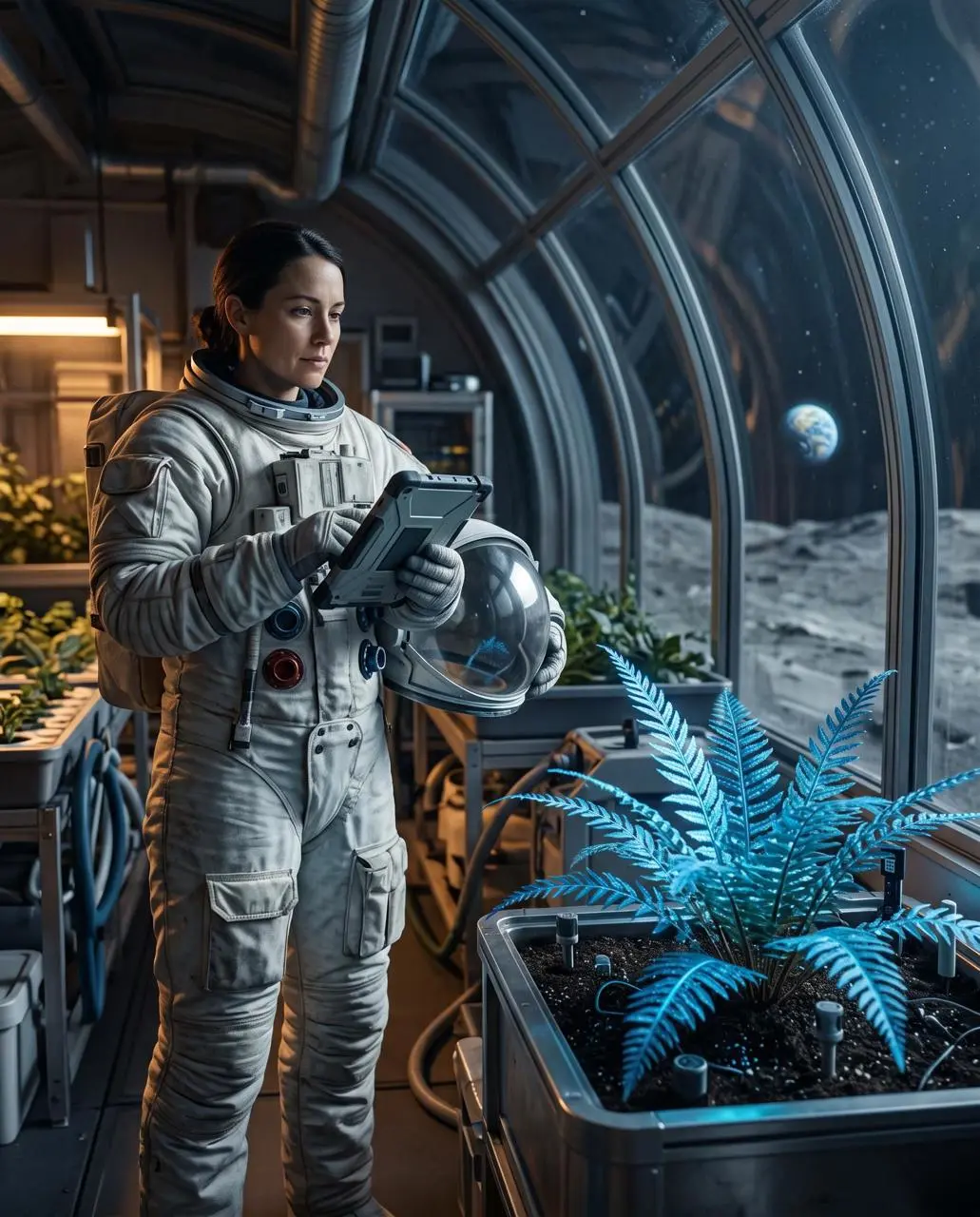
WeShop 結果:身穿宇航服的女子在室內照料植物……

安排前景與背景

太空人與植物學家的描述將清晰的藍色蕨類放在前景,月球景觀放在曲面玻璃外。按這些位置檢查縱深與取景;這是空間構圖指令,不只是材質描述。

Create a finished 4:5 environmental portrait of one botanist-astronaut cataloging a luminous blue fern inside a lunar greenhouse at night. The person stands in the left third, seen from knees up, wearing a practical white exploration suit with a clear helmet held under one arm. The fern is the sharp foreground subject on the right, while curved glass walls reveal the gray lunar surface and a small Earth low on the horizon. Shoot at eye level with a 50mm lens and moderate depth of field. Use cool moonlight from the right, soft amber work lights from the left, realistic skin and fabric texture, restrained blue-and-amber color grading, and a quiet documentary mood. No extra people, no flags, no readable labels, no fantasy magic particles, no logos, no watermark.
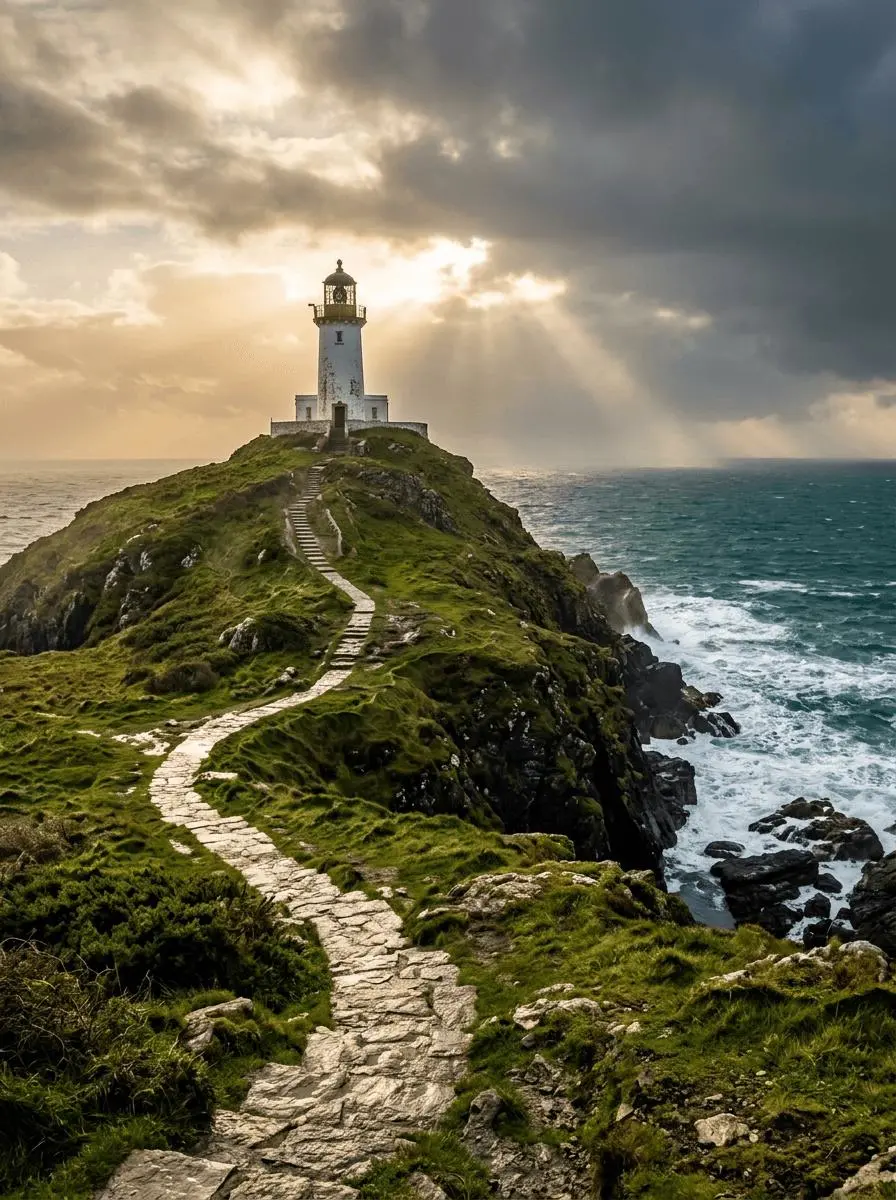
WeShop 結果:風暴後的燈塔

把光線與色彩放入具體場景

將可見光線或色彩安排寫入構圖。本例:“Golden sunlight breaks through layered clouds, waves foam against dark rocks.”

A solitary white lighthouse on a rugged green headland above a deep teal sea just after a storm. A winding stone path leads from the bottom foreground to the lighthouse in the upper third. Golden sunlight breaks through layered clouds, waves foam against dark rocks. Photorealistic landscape photography, vertical 3:4 composition, no people, no lettering, no border or watermark.

使用方法

創建第一張 Nano Banana 2.1 圖片

先選擇 Nano Banana 2.1,再按下述輸入路徑操作;提交前檢查可用設置與點數。

提供此模型所需的輸入

選擇2.1,描述最終構圖前先分配各參考圖片角色。信息圖要提供實際標籤與閱讀順序。

檢查可用設定與積分

尺寸標籤:1K、2K、4K。寬高比:auto、1:1、2:3、3:2、4:3、3:4、4:5、5:4、16:9、9:16、21:9、1:4、4:1、1:8、8:1。這些是可選設置,不保證固定像素尺寸或文件格式。實際尺寸以原始輸出為準;提交前檢查顯示的點數與方案模型權限。

開啟並檢查結果

將人物、服裝與新環境分開檢查,校對信息圖文字及分格順序。分鏡請求須檢查所有格,不能只看第一格。

模型選擇

哪個 Nano 版本適合你的任務?

Google 將2.1描述為 Nano Banana 2 的更新,改進文字、佈局及多輪一致性。按官方說明的定位與2、Pro 比較,不臆造不同的底層 Gemini 版本或實測排名。官方定位、WeShop 目錄配置與當前選中表單分開看待;本頁不提供實測畫質或速度排名。

比較維度Nano BananaNano Banana ProNano Banana 2Nano Banana 2.1
模型定位原版 Gemini 2.5 Flash Image 影像創作與編輯Gemini 3 Pro Image,側重細緻設計與創作控制Gemini 3.1 Flash Image,側重高效創作與編輯Nano Banana 2.1 更新,側重版式與視覺連續性
頁面列出的輸入從參考照片開始;從文字描述創作創作新設計;使用參考主體從參考照片開始;從文字描述創作從參考照片開始;從文字描述創作
WeShop 當前選項寬高比:auto、1:1、2:3、3:2、4:3、3:4、4:5、5:4、16:9、9:16、21:9影像尺寸選項:1K、2K、4K影像尺寸選項:1K、2K、4K影像尺寸選項:1K、2K、4K
模型定位
Nano Banana
原版 Gemini 2.5 Flash Image 影像創作與編輯
Nano Banana Pro
Gemini 3 Pro Image,側重細緻設計與創作控制
Nano Banana 2
Gemini 3.1 Flash Image,側重高效創作與編輯
Nano Banana 2.1
Nano Banana 2.1 更新,側重版式與視覺連續性
頁面列出的輸入
Nano Banana
從參考照片開始;從文字描述創作
Nano Banana Pro
創作新設計;使用參考主體
Nano Banana 2
從參考照片開始;從文字描述創作
Nano Banana 2.1
從參考照片開始;從文字描述創作
WeShop 當前選項
Nano Banana
寬高比:auto、1:1、2:3、3:2、4:3、3:4、4:5、5:4、16:9、9:16、21:9
Nano Banana Pro
影像尺寸選項:1K、2K、4K
Nano Banana 2
影像尺寸選項:1K、2K、4K
Nano Banana 2.1
影像尺寸選項:1K、2K、4K

什麼時候考慮 Nano Banana 2.1?

按任務選擇模型

需要官方說明所述的文字、佈局和角色連續性更新時,可考慮2.1。與 Nano Banana 2 或 Pro 比較時,應保持選中正確版本。

更多影像模型

探索更多影像模型

開啟相關模型頁面,檢視其能力、案例和當前生成選項。

常見問題

Nano Banana 2.1 常見問題

關於此版本、輸入要求與開始使用的常見問題。

Nano Banana 2.1 是什麼?

Nano Banana 2.1 是 Google 對 Nano Banana 2 的影像生成與對話式編輯更新,官方說明指出其改進文字呈現、佈局準確性及多輪角色一致性。

Nano Banana 2.1 適合做什麼?

2.1更新適用於文字較多的佈局與參考引導的圖片任務。多參考人像和流程信息圖展示不同任務;單張結果不證明官方所述的多輪一致性改進貫穿整段對話。

Nano Banana 2.1 需要什麼輸入?

新設計輸入文字,編輯則上傳人物、服裝、環境或商品參考圖片。明確各圖角色;本頁綁定2.1,而非2或 Pro 選項。

有哪些尺寸與寬高比設定?

尺寸標籤:1K、2K、4K。寬高比:auto、1:1、2:3、3:2、4:3、3:4、4:5、5:4、16:9、9:16、21:9、1:4、4:1、1:8、8:1。這些是可選設置,不保證固定像素尺寸或文件格式,實際尺寸以原始輸出為準。

Nano Banana 2.1 提示詞應該怎麼寫?

提示詞以上傳的角色陣容圖為參考,要求3×2分鏡佈局。Nimbus 的黃色圍巾等明確特徵幫助在分格中識別角色。請檢查所有格;一張分鏡圖不證明跨獨立對話輪次的一致性。請結合指南中的完整實際提示詞與輸入,再改成適合自己任務的請求。

Nano Banana 2.1 與相關模型有什麼區別?

Google 將2.1描述為 Nano Banana 2 的更新,改進文字、佈局及多輪一致性。按官方說明的定位與2、Pro 比較,不臆造不同的底層 Gemini 版本或實測排名。

Nano Banana 2.1 免費嗎,怎麼計費?

請在 WeShop 當前的定價頁核對套餐中的模型權限和額度,並檢視生成器按所選設定與數量顯示的積分預估。本頁不提供固定單次價格,也不將其他廠商的訂閱額度套用到 WeShop。

結果中需要注意哪些限制?

Nano Banana 2.1 與 Nano Banana 2、Pro 分開。Google 的 grounding 和 Thinking 工具尚未證實是此 WeShop 頁面的可用控制項。將人物、服裝與新環境分開檢查,校對信息圖文字及分格順序。分鏡請求須檢查所有格,不能只看第一格。

從這些案例可以學到什麼?

已保存的 Nano Banana 2.1 案例展示人物、服裝與環境參考組合、玻璃球雜誌風格靜物、雨水到水龍頭流程信息圖。請對照實際提示詞與已有輸入檢查;單個案例只體現一次請求,不保證效果,也不構成成功率基準。