












MiniMax H3 Prompt Guide: Formula, Storyboards, Templates, and Common Mistakes
Learn how to write MiniMax H3 prompts for multimodal references, image-to-video, text-to-video, storyboards, dialogue, sound, and on-screen text.
An effective AI video prompt does not need dozens of adjectives or the format of a professional screenplay. It needs to answer three practical questions:
- What role does each reference asset play?
- What is the central idea of the video?
- How should the visuals and sound develop over time?
When working with text, images, video, and audio references in MiniMax H3, you can organize these instructions with a simple formula:
Complete prompt = Reference asset instructions + Core concept + Visual sequence
For projects that require stronger continuity, product fidelity, or complex camera work, add a final section for consistency requirements and exclusions.
Part 1: Define the Role of Every Reference Asset
When you upload reference files, first explain what each asset should control. Do not assume the model will automatically identify the intended relationship between them.
Common reference roles include:
- Character reference: Defines the face, hairstyle, clothing, and overall appearance.
- Object reference: Defines a product or prop.
- Scene reference: Defines the environment, spatial layout, and lighting.
- First or last frame: Establishes how the video should begin or end.
- Style reference: Guides color, texture, and visual language.
- Composition reference: Guides subject placement and visual relationships.
- Motion reference: Provides movement for a person or object.
- Camera reference: Provides a camera movement pattern.
- Voice reference: Guides a character’s voice.
- Audio reuse: Uses all or part of an uploaded audio track.
- Video editing reference: Identifies elements to add, remove, or modify in an existing video.
A reference block might look like this:
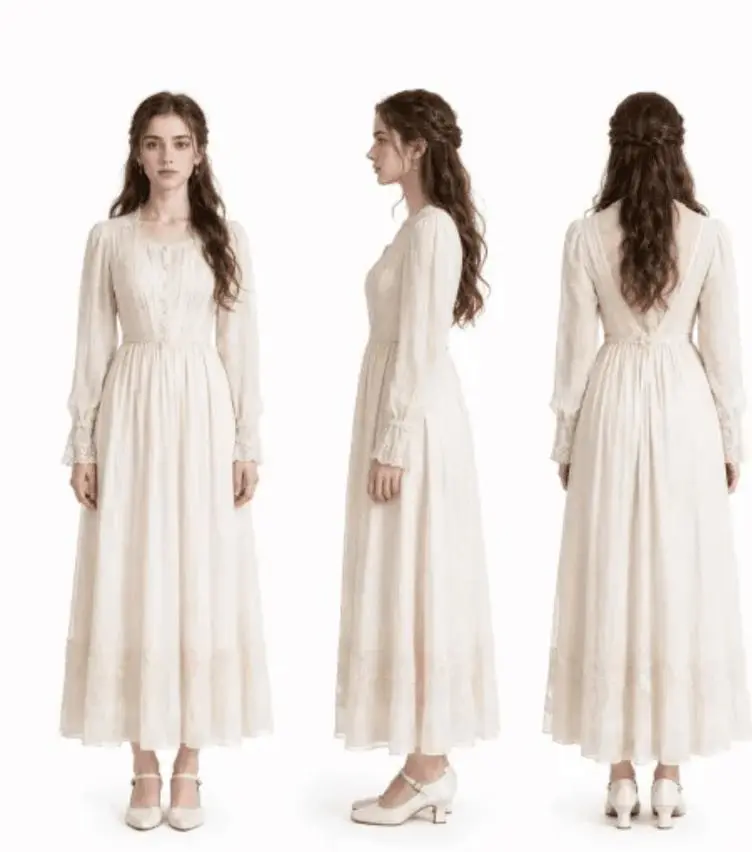
@Image1 provides the heroine’s face, hairstyle, and outfit.
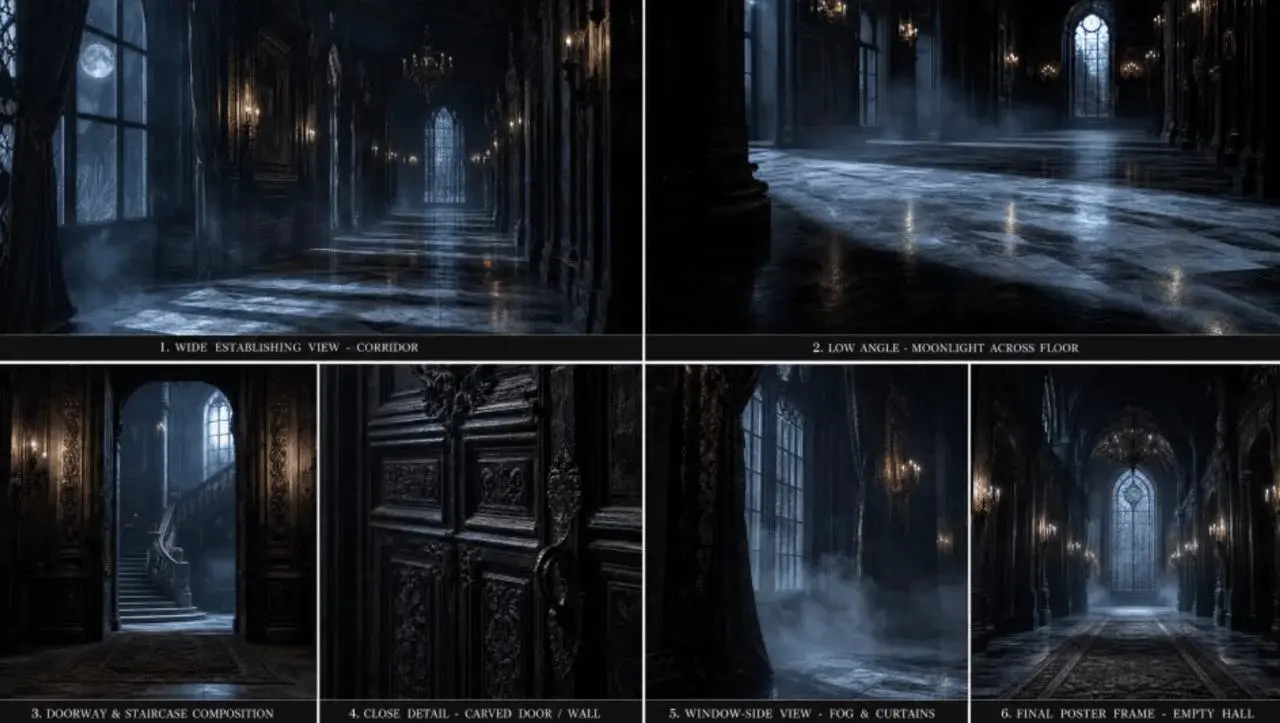
@Image2 provides the dark castle and early-morning backlight.
@Video1 provides the dance movement.
@Audio1 provides the musical rhythm and overall mood.
If a feature must remain consistent, state that requirement directly:
Keep the character’s facial features, silver hairstyle, and white embroidered outfit from @Image1 consistent.
Part 2: Define the Core Video Concept
The core concept should summarize the entire video in one sentence. Include at least:
- Subject: Who or what appears.
- Location: Where the scene takes place.
- Event: What the subject does.
- Format and style: Advertisement, film, animation, documentary, or another treatment.
- Camera rule: One continuous shot, fast cuts, aerial footage, or another method.
For example:
A young woman whose appearance follows @Image1 performs the sword-dance movement from @Video1
in the cherry blossom courtyard from @Image2. Use a realistic cinematic Chinese period style
and present the sequence as one continuous shot.
Keep this statement concise. If the core idea contains several unrelated characters, locations, or storylines, detailed shot instructions may still struggle to keep the result coherent.
Part 3: Describe the Visual Sequence
You can structure the visual sequence by time range or shot. Each segment should explain the elements that matter:
- Shot size;
- Subject and action;
- Camera movement;
- Dialogue or voice-over;
- Ambient sound, music, and key sound effects;
- Required on-screen text;
- Elements that should not appear.
For example:
0–3 seconds: Wide shot. The woman enters the cherry blossom courtyard from the left.
The background is softly out of focus. Use only footsteps and leaves moving in the wind.
No dialogue.

3–8 seconds: Cut to a medium shot. She draws the sword and takes her opening stance,
following the movement in @Video1. The camera slowly pushes forward as cherry blossoms fall.

8–12 seconds: Close-up. The sword flashes, the movement slows, and the blade pushes
the falling petals to both sides.

12–15 seconds: Return to a wide shot. She finishes the sequence, lowers the sword,
and looks toward the camera.
Non-diegetic music: N/A. Do not add background music.
This structure creates a clear relationship between action, camera movement, and sound. It also makes individual shots easier to revise.
How to Write MiniMax H3 Prompts for Three Generation Modes
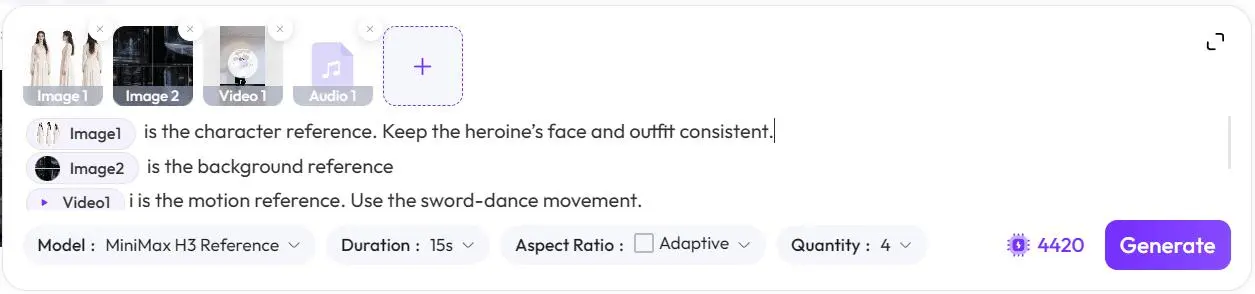
1. Multimodal Reference Generation
When you upload character, motion, scene, and audio references together, assign a clear responsibility to every file.
@Image1 is the character reference. Keep the heroine’s face and outfit consistent.
@Image2 is the background reference
@Video1 is the motion reference. Use the sword-dance movement.
@Audio1 is the music and emotional reference.
Show the heroine performing the referenced movement in an early-morning dark castle .
Time the cuts to the major beats in the music.
Avoid uploading a reference without explaining how it should be used. A video may contain movement, camera motion, editing, and sound at the same time, so identify which elements matter to the result.
|
|
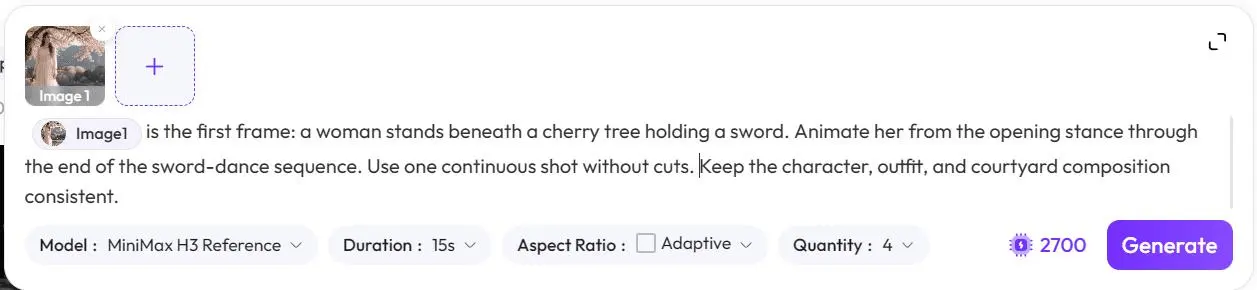
2. Image-to-Video Prompts
When using one image, explain whether it is the first frame, a character reference, or a general visual reference. When using two images, define the relationship between the starting and ending frames.
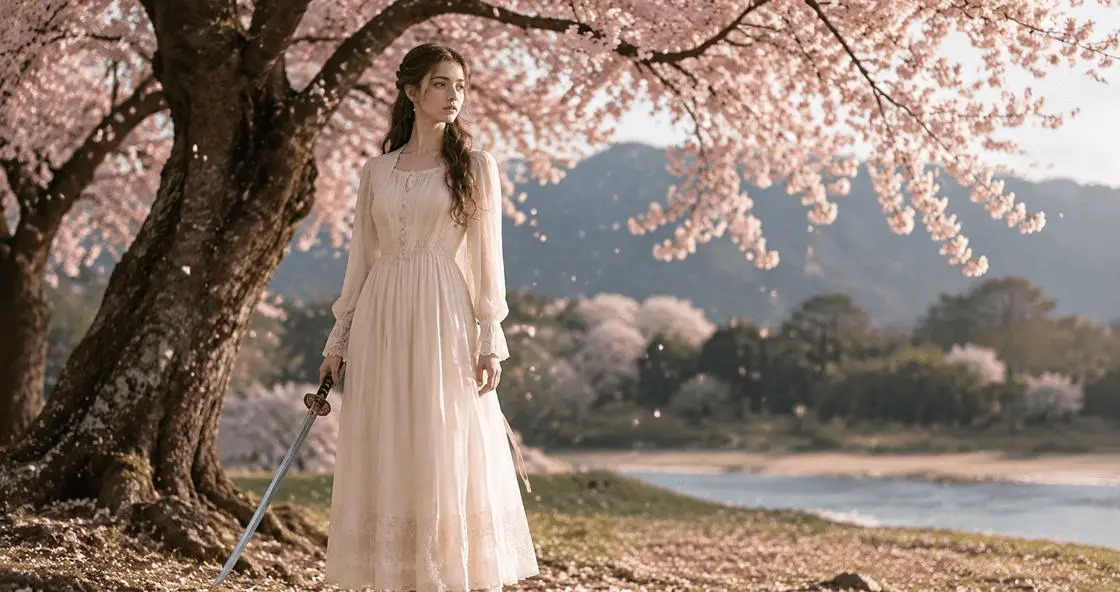
@Image1 is the first frame: a woman stands beneath a cherry tree holding a sword.
Animate her from the opening stance through the end of the sword-dance sequence.
Use one continuous shot without cuts.
Keep the character, outfit, and courtyard composition consistent.
A first-and-last-frame workflow mainly needs instructions for the motion, lighting, and sound that connect the two frames. If you want additional cuts, request them explicitly.
|
3. Text-to-Video Prompts
Without reference assets, describe the subject, setting, action, visual style, camera, and sound in greater detail.
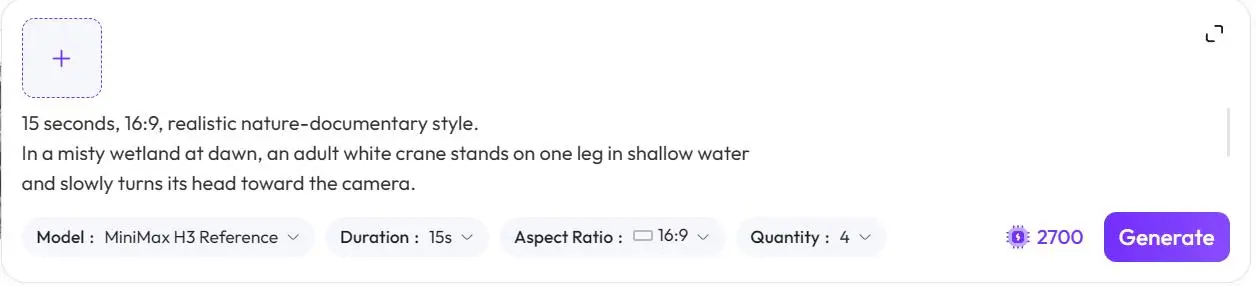
15 seconds, 16:9, realistic nature-documentary style.
In a misty wetland at dawn, an adult white crane stands on one leg in shallow water
and slowly turns its head toward the camera.
Soft backlight passes through the mist, and small ripples move across the water.
The camera slowly pushes from an extreme wide shot to a medium shot without cutting.
Use only wind, water, and distant bird calls. Do not add background music.
Compared with “generate a crane standing in water,” this version defines the duration, aspect ratio, subject, environment, lighting, movement, camera direction, and sound.
How Should You Break Down the Shots?
Use Cut Points Instead of Adding a New Action Every Second
MiniMax H3 prompts can be organized around shots and cut points. Within each shot, keep one primary action. After a cut, restate the subject, shot size, and spatial relationship when necessary.
You do not need to introduce a different action every second. Overly dense instructions can conflict with one another and obscure the main event.
Match Dialogue Length to Shot Duration
A three-second shot cannot naturally contain a long spoken line. Read the dialogue aloud and estimate its duration before assigning it to a shot.
For dialogue that crosses a cut, describe a J-cut or L-cut:
- J-cut: Audio from the next shot begins before the visual cut.
- L-cut: Audio from the previous shot continues after the image changes.
Example:
Shot 1: A voice off-screen says, “Wake up, wake up.”

Shot 2: Cut to a close-up of a middle-aged woman. She is the speaker from the previous shot
and continues, “It’s time to go to school.”
Do Not Mix a Continuous Shot with a Multi-Shot Structure
If you request one continuous shot, describe movement within one continuous space. Do not also request multiple shots, hard cuts, or sudden jumps between locations.
If the video requires multiple scenes, remove the continuous-shot instruction and define each cut clearly.
How to Control Sound and On-Screen Text
Separate Different Types of Sound
Treat sound as several distinct layers:
- Character dialogue;
- Voice-over;
- Ambient sound;
- Action sound effects;
- Non-diegetic music.
If you do not want background music, write:
Non-diegetic music: N/A.
Do not add background music.
Avoid asking the model to reuse music while also requesting no background music. If you want to preserve ambient sound but remove music, distinguish between the two.
Write the Exact On-Screen Text
If the video needs a title, logo, slogan, or button, include the exact wording:
The title on the phone screen reads: “AI Video Creation.”
The button text reads: “Start Now.”
You can also control the position, frequency, and animation:
Show the title once in the center of the frame.
Fade it in, hold it for two seconds, and do not repeat it.
Always inspect generated text, logos, and interface elements manually. AI-generated video may misspell, distort, duplicate, or alter these details.
Replace Metaphors with Visible Actions
“Loneliness rises like the tide” expresses an emotion, but it does not define a visible scene.
Translate the feeling into actions, composition, lighting, space, and sound:
A person stands alone in the center of an empty railway platform.
The camera slowly pulls back. The lights of a departing train disappear in the distance,
leaving only rain and the echo of a station announcement.
Concrete visual instructions generally provide more control than abstract emotional language.
Common MiniMax H3 Prompt Mistakes and How to Fix Them
| Common mistake | Recommended fix |
|---|---|
| Writing everything as one large paragraph | Separate reference assets, core concept, and shot sequence |
| Uploading assets without defining their purpose | Assign each file a character, motion, scene, composition, or sound role |
| Including contradictory instructions | Remove conflicting camera, sound, or style requirements |
| Requesting one continuous shot and multiple cuts | Rewrite the sequence as continuous movement or remove the continuous-shot rule |
| Expecting the same face without a reference image | Upload a character image and identify the features to preserve |
| Making a text-to-video prompt too short | Add subject, setting, action, camera, lighting, and sound |
| Using only abstract style language | Convert it into visible color, texture, lighting, and composition |
| Fitting too much dialogue into a short shot | Shorten the line or increase the shot duration |
| Asking to preserve and remove music at the same time | Separate ambient sound, effects, and non-diegetic music |
| Giving several references overlapping responsibilities | Define the primary role of each asset |
Copyable MiniMax H3 Prompt Template
[REFERENCE ASSET INSTRUCTIONS]
@Image1: Character reference. Keep ________ consistent.
@Image2: Product/scene reference. Keep ________ consistent.
@Video1: Motion/camera/editing reference. Use ________.
@Audio1: Voice/music/rhythm reference. Use ________.

[CORE CONCEPT]
Duration: ____ seconds. Aspect ratio: ____.
Subject ________ performs ________ in ________.
Use a ________ visual style and a ________ camera rule.

[VISUAL SEQUENCE]
0–__ seconds: Shot size ________; visual ________; action ________;
camera movement ________; sound ________.

__–__ seconds: Shot size ________; visual ________; action ________;
camera movement ________; sound ________.

__–__ seconds: Shot size ________; visual ________; action ________;
camera movement ________; sound ________.

[TEXT AND SOUND]
Required on-screen text: “________.”
Character ________ says: “________.”
Ambient sound: ________.
Non-diegetic music: ________.

[CONSISTENCY REQUIREMENTS AND EXCLUSIONS]
Keep ________ consistent.
Do not include ________.
|
|
|
【REFERENCE MATERIAL GUIDELINES】
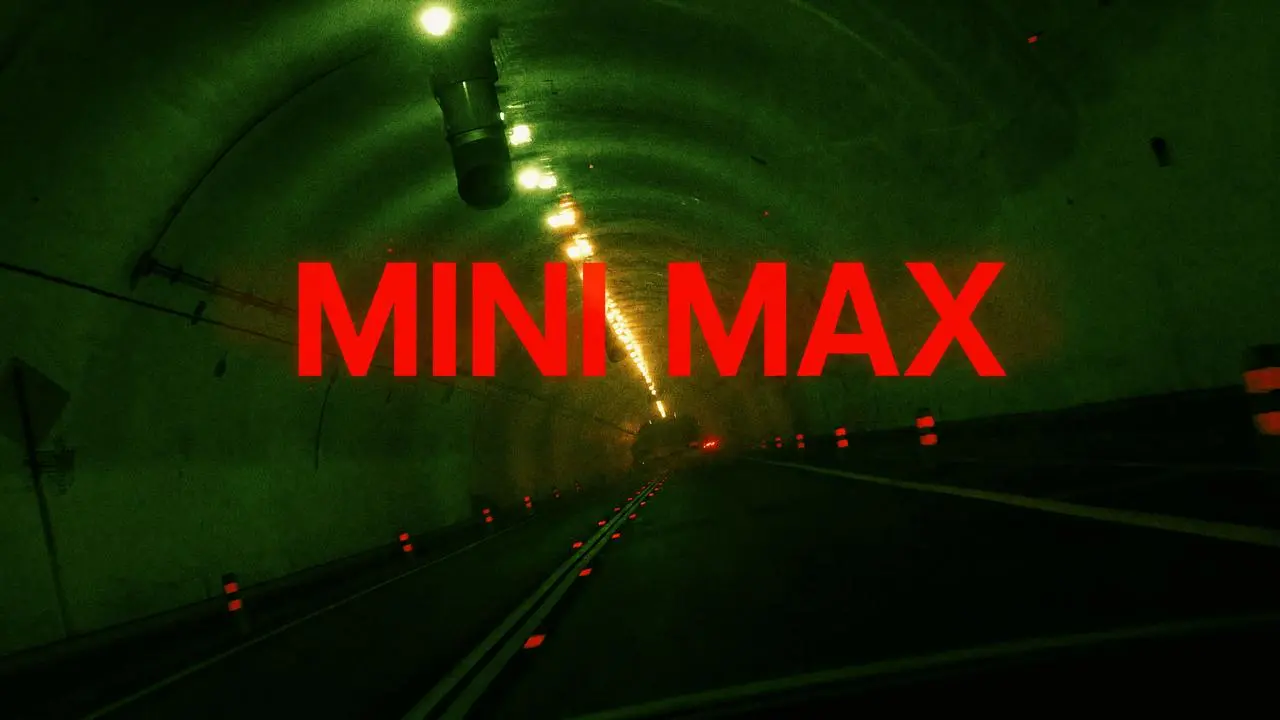
@Image 3: Scene visual style — streets / nighttime / underground spaces, claustrophobic compositions, environmental depth, film grain.
@Image 2: Typography and graphic packaging — font texture, graphic design, kinetic typography, strong motion-graphic impact.
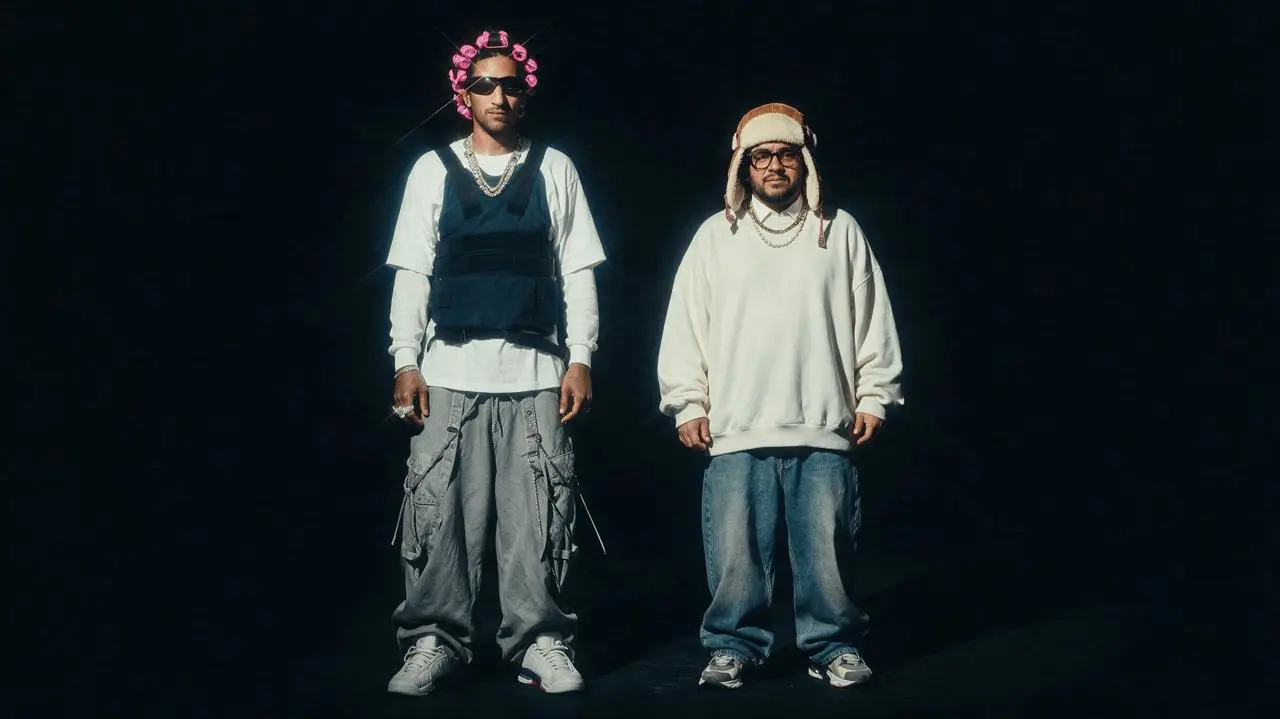
@Image 1: Character appearance — faces, hairstyles, clothing silhouettes, body proportions, attitude, and overall atmosphere.

Reference only the specified dimensions. Do not directly copy the reference images. Do not include real-world brands, logos, titles, or recognizable text from the original reference images.

【CORE CONCEPT】
A 10-second, 16:9 horizontal trap music video. Two fly detective brothers perform directly to camera, taking turns rapping across multiple tight underground locations. The entire video moves with the trap beat, using beat-synced hard cuts. High-contrast, print-poster-style English block typography slams onto the screen with each bass hit.

Overall aesthetic: underground music videotape + fashion magazine collage + high-fashion editorial quality, with a cold, controlled brother-duo performance.

【VISUAL SEQUENCE DESCRIPTION】

Shot 1 — Extreme Facial Close-Up / Claustrophobic Passageway

* Setting: Tight corridor or underground entrance, shot at close range, referencing @Image 3.
* Framing: Extreme close-up of the face — face / eyes / neck and shoulders / partial collar details.
* Character: Detective A looks directly into the camera and begins rapping, with a calm but razor-sharp expression.
* Typography: Huge bold English text, “TWO FLY,” pushes into the top and bottom of the frame without covering the eyes.
* Rhythm: On the 808 bass hit, “TWO FLY” instantly compresses vertically, then snaps back. During hi-hat rolls, the letter edges vibrate rapidly with fine fragmented motion. On the accented word “fly,” trigger a scan-line displacement/glitch.
* Hard cut.

Shot 2 — Medium Close-Up / Typography Wall Background

* Setting: A different wall or poster-covered wall at close range, visually distinct from Shot 1.
* Framing: Clearly pull back into a medium close-up / half-body composition.
* Character: Detective B raps directly to camera. His shoulders and head hit the hi-hat rhythm, with the body leaning slightly forward.
* Typography: Huge condensed English text, “CLUES,” sits behind the character, naturally occluded by the hair, shoulders, and clothing silhouette.
* Rhythm: The typography stretches vertically as if a poster is rising upright. On every snare, the text suddenly enlarges, shakes, and shifts with scan-line displacement.
* Hard cut.

Shot 3 — Hand Close-Up / Occlusion Transition

* Setting: Edge of a metal door / railing / garage wall / section of a low ceiling.
* Framing: Close-up focused on the hands, rings, cuffs, and clothing textures.
* Character: Detective A pushes a hand gesture toward the camera, as if passing over a clue. His face remains blurred or partially visible in the background.
* Typography: Vertical “BROTHERS” appears along one side of the foreground and is briefly occluded by the hand.
* Rhythm: On the phrase “move as one,” the typography stretches into one long vertical strip, then hard-cuts and reconstructs itself with the bass hit.
* Hard cut.

Shot 4 — Shoulder/Neck Close-Up to Facial Close-Up / Stairwell Corner

* Setting: Stairwell corner / shadowed doorway / low passageway.
* Framing: Start with a close-up of the shoulder, neck, collar, and clothing texture → suddenly push into a facial close-up on the snare.
* Character: Detective B turns his head and moves closer to the camera while continuing to rap.
* Typography: “AS ONE” bursts out like a fashion magazine headline, suddenly scaling up on the beat.
* Rhythm: During the push-in, the typography abruptly hard-cuts into a new layout. It must never cover the eyes.
* Hard cut.

Shot 5 — Half-Body Close-Up with Motion Echo / Garage or Concrete Background

* Setting: Garage-like space or concrete background.
* Framing: Half-body close-up of Detective A.
* Character: The primary layer has clear, accurately synchronized lip movement. A secondary layer creates a dynamic motion echo — photocopier-style displacement / frame delay — while keeping the face structurally intact and undistorted. His hand gesture sweeps horizontally across the lens.
* Typography: Vertical “CUT GOLD” flickers in the background with dropped-frame animation.
* Rhythm: On “CUT,” the frame is instantly sliced horizontally, triggering a white-flash hard cut. “GOLD” compresses into a heavy block of type, then suddenly rebounds.
* Hard cut.

Shot 6 — Two-Person Close-Up Split Screen / Color-Block Segmentation

* Setting: Underground entrance / wall / railing / doorframe, visually distinct from Shot 5.
* Framing: The image is divided into two or three color-block sections. Rapid hard cuts alternate between close-ups of both detectives’ faces and cropped half-body details.
* Character: The two detectives perform alternately on the left and right sides.
* Typography: Bold central text appears: “CASE COMPLETE.”
* Rhythm: The composition reconstructs itself through hard cuts on each 808 bass hit. Letters flatten first, then instantly stretch. During hi-hat rolls, typography fragments jump rapidly. On the final accent, trigger scan displacement combined with a torn-paper-style vibration.
* Hard cut.

Final — Multi-Location Close-Up Performance Montage

* Settings: Rapid alternation between a facial close-up in a narrow corridor, medium close-up against a wall, hand close-up, shoulder/neck close-up at a stairwell corner, cropped half-body shot in a garage environment, and a two-person close-up in a shadowed doorway.
* Framing: No full-body shots and no wide group shots. Use only close-ups, medium close-ups, facial close-ups, hand close-ups, shoulder/neck close-ups, and half-body shots.
* Characters: The two detectives alternate rapping directly to camera. Lip movement, jaw motion, breathing, eyebrows/eyes, and hand gestures must precisely synchronize with the vocals, snares, hi-hat rolls, and bass hits.
* Typography: Final hero text, “CASE CLOSED,” slams massively into the frame.
* Rhythm: Every bass hit triggers either a location hard cut or an abrupt framing change. Every snare triggers a typography slam or layer displacement. On the final beat, all fragments from the different scenes freeze simultaneously, followed by a hard cut to black.

【ADDITIONAL OVERALL REQUIREMENTS】

▍VISUAL STYLE — THROUGHOUT THE VIDEO

* Heavy grain, subtle film jitter, photocopy-paper texture, halftone dots, rough printed edges, scan displacement, dropped-frame motion echoes, and high-speed layer misregistration.
* Extremely fast editing. Use only hard cuts, jump cuts, beat cuts, occlusion cuts, white-flash hard cuts, and typography-driven hard cuts.
* No fades, no dissolves, and no soft transitions.

▍TYPOGRAPHY / GRAPHIC PACKAGING — THROUGHOUT THE VIDEO

* Typography must function as an integrated part of the image with believable spatial layering.
* Text may exist in the foreground, midground, or background relative to the characters.
* Characters may occlude the typography, and typography may overlap parts of the characters, but it must never cover the eyes or key facial expressions.
* Typography must react to vocal accents, snares, hi-hat rolls, and 808 bass hits through appearance, vibration, stretching, compression, displacement, tearing, and hard-cut reconstruction.
* Style: Heavy condensed sans-serif, huge English block lettering, vertical stretching, horizontal compression, vertically arranged English text, curved headlines, high-contrast black / white / red, photocopy-paper grain, halftone dots, distressed printing, scan displacement, and zine-collage aesthetics.
* Keep the amount of typography restrained: only one primary text element per shot, with at most a small amount of numbering. No dense small text and no logos.

▍RHYTHM RULES — THROUGHOUT THE VIDEO

* Hi-hat roll → rapid micro-vibrations, dropped frames, fragmented typography reconstruction.
* Snare → typography suddenly enlarges, frame hard-cuts, character’s shoulders hit downward.
* 808 bass hit → low-frequency screen compression, brief image deformation, typography stretches vertically or compresses horizontally.
* Vocal keywords → synchronized lip movement, jaw motion, head nods, and forward hand gestures.
* Character movement, typography animation, location changes, and framing changes must all hit the beat together.

▍LOCATION SWITCHING — THROUGHOUT THE VIDEO

* Rapid hard cuts between multiple close-range environments.
* All locations should maintain the overall atmosphere of @Image 3, while each shot must use a clearly distinct space: narrow corridor, close wall, shadowed doorway, metal/concrete background, edge lighting, poster wall, stairwell corner, low ceiling, garage-like space, underground entrance.
* No large establishing shots or complex large-scale scenes.
* Every location change must be triggered by a bass hit, snare, vocal accent, or typography slam.

▍SHOT-SCALE SWITCHING — THROUGHOUT THE VIDEO

* Changes in shot scale must be highly noticeable: extreme facial close-up → medium close-up / half-body → hand close-up → shoulder/neck close-up → two-person close-up split screen → facial close-up → cropped half-body shot.
* Do not use the same shot scale consecutively.
* Every hard cut should create an obvious change in camera distance, character orientation, background space, and typography depth/layering.
* Camera motion may include subtle handheld movement, sudden push-ins, short lateral moves, rapid compression zooms, and close-range swaying.
* Do not turn the sequence into soft or slow-motion cinematography.

▍CHARACTER RULES — THROUGHOUT THE VIDEO

* Characters: Two fly detectives / brothers.
* Preserve the faces, hairstyles, clothing silhouettes, proportions, attitude, and overall atmosphere of the characters in @Image 1.
* Skin should look realistic and matte, clean and premium, with natural pores and subtle skin texture.
* No glossy, over-smoothed AI beauty-filter faces.
* The two brothers take turns rapping directly to camera with strong performance energy.

▍CHARACTER PERFORMANCE — THROUGHOUT THE VIDEO

* Vocal delivery: cold, aggressive, relaxed yet intimidating, with a tight, broken, heavily accented rhythmic flow.
* This is not static posing — they are actively performing.
* Clear lip-sync: lips, jaw, facial expressions, and breathing must follow the vocals.
* Beat-synced movements: head nods, shoulder drops, forward hand gestures, leaning forward, head turns, turning the body, moving closer to the camera, and pointing fingers directly toward the lens.

▍IMPORTANT RESTRICTIONS — THROUGHOUT THE VIDEO

* No full-body shots.
* No wide group shots.
* No complex crowd or ensemble scenes.
* Use only close-ups, medium close-ups, facial close-ups, hand close-ups, shoulder/neck close-ups, and half-body shots throughout the entire video.
* Show only the characters’ upper bodies, faces, gestures, clothing textures, expressions, lip synchronization, and typography/graphic packaging.
* There is no need to show complete bodies or feet.
* Do not include real-world brands, logos, titles, or recognizable original text from any reference image.
Conclusion
Writing a MiniMax H3 prompt means turning a creative idea into a clear production brief.
First, define the role of every reference asset. Next, summarize the video in one focused sentence. Finally, describe the shots, movement, sound, text, and constraints in a logical sequence. A concise prompt with a strong structure is usually easier to test and revise than a long list of adjectives.
You can apply this template on the MiniMax H3 tool page in WeShop AI, or begin from the main WeShop AI workspace. Check the current interface before setting duration, resolution, or reference-file requirements, because available options may change.