












MiniMax H3 Prompt: When Spaghetti Eats Will Smith
This case study shows how a MiniMax H3 prompt reverses the classic Will Smith spaghetti test and turns a surreal meme into a structured 10-second text-to-video story.
How a MiniMax H3 Prompt Flipped the Spaghetti Test
A MiniMax H3 prompt can control scale, camera movement, physical interaction, dialogue, and sound. This case reverses an old AI video joke: instead of Will Smith eating spaghetti, a spaghetti creature eats tiny Will Smiths in a cereal bowl.
For creators and marketing teams, the useful part is the structure. The same MiniMax H3 prompt method can guide a mascot sketch, product reveal, game teaser, or surreal ad. Commercial versions should use authorized people, voices, characters, and brands.
Why the Will Smith Spaghetti Test Still Matters
In March 2023, a Reddit creator used ModelScope with the prompt “Will Smith eating spaghetti.” Its unstable faces, melting hands, and broken food motion turned the clip into an informal test of AI video consistency.
The original 2023 ModelScope “Will Smith eating spaghetti” video.
Will Smith later recreated the joke in live action. This MiniMax H3 prompt avoids a predictable remake by reversing the relationship: the spaghetti becomes the eater.
What This MiniMax H3 Prompt Actually Produced
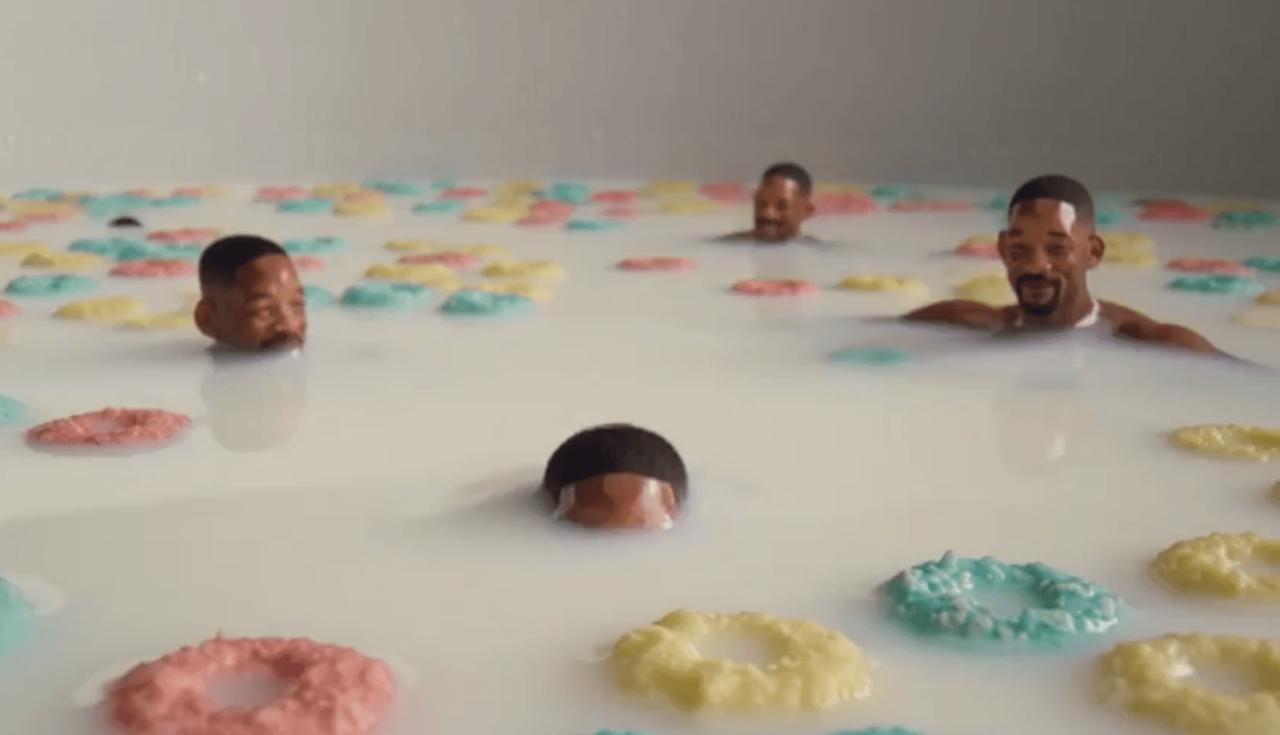
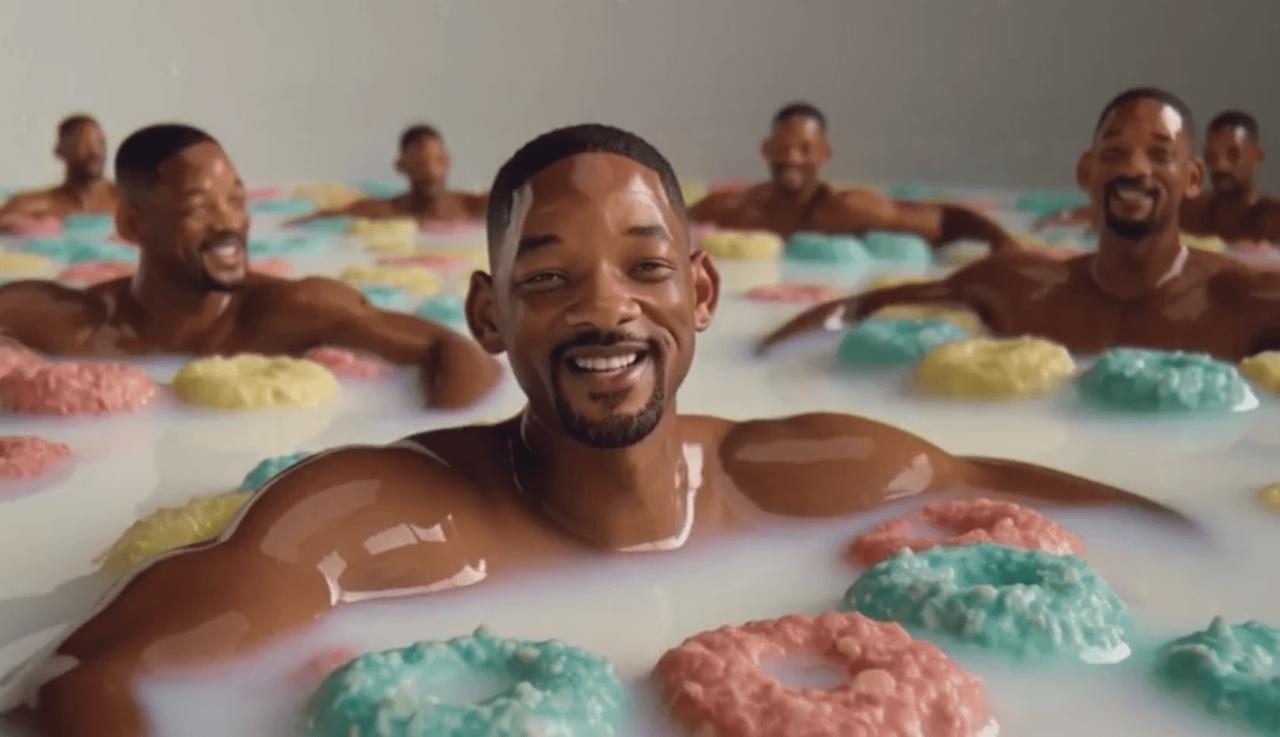
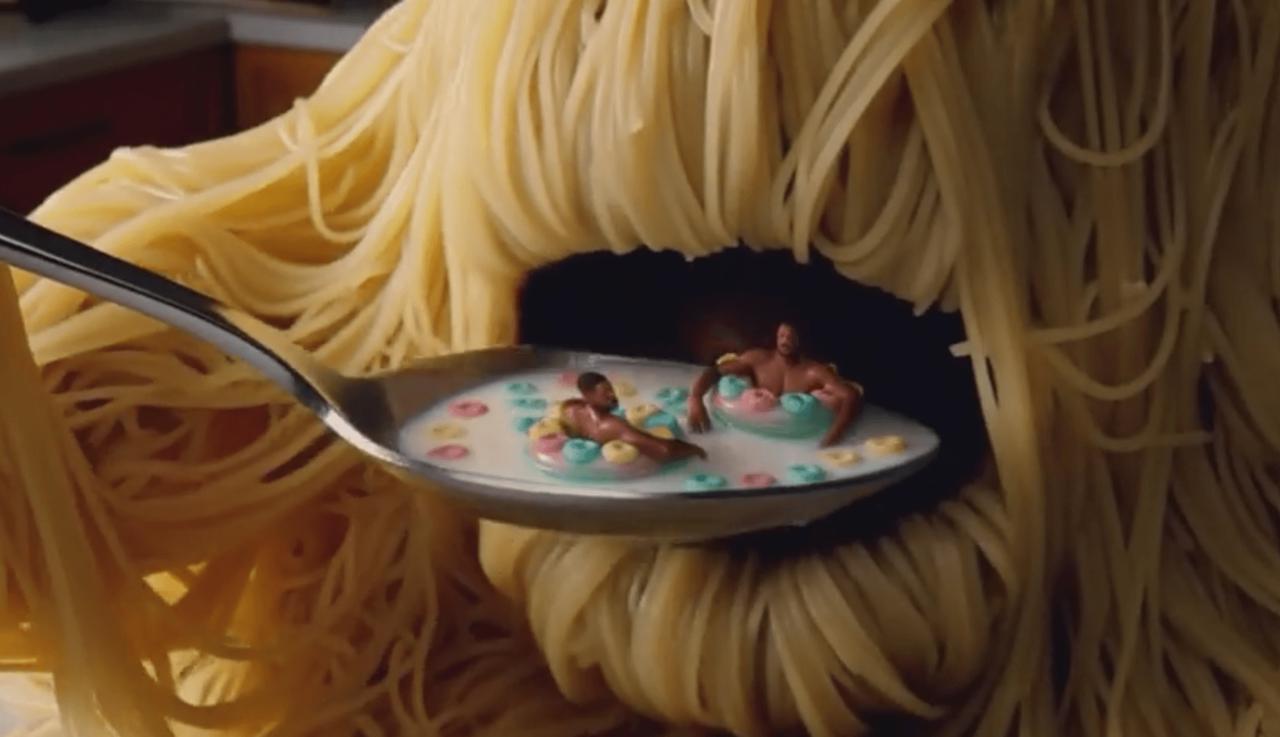
The ten-second case opens at milk level, where miniature figures relax among colorful cereal. A foreground character addresses the camera. Then a spoon collects two figures. The camera follows it upward, reveals a cooked-noodle creature, and ends at its mouth.
The MiniMax H3 reversal: spaghetti becomes the eater.
The sequence has a readable setup, disruption, reveal, and ending. This MiniMax H3 prompt uses text-to-video alone, with no starting image or motion reference.
Still, the figures sit in the milk instead of using cereal-ring tubes. Their scale is too large. The creature also becomes a noodle-covered head, while the tendril controlling the spoon remains unclear.
The story survives. The drift shows why a MiniMax H3 prompt is direction, not a contract.
|
|
|
| Setup · 1.5s | Character close-up · 4.8s | Reveal · 8.4s |
How the MiniMax H3 Prompt Controls a 10-Second Story
The prompt works because it separates production decisions.
1. Start With a Visual Contract
The MiniMax H3 prompt begins with style, lighting, camera language, and material. Its comedy direction sets the tone, while milk, ceramic, cereal, and food textures establish a physical world.
Define the medium, palette, surface quality, and mood first. Keep it short.
2. Define the Subject With Positive and Negative Rules
The creature rules request wet noodles, a shifting mass, and a mouth between strands. They also ban human anatomy.
The video still forms a face-like silhouette. Therefore, reserve negative rules for critical failures. Use an authorized reference when shape must stay exact.
3. Give Every Beat a Time Range
The MiniMax H3 prompt assigns three clear beats:
- 0–3.5 seconds: establish the miniature world and spoken line.
- 3.5–6 seconds: introduce the spoon and disturb the scene.
- 6–10 seconds: reveal the creature and complete the gag.
The same rhythm can structure a short ad as setup, interaction, and payoff.
4. Link Camera and Physics in a MiniMax H3 Prompt
The macro opening establishes scale. The tracking move keeps the figures visible as the spoon rises. Physics instructions cover displaced milk, floating cereal, dripping liquid, and noodle motion.
The clip simplifies some physics, but the action stays connected. In a MiniMax H3 prompt, describe each movement and its result: a spoon displaces liquid; a landing package creates impact and reaches a final position.
5. Plan the Audio Hierarchy
The prompt gives one line to the foreground character and stops the creature from speaking. It separates ambience, laughter, metal impact, dripping milk, and noodle movement.
Plan sound with the image, but keep the hierarchy simple: one voice, a few effects, and one music instruction.
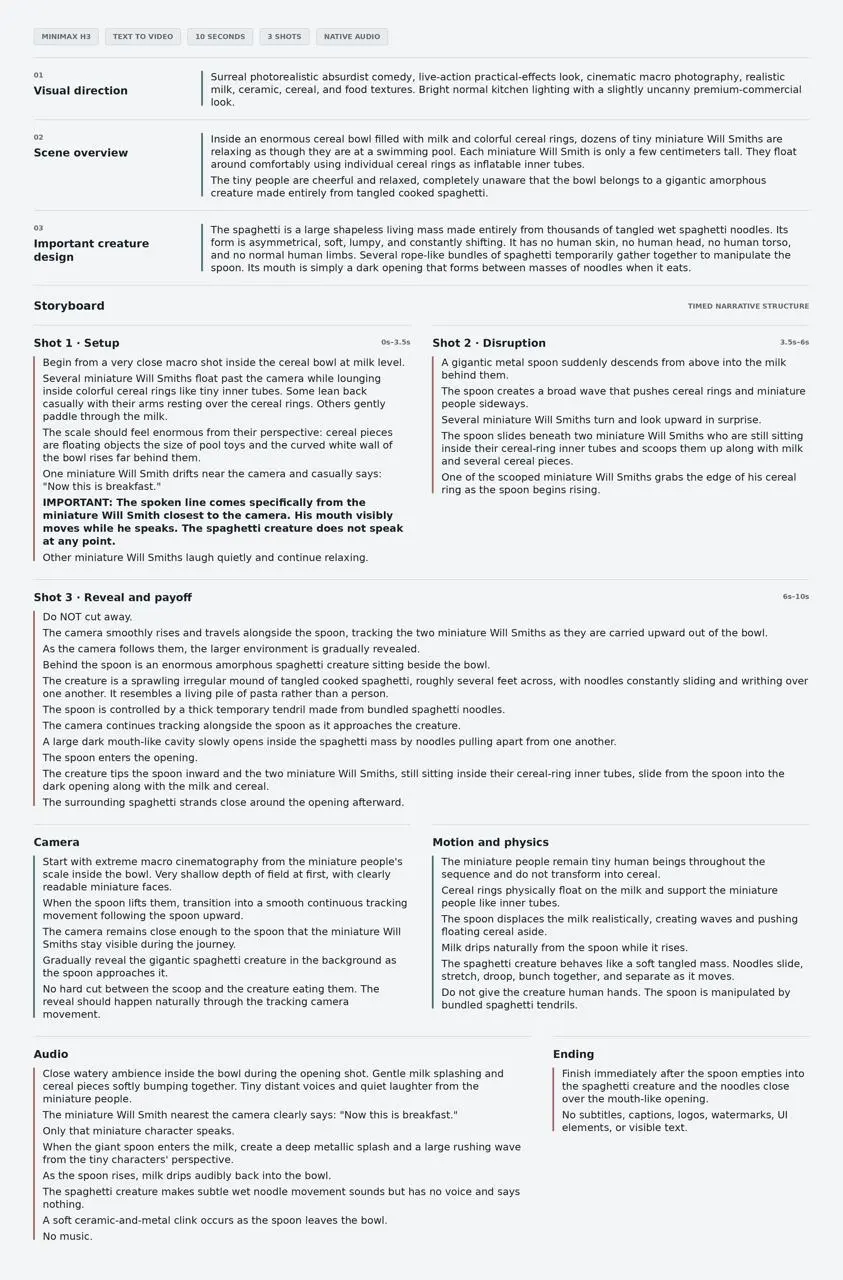
The complete prompt organized by visual direction, story beats, camera, physics, and audio.
A Reusable MiniMax H3 Prompt Workflow in WeShop
Start a MiniMax H3 text-to-video project in WeShop when the idea needs a new world. First choose the destination and framing, because website clips, Reels, and social ads need different safe areas.
Then build the MiniMax H3 prompt in layers:
Style and materials: [lighting, palette, surface detail]
Scene overview: [subject, environment, scale, surprise]
Subject rules: [must remain / must not appear]
Storyboard:
[0s–Xs] Setup
[Xs–Ys] Disruption
[Ys–end] Reveal and final state
Camera: [framing, movement, cuts, focus]
Motion and physics: [cause, reaction, weight, contact]
Audio: [speaker, dialogue, ambience, effects, music]
Ending: [exact final image and stop point]
MiniMax H3 Prompt Example: Where the River Becomes Her Dress
Here is an example video created with this template. The ten-second prompt separates the landscape, subject, silk movement, camera rise, water physics, and sound before bringing them together in one final aerial composition. The result begins with a woman standing on a tidal flat, then reveals how her pale-blue dress and the winding water channels become one continuous visual pattern.
Created with the reusable MiniMax H3 prompt template: the subject, dress, water, and landscape resolve into one aerial composition.
Generate one base version first. Watch it without pausing, then compare it with the MiniMax H3 prompt. Separate critical errors from harmless interpretation.
What to Review Before You Export
Check identity, faces, hands, scale, continuity, contact points, reflections, lip movement, sound timing, logos, and text. Here, missing cereal-ring tubes reduce fidelity, but the noodle head still delivers the reveal.
Regenerate when an error breaks the message, product accuracy, or brand safety. Otherwise, keep the stronger story.
For commercial use, replace the celebrity with an approved mascot, creator, model, or original character. A lens could become an arena; a watch dial could hold a miniature city. Retain the MiniMax H3 prompt logic: setup, disruption, payoff.
Turn Meme Logic Into Better Short-Form Creative
A longer prompt does not guarantee a better video. A familiar idea becomes useful when rebuilt as a controlled sequence.
This MiniMax H3 prompt defines a world, times each beat, connects camera movement to physics, and gives sound a role. Some details drift, but the story remains readable.
Start with an idea viewers can understand quickly. Add one reversal they will remember. Then use MiniMax H3 in WeShop to turn it into a reviewable short-form video with assets you have permission to publish.