Turn a visual brief into an image with Seedream 5.0 Lite. ByteDance’s model focuses on understanding instructions and the relationships between image elements; start with text or an image to edit.
Explore the tasks shown by these actual Seedream 5.0 Lite results. Copy a prompt to try in the generator, or open the linked case for its saved setup. Supply your own images or clips when the request uses references.
Localized Element Replacement
Direct changes to selected parts of a composition using source images and marked locations rather than only naming a new overall style.
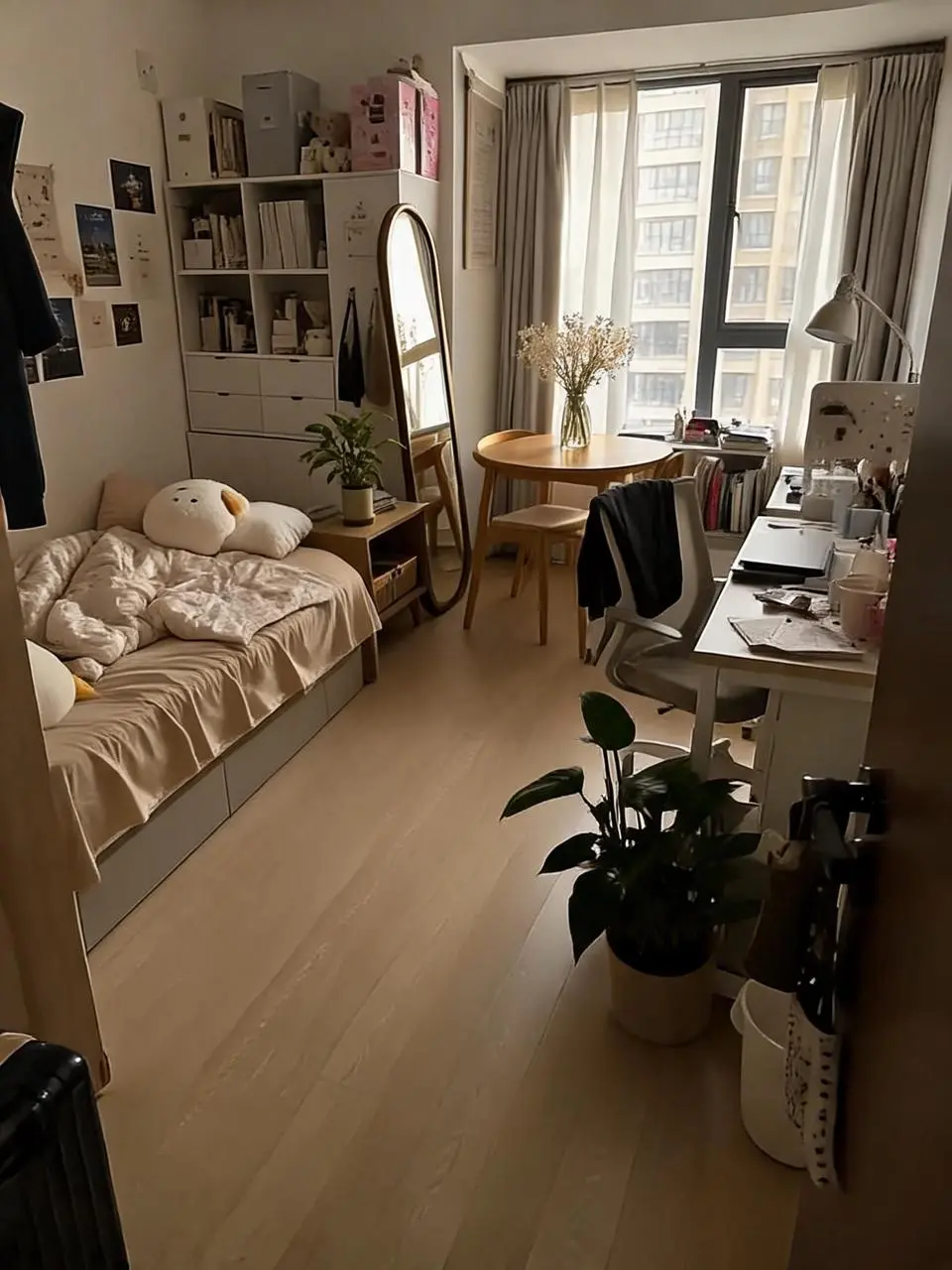
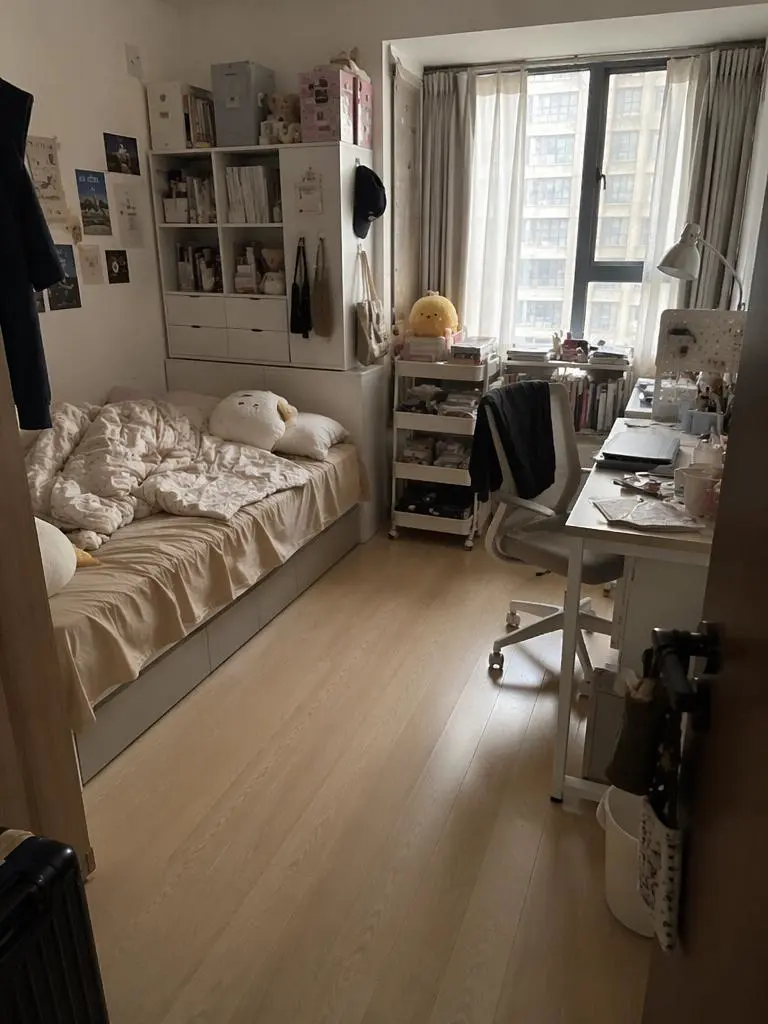
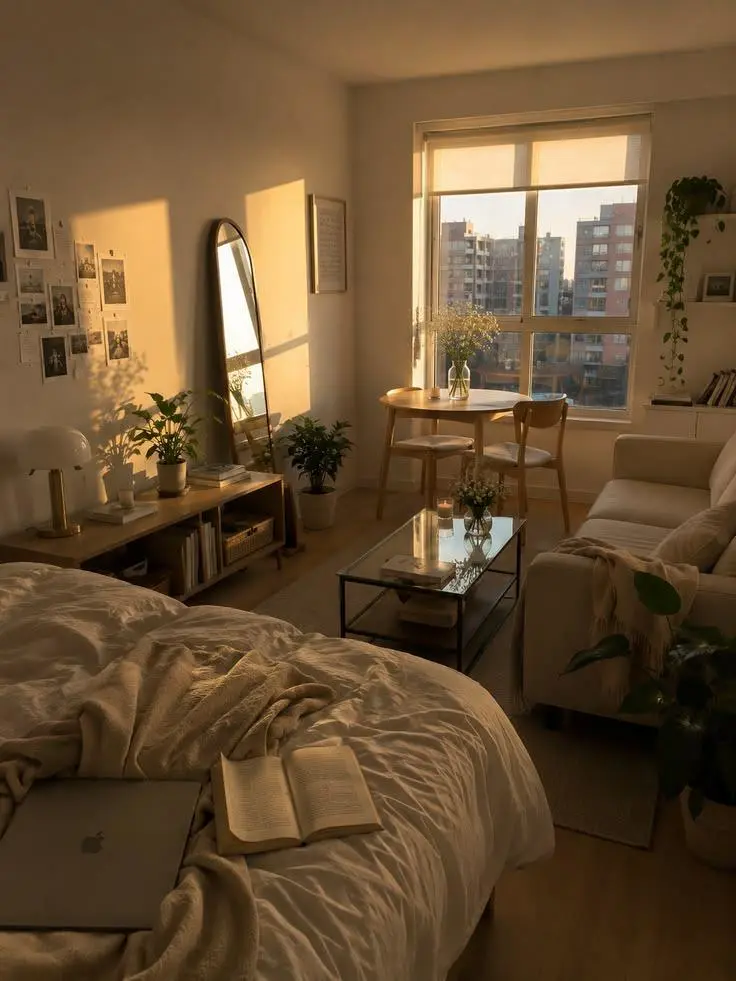
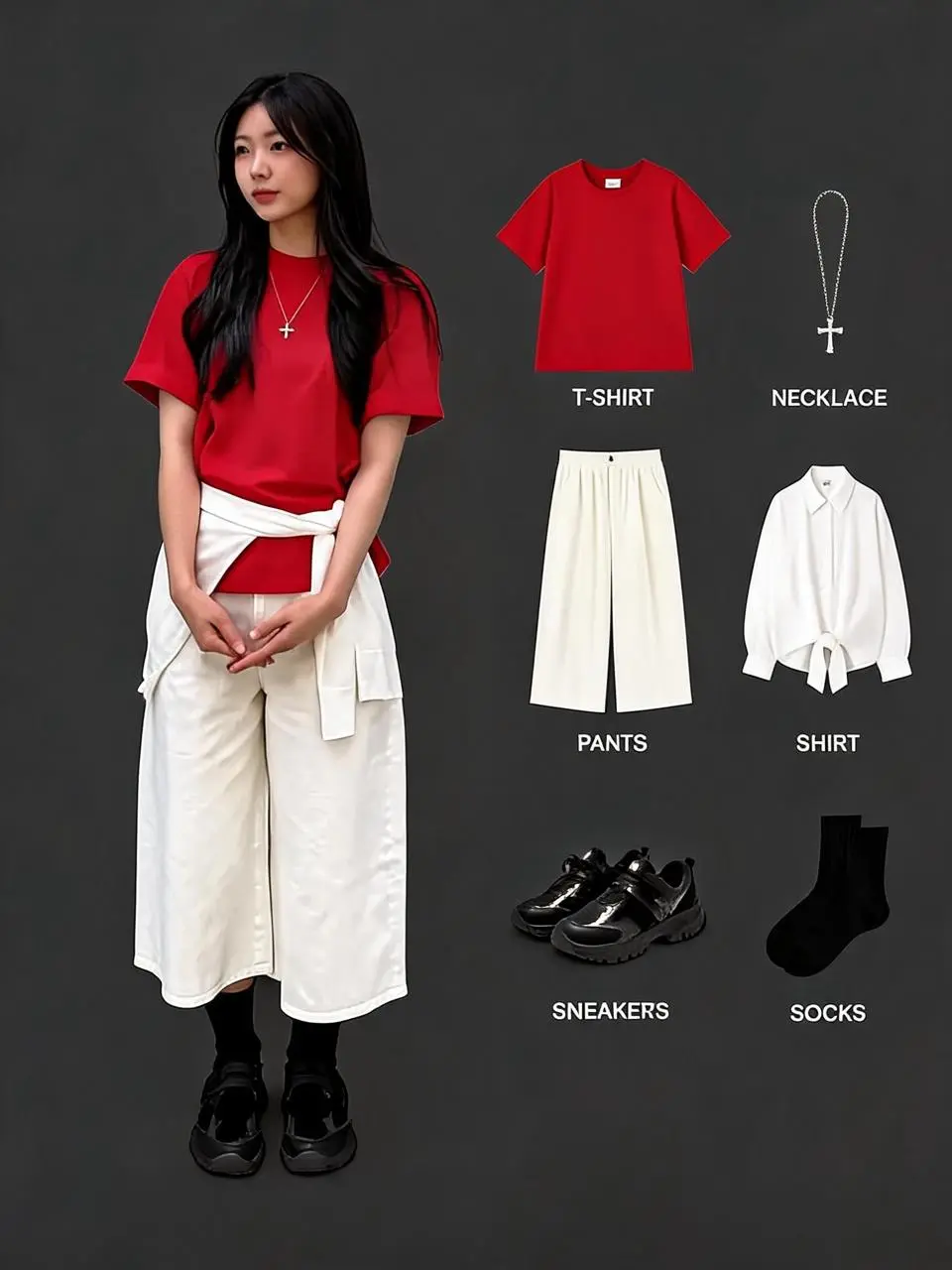
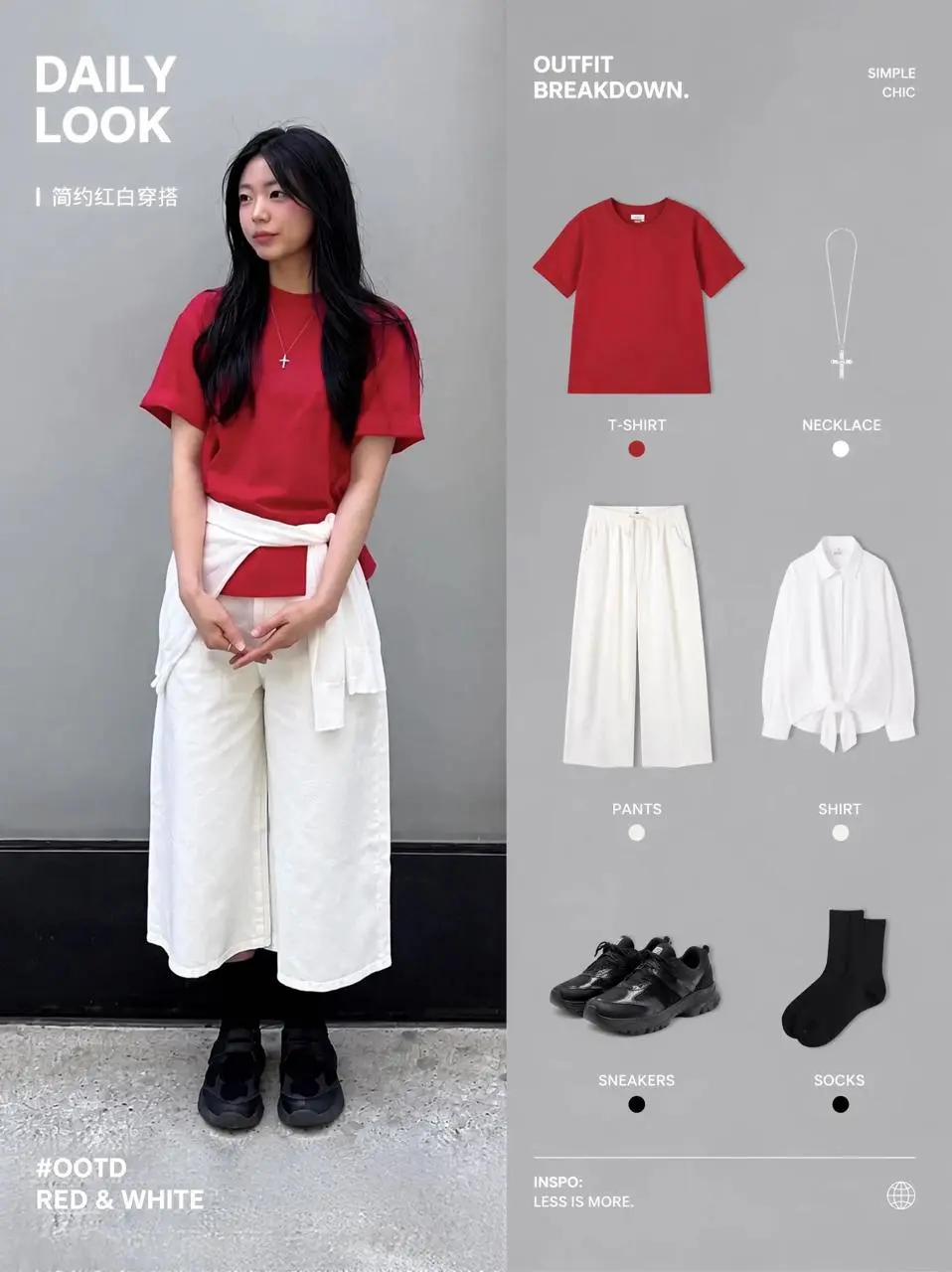
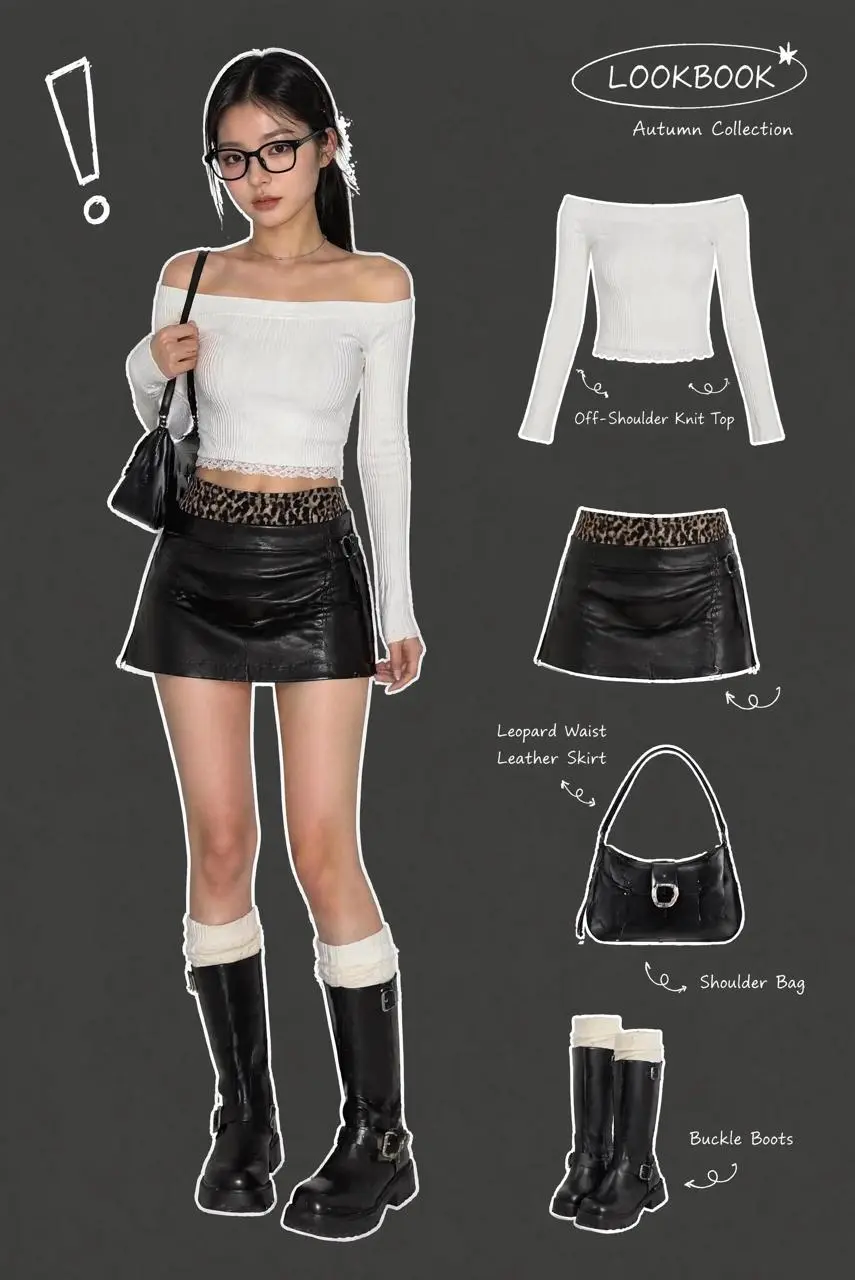
Replace the elements markedImage 2 [%#[Image 2 at <point>435 426</point>]#%][%#[Image 2 at <point>454 575</point>]#%][%#[Image 2 at <point>662 510</point>]#%][%#[Image 2 at <point>232 510</point>]#%]in Figure image 1 [%#[Image 1 at <point>666 468</point>]#%][%#[Image 1 at <point>315 311</point>]#%][%#[Image 1 at <point>451 431</point>]#%]iand arrange the layout appropriately.
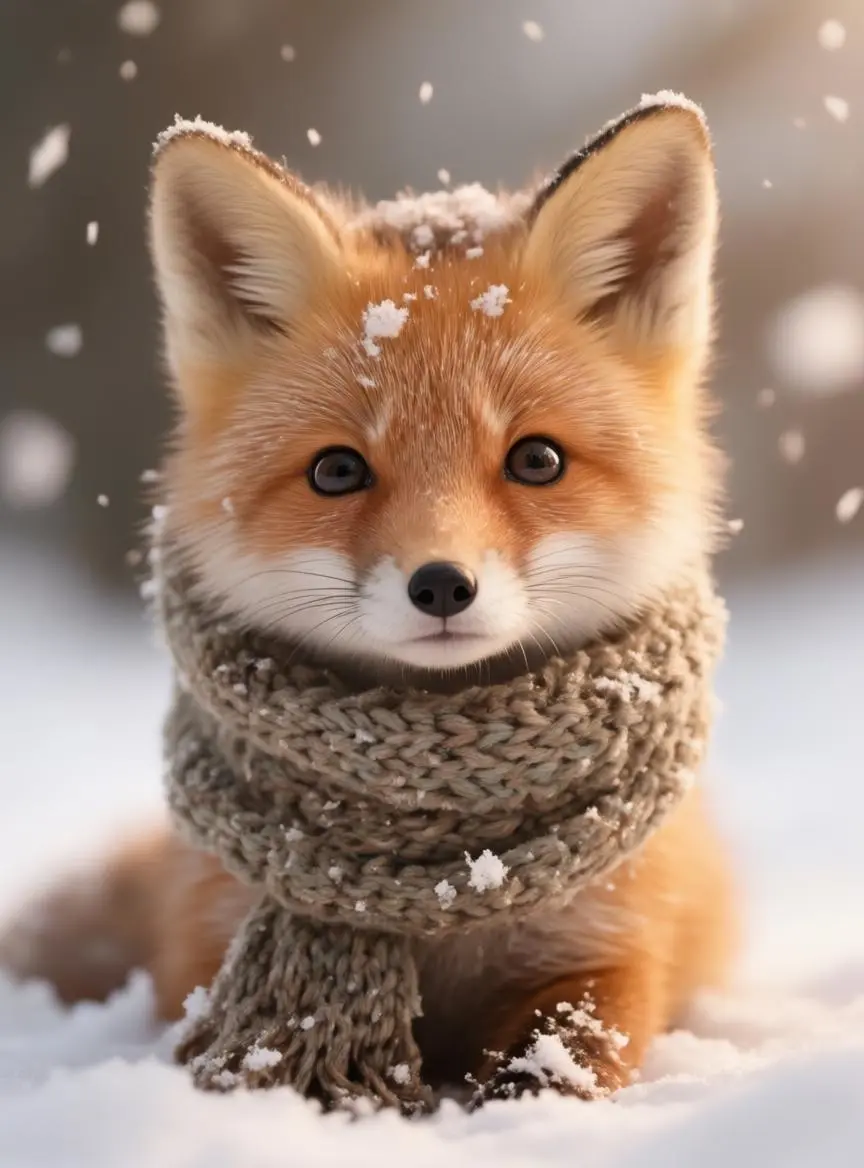
Reinterpret a fox reference as a layered paper-cut scene, with the character and intended medium assigned different roles.
Use the fox in image 1 as the character reference. Reimagine it as a layered paper-cut storybook scene in a moonlit woodland. Keep its pointed ears and recognizable orange-and-white face, but render the fur, scarf, trees and stars as visibly cut paper with crisp edges and soft cast shadows. Place the fox on the left and a glowing lantern on the right. Vertical 3:4 composition, no words or border.
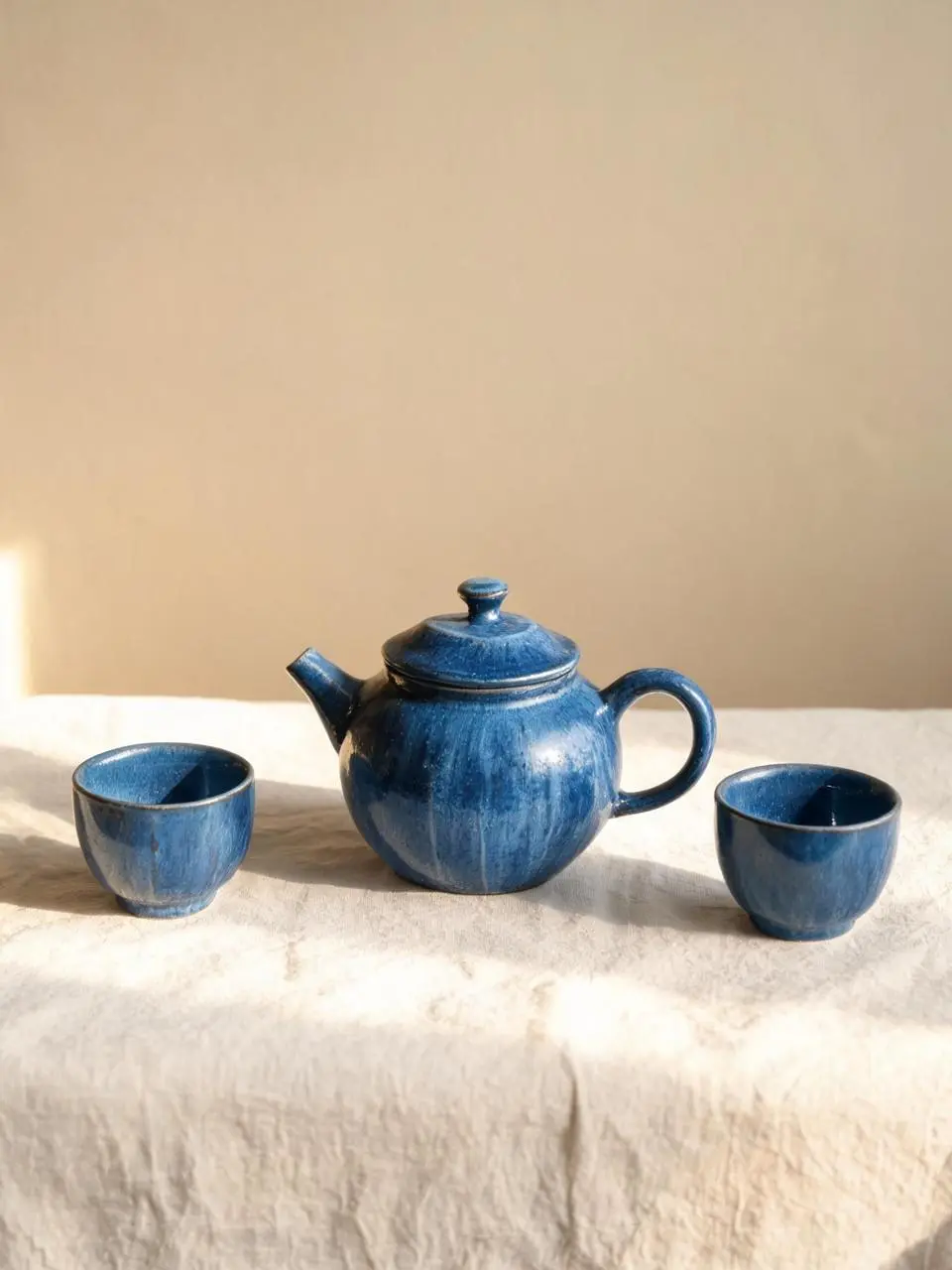
Create a blue ceramic tea set on linen from a written brief, combining material, arrangement, and daylight.
A handmade cobalt-blue ceramic teapot and two matching small cups arranged on a pale linen cloth, a warm beige studio wall, morning sunlight from the left, soft realistic shadows, visible handmade glaze texture, eye-level product photography. Keep the entire teapot and both cups visible. Clean vertical 3:4 composition. No lettering, brand marks, border or watermark.
Seedream 5.0 Lite is ByteDance’s image creation model centered on understanding instructions, reasoning about a visual brief, and combining image and text creation.
Understanding the Connected Brief
The release emphasizes reasoning about the intent behind a request. Spatial relationships and the purpose of visual elements can form part of the image brief.
Creation and Reference-Led Changes
Text and image inputs support new compositions and directed changes. The localized replacement example uses source images to specify which elements belong in the result.
A Coherent Visual Arrangement
Subjects, objects, and written information can be organized together. The model’s official reading, seeing, drawing, and writing framing centers on that combined visual task.
WORKFLOWS
Choose Your Starting Input
Use the Seedream 5.0 Lite input mode that matches the material you have.
Start from Your Reference Photos
Upload the subject or scene for the edit. For several inputs, identify what each reference supplies and describe the requested change.
Create from a Written Brief
Describe a new subject, setting, composition, and visual treatment. Include any words that belong in the image.
PROMPT GUIDE
How to Direct Seedream 5.0 Lite with a Prompt
Learn from the actual instructions behind these results. Each example keeps its complete original prompt and available inputs. For a new request, replace its subject and reference assignments with your own.
Place the Light and Color in the Scene
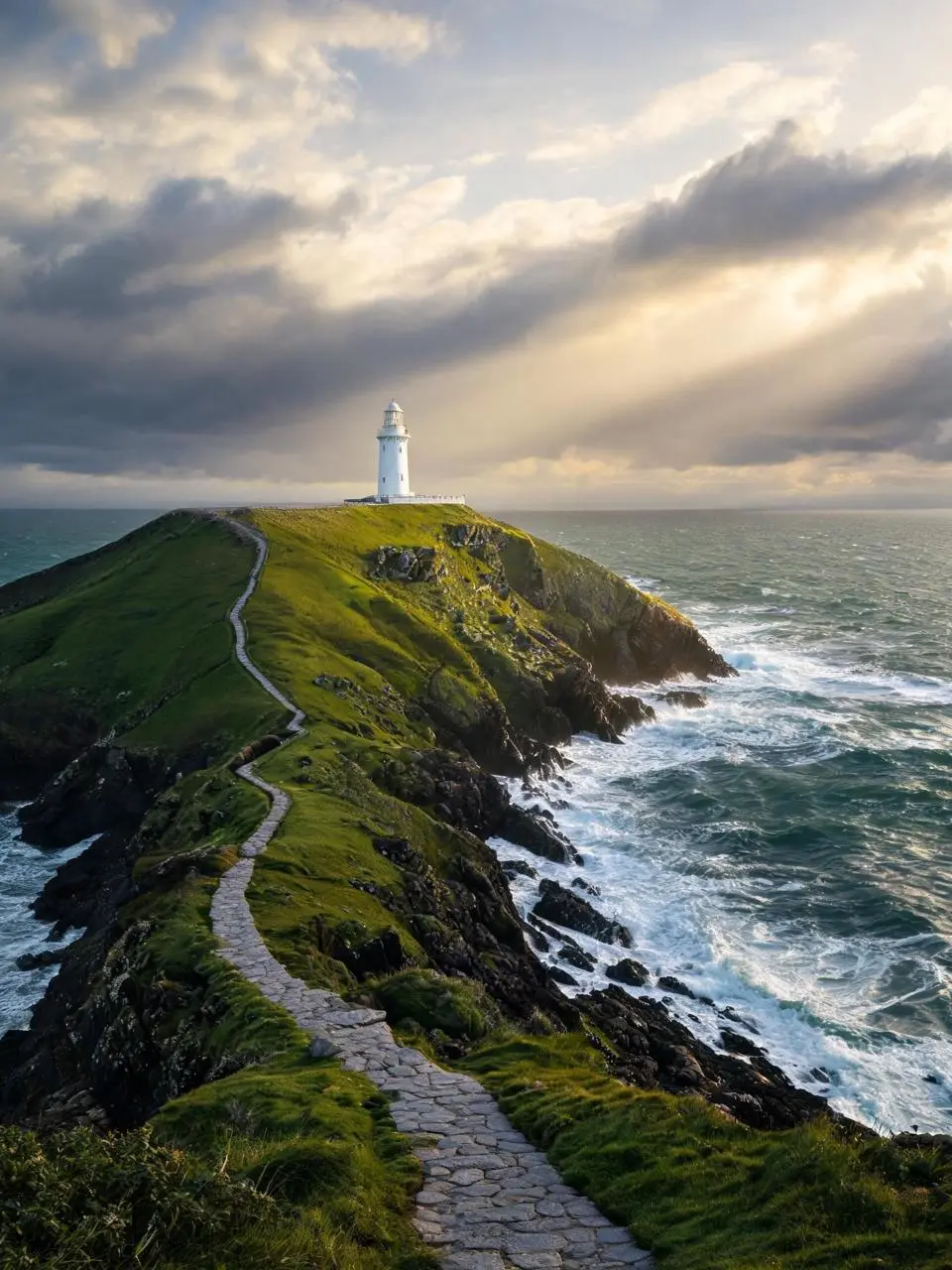
Specify the visible lighting or color arrangement as part of the composition. In this case: “Golden sunlight breaks through layered clouds, waves foam against dark rocks.”
A solitary white lighthouse on a rugged green headland above a deep teal sea just after a storm. A winding stone path leads from the bottom foreground to the lighthouse in the upper third. Golden sunlight breaks through layered clouds, waves foam against dark rocks. Photorealistic landscape photography, vertical 3:4 composition, no people, no lettering, no border or watermark.
Identify the Edit Region and Replacement
The original prompt uses marked positions and supplied images to direct the changes. Reassign those markers for your own inputs. In this case: “Replace the elements marked image 2 [%#[Image 2 at <point>818 1013</point>]#%][%#[Image 2 at <point>969 1768</point>]#%][%#[Image 2 at <point>1017 2955</point>]#%][%#[Image 1 at <point>1691 785</point”
Replace the elements marked image 2 [%#[Image 2 at <point>818 1013</point>]#%][%#[Image 2 at <point>969 1768</point>]#%][%#[Image 2 at <point>1017 2955</point>]#%][%#[Image 1 at <point>1691 785</point>]#%][%#[Image 1 at <point>1678 1534</point>]#%][%#[Image 2 at <point>1861 2420</point>]#%][%#[Image 2 at <point>1655 3161</point>]#%]into Image [%#[Image 1 at <point>664 1147</point>]#%][%#[Image 1 at <point>793 1896</point>]#%][%#[Image 1 at <point>806 2768</point>]#%][%#[Image 1 at <point>1691 785</point>]#%][%#[Image 1 at <point>1678 1534</point>]#%][%#[Image 1 at <point>1717 2522</point>]#%][%#[Image 1 at <point>2246 1825</point>]#%] ensure the outfit combination looks appropriate and adjust the adjacent layout accordingly.
Describe a Visible Material
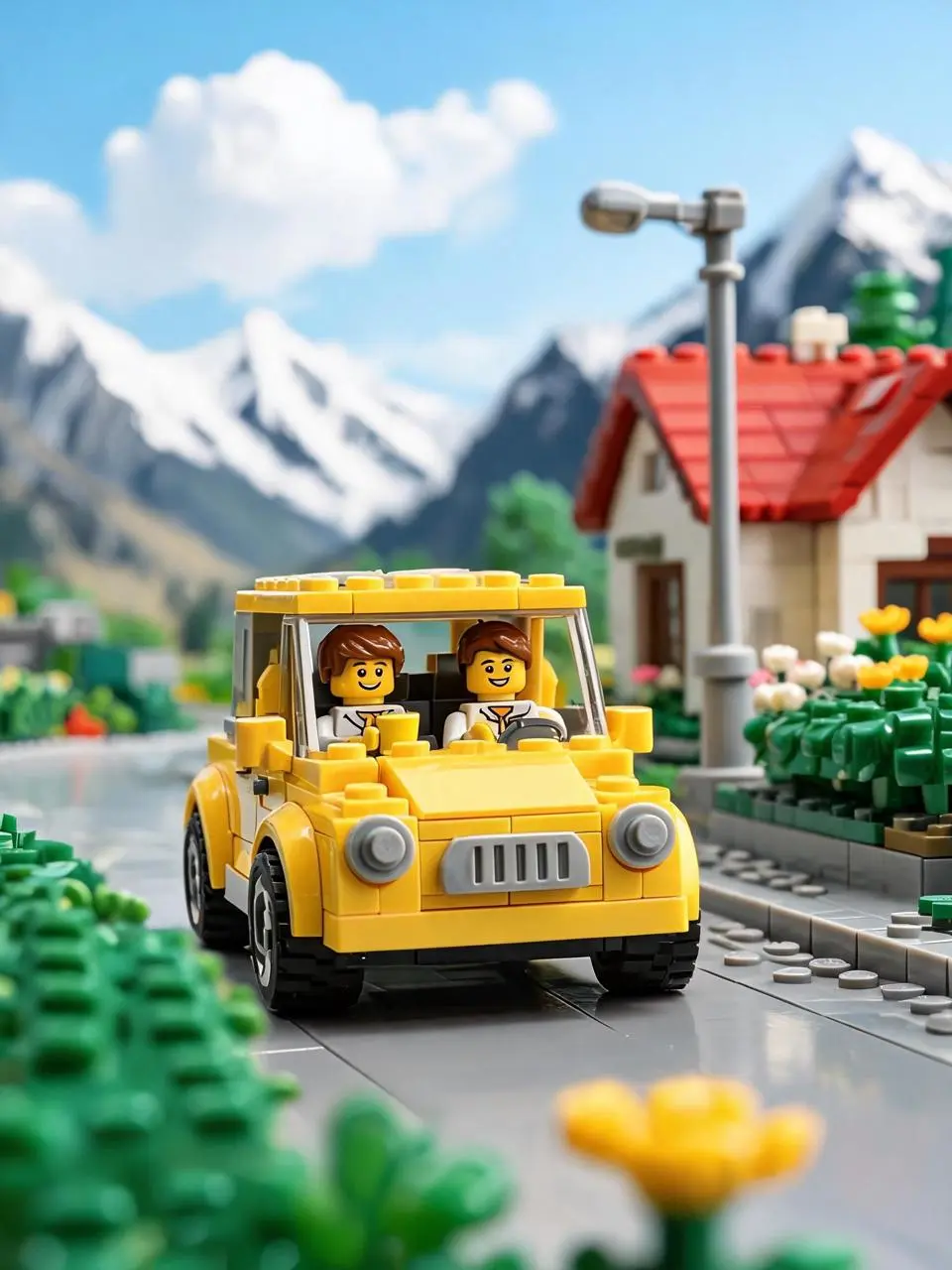
Use concrete surface or material details to define the requested look. In this case: “Its round headlights, gray grille, and black tires are clearly visible, showcasing the classic texture of a toy car.”
This image depicts a yellow toy brick car driving on a countryside road, exuding a bright, relaxed, and joyful atmosphere. At the center of the scene is a retro-style yellow brick car facing the camera. Its round headlights, gray grille, and black tires are clearly visible, showcasing the classic texture of a toy car.
Inside the car are two brick figures. The driver in the front seat has brown hair, a smiling face, and appears to be holding a yellow cup or drink, looking relaxed. In the backseat or cabin, there’s another passenger with a cheerful expression, suggesting they are on a trip together. The car’s vibrant yellow color stands out under the sunlight, evoking a sense of summer travel or a weekend getaway.
The background features a bright brick-built small town or countryside setting: on the right, there’s a small house with a red roof, along with streetlights, flower bushes, and greenery. In the distance, snow-capped mountains and a blue sky with white clouds complete the scene. The background is blurred, resembling a macro shot of a model, which highlights the car and figures in the foreground.
The lighting is very bright, with sunlight coming from above or slightly behind, creating beautiful highlights on the car and reflections on the ground. The overall color saturation is high, with the yellow car, green plants, and blue sky forming a vivid, fairy-tale-like palette.
In terms of composition, the car is positioned slightly below the center of the frame, with its front taking up the main visual focus, giving the impression that the car is driving toward the viewer. The foreground features blurred yellow and green brick flowers and plants, enhancing the realism and spatial depth of the miniature photography.
Style keywords:
Lego brick car, countryside travel, sunny and bright, retro yellow car, brick-built town, snowy mountain backdrop, blue sky and white clouds, macro photography, shallow depth of field, toy advertisement, joyful travel vibe.
HOW TO USE
Create Your First Seedream 5.0 Lite Image
Start in the generator on this page. To reuse an example, click Copy Prompt, return to the description field, and adapt the prompt to your own inputs.
Provide the Scene and Inputs
Write your brief and add the reference media required by the selected mode. Explain the role of each supplied input.
Choose the Output Options
Choose the aspect ratio, image size, quality, and image count where offered. Check the form’s displayed points before submitting.
Generate and Review
Click Generate and review the resulting image. Check composition, required words, and the subject details that matter to your task. Adjust your prompt or references for the next attempt.
Compare the documented model roles and the inputs and options currently listed in WeShop. Model names or matching settings do not by themselves establish equal output quality or a fixed generation-time difference.
Dimension
Seedream 5.0 Lite
Seedream 5.0 Pro
Model role
Reasoning about a brief and combining visual information
Information-rich design, spatial edits, and visual realism
Inputs listed for the page
Start from Your Reference Photos; Create from a Written Brief
Start from Your Reference Photos; Create from a Written Brief
Current WeShop options
Image size: 2K, 3K
Image size: 1K, 2K
Model role
Seedream 5.0 Lite
Reasoning about a brief and combining visual information
Seedream 5.0 Pro
Information-rich design, spatial edits, and visual realism
Inputs listed for the page
Seedream 5.0 Lite
Start from Your Reference Photos; Create from a Written Brief
Seedream 5.0 Pro
Start from Your Reference Photos; Create from a Written Brief
Current WeShop options
Seedream 5.0 Lite
Image size: 2K, 3K
Seedream 5.0 Pro
Image size: 1K, 2K
When to Consider Seedream 5.0 Lite
Match the Model to Your Task
Consider Lite for briefs built around connected instructions and visual relationships. Compare Pro when dense design or spatial editing is central to the task.
MORE IMAGE MODELS
Explore More Image Models
Open a related model page to review its capabilities, examples, and current generation options.
Answers about this version, its inputs, and how to get started.
What is Seedream 5.0 Lite?
Seedream 5.0 Lite is ByteDance’s image creation model centered on understanding instructions, reasoning about a visual brief, and combining image and text creation.
What is a good task to consider it for?
Consider Lite for briefs built around connected instructions and visual relationships. Compare Pro when dense design or spatial editing is central to the task.
What do I need to provide?
Start from Your Reference Photos. Upload the subject or scene for the edit. For several inputs, identify what each reference supplies and describe the requested change. Create from a Written Brief. Describe a new subject, setting, composition, and visual treatment. Include any words that belong in the image.
Which output settings are offered here?
Image size: 2K, 3K
How do I try an example prompt?
Click Copy Prompt, return to the generator, and paste it into the description field. Add your own required references and update their roles. Linked case previews and Use This Prompt open the saved case; they do not automatically fill this page’s form.
What should I know about this version?
Lite does not automatically mean higher resolution or faster output. Use the actual size choices in this form.