Create information-rich designs and direct image edits with Seedream 5.0 Pro. Start from a written layout or upload a reference for a change to a subject, object, or region.
Explore the tasks shown by these actual Seedream 5.0 Pro results. Copy a prompt to try in the generator, or open the linked case for its saved setup. Supply your own images or clips when the request uses references.
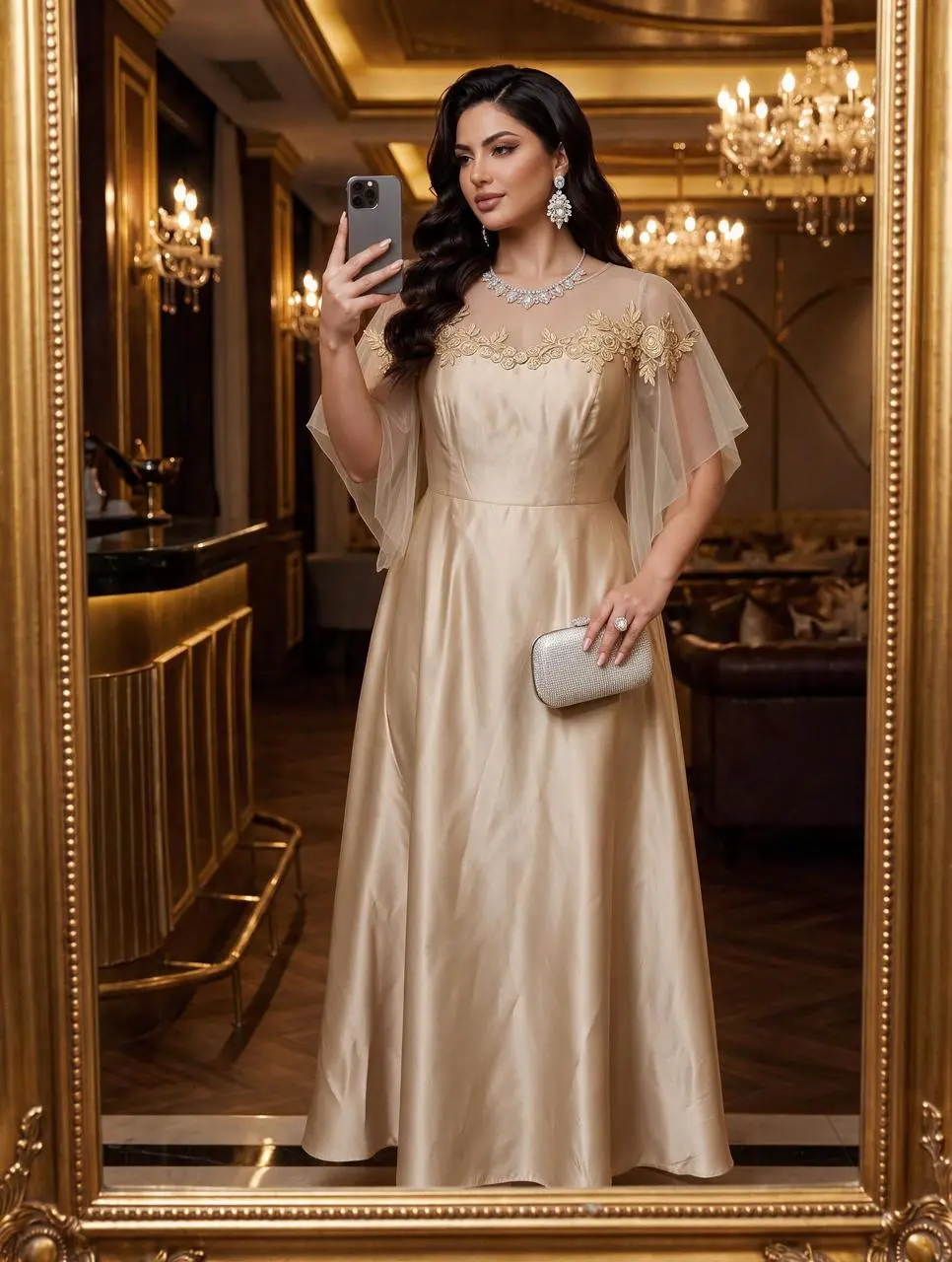
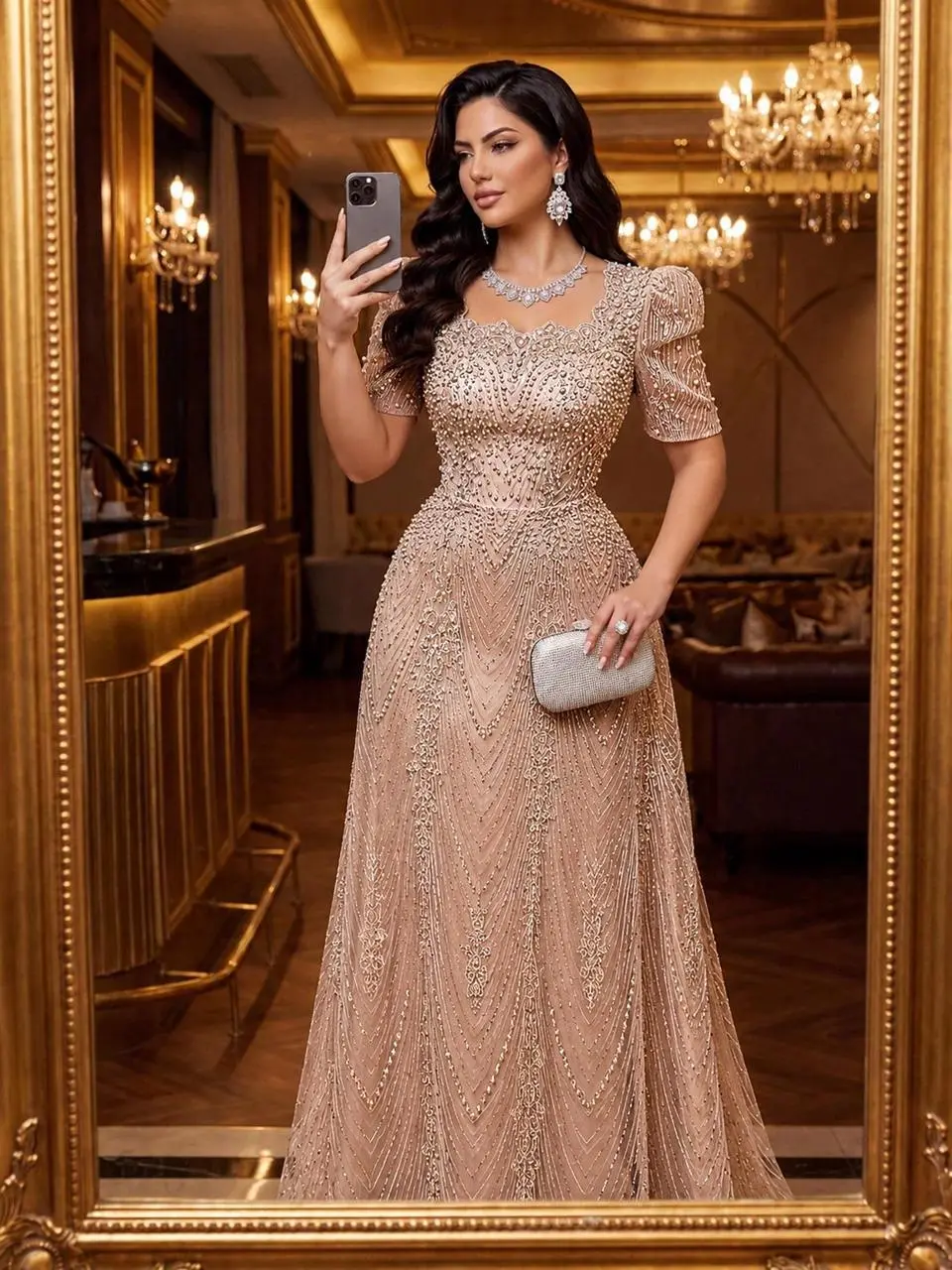
Gown Portrait in an Ornate Interior
Create a fashion portrait around a gown and an ornate interior, with lighting and setting contributing to the presentation.
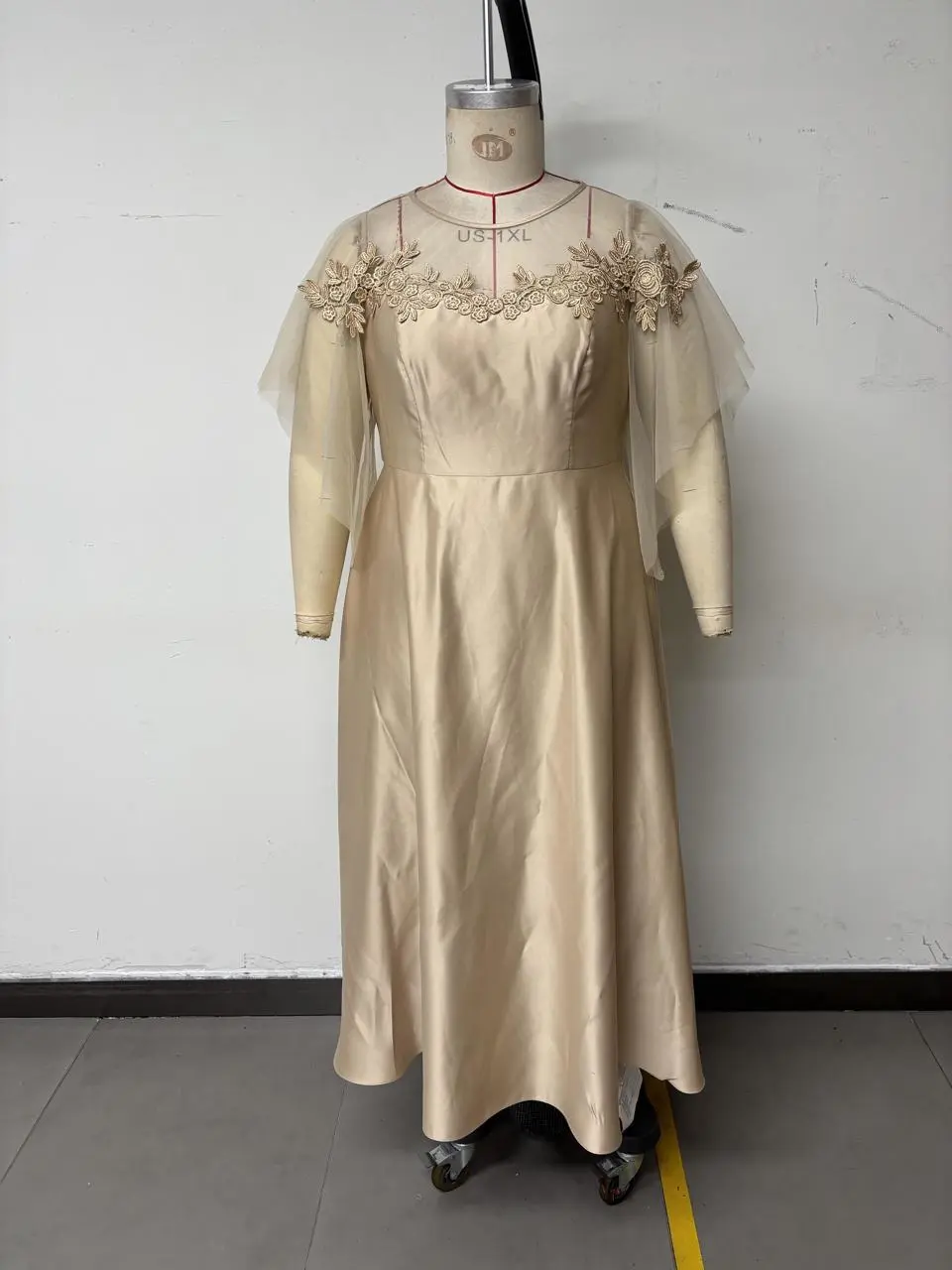
Change the close-up of the clothes in Figure 1 to that of Figure 2. The texture of the embroidery should be better! The texture of the sheer fabric should be better!! For different styles, the clothes are made of satin material! The skirt length should reach the ground but not drag on the ground. Do not change the pose and figure of the model in Figure 1!!!
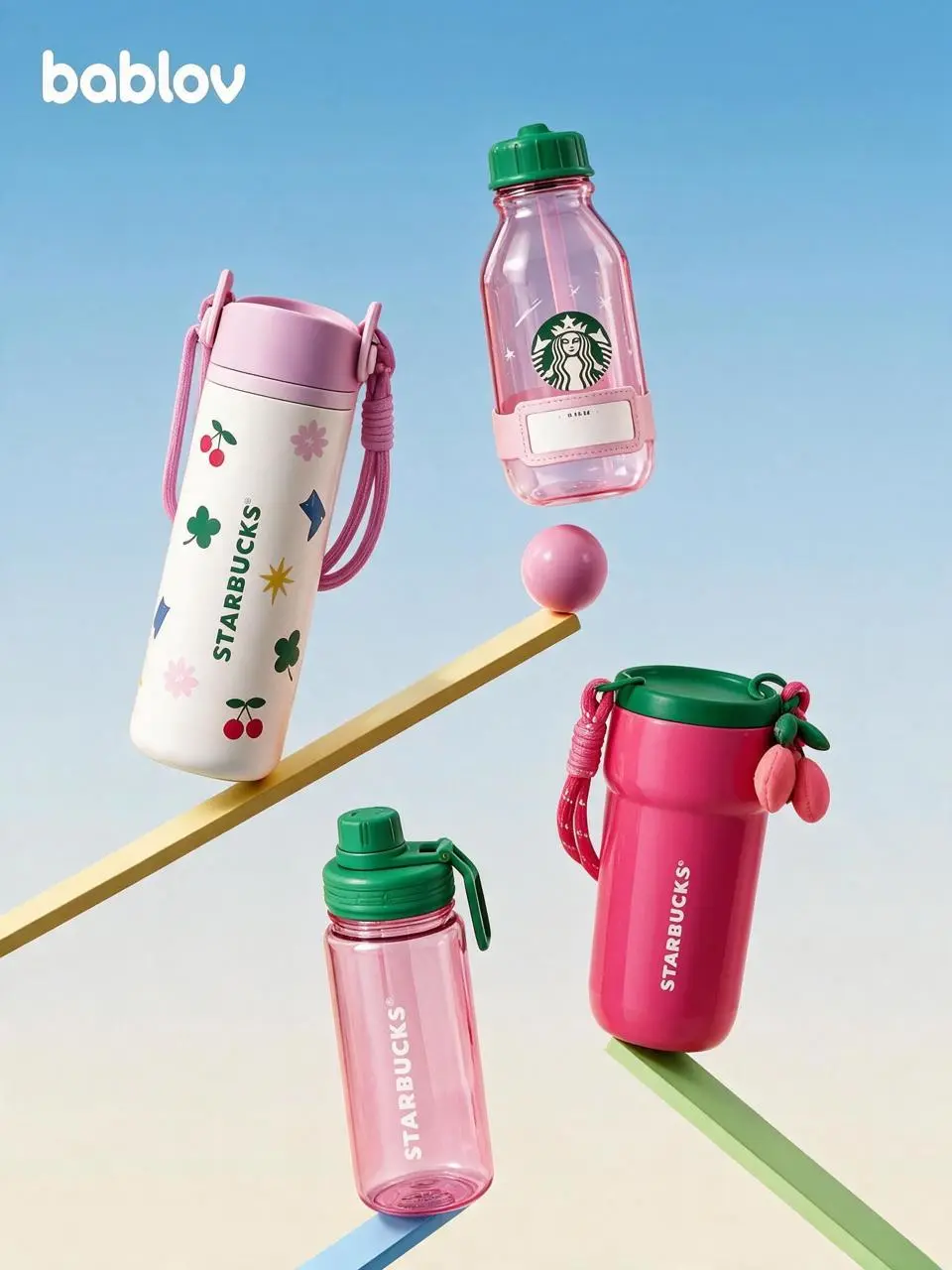
Arrange beverage products into a graphic composition, combining product forms, color, and packaging text.
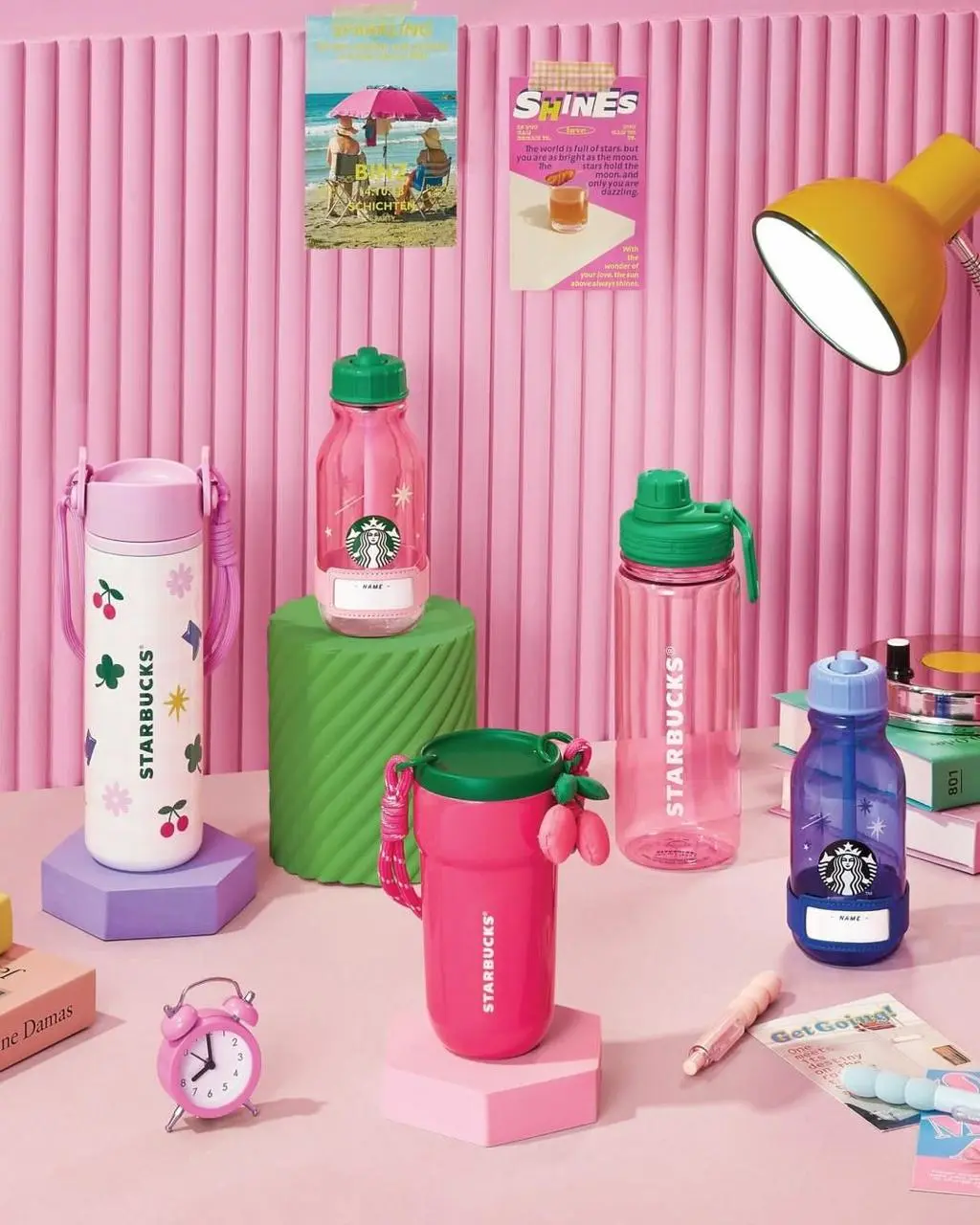
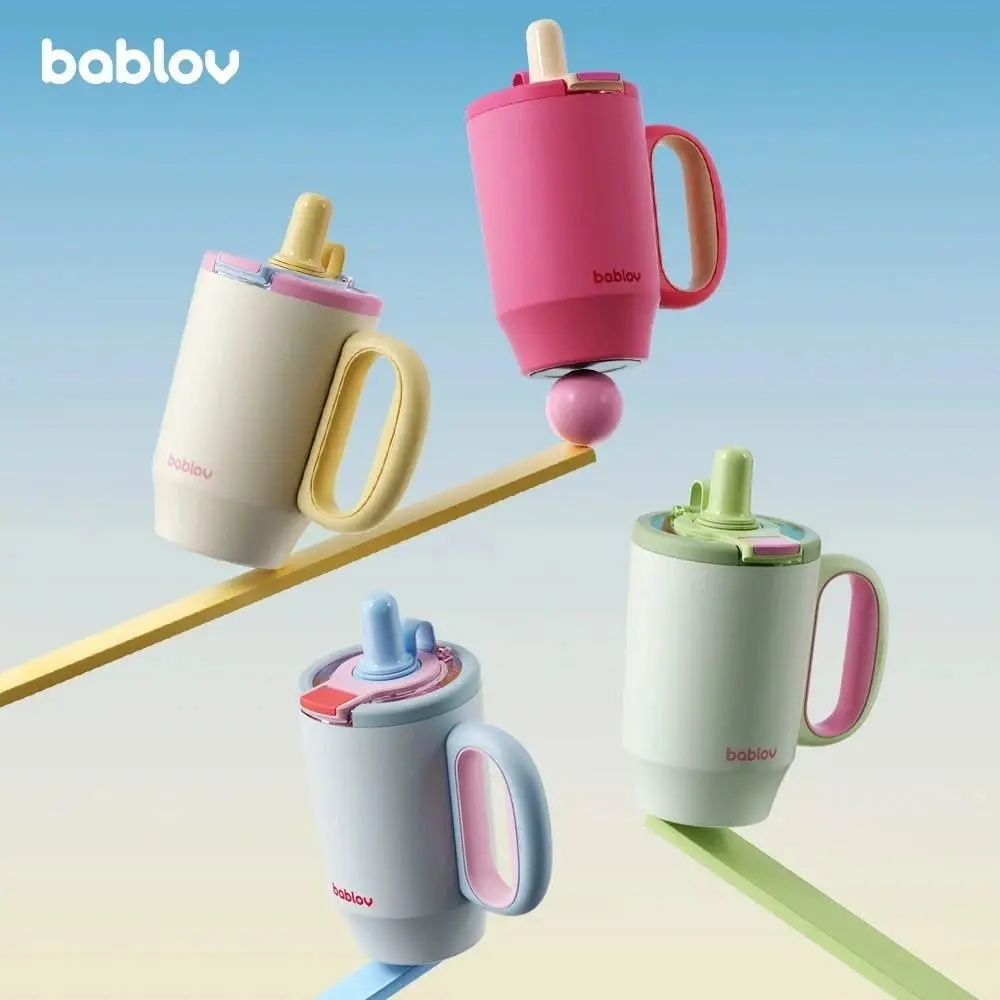
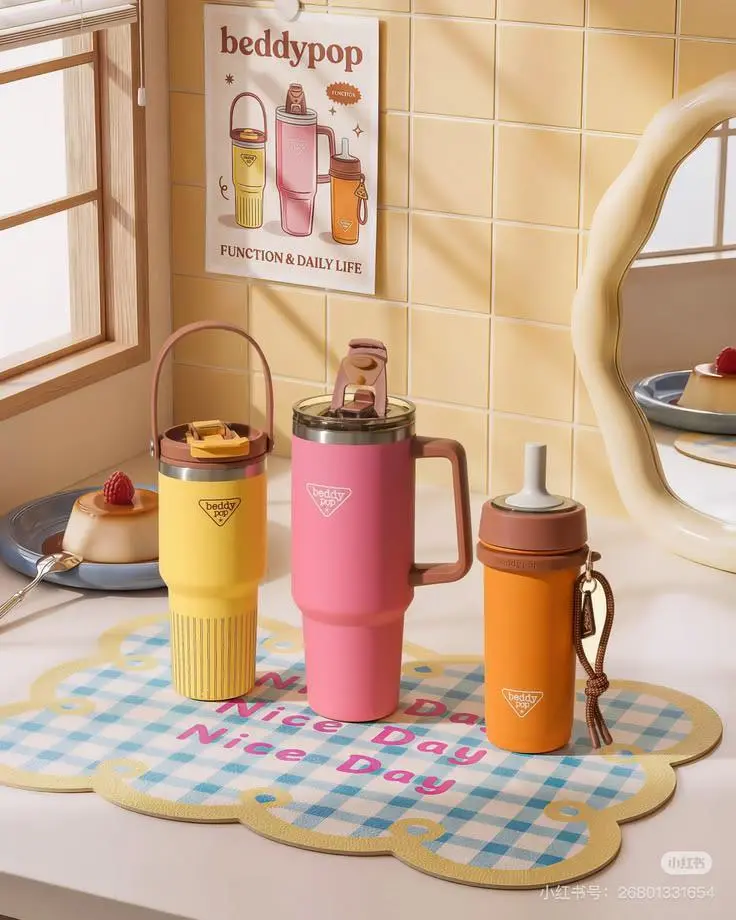
Replace [%#[Image 2 at <point>293 417</point>]#%][%#[Image 2 at <point>560 233</point>]#%][%#[Image 2 at <point>699 666</point>]#%][%#[Image 2 at <point>389 810</point>]#%] in Figure 2 and [%#[Image 3 at <point>361 536</point>]#%] in Figure 3 with [%#[Image 1 at <point>130 736</point>]#%][%#[Image 1 at <point>401 549</point>]#%][%#[Image 1 at <point>569 1049</point>]#%][%#[Image 1 at <point>750 780</point>]#%][%#[Image 1 at <point>940 976</point>]#%] in Figure 1.
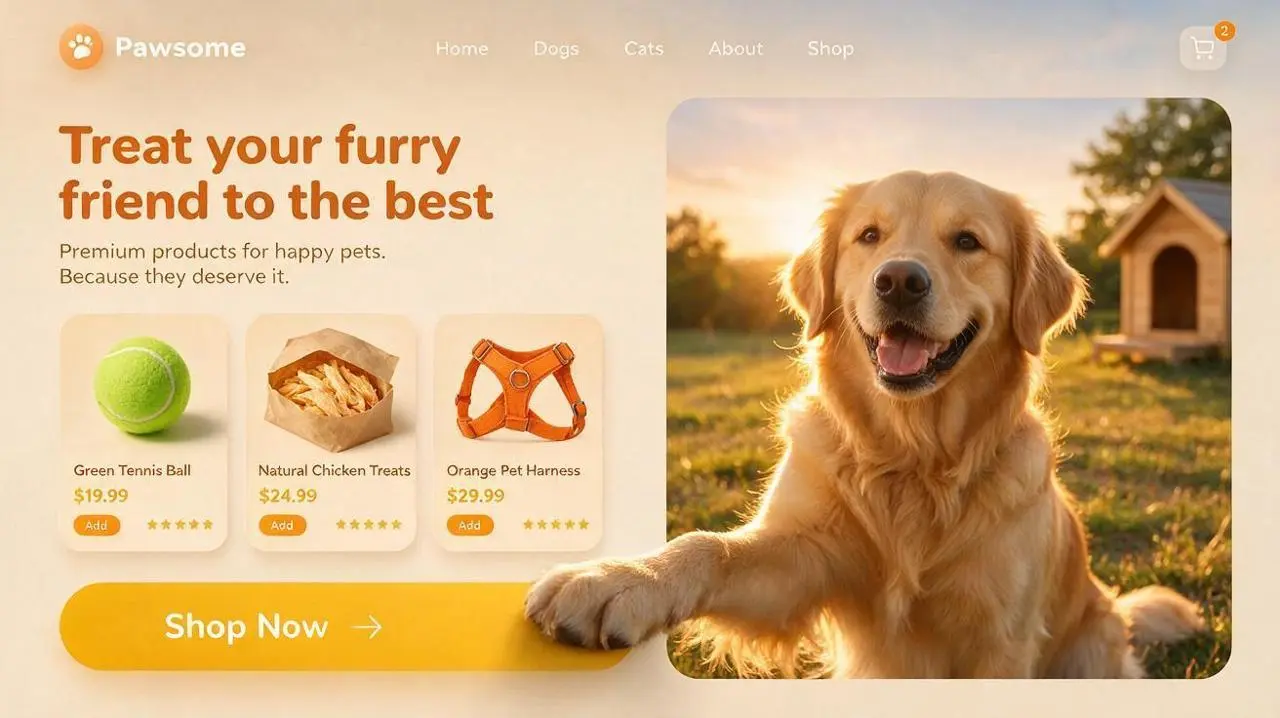
Plan a pet-commerce interface concept with an illustrated environment, product-related imagery, and designed text areas.
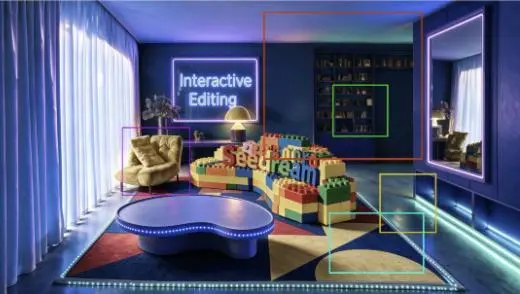
Perform localized edits on the areas corresponding to the differently colored boxes shown in the image.
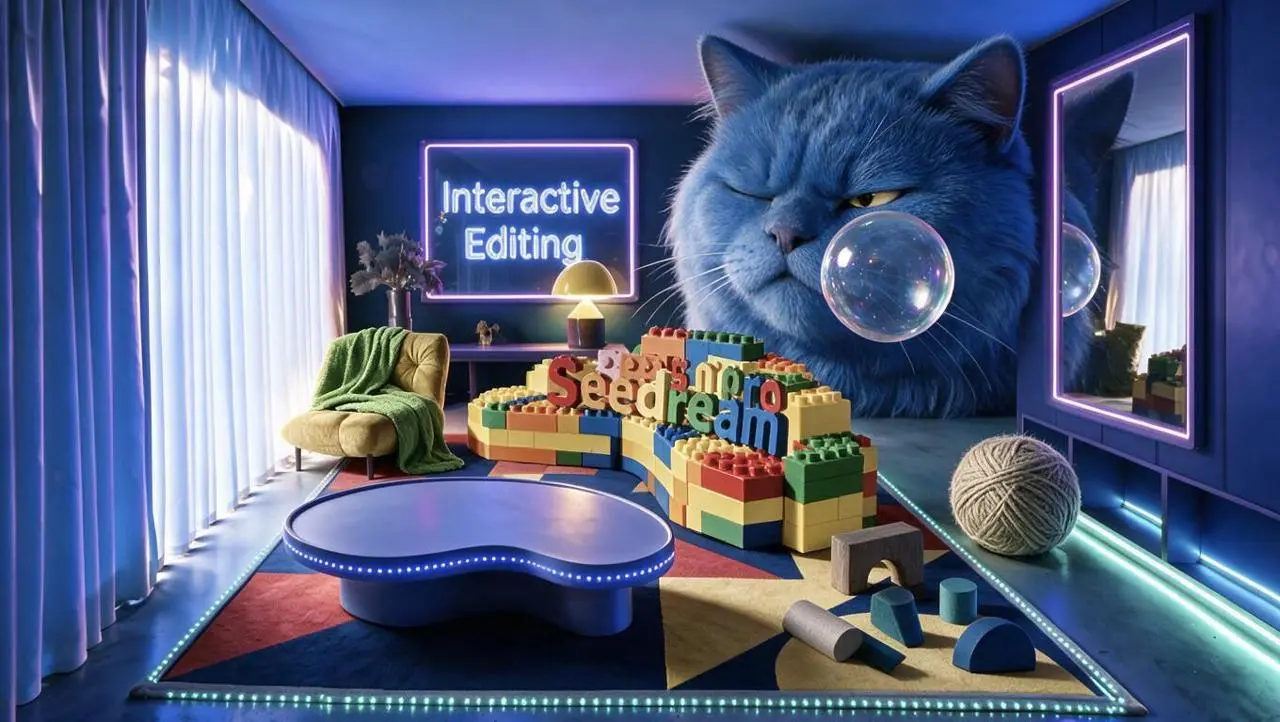
Maintain the room's original composition, furniture placement, camera angle, perspective, blue-purple neon lighting, and the areas outside the marked boxes exactly as they are.
Red box:
Generate the head of a huge blue long-haired cat. The cat appears as if squeezed into the room; its body is outside the frame, showing only its massive head. It wears a slightly displeased expression, with one eye narrowed as it gazes at the transparent bubble in front of it. The fur is thick and soft, reflecting the blue and purple lighting of the room.
Green box:
Generate a transparent bubble positioned in front of the blue cat's face. The bubble's surface reflects the room's blue, purple, and warm yellow lights, featuring realistic transparency, highlights, and iridescent reflections.
Yellow box:
Generate a large ball of yarn in a warm gray-beige tone, placed naturally on the floor on the right side of the room. Preserve the clear structure of the wound yarn and the soft texture of the fibers, and add contact shadows consistent with the floor lighting.
Cyan box:
Generate a set of scattered abstract building blocks, including an arch-shaped block in warm dark gray, a semi-cylinder in warm light gray, a cylinder in lake blue, a sloped block in deep lake blue, and a semi-circular block in cobalt blue. The blocks should be arranged naturally on the carpet, with proportions, perspective, and shadows consistent with the room.
Purple box:
Add a grass-green blanket to the armchair on the left. The blanket should drape naturally over the backrest, armrests, and seat cushion, displaying realistic fabric texture, soft folds, and a natural hang.
All newly added elements must stay within the boundaries of their respective boxes and remain distinct from one another, without incorrectly overlapping other areas.
Ensure the perspective, lighting direction, shadow intensity, and blue-purple neon tones of the new objects are consistent, allowing them to blend naturally into the original image.
Do not alter areas outside the marked boxes, move existing furniture, change the room structure, modify the image aspect ratio, or generate extraneous animals, objects, text, or watermarks.
Seedream 5.0 Pro is ByteDance’s multimodal image creation model for information-rich design, spatially directed edits, and photographic or rendered visuals.
Information-Rich Design
The official release highlights dense information graphics. Headings, diagrams, and visual hierarchy can belong in the same requested image.
Spatially Directed Editing
The model supports instructions about where an image should change. The supplied reference can define the subject and the location or content of the requested edit.
Photographic Materials and Lighting
ByteDance highlights real-world materials, skin, and light. Product photographs and portraits give these surface qualities a practical use.
WORKFLOWS
Choose Your Starting Input
Use the Seedream 5.0 Pro input mode that matches the material you have.
Start from Your Reference Photos
Upload the subject or scene for the edit. For several inputs, identify what each reference supplies and describe the requested change.
Create from a Written Brief
Describe a new subject, setting, composition, and visual treatment. Include any words that belong in the image.
PROMPT GUIDE
How to Direct Seedream 5.0 Pro with a Prompt
Learn from the actual instructions behind these results. Each example keeps its complete original prompt and available inputs. For a new request, replace its subject and reference assignments with your own.
Identify the Edit Region and Replacement
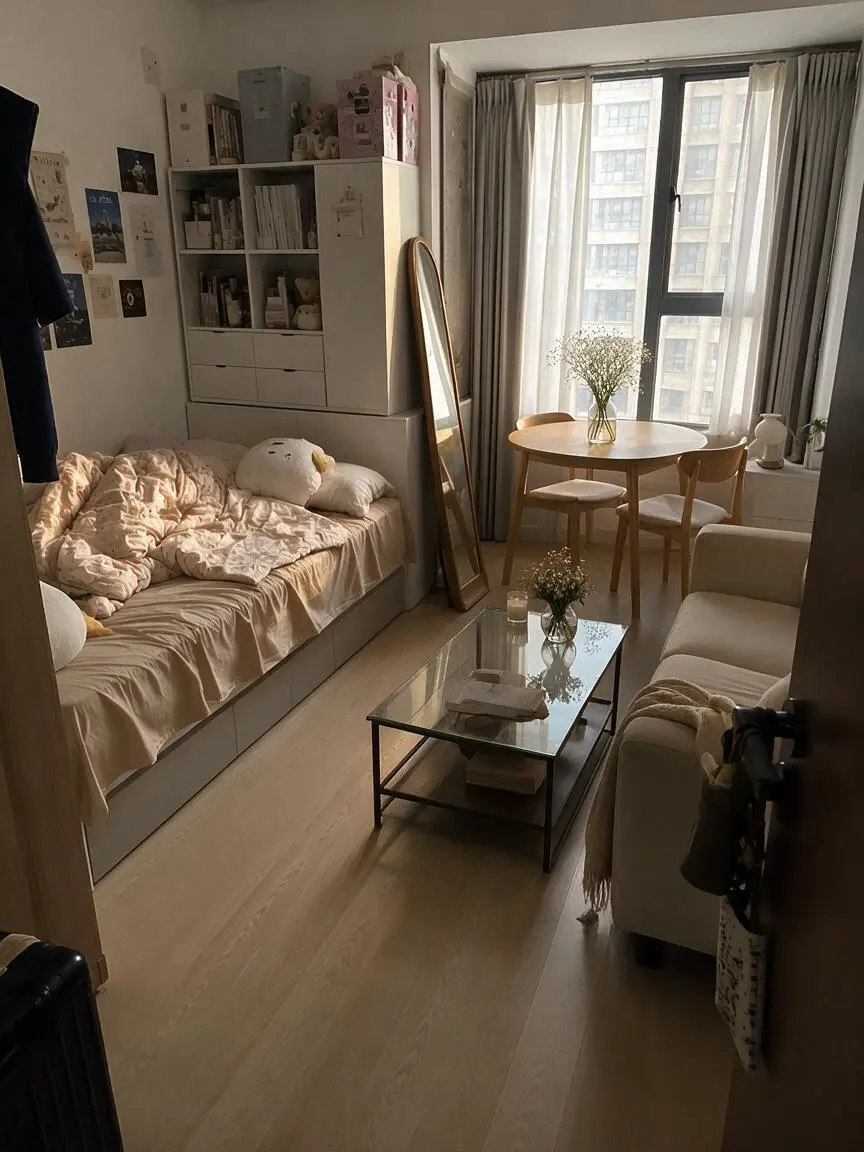
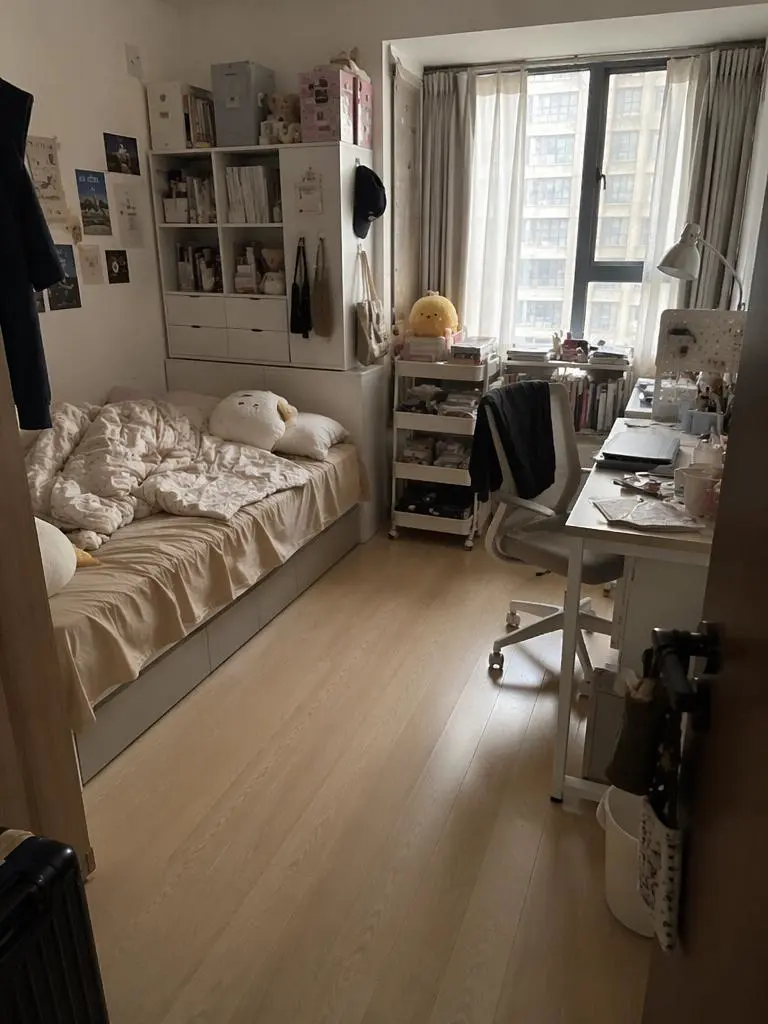
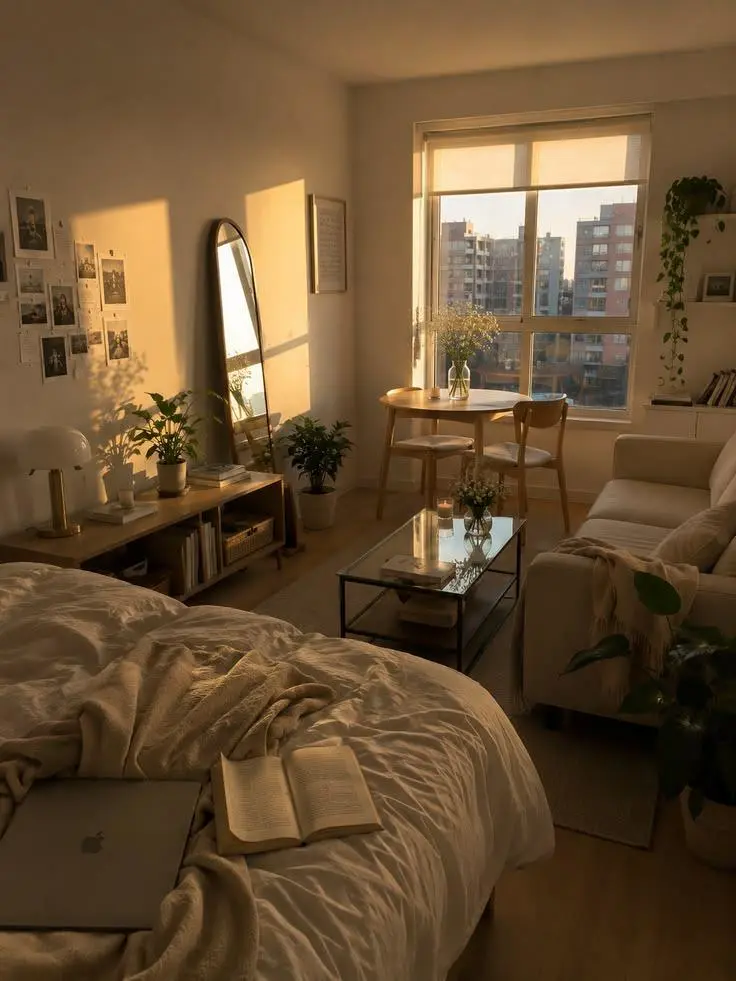
The original prompt uses marked positions and supplied images to direct the changes. Reassign those markers for your own inputs. In this case: “Replace the elements markedImage 2 [%#[Image 2 at <point>435 426</point>]#%][%#[Image 2 at <point>454 575</point>]#%][%#[Image 2 at <point>662 510</point>]#%][%#[Image 2 at <point>232 510</point>]#%]i”
Replace the elements markedImage 2 [%#[Image 2 at <point>435 426</point>]#%][%#[Image 2 at <point>454 575</point>]#%][%#[Image 2 at <point>662 510</point>]#%][%#[Image 2 at <point>232 510</point>]#%]in Figure image 1 [%#[Image 1 at <point>666 468</point>]#%][%#[Image 1 at <point>315 311</point>]#%][%#[Image 1 at <point>451 431</point>]#%]iand arrange the layout appropriately.
Name the Local Color Change
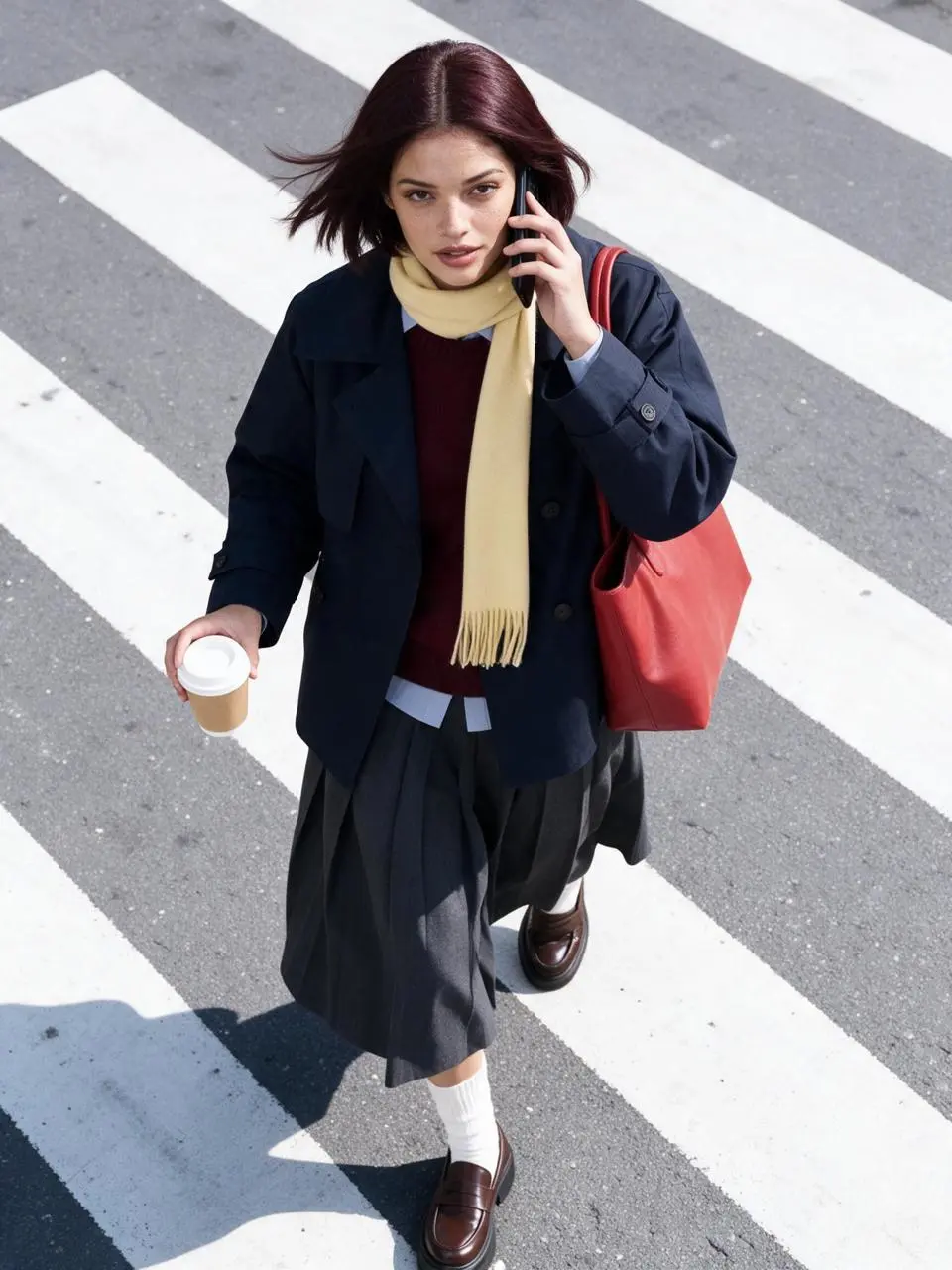
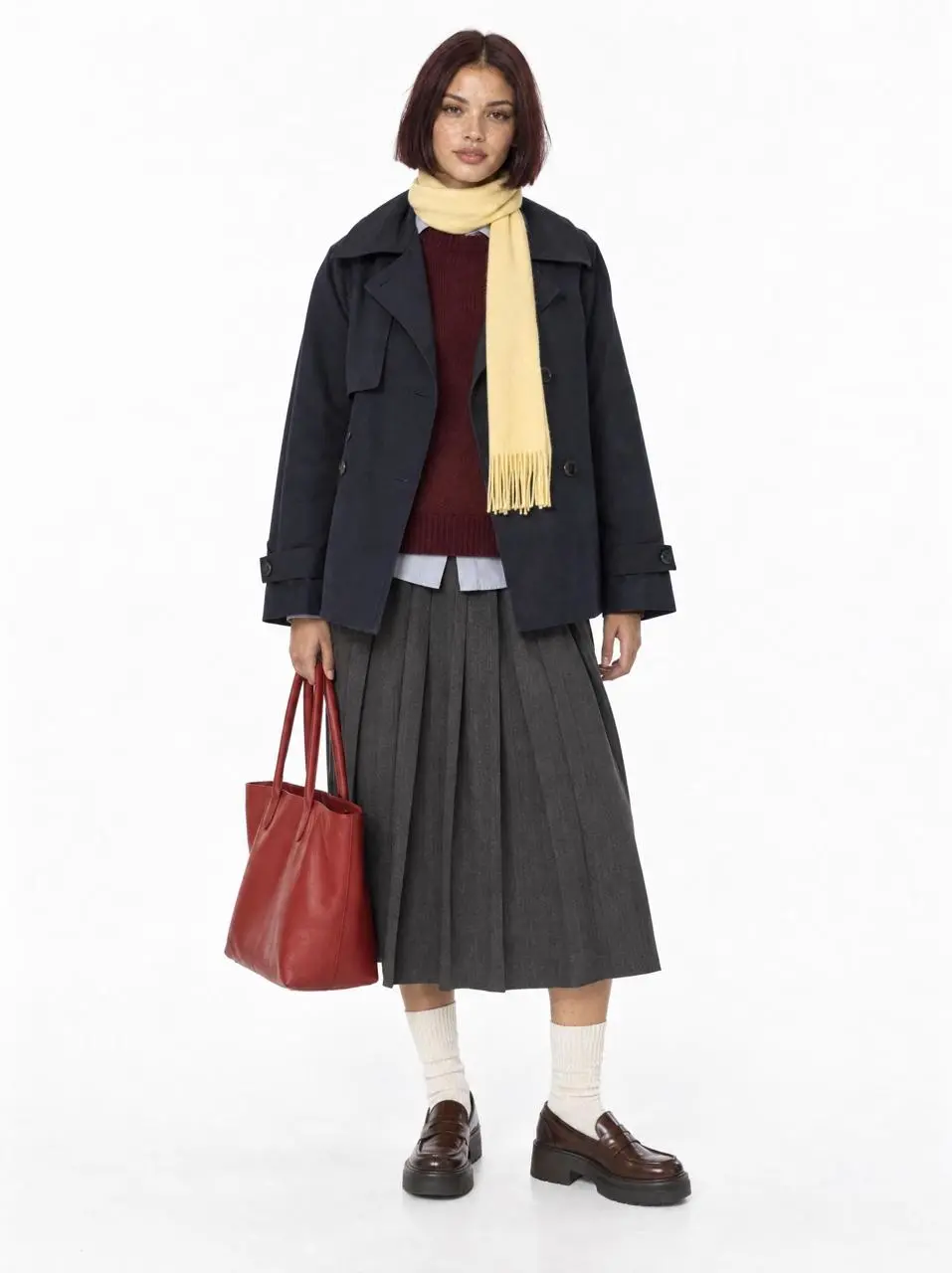
Identify the item and its replacement color rather than requesting a complete restyle. In this case: “Preserve the same fictional woman and every clothing color, layer, shoe, scarf and tomato-red tote.”
Use the uploaded white-background model photo as the exact identity and outfit reference. Preserve the same fictional woman and every clothing color, layer, shoe, scarf and tomato-red tote. High-angle overhead fashion street photograph on a diagonal zebra crossing in natural hard daylight. She is mid-step, holding a black phone to one ear and a plain takeaway coffee in the other hand, turning her face up toward the camera as the trench hem and bob move in the breeze. The red tote hangs from her shoulder. Dynamic candid commuter moment, cool gray asphalt, bold white stripes, crisp shadow, subtle grain, commercial editorial realism, sharp focus. No readable branding, no extra person, no text, no duplicated limbs or accessories.
Plan the Text and Its Hierarchy
Specify the written information and where it belongs in the design. Check the resulting words before use. In this case: “Place a bold, dark orange English headline—"Treat your furry friend to the best"—with a short subheading underneath.”
Generate a 16:9 widescreen UI concept image for a pet e-commerce website, suitable for pet brands and Shopify pet stores.
At the top, feature a clean navigation bar: a circular paw-print logo and the brand name "Pawsome" on the left; "Home," "Dogs," "Cats," "About," and "Shop" displayed sequentially in the center; and a shopping cart icon with a quantity indicator on the right.
Use a creamy beige background for the left side of the page. Place a bold, dark orange English headline—"Treat your furry friend to the best"—with a short subheading underneath.
Below the headline, arrange three floating product cards with rounded corners horizontally, showcasing:
1. A green tennis ball dog toy
2. Natural chicken pet treats
3. An orange pet harness
Each card includes a clear product image, a short English product name, price, star rating, and a small "Add" button. The cards should utilize varying shades of orange and golden yellow, featuring soft, layered shadows.
At the bottom left, place a large, golden-yellow, capsule-shaped button with rounded corners. The button text reads "Shop Now," accompanied by a simple arrow on the right.
On the right side of the page, feature a large, rounded-corner photo of a Golden Retriever. The dog is set in a grassy field at sunset, illuminated by warm golden backlighting, with a friendly, natural expression; the background includes softly blurred trees and a pet house.
Incorporate a distinct 3D interactive effect that spans layers: one of the Golden Retriever's front paws extends from the right image frame, crosses the boundary between the image area and the left content area, and rests upon the "Shop Now" button.
The dog's paw must be positioned in the foreground—overlapping both the image frame and the button—and convey realistic weight through contact shadows, fur edge details, and a slight pressing effect, clearly indicating that the paw is actively pressing the button.
The overall color palette features warm sunset tones, dominated by creamy beige, orange, and golden yellow. The design employs rounded cards, soft layered shadows, clear information hierarchy, and a refined pet e-commerce UI style.
Keep the page clean, balanced, and easy to read. Avoid adding superfluous navigation, irrelevant buttons, human figures, watermarks, garbled text, or decorations unrelated to pet e-commerce.
Describe a Visible Material
Use concrete surface or material details to define the requested look. In this case: “The lighting is bright and even, with pastel pink tones, smooth skin texture, and a polished Korean skincare advertisement style.”
A bright commercial skincare image featuring a young female model seated behind a white tabletop with a soft pink background. She has long black wavy hair, clean glowing makeup, and wears a light pink camisole. She smiles gently at the camera while holding a pale pink skincare tube upright beside her face. Several matching skincare tubes are arranged across the table, surrounded by fresh peach props with green leaves, reinforcing a peach-themed beauty concept. The overall mood is fresh, sweet, clean, and youthful. The lighting is bright and even, with pastel pink tones, smooth skin texture, and a polished Korean skincare advertisement style.
HOW TO USE
Create Your First Seedream 5.0 Pro Image
Start in the generator on this page. To reuse an example, click Copy Prompt, return to the description field, and adapt the prompt to your own inputs.
Provide the Scene and Inputs
Write your brief and add the reference media required by the selected mode. Explain the role of each supplied input.
Choose the Output Options
Choose the aspect ratio, image size, quality, and image count where offered. Check the form’s displayed points before submitting.
Generate and Review
Click Generate and review the resulting image. Check composition, required words, and the subject details that matter to your task. Adjust your prompt or references for the next attempt.
Compare the documented model roles and the inputs and options currently listed in WeShop. Model names or matching settings do not by themselves establish equal output quality or a fixed generation-time difference.
Dimension
Seedream 5.0 Lite
Seedream 5.0 Pro
Model role
Reasoning about a brief and combining visual information
Information-rich design, spatial edits, and visual realism
Inputs listed for the page
Start from Your Reference Photos; Create from a Written Brief
Start from Your Reference Photos; Create from a Written Brief
Current WeShop options
Image size: 2K, 3K
Image size: 1K, 2K
Model role
Seedream 5.0 Lite
Reasoning about a brief and combining visual information
Seedream 5.0 Pro
Information-rich design, spatial edits, and visual realism
Inputs listed for the page
Seedream 5.0 Lite
Start from Your Reference Photos; Create from a Written Brief
Seedream 5.0 Pro
Start from Your Reference Photos; Create from a Written Brief
Current WeShop options
Seedream 5.0 Lite
Image size: 2K, 3K
Seedream 5.0 Pro
Image size: 1K, 2K
When to Consider Seedream 5.0 Pro
Match the Model to Your Task
Consider Pro when the brief involves dense information, a spatially directed edit, or realistic surfaces. Compare Lite for its instruction-understanding focus.
MORE IMAGE MODELS
Explore More Image Models
Open a related model page to review its capabilities, examples, and current generation options.
Answers about this version, its inputs, and how to get started.
What is Seedream 5.0 Pro?
Seedream 5.0 Pro is ByteDance’s multimodal image creation model for information-rich design, spatially directed edits, and photographic or rendered visuals.
What is a good task to consider it for?
Consider Pro when the brief involves dense information, a spatially directed edit, or realistic surfaces. Compare Lite for its instruction-understanding focus.
What do I need to provide?
Start from Your Reference Photos. Upload the subject or scene for the edit. For several inputs, identify what each reference supplies and describe the requested change. Create from a Written Brief. Describe a new subject, setting, composition, and visual treatment. Include any words that belong in the image.
Which output settings are offered here?
Image size: 1K, 2K
How do I try an example prompt?
Click Copy Prompt, return to the generator, and paste it into the description field. Add your own required references and update their roles. Linked case previews and Use This Prompt open the saved case; they do not automatically fill this page’s form.
What should I know about this version?
ByteDance notes remaining limitations in fine text and pixel-level edit consistency. Check small lettering and the details around an edited region.