
एआई मॉडल निर्देशिका
एआई इमेज जेनरेशन मॉडल का अन्वेषण करें
अपने काम करने के तरीके के लिए एक छवि मॉडल ढूंढें। एक निर्देशिका में टेक्स्ट-टू-इमेज निर्माण, संदर्भ-आधारित निर्माण और संपादन का अन्वेषण करें।
टेक्स्ट प्रॉम्प्ट, संदर्भ फ़ोटो और छवि संपादन के लिए AI छवि मॉडल की तुलना करें। उदाहरणों की समीक्षा करें और अपने अगले दृश्य के लिए एक मॉडल चुनें।
एआई छवि मॉडल ब्राउज़ करें
12 मॉडल
 OpenAI
 ByteDance
 Midjourney
 Alibaba
 Tongyi Lab
 Xiaohongshu
 xAI
xAI Google
 HiDream.ai
 OpenMOSS
वर्कफ़्लो की तुलना करें
छवि निर्माण और संपादन वर्कफ़्लो की तुलना करें
मॉडल चुनने से पहले वर्कफ़्लो की तुलना करें। टेक्स्ट संकेत एक नए दृश्य का वर्णन करते हैं, जबकि संदर्भ छवियां निर्माण या संपादन के लिए एक दृश्य प्रारंभिक बिंदु प्रदान करती हैं।
सभी छवि मॉडलों में समान संक्षिप्त विवरण देखें
Each task below keeps the input and full prompt fixed. Compare two recorded model runs, including the model version and output settings; the editing task also shows the shared reference image.
उत्पाद संरचना
The same text input tests product placement, material detail, lighting, and the amount of usable campaign space.
Shared inputFull prompt
Full promptCreate a premium campaign still life featuring an unbranded translucent lavender perfume bottle and black cat-eye sunglasses on dark stone plinths. Add small purple flowers, a polished pale stone surface, soft blush-and-violet studio lighting, elegant shadows, and generous negative space. Wide landscape composition. No text, logos, or watermark.
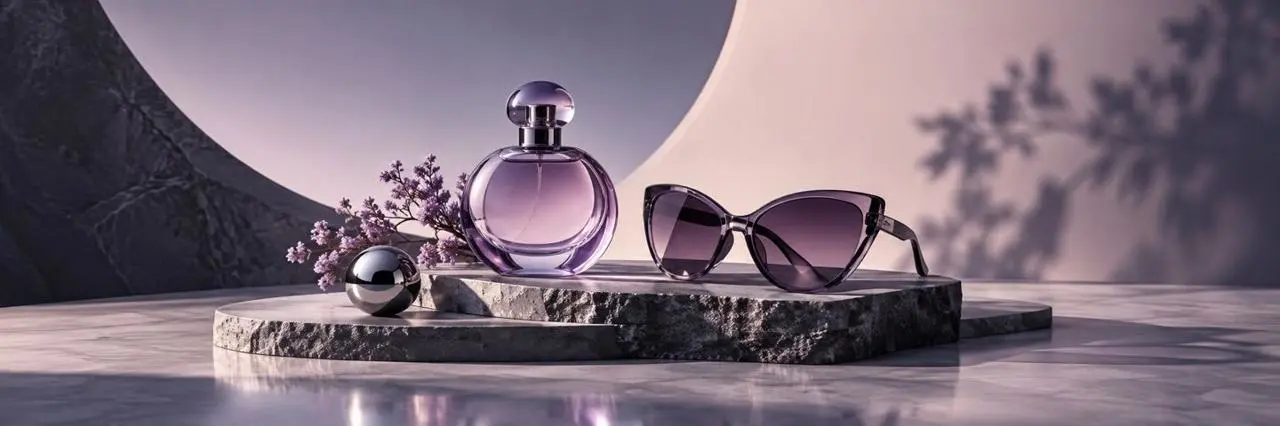
GPT ImageModel output 1
- Version
- GPT Image 2
- Aspect ratio
- 3:1
- आउटपुट
- 1440 × 480
- छवियाँ
- 1

Nano BananaModel output 2
- Version
- Nano Banana 2
- Aspect ratio
- 3:1
- आउटपुट
- 2172 × 724
- छवियाँ
- 1
पोस्टर संकल्पना
The shared brief tests geometric layout, visual hierarchy, material rendering, and reserved copy space.
Shared inputFull prompt
Full promptCreate a premium photorealistic 3D poster mockup in a dark plum studio. Center one horizontal cream poster with bold plum and magenta geometric waves and a small chrome sphere. Surround it with restrained translucent acrylic and stone shapes under polished magenta studio light. Preserve generous blank cream space for future copy. Wide landscape composition. No readable text, logos, or watermark.
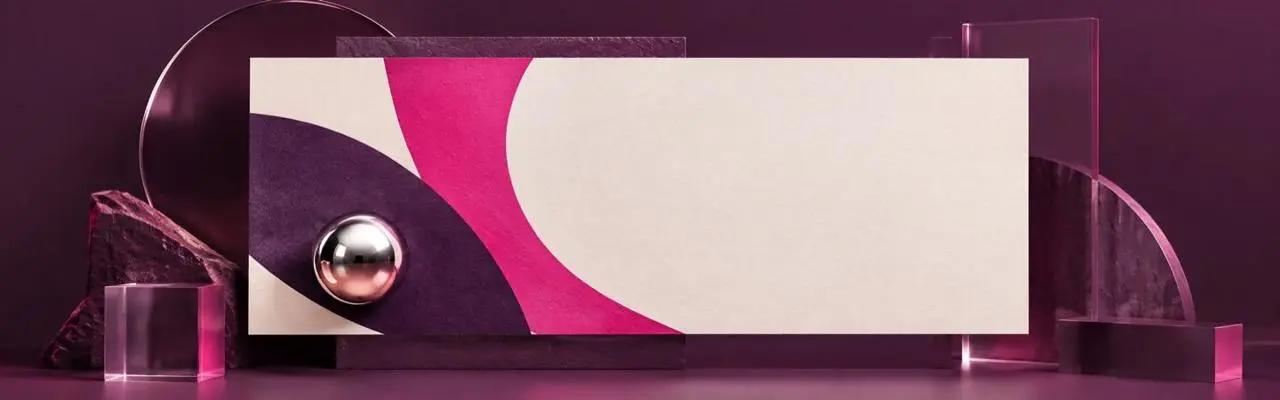
GPT ImageModel output 1
- Version
- GPT Image 2
- Aspect ratio
- 16:5
- आउटपुट
- 1440 × 450
- छवियाँ
- 1
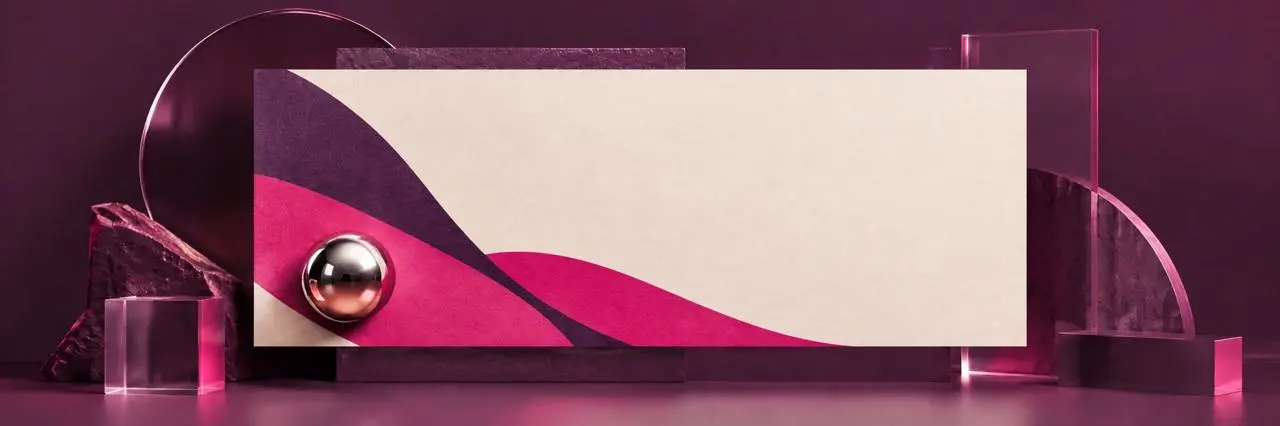
Nano BananaModel output 2
- Version
- Nano Banana 2
- Aspect ratio
- 3:1
- आउटपुट
- 2172 × 724
- छवियाँ
- 1
संदर्भ छवि संपादित करें
Both runs receive the same source image and edit instruction so you can compare subject preservation and background replacement.
Shared inputReference image
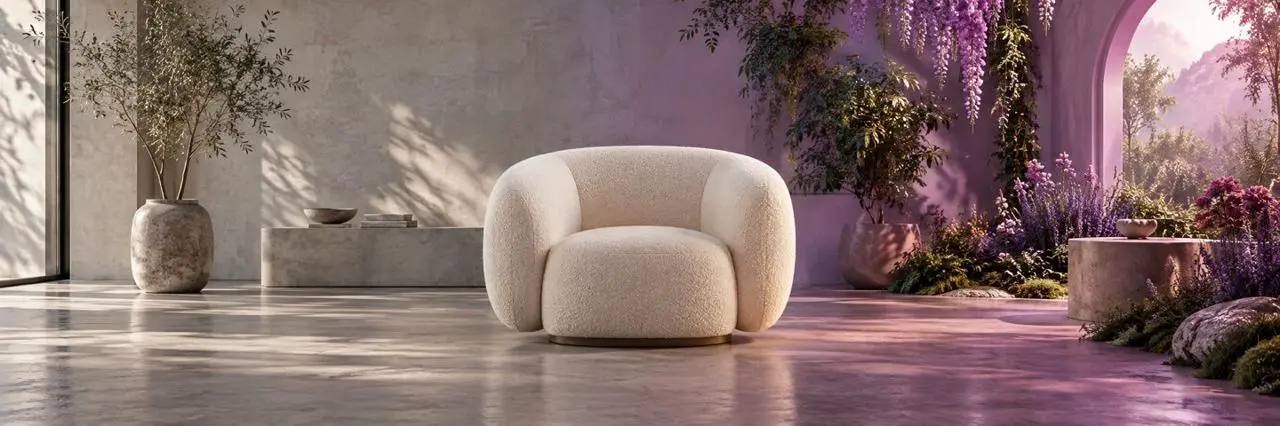
Full promptUse the uploaded image as the reference. Replace the entire environment with a bright warm-white daylight photography studio using a seamless plaster backdrop and soft shadows. Keep the cream boucle lounge chair unchanged as the sole hero product, preserving its position, scale, shape, upholstery texture, and camera angle. Remove all plants, archways, flowers, and colored garden light. Wide landscape composition. No text, logos, or watermark.
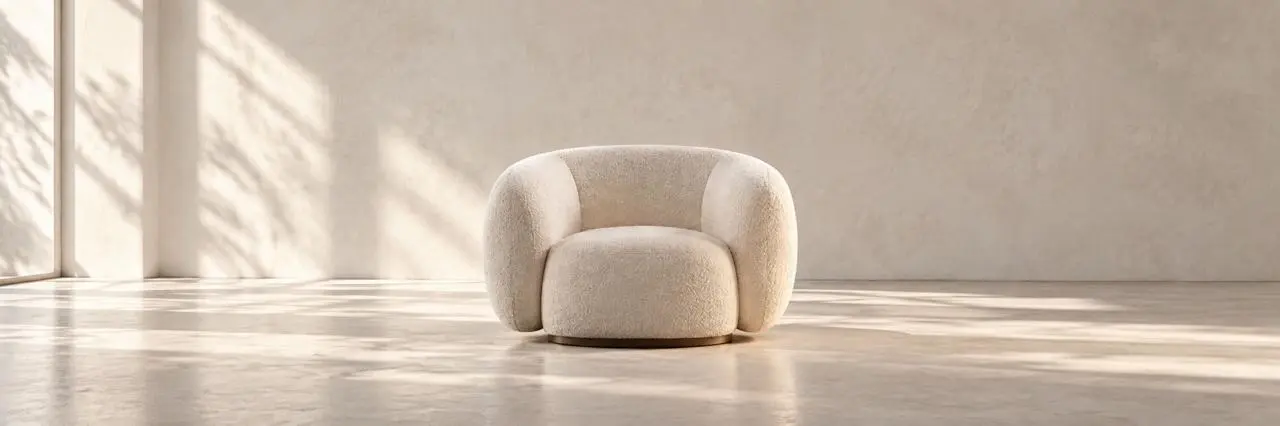
GPT ImageModel output 1
- Version
- GPT Image 2
- Input
- 1 reference image
- Aspect ratio
- 3:1
- आउटपुट
- 2172 × 724

Nano BananaModel output 2
- Version
- Nano Banana 2
- Input
- 1 reference image
- Aspect ratio
- 3:1
- आउटपुट
- 2172 × 724
अपने कार्य के लिए एक छवि मॉडल चुनें
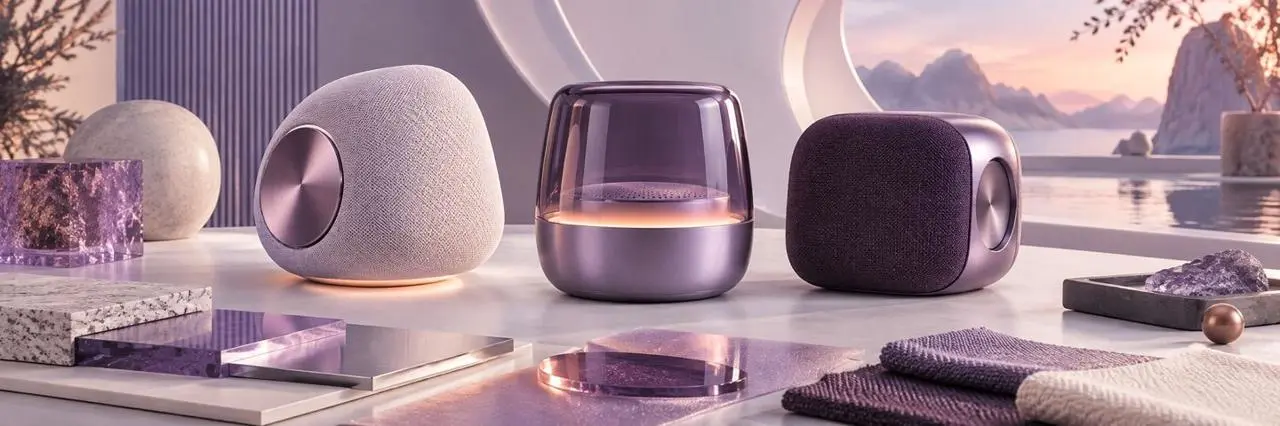
उत्पाद अवधारणाएँ
किसी उत्पाद विचार के लिए पृष्ठभूमि, प्रकाश व्यवस्था और रचनाओं की तुलना करें।
उत्पाद अवधारणाएँ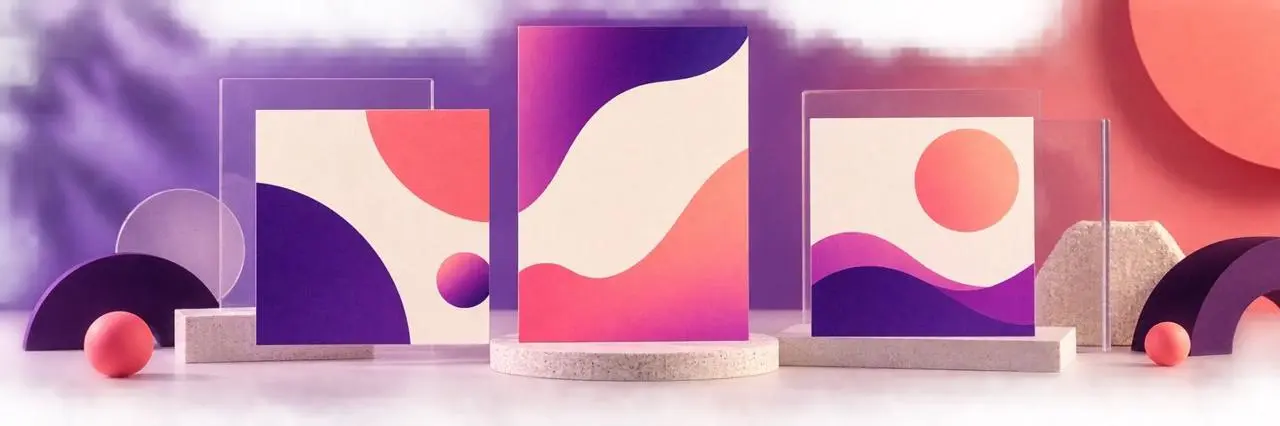
पोस्टर और सामाजिक ग्राफ़िक्स
समीक्षा करें कि प्रत्येक मॉडल आपके संक्षिप्त विवरण में लेआउट, दृश्य शैली और पाठ को कैसे संभालता है।
पोस्टर और सामाजिक ग्राफ़िक्स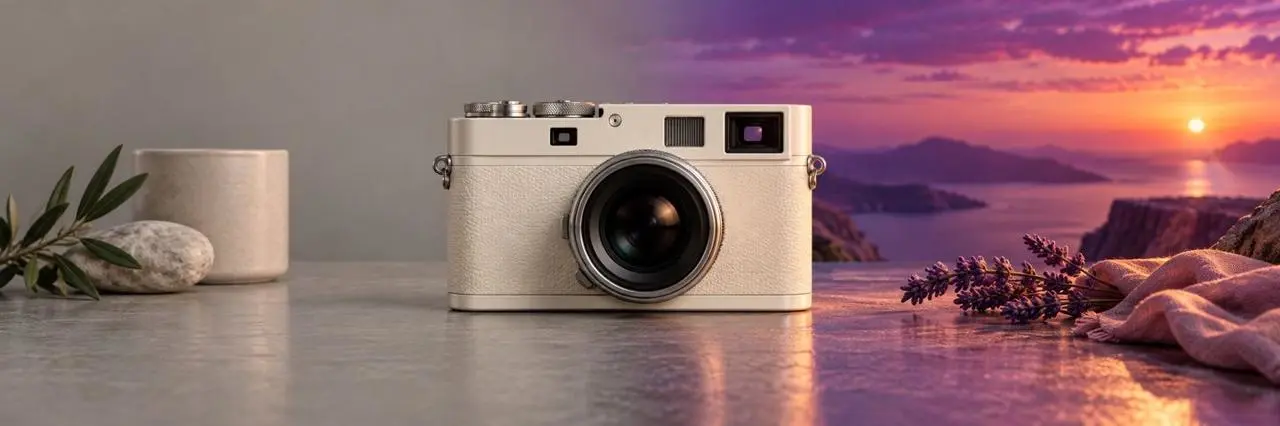
एक संदर्भ फ़ोटो संपादित करना
जांचें कि मॉडल आपके अनुरोधित परिवर्तन का कैसे अनुसरण करता है और यह इनपुट से कौन सा विवरण रखता है।
एक संदर्भ फ़ोटो संपादित करनाअक्सर पूछे जाने वाले प्रश्न
आप सही AI मॉडल कैसे चुनते हैं?
मॉडल इनपुट, वर्कफ़्लो, सेटिंग्स और उपलब्धता के बारे में सीधे उत्तर।
AI छवि निर्माण मॉडल क्या हैं?
एआई छवि निर्माण मॉडल टेक्स्ट प्रॉम्प्ट या संदर्भ फोटो जैसे निर्देशों से छवियां बनाते हैं। इस निर्देशिका में मॉडल WeShop AI वर्कफ़्लो के माध्यम से उपलब्ध हैं।
मुझे कौन सा AI छवि मॉडल चुनना चाहिए?
अपने कार्य के आधार पर चुनें: एक नया दृश्य बनाना, एक लेआउट तलाशना, या किसी मौजूदा छवि को संपादित करना। समान इनपुट वाले उदाहरणों की तुलना करें और उपलब्ध नियंत्रणों की समीक्षा करें।
क्या मैं संदर्भ फ़ोटो का उपयोग कर सकता हूँ?
प्रत्येक मॉडल के लिए संदर्भ-फोटो समर्थन सूचीबद्ध है। अपनी छवि अपलोड करने के लिए मॉडल पृष्ठ खोलें और उपलब्ध पीढ़ी या संपादन सेटिंग्स की समीक्षा करें।
Can I compare image models using the same brief?
Yes. Each of the three comparison tasks keeps one complete prompt fixed across both model outputs. The cards record the model version and settings, and the reference-edit task uses the same displayed source image for both runs.