xAI के इमेज बनाने वाले मॉडल परिवार Grok Imagine से पोर्ट्रेट, स्टाइलाइज़्ड किरदार और कल्पनाशील दृश्य बनाएँ। मनचाही इमेज का विवरण लिखें या अलग स्टाइल और कंपोज़िशन आज़माने के लिए रेफ़रेंस फ़ोटो जोड़ें।
तीन तरीके देखें: बारीकियों वाला पोर्ट्रेट, नाटकीय कैमरा एंगल और अलग-अलग स्टाइल के किरदारों वाला दृश्य। हर इमेज के लिए इस्तेमाल किया गया विवरण उसके प्रॉम्प्ट में देखें।
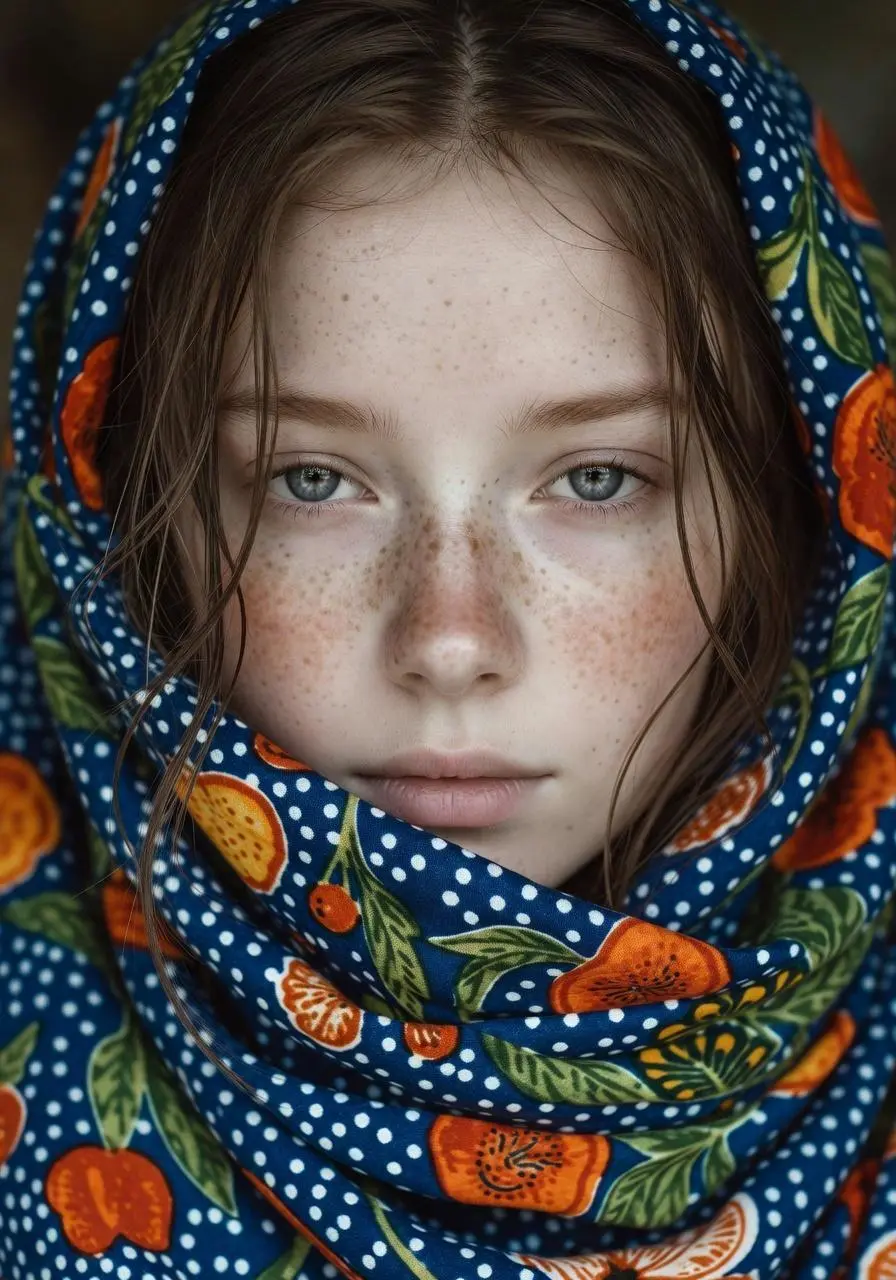
स्कार्फ़ से घिरा पोर्ट्रेट
चेहरे के पास का फ़्रेम झाइयों, हल्की आँखों और नीले स्कार्फ़ के पैटर्न को उभारता है। प्रॉम्प्ट इन बारीकियों के साथ नरम रोशनी और आत्मीय पोर्ट्रेट का माहौल बताता है।
This image is an extreme close-up portrait with a soft, dreamlike, and highly intimate atmosphere. The composition is very tight, focusing almost entirely on the face and the richly patterned fabric surrounding it, which creates a strong sense of closeness and emotional intensity.The most striking feature is the face itself. The subject has very fair skin covered with a dense scattering of freckles across the nose, cheeks, and forehead, giving the image remarkable texture and individuality. The eyes are pale blue-gray and luminous, with a reflective catchlight that makes them appear vivid and almost glass-like. The gaze is quiet and slightly heavy-lidded, giving the portrait a contemplative, tired, or wistful mood. The eyebrows are soft and natural, and the lips are full, pale, and gently closed, contributing to the overall feeling of vulnerability and stillness. Loose damp-looking strands of hair fall across the forehead and around the face, adding an unpolished, organic softness.The lower part of the face is partially wrapped or framed by a richly colored textile. This fabric is one of the image’s most visually dynamic elements: it features a deep blue background with white speckled dots and botanical motifs, including warm orange fruit-like shapes and green leaves. The contrast between the cool blue fabric and the pale freckled skin makes the portrait especially vivid. The textile gives the image a painterly, almost illustrative quality, as though the subject is emerging from within a lush, patterned cocoon.The background itself is not clearly visible, because the frame is filled almost entirely by the face, hair, and fabric. This absence of environmental detail makes the portrait feel even more intimate and immersive. The lighting is soft and diffused, with no harsh shadows, which enhances the skin texture and preserves the delicate tonal transitions across the face. Overall, the image feels poetic, tactile, and emotionally charged, balancing realism with a slightly surreal, artful beauty.
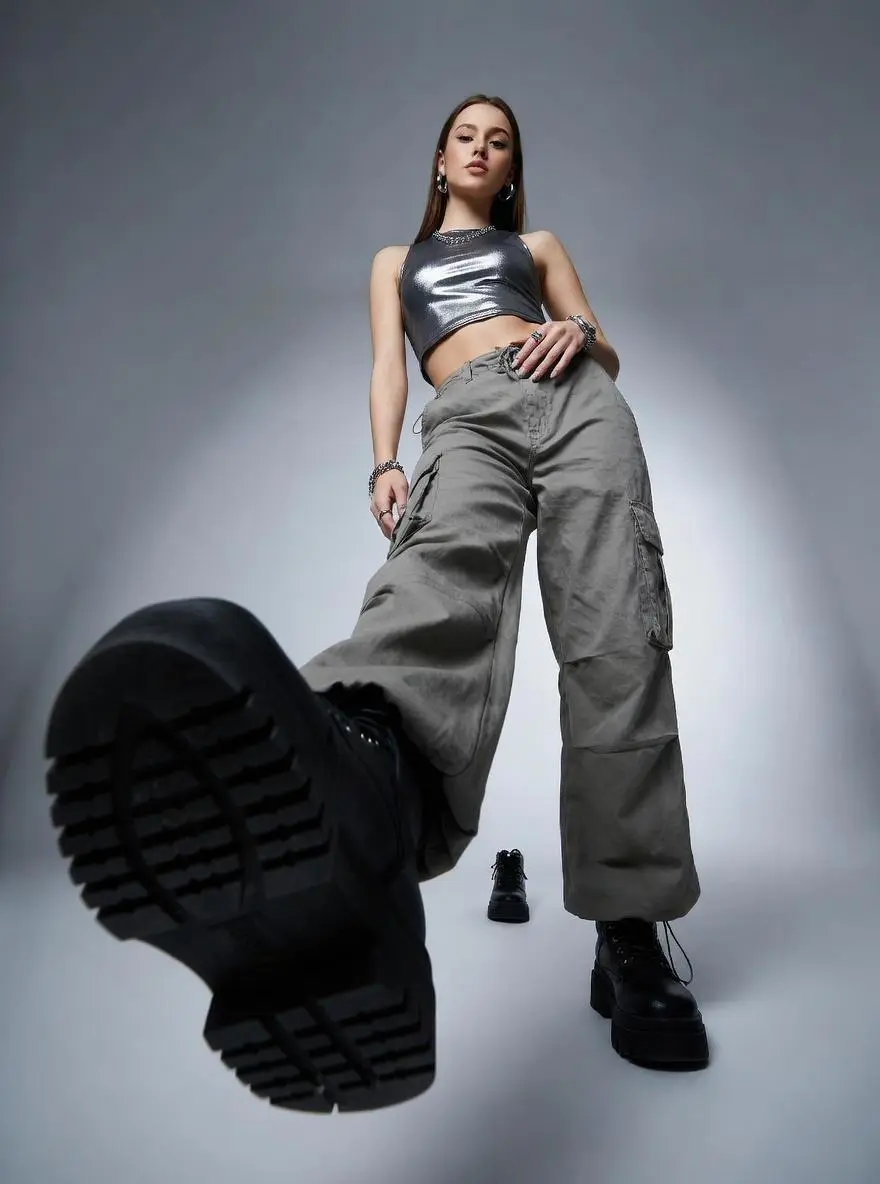
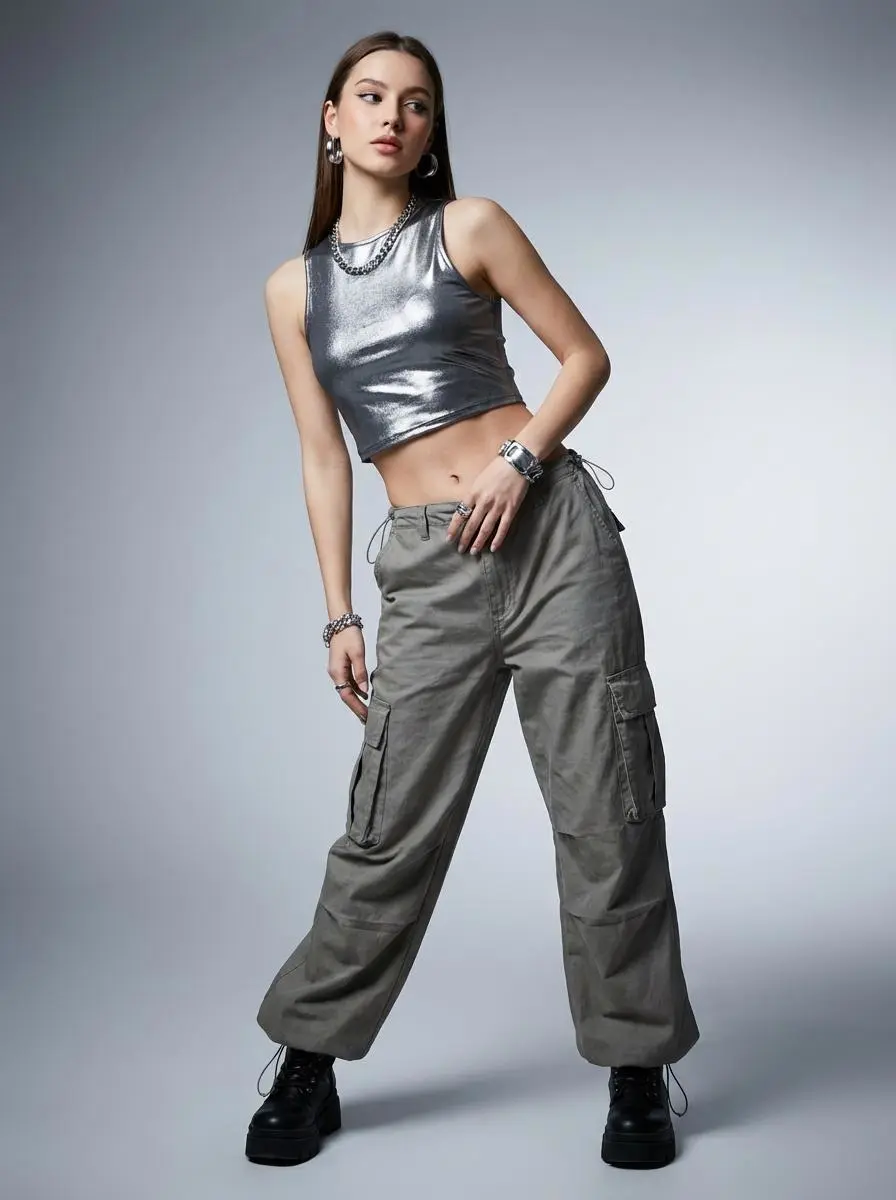
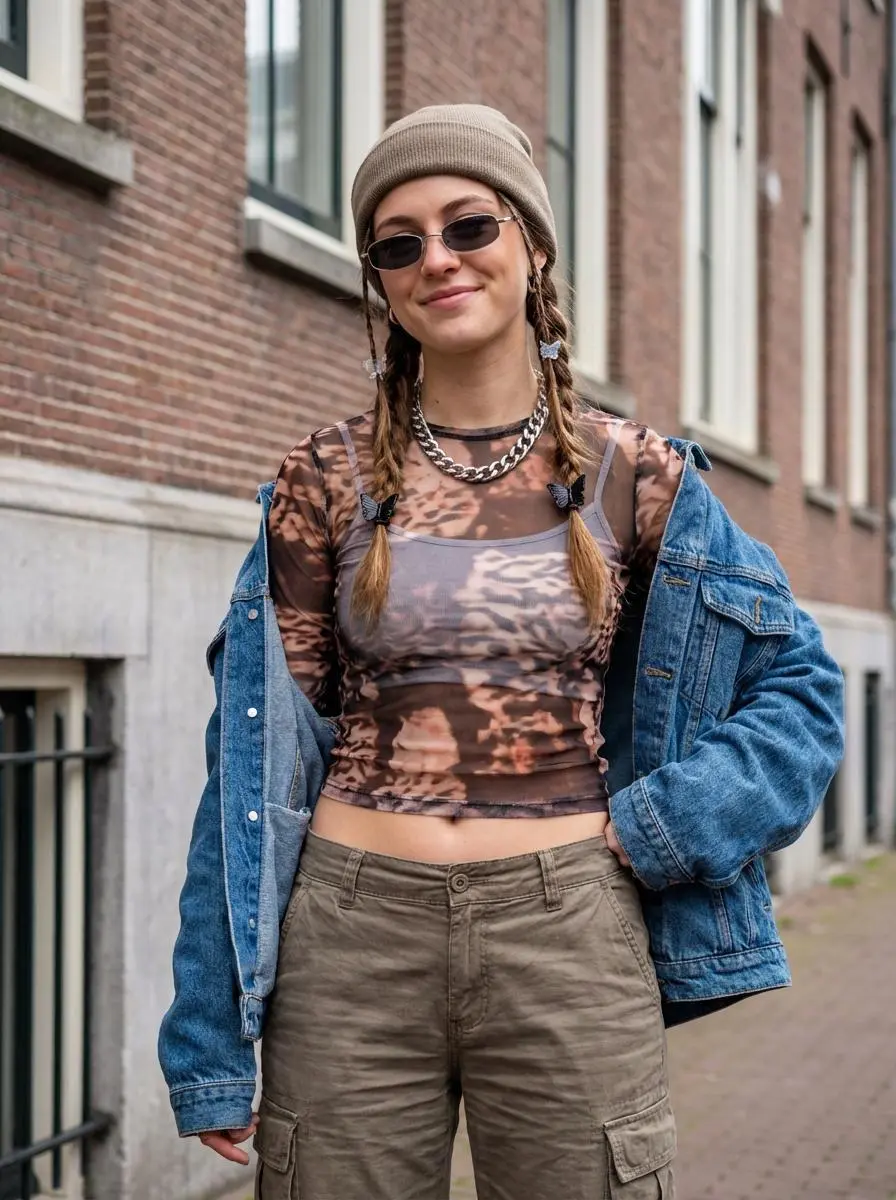
सामने बूट बड़ा दिखाई देता है और व्यक्ति फ़्रेम में पीछे की ओर जाता दिखता है। रेफ़रेंस फ़ोटो की यह एडिट बेहद नीचे के कैमरा एंगल से मूल पोर्ट्रेट का परिप्रेक्ष्य बदलती है।
Transform the original photo into a dramatic, realistic, wide-angle shot with an extreme camera angle (including from a perspective directly below or directly above), where one or more body parts are close to the lens and appear huge, while the rest of the body recedes in perspective, and the same person assumes a fashionable, complex, and powerful pose in an expanded version of the original environment.
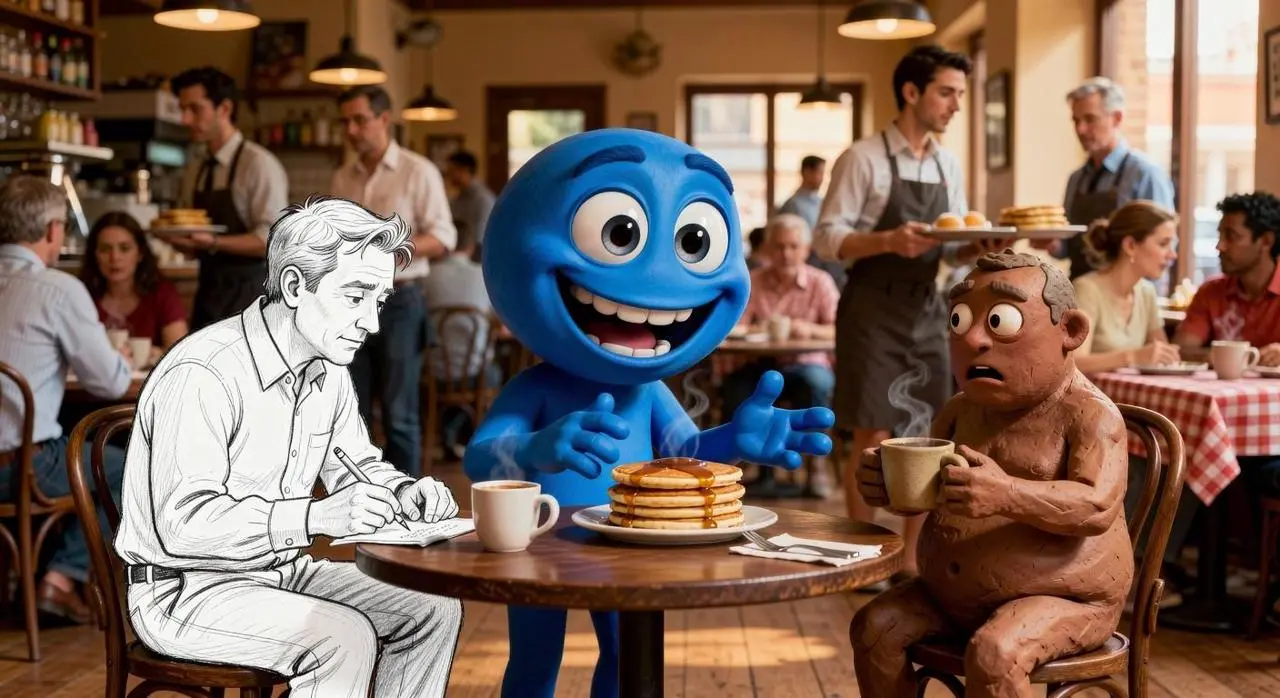
पेंसिल से बना व्यक्ति, नीला एनिमेटेड किरदार और मिट्टी का किरदार कैफ़े की एक मेज़ पर बैठे हैं। प्रॉम्प्ट तीन विज़ुअल स्टाइल को फ़ोटोग्राफ़िक परिवेश में जोड़ता है।
A photo depicting a busy café breakfast scene. In the foreground, there is a blue animated character. One of the characters is a pencil sketch, and the other is a clay animation character.
Grok Imagine लिखे हुए विवरण से इमेज बनाता है और मूल इमेज के आधार पर एडिट करने में भी मदद करता है। पोर्ट्रेट के विचार विकसित करें, दूसरा कैमरा एंगल आज़माएँ, किरदार का रूप बदलें या मज़ेदार दृश्य की कल्पना करें। यहाँ उदाहरण फ़ोटोग्राफ़िक बारीकियों से लेकर मिट्टी जैसे 3D स्टाइल तक दिखाते हैं।
पोर्ट्रेट की बारीकियाँ और कैमरा परिप्रेक्ष्य
चेहरे के लक्षण, कपड़ा, रोशनी और फ़्रेमिंग बताएँ। स्कार्फ़ वाला उदाहरण बनावट और क्लोज़-अप पर केंद्रित है; फ़ैशन एडिट में बूट को लेंस के पास रखकर वाइड-एंगल दृश्य आज़माया गया है।
किरदार का स्टाइल और सामग्री बदलना
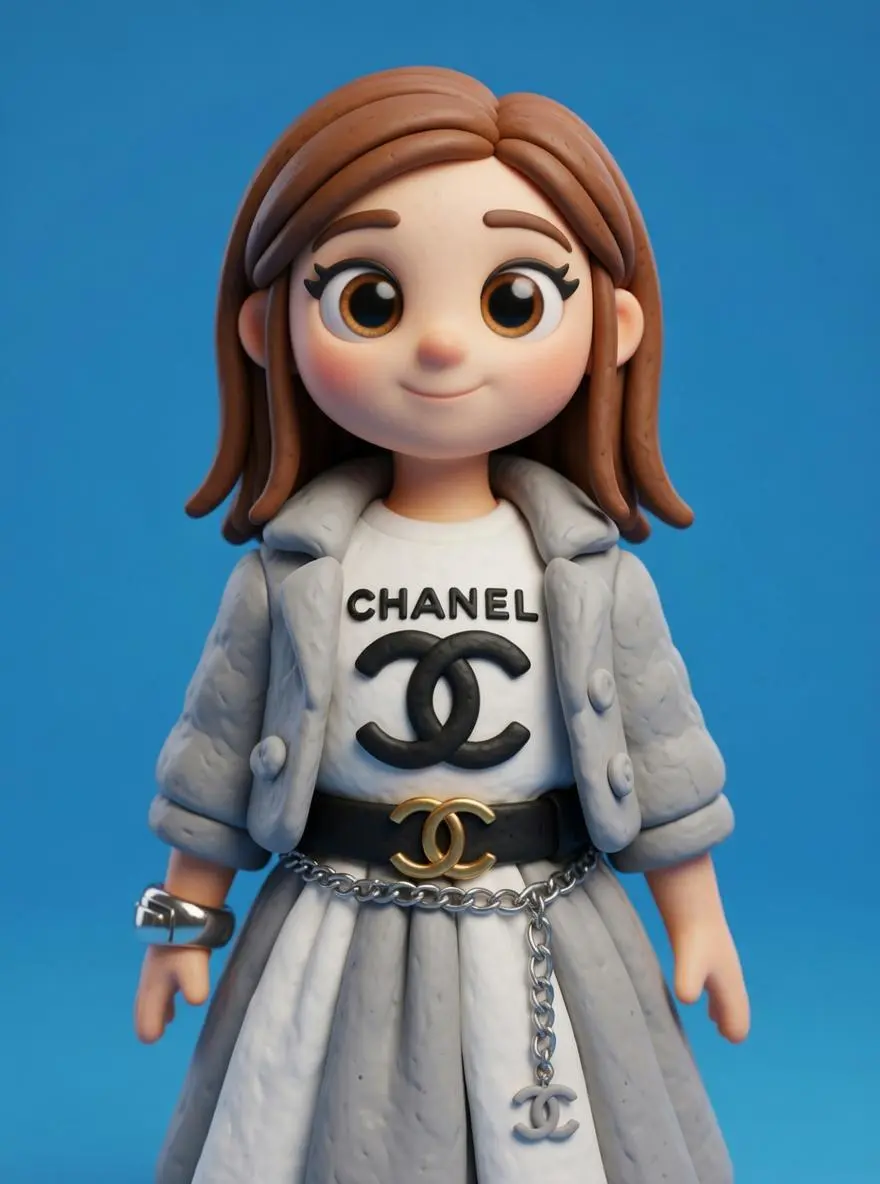
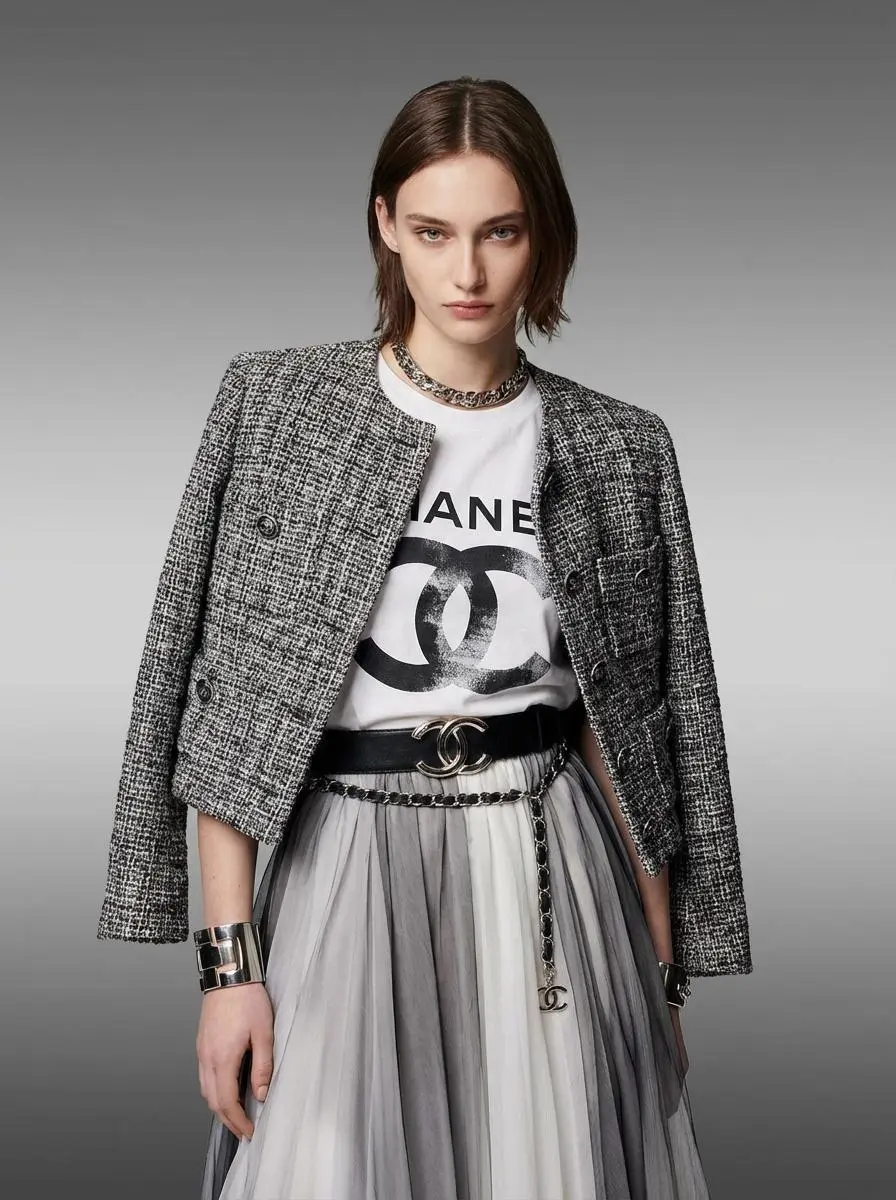
किरदार को पेंसिल ड्रॉइंग, मिट्टी की आकृति या स्टाइलाइज़्ड 3D डिज़ाइन के रूप में आज़माएँ। कैफ़े का दृश्य कई स्टाइल जोड़ता है, जबकि मिट्टी वाली एडिट फ़ैशन फ़ोटो की सामग्री और अनुपात बदलती है।
बनाने के तरीके
टेक्स्ट या रेफ़रेंस फ़ोटो से शुरू करें
नया दृश्य बनाने के लिए टेक्स्ट से शुरू करें। मौजूदा इमेज का विषय, स्टाइल या कंपोज़िशन बदलना हो तो फ़ोटो जोड़ें।
रेफ़रेंस फ़ोटो एडिट करें
इमेज जोड़ने के विकल्प से अपनी मूल फ़ोटो लगाएँ। मिट्टी के किरदार जैसा स्टाइल या दूसरा कैमरा एंगल जैसे बदलाव बताएँ और उन बारीकियों का नाम लें जिन्हें बनाए रखना चाहते हैं।
टेक्स्ट से नई इमेज बनाएँ
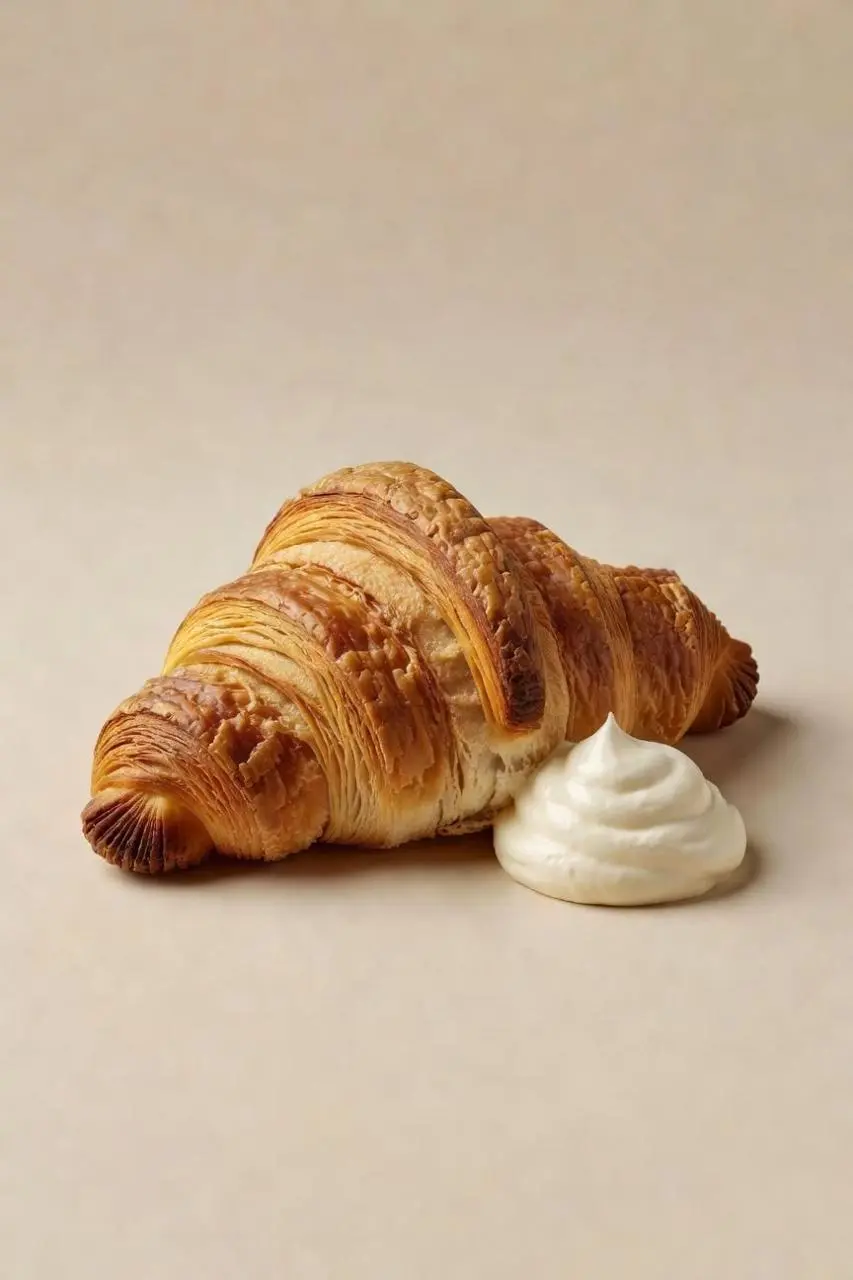
नई इमेज का विषय, परिवेश और रूप बताएँ। कैफ़े वाला उदाहरण किरदारों के तीन स्टाइल बताता है; क्रोइसाँ वाला उदाहरण भोजन, सादा बैकग्राउंड और प्राकृतिक रोशनी बताता है।
प्रॉम्प्ट गाइड
इन उदाहरणों से प्रॉम्प्ट लिखना सीखें
ये चार प्रॉम्प्ट विषय, परिवेश, सामग्री और रोशनी का विवरण देने के तरीके दिखाते हैं। हर कार्ड में मूल अंग्रेज़ी प्रॉम्प्ट, परिणाम और इस्तेमाल की गई रेफ़रेंस फ़ोटो शामिल है।
किरदार और उनकी जगह बताएँ
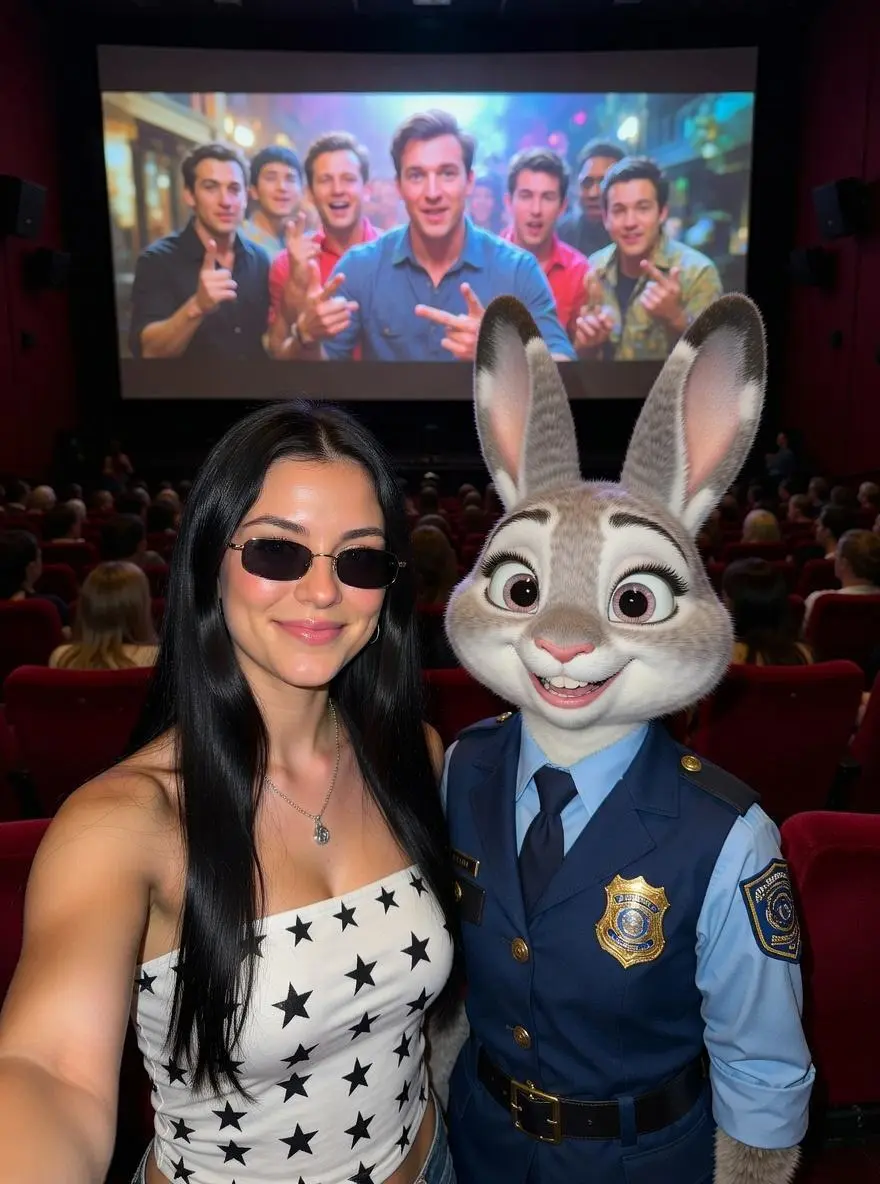
यह प्रॉम्प्ट एक महिला और खरगोश के किरदार का वर्णन करके उन्हें सिनेमाघर में साथ खड़े होकर सेल्फ़ी लेने को कहता है। मनचाहा दृश्य स्पष्ट करने के लिए किरदारों की बारीकियों को जगह और रोशनी से अलग लिखें।
{
"Quickly": {
"Characters": [
{
"name": "Miyeon",
Description: A beautiful young Korean woman, with a smile on her face, has long black hair. She is wearing a white top with a shoulderless design, adorned with black stars, and is wearing a silver necklace. },
{
Name: Judy Hopps
Description: A character from the Disney animated film "Zootopia", wearing a police uniform and smiling. }
],
"Scene": {
"Location": "A dimly lit and crowded cinema/screening room",
"Background": "A scene on the big movie screen showing multiple male characters making various gestures",
"Lighting": "Movie lighting" },
"Interaction": "Mei Yan and Judy Hopps are standing side by side for a selfie"
Style: Photo-realistic, ultra-high detail, 8K }
}
नए विषय का नाम लिखें
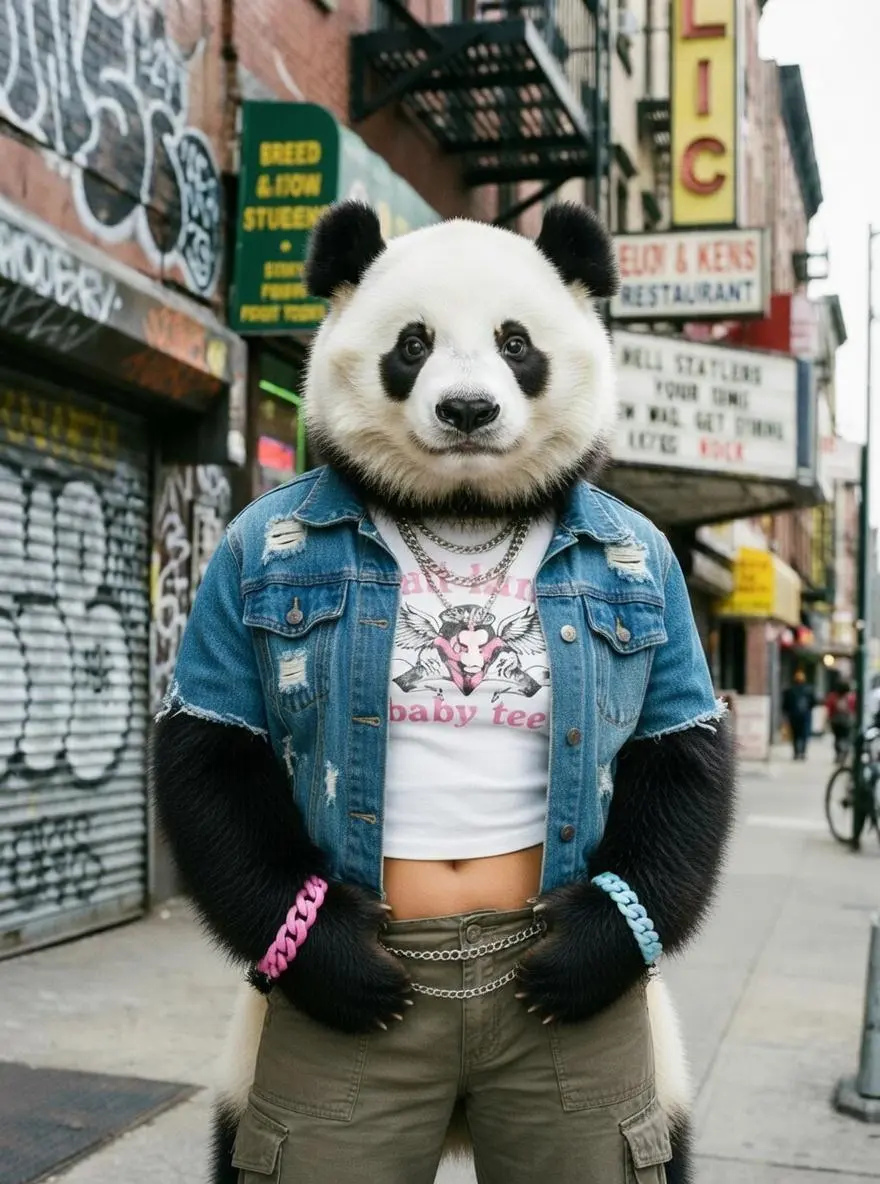
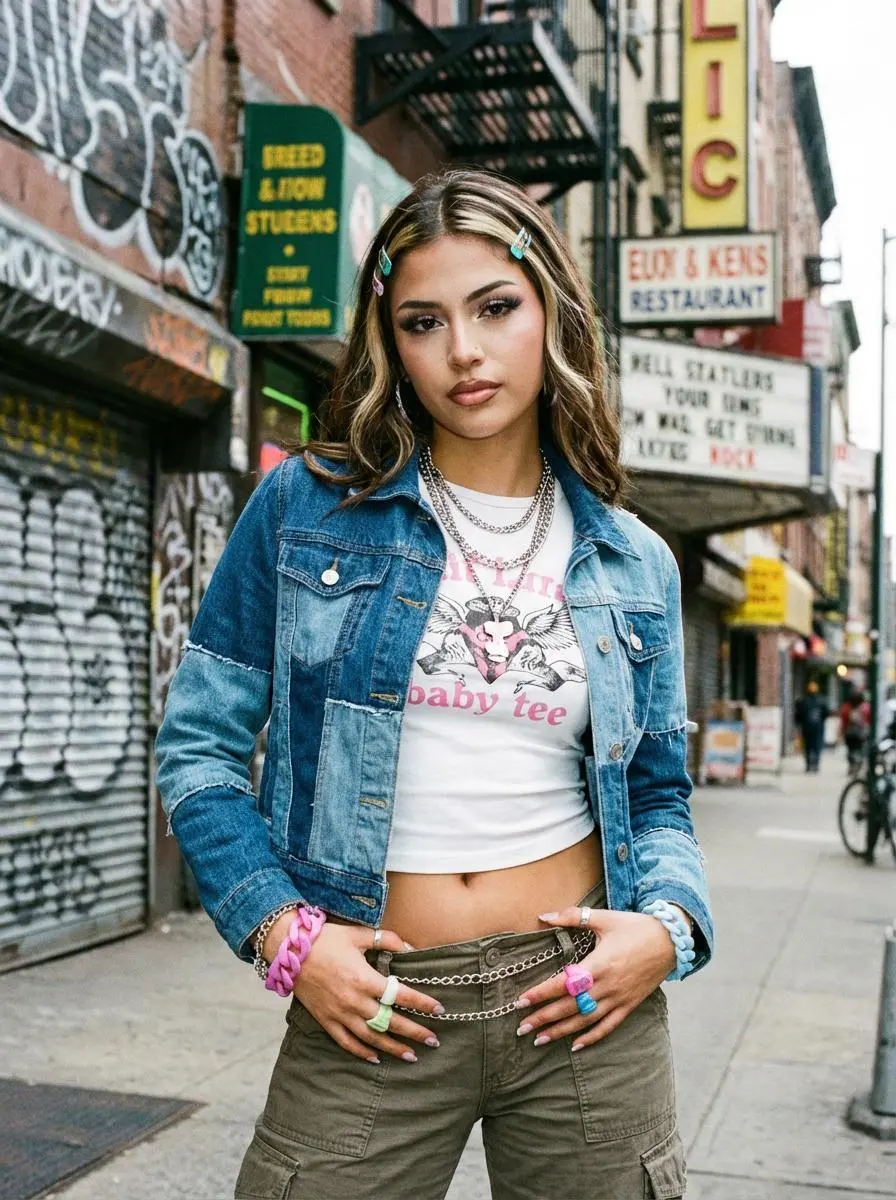
स्ट्रीट-स्टाइल रेफ़रेंस फ़ोटो के साथ यह छोटा प्रॉम्प्ट बारीकियों वाला पांडा पोर्ट्रेट माँगता है। परिणाम में मूल कपड़े और सड़क के तत्व पहचाने जा सकते हैं; यह जानकारी रेफ़रेंस में है, किसी विस्तृत लिखित विवरण में नहीं।
[Character] A highly detailed portrait of [Panda]
सामग्री और आकार स्पष्ट करें
अनुरोध में नरम मिट्टी की बनावट, गोल आकृतियाँ और बढ़ा-चढ़ाकर दिखाए गए चेहरे के लक्षण हैं, फिर नीला बैकग्राउंड और सामने से नरम रोशनी बताई गई है। मूल फ़्रेमिंग रखने को भी कहा गया है। नया रूप और मूल इमेज से रखे जाने वाले तत्व दोनों लिखें।
Transform the main body into a stylized 3D character, featuring a soft clay texture, round sculptural shape, exaggerated facial features, harmonious and vibrant color combinations, smooth underlying texture, cartoon-like big eyes and simplified anatomical structure. Render it against a prominent blue studio background, using soft frontal light and subtle shadows. Create a charming, surreal and exquisite character design aesthetic, similar to modern stylized 3D illustrations. Retain the composition and framing of the original photo.
उत्पाद, बैकग्राउंड और रोशनी बताएँ
इस केवल टेक्स्ट वाले प्रॉम्प्ट में क्रोइसाँ के साथ क्रीम, सादा बैकग्राउंड और प्राकृतिक रोशनी जोड़ी गई है। उत्पाद और उसके आसपास का संक्षिप्त विवरण देने के उदाहरण के रूप में इसे देखें।
Product photography, croissant, cream, solid color background, simple, natural light, ultra high definition,2:3
इस्तेमाल कैसे करें
WeShop AI पर Grok Imagine कैसे इस्तेमाल करें
पेज के ऊपर दिए फ़ॉर्म का उपयोग करें। क्या बनाना है तय करें, अनुमानित पॉइंट देखें और इमेज बनाएँ।
अपनी इमेज का विवरण दें
इमेज के विवरण वाले बॉक्स में अपना विचार लिखें। एडिट के लिए मूल फ़ोटो जोड़ें और बताएँ कि क्या बदलना चाहिए।
संख्या चुनें और पॉइंट जाँचें
तय करें कि कितनी इमेज चाहिए। बनाने वाले बटन के पास पॉइंट का अनुमान देखें और सुनिश्चित करें कि खाते में पहुँच और पर्याप्त पॉइंट हैं।
इमेज बनाएँ और जाँचें
बनाने वाले बटन पर क्लिक करें, फिर विषय, कंपोज़िशन और बारीकियाँ देखें। फ़ोटो एडिट की हो तो इस्तेमाल से पहले मूल से तुलना करें।
इनपुट, प्रॉम्प्ट, आउटपुट सेटिंग और पॉइंट से जुड़े उपयोगी जवाब।
Grok Imagine क्या है?
Grok Imagine विज़ुअल क्रिएशन के लिए xAI का मॉडल परिवार है। WeShop का यह पेज पोर्ट्रेट, किरदार और रचनात्मक दृश्यों जैसी स्थिर इमेज बनाने और एडिट करने के लिए है।
Grok Imagine से क्या बना सकता हूँ?
पोर्ट्रेट के कॉन्सेप्ट, फ़ैशन कंपोज़िशन, स्टाइलाइज़्ड किरदार और उत्पादों के स्थिर चित्र आज़माएँ। इस पेज पर स्कार्फ़ वाला पोर्ट्रेट, नीचे के एंगल की फ़ैशन एडिट, मिली-जुली शैलियों वाला कैफ़े और क्रोइसाँ की इमेज है।
क्या फ़ोटो अपलोड करना ज़रूरी है?
नहीं। केवल टेक्स्ट विवरण से शुरुआत कर सकते हैं। मौजूदा इमेज एडिट करने के लिए मूल फ़ोटो जोड़ें और बदलाव बताएँ। फ़ोटो वाले उदाहरणों में रेफ़रेंस और परिणाम साथ दिखाए जाते हैं।
Grok Imagine का प्रॉम्प्ट कैसे लिखें?
विषय का नाम लिखें, फिर परिवेश और मनचाहा रूप बताएँ। एडिट में लिखें कि क्या बदलना है और क्या रखना है। गाइड में सिनेमाघर, पांडा, मिट्टी की सामग्री और उत्पाद की रोशनी वाले असली प्रॉम्प्ट हैं।
क्या इमेज का आकार या आस्पेक्ट रेशियो चुन सकता हूँ?
अभी फ़ॉर्म में इमेज की संख्या चुन सकते हैं, लेकिन आकार या आस्पेक्ट रेशियो का अलग विकल्प नहीं है। प्रोजेक्ट को सटीक पिक्सेल आकार चाहिए तो डिज़ाइन में रखने से पहले मूल आउटपुट फ़ाइल जाँचें।
क्या Grok Imagine मुफ़्त है?
WeShop पॉइंट और चुनिंदा मॉडल तक पहुँच वाला मुफ़्त ट्रायल देता है। Grok Imagine का इस्तेमाल खाते की अनुमति और उपलब्ध पॉइंट पर निर्भर करता है। अपने प्लान के लिए कीमतों का पेज और इस अनुरोध के अनुमान के लिए बनाने वाले बटन के पास देखें।
क्या फ़ोटो एडिट में हर बारीकी जस की तस रहती है?
नहीं। विषय, कपड़े या फ़्रेमिंग रखने का निर्देश बिल्कुल समान परिणाम की गारंटी नहीं देता। इस्तेमाल से पहले चेहरे, हाथ, कपड़े, उत्पाद की बारीकियों और टेक्स्ट की मूल इमेज से तुलना करें।
क्या उदाहरणों के प्रॉम्प्ट दोबारा इस्तेमाल कर सकता हूँ?
हाँ। प्रॉम्प्ट कॉपी करने वाले बटन से मूल टेक्स्ट लें। फ़ोटो वाले उदाहरण के लिए अपनी मूल फ़ोटो भी जोड़ें; केवल टेक्स्ट कॉपी करने से रेफ़रेंस इमेज शामिल नहीं होती। अलग इनपुट या नई जनरेशन से परिणाम बदल सकता है।
क्या इस पेज पर वीडियो भी बनते हैं?
यह पेज स्थिर इमेज के लिए है। चलती तस्वीरों वाले प्रोजेक्ट के लिए अलग Grok Imagine Video पेज और वहाँ के वीडियो इनपुट व सेटिंग देखें।
यहाँ Grok Imagine का कौन-सा संस्करण है?
WeShop इस इमेज विकल्प को संस्करण संख्या के बिना Grok Imagine कहता है। यहाँ इसे Imagine 2.0 या किसी अन्य निश्चित संस्करण के रूप में नहीं बताया गया है।