मॉडलछवि मॉडलQwen Image Edit — टेक्स्ट निर्देशों से फ़ोटो एडिटिंग
QWEN IMAGE EDIT से इमेज पर काम करें
Qwen Image Edit — टेक्स्ट निर्देशों से फ़ोटो एडिटिंग
Qwen-Image-Edit, Qwen का निर्देश-आधारित इमेज एडिटिंग मॉडल है। इसकी मूल रिलीज़ दृश्य रूप में बदलाव, अर्थ-आधारित रूपांतरण और चीनी-अंग्रेज़ी टेक्स्ट एडिटिंग को अलग करती है। WeShop AI पर टेक्स्ट से नई इमेज बनाएँ या एडिट करने के लिए इमेज अपलोड करें।
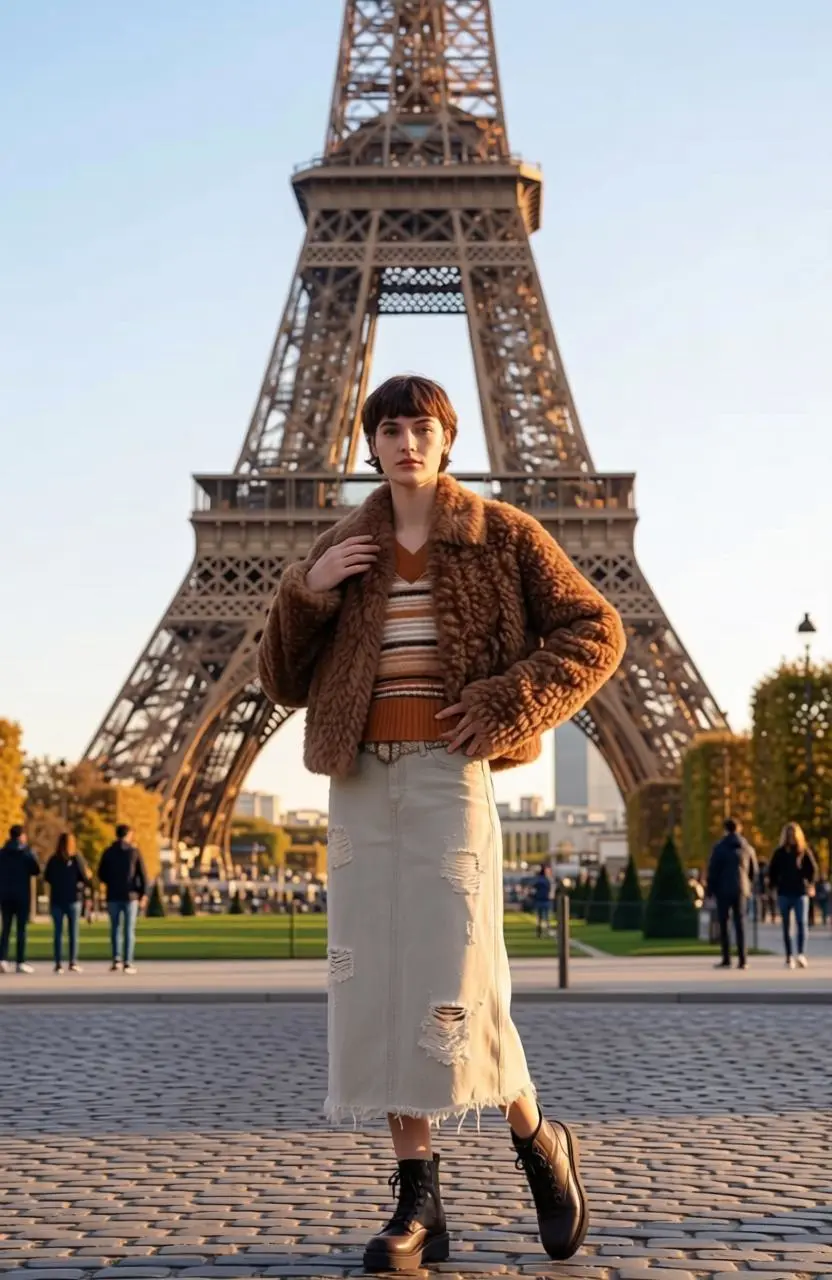
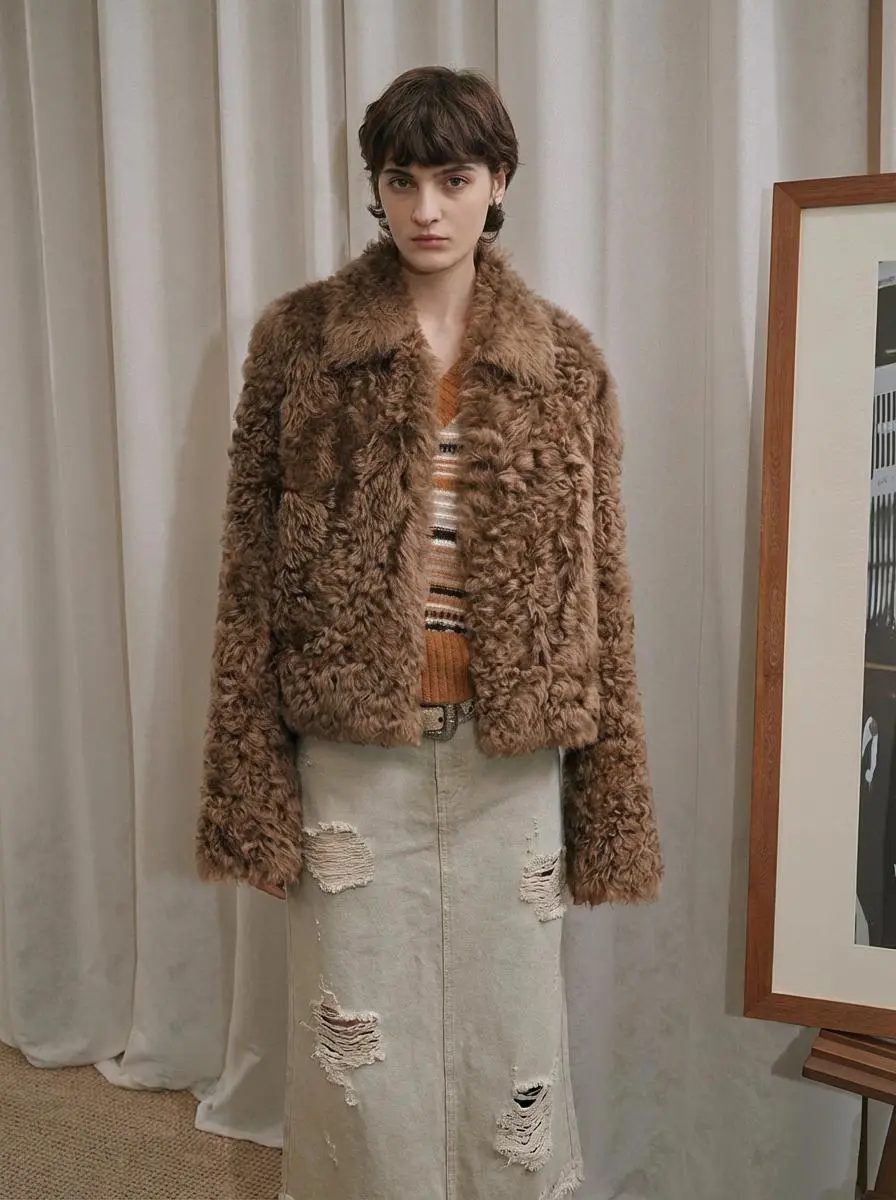
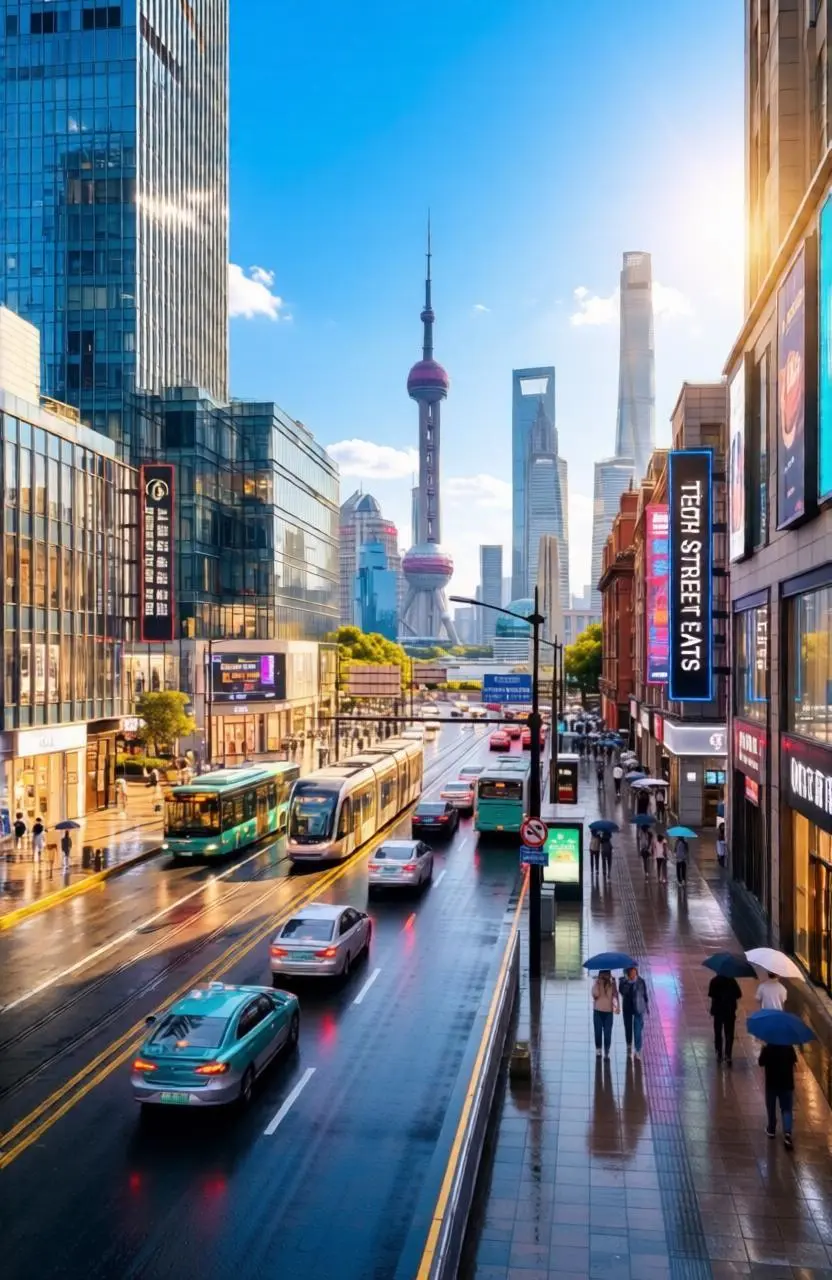
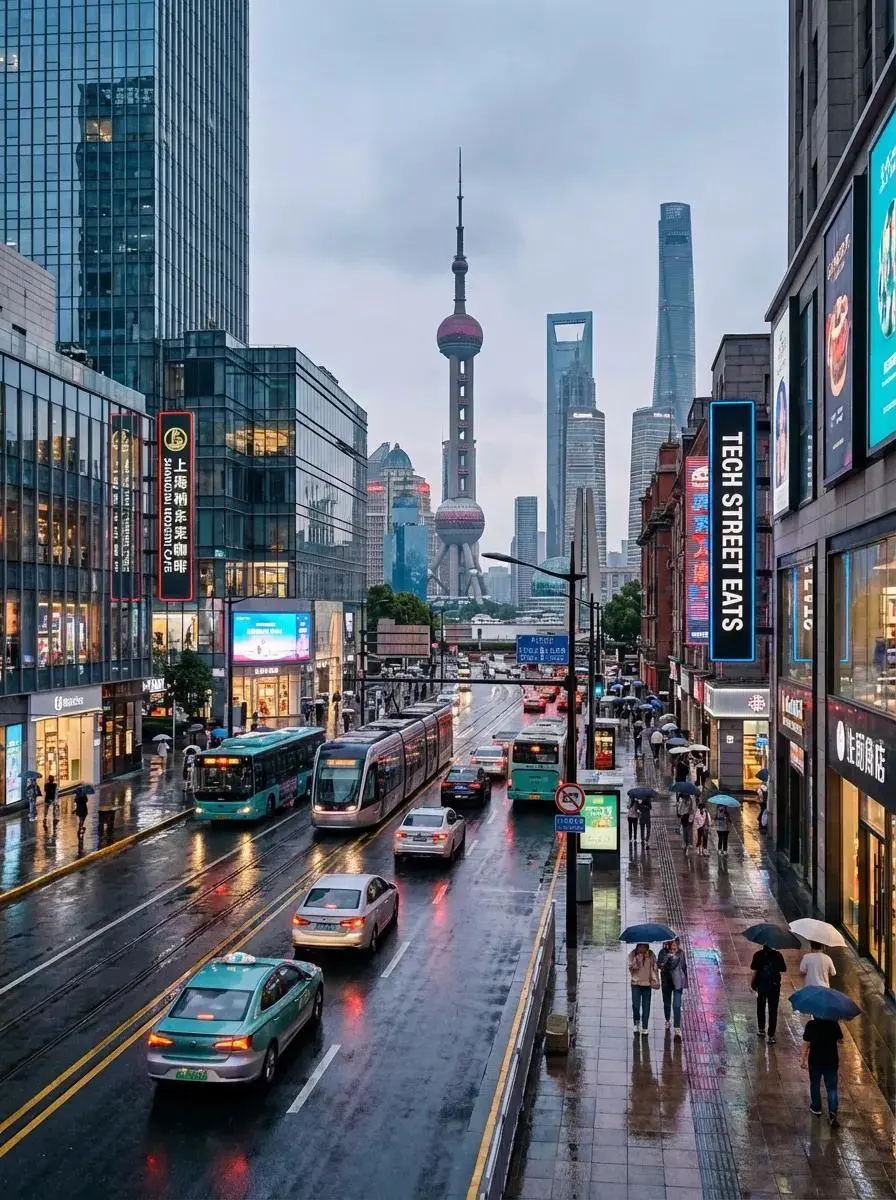
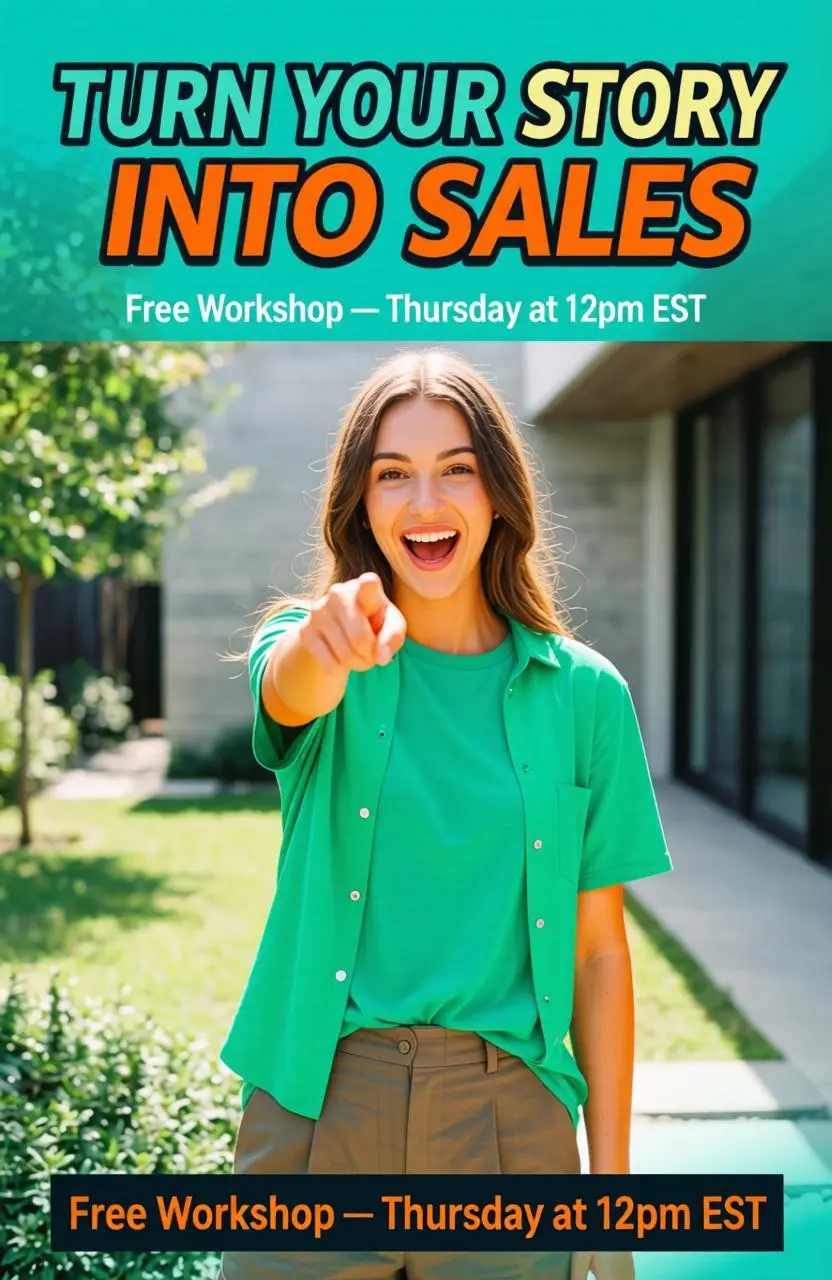
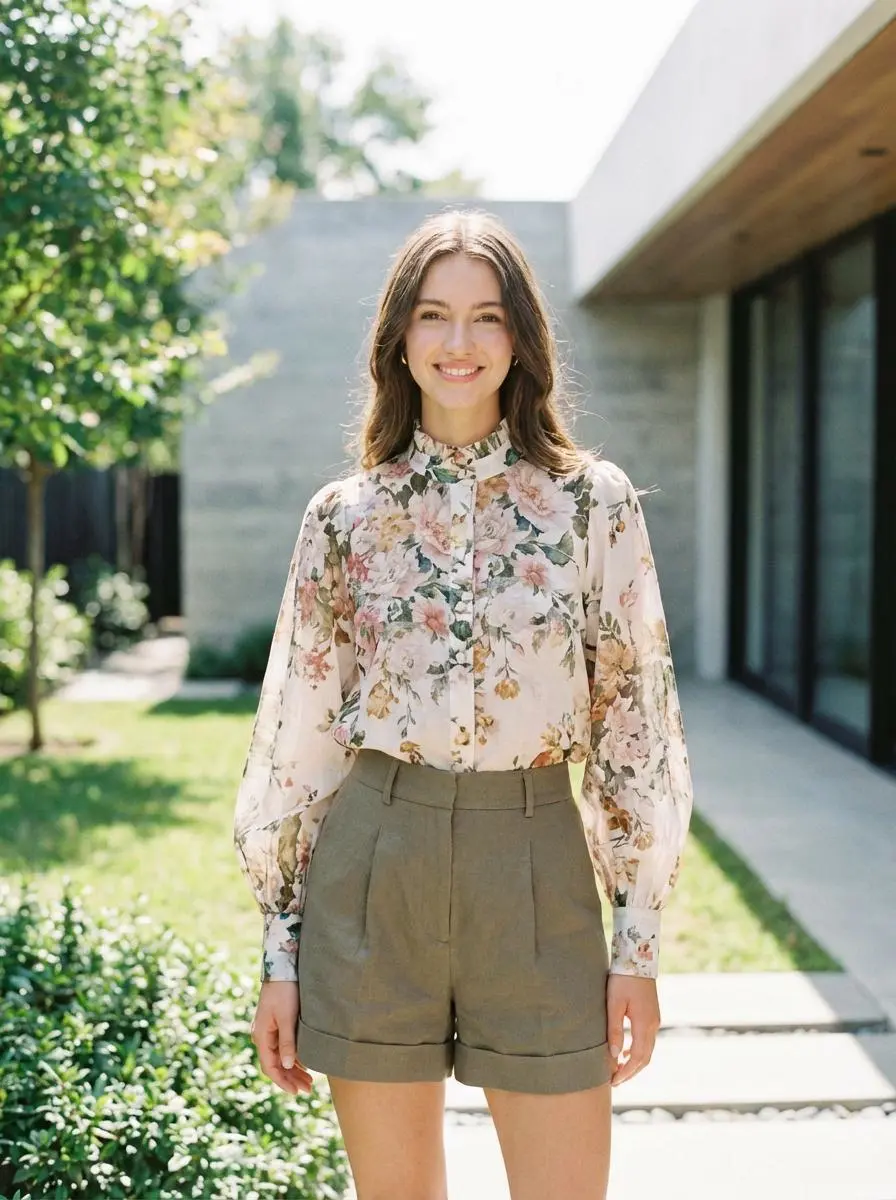
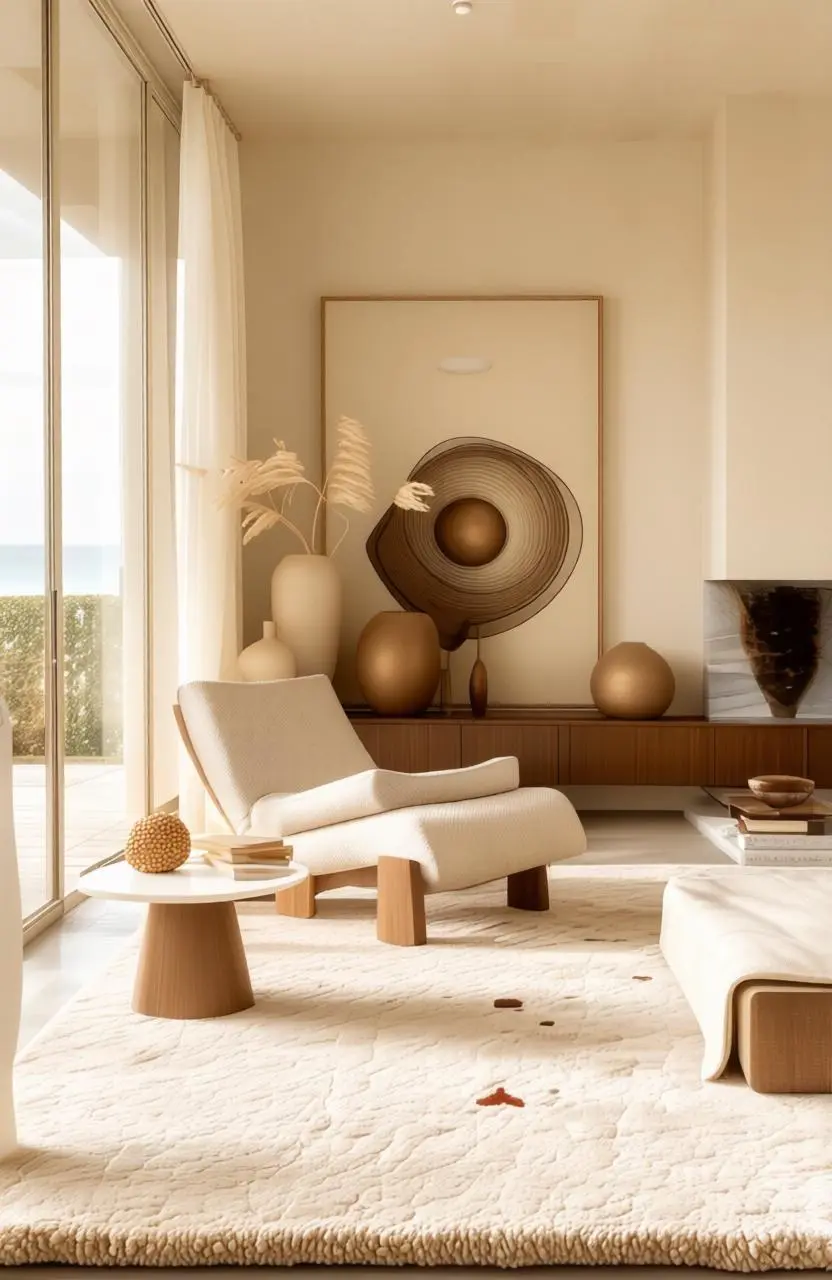
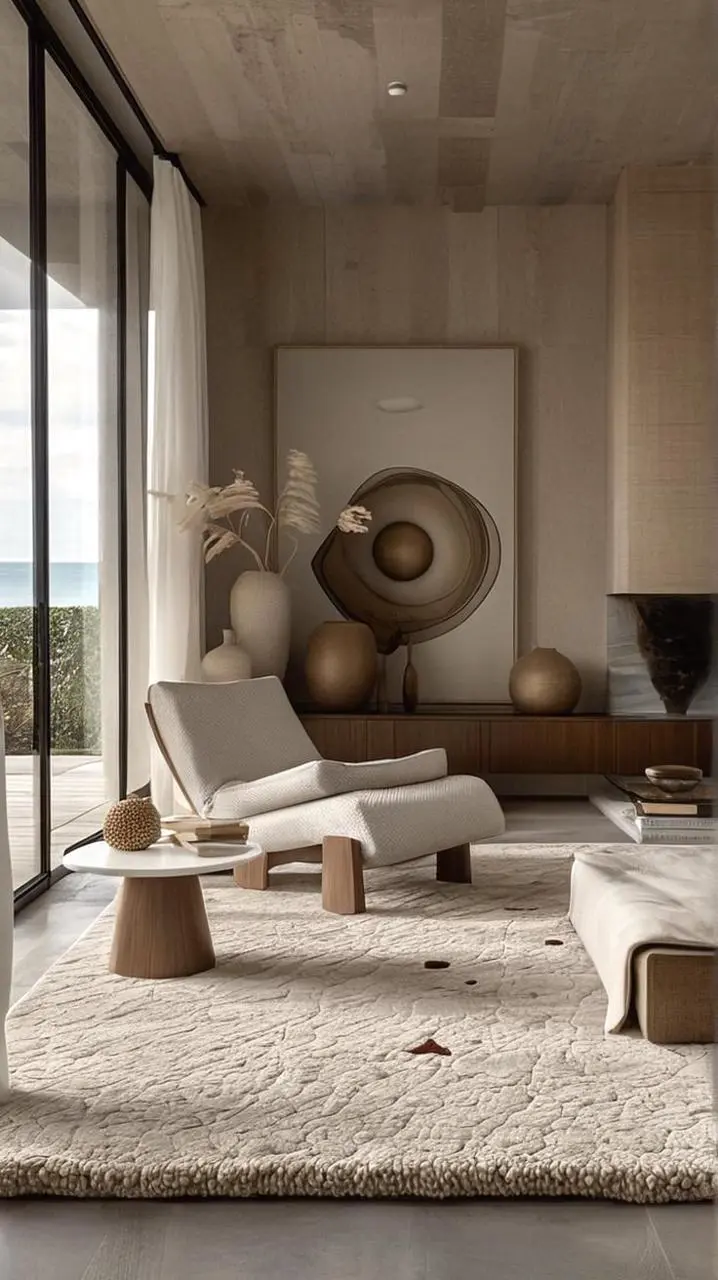
“नए पेरिस परिवेश में पोर्ट्रेट”, “बदली रोशनी में शहर का दृश्य” और “पोर्ट्रेट से वर्कशॉप पोस्टर” देखें। हर परिणाम के साथ उसका वास्तविक अंग्रेज़ी प्रॉम्प्ट, सहेजा गया केस और उपलब्ध संदर्भ इनपुट जुड़े हैं।
नए पेरिस परिवेश में पोर्ट्रेट
पोर्ट्रेट संदर्भ को पेरिस के प्रसिद्ध स्थान वाले दृश्य में ले जाएँ और पोज़ बदलें। व्यक्ति और नया परिवेश अलग निर्धारित करें।
Change the background, stand in front of the Eiffel Tower in Paris, France, and adjust your pose.
Qwen-Image-Edit, Qwen का निर्देश आधारित इमेज एडिटिंग मॉडल है। मूल रिलीज़ रूप-रंग के बदलाव, अर्थ संबंधी बदलाव और चीनी-अंग्रेज़ी टेक्स्ट एडिटिंग को अलग बताती है।
Qwen-Image-Edit मौजूदा इमेज के रूप-रंग, अर्थ या उसमें मौजूद चीनी/अंग्रेज़ी टेक्स्ट को बदलने के काम आता है। पेरिस पोर्ट्रेट, नई रोशनी वाला शहर और पोर्ट्रेट आधारित पोस्टर अलग बदलाव दिखाते हैं जिन्हें मूल से मिलाकर जाँचना चाहिए।
रूप-रंग के बदलाव
तत्व जोड़ें, हटाएँ या बदलें, और आसपास के बचाने वाले विवरण बताएँ।
अर्थ संबंधी बदलाव
मूल इमेज से विषय का इच्छित अर्थ बनाए रखते हुए स्टाइल या वस्तु की प्रस्तुति बदलें।
मौजूदा इमेज के अंदर टेक्स्ट
आधिकारिक रिलीज़ चीनी और अंग्रेज़ी टेक्स्ट एडिटिंग दर्ज करती है। बदलने वाला सटीक टेक्स्ट और स्टाइल बताएँ।
बनाने के तरीके
टेक्स्ट से नई इमेज बनाएँ या मौजूदा इमेज एडिट करें
नई इमेज बनाने के लिए टेक्स्ट में उसका विवरण दें। मौजूदा इमेज एडिट करने के लिए मूल इमेज और बदलाव के निर्देश दें।
टेक्स्ट से इमेज बनाएँ
जिस इमेज को बनाना चाहते हैं, उसके विषय, परिवेश और विज़ुअल स्टाइल का विवरण दें। मूल इमेज अपलोड करना ज़रूरी नहीं है।
मौजूदा इमेज एडिट करें
जिस इमेज को एडिट करना चाहते हैं उसे अपलोड करें, फिर बताएँ कि क्या बदलना है और किन बारीकियों को बनाए रखना है।
प्रॉम्प्ट गाइड
Qwen Image Edit प्रॉम्प्ट: इमेज एडिटिंग और केवल टेक्स्ट से चित्र बनाना
रेफ़रेंस इमेज के साथ किए गए चार एडिट और केवल टेक्स्ट से बना लाइटहाउस का दृश्य देखें। वास्तविक इनपुट और परिणाम की तुलना करें तथा पूरे मूल अंग्रेज़ी प्रॉम्प्ट पढ़ें।
बदलाव और बचाने वाले विवरण बताएँ
इमेज से मिले विषय या कंपोज़िशन को माँगे गए बदलाव से अलग करें। इस केस में: “Generate a creamy French-style effect from my uploaded image with one click, keeping the objects in the scene unchanged.”
Generate a creamy French-style effect from my uploaded image with one click, keeping the objects in the scene unchanged.
विषय और कंपोज़िशन स्पष्ट करें
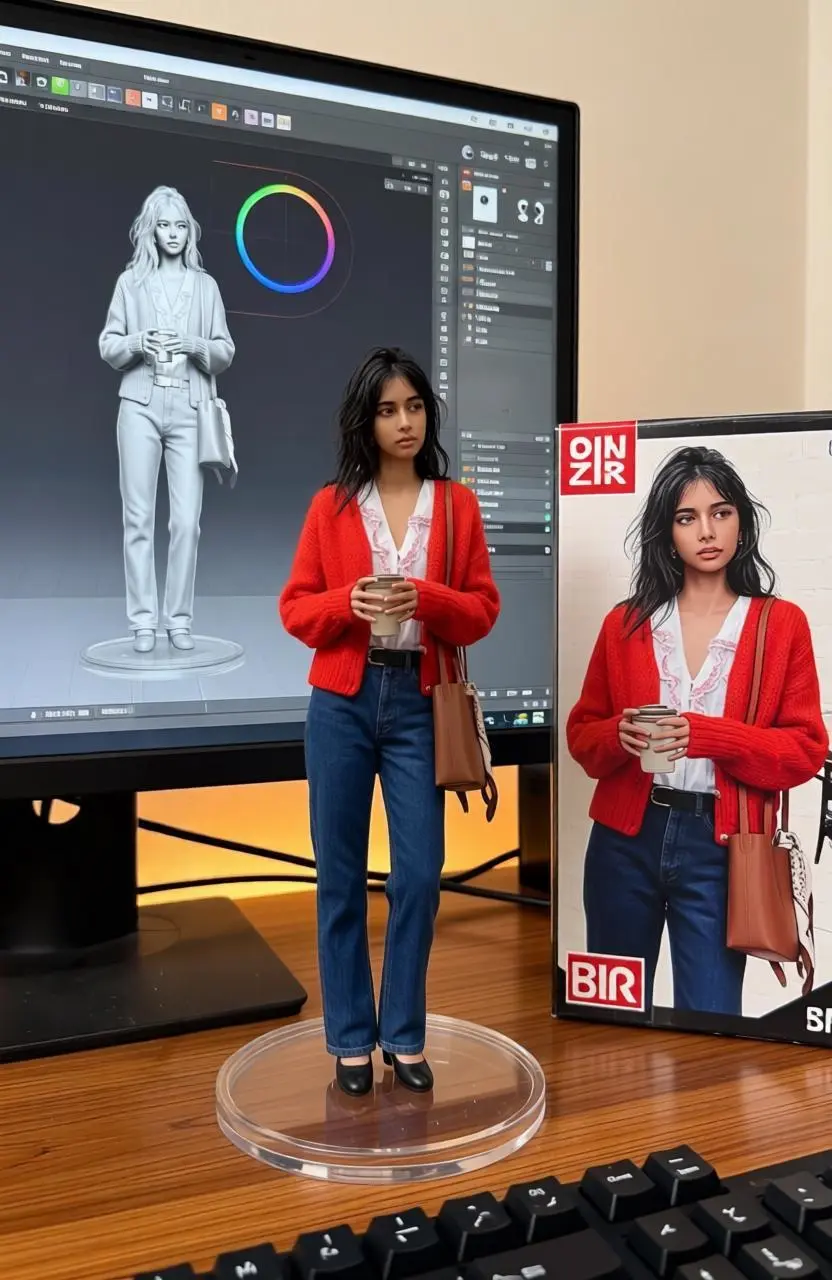
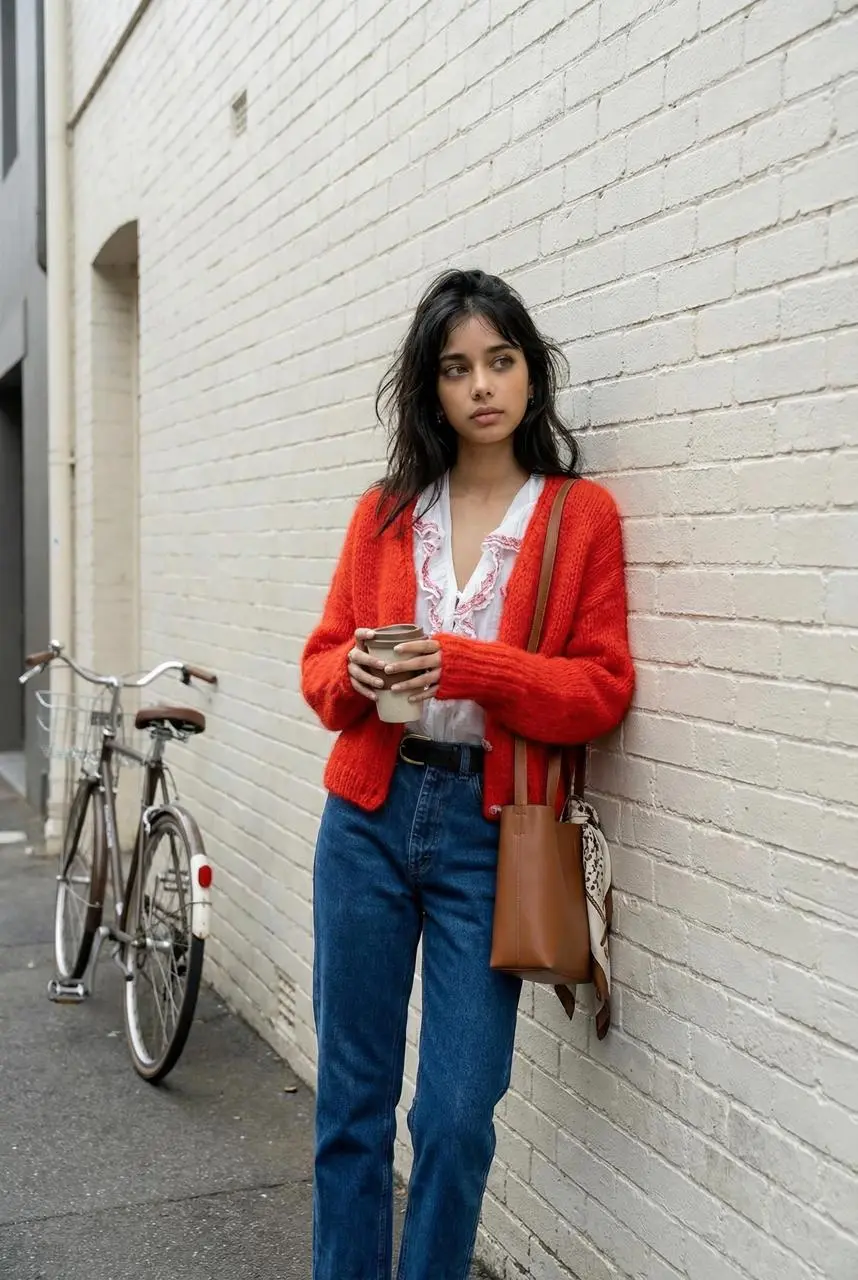
विषय के दिखाई देने वाले विवरण और इमेज में उसकी स्थिति बताएँ। इस केस में: “A commercially available figure of the character from the illustration is produced in 1/7 scale, featuring a realistic style and environment.”
A commercially available figure of the character from the illustration is produced in 1/7 scale, featuring a realistic style and environment. The figure is positioned on a computer desk with a round, clear acrylic base that has no text. The ZBrush modeling process of the figure is shown on the computer screen. Beside the computer screen, a BANDAI-style toy box printed with the original illustration is placed.
पोर्ट्रेट के आसपास कोलाज बनाएँ
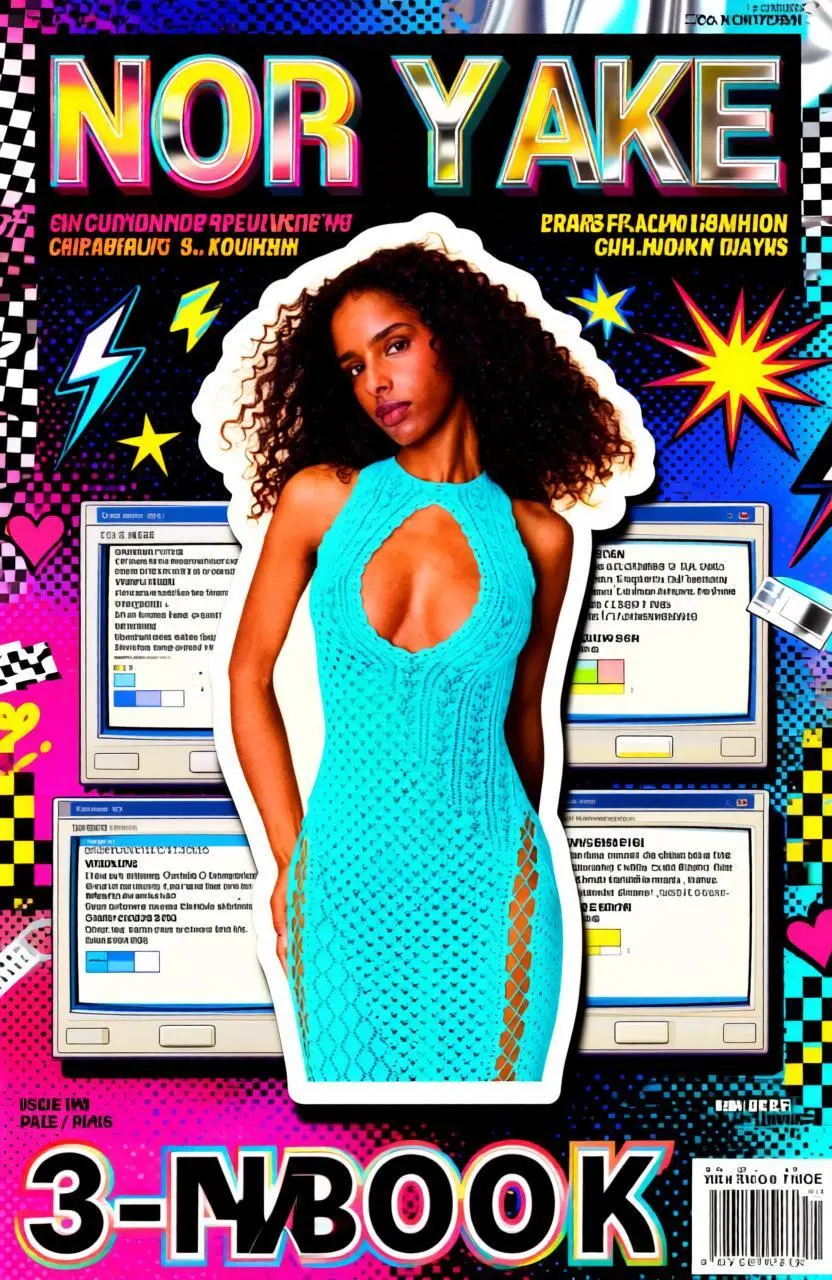
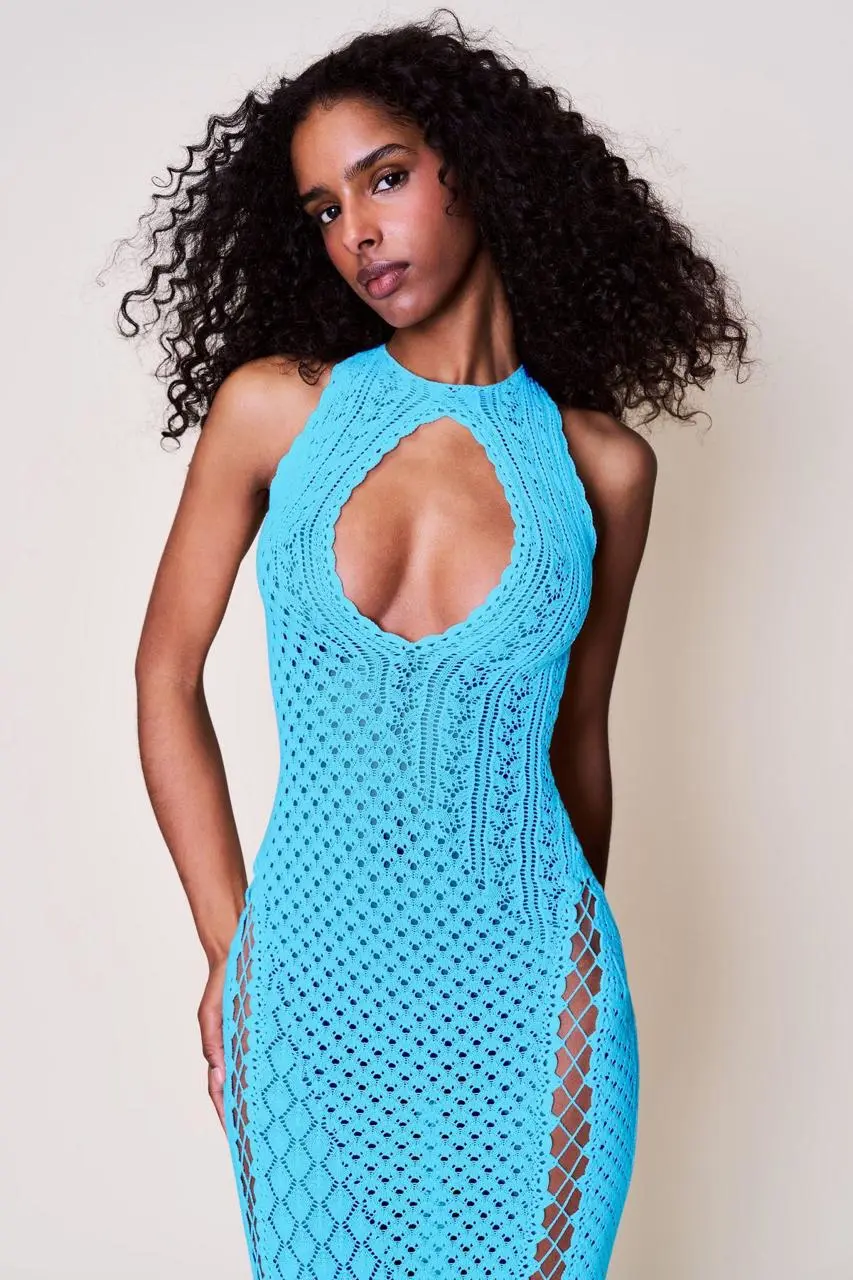
पोर्ट्रेट को केंद्रीय कट-आउट तय करें, फिर उसके आसपास ग्राफ़िक परतें रखें। अनुरोध व्यक्ति को प्रमुख रखते हुए सफ़ेद स्टिकर बॉर्डर, हल्की छाया, निऑन सजावट और रेट्रो इंटरफ़ेस विंडो बताता है।
Convert the uploaded photos into a Y2K collage-style magazine cover poster. Keep the identity features and expressions of the main subject consistent, with the main subject clearly and prominently displayed, like being cut out and turned into a sticker placed in the center of the picture, with clean white borders and slight shadows, with distinct layers, with the main subject having the highest priority, and not being obscured.
Color scheme rules: Extract the color from the main subject's largest proportion in the uploaded photo and enhance it to a higher saturation and brighter Y2K neon version; then automatically pair a set of strong contrasting colors / adjacent colors / complementary colors as embellishments for the title, stickers, and UI windows.
Background uses common Y2K elements combinations: neon gradients, dot halftones, pixel textures, shiny plastic / chrome reflective textures; make a collage decoration around the edges but without competing with the main subject: hand-drawn graffiti lines, stars, hearts, lightning, checkered patterns, exploding star rays, tape stickers, arrows, sticker borders, etc., with high information density but in an orderly manner.
Generate the publication name at the top (please design appropriate title text based on the nature of the subject, in English, bold, 3D border, candy color or metallic chrome effect).
Generate several short subheadings / slogans above and on the sides of the picture (automatically randomly created, in English, please design appropriate subheading text based on the nature of the subject, short and powerful, like magazine cover copy).
Generate a large main title at the bottom (please design appropriate text based on the nature of the subject, 3-6 words, in English, all in capital letters).
Generate a magazine information module in the corners: issue number / date / price / small labels, and add a clear barcode area.
Retro Windows elements: Overlay multiple layers of Windows 98 / Windows XP era-style window collages around the main subject. The text content and prompt information in the windows are randomly generated, but in line with the tone and layout of the system prompts from that era (in English, short sentences, prompts, percentages, paths, dialog box buttons, etc.), overall realistic and credible.
Overall texture leans towards the trendy poster printing and scanning style: slight particles, a little misalignment / overlay effect, sharp edges, strong contrast, bright color grading, high-contrast highlights. The overall picture is clear, clean, and has layers, suitable for magazine covers.
स्थानीय रंग बदलाव बताएँ
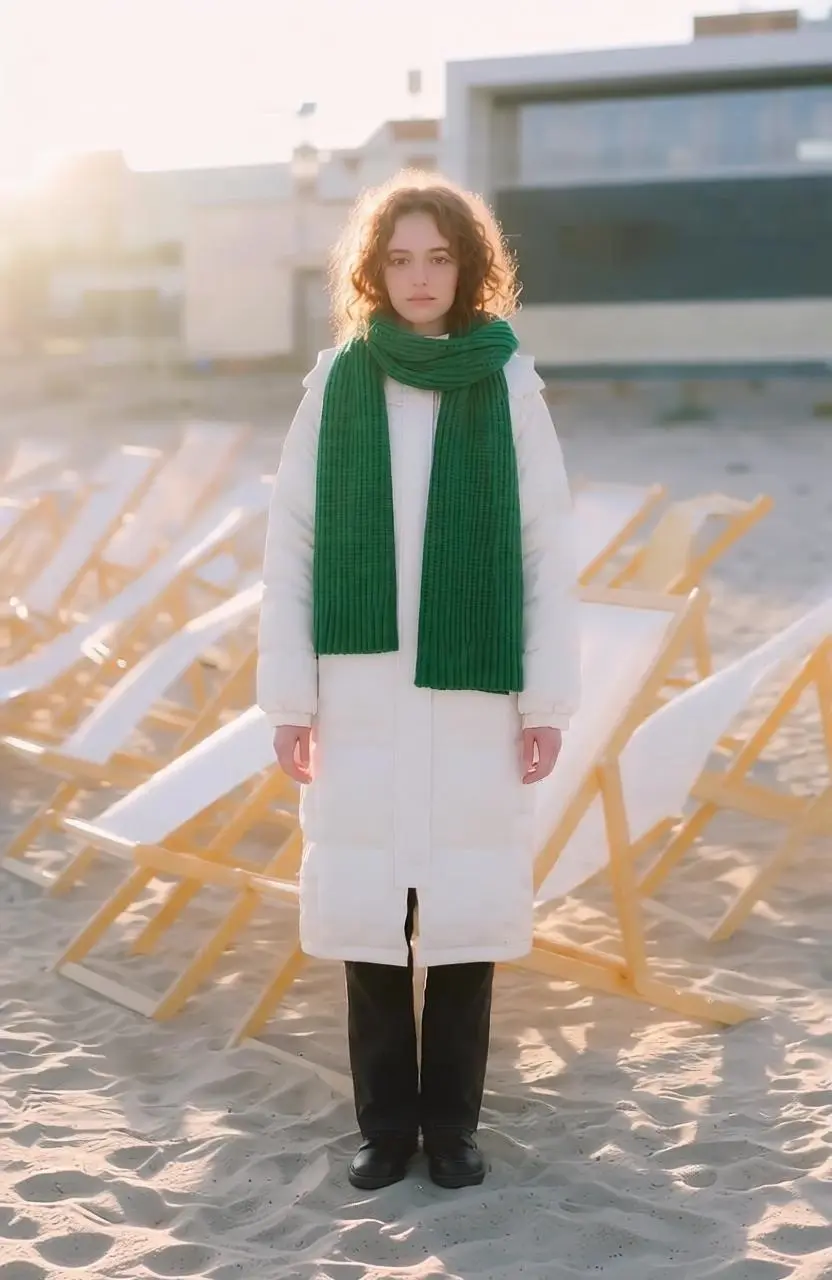
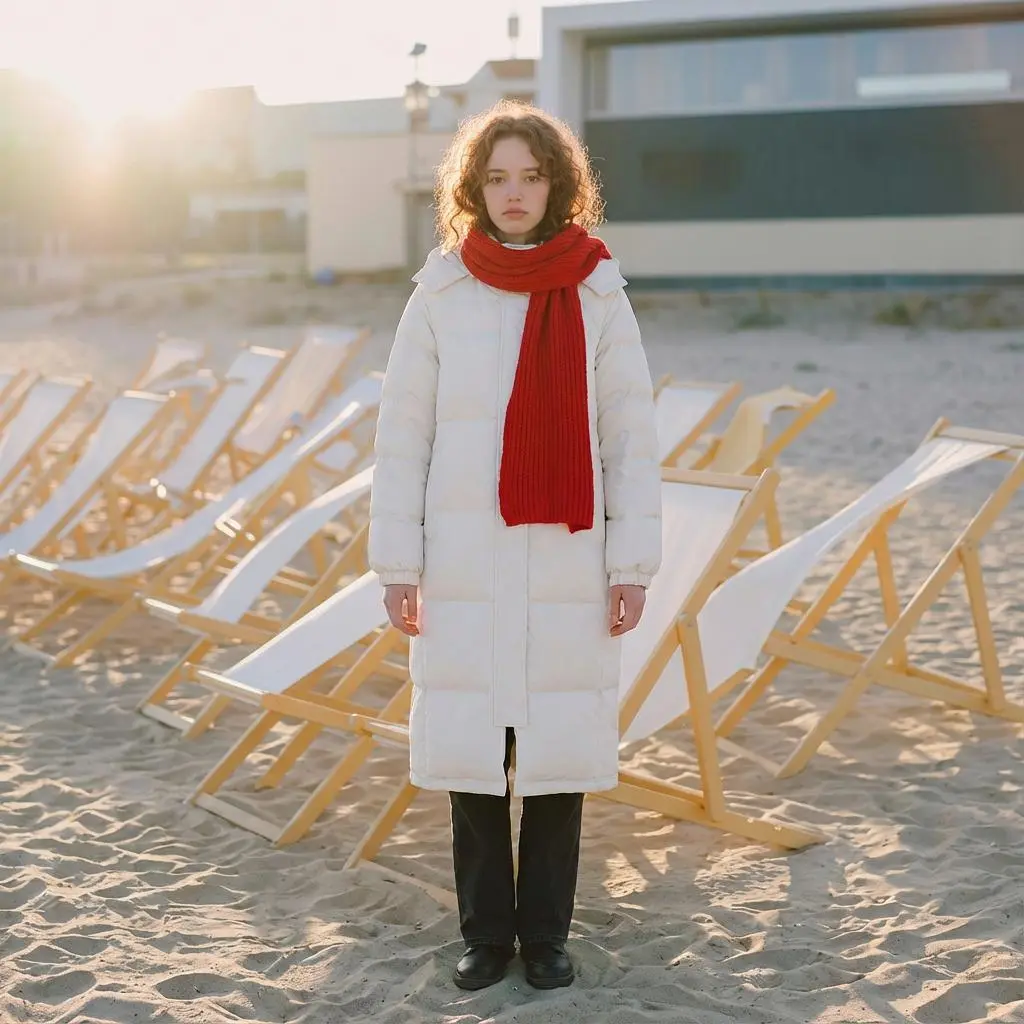
पूरा स्टाइल बदलने के बजाय वस्तु और उसका नया रंग बताएँ। इस केस में: “Change to a green scarf.”
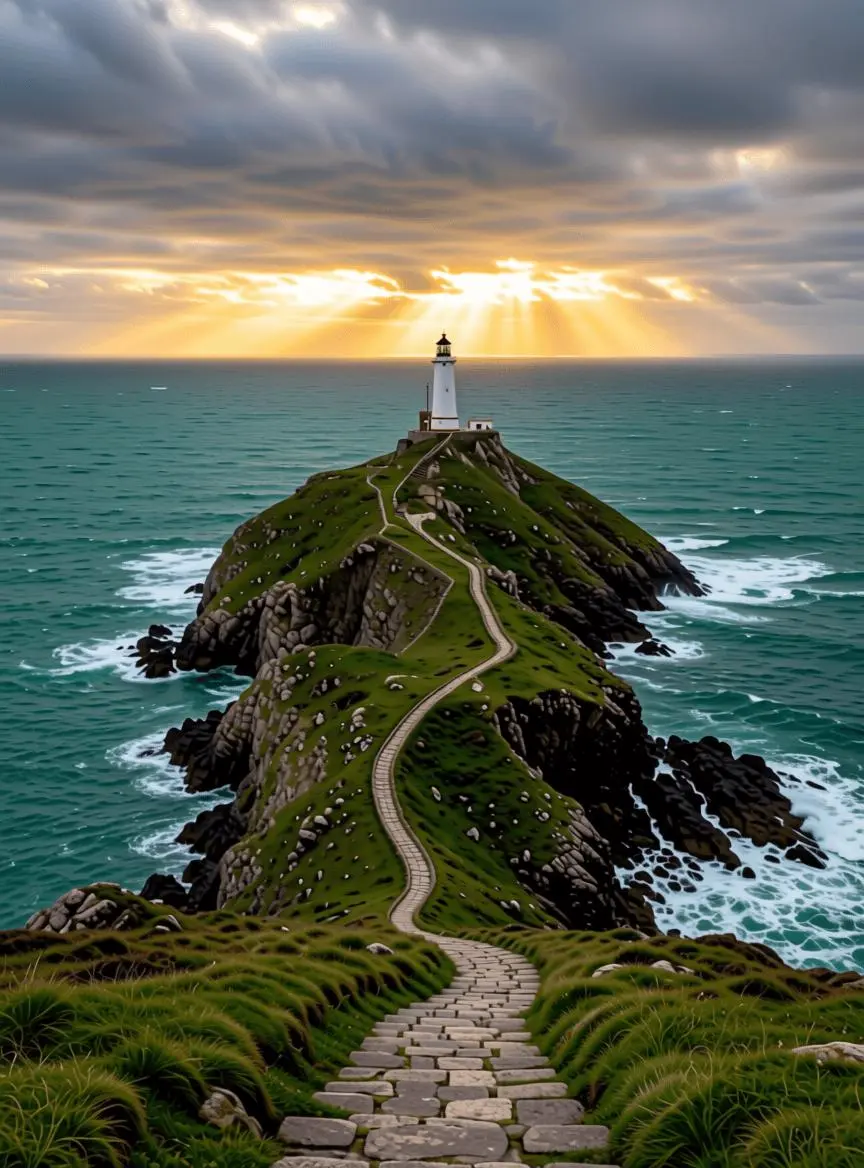
तूफ़ान के बाद लाइटहाउस: केवल टेक्स्ट से बनाया गया दृश्य
इस अनुरोध में कोई रेफ़रेंस इमेज अपलोड नहीं की गई थी। प्रॉम्प्ट में सफ़ेद लाइटहाउस, हरा समुद्री अंतरीप, लाइटहाउस की ओर जाता पत्थर का रास्ता, नीला-हरा समुद्र और तूफ़ानी बादलों से आती सुनहरी धूप का वर्णन है। परिणाम में इन तत्वों और सामने से क्षितिज तक की गहराई को देखें। पूरा प्रॉम्प्ट पढ़कर समझें कि नए दृश्य का वर्णन कैसे किया गया था।
A solitary white lighthouse on a rugged green headland above a deep teal sea just after a storm. A winding stone path leads from the bottom foreground to the lighthouse in the upper third. Golden sunlight breaks through layered gray clouds, and white waves foam against dark rocks. Photorealistic landscape photography, detailed natural textures, a clear foreground, middle ground and distant horizon. Vertical composition. No people, lettering, logos, border or watermark.
इस्तेमाल कैसे करें
WeShop AI पर Qwen Image Edit का उपयोग कैसे करें
Qwen Image Edit चुनें और नीचे दिए इनपुट तरीके से शुरू करें। सबमिट करने से पहले उपलब्ध सेटिंग और पॉइंट जाँचें।
इस मॉडल का इनपुट दें
नई इमेज के लिए टेक्स्ट विवरण से शुरू करें, या वह तस्वीर अपलोड करें जिसे एडिट करना है। एडिट में अपेक्षित बदलाव और व्यक्ति, वस्तु या लेआउट के वे विवरण बताएँ जो पहचानने योग्य बने रहने चाहिए।
उपलब्ध सेटिंग और पॉइंट जाँचें
मौजूदा सेटिंग प्रतिक्रिया आकार का अलग चुनाव पुष्ट नहीं करती। तय फ़ाइल फ़ॉर्मैट या आयाम मान लेने के बजाय उपलब्ध फ़ॉर्म और मूल आउटपुट देखें। सबमिट करने से पहले दिखाए गए पॉइंट और अपने प्लान में मॉडल की पहुँच जाँचें।
परिणाम खोलें और जाँचें
बदले क्षेत्र और उसकी सीमा को मूल से मिलाएँ। पोस्टर या टेक्स्ट एडिट में शब्द और लेआउट पढ़कर जाँचें; यह न मानें कि माँगा गया टेक्स्ट हूबहू बना है।
इस वर्शन, इसके इनपुट और शुरुआत करने के बारे में जवाब।
Qwen Image Edit क्या है?
Qwen-Image-Edit, Qwen का निर्देश आधारित इमेज एडिटिंग मॉडल है। मूल रिलीज़ रूप-रंग के बदलाव, अर्थ संबंधी बदलाव और चीनी-अंग्रेज़ी टेक्स्ट एडिटिंग को अलग बताती है।
Qwen Image Edit किस काम आता है?
Qwen-Image-Edit मौजूदा इमेज के रूप-रंग, अर्थ या उसमें मौजूद चीनी/अंग्रेज़ी टेक्स्ट को बदलने के काम आता है। पेरिस पोर्ट्रेट, नई रोशनी वाला शहर और पोर्ट्रेट आधारित पोस्टर अलग बदलाव दिखाते हैं जिन्हें मूल से मिलाकर जाँचना चाहिए।
क्या Qwen-Image-Edit इमेज के अंदर टेक्स्ट बदल सकता है?
मूल Qwen-Image-Edit रिलीज़ में रूप-रंग और अर्थ के बदलाव के साथ चीनी और अंग्रेज़ी टेक्स्ट एडिट दर्ज हैं। सटीक नया टेक्स्ट दें और परिणाम जाँचें।
Qwen Image Edit में कैसी फ़ोटो अपलोड करनी चाहिए?
WeShop AI पर टेक्स्ट विवरण से नई इमेज बनाएँ, या इमेज अपलोड करके अपेक्षित एडिट बताएँ। मौजूदा तस्वीर बदलने के लिए इमेज चाहिए; केवल टेक्स्ट से नई इमेज बनाने की शुरुआत बिना इमेज के होती है।
आकार और आस्पेक्ट रेशियो की कौन-सी सेटिंग उपलब्ध हैं?
मौजूदा सेटिंग प्रतिक्रिया आकार का अलग चुनाव पुष्ट नहीं करती। तय फ़ाइल फ़ॉर्मैट या आयाम मान लेने के बजाय उपलब्ध फ़ॉर्म और मूल आउटपुट देखें।
क्या Qwen Image Edit मुफ़्त है और उपयोग का शुल्क कैसे लगता है?
WeShop की मौजूदा मूल्य तालिका इस मॉडल के लिए सीमित Free कोटा देती है। अपने खाते की पहुँच और बचा कोटा जाँचें, फिर चुने अनुरोध के अनुमानित पॉइंट देखें। यह पेज प्रति अनुरोध तय कीमत नहीं बताता और दूसरे प्रदाता की सदस्यता का कोटा WeShop पर लागू नहीं करता।
कौन-सी सीमाएँ जाँचनी चाहिए?
इस पेज का बिना वर्शन वाला लेबल यह स्थापित नहीं करता कि कोई बाद का Qwen-Image-Edit चेकपॉइंट या हर बाद की सुविधा स्थापित है। बदले क्षेत्र और उसकी सीमा को मूल से मिलाएँ। पोस्टर या टेक्स्ट एडिट में शब्द और लेआउट पढ़कर जाँचें; यह न मानें कि माँगा गया टेक्स्ट हूबहू बना है।
Qwen Image Edit के उदाहरण क्या दिखाते हैं?
सहेजे गए अनुरोधों में “नए पेरिस परिवेश में पोर्ट्रेट”, “बदली रोशनी में शहर का दृश्य” और “पोर्ट्रेट से वर्कशॉप पोस्टर” हैं। हर वास्तविक प्रॉम्प्ट और संदर्भ की भूमिका को उसके परिणाम के साथ पढ़ें। ये अलग-अलग उदाहरण सफलता दर का माप या हूबहू संरक्षण की गारंटी नहीं हैं।
क्या यह मूल Qwen-Image-Edit है या नया वर्शन?
मूल इमेज वाले काम के लिए यह मूल एडिटिंग एंट्री चुनें। बाद के Qwen एडिटिंग चेकपॉइंट के लिए अलग पहचान और उत्पाद प्रमाण चाहिए; इस बिना वर्शन वाले पेज से उनकी सुविधाएँ न मानें।
Qwen Image Edit के लिए प्रॉम्प्ट कैसे लिखें?
इमेज से मिले विषय या कंपोज़िशन को माँगे गए बदलाव से अलग करें। इस केस में: “Generate a creamy French-style effect from my uploaded image with one click, keeping the objects in the scene unchanged.” गाइड में पूरा संबंधित प्रॉम्प्ट और वास्तविक इनपुट पढ़ें, फिर अपने काम के अनुसार ढालें।