You have probably been there before. You find the perfect photo for your project. It looks great on your phone. Then, you try to print it or use it for a website banner. Suddenly, it looks blocky and cheap. This is the struggle with image resolution.
In the digital world, resolution is the difference between a professional brand and an amateur one. But you don’t need a degree in graphic design to fix this. Today, we have AI tools that can do the heavy lifting for us. This guide will show you how to master image resolution and make your photos crystal-clear in seconds.
What Exactly Is Image Resolution?
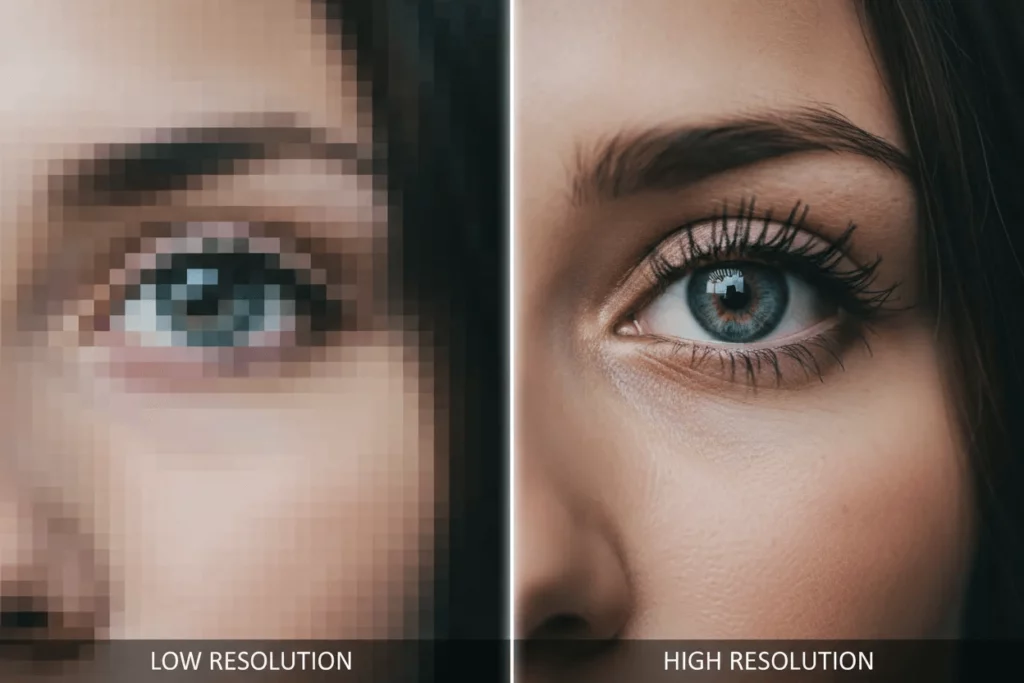
When we talk about image resolution, we are talking about detail. Every digital photo is made of millions of tiny dots called pixels. If you have a lot of pixels in a small space, the image is sharp. If you have very few pixels, the image looks “pixelated” or blurry.
Think of it like a television screen. An old TV had big, visible pixels. A modern 4K TV has pixels so small you cannot see them. That density is what creates a clear picture. When you understand how to manage these pixels, you gain control over how your work looks to the world.
Understanding Image Size Resolution and Dimensions
People often confuse size with quality. You might have a “large” image that still looks terrible. This is because image size resolution is about more than just height and width. It is about the total amount of data stored in those dimensions.
Dimensions are simply the pixel count, like 1024 x 768. Resolution is how those pixels are packed. For example, a 5×5 inch photo can have a low resolution or a high one. High-quality files have more “information” inside every square inch. If you want your photos to look crisp, you need to focus on high-density files.
Why PPI and DPI Matter for Your Photos
You will see two acronyms often: PPI (Pixels Per Inch) and DPI (Dots Per Inch).
- PPI is for digital screens.
- DPI is for physical printing.
Most screens only need about 72 to 96 PPI to look sharp. However, if you try to print a 72 PPI image, it will look like a mess. For physical paper, you need a much higher density. Understanding this gap is the first step toward professional results.
Why Image Resolution for Printing Matters
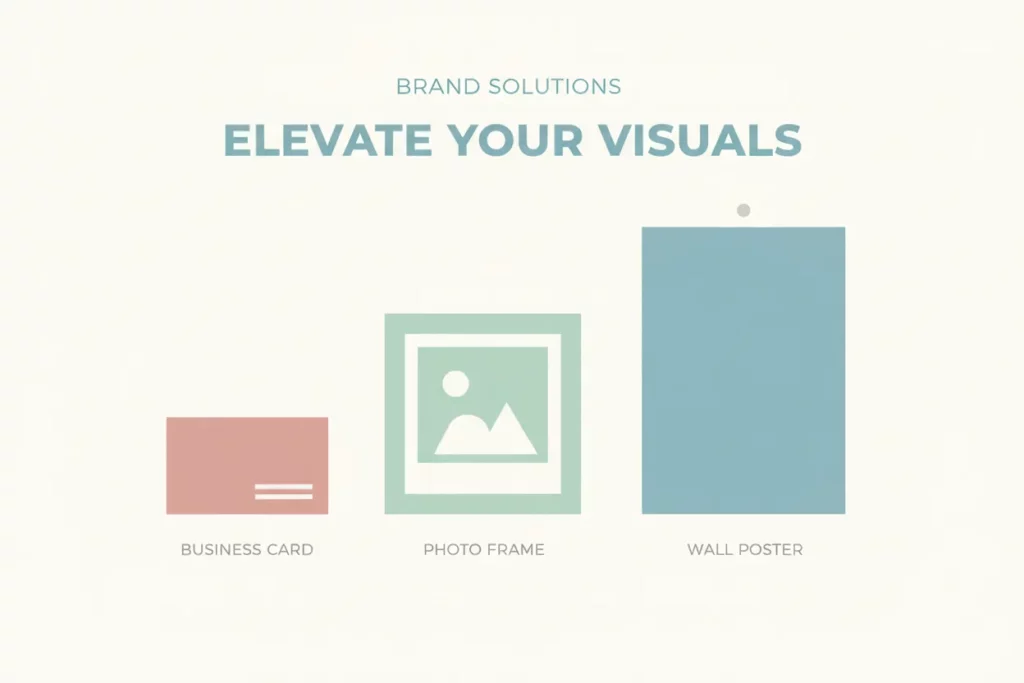
If you are a business owner or a creator, you will eventually need to print something. Maybe it is a business card. Maybe it is a large poster. This is where image resolution for printing becomes your most important metric.
When a printer puts ink on paper, it needs a lot of data. If the data is missing, the printer tries to “guess” the colors. This leads to blurry edges and muddy colors. A high-resolution file gives the printer a clear map to follow.
Mastering Photo Resolution for Printing
The gold standard for high-quality prints is 300 DPI. This means the file has 300 pixels for every inch of the physical print. If you want a sharp 8×10 print, your photo resolution for printing should be at least 2400 x 3000 pixels.
If your file is smaller than that, don’t panic. You can use AI upscalers to fill in those missing pixels. In the past, this would make the photo look fake. Today, AI is smart enough to create “new” detail that looks perfectly natural.
Recommended Photo Resolution Sizes for Common Projects
Knowing the right photo resolution sizes saves you from making expensive printing mistakes. Here is a quick cheat sheet for common projects:
| Project Type | Recommended Physical Size | Required Pixels (at 300 DPI) |
| Business Card | 3.5″ x 2″ | 1050 x 600 px |
| Standard Photo | 4″ x 6″ | 1200 x 1800 px |
| Letter Size Paper | 8.5″ x 11″ | 2550 x 3300 px |
| Small Poster | 11″ x 17″ | 3300 x 5100 px |
Common Picture Resolution Sizes for Digital Use
Not every photo is meant for a frame. Most of our images live on social media or websites. These picture resolution sizes are different because screens work differently than paper.
For a website, you want a balance. You need high resolution so it looks good. But you also want a small file size so the page loads fast. If your resolution is too high, your website will be slow. If it is too low, you look unprofessional.
Optimization for Social Media
Every platform has its own “sweet spot.” For Instagram, 1080 pixels wide is the standard. For YouTube thumbnails, 1280 x 720 is the rule. If you upload a massive 5000-pixel image to Twitter, the site will compress it. This often makes the image look worse than if you had uploaded the correct size to begin with.
How to Check Your Current Image Quality
On a computer, you can easily check your stats.
- On Windows: Right-click the image, select “Properties,” and click “Details.”
- On Mac: Right-click, select “Get Info,” and look under “More Info.”
If you see numbers below 1000 pixels, you have a low-resolution file. You will need to upscale it before using it for anything professional.

Best Tools to Enhance Image Resolution in Seconds
We are lucky to live in the age of AI. You no longer need to be a Photoshop expert to fix a blurry photo. Here are the best tools to improve your image resolution quickly.
1. Weshop AI: The E-commerce Specialist
Weshop AI is a revolutionary tool for anyone in the world of online business. It is specifically designed for commercial photography. If you have a product photo that looks a bit dull or small, Weshop AI can transform it.
This tool does more than just upscale the pixels. It understands what it is looking at. If it sees a piece of clothing, it enhances the texture of the fabric. If it sees a model, it sharpens the facial features naturally. It also allows you to change backgrounds while maintaining a very high image resolution. It is perfect for turning a simple smartphone photo into a high-end studio shot for your store.
2. Topaz Photo AI: The Technical Powerhouse
If you are a photographer dealing with very noisy or blurry images, Topaz Photo AI is a must-have. This software uses “deep learning” to rebuild images from scratch. It is famous for its “Autopilot” feature.
When you drop an image into Topaz, it analyzes the problems. It fixes motion blur, removes digital noise, and increases the image resolution by up to 600%. It is particularly good at “Face Recovery.” It can take a blurry face from an old photo and make it look like it was shot on a modern camera. It is a bit more technical than Weshop AI, but the results are world-class.
3. Adobe Lightroom: The Industry Standard
Lightroom has a feature called “Super Resolution.” It uses machine learning to double the linear resolution of an image. This means a 10-megapixel photo becomes a 40-megapixel photo instantly. It is a great choice if you are already using Adobe products. It keeps the colors very accurate and is great for large landscape photos.
Pro Tips for Maintaining High Image Resolution
Improving an image is great. But it is better to start with high quality. Here are some simple habits to keep your photos clear.
- Never Use Digital Zoom: When you zoom in on your phone camera, you are just cropping the image. This kills your image resolution immediately. Always walk closer to your subject instead.
- Use RAW Format: If your camera or phone supports it, shoot in RAW. These files are huge, but they contain the most data. This gives you much more room to edit later.
- Avoid Screenshots: A screenshot only captures what your screen can show. It is a low-quality version of the original. Always try to download the actual file.
- Watch the Lighting: Photos taken in the dark often have “noise” or grain. This noise makes the resolution look lower than it actually is. Good lighting always equals a sharper photo.
The Problem with Over-Upscaling
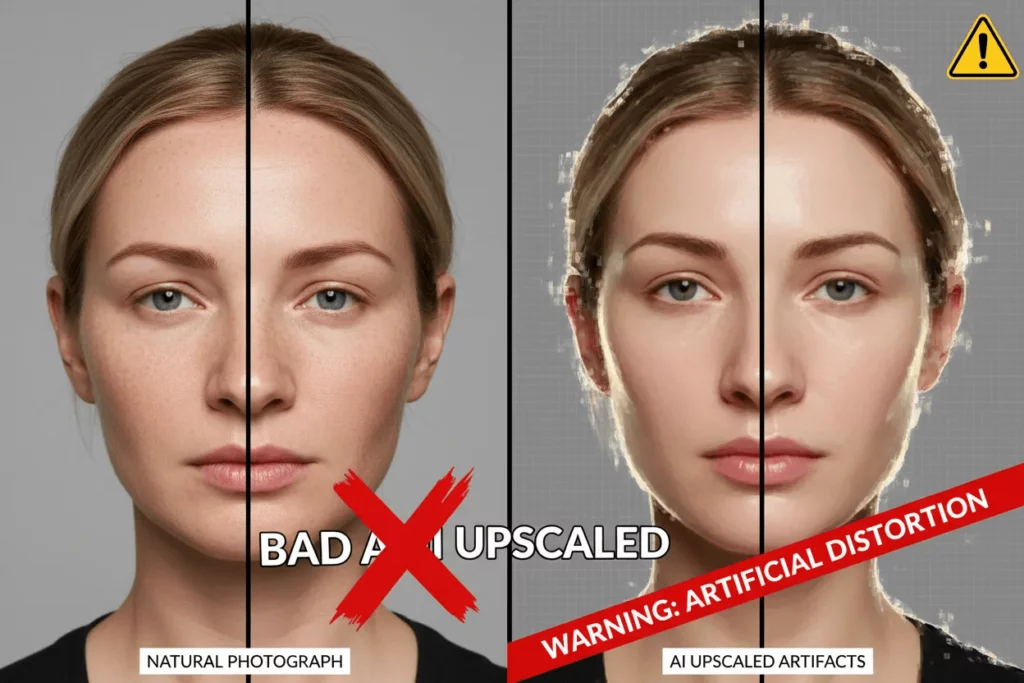
Be careful not to go too far. Even the best AI has limits. If you try to turn a tiny icon into a giant poster, it might start to look like a painting. It will lose its “photographic” feel. Aim to upscale by 2x or 4x for the most realistic results.
Conclusion: Take Control of Your Pixels
Mastering image resolution is a superpower in the digital age. It allows you to present your best self to the world. Whether you are printing a family portrait or launching an online store, quality matters.
Remember to check your DPI before printing. Use the correct picture resolution sizes for social media. And when you are stuck with a low-quality file, lean on AI. Tools like Weshop AI and Topaz Photo AI can save images you thought were lost forever.
Don’t let blurry photos hold your brand back. Start using these tips today and see the difference a few extra pixels can make.