We have all been there. You try to take a beautiful video of a sunset. Suddenly, your phone flashes a “Storage Full” warning. It is incredibly frustrating. Most of us have thousands of photos we never look at. We have blurry screenshots and ten versions of the same selfie. This is where a photo cleaner becomes your best friend. It is not just about deleting files. It is about taking back control of your digital life. You deserve a gallery that only holds your best memories.
Why Your Digital Life Needs a Photo Cleaner
Digital clutter is a modern problem. It slows down your phone and your brain. When your gallery is a mess, you cannot find the photos that matter. A dedicated image cleaner does the heavy lifting for you. It finds the junk so you do not have to.
Reclaiming Your Phone Storage
High-resolution photos take up massive amounts of space. A few hundred “bad” photos can eat up gigabytes of data. You pay for cloud storage every single month. Why pay for space used by blurry accidents? Using a cleaning tool helps you stop wasting money. It makes room for new memories that actually count.
Boosting Your Creative Focus
Professional photographers spend hours sorting through files. This process is called “culling.” If you are a creator, a cluttered library kills your inspiration. You want to spend time editing, not scrolling. A clean library helps you stay in the creative zone. It allows your best work to shine through the noise.
Reducing Digital Anxiety
Seeing “50,000 Photos” at the bottom of your screen is overwhelming. It feels like a chore that never ends. When you use a photo clean up app, that number drops fast. You feel much lighter when your digital space is organized. An organized phone leads to an organized mind.

How AI Photo Cleaner Changes the Game
In the past, you had to tap every single photo to delete it. It took forever and was very boring. Now, ai photo cleanup technology has changed everything. It is like having a smart assistant. This assistant knows which photos are trash and which are treasures.
Automatic Duplicate Detection
AI is great at spotting patterns. It can see three identical photos of your cat. It knows which one is the sharpest. Then, it suggests you keep the best one. It offers to delete the blurry ones for you. This saves you from making thousands of tiny decisions every day.
Intelligent Object Removal
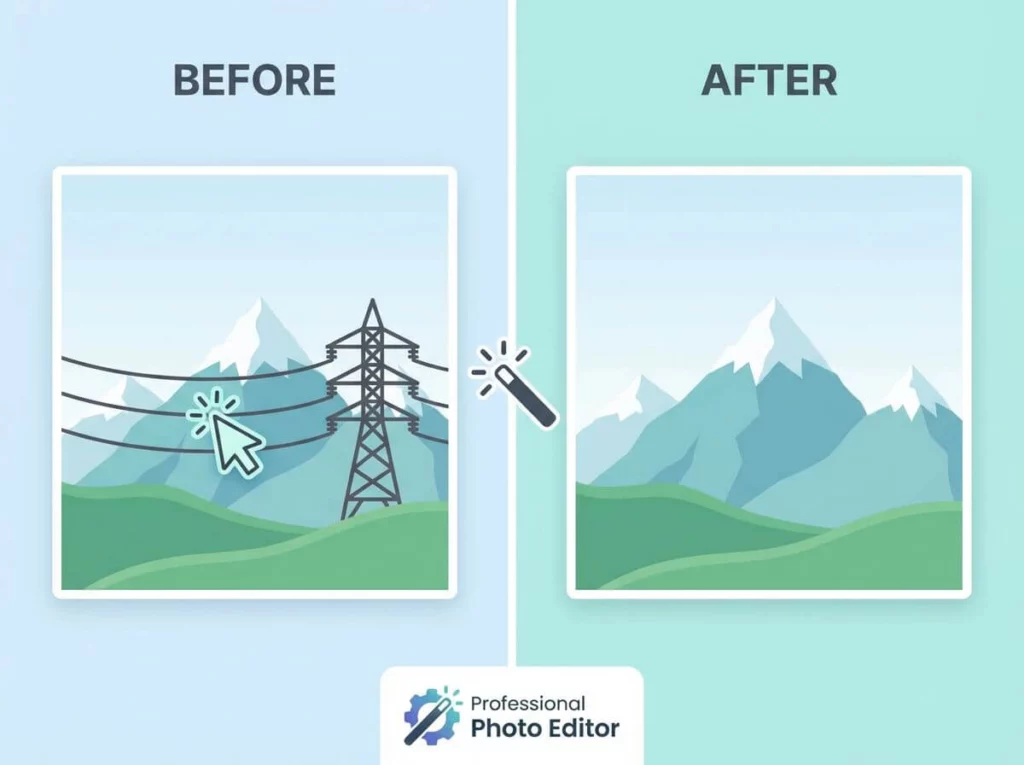
Sometimes a photo is perfect, except for a stranger in the background. Modern ai photo cleaner tools can fix this. They do not just delete the whole image. They “clean up” the content inside the image. This turns a “maybe” photo into a perfect keeper. It is like magic for your camera roll.
Smart Sorting by Category
AI can recognize faces, pets, and even receipts. Do you have 100 screenshots of recipes you never cooked? An ai image cleanup tool can group those together instantly. You can delete them all in one single tap. It makes organization feel fast and fun.

Why Pros Use an AI Photo Cleaner
If you run a business, time is literally money. Professional influencers and photographers use these tools to stay ahead. They cannot afford to spend five hours a week deleting bad shots. They use specialized software to automate the boring parts of their job.
CleanMyPhone: The Smart Choice for iOS Photo Cleaner
CleanMyPhone is a top-tier photo clean up app for iPhone users. It uses an advanced AI model to sort your library into categories. It finds duplicates, blurred shots, and even old screen recordings. The interface is very clean and easy to use. It processes everything on your device to keep your data private. It is perfect for busy people who want a clean phone fast.
Adobe Lightroom: The Pro Culling Standard
Most pros already use Adobe Lightroom for editing. But its “AI Culling” feature is a secret weapon. It uses ai photo cleanup logic to flag your best shots automatically. It looks at focus, lighting, and facial expressions. This allows photographers to sort through a thousand photos in minutes. It is a massive time-saver for anyone taking high-quality images.
Google Photos: The King of Magic Cleanup
Google Photos is more than just storage. Its “Magic Eraser” and “Magic Editor” are incredible ai image cleanup tools. You can remove power lines or distracting trash cans with one tap. It also suggests “clutter” to delete, like old documents or blurry memes. It is a great all-around tool for Android and iOS users alike.
Finding the Best Photo Clean Up App for You
There are many apps on the market today. Some are free, and some require a subscription. Choosing the right one depends on your specific needs. You want something fast, safe, and very easy to use.
Key Features to Look For
A good app should be very intuitive. You should not need a manual to understand it. Look for a “swipe to delete” feature. This makes the process feel natural and quick. Also, look for a “Trash” folder. This lets you check what is about to be deleted. It prevents you from losing a precious memory by mistake.
Privacy and Local Processing
Your photos are very private. You do not want them uploaded to a random server. The best photo cleaner options process everything on your phone. Check the privacy policy before you start the scan. If an app works without internet, that is a good sign for your privacy.
Speed and Performance
Nobody wants an app that freezes or crashes. A high-quality image cleaner should scan thousands of photos in seconds. It should handle large 4K video files without any lag. If it takes ten minutes to scan, you will probably stop using it. Speed is the most important feature for a good workflow.

A Step-by-Step AI Image Cleanup Workflow
Transforming your workflow is about building a simple habit. You do not have to clean everything in one day. Here is a simple plan to keep your library fresh. Use this ai image cleanup strategy to stay organized.
- The Daily Purge: Spend two minutes every evening before bed. Use your app to delete screenshots from that day.
- The Weekly Deep Scan: Once a week, run a full scan for duplicates. This catches the “burst” photos from your weekend trips.
- The Monthly Review: Once a month, look at your largest video files. Often, long videos take up 80% of your total space.
- The Final Archive: Once your library is clean, back it up. Use a physical hard drive or a secure cloud service.
By following these steps, you never see a “Storage Full” message again. It keeps your phone running at top speed. It also makes finding specific photos much easier.

Tips to Prevent Photo Clutter Before It Starts
Prevention is always better than a cure. While a photo cleaner is a lifesaver, you can make its job easier. A few small changes in how you take photos will save you time.
- Avoid Burst Mode: Do not use burst mode unless you are shooting sports. You do not need 20 photos of the same sandwich.
- Delete Immediately: If you take a blurry photo, delete it right then. Do not wait for “later” because later never comes.
- Use Favorites: Tap the “Heart” icon on photos you love. This makes them easy to find during your cleanup.
- Review Your Screenshots: Screenshots are the biggest space killers. Delete them once the task is finished.
Conclusion: Start Your Journey to a Clean Gallery
A messy photo library is like a messy desk. It clutters your mind and slows down your favorite device. Using a photo cleaner is the easiest way to fix this problem. It saves you time. It saves you money on expensive cloud storage. Most importantly, it protects your best memories. Your favorite photos will no longer be lost in a sea of junk.
Whether you use a simple image cleaner or a powerful ai photo cleanup tool, start today. Your future self will be very happy. You will be able to find any memory in just a few seconds.