

In the rapidly evolving world of 2026, general AI tools like Midjourney or DALL-E 3 often struggle with one specific niche: High-fidelity Anime Art. While they are great for realism, they often fail to capture the soul of Japanese illustration. This is where PixAI.art has built its empire. Known as a powerhouse for anime enthusiasts, it bridges the gap between complex local setups and easy-to-use cloud platforms.
I spent a week diving into the 2026 version of PixAI. From training custom LoRAs to testing the latest “Real-Time” generation engines, I wanted to see if it still holds the crown for anime creators. In this PixAI review, we will analyze its unique features, the credit system, and why it might be the best alternative to running Stable Diffusion locally.
Why PixAI is the “Civitai of the Cloud”
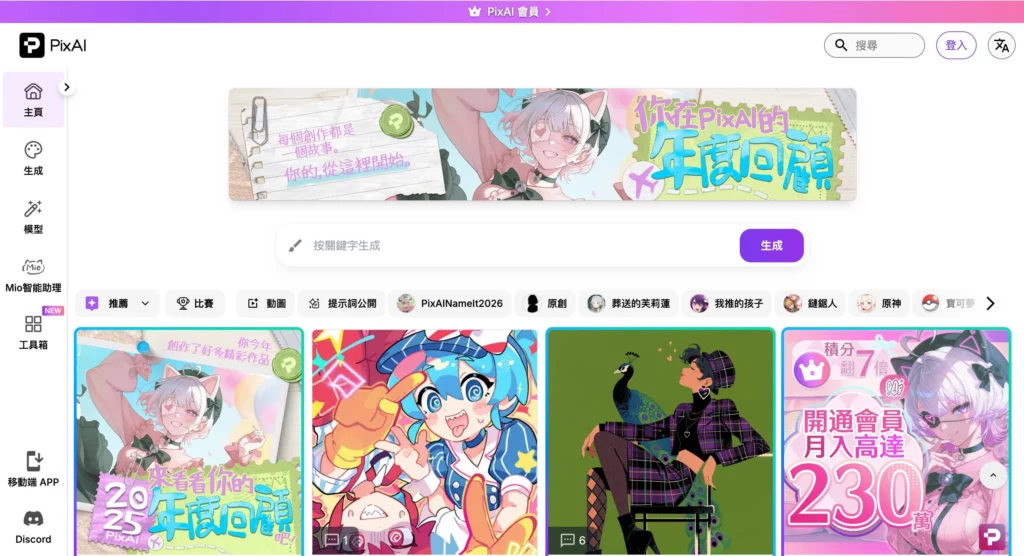
What makes PixAI stand out in 2026 is its massive, community-driven ecosystem. It doesn’t just give you a single model. Instead , it gives you access to thousands. It feels like a mix between a social network and a high-end art studio.
Unlimited Access to Community Models and LoRAs
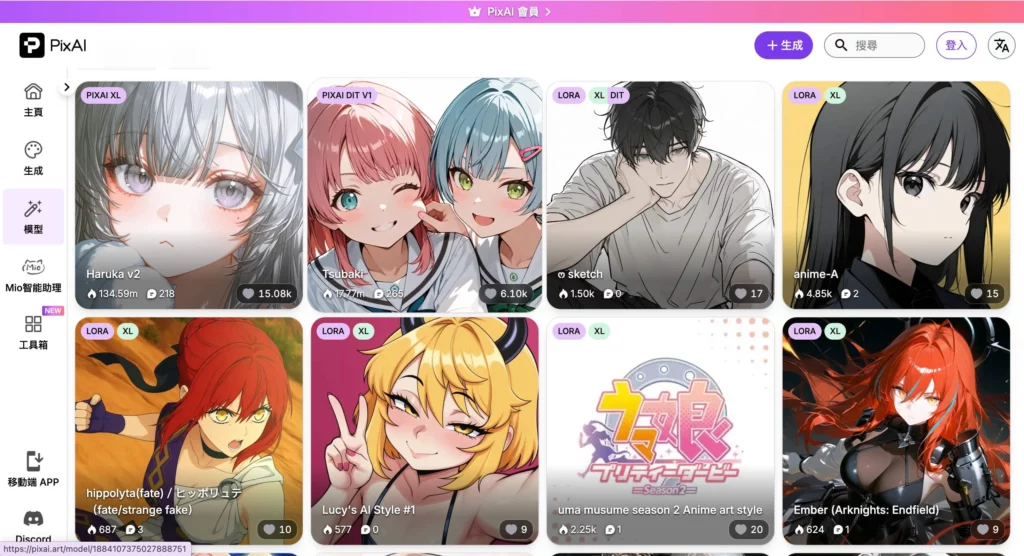
The core strength of the platform is its integration with popular open-source models. You can browse thousands of community-uploaded LoRAs—ranging from specific character designs to niche art styles like “90s Retro Anime” or “Cyberpunk Glow.” In this PixAI review, I found that the ability to “one-click” apply these models without downloading 5GB files is a massive time-saver for creators.
The Social Loop: Sharing and Remixing
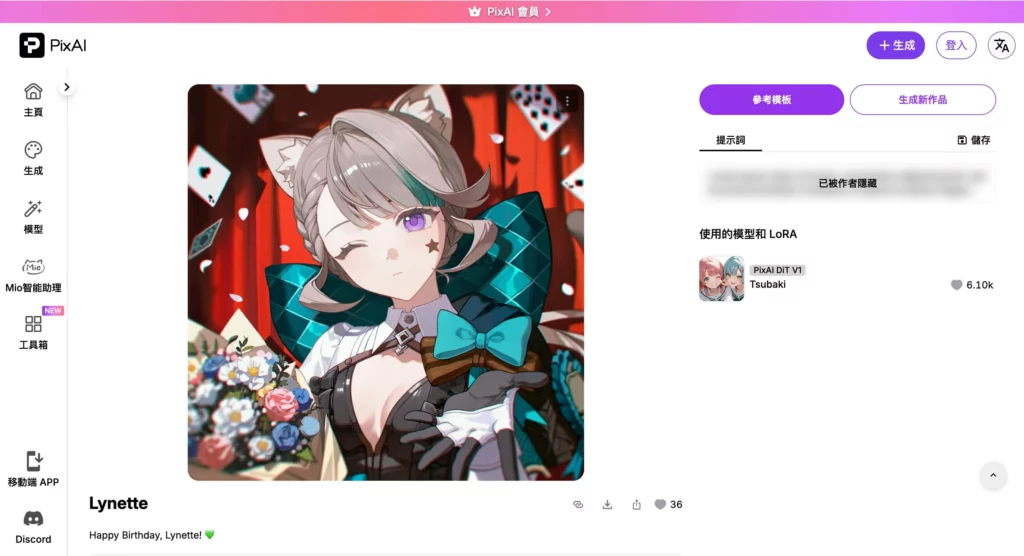
Unlike many “private” AI generators, PixAI encourages sharing. Every image in the gallery shows the exact prompt, seed, and model used. You can “Remix” any artwork you see, allowing you to learn from pros instantly. This collaborative environment is why the platform’s quality improves so fast; everyone is building on each other’s success.
Technical Performance: Pushing the Anime Frontier
In 2026, “good enough” isn’t enough anymore. AI art needs to handle complex poses and consistent character details. PixAI has introduced several high-end tools to ensure your waifus and husbandos look perfect every time.
On-Site LoRA Training (The “Character Lab”)
One of the standout features of this PixAI review is the “Train” tab. Usually, training a LoRA requires a powerful GPU and technical knowledge. On this platform, you just upload 15-20 images of your character, and the cloud handles the rest. By 2026, the training speed has been cut down to under 20 minutes, making it incredibly accessible for roleplayers and storytellers.
ControlNet and Advanced Composition Tools
To avoid the “randomness” of AI, PixAI offers full ControlNet support. You can upload a “pose” sketch, and the AI will follow it exactly. This is crucial for artists who want to create specific scenes or action sequences. During my testing, the “Canny” and “Depth” controls were surprisingly precise, handling complex hand gestures much better than older versions.
The Economy of PixAI: Credits and Memberships
Navigating the financial landscape of PixAI is straightforward, thanks to its dual-path approach. You can either subscribe for a steady flow of high-end features or purchase credit packs for specific, one-off projects.
Subscription Tiers: Starter, Plus, and Premium
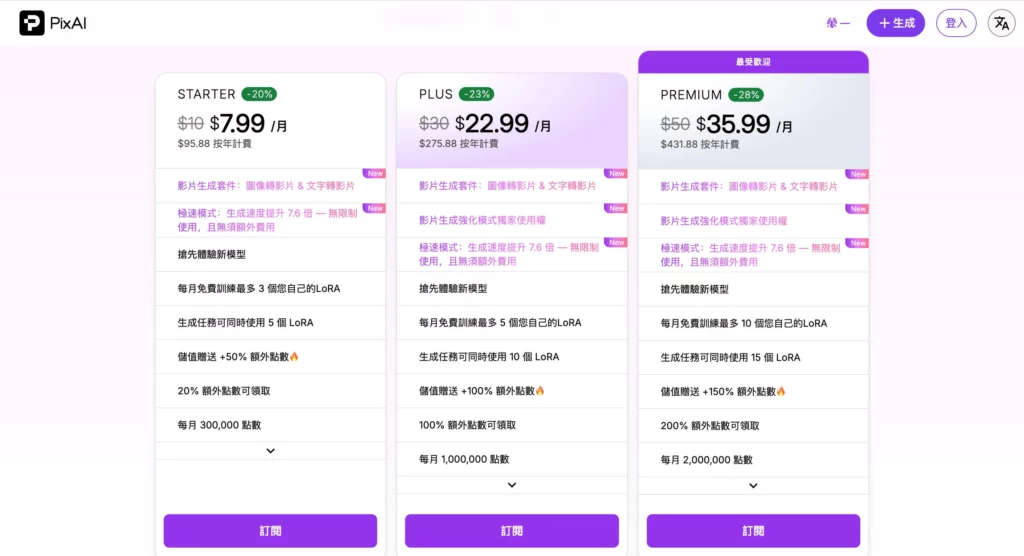
For consistent creators, the membership plans offer significant savings, especially with the annual billing option that provides up to a 28% discount. The tiers are structured to scale with your creative needs:
- Starter ($7.99/mo billed annually): This entry-level plan includes unlimited use of the “Hyper Mode” (7.6x faster generation), the ability to train 3 custom LoRAs per month, and support for using 5 LoRAs simultaneously in a single task.
- Plus ($22.99/mo billed annually): A mid-tier option that grants exclusive access to the “Enhanced Generation Mode,” doubles your training capacity to 5 LoRAs per month, and allows up to 10 LoRAs per task.
- Premium ($35.99/mo billed annually): The ultimate professional package, offering 10 monthly LoRA trainings and the power to stack 15 LoRAs in one generation task, alongside all previously mentioned speed and suite enhancements.
All subscription tiers currently feature the new Video Generation Suite, allowing users to transform images to video or text to video seamlessly.
Flexible Credit Packs and One-Time Offers
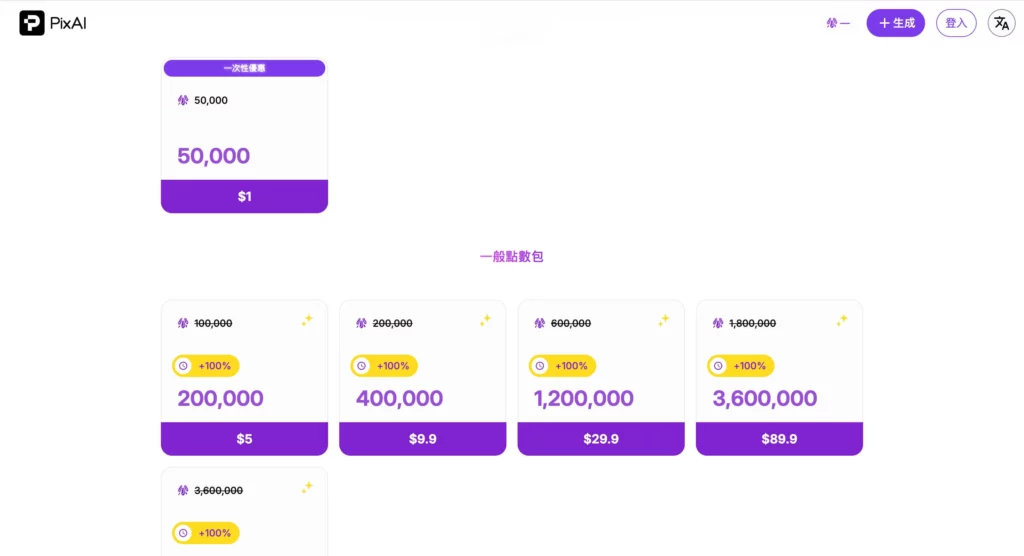
If you aren’t ready for a monthly commitment, the platform’s credit system provides a “pay-as-you-go” alternative. Credits power your generations, with several packages available to suit different budgets:
- One-Time Special: New users can snag a massive 50,000 credits for just $1 to test the platform’s full capabilities.
- General Credit Packs: Prices range from $5 for 200,000 credits up to $89.9 for 3,600,000 credits.
- Limited-Time Bonus: Currently, the platform is offering a +100% credit bonus on all general packs, effectively doubling your purchase value.
Additionally, subscibers enjoy a +50% bonus on credit top-ups, making it even more economical to supplement your monthly plan during heavy production periods.
Final Verdict: Should You Switch to PixAI?
After extensive testing for this PixAI review, it’s clear that this platform is the gold standard for anime-style AI. It takes the best parts of Stable Diffusion and makes them accessible to everyone.
The Good:
- The best library of anime-specific models in the world.
- Easy cloud-based LoRA training for custom characters.
- Very generous free daily credits.
- Active community and constant feature updates.
The Bad:
- The mobile app can be a bit cluttered with too many features.
- High-end “XL” models consume credits quickly.
- NSFW filtering can be tricky to navigate for new users.
Summary: If your goal is to create high-quality anime art, character designs, or manga panels, PixAI.art is unbeatable in 2026. It is a powerful, social, and cost-effective hub for the next generation of digital artists.