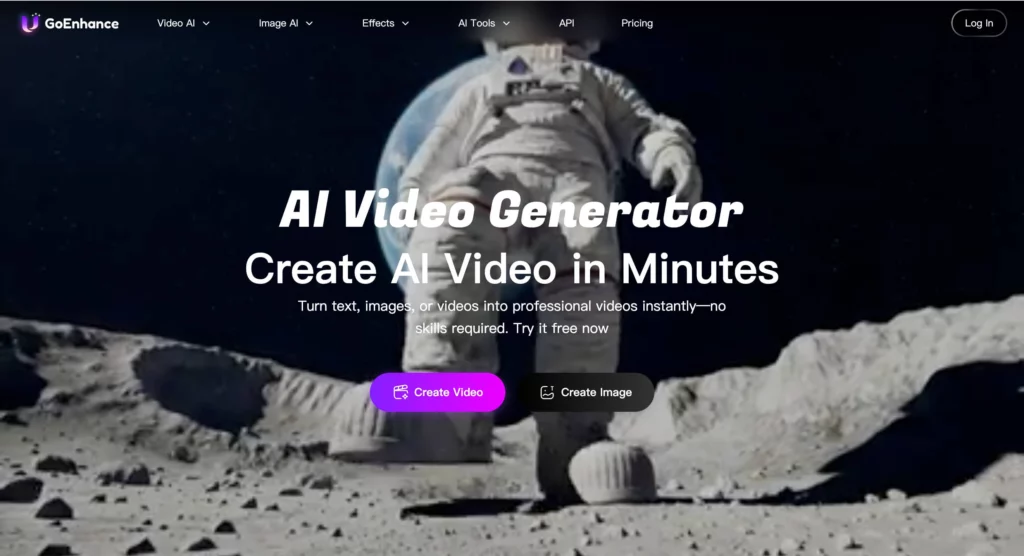
In the digital landscape of 2026, the barrier between professional animation studios and solo content creators has effectively vanished. We are no longer in the era of “simple filters”; we are in the era of total visual reconstruction. At the forefront of this movement is GoEnhance AI.
While 2025 was the year of “text-to-video” curiosity, 2026 has become the year of “video-to-video” mastery. Creators are no longer just asking AI to dream up scenes; they are asking AI to take their reality and turn it into something extraordinary. Whether it’s turning a backyard dance into a Pixar-level masterpiece or upscaling a grainy 1990s home video into 4K clarity, GoEnhance AI has become the industry’s “secret weapon.”
In this comprehensive review, we will explore the platform’s sophisticated engine, its unique stylization capabilities, and whether it truly justifies its place in your creative toolkit.
Inside the GoEnhance AI Ecosystem
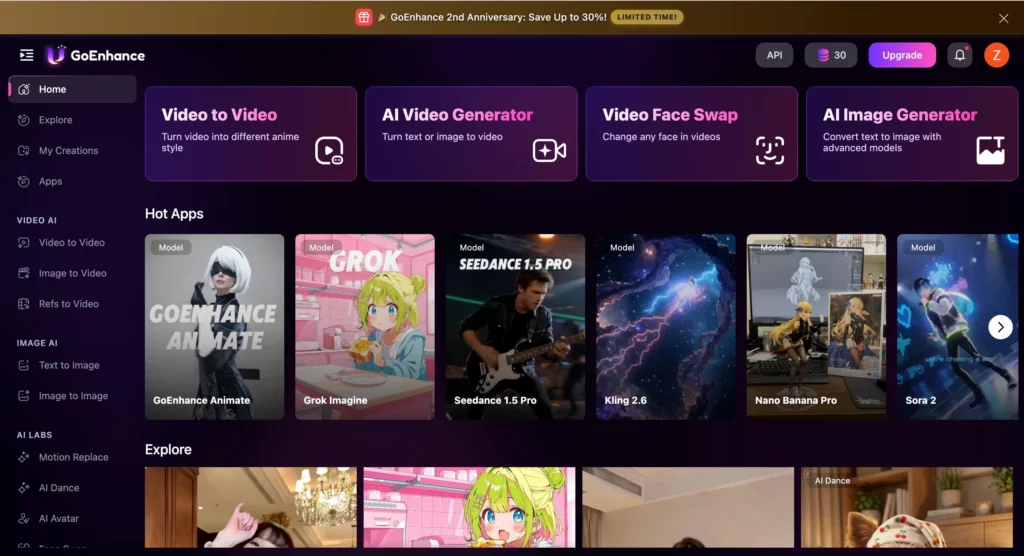
To understand why this platform is trending, you first have to look at the GoEnhance AI ecosystem. Most AI tools are fragmented—you go to one site for upscaling, another for character animation, and a third for stylization. GoEnhance AI has built a unified “Studio” that eliminates this friction.
The user interface in 2026 is a masterclass in “prosumer” design. It is simple enough for a TikToker to use on their phone, yet detailed enough for a professional editor to tweak “denoising strength” and “motion consistency” parameters. The platform’s philosophy is clear: Input Reality, Output Art. By focusing on existing video as the “seed,” it bypasses many of the prompt-engineering headaches that plague other AI video tools.
Achieving Visual Consistency with GoEnhance AI
The biggest technical challenge in AI video has always been “flicker”—the distracting way pixels shift from one frame to the next. In our testing, GoEnhance AI showed a remarkable leap in temporal consistency.
When applying a “3D Cartoon” style to a complex moving subject (like a person running through a forest), the AI manages to keep the character’s clothing, hair, and facial features stable across the entire clip. This is achieved through a 2026 update to their “Optical Flow” integration, which ensures the AI “remembers” what happened in the previous frame before drawing the next. For creators, this means fewer “hallucination” errors and more usable footage on the first try.
Restoring the Past: 4K Upscaling and Face Clarity
It’s easy to get distracted by the flashy animation styles, but the “Enhance” part of GoEnhance AI is equally impressive. The 2026 AI Enhancer tool is designed for more than just adding pixels; it’s about intelligent reconstruction.
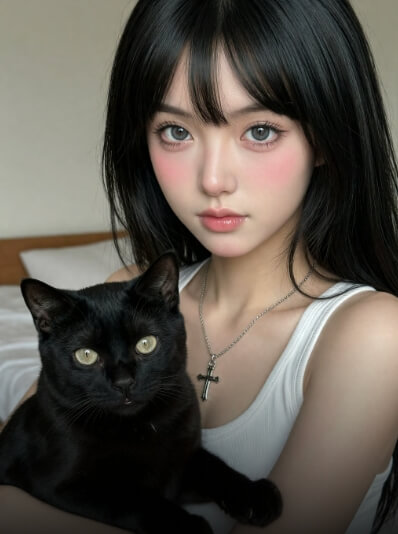
We tested several 480p clips from old smartphones. The platform’s “Face Restoration” mode didn’t just sharpen the image—it reconstructed skin textures, eye reflections, and individual strands of hair. This makes it an invaluable tool for documentary filmmakers and family historians who need to bring legacy media into the modern high-definition era.
The Magic of Video-to-Video: Beyond Basic Filters
If you’ve seen those viral clips where a person suddenly turns into a Lego figure or a claymation character, you’ve seen the power of the GoEnhance AI Video-to-Video engine. This is not a “skin” or an “overlay.” The AI is actually re-interpreting the 3D geometry of the scene and re-rendering it in a new artistic language.
Why Social Media Moguls Are Pivoting to GoEnhance AI
The “Attention Economy” of 2026 rewards novelty. A standard vlog doesn’t stop the scroll anymore, but a vlog that shifts into an “Anime v4” aesthetic during a climax does. Social media influencers are using GoEnhance AI to create “Hybrid Reality” content.
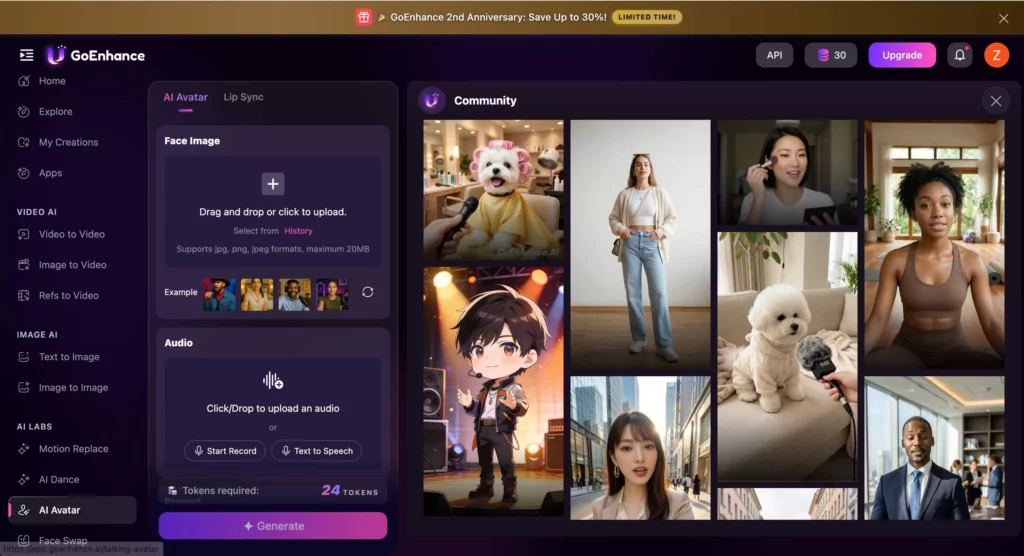
The platform’s “Character Animation” feature is particularly potent here. You can take a single photo of a brand mascot and, using a video of yourself as a “motion reference,” make that mascot perform complex movements. This has drastically lowered the cost of brand storytelling, allowing small businesses to have animated spokespeople that were previously only affordable for Fortune 500 companies.
Is a GoEnhance AI Membership Right for You?
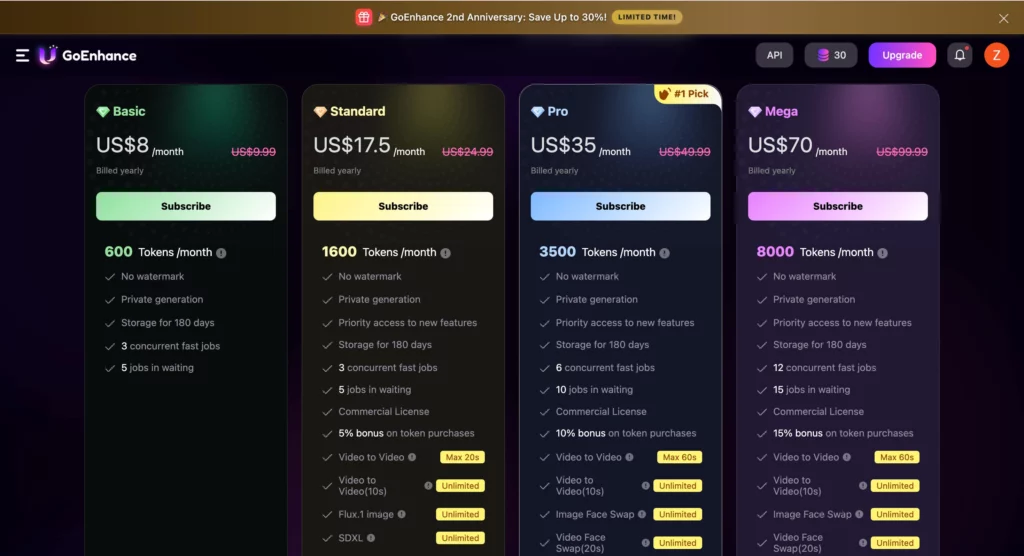
Pricing is always a critical factor in any deep-dive review. In 2026, GoEnhance AI has moved to a credit-based system that favors high-volume creators while still offering a “Pay-As-You-Go” entry point for hobbyists.
| Tier | Price (Yearly) | Best For |
| Explorer (Free) | $0 | One-time Edit (Watermarked) |
| Basic | $8 | Occasional edits (1,000 Credits) |
| Standard | $17.5 | Social media influencers (1,600 Credits) |
| Pro | $35 | Freelance editors & Agencies (3,500 Credits) |
| Mega | $70 | High-volume production (8,000 Credits) |
While the Pro plan seems expensive at first glance, the value lies in the Priority GPU Access. In 2026, high-quality video rendering is a resource-heavy task. Being able to skip the “rendering queue” can save a professional editor hours of wait time every week.
The Final Verdict
GoEnhance AI is not just another AI tool; it is a professional-grade transformation studio. It excels where others fail: in the stability of its video and the sheer variety of its artistic styles.
Pros:
- Best-in-class temporal consistency (no flickering).
- Powerful 4K upscaling that actually improves details.
- Intuitive “Motion Reference” for character animation.
Cons:
- High-res Video-to-Video renders consume credits quickly.
- Requires a stable internet connection for large file uploads.
Final Thought: If your goal is to stand out in a world of “standard” content, GoEnhance AI is the most powerful investment you can make this year. It turns the impossible into something you can do in your lunch break.