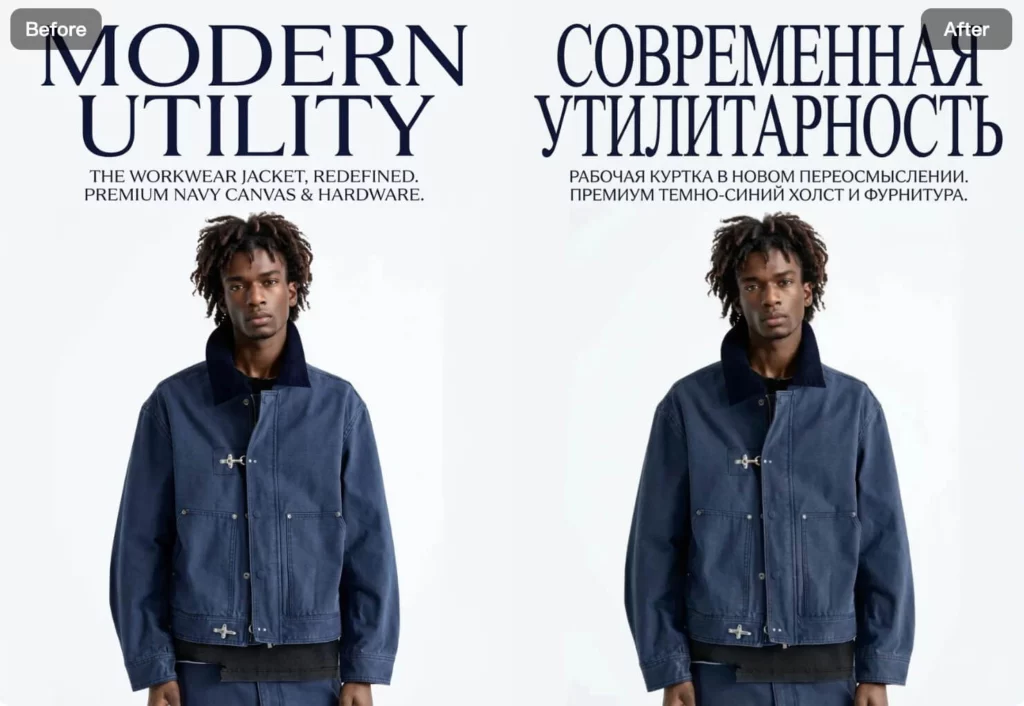
Translating text from images often takes more steps than expected. First, you extract the text. Then, you translate it. After that, you rebuild the layout so everything still looks right. As a result, a simple image translation quickly turns into a manual design task.That’s where WeShop AI’s AI Image Translator helps.
Instead of breaking your workflow, you upload an image and choose the language you want. From there, the AI image translator detects all text in the image, translates it into your target language, and adjusts the layout automatically. This way, the translated image keeps the original style, spacing, and visual balance.
More importantly, you don’t need to redesign anything by hand. Whether you want to translate posters, product images, screenshots, or marketing visuals, this AI-powered image translator helps you translate text from images faster and with better consistency.
Next, let’s walk through how it works and how you can use this tool to create posters in seconds with WeShop AI.
What is the AI Image Translator in WeShop AI?
The AI Image Translator in WeShop AI is an AI-powered tool that lets you translate text from images without breaking the original design. Instead of copying text out and rebuilding layouts, you translate the image as a whole.
This image translator keeps the same layout, spacing, and visual style while translating text into your target language. As a result, the translated image looks natural and ready to use.
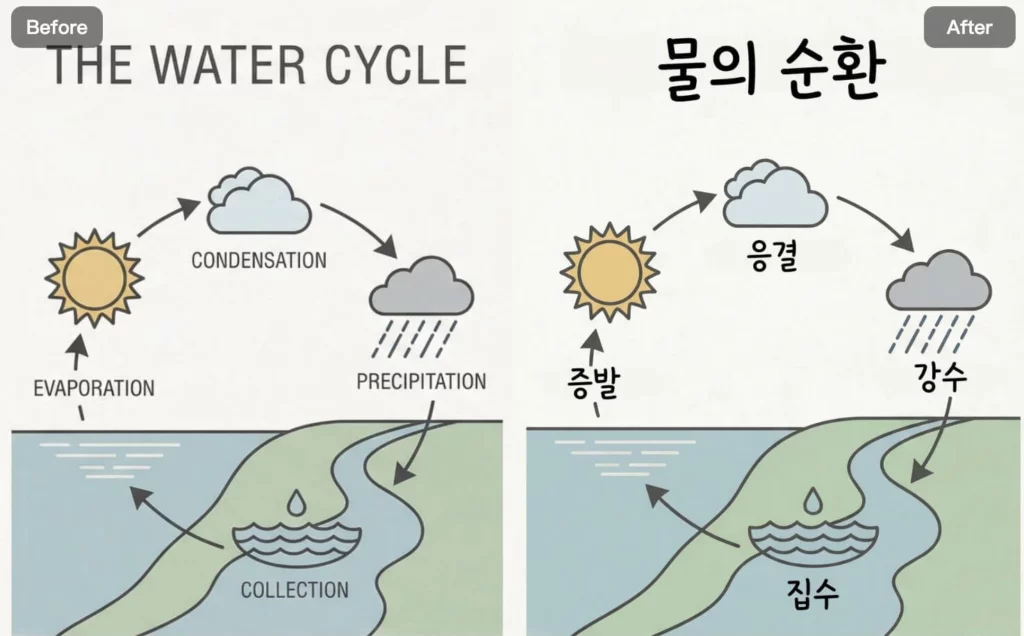
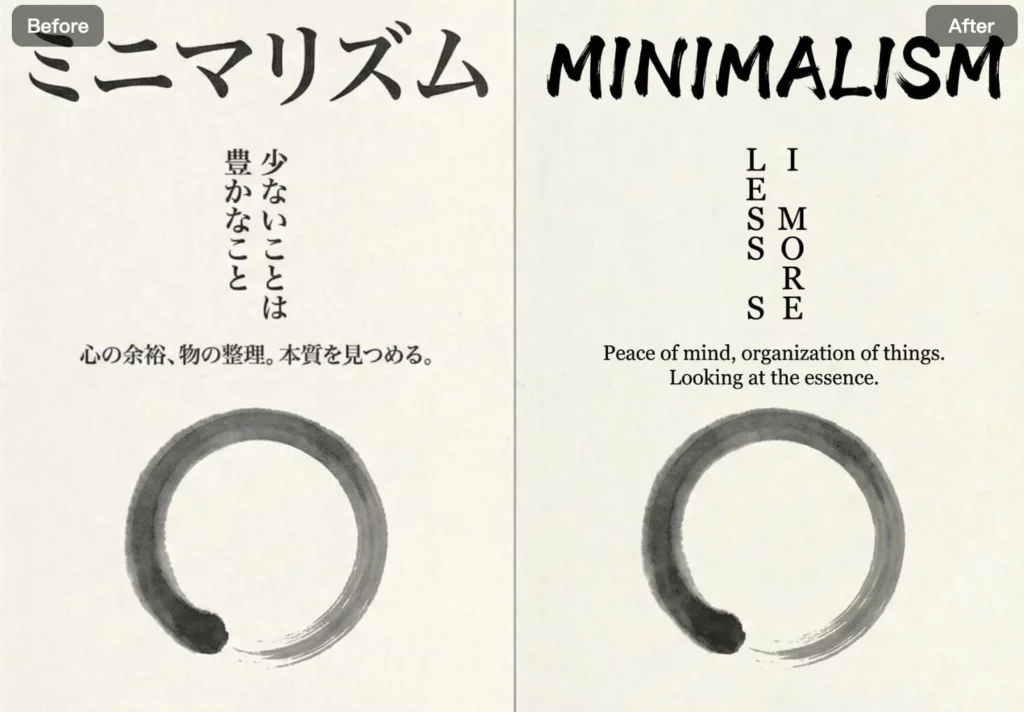
You can use the AI image translator to translate posters, product images, infographics, and other visuals that contain text. This makes image translation faster and removes the need for manual design work.
Overall, the AI Image Translator helps you translate image text accurately while saving time and effort.
How to Use the AI Image Translator
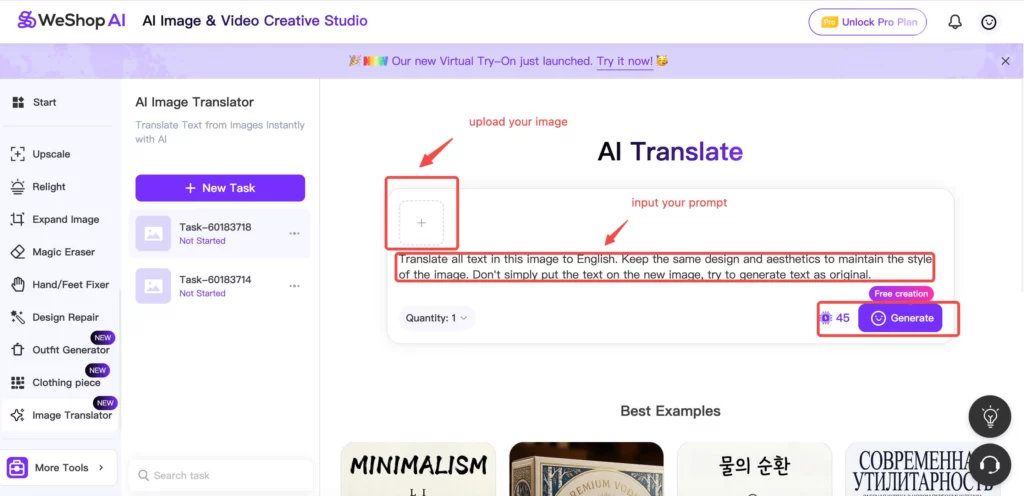
Using the AI Image Translator in WeShop AI is simple and fast. You don’t need extra tools or design skills.
Step 1: Upload Your Image
First, upload the image you want to translate. This can be a poster, product image, infographic, or any image that contains text.
At this point, the image becomes the base for translation and layout adjustment.
Step 2: Choose Your Target Language
Next, select the language you want to translate the image text into. The AI supports multiple languages, so you can localize your content easily.
Once selected, the AI prepares the translation while keeping the original design style.
Step 3: Preview the Translated Image
After translation, you can preview the result right away. Check the text, spacing, and overall layout.
If needed, you can regenerate or adjust until the image looks right.
Step 4: Download and Use
Finally, download the translated image in high quality. From there, you can use it for marketing, ecommerce, education, or sharing online.
This way, you translate text from images and keep the design intact—without manual work.
Who Should Use This Image Translator?
The AI Image Translator works well for anyone who needs to translate text from images while keeping the design.
In particular, it’s useful for:
- Ecommerce sellers translating product images for different markets
- Brands and marketers localizing posters, ads, and campaign visuals
- Content creators working with multilingual images
- Educators and students translating diagrams and learning materials
- Teams that need fast image translation without manual redesign
In short, if your images contain text and you want clean results in another language, this image translator fits naturally into your workflow.
Frequently Asked Questions
What types of images can I translate?
You can translate posters, product images, infographics, screenshots, and other images that contain text. As long as the text is clear, the image translator works well.
Does the AI Image Translator keep the original layout?
Yes. Instead of only translating text, the AI image translator keeps the original layout, spacing, and visual style. This way, the translated image still looks clean and natural.
How accurate is the image translation?
In most cases, the translation is accurate and easy to read. However, for best results, clear text and simple layouts work better.
Do I need design or language skills to use it?
No. You don’t need design experience or translation skills. The tool handles both text translation and layout adjustment for you.
What can I use the translated images for?
You can use them for ecommerce listings, marketing materials, social media posts, presentations, and educational content.
Conclusion
The AI Image Translator in WeShop AI makes it easy to translate text from images without redesigning them. Instead of manual work, you translate images in one step and keep the original look.
As a result, you save time and keep visual quality consistent across languages. Whether you work with product images, posters, or marketing visuals, this image translator helps you localize content faster and with less effort.
Overall, if you want a simple way to translate image text while keeping the design intact, the AI Image Translator is a practical tool to add to your workflow.