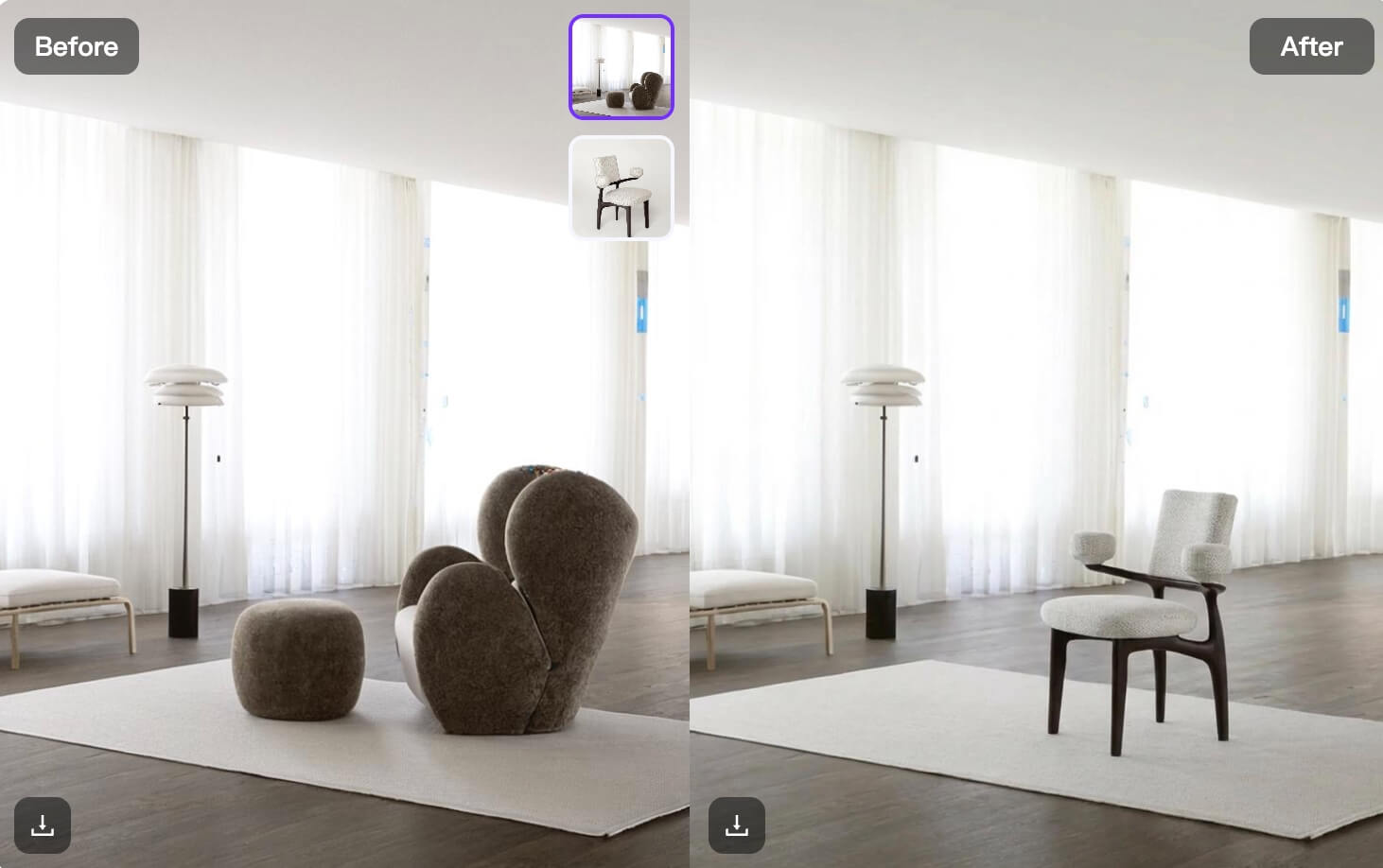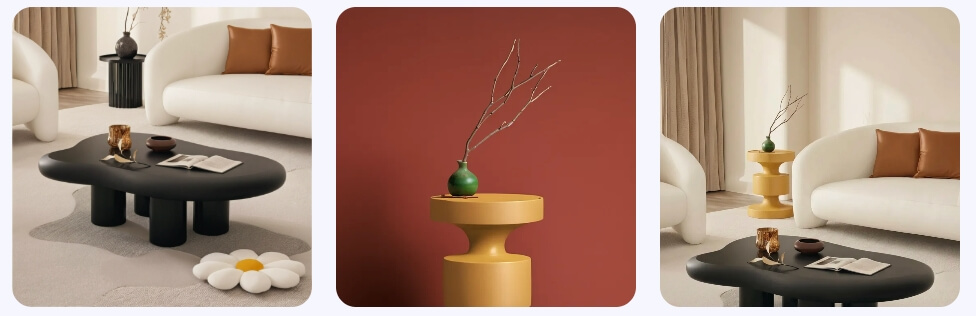
Combining images sounds simple, but in practice it often takes time and extra tools. Whether you’re merging photos for social media, product comparisons, or creative projects, manual editing can slow you down. That’s where WeShop AI’s AI Image Combiner comes in.
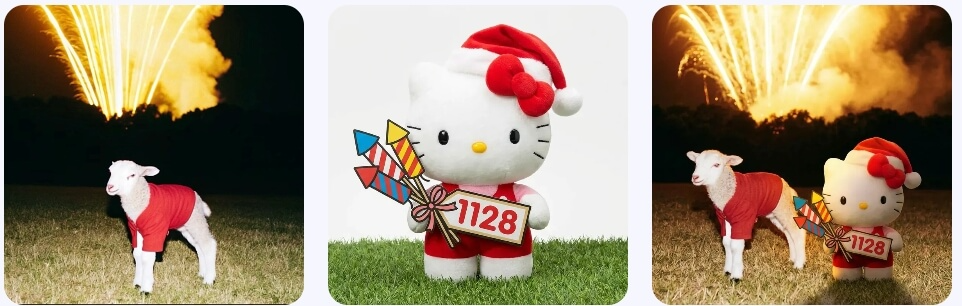
With this AI-powered tool, you can upload two images and let the AI combine them naturally. It blends elements, aligns composition, and produces a clean result without manual work.
Next, I’ll walk you through how the AI Image Combiner works and how you can use it in real projects.
What Is AI Image Combiner?
The AI Image Combiner in WeShop AI is an AI-powered tool that helps you combine two images into one seamless result. Instead of manually cutting, pasting, and aligning elements, you upload your images and let the AI handle the composition.
This tool doesn’t just place images side by side. It can also blend elements from one image into another, adjust scale and alignment, and create a final image that looks natural and intentional.
You can use the AI Image Combiner to merge photos for social media, ecommerce product visuals, creative projects, presentations, and marketing assets. As a result, you save time and avoid complex editing tools.
In short, the AI Image Combiner makes image merging faster, cleaner, and easier—without design experience.
How to Use AI Image Combiner
Using the AI Image Combiner in WeShop AI is simple and fast. You don’t need design skills or extra software.
Step 1: Open the AI Image Combiner Tool
First, open WeShop AI and go to the AI Image Combiner from the AI tools section.
This is where you can merge two images into one final result.
Step 2: Upload Your Images
Next, upload the two images you want to combine.
You can choose photos you want to merge side by side, or images where elements from one should blend naturally into the other.
At this stage, clear images usually give the best results.
Step 3: Describe How You Want to Combine Them
Then, use the input box to describe what you want the final image to look like.
For example, you can say whether you want:
- A clean side-by-side layout
- One subject merged into another background
- A seamless blend for creative or marketing use
This helps the AI understand your intent.
Step 4: Let AI Combine the Images
Once your images and prompt are ready, click generate.
From there, the AI analyzes both images, aligns elements, and creates a combined image that looks natural and balanced.
As a result, you get a polished image without manual editing.
Step 5: Download and Use the Result
Finally, review the combined image and download it.
You can use it for social media posts, product visuals, presentations, or creative projects right away.

Real Use Cases for AI Image Combiner
The AI Image Combiner works well across different visual tasks. Here are a few common ways people use it in real projects:
- Ecommerce product visuals
Combine products with different backgrounds or scenes to create clean, promotional images. - Social media content
Merge two visuals into one post to highlight comparisons, features, or creative ideas. - Marketing and presentations
Blend images to create clear visual storytelling without manual editing. - Creative experiments
Integrate elements from one image into another for concept visuals or design inspiration.
Across these use cases, the AI Image Combiner helps you create polished results faster, without complex tools.
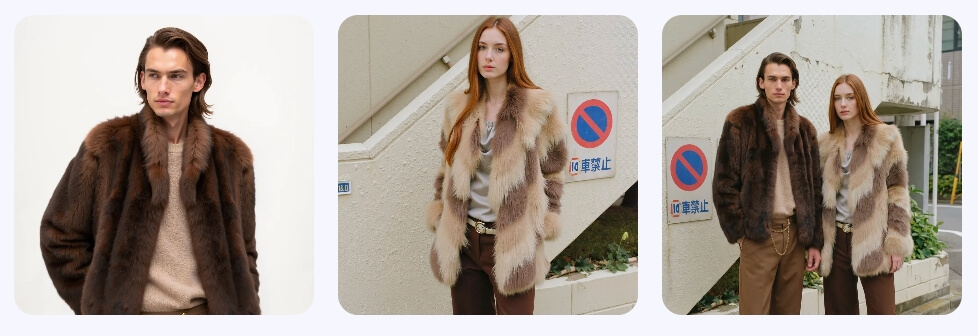
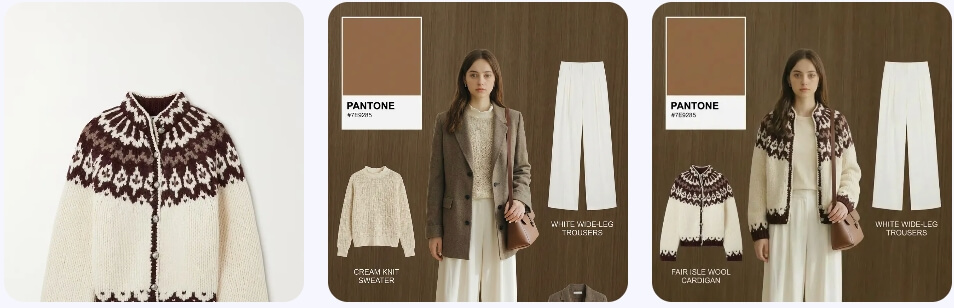
AI Image Combiner vs Traditional Editing Tools
Traditional editing tools give you full control, but they also require time and experience. To combine images manually, you often need to cut out elements, adjust layers, and fine-tune alignment.
In contrast, WeShop AI’s AI Image Combiner focuses on speed and simplicity. You upload two images, describe what you want, and let the AI handle blending and composition. As a result, you can create clean combined images without learning complex software.
Traditional tools work well for detailed manual edits. However, if your goal is to merge images quickly for ecommerce, social media, or marketing visuals, an AI image combiner offers a faster and more efficient workflow.
Conclusion
The AI Image Combiner in WeShop AI makes it easy to combine two images into one clean, natural result. Instead of relying on manual editing tools, you can upload your images and let AI handle blending and composition.
Whether you’re creating ecommerce visuals, social media content, or marketing assets, this tool helps you work faster and reduce manual effort—while still getting polished results.