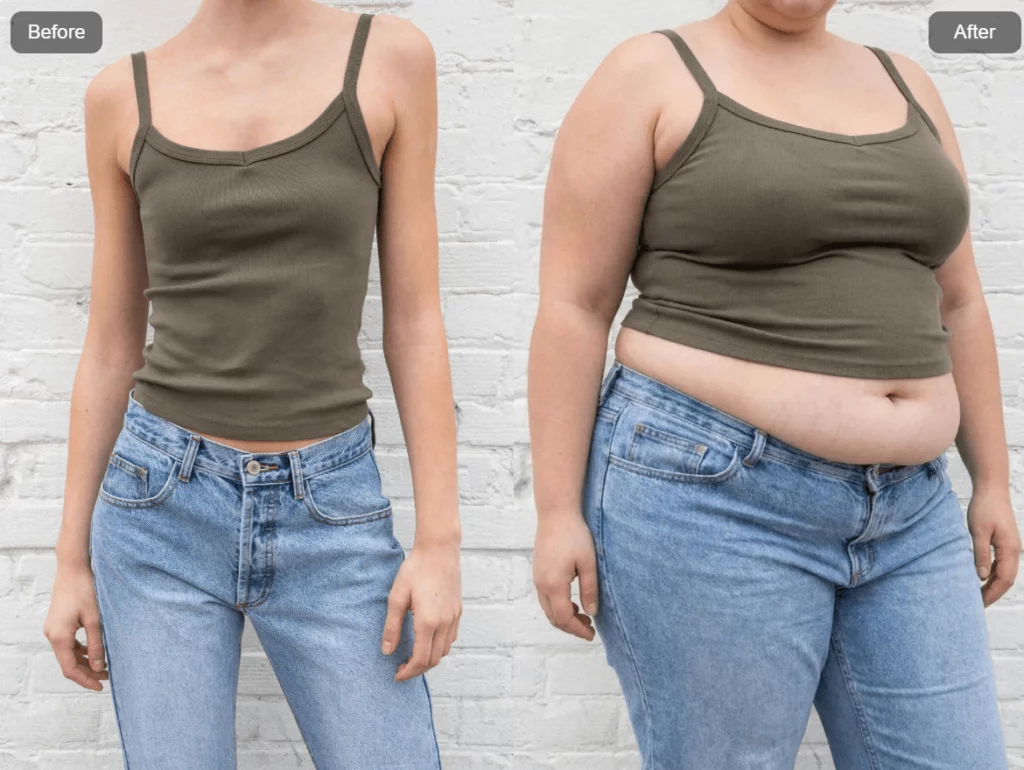
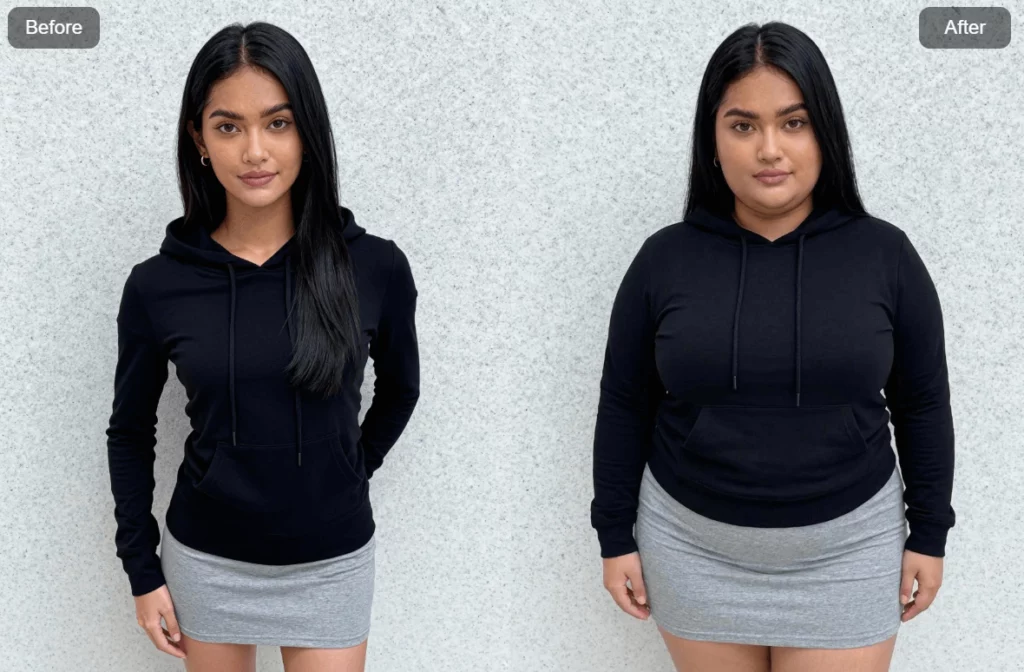
Ever been curious about what you’d look like with a little extra weight? Or maybe a lot extra. Whether it’s for a meme, a creative project, or just pure curiosity, AI fat filters are quickly becoming one of the most entertaining tools online. And now, Weshop AI makes the experience smoother, faster, and way more realistic than you’d expect.
Instead of clunky photo edits or awkward distortions, Weshop AI’s AI Fat feature lets you create natural-looking fat face and body transformations in just a few clicks. No downloads. No editing skills. Even no watermarks. Just upload, adjust, and watch the AI do its thing.
Let’s break down what this tool is, how it works, and why people are using it everywhere—from social media to creative design.
What Is an AI Fat Filter, Really?
A fat filter is an ai fat filter tool that adds realistic or exaggerated weight to faces and bodies in photos. Whether you’re looking for fun transformation content, want to visualize weight changes, or need engaging content for social media, these AI-powered editors handle the entire process in seconds.
- Works directly in your browser with no editing skills required
- Supports selfies, full body photos, pets, group photos, and even fictional characters
- Simply upload a picture, pick your chubby intensity (from “slightly fuller” to “super-sized”), and download or share the result
- Transformations are meant for entertainment and body visualization, not for bullying or body shaming
- Free to use with no watermarks on exported images
- Creates a fat version of any subject while keeping them recognizable
What Makes Weshop AI’s Fat Filter Stand Out?
Not all fat filters are created equal. Some blur faces. Others warp backgrounds. Many slap a watermark on your image and call it a day. Weshop AI takes a different approach.
First, everything runs online. No installs, no waiting, no storage issues. The tool supports JPG, PNG, WEBP, and HEIC formats, with image sizes up to 4000 × 4000 pixels. That means high-quality output without compression artifacts.
Second, you get style flexibility. You can switch between realistic chubby effects, cartoon-style fat characters, or extreme meme transformations. The AI preserves details like skin texture, hair, fabric folds, and accessories, so the final image still looks clean.
Processing is fast too. Most photos finish rendering within 5 to 15 seconds, depending on size and connection speed. Once it’s done, you can export the image with no watermark and share it anywhere you want.
In short, it works as a complete AI fat maker without the frustration of traditional editing tools.
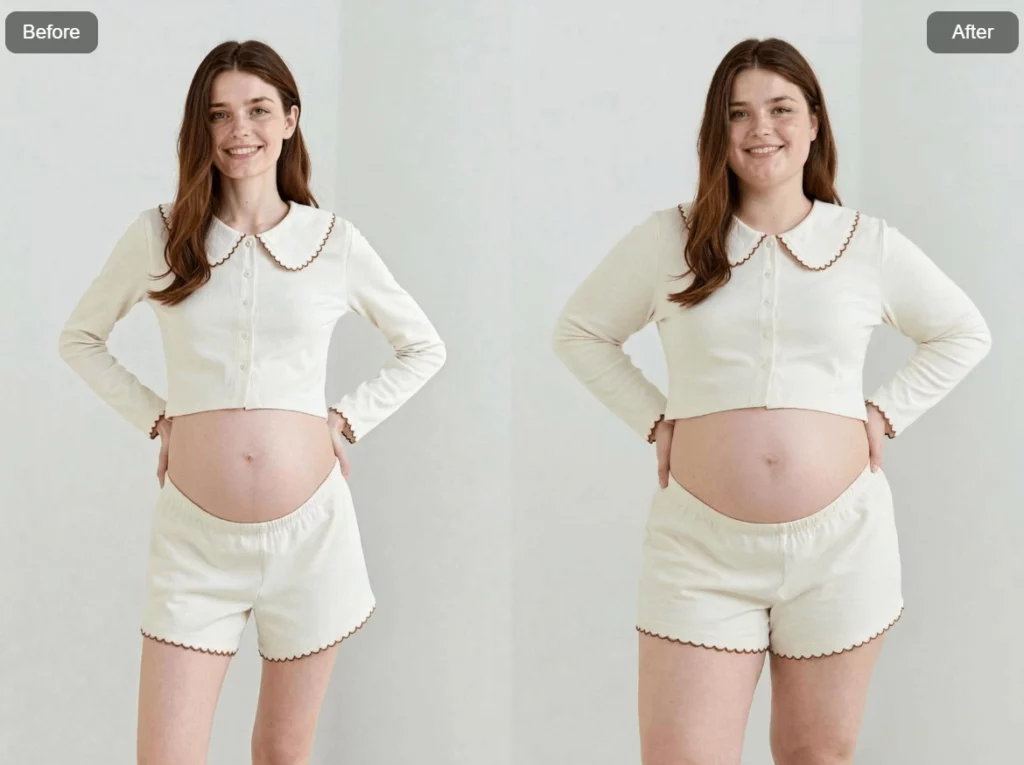
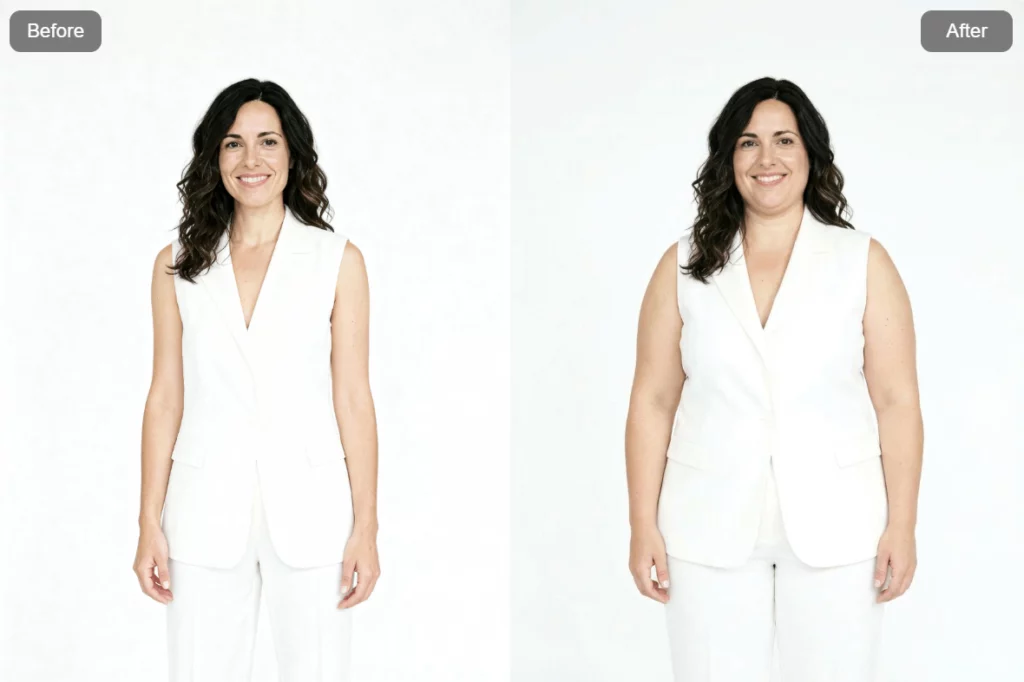
How to Use the AI Fat Filter (Step by Step)
Using the AI Fat feature on Weshop AI is intentionally simple. The entire process takes less than a minute, even if it’s your first time.
Step 1: Upload Your Photo
Start with a clear image. A front-facing selfie or full-body shot works best, especially in good lighting. Heavy beauty filters can confuse the AI, so it’s better to upload a clean photo straight from your camera roll. You can upload directly or drag and drop the file into the browser.
Step 2: Choose Style and Fat Level
Next, decide how dramatic you want the transformation to be. Use sliders or presets that roughly simulate different weight gains, from subtle changes to extreme effects. This is where you control whether the result looks realistic or intentionally over-the-top.
Step 3: Select the Area
You can apply the fat effect to the face only, the body only, or both. Want extra chin and cheeks but the same body shape? That’s possible. Prefer a full-body transformation while keeping the face mostly unchanged? That works too.
Step 4: Preview and Adjust
Live previews let you fine-tune the result. If it feels off, tweak the intensity, switch styles, or re-run the AI. Since processing is fast, experimenting doesn’t slow you down.
Step 5: Download and Share
Once you’re happy, download the image in HD. The exported file keeps its original resolution and has no watermark. From there, it’s ready for Instagram, TikTok, Snapchat, or anywhere else.
Think of the whole process as three actions: upload, adjust, download.
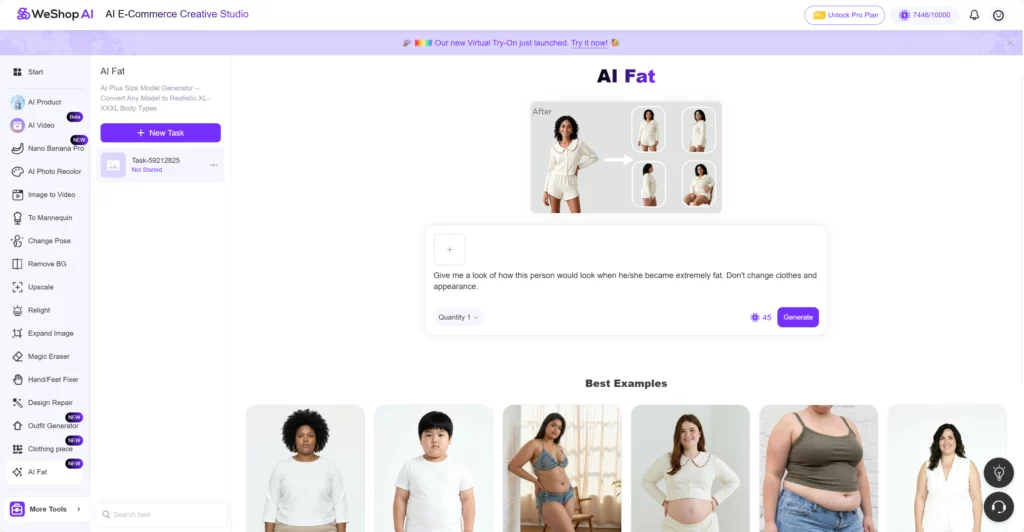
AI Fat Filter: How the AI Creates Realistic Weight Gain?
Behind the scenes, Weshop AI uses advanced diffusion and GAN-based models trained on a wide range of body types. This allows the AI to simulate real weight distribution instead of simply inflating the image.
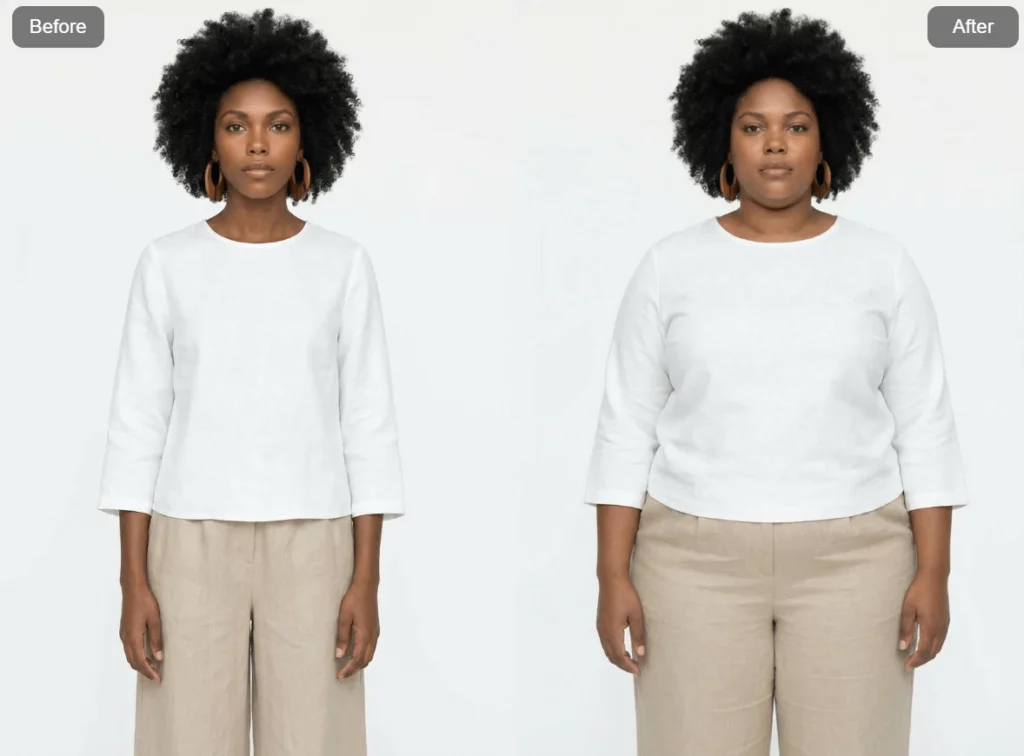
Cheeks, jawlines, necks, arms, bellies, hips, and legs are adjusted in ways that match how human bodies typically gain weight. Facial features like eyes and noses remain sharp and recognizable, so the subject doesn’t lose their identity.
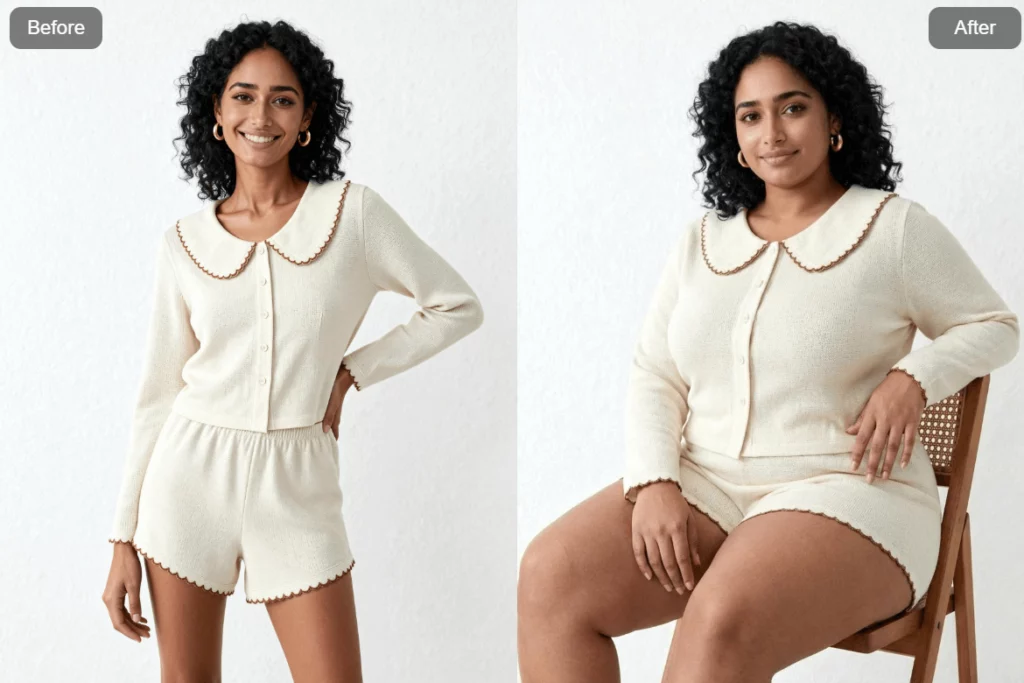
Clothing is another key detail. Shirts stretch naturally. Jeans sit lower. Dresses drape differently. Instead of blurring fabrics, the AI reshapes them, keeping textures and patterns intact.
The system also accounts for gender and body variation, applying weight differently depending on proportions. As a result, the final image often looks like a believable “before and after,” not a rushed digital edit.
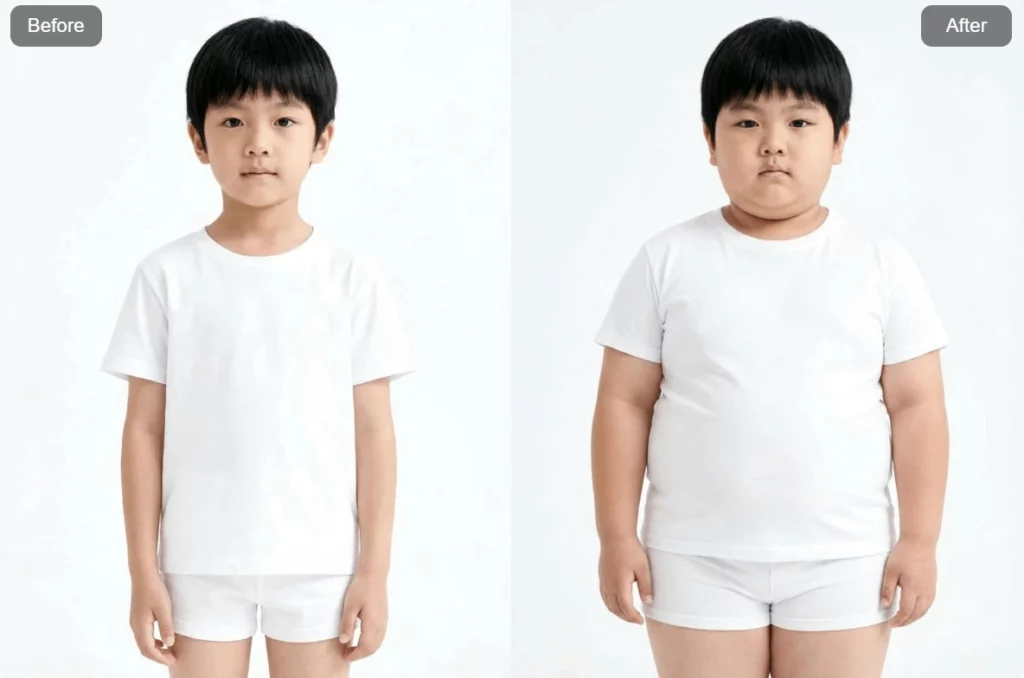
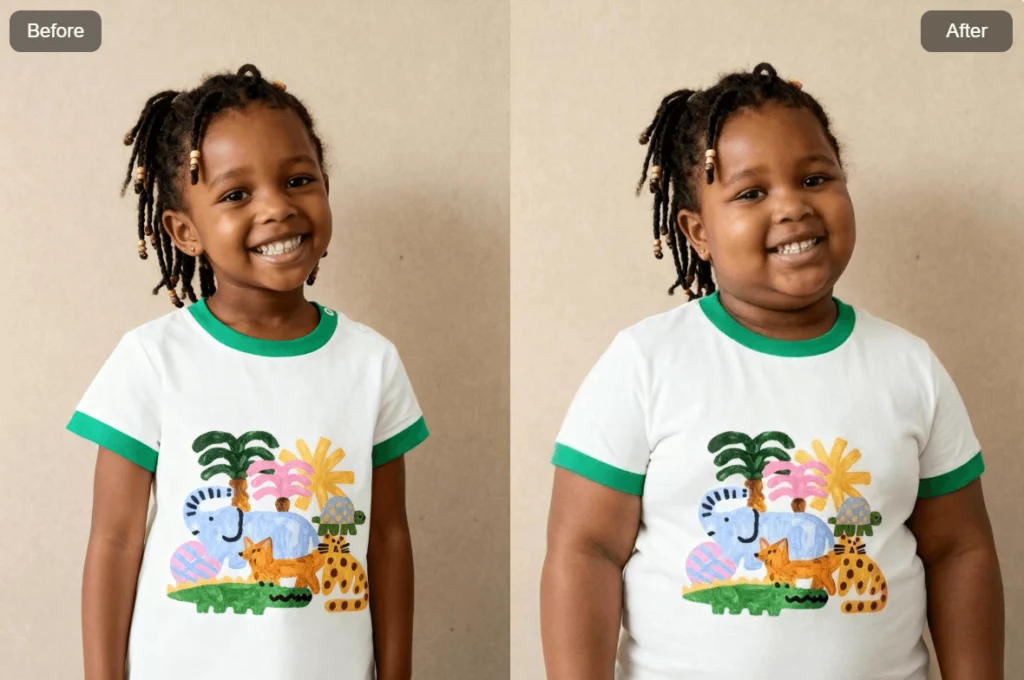
Where People Are Using AI Fat Filters Today?
The popularity of fat filters has exploded, and for good reason. People are finding creative uses across different fields.
For entertainment, fat filters are a meme factory. Funny profile pictures, playful edits of friends (with consent), and viral reaction images all perform well online. Humor-driven content spreads fast.
On social media, creators use before-and-after transformations to boost engagement. TikTok, Instagram Reels, and Snapchat stories regularly feature AI body edits that attract millions of views when done creatively.
Some users explore weight visualization out of curiosity. While it’s not a health tool, it can help people imagine different body outcomes and reflect on lifestyle choices.
Artists and designers also benefit. Character creators use fat filters to explore alternate versions of characters for comics, games, or fan art. It’s a quick way to test ideas without redrawing everything.
Even pets get involved. Turning cats and dogs into chunky “chonkers” consistently results in shareable, lighthearted content that audiences love.
Group photos work too. The AI can detect multiple people in one frame, making it easy to create themed images for parties, holidays, or reunions.
Tips for the Best Results of AI Fat
The quality of your input photo matters more than most people expect. A good photo can produce an impressive transformation, while a bad one may look off.
High-resolution images work best, ideally at least 1080 × 1080 pixels. Modern smartphones handle this easily. Clean backgrounds help the AI detect body outlines accurately.
Front-facing angles or slight three-quarter views produce the most natural results. Hair should not fully cover the jawline or cheeks if you want a convincing fat face effect.
Avoid heavy blur, extreme lighting, or exaggerated beauty filters. These can confuse the AI and lead to strange weight placement. Natural lighting usually gives the best outcome.
Accessories like sunglasses, masks, or oversized hats may reduce accuracy, especially for facial edits. The clearer the structure, the better the result.
Styles and Creative Modes to Try
One of the most fun parts of the AI Fat feature is switching between styles without re-uploading your photo.
- Realistic mode: Subtle +10–20 kg simulations that could pass as genuine before-and-after photos for private viewing, storytelling, or fitness progress visualization
- Moderate “chubby glow-up”: Mid-level settings that give softer cheeks, rounder bellies, fuller arms and limbs while still keeping the person recognizable and natural
- Extreme & meme mode: Over-the-top, inflated transformations featuring extra pounds piled on dramatically—ideal for humorous posts, reaction images, or fantasy scenarios
- Cartoon / anime mode: Stylized, rounded fat characters with smooth shading and simplified details for creators who want illustration-style results rather than photorealism
- Custom blend: Many tools let you mix realism levels, applying cute cartoon cheeks with realistic body weight for unique creative combinations
Frequently Asked Questions About Fat Filters
- Is the fat filter free to use? Core features including face and body transformations are completely free with no account required. Some tools offer optional paid upgrades for higher resolution exports, batch processing, or additional styles.
- Do I need to download an app? No download required—the tool runs in any modern browser on desktop, tablet, or smartphone. If you prefer, mobile app versions are available for those who want quick access from their device home screen.
- Does it work on both face and full body? Yes, you can choose face-only transformations, full body edits, or both combined. The AI handles standing portraits, seated photos, and everything in between.
- Can it handle multiple people in one photo? The AI can detect and transform several people at once in group photos. However, crowded scenes with overlapping subjects might be less precise than solo, centered shots.
- Will my photos have a watermark? Exported images are watermark-free for clean sharing across social media, messaging apps, or print.
- Can I control how much weight is added? Absolutely. Use the slider or preset controls to achieve exactly the look you want—from barely noticeable face fat to dramatic full-body transformations with visible extra pounds.
- What about pets and animals? Many fat filter tools work on dogs, cats, and other animals just as well as humans. The results are typically adorable “chonker” versions perfect for social sharing.
Final Thoughts
AI fat filters turn curiosity into creativity with just a few clicks. They’re fast, accessible, and surprisingly realistic when used well. With Weshop AI, you get full control over style, intensity, and output quality—without watermarks or complicated workflows.
Whether you’re creating viral content, experimenting with character design, or just having fun with friends, the AI Fat feature offers a playful way to explore new looks. Start with a clear photo, experiment freely, and always share responsibly.