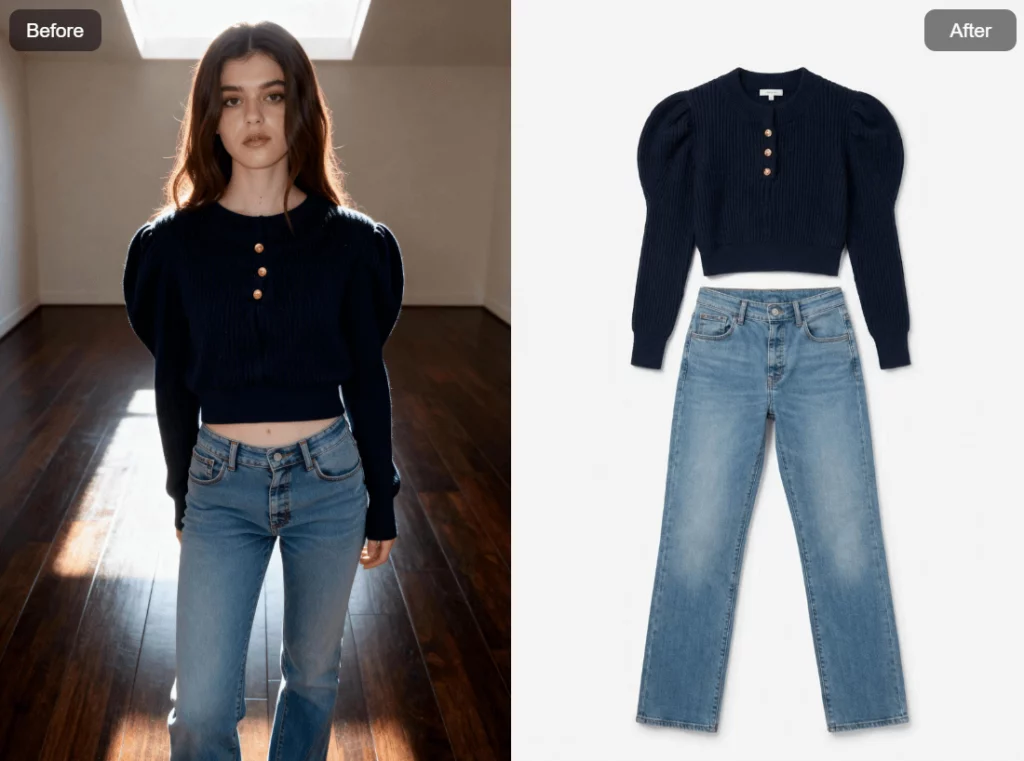
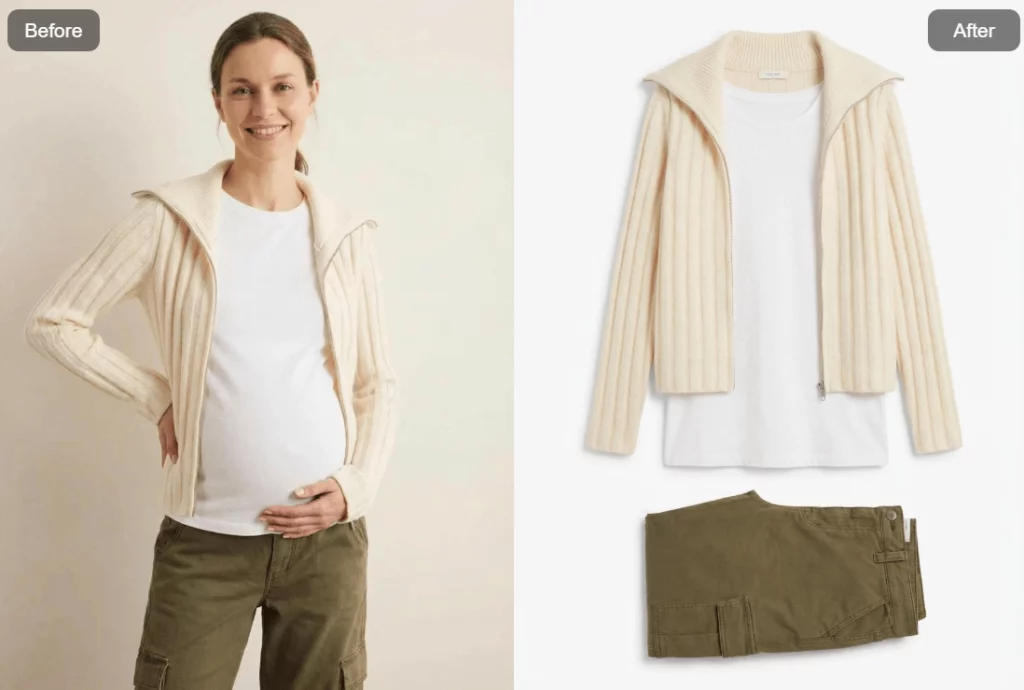
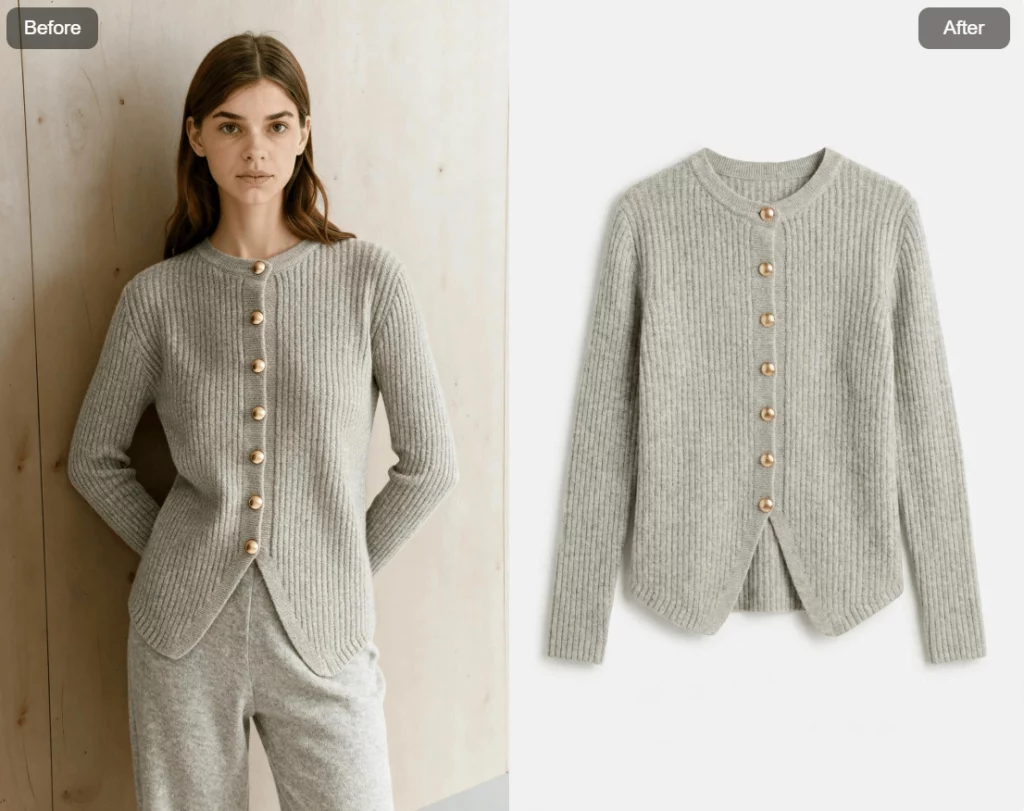
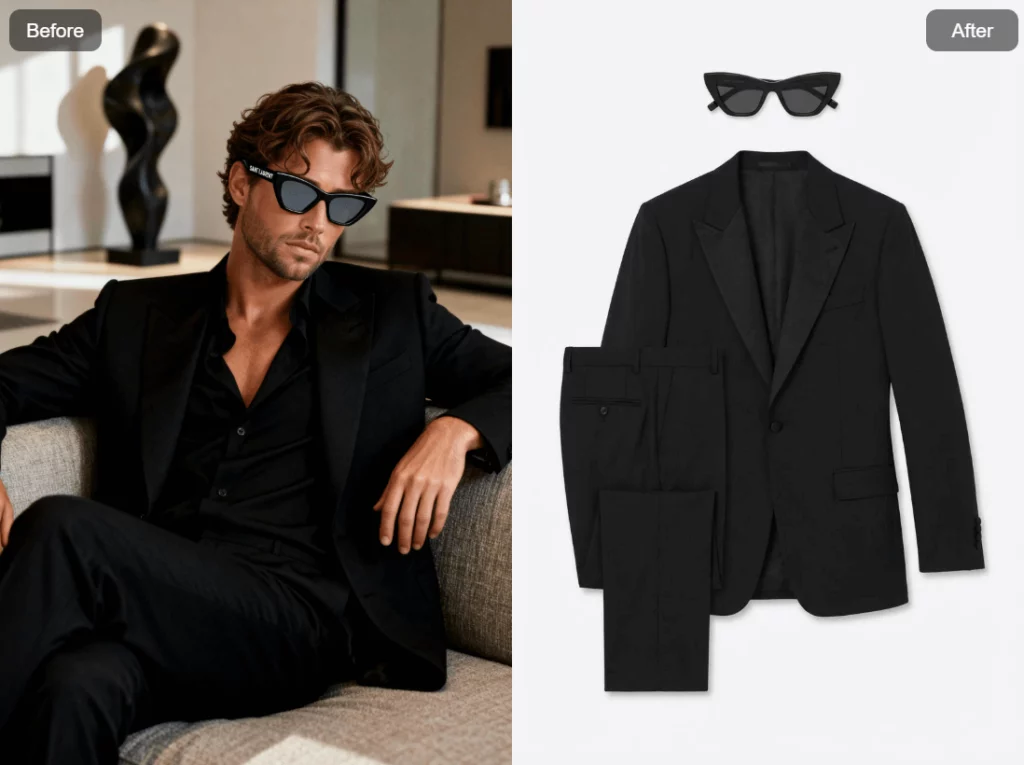
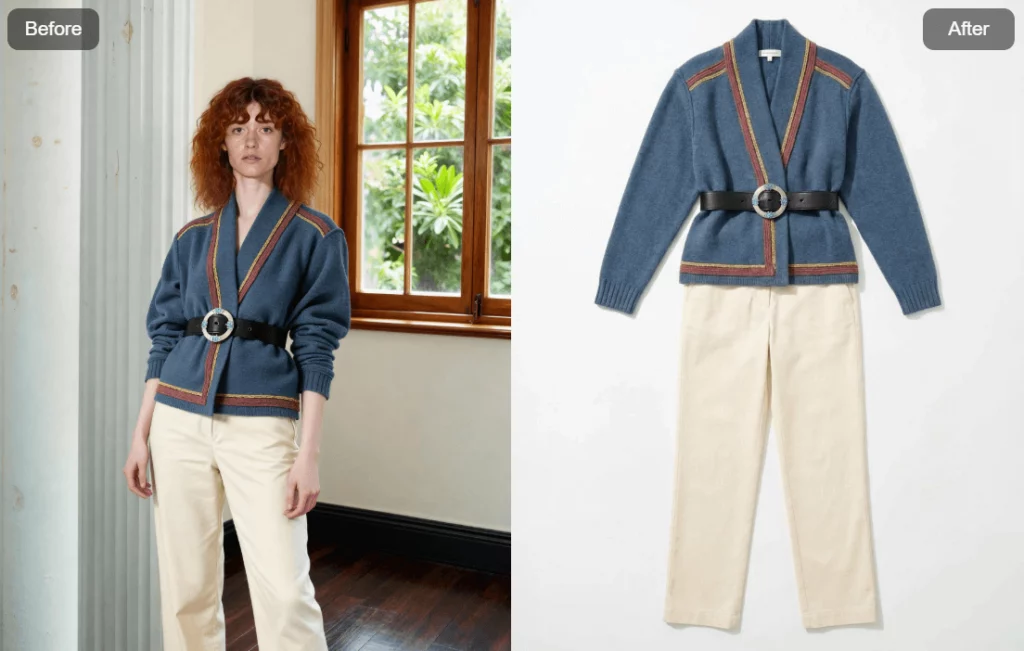
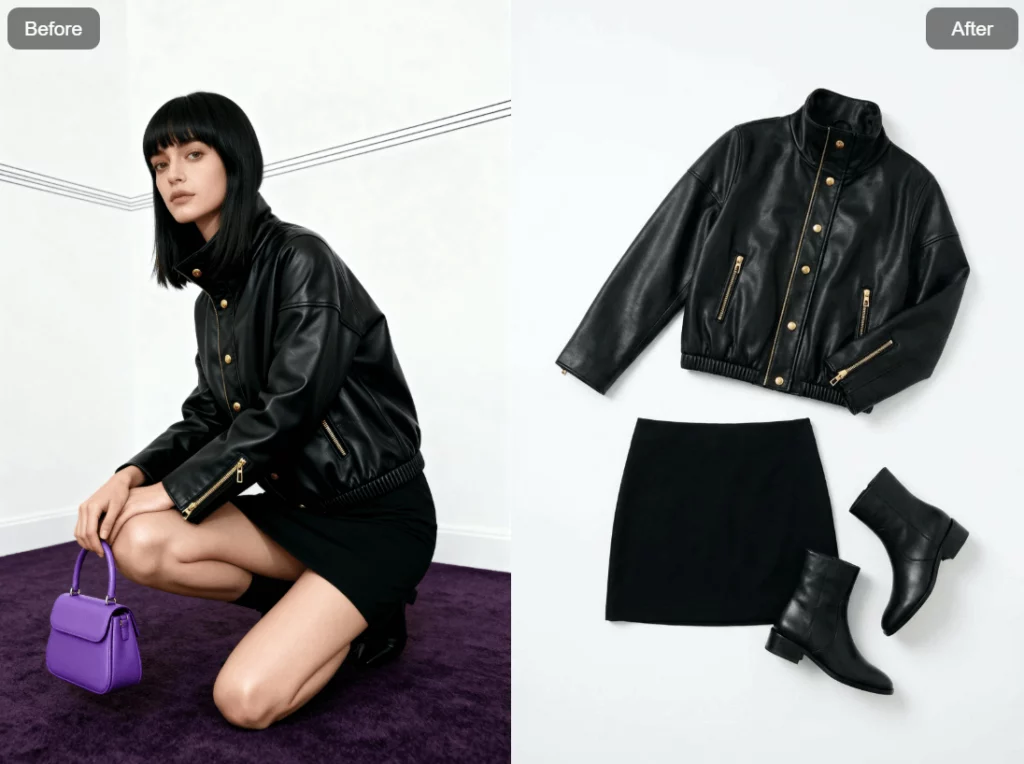
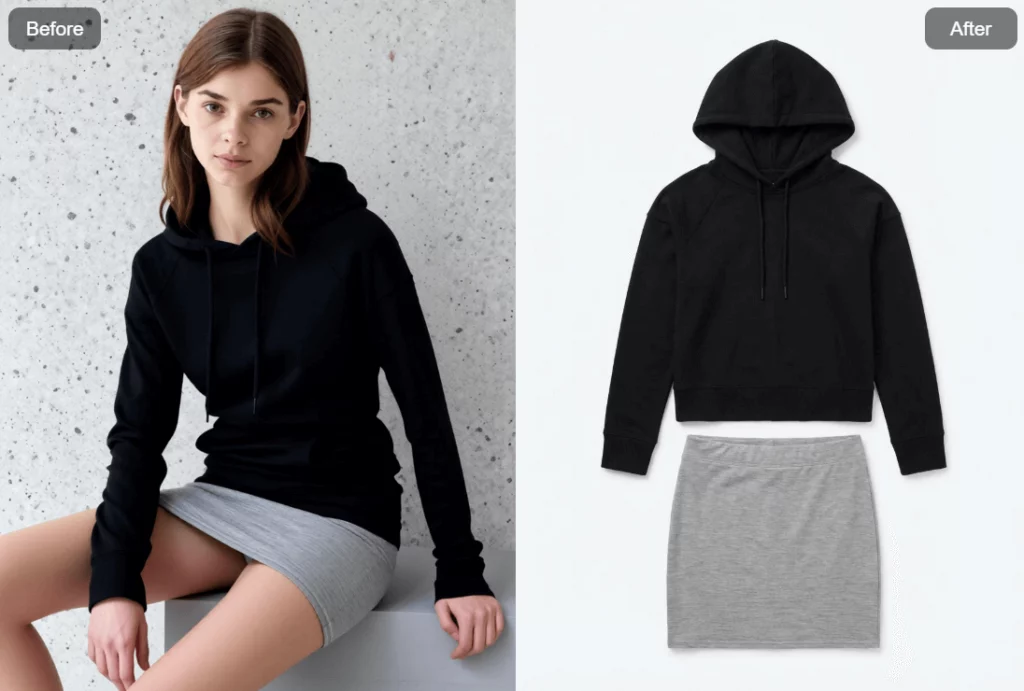
As one of the newest features released by WeShop AI, AI Clothing Piece Generator is designed to help sellers, designers, and content teams extract a single clothing piece from a model image and transform it into a clean, flat-lay product image—ready for e-commerce use.
The way fashion products are presented online is changing fast. Customers scroll quickly, compare instantly, and decide within seconds. That makes one thing very clear: product images matter more than ever.
However, creating clean, professional clothing images is not easy. Traditional flat-lay shoots take time.
Retouching costs money. And converting model photos into reusable product assets often becomes a bottleneck.
Let’s take a closer look at how it works, why it matters, and how it fits into real online selling workflows.
What Is AI Clothing Piece Generator
AI Clothing Piece Generator, also called Clothing Piece, is a tool inside WeShop AI that converts model photos into flat-lay clothing images using AI.
In simple terms, it helps you:
- Upload a model image
- Extract a specific clothing item
- Generate a clean flat-lay image on a white background
- Skip traditional photography steps
Instead of reshooting products or manually editing images, you can generate usable product visuals in just a few clicks.
More importantly, the result is optimized for e-commerce scenarios, not artistic experiments.
Why Clothing Piece Images Matter in E-Commerce
Model images look great. But they are not always flexible.
Marketplaces often require clean backgrounds.
Product listing pages need consistency.
Detail pages benefit from flat-lay visuals that show shape and structure clearly.
Meanwhile, many brands face the same problem:
They have plenty of model photos, but not enough standalone product images.
This creates extra work. It also slows down launches. And it increases production costs.
AI Clothing Piece Generator helps solve that gap by turning existing assets into new, usable formats.
Where to Find AI Clothing Piece Generator in WeShop AI
Getting started is simple and intuitive.
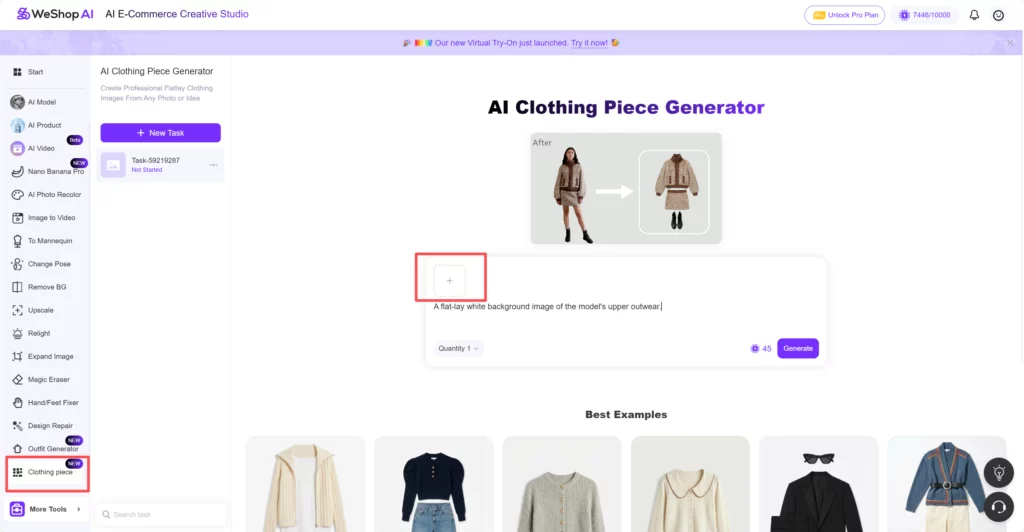
First, enter the WeShop AI platform.
Then, look at the left-side task bar.
Scroll down to the very bottom.
You will see a section called More Tools.
Inside More Tools, you will find Clothing Piece.
Click it, and you will enter the AI Clothing Piece Generator interface.
No complex setup. Also no extra configuration. Just a clean workspace focused on one task.
Step-by-Step: How AI Clothing Piece Generator Works
The workflow is straightforward, even if it’s your first time using WeShop AI.
Step 1: Upload a Model Image
Once inside the tool, start by uploading a model image.
This can be:
- A fashion model wearing the product
- A studio shot or lifestyle photo
- An image already used in listings or social media
As long as the clothing item is visible and clear, the AI can work with it.
Step 2: Check the Built-in Prompt
After uploading, you will notice something important.
The prompt box is already filled.
The default prompt is:
“A flat-lay white background image of the model’s upper outwear”
This built-in prompt is designed to cover the most common use case.
If your goal is a simple, clean flat-lay image, you can keep it exactly as it is.
In many cases, no changes are needed at all.
Step 3: Customize the Prompt If Needed
Of course, not every product is the same.
If you have specific needs, you can edit the prompt freely.
For example, you might want to specify:
- A different clothing category
- A clearer fabric texture
- A certain layout or angle
- A more minimal or commercial style
The prompt box gives you full control.
At the same time, it stays beginner-friendly.
Step 4: Click Generate
Once everything is ready, click Generate.
Each generated image consumes 45 points.
Within moments, the AI produces a flat-lay clothing image with a white background, suitable for product listings, catalogs, or ads.
Who Should Use AI Clothing Piece Generator
This feature is especially useful for:
- E-commerce sellers
- Independent fashion brands
- Online boutiques
- Marketplace merchants
- Content teams managing large catalogs
If you sell clothing online and care about efficiency, this tool fits naturally into your workflow.
Easy to Combine with Other WeShop AI Features
Another advantage is integration.
AI Clothing Piece Generator works smoothly with other tools inside WeShop AI.
For example:
- Generate a clothing piece image
- Recolor it using AI Recolor
- Place it on a model using AI Model
- Create multiple styles from one asset
This makes the platform feel like a connected system, not isolated tools.
Conclusion
AI Clothing Piece Generator is built to solve a very real e-commerce problem. Turning model photos into clean, flat-lay clothing images should not be complicated or expensive.
With a simple workflow, a ready-to-use prompt, and predictable point usage, this tool makes product image creation faster and easier. Whether you are launching new items or refreshing existing listings, it helps you get e-commerce–ready visuals without extra steps.
In short, it’s a practical way to do more with the images you already have—and keep your store moving forward.