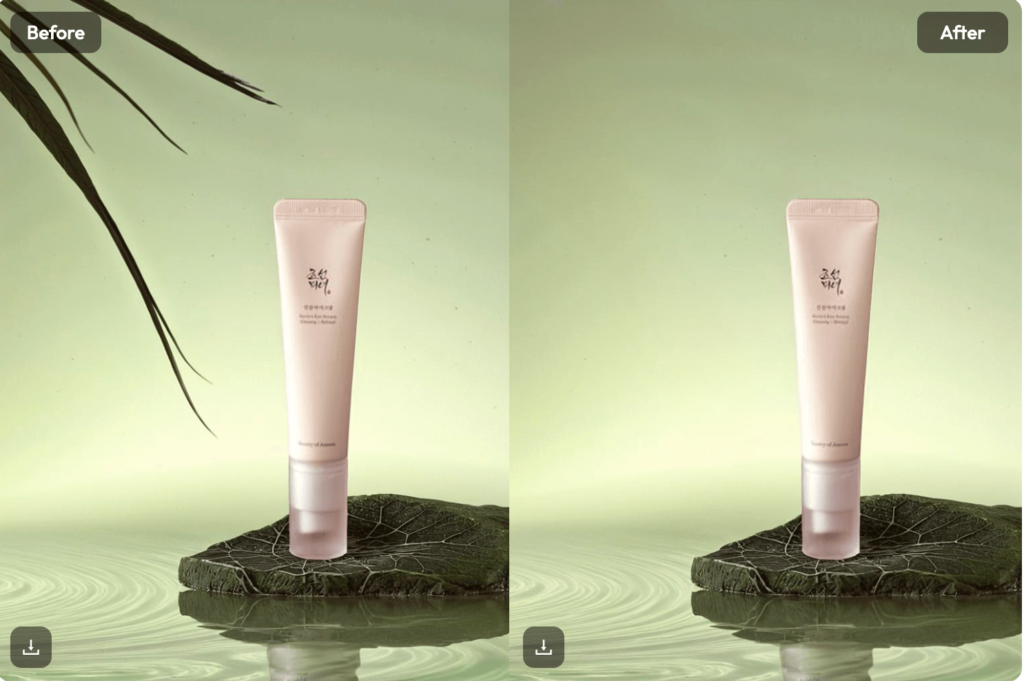
You’ve finally captured the perfect shot. The lighting is gold. Your pose is just right. Then, you look closer. There is a trash can in the corner. Or maybe a stranger walked right into your frame. It’s frustrating, isn’t it? In the past, you needed Photoshop skills and hours of patience to fix this. Today, an ai object remover can handle the heavy lifting for you in seconds. You don’t need to be a pro to get studio-quality results. You just need the right approach.
Why Every Photographer Needs an AI Object Remover
Most of us take photos on the go. We can’t always control our environment. This is where an ai object remover becomes your best friend. It isn’t just about erasing a mistake. It is about saving a memory that would otherwise be ruined.
Traditional editing tools used to leave a blurry “grain” or a smudge. They looked like bad patchwork. Modern AI is different. It looks at the pixels around the object. It understands textures, shadows, and light. When you remove something, the AI “paints” the background back in. The result is a clean, seamless image that looks like the distraction was never there.
Pro Hacks to AI Remove Object From Photo Like a Boss
Using these tools is easy, but using them well is an art. If you want your photos to look high-end, you need to think like an editor. Here are a few ways to level up your game.
Clearing the Clutter with an Object Eraser
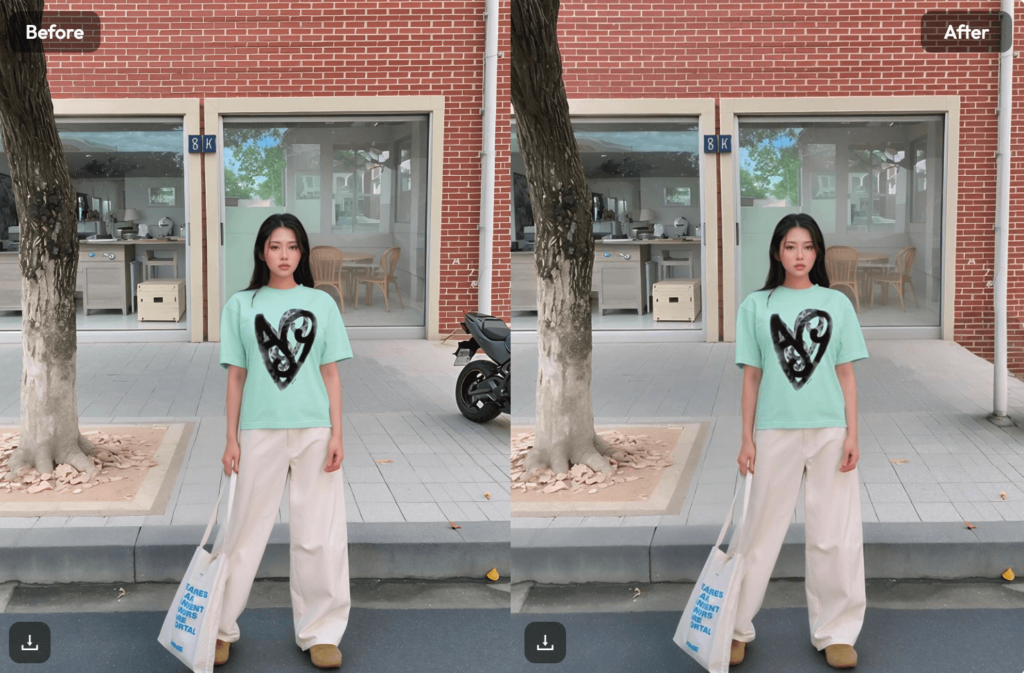
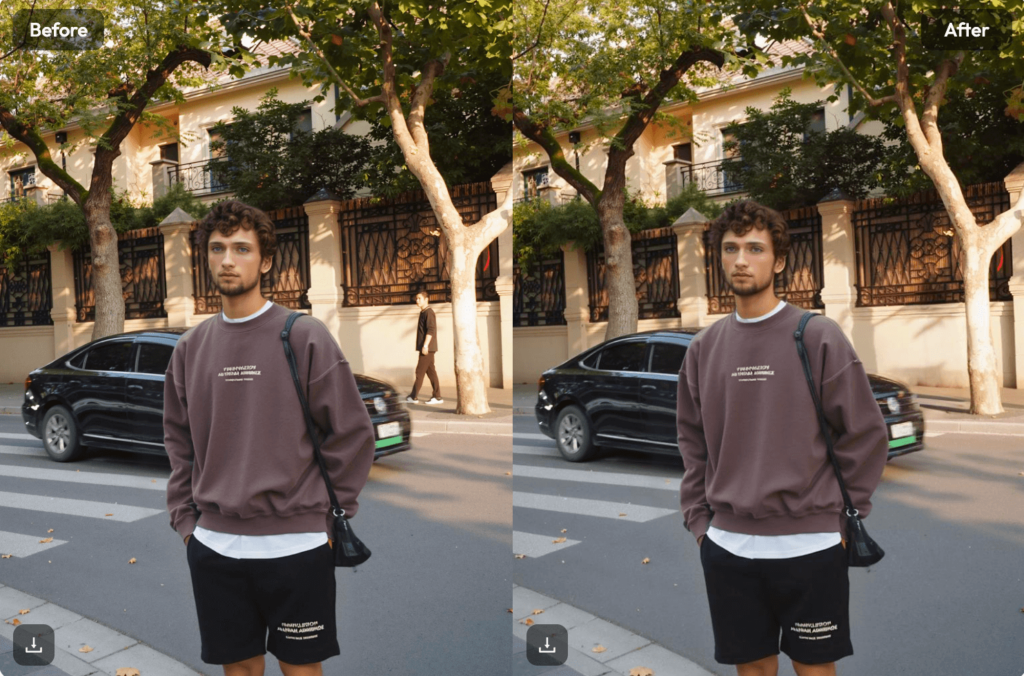
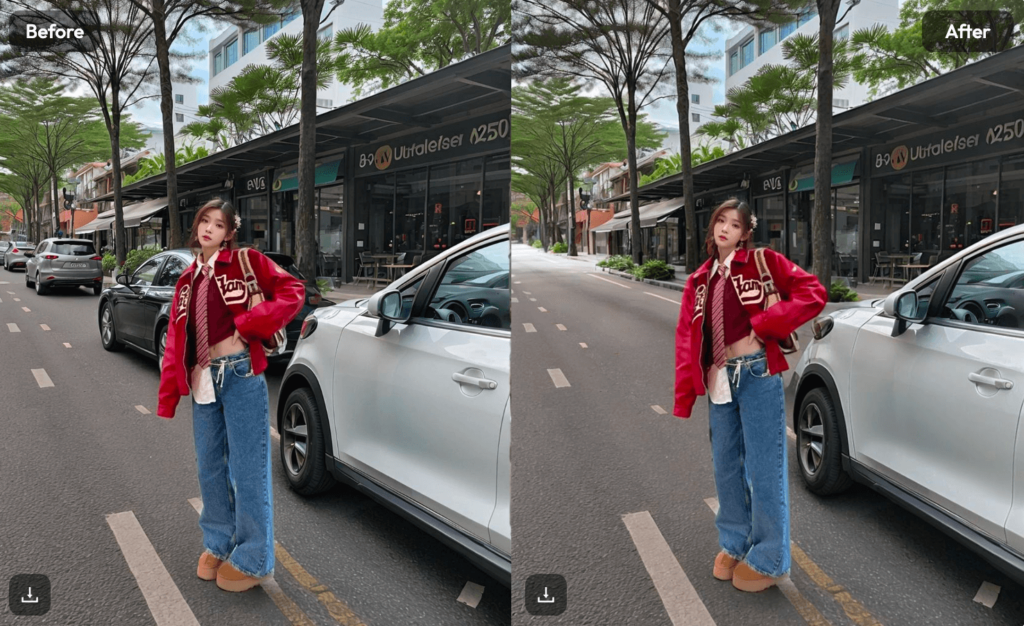
Think about your favorite travel photos. They usually feature beautiful landscapes or famous landmarks. Unfortunately, these places are usually packed with people. You can use an object eraser to clear out the crowds.
Don’t try to remove everyone at once. That can confuse the AI. Instead, work in small sections. Start with the people furthest from your main subject. This keeps the background perspective consistent. By the time you finish, your busy tourist photo will look like a private paradise.
Boosting Sales with an AI Object Remover
If you run a small business, your product photos are your storefront. A messy background makes your brand look cheap. You can use an ai image remover to clean up shadows, dust spots, or stray wires.
Pro tip: Use the brush tool to highlight unwanted reflections on glass or metallic surfaces. This gives your products that “catalog” look without the expensive studio rental. Clean photos lead to higher trust and more sales.
Cleaning Up the Streets with AI Remove
Street photography is all about the vibe. But sometimes, a bright yellow “Exit” sign or a power line ruins the aesthetic. When you ai remove these small distractions, you focus the viewer’s eye on what matters.
Keep your edits subtle. You want to enhance the scene, not rewrite history. Removing a few distracting elements makes the composition feel intentional. It turns a snapshot into a piece of art.
The Best Tools to Delete Image Flaws Fast
There are dozens of tools out there. Some are built into your phone, while others are web-based. Here are the top three I recommend for 2026.
- Cleanup.pictures: This is the gold standard for simplicity. It is incredibly fast. You just brush over an object and it vanishes. It’s perfect for quick social media fixes.
- Adobe Firefly (Generative Fill): This is for people who want more control. It doesn’t just erase; instead, it can replace objects with something else. It is highly professional.
- WeShop AI: This is a powerhouse for e-commerce. It specializes in removing backgrounds and objects from product shots. It saves hours of manual work.
- Fotor: A great all-in-one editor. Their ai object remover is very intuitive for beginners.
How to Pick the Right AI Object Remover for Your Needs
Not all AI tools are created equal. Some are great for landscapes. Others are better for portraits. When choosing a tool, look at how it handles “filling.”
A good tool shouldn’t just blur the area. It should recreate the texture of the grass, the brick wall, or the sky. If you see a “smudge” after the edit, the AI isn’t strong enough. You should also check if the tool allows you to adjust the brush size. Precision is key. If you brush over too much of the photo, you might lose details you wanted to keep.

Common Mistakes When You Delete Image Elements
The biggest mistake people make is being too aggressive. They try to remove a huge object that takes up 40% of the frame. This rarely works perfectly. The AI needs a reference point to fill the gap. If there is no background left to copy, the result will look fake.
Another mistake is ignoring shadows. If you remove a person but leave their shadow on the ground, it looks eerie. Always look for the “ghost” of the object you just deleted. A quick swipe with your object eraser over the shadow will fix this instantly.
Lastly, don’t forget about the resolution. Some free tools lower the quality of your photo when you save it. Always use a tool that supports high-definition exports. There is no point in having a clean photo if it’s too blurry to post.
Final Thoughts: Professionalism is One Click Away
Photography used to be about what you caught in the lens. Now, it is also about what you choose to leave out. An ai object remover gives you total creative control. You no longer have to worry about photobombers or messy backgrounds.
You can focus on the moment and take the shot knowing you can fix it later. This technology isn’t “cheating.” It is just another tool in your creative kit. It helps you show the world exactly what you saw, without the distractions.
Ready to try it out? Grab one of your “ruined” photos from your gallery. Run it through an AI tool and see the magic for yourself. You will be surprised at how easy it is to achieve professional quality.