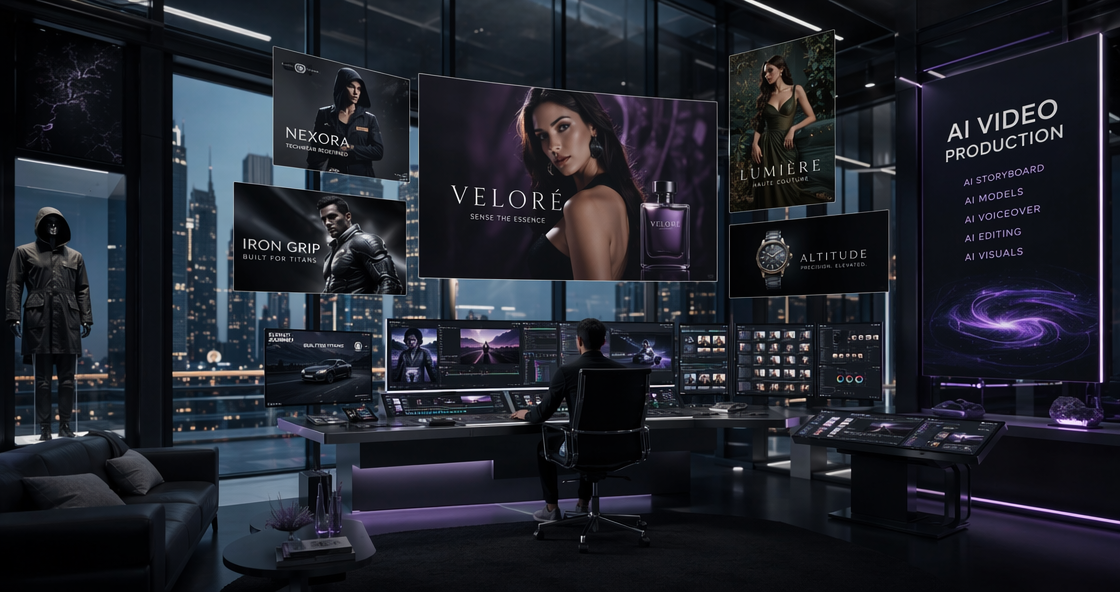
Seedance 2.0 arrived today, and it signals a massive shift in how we think about AI. For the last two years, AI video felt like a “black box.” You typed a few words and hoped the machine would dream up something usable. Today, ByteDance changed that dynamic. They didn’t just release another video generator. They released a digital camera crew that actually listens to its director.
The launch of Seedance 2.0 marks the end of “randomly guessing” your way to a good clip. By introducing the All-Round Reference system, ByteDance is putting the steering wheel back in our hands. You can now guide the AI with up to 12 different files. This isn’t just a technical update. It is a fundamental change in creative philosophy. In this Seedance 2.0 review, we will explore why this model is the first one that respects the creator’s vision.
What is the Seedance 2.0 All-Round Reference?
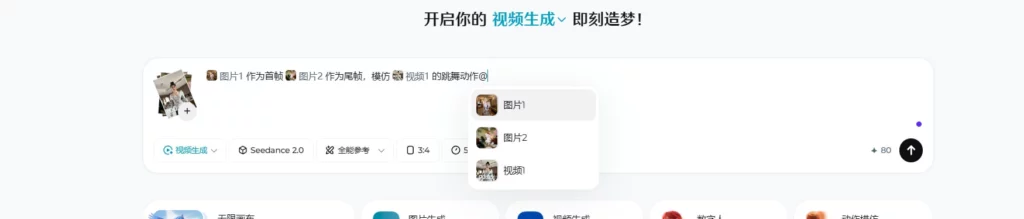
In the past, AI video was a bit of a gamble. You typed a prompt and hoped for the best. Sometimes you could add one image for reference. Seedance 2.0 changes the game entirely. Its “All-Round Reference” system is like a mood board that actually works. You can feed it multiple layers of information. This is why many call it the best AI video generator 2026.
Mixing Images and Videos as References
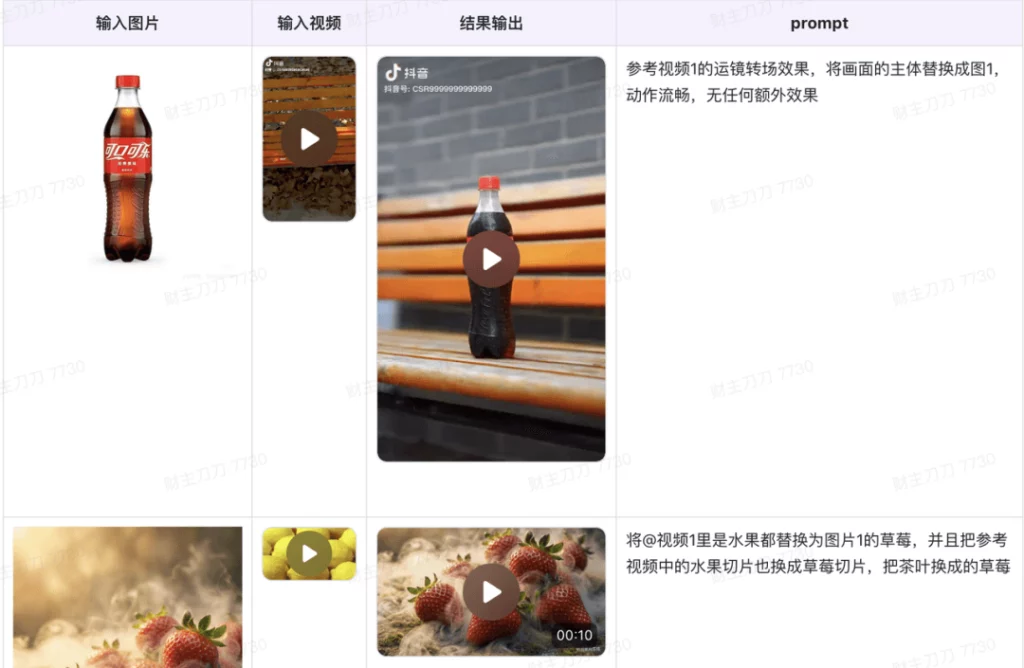
I didn’t just give it one photo. I gave it a character design, a specific landscape, and a “style” video. Usually, AI gets confused when you give it too much data. It tries to merge them into a mess. But Seedance 2.0 is different. It uses a “dual-branch” architecture to keep things separate. It knows that the character image is for the face. It knows the style video is for the color palette. This level of understanding is rare in AI.
The Role of Native Audio in the Mix
The 12-file limit includes audio. I uploaded a specific sound clip of a futuristic engine. I wanted to see if the video would match the rhythm. In most tools, audio is an afterthought. In the ByteDance AI video model, audio is a core parameter. The engine roar actually influenced the camera shake in the final render. This is what “native audio” really means. It is not just a soundtrack. It is part of the world’s physics.
Fine-Tuning with 12 Inputs
Why do you need 12 files? Think about a professional film set. You have a costume designer, a lighting director, and a foley artist. Seedance 2.0 lets you act as all of them. You can upload a reference for the character’s hair. You can upload another for the way the grass moves. It gives you surgical control over the final output. This makes the Seedance 2.0 review process much more exciting for professional creators.
My Experience Testing Seedance 2.0 with 12 Files
I started my test with a complex vision. I wanted a Cyberpunk chase scene. I uploaded four character photos from different angles. Then, I added two videos of neon city streets for the lighting. Finally, I added a clip of a fast car to show the motion I wanted. That was just the beginning.
Maintaining Character Consistency
The biggest fear with AI is “character drift.” Usually, the face changes between shots. With Seedance 2.0, I used four reference images of the same person. The model mapped the facial features perfectly. Even when the character turned their head, the jawline stayed the same. This is the “Holy Grail” of AI filmmaking. The Seedance 2.0 all-round reference feature is incredibly stable. It makes narrative storytelling actually possible.
The 2K Visual Clarity
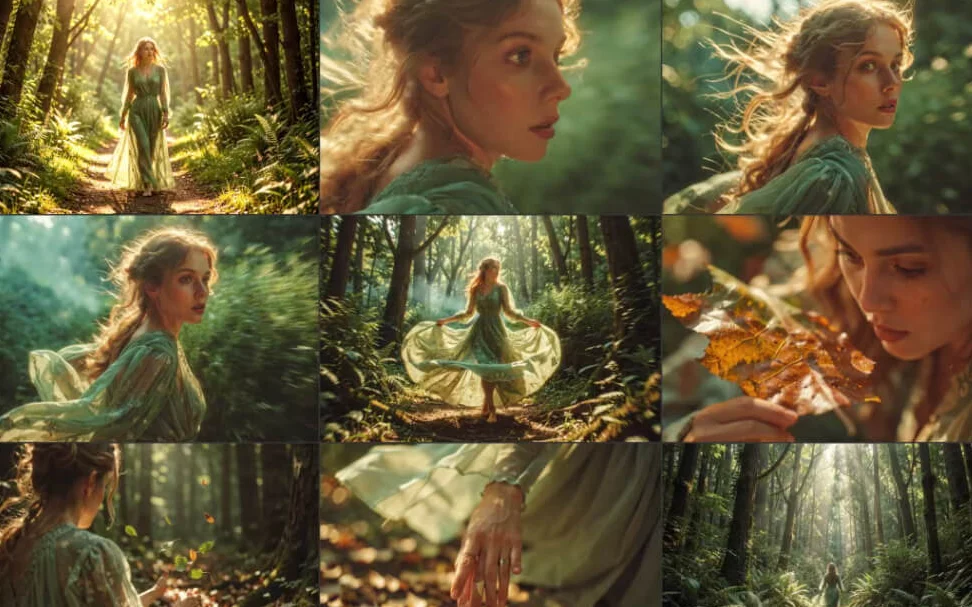
Once I hit “generate,” I waited to see the quality. The ByteDance AI video model delivered a native 2K file. It wasn’t just “stretched” 1080p. The textures were sharp. I could see the reflection of the neon lights in the character’s eyes. The motion was fluid at 60fps. Compared to other models, the lack of “noise” was striking. It looked like a finished movie clip, not an experimental AI test.
Speed and Efficiency in 2026
You might think 12 files would slow down the process. Surprisingly, the generation was fast. It took about two minutes to process all the references and render the scene. This is roughly 30% faster than the previous industry standards. For a Seedance 2.0 review, speed is a major factor. If you are a pro, you need to iterate. Waiting an hour for a mistake is not an option. Seedance keeps you in the creative flow.
How Seedance 2.0 Compare to Other AI Models
The AI video market is crowded right now. We have Kling 3.0 and Vidu Q3 fighting for attention. But Seedance 2.0 feels more “ready” for professional work. Other models are great at “Text-to-Video.” But they struggle when you want to be specific.
Seedance 2.0 vs. The Competition
Kling 3.0 is amazing for photorealism. However, it doesn’t handle 12-file inputs with this much grace. Often, Kling will ignore one of your references to focus on another. Seedance 2.0 seems to weigh all inputs equally. It follows the instructions like a disciplined assistant. Vidu Q3 is great for short, artistic clips. But for a 15-second cinematic sequence, Seedance 2.0 offers more control.
The User Interface Factor
A “Sora Killer” needs to be easy to use. ByteDance knows how to build interfaces. The dashboard for the all-round reference is very intuitive. You just drag and drop your files. You can label them as “Style,” “Motion,” or “Character.” It feels like a simplified version of DaVinci Resolve or Premiere Pro. It is built for people who actually make videos.
Final Verdict: Why Seedance 2.0 is Different
We are moving past the “novelty” phase of AI. We don’t need more “cool” videos of cats in space. We need tools that help us tell our own stories. Seedance 2.0 is exactly that tool. It respects the director’s intent by providing deep, multimodal control.
The combination of 2K resolution, native audio, and the 12-file reference system is unmatched. ByteDance has delivered a model that is both powerful and precise. If you are tired of fighting with prompts and want to start actually directing, this is your new home.
The launch of Seedance 2.0 is just the beginning. As we master these new tools, the line between “AI-generated” and “human-directed” will disappear. And that is a very good thing for the world of art.