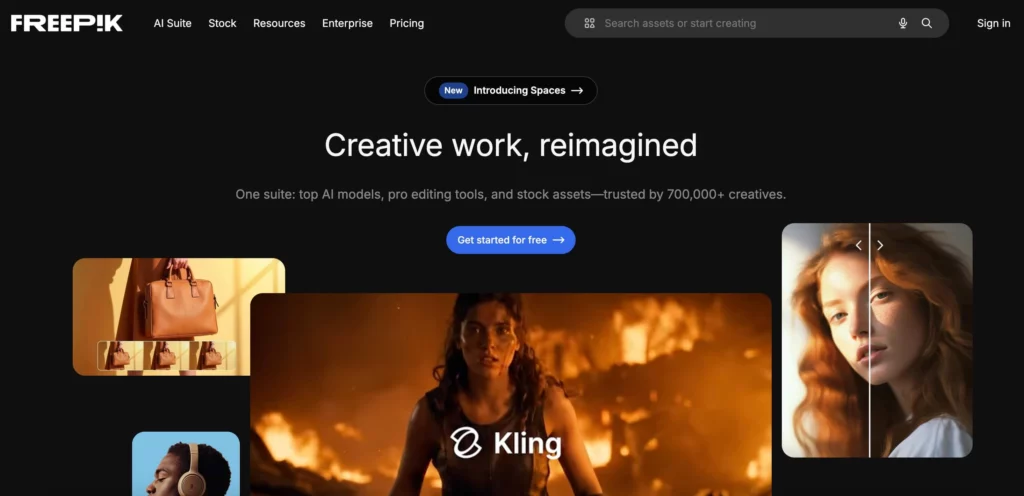
The design world has moved very fast lately. In 2026, we don’t just search for stock photos anymore. We build them from scratch using Freepik AI. This platform has transformed into a massive design ecosystem. It is no longer just a library of files. It is now a place where AI models do the hard work for you. In this review, we will test the new features. We will look at the 2026 costs and workflows. Let’s see if Freepik AI is the right fit for your team.
Why Freepik AI Features Dominate the 2026 Market
Finding the right asset used to be a chore. You would spend hours scrolling through pages of photos. Today, Freepik AI changes that experience. It acts as a bridge between a search engine and a creator. You can find a photo or you can generate a new one instantly.
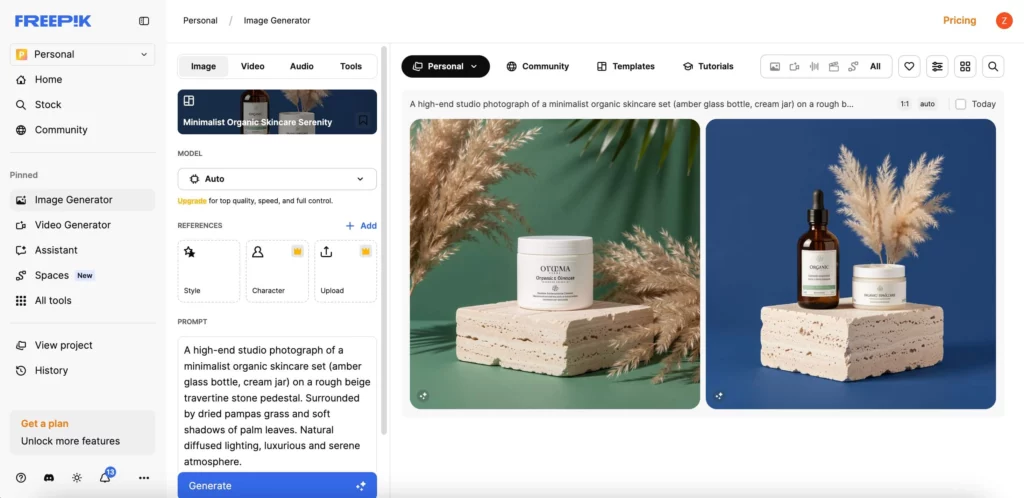
The platform is now an aggregator of the world’s best models. You can access Flux 2, Mystic 2.5, and Google Nano Banana Pro in one place. This variety is a huge advantage. Some models excel at human skin textures. Others are better at abstract art or 3D icons. Having all of them in one tab saves you money and time.
Speed is another reason people love it. Most images generate in under ten seconds. This allows for rapid iteration. You can try five different styles in less than a minute. This speed is essential for busy marketing agencies.
Mastering Collaboration with Freepik AI Spaces
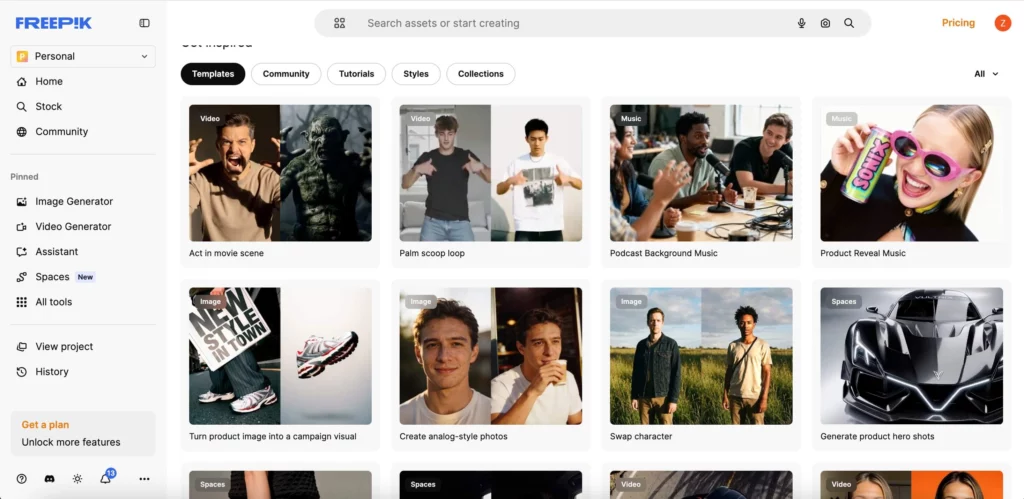
One of the newest features is Freepik Spaces. This is an infinite canvas for teams. It uses a node-based workflow. This means you can link different AI tasks together. For example, you can start with a sketch. Then, you link it to an upscaler node. Finally, you send it to a video generator node.
This visual map makes it easy for teams to collaborate. A creative director can leave comments on specific nodes. A designer can update the prompt and see the whole chain react. It removes the need for jumping between different apps. You can go from a rough concept to a full campaign in one space.
Freepik Spaces also includes “Brand Kits”. You can save your company colors and fonts. The AI will then follow these rules for every generation. This keeps your visual identity consistent across all channels.
The Real-Time Thrill of Freepik AI Pikaso
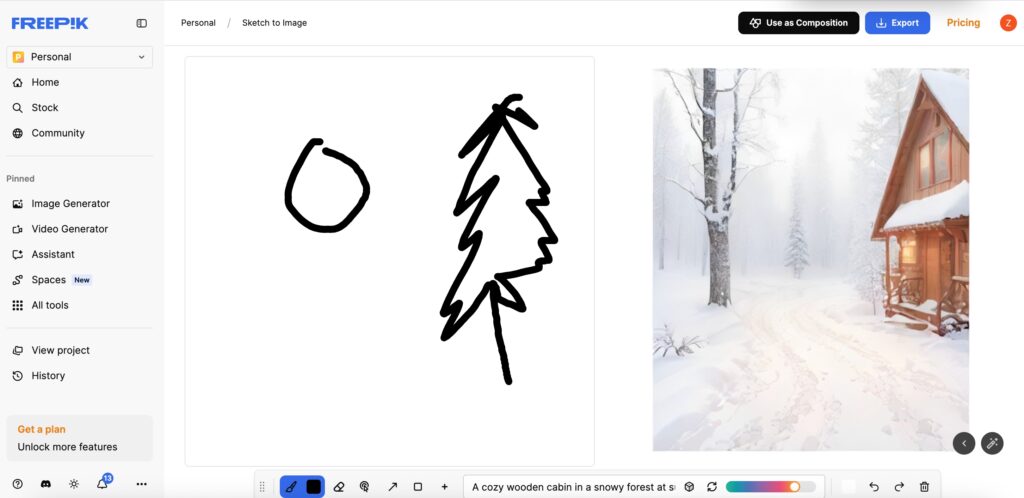
The Pikaso engine is where the fun starts. It is a real-time “Sketch-to-Image” tool. You draw a simple circle on the left. The AI turns it into a high-end 3D sphere on the right. As you move your mouse, the image updates instantly.
This tool is perfect for live brainstorming. You can show a client how a change might look. You can drag an icon of a tree onto the canvas. The AI will seamlessly integrate it into the landscape. It feels like magic every time you use it.
Pikaso also features a “Reimagine” mode. You can take any existing photo and give it a new style. You can turn a city street into a watercolor painting. Or you can turn a rainy day into a bright summer scene. It is a powerful way to remix your old assets.
Comparing Freepik AI to Midjourney V7
Many designers wonder if they should switch from Midjourney. Both tools have their strengths. However, they serve different purposes in 2026.
| Feature | Midjourney V7 | Freepik AI (2026) |
| User Interface | Mostly Discord and Web. | Web-based editor and canvas. |
| Model Variety | Midjourney proprietary models. | Multi-model (Flux, Mystic, etc.). |
| Workflow | Focus on artistic discovery. | Focus on production and assets. |
| Integration | Standalone tool. | Integrated with 200M+ stock files. |
Midjourney is perfect for finding “the vibe”. It has a unique artistic soul. But Freepik AI is a production powerhouse. It is designed for people who need to finish a project today. It gives you icons, vectors, and videos in one place.


Breaking Down Freepik AI 2026 Pricing
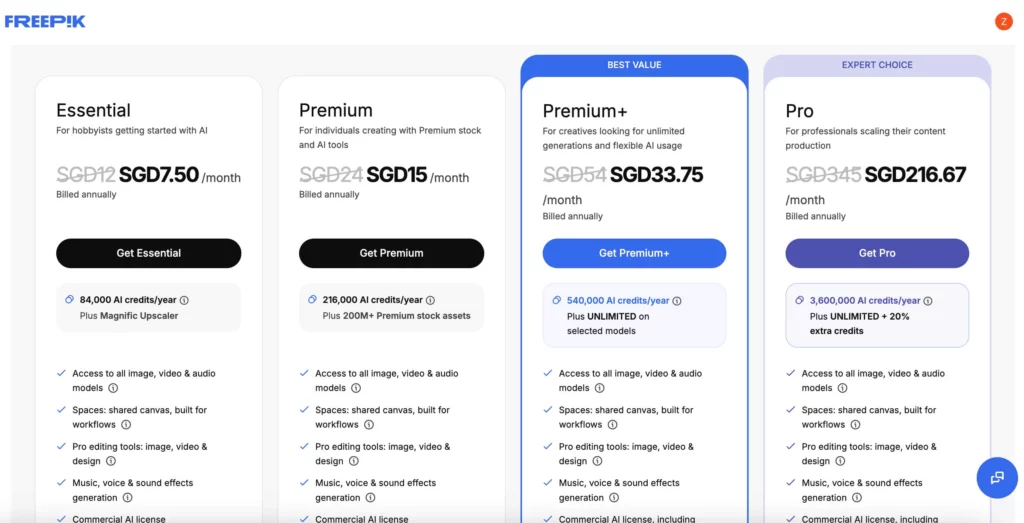
Freepik has moved away from strict limits. In 2026, they offer unlimited image generation on their main plans. This is a major move for the industry. It means you don’t have to count your credits every day.
- Essential Plan ($9/mo billed annually): Best for solo creators. You get unlimited images and access to premium stock files.
- Unlimited Plan ($15/mo billed annually): Best for power users. It includes faster generation and early access to new models like Veo 3.
- Pro Plan ($250/mo): This is for businesses. It includes a merchandise license for physical products. It also provides massive credits for AI video and audio tools.
The annual billing offers a 50% discount. This makes it one of the most affordable pro tools on the market. For $15 a month, the value is hard to beat.
Professional Use Cases for Freepik AI
Who is using this tool in 2026? Almost everyone in the creative field.
Social media managers use it for daily posts. They use the AI Assistant to write better prompts. Then, they use the background remover to make clean product ads. This turns a five-hour job into a ten-minute task.
Game designers use it for world-building. They generate textures for walls and floors. They use the Upscaler to reach 10K resolution for high-end monitors. This ensures their games look sharp and detailed.
Small business owners use the Logo Generator. They can create a brand identity without a big budget. They can also generate mockups for t-shirts and packaging. It helps them look professional from day one.


Step-by-Step Guide for Professionals
Using Freepik AI is simple. Follow these four steps to create your first project.
Step 1: Choose Your Input
Start in the Spaces canvas. You can upload a reference image or a rough sketch. You can also start with a simple text prompt.
Step 2: Select Your Model
Pick the model that fits your goal. Use Mystic for high-end photography. Use Flux for clean illustrations and vectors.
Step 3: Refine with the Editor
Use the “Retouch” brush to fix small errors. You can paint over an object to remove it. You can also use the “Expand” tool to change the aspect ratio for Instagram or TikTok.
Step 4: Export and Scale
Once you are happy, click “Enhance”. This adds detail and clarity. Finally, export your file in PNG, JPG, or SVG format.
The Final Verdict on Freepik AI in 2026
Freepik AI has successfully moved beyond being a stock library. It is now a complete creative assistant. It gives you the power of multiple models in one place. The unlimited generation plan is a game-changer for 2026. It allows you to experiment without any fear of cost.
It is a solid choice for most designers and marketers. It saves time and money. However, every niche has its own requirements. For example, if you focus on E-commerce photography, you may need more. While Freepik is a great all-around tool, specialized sites like Weshop AI are better for retail. They focus on 100% product accuracy and realistic model placement.