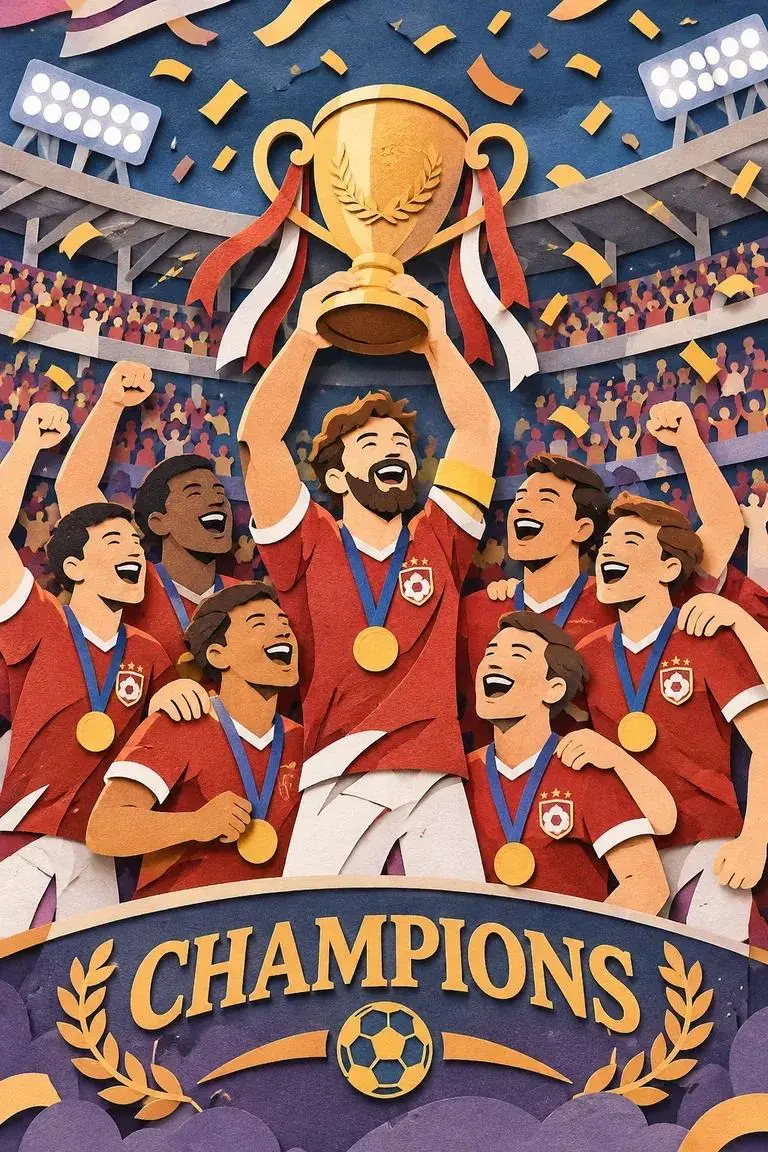
层叠剪纸风格的夺冠场景
红衣球员在看台前举起金色奖杯,彩纸、纸张纹理与前景横幅共同营造庆祝氛围。提示词明确了视觉材质和场景主题,适合用来理解如何描述一种插画风格。
A premium handcrafted layered paper-cut illustration of a football team celebrating a championship victory inside a packed stadium.

查看 OpenAI 的三个 Sunburst 官方示例:层叠剪纸庆祝场景、提灯短动画,以及自然光下的渔船人像,分别了解不同视觉任务的表现。
红衣球员在看台前举起金色奖杯,彩纸、纸张纹理与前景横幅共同营造庆祝氛围。提示词明确了视觉材质和场景主题,适合用来理解如何描述一种插画风格。
A premium handcrafted layered paper-cut illustration of a football team celebrating a championship victory inside a packed stadium.
小猴在雪林中提起灯笼、抬头、眨眼,再放下灯笼,形成 1.8 秒的短动作。点击播放查看动作衔接,也可复制下方参考提示词,改写角色、道具和场景。
Animate a bundled-up monkey carrying a warm lantern outdoors among snowy trees near a lit cabin. It raises the light, gazes upward, briefly closes its eyes, then brings the lantern down. Keep the viewpoint fixed and return to the opening pose for a continuous loop.
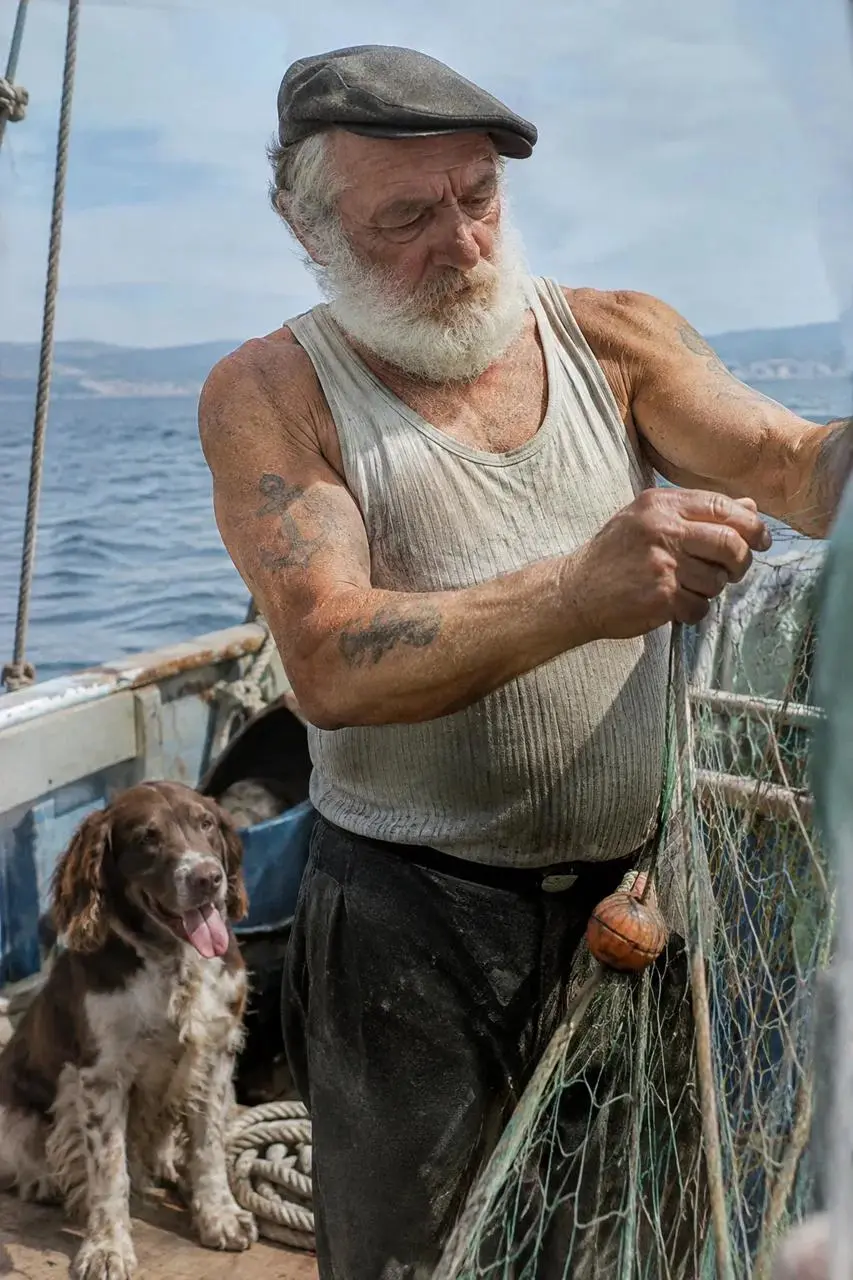
人物皮肤、渔网和船上旧物共同形成自然抓拍感。可通过下方参考提示词,学习如何把主体细节、柔和光线和材质表现组合起来。
Photograph an older sailor working with fishing nets aboard a small boat, with a dog close by. Emphasize weathered skin, faded arm tattoos, practical clothing, and worn equipment. Use gentle coastal daylight, eye-level framing, shallow focus, subdued colors, and a restrained film-like texture. Keep the scene candid rather than glamorous.
OpenAI 于 2026 年 11 月 4 日发布 GPT Image 2.6,重点提升创作迭代、连续编辑和图像交付方式。可以根据任务选择 Flare 或 Sunburst,并控制规划程度、画面质量与输出格式。
OpenAI 的发布介绍称,图像生成较此前提速 50%;Flare 在 low 质量下最快约六秒生成。实际耗时随任务与设置变化,可先用 Flare 探索方案,再按细节要求选择 Sunburst。
围绕人物、商品或品牌素材反复修改画面时,明确需要保留的特征、形状和文字。Sunburst 面向更精细的生成与编辑;每轮仍应对照原图检查关键细节。
OpenAI 建议多数编辑先从低复杂度开始,并按所需细节选择 quality。多元素关系或限制较多的画面,再尝试 medium 或 high 复杂度;每轮只调整一个设置更容易比较。
常见位图适合图片内容,SVG 适合需要缩放的标志与图形,GIF 适合角色动作或社交传播中的短循环。先确定使用位置,再选择对应输出格式。
描述主体、风格、构图和用途。海报还应明确标题、需要出现的文字及其位置;生成后检查拼写、层级与可读性。
提供原图,分别说明修改内容和保留内容。多张参考图要写清各自用途;局部编辑可通过 API 提供与第一张输入图同尺寸的透明 PNG 标注图,指出改动区域。
先定义轮廓、品牌文字、配色和留白,再选择输出格式。需要用于不同大小的网页、应用或印刷版面时,可通过 OpenAI API 请求 SVG;普通位图标志也应检查边缘与文字。
围绕一个明确动作描述起始状态、变化过程和返回起点的方式。GIF 可用于品牌角色、小表情、社交内容或动画分镜探索;提灯案例展示了短动作的组织方法。
通过六个 OpenAI 官方结果,学习文字位置、流程关系、标志轮廓、局部修改、多图换装和商品抠图的写法。每张卡片附可复制改写的参考提示词;编辑案例同时展示相关原图和参考素材。
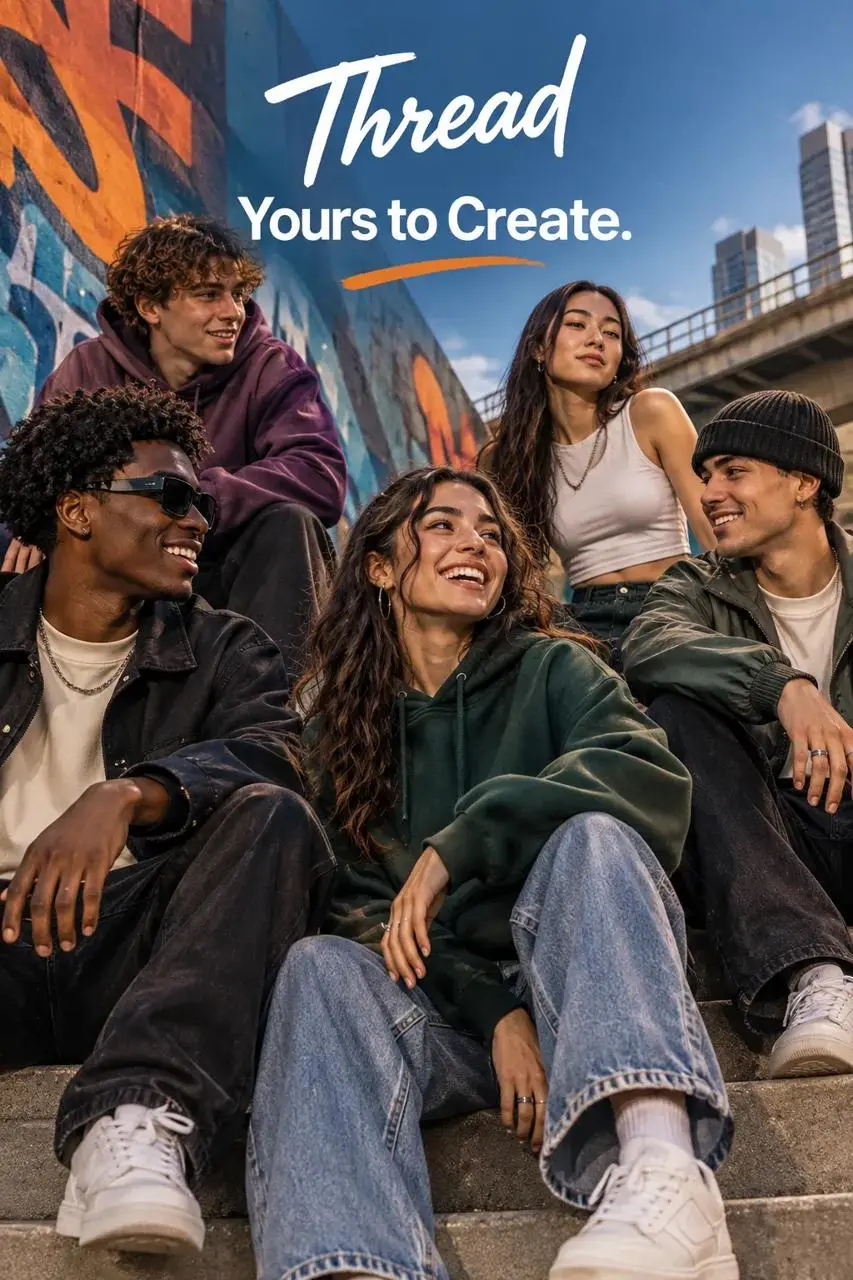
列出必须出现的文字、出现次数和位置。这个 Flare 案例将街头服饰场景与醒目标语结合;可按下方参考写法替换品牌和文案,生成后检查拼写与可读性。
Design a polished fashion campaign for Thread featuring a relaxed group of young adult friends in an urban setting. Place the words "Yours to Create." once in a prominent, readable position. Keep clothing contemporary, poses natural, and the color palette deliberate. Include no additional slogans or unrelated brand marks.
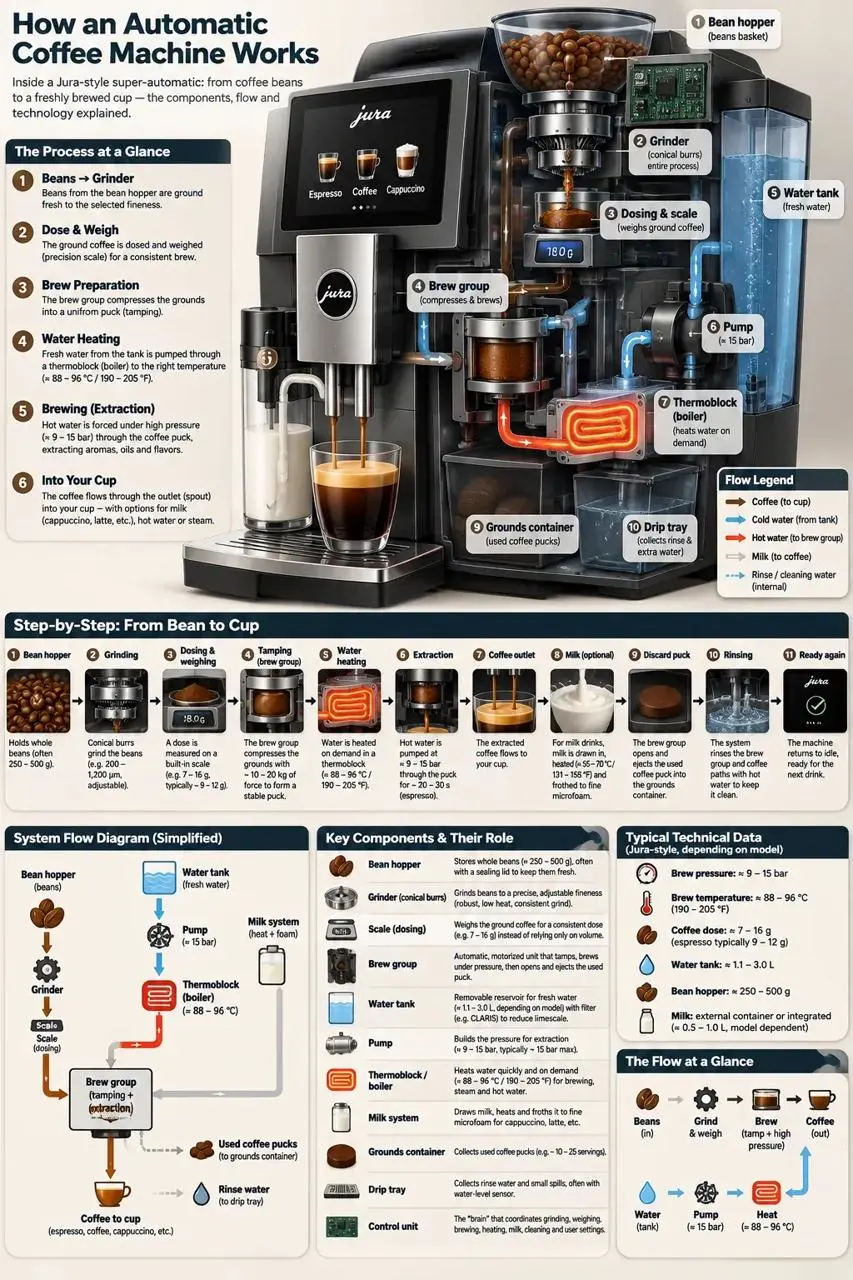
先列部件,再说明箭头和流程如何连接。Sunburst 咖啡机案例把主图、文字标签和细节分区组合在一起;检查排版时,也要核对技术关系是否正确。
Build a labeled educational diagram explaining an automatic espresso machine. Arrange the bean container, grinding mechanism, brewing chamber, water supply, heating system, and coffee outlet so the viewer can follow the process. Use arrows for flow and short, readable explanations beside the relevant parts. Separate the main diagram from supporting detail panels.

写清品牌、主要轮廓、配色与留白,再补充装饰。Sunburst 案例使用面包、麦穗和品牌字样,以白底预览展示轮廓和文字;需要矢量文件时,再选择 SVG 输出。
Create a simple bakery identity for Field & Flour using a bread-loaf silhouette and wheat motifs. Use warm brown and gold, generous spacing, and a balanced arrangement above the brand lettering. Favor clear flat shapes that remain readable at small sizes. Place the artwork on a transparent background without a mockup, scene, border, or watermark.
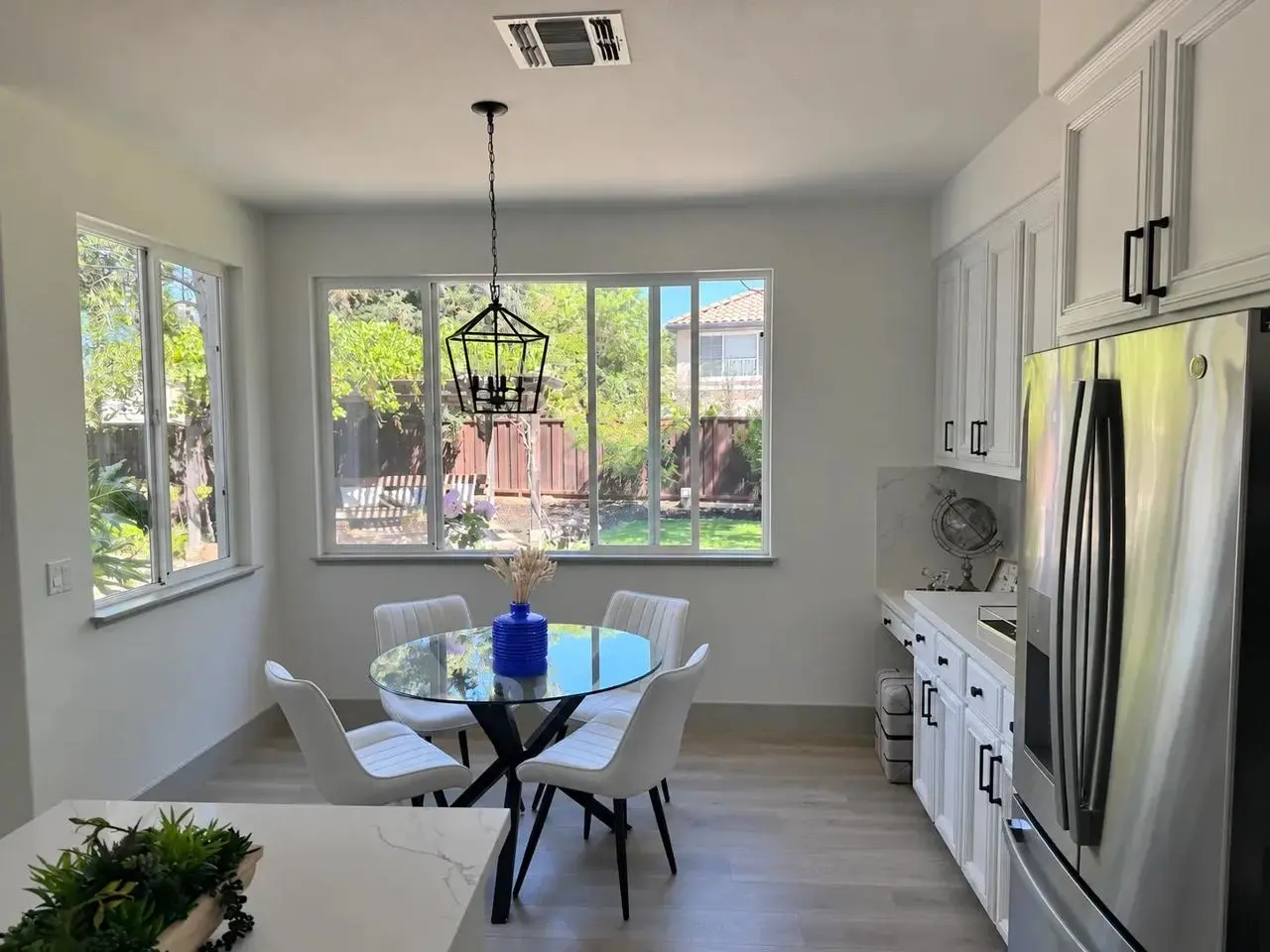
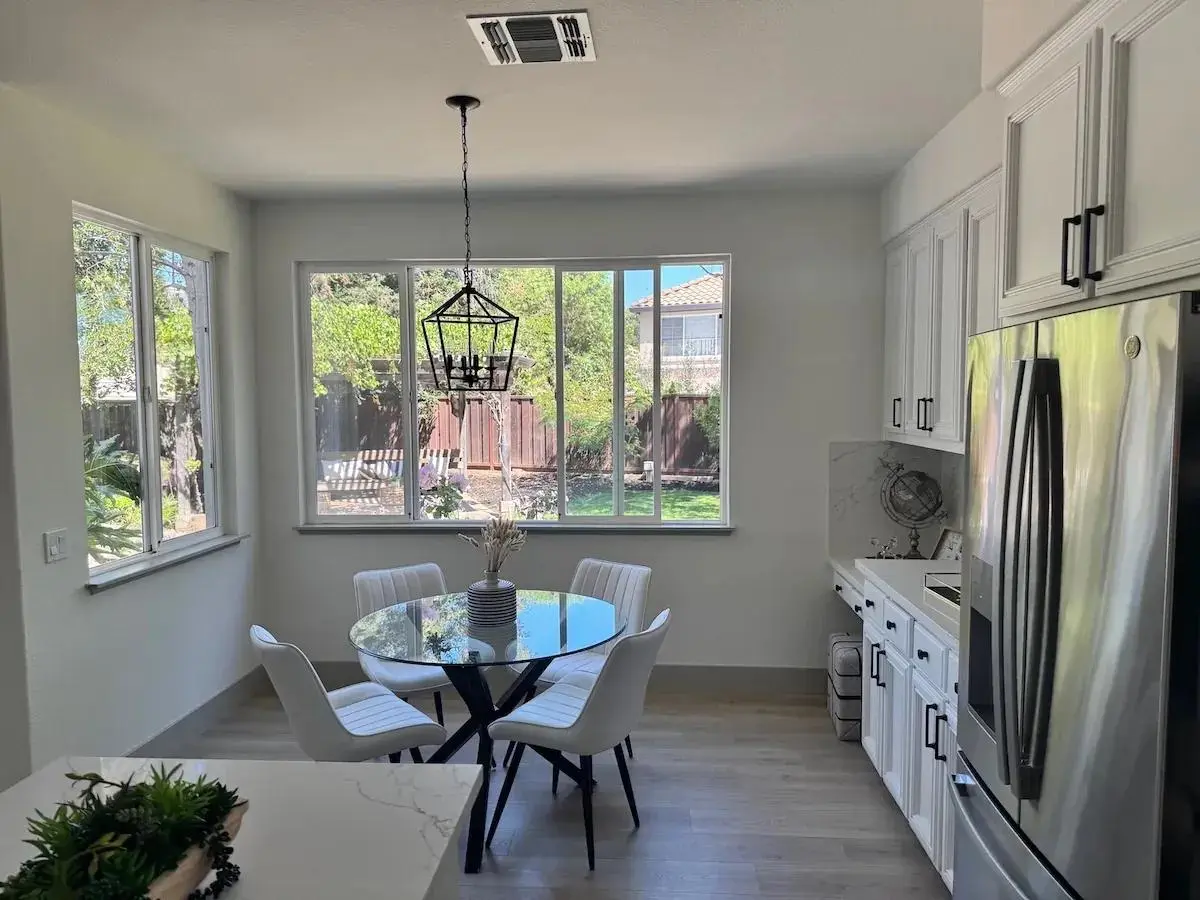
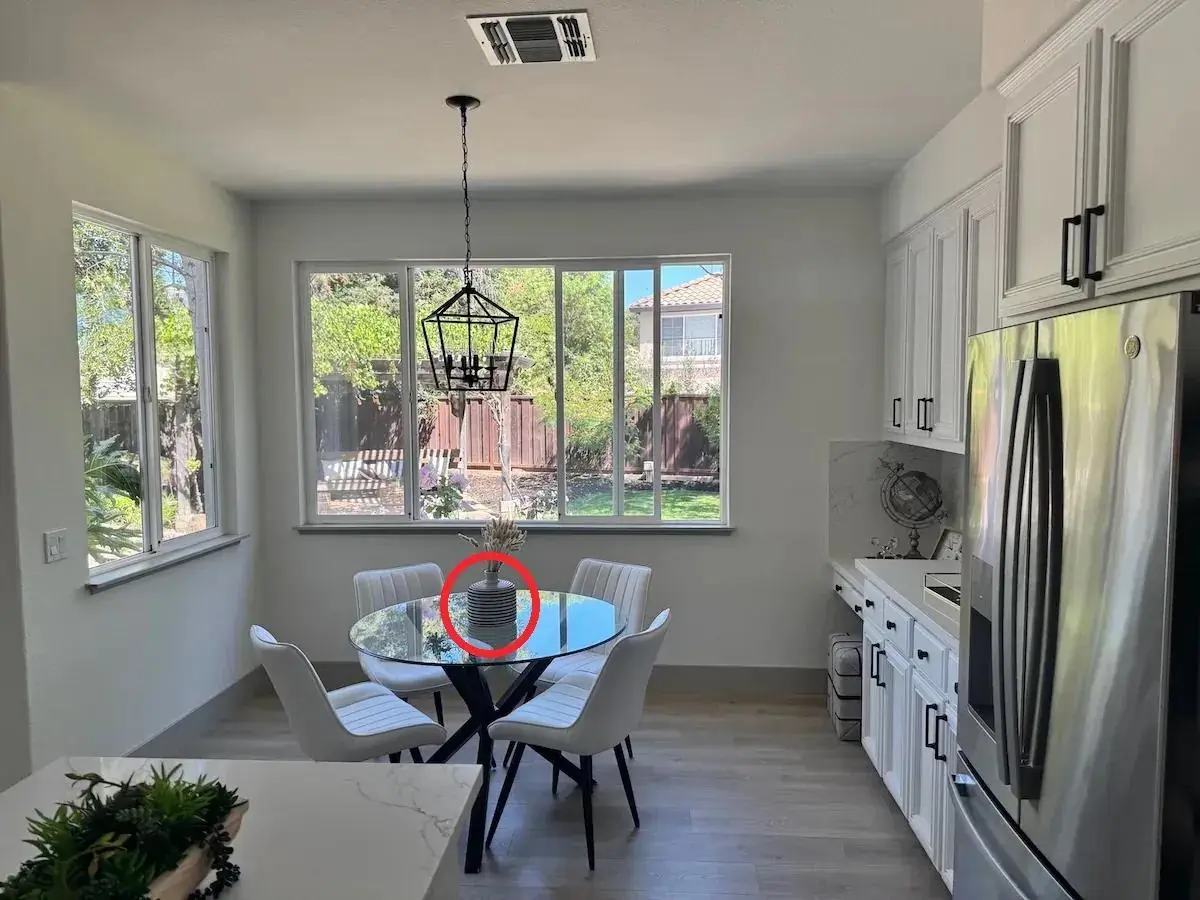
用同尺寸透明标注图定位目标,再把修改要求与保留要求分开。Sunburst 结果将花瓶改为蓝色;下方分别展示原始厨房照片和红圈标注的合成预览。
Use the kitchen photograph as the scene and the transparent red-circle overlay to locate the vase. Make that vase a uniform cobalt-blue ceramic color while retaining its outline and the arrangement of dried stems. Leave the surrounding kitchen, furniture, lighting, and framing intact. The locator circle must not appear in the completed image.
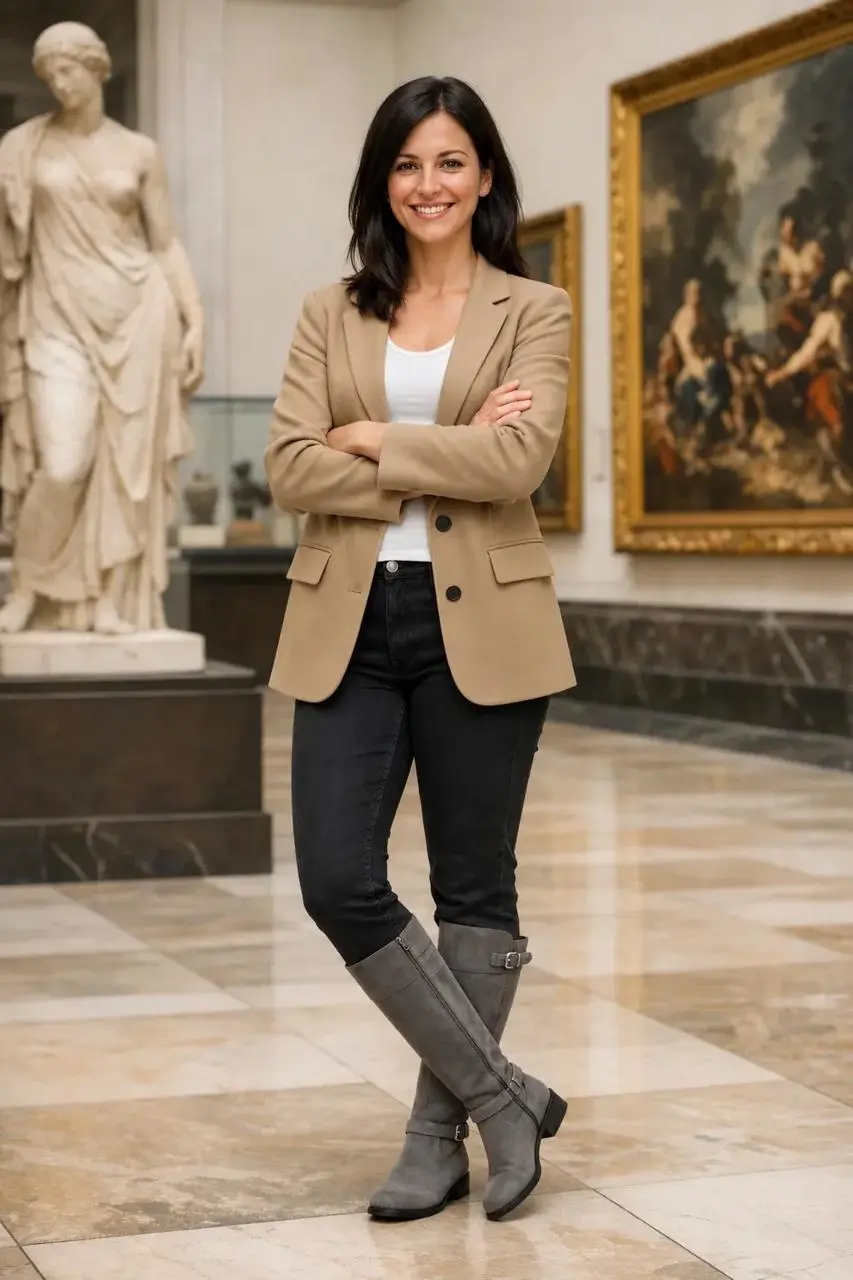
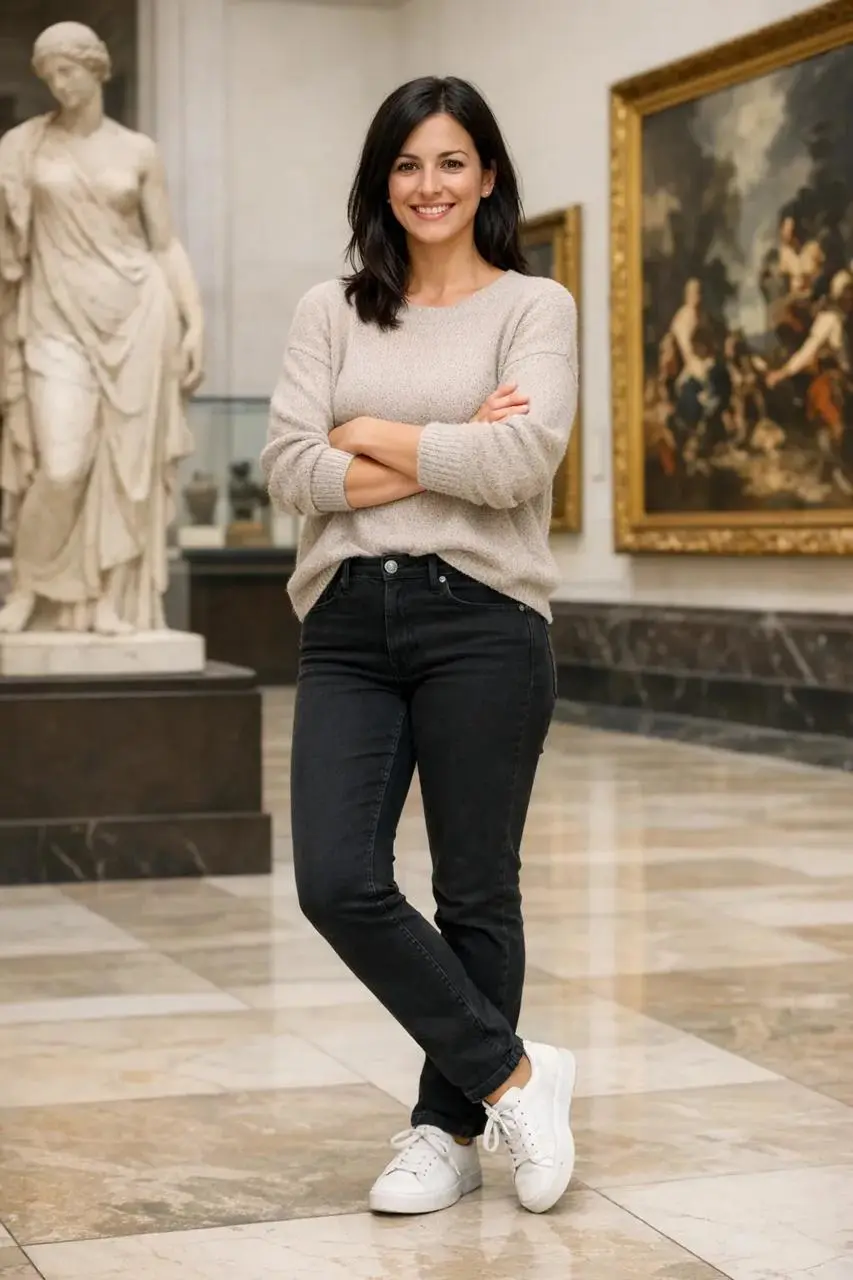
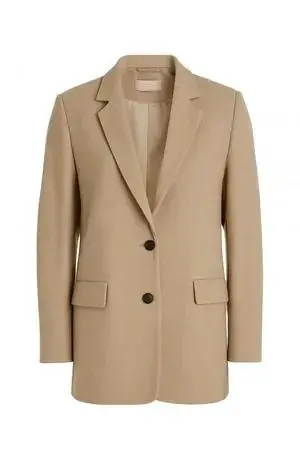
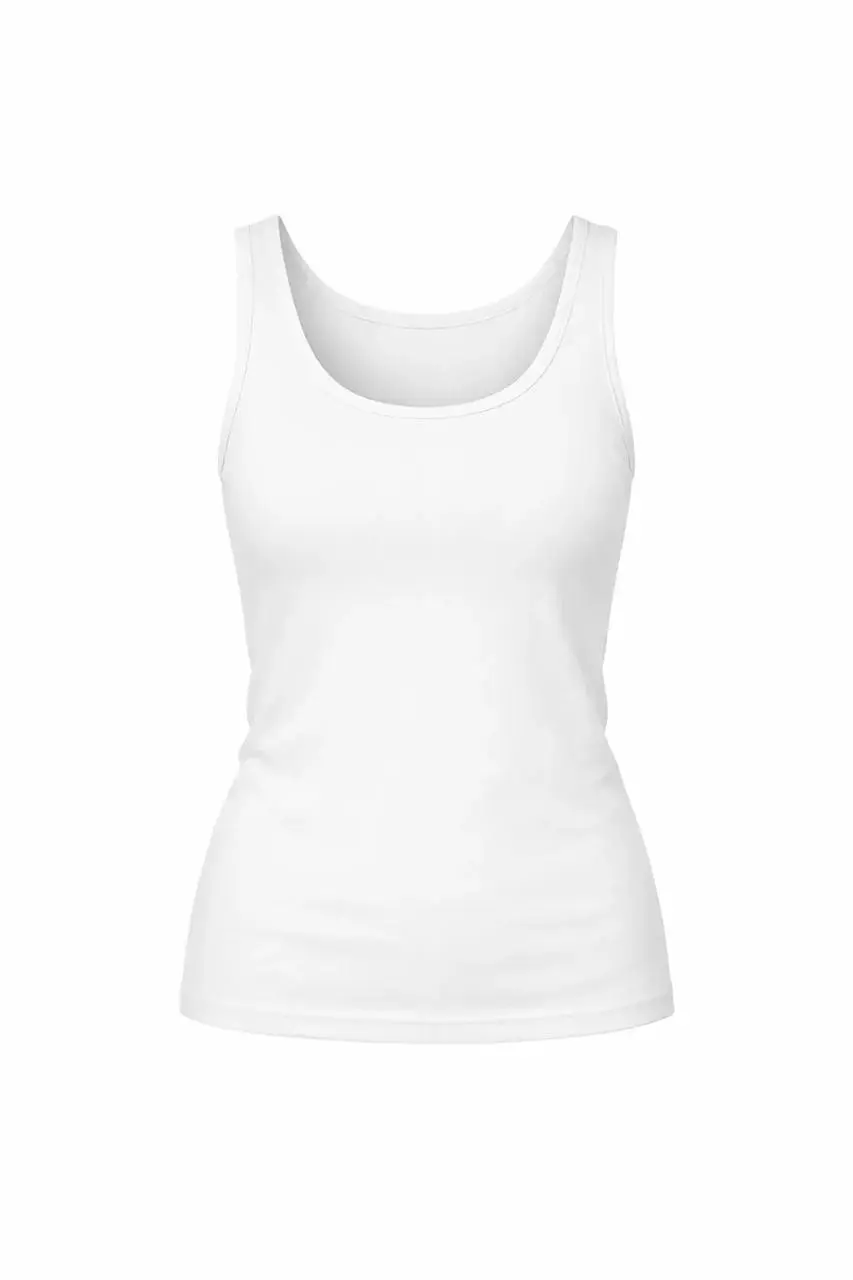
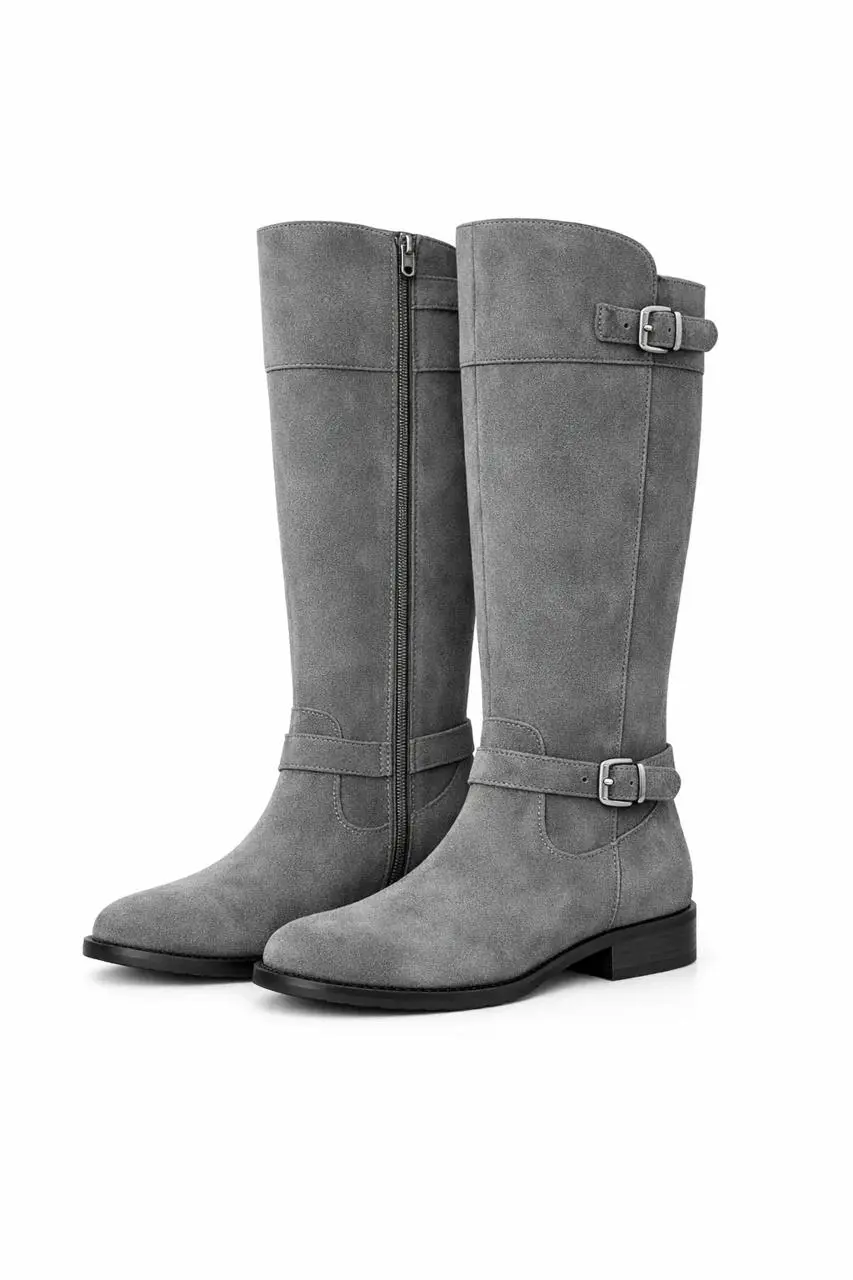
分别说明人物参考和各件服装。Sunburst 案例使用一张人像与三张服饰图;检查时对照脸部、姿态、服装细节和光线,不只看整体搭配。
Treat the museum portrait as the person reference and the other three pictures as the jacket, top, and boots to wear. Change the clothing to those items while keeping the woman recognizable in the same pose and museum setting. Fit each garment to her body naturally and match the existing light. Retain the original facial expression, hairstyle, framing, and background.
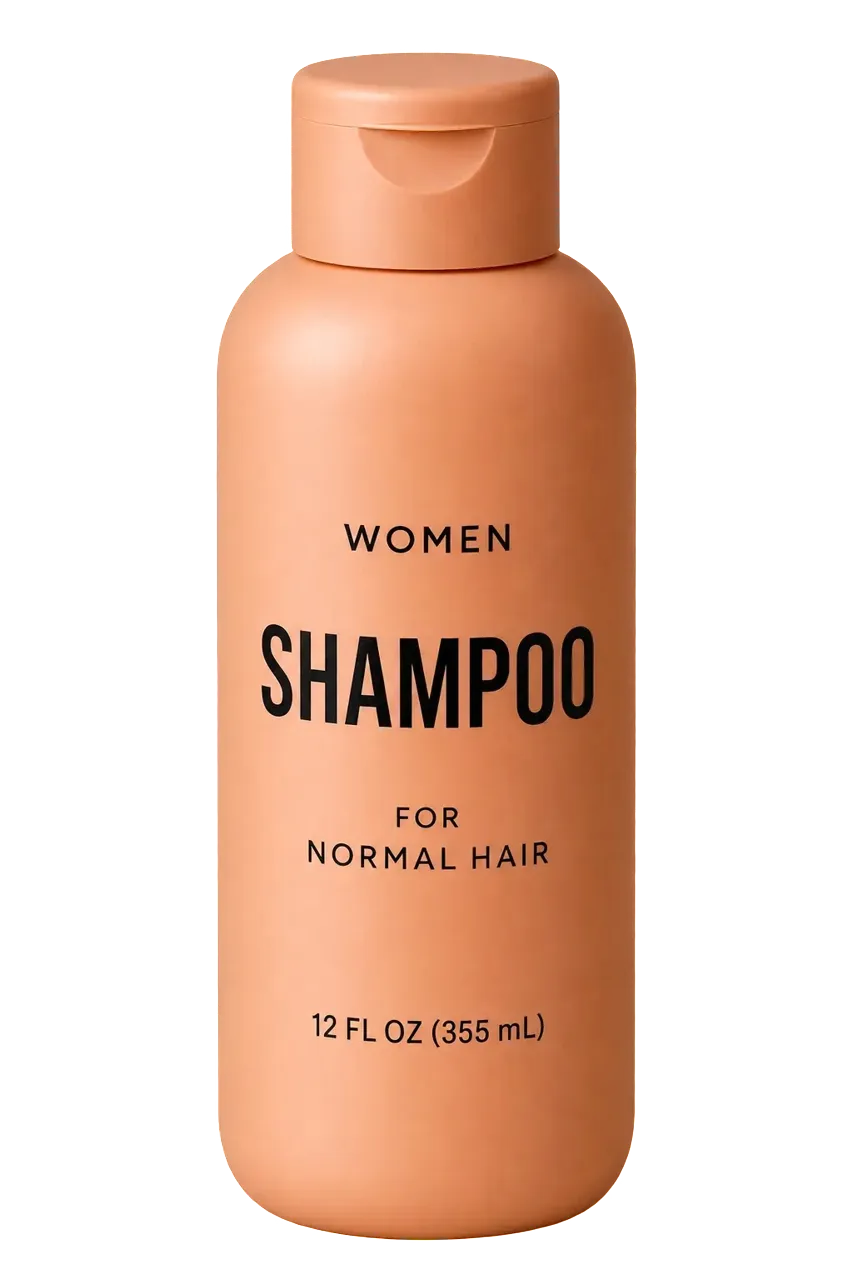

既要在提示词中要求分离商品,也要选择透明输出设置。Sunburst 案例从下方洗发水照片开始;放入新设计前,检查透明通道、边缘、瓶身比例和标签细节。
Isolate the shampoo bottle from the supplied photograph for use as a transparent product asset. Keep the package upright and centered, preserve its silhouette and readable label, and remove the surrounding set. Request a clean alpha edge with no colored backdrop, decorative scenery, checkerboard pattern, or added shadow. Inspect the bottle details against the original.
先确定创作目标,再准备输入、选择版本和输出形式。使用 OpenAI API 时,尺寸、质量及文件格式通过请求参数设置。
新建画面时,描述主体、用途、风格和构图。编辑已有图片时,准备原图,列出要改变什么、哪些细节必须保留。
需要快速探索方案时,可从 Flare 开始;更重视细节或精细编辑时,可从 Sunburst 开始。按用途选择静态图、SVG 或 GIF,再设置尺寸和质量。
核对文字、布局、人物特征和商品细节。动画检查动作与首尾衔接,透明素材检查背景。每轮集中修改一项要求,保留已经满意的部分。
将 GPT Image 2.6 的控制方式和输出形式,与 WeShop 已有的 GPT Image 2.5 型号放在一起比较。Flare 侧重快速日常创作,Sunburst 面向细节和编辑要求较高的工作。
| 选择维度 | GPT Image 2.6 | GPT Image 2.5 Flare | GPT Image 2.5 Sunburst |
|---|---|---|---|
| 模型身份 | OpenAI 2.6 系列,含 Flare 与 Sunburst | OpenAI GPT Image 2.5 Flare | OpenAI GPT Image 2.5 Sunburst |
| 适合考虑的任务 | 通过 OpenAI 使用复杂度控制、标注编辑、SVG 或 GIF 输出 | 快速日常生图、方案探索与参考图编辑 | 精细图像生成、复杂排版与参考图编辑 |
| 输入方式 | 文字;编辑时提供图像 | 文字描述;可附参考图片 | 文字;图像参考 |
| WeShop 图片尺寸与质量 | 暂未提供 2.6 生成控件 | 1K、2K、4K;low、medium、high、xhigh、max | 1K、2K、4K;low、medium、high、xhigh、max |
需要通过 OpenAI 尝试复杂度控制、标注编辑、SVG 图形或短循环 GIF 时,可考虑 GPT Image 2.6。可先用提示词指南准备创作需求;WeShop 暂未提供 2.6 生成。
什么时候选 GPT Image 2.6现在需要在 WeShop 进行日常生图、快速探索不同方案或参考图编辑时,可进入已有 Flare 页面。生成前检查当前设置与积分。
什么时候选 GPT Image 2.5 Flare需要精细画面、复杂排版或参考图编辑时,可进入已有 Sunburst 页面。使用结果前,对照输入检查影响交付的关键细节。
什么时候选 GPT Image 2.5 Sunburst继续了解其他文字生图与参考图编辑模型,查看各自的案例和当前可用选项。
GPT Image 2.6 是 OpenAI 的图像生成与编辑系列,包含 Flare 和 Sunburst 两个版本。它可接受文字与图像输入,支持新图创作、参考图编辑,以及 OpenAI API 中的 SVG 和 GIF 输出。
OpenAI 已在 ChatGPT、Codex 和 API 中提供 Images 2.6;WeShop 暂未接入。本页可用于了解能力、案例和提示词;现在需要在 WeShop 生图或编辑图片,可进入比较区的 GPT Image 2.5 Flare 与 Sunburst 页面。
可以。两个版本都接受图像和文字修改指令。写清要改变的内容、需要保留的细节;使用标注图定位局部改动后,也要检查周围区域是否符合要求。
通过 OpenAI Image API 的图像生成接口,显式选择 gif 或 svg 输出格式。GIF 还可设置帧数与每帧时长;本页提灯示例的原始 GIF 为 9 帧、每帧 200 毫秒,共 1.8 秒。
quality 影响画面细节和渲染保真度;complexity 控制渲染前的规划程度,分 low、medium、high。细节不清晰时可比较质量设置,构图关系复杂时可比较复杂度设置;一次调整一个变量更容易判断结果。
OpenAI API 支持 auto 和受支持的像素尺寸,例如 1024 × 1024、1536 × 1024、1024 × 1536。尺寸通过请求参数设置;网页预览可能比生成文件更小,下载后应检查实际文件尺寸。
明确列出需要保留的人物特征、商品比例、标签与文字,每轮编辑后对照原图检查。需要像素完全一致的区域,可保留原图,再将确认通过的修改部分合成回去。
Flare 侧重快速迭代,适合先探索不同方案;Sunburst 面向精细视觉工作与准确编辑。可用相同提示词、参考图和输出设置比较结果,再决定哪个版本更适合你的任务。
先说明想得到的结果、主体、风格和构图。编辑时写清每张输入图的用途,把修改内容和保留细节分开列出。提示词指南提供六种参考写法,配有官方结果与相关输入素材。