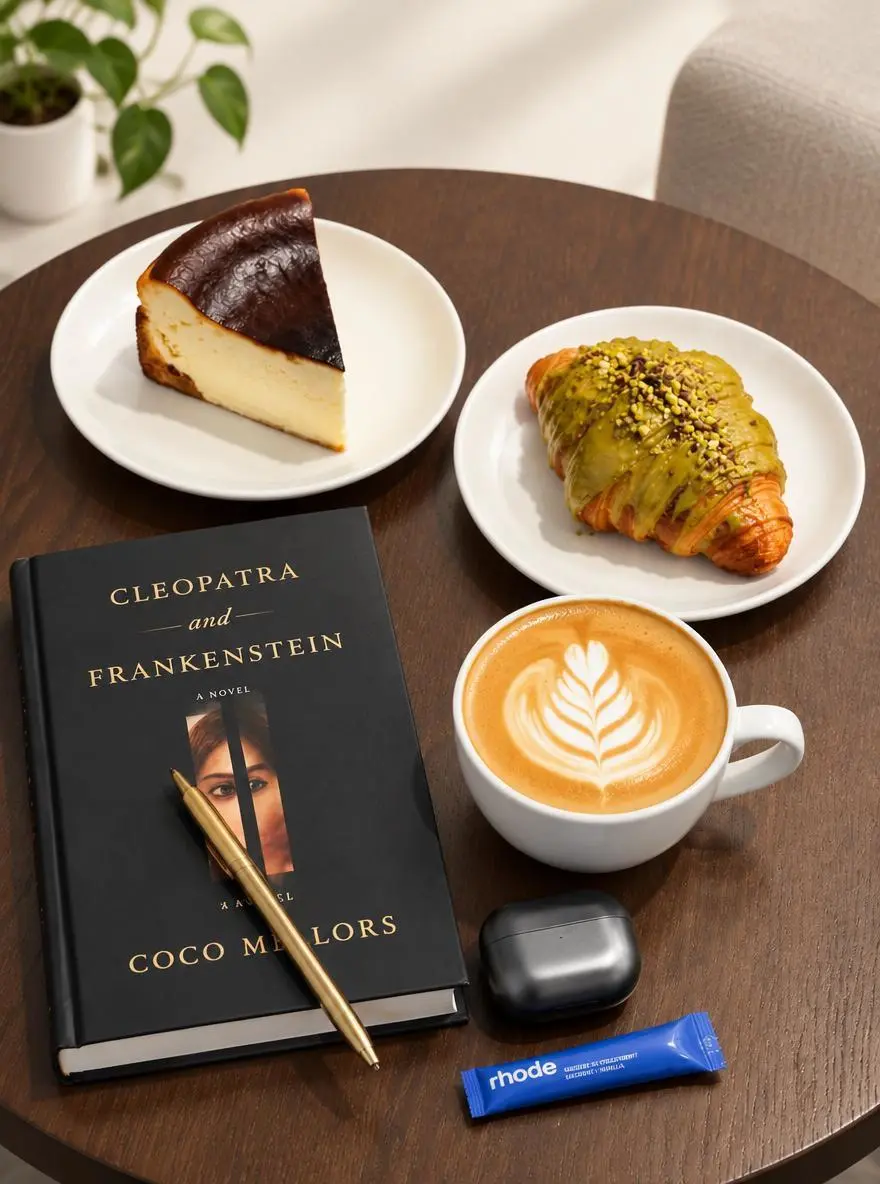
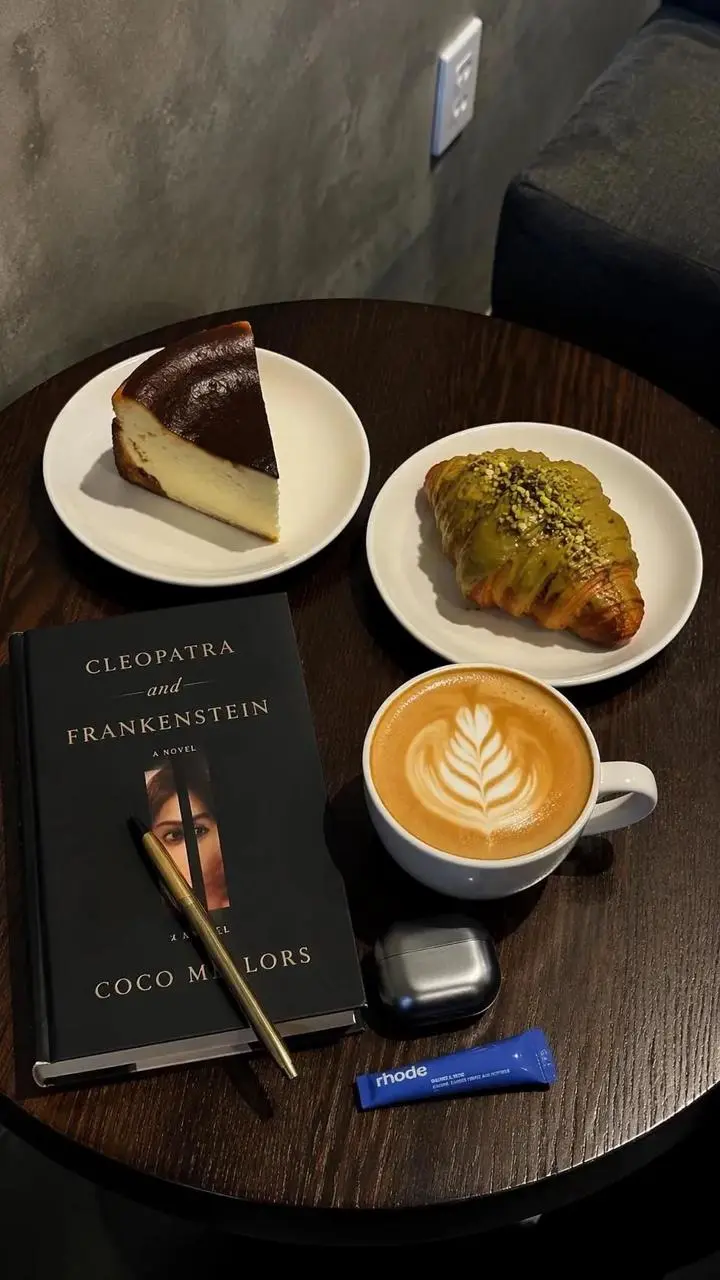
调整桌面商品照的风格
从已有照片改变环境和光线。本例将桌面参考图与更明亮背景、柔和阴影的请求配对。
Use the uploaded photo as the reference. Explore a brighter studio background and softer shadows while focusing the composition on the main product.

通过调整桌面商品照的风格、在两张人像间迁移妆容、制作四步骤信息图三个案例了解 GPT Image 2.5 Flare。各例保留实际提示词与已有输入,借用到自己的主体前请先检查结果。
从已有照片改变环境和光线。本例将桌面参考图与更明亮背景、柔和阴影的请求配对。
Use the uploaded photo as the reference. Explore a brighter studio background and softer shadows while focusing the composition on the main product.
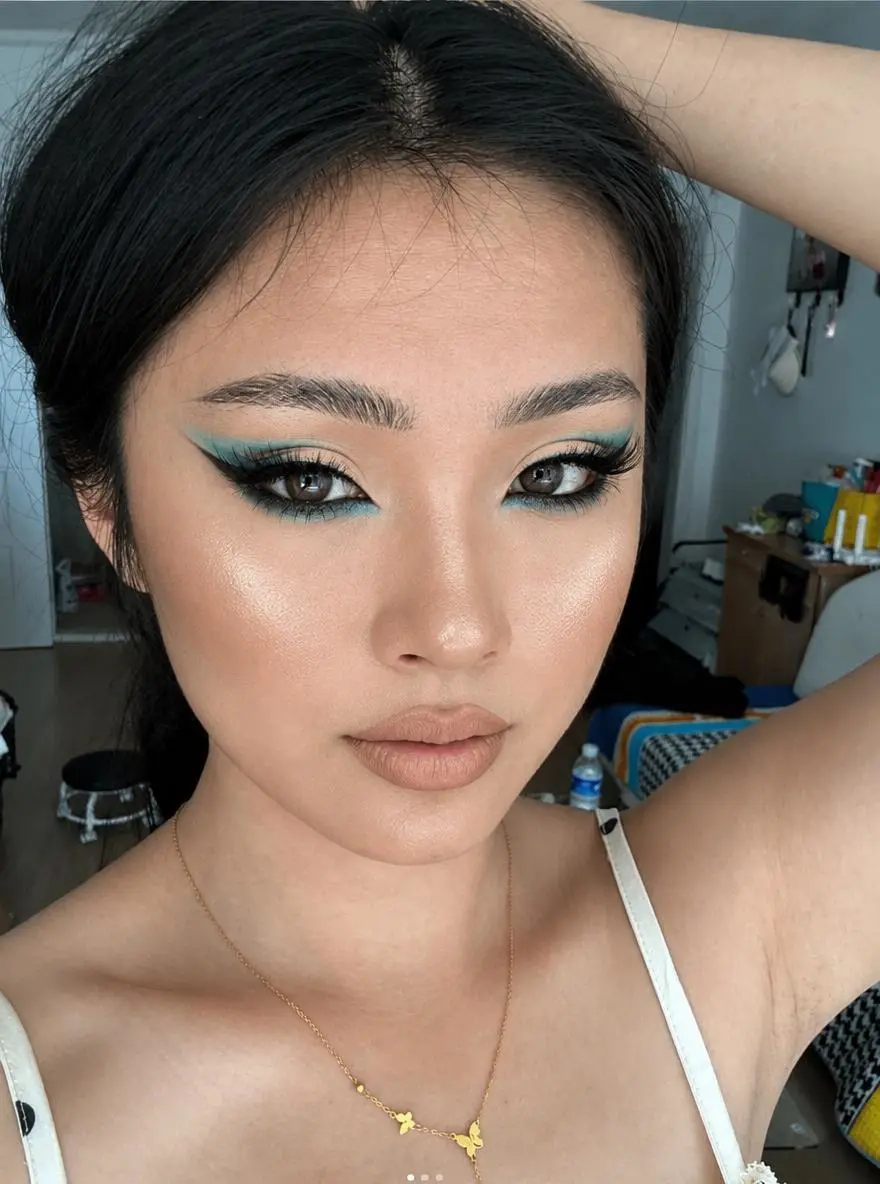
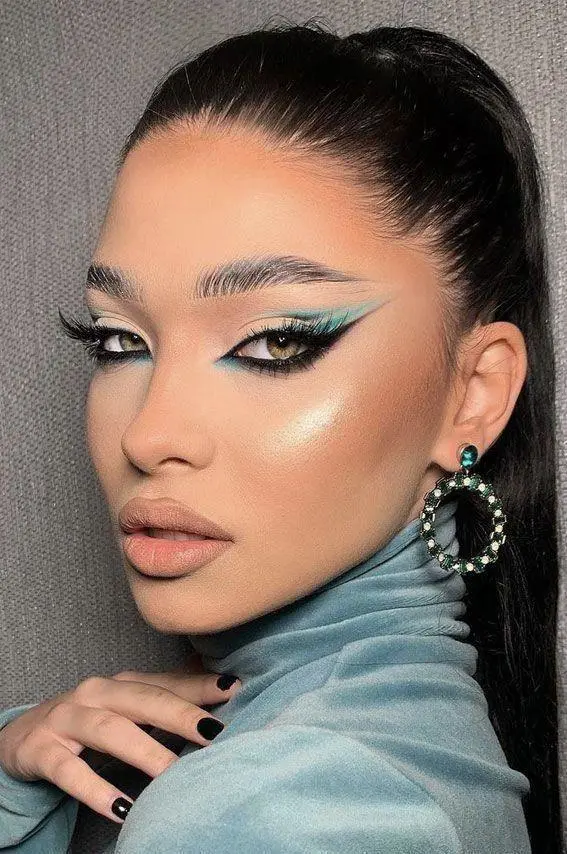
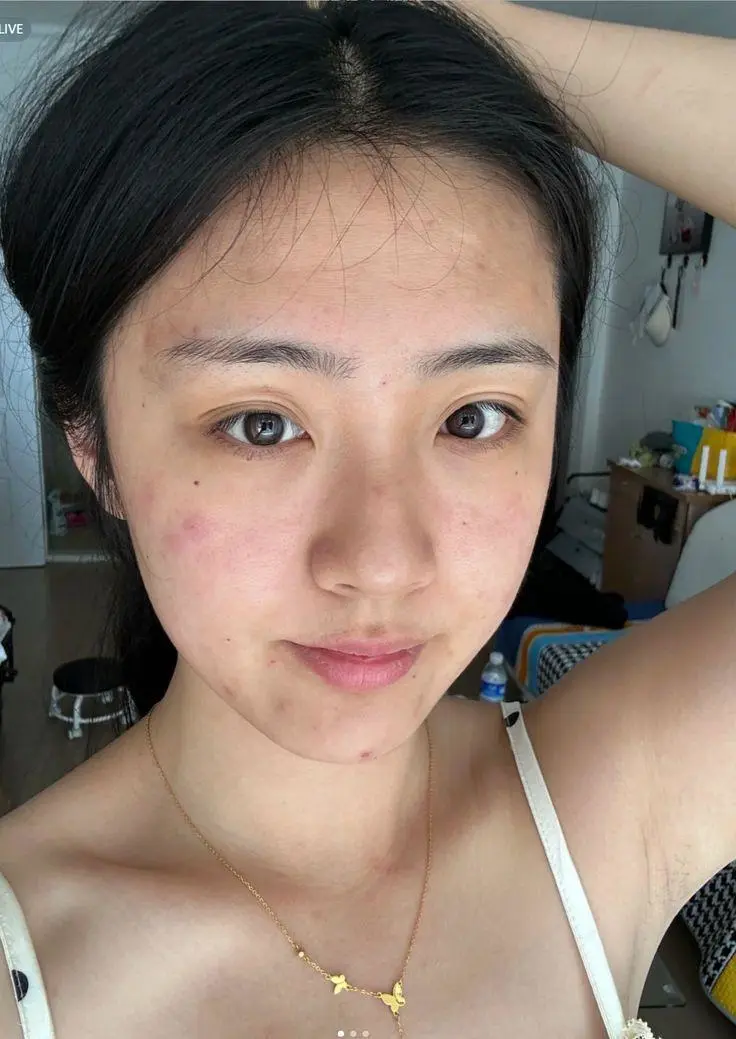
一张人像提供妆容,另一张提供人物。两个输入和最终编辑结果一同展示,便于检查参考角色的分工。
Transfer the makeup style from Image 1 to the person in Image 2. Only change the makeup on the person in Image 2, including eyeshadow, eyeliner, lashes, blush, contour, lip color, and overall makeup finish. Keep the person’s facial features, identity, hairstyle, clothing, pose, lighting, background, and photo style unchanged.
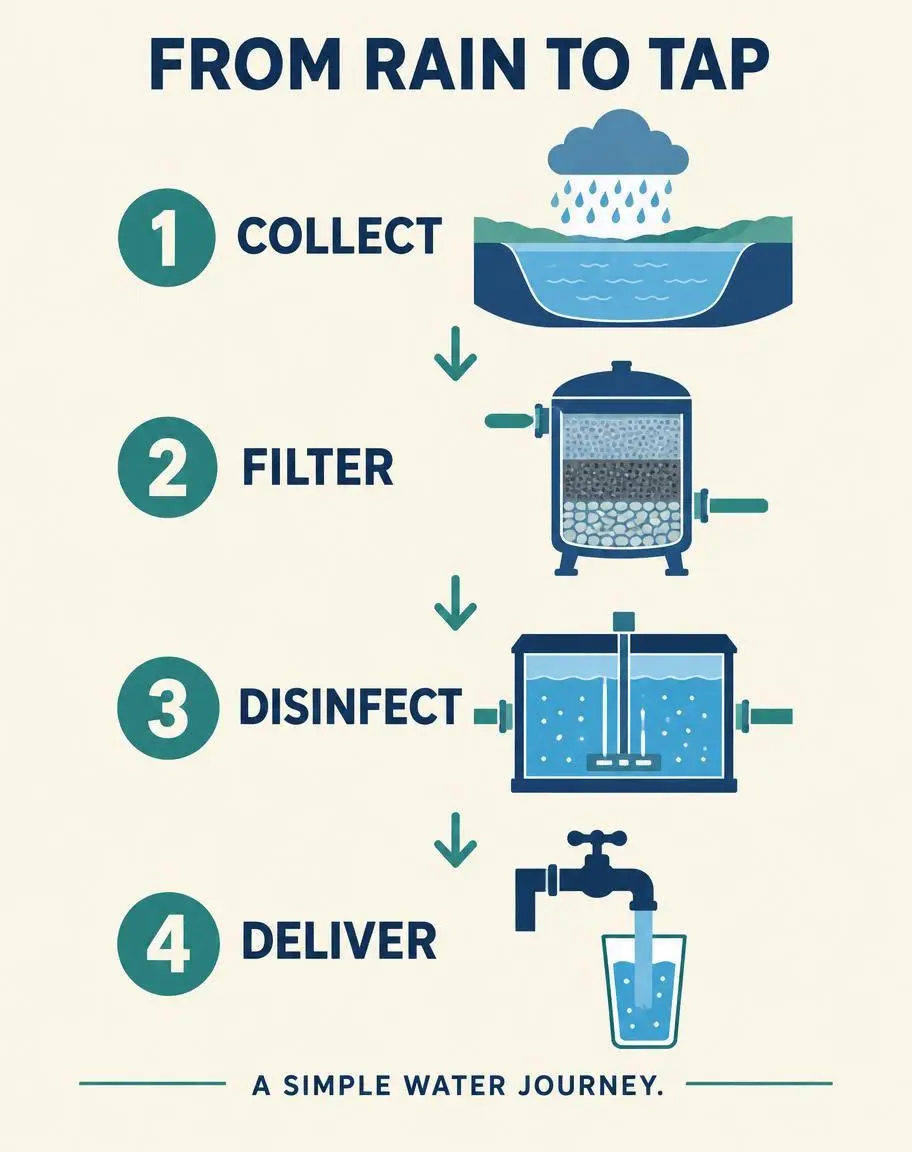
把文字要求变成视觉顺序。这个纯文字案例用编号阶段、箭头和指定标签解释简单的雨水流程。
Create a finished vertical 4:5 editorial infographic titled FROM RAIN TO TAP. Warm ivory background, navy typography, restrained teal accents. Arrange exactly four numbered steps in a clear top-to-bottom sequence connected by arrows. Exact labels: 1 COLLECT; 2 FILTER; 3 DISINFECT; 4 DELIVER. Each step has one simple flat illustration: a reservoir under a rain cloud, a filter tank, a treatment chamber, and a household tap filling a glass. Include exactly this footer: A SIMPLE WATER JOURNEY. Use only the specified text, with exact spelling and no extra words. Large readable lettering, generous margins, consistent icon style, professional educational design. Do not repeat any step or add a fifth step. No logos, watermark, photorealistic background, or decorative illegible writing.
GPT Image 2.5 Flare 是 OpenAI 面向快速日常创作的图像生成与编辑模型,接受文字指令和参考图片。 Flare 适合商品编辑、参考组合及文字图形等日常生成和迭代。桌面编辑、双人像妆容迁移和四步骤流程图代表不同任务,不是实测速度基准。
OpenAI 将 Flare 定位于快速日常图像创作,可用它尝试视觉方案,但该定位不保证固定生成耗时。
为海报、带标签图像和布局写明文字及位置,检查输出的拼写和对应关系。
用参考图引导主体外观或编辑,不必用文字重建每个可见细节。
新设计可以只用文字,编辑则上传原图。迁移妆容时,一张人像负责妆容,一张负责人物,不能将两个输入视为可互换。
不需要原图。描述主体、环境、风格和构图,例如商品概念或海报,并写入设计应出现的文字。
上传自己的照片并说明改动。多参考时写明各图提供什么,例如人物、妆容、服装或背景。
结合实际结果与已有参考输入,阅读下方真实的 GPT Image 2.5 Flare 提示词。每段说明指出一项具体指令供检查;请求某种效果不保证所有生成细节都会符合。
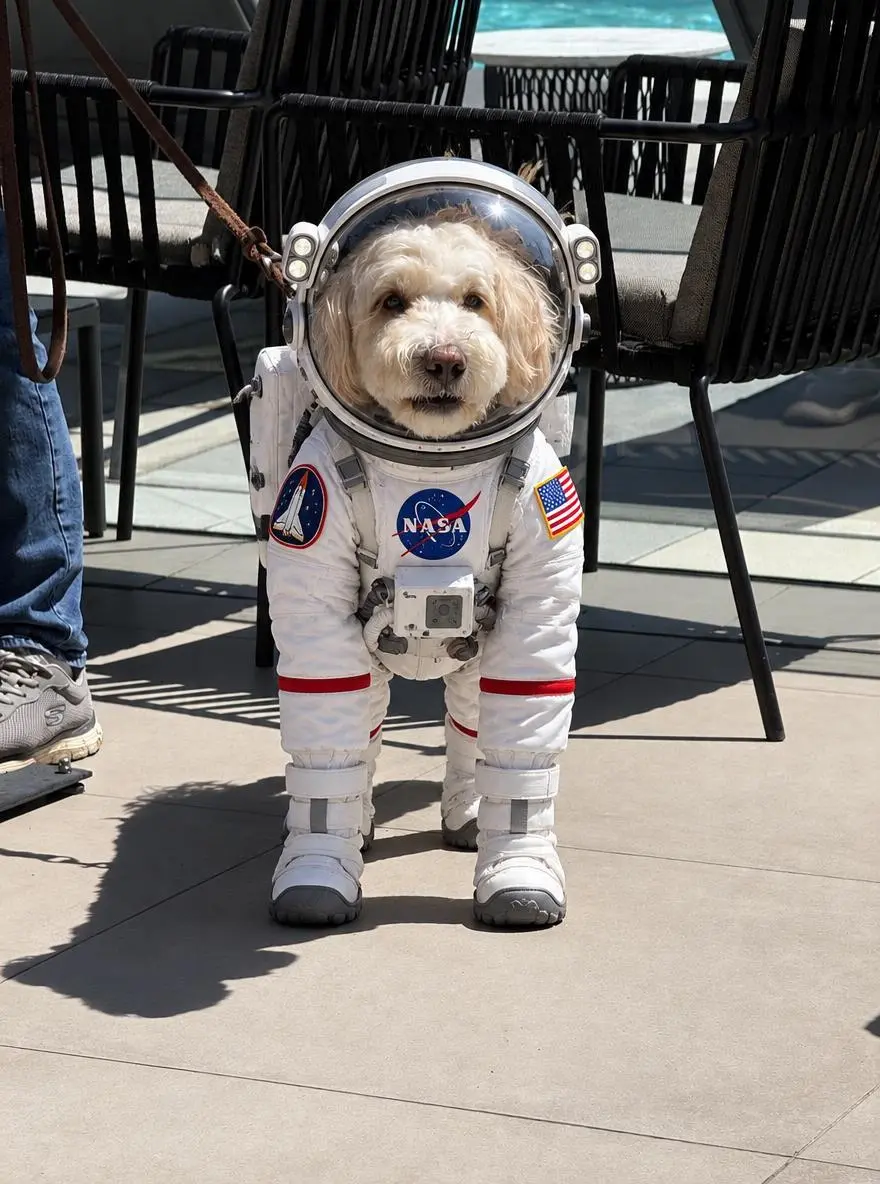
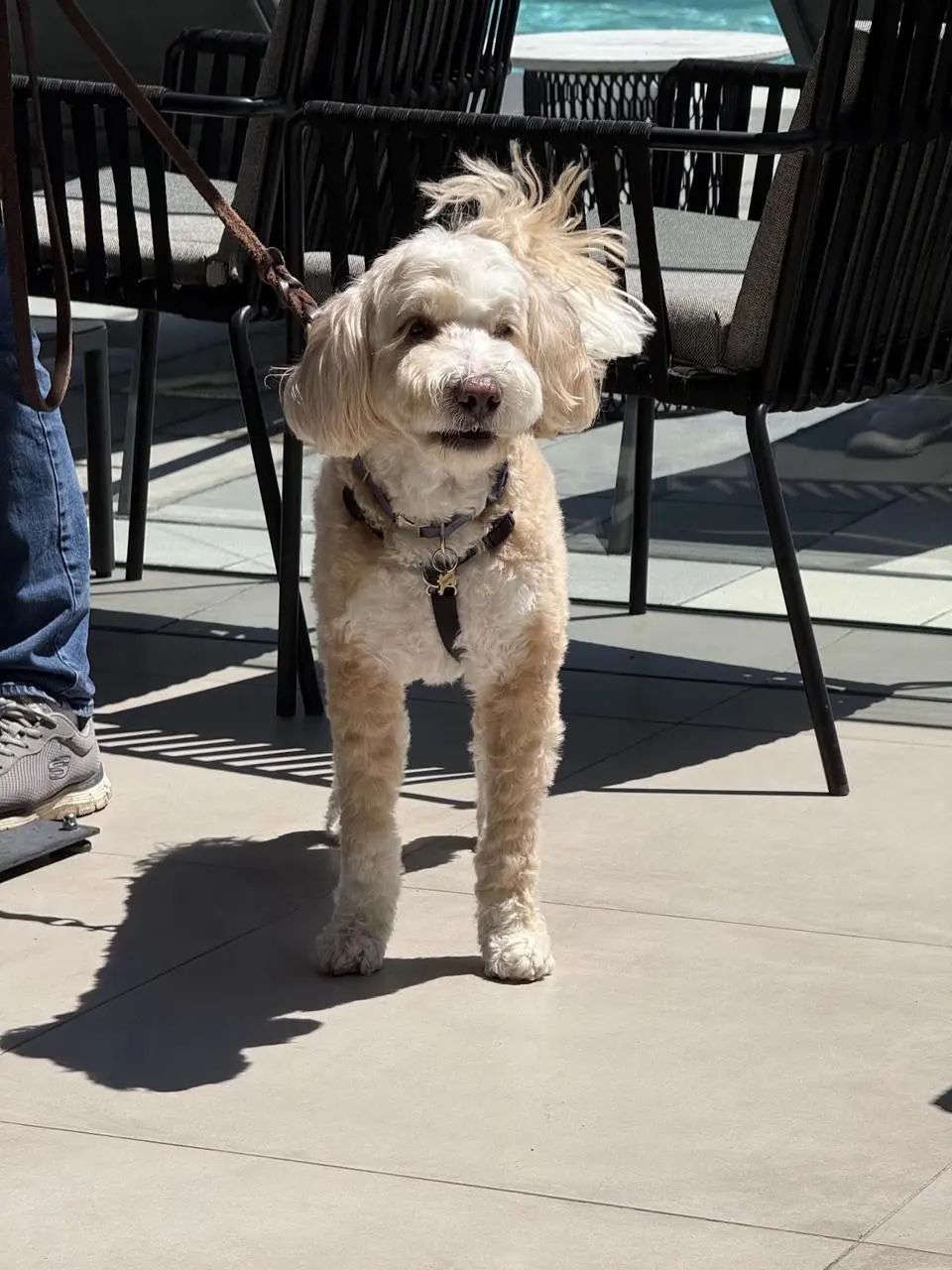
简单编辑应直接描述改动。狗的案例要求换上宇航服,上传照片提供起始主体。
Dress the puppy in the picture in an astronaut Space suit
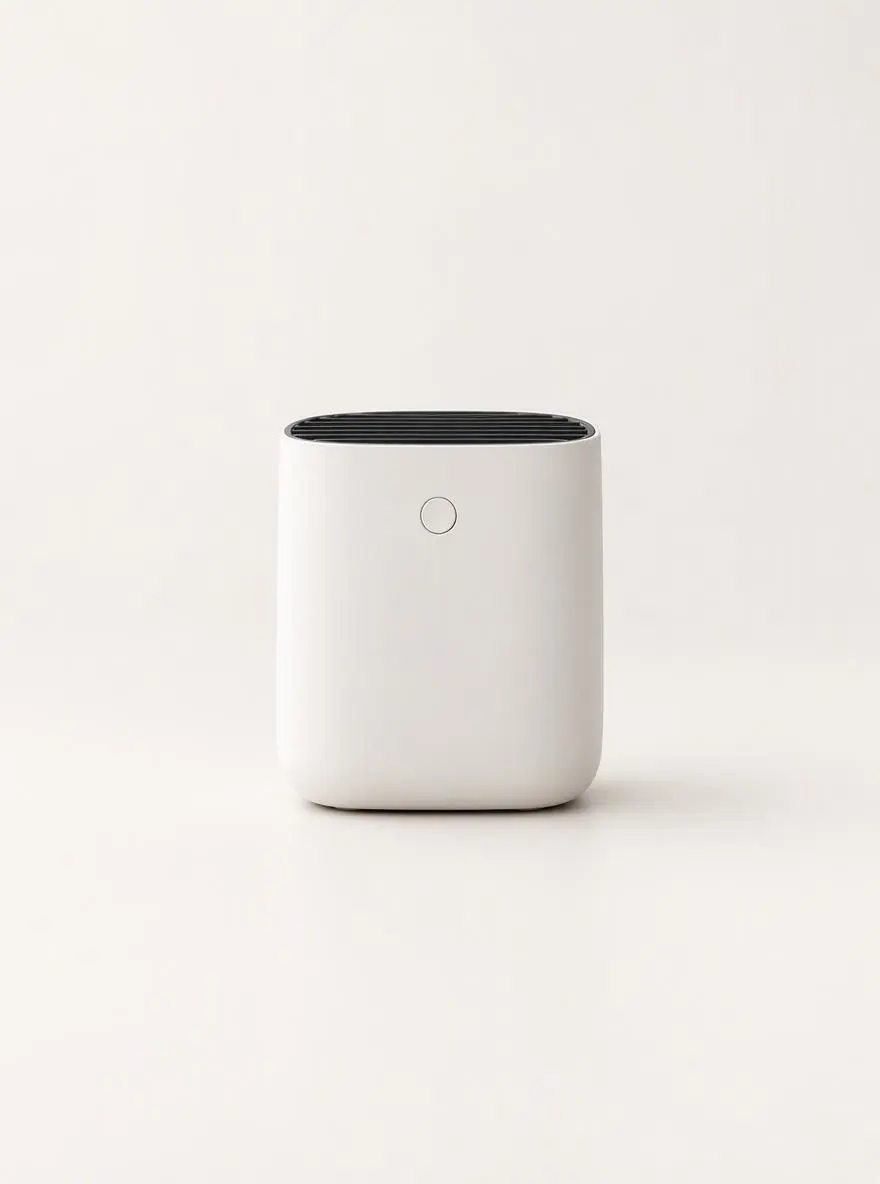
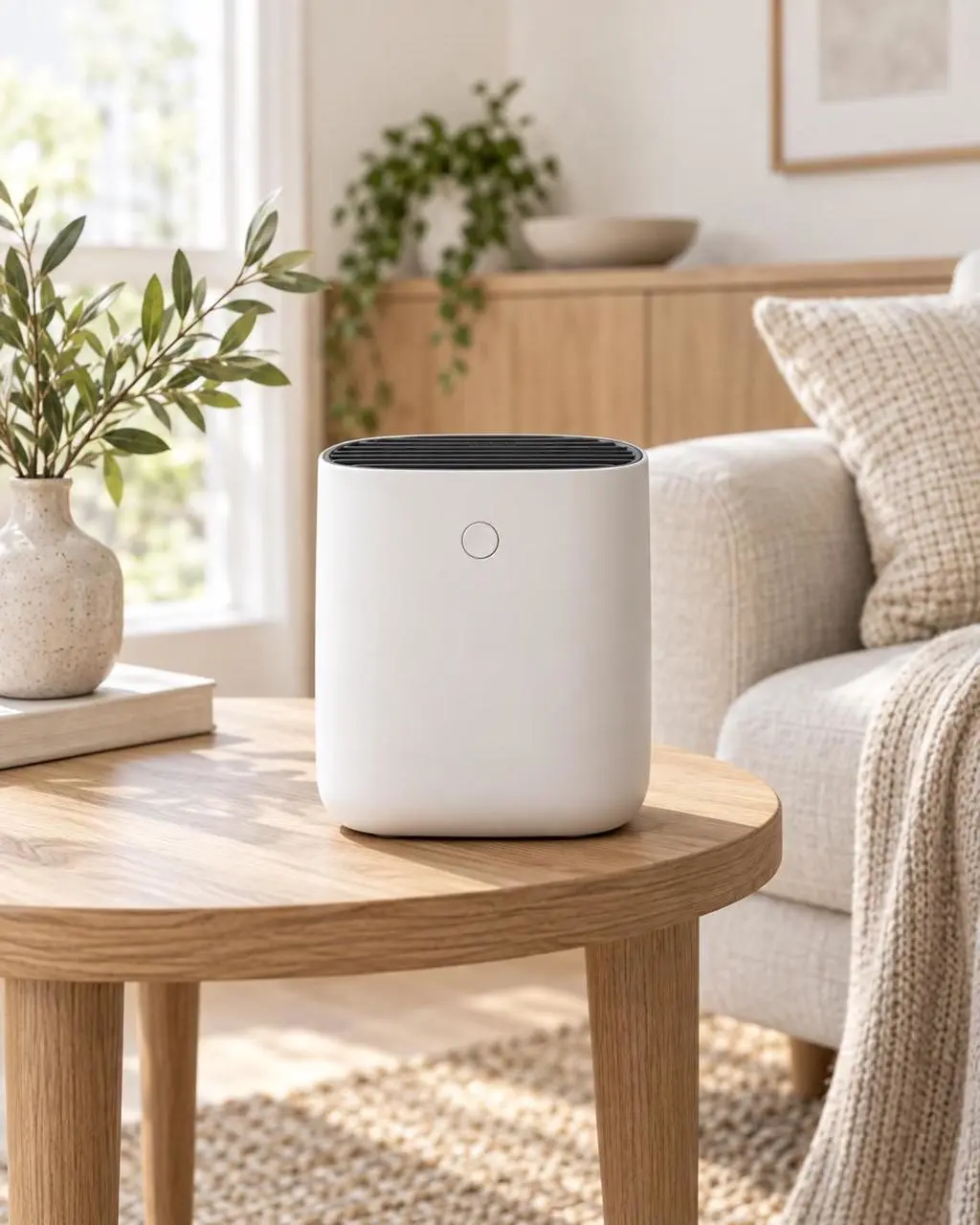
分别说明所需改动与保留细节。商品案例更换背景,同时点明应保留的形状、标签、瓶盖和位置。
Replace the existing background with a clean warm-white photography studio. Keep the product’s shape, color, proportions, label, cap, reflections, and position unchanged. Add a soft natural shadow directly beneath the product so it remains grounded on the surface. Do not alter the product design, camera angle, crop, or packaging text.
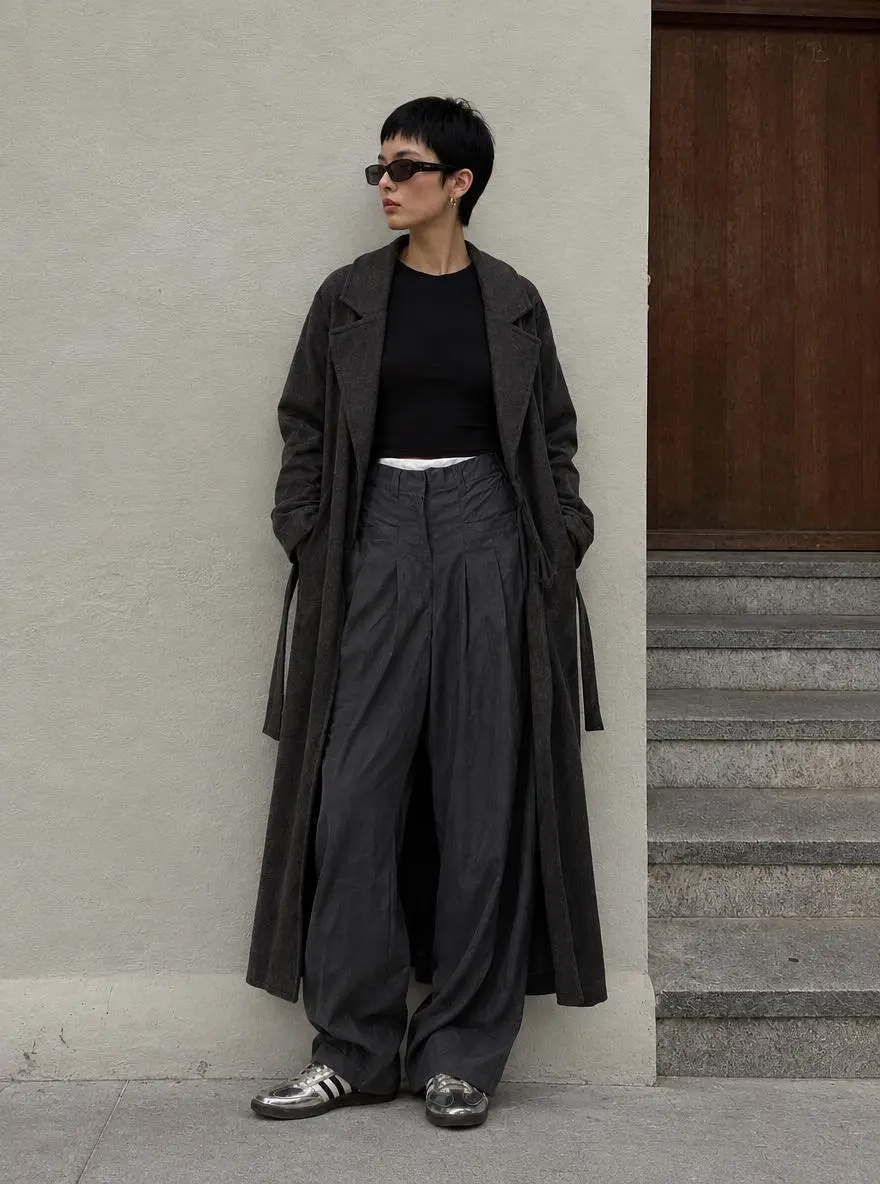
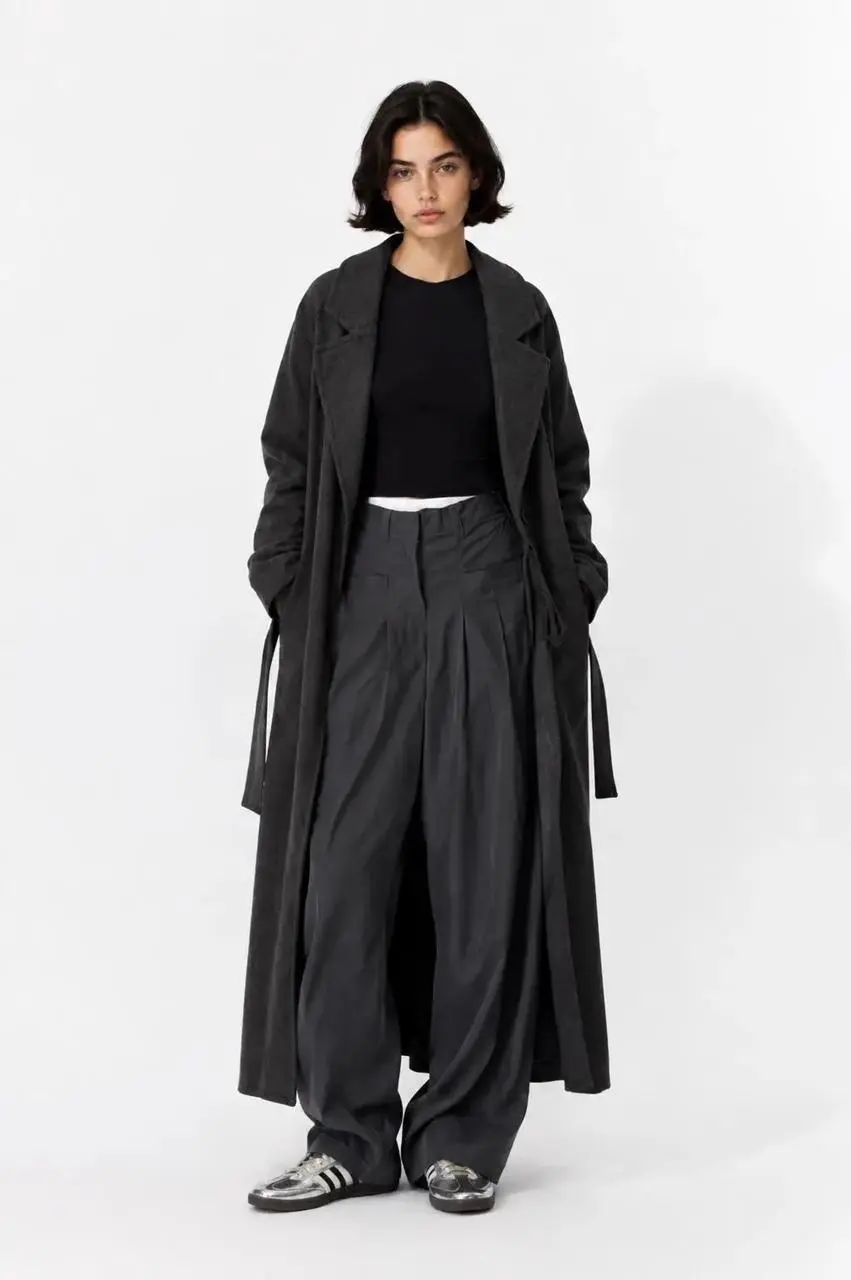
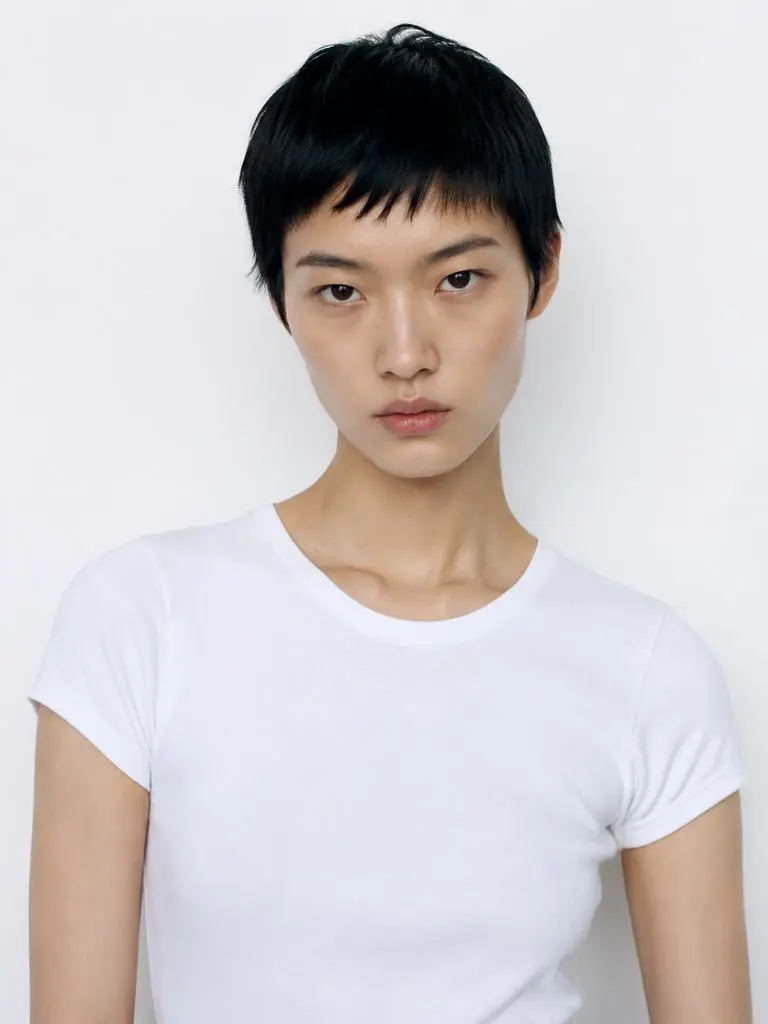
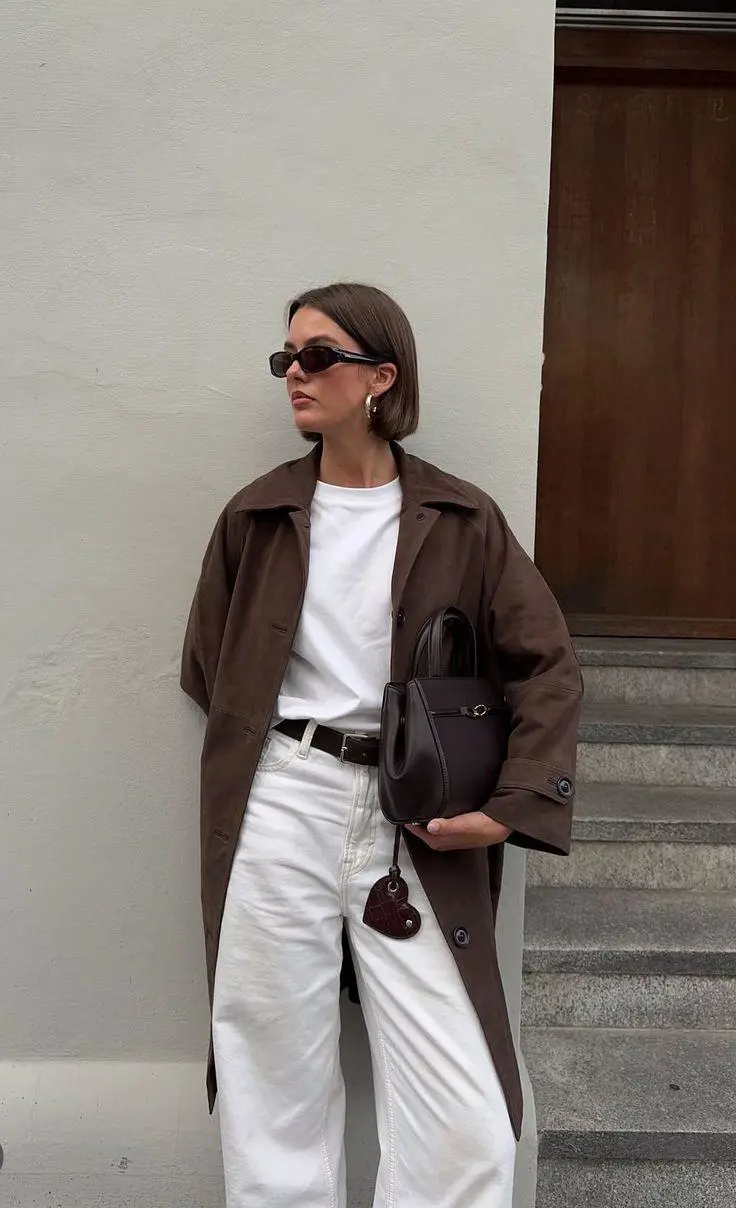
说明各张图片提供哪个部分。时装提示词为人物、衣服和背景指定不同参考图。
The model in Figure 2 is wearing the clothes from Figure 1 and standing against the background of Figure 3.
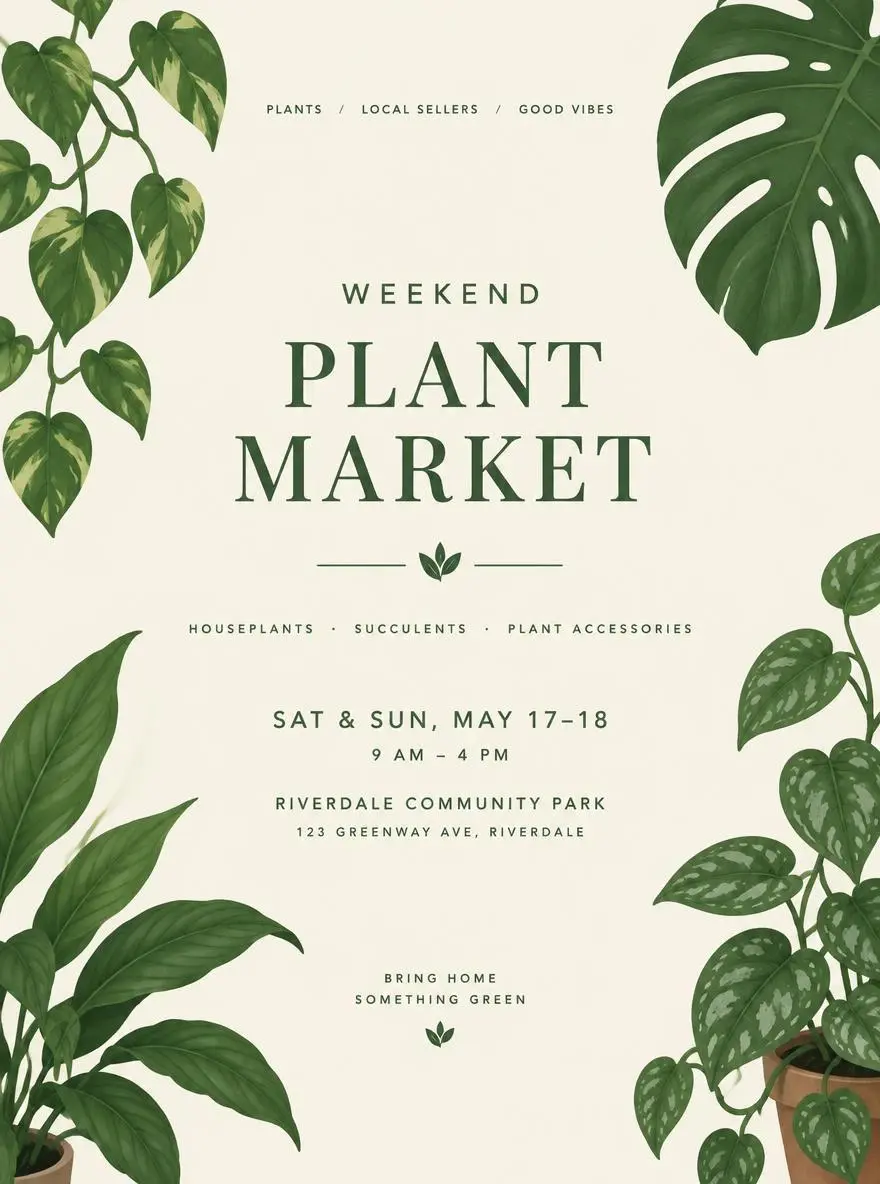
说明画面哪里应为空白文案区。植物市集案例在清晰中央区域周围布置叶片插画,没有指定活动的准确文字。
A minimal poster concept for a weekend plant market, illustrated green leaves, cream background, a clear central space for the event title and details.
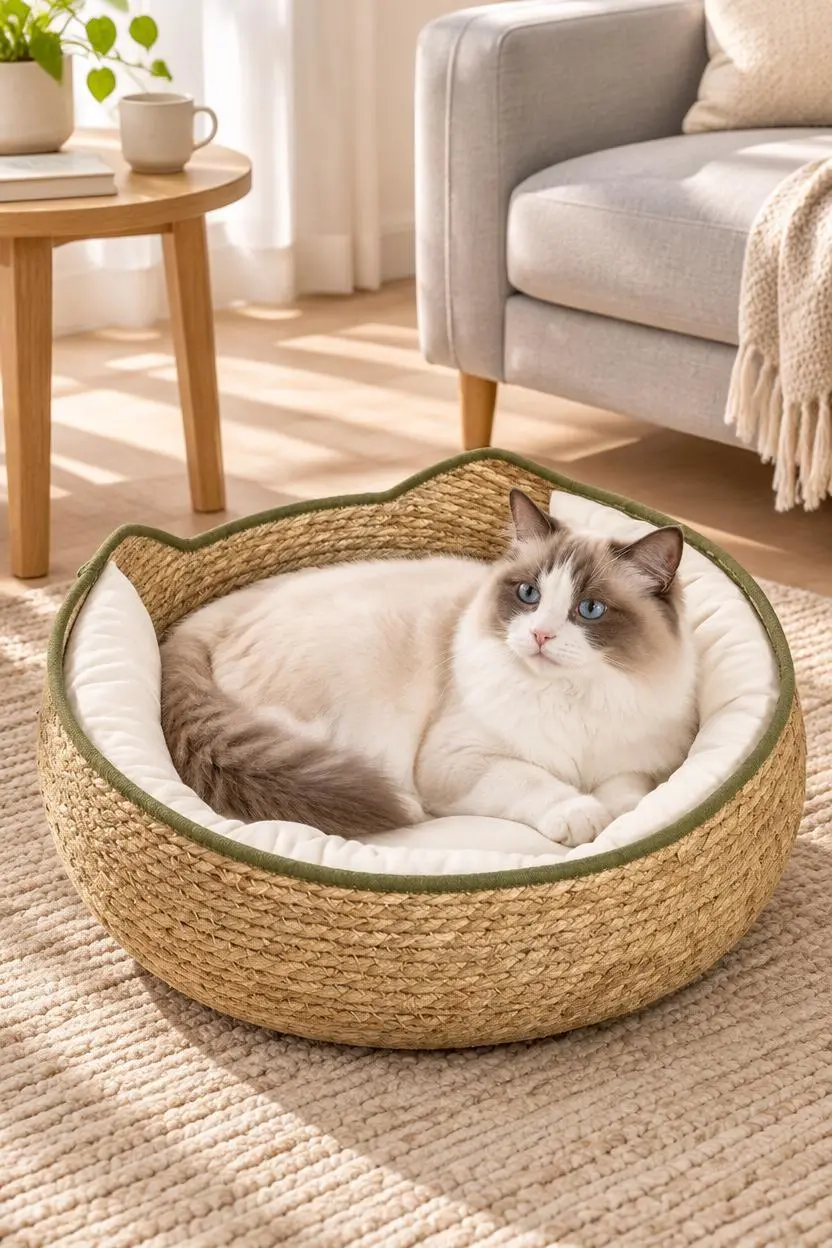
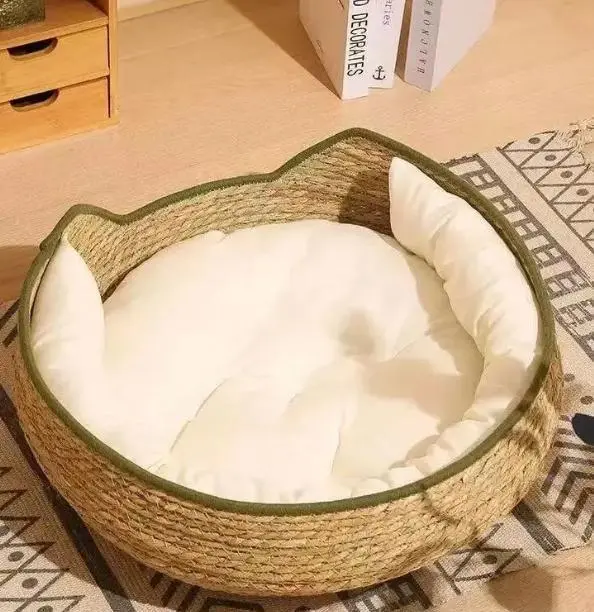
描述商品怎样出现在场景里。宠物窝案例将商品参考与猫、地毯、沙发及柔和日光结合成居家环境。
Based on the pet product images I uploaded, generate an image depicting a European/American family pet lifestyle. Please strictly preserve the original appearance, color, material, size proportions, and functional details of the product; do not alter the product structure. The scene should depict a clean, natural Ragdoll cat using the product in a light-colored living room, surrounded by a beige rug, light gray sofa, wooden side table, and soft sunlight. The product should be clearly visible, and the pet's expression should be natural, avoiding excessive anthropomorphism, cartoonish elements, fake smiles, or unnecessary limbs. The overall style should be warm, believable, and realistic, like a high-quality advertisement from a European/American pet brand's official website. Do not include Chinese characters, promotional text, watermarks, or incorrect logos.
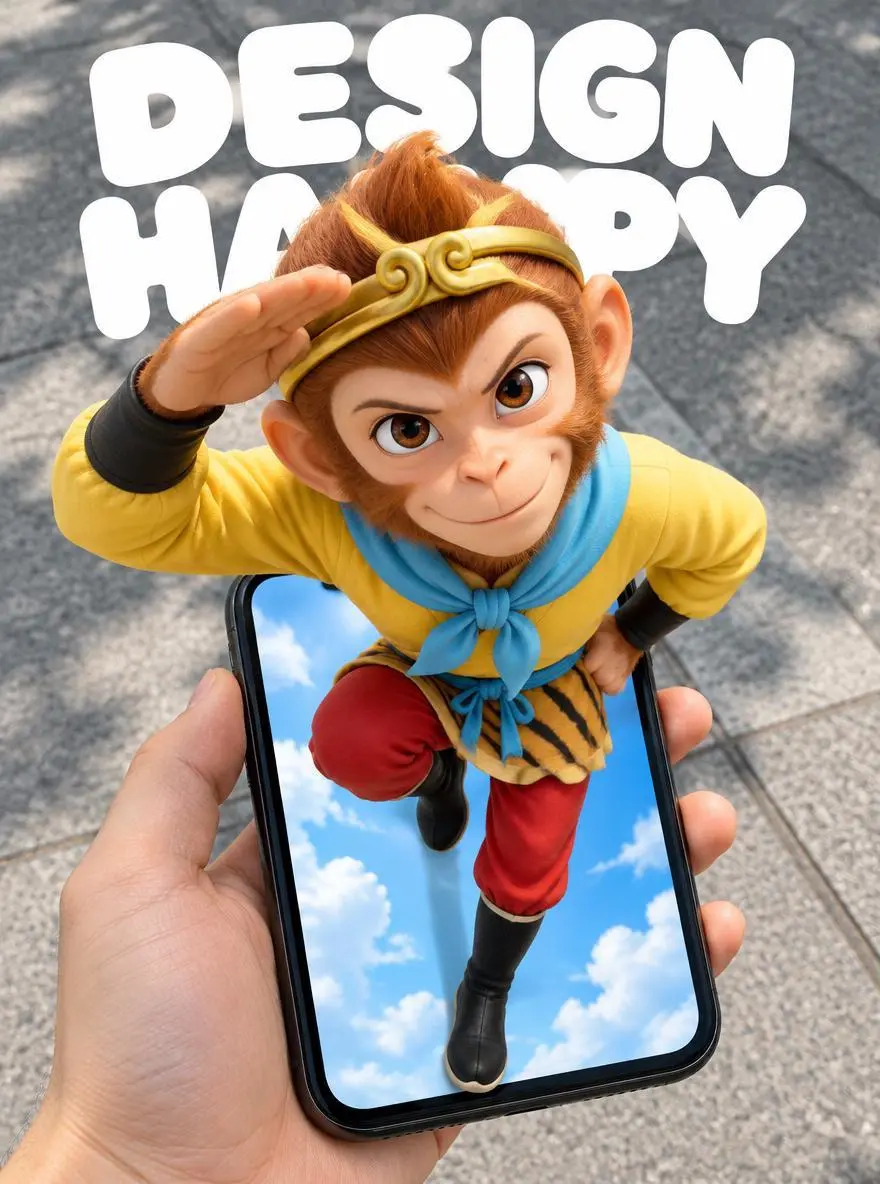
通过物体遮挡关系建立纵深。手机海报提示词区分前景手和手机、超出屏幕的人物,以及后方路面。
Create a 3:4 vertical POV surreal "pop-out" mobile poster. The subject is Sun Wukong, retaining the classic animated look from the reference image: monkey face, golden headband, yellow top, light blue scarf, red trousers, and black boots. Maintain the original pose: one arm raised and bent beside the head, the other hand at the waist, one leg bent and lifted, and the other extending downward toward the bottom of the phone screen. Do not change this to a standard standing pose or a pose involving the swinging of the golden staff. Use a first-person, wide-angle, top-down perspective. A hand holds a black iPhone XR from the bottom-left of the frame; the phone is positioned in the lower half, slightly tilted, with the device fully visible and the hand-to-phone scale realistic. The character's head and shoulders are close to the lens and significantly enlarged, while the lower body diminishes in size with distance, creating a strong forced perspective. The phone screen acts as a spatial portal. Sun Wukong's head, shoulders, chest, and raised arm clearly protrude from the screen, obscuring the top edge and parts of the sides, while the legs extend into the screen's interior. The entire body is continuous and intact, creating a clear 3D pop-out illusion through frame occlusion, contact shadows, and depth within the screen. It is neither a flat image on the screen nor a separate figure floating above the phone. The background outside the phone is a realistic city sidewalk with gray concrete and natural daylight with soft shadows; the interior of the phone screen retains a bright blue sky with clouds, creating a contrast between the virtual world and the real ground. The hand and phone have a realistic photographic texture, while Sun Wukong retains his classic animated silhouette and color scheme, enhanced with three-dimensional shading and a sense of spatial depth. At the top of the image, include large, rounded white text reading "DESIGN" and "HAPPY" on two separate lines. The text is positioned behind the character and naturally partially obscured by the head and shoulders, without blocking the face, hand gestures, or the phone itself. The composition is clean and lively, possessing the strong visual impact of a social media poster. Feature only Sun Wukong, the hand holding the phone, and the phone itself; do not add other characters, interface buttons, or extra text. Avoid duplicated limbs, deformed fingers, body fragmentation, incorrect perspective, and conflicting lighting directions.
从 GPT Image 2.5 Flare 选项与下方说明的输入路径开始,提交前检查可用设置和积分。
使用已绑定的 Flare 选项。输入完整图片描述,或上传参考并说明各图角色及需要保留的细节。
尺寸标签:1K、2K、4K。质量:low、medium、high、xhigh、max。宽高比:auto、1:1、1:2、2:1、1:3、3:1、2:3、3:2、4:3、3:4、16:9、9:16、21:9、9:21、4:5、5:4。这些是可选设置,不保证固定像素尺寸或文件格式;实际尺寸以原始输出为准。提交前检查显示的积分与套餐模型权限。
桌面编辑要对比光线与保留物品;妆容案例将身份与妆容分开检查;流程图须校对标签及阶段顺序。
OpenAI 将 Flare 定位为快速日常图像生成,将 Sunburst 定位为要求更高的生成与编辑。两者都接受文字与图片;WeShop 质量选项是设置,不是通用模型排名。官方定位、WeShop 目录配置与当前表单须分开看待,本页不提供实测画质或速度排名。
| 比较维度 | GPT Image 2 | GPT Image 2.5 Flare | GPT Image 2.5 Sunburst |
|---|---|---|---|
| 起始优先项 | 已有稳定 GPT Image 2 工作流程 | 快速日常生成与视觉迭代 | 要求较高的图像质量或编辑精度 |
| 起始输入 | 文字与参考图片 | 文字与参考图片 | 文字与参考图片 |
| 何时考虑 | 已有提示词已能得到所需结果 | 想以速度为优先,探索新图或日常参考编辑 | 另一选项不能让详细描述或精确编辑达到要求 |
| WeShop 图片尺寸 | 1K, 2K, 4K | 1K, 2K, 4K | 1K, 2K, 4K |
| WeShop 质量选项 | Low, Medium, High | Low, Medium, High, XHigh, Max | Low, Medium, High, XHigh, Max |
OpenAI 建议将 Flare 作为快速日常生成的起点,应使用自己的实际提示词与参考图判断结果是否合用。
图像或编辑未达要求时,用相同输入和输出设置与 Sunburst 比较。按所需结果选择;单个质量标签不能证明不同模型输出质量相同。
打开相关模型页面,查看其能力、案例和当前生成选项。
开始前的实用解答。
GPT Image 2.5 Flare 是 OpenAI 面向快速日常创作的图像生成与编辑模型,接受文字指令和参考图片。
Flare 适合商品编辑、参考组合及文字图形等日常生成和迭代。桌面编辑、双人像妆容迁移和四步骤流程图代表不同任务,不是实测速度基准。
新设计可以只用文字,编辑则上传原图。迁移妆容时,一张人像负责妆容,一张负责人物,不能将两个输入视为可互换。
尺寸标签:1K、2K、4K。质量:low、medium、high、xhigh、max。宽高比:auto、1:1、1:2、2:1、1:3、3:1、2:3、3:2、4:3、3:4、16:9、9:16、21:9、9:21、4:5、5:4。这些是可选设置,不保证固定像素尺寸或文件格式;实际尺寸以原始输出为准。
简单编辑应直接描述改动。狗的案例要求换上宇航服,上传照片提供起始主体。请结合指南中的完整实际提示词与输入,再改成适合自己任务的请求。
OpenAI 将 Flare 定位为快速日常图像生成,将 Sunburst 定位为要求更高的生成与编辑。两者都接受文字与图片;WeShop 质量选项是设置,不是通用模型排名。
请在 WeShop 当前的定价页核对套餐中的模型权限和额度,并查看生成器按所选设置与数量显示的积分预估。本页不提供固定单次价格,也不将其他厂商的订阅额度套用到 WeShop。
图像指令是结果中待检查的约束,不保证每个细节或文字被精确重现。桌面编辑核对光线与物体;妆容案例将身份与妆容分开检查;流程图校对标签及阶段顺序。
已保存的 GPT Image 2.5 Flare 案例展示调整桌面商品照的风格、在两张人像间迁移妆容、制作四步骤信息图。请对照实际提示词与已有输入;单个案例不保证效果,也不构成成功率基准。