









Seedream 5.5 Prompt Guide for Multi-Turn Editing, RGBA Assets, and Realistic Images
Learn how to structure Seedream 5.5 prompts for controlled multi-round edits, transparent assets, readable text, and more realistic commercial images.
Seedream 5.5 is receiving attention for a practical reason: the official release focuses on keeping an image usable while it changes. ByteDance highlights pixel-level preservation across successive edits, native RGBA output, more natural lighting and materials, and clearer small text. Those capabilities require different prompt habits from a one-shot image generator.
This guide turns the official feature descriptions into four reusable prompt structures.
Result preview
| WeShop-generated workflow example |
|---|
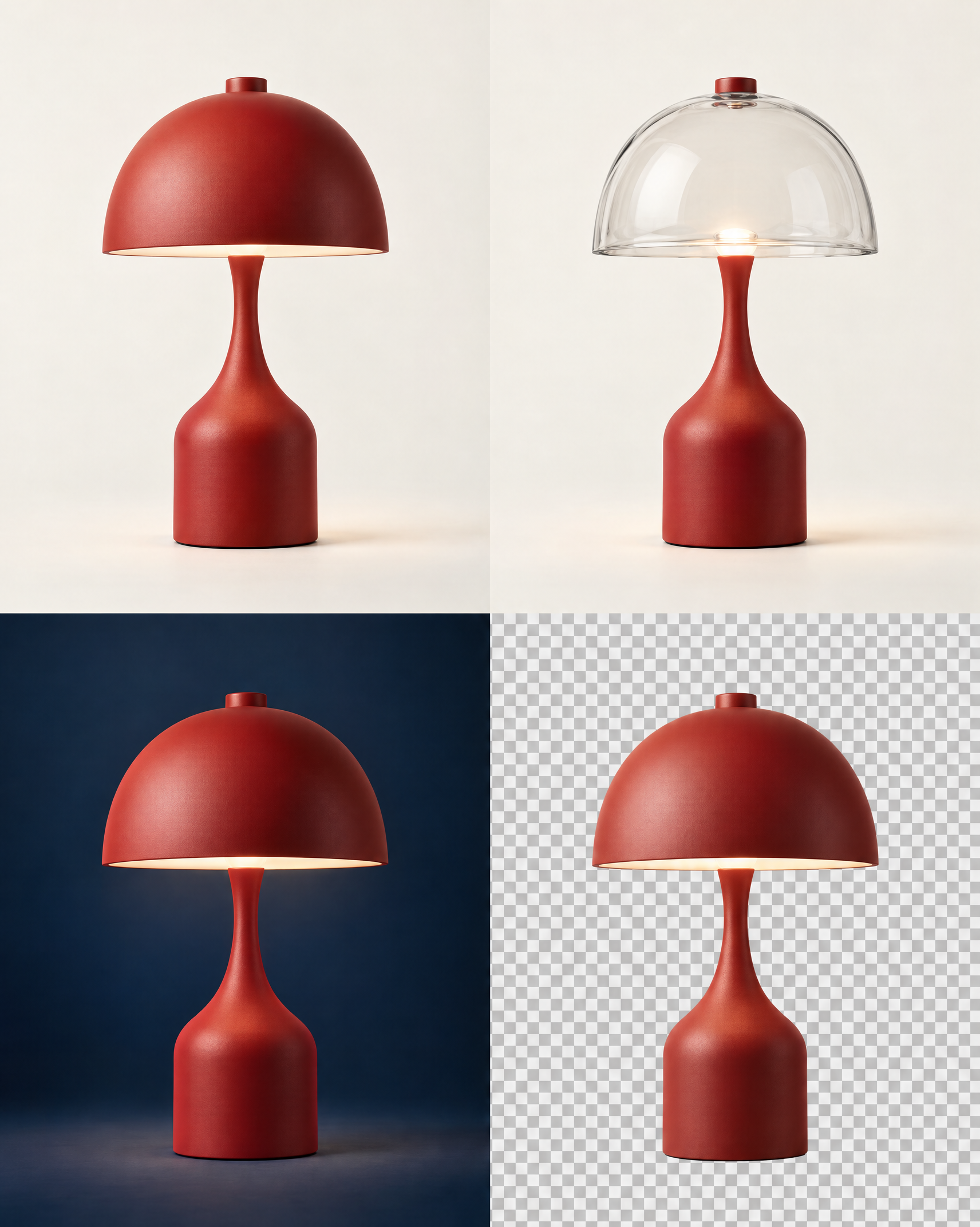 Generated in WeShop: One red lamp is carried through material, background, and presentation changes while its core geometry remains recognizable. |
Step 1 — Build the five-part prompt structure
Use the same hierarchy whether the task is a portrait, product image, poster, or transparent asset.
| Prompt layer | What to specify | Why it matters |
|---|---|---|
| Subject | Identity, product, object, or approved input | Establishes the content that must survive every edit |
| Requested change | One action written as a clear instruction | Prevents several edits from competing |
| Preservation list | Regions and details that must remain unchanged | Protects identity, packaging, layout, and lighting |
| Rendering behavior | Material, edge, skin, text, or transparency requirements | Defines what “correct” looks like |
| Output check | Aspect ratio, crop, file behavior, exclusions | Makes the result easier to inspect |
Formula 1: Multi-turn editing
Treat each round as a small production note rather than rewriting the entire scene.
Edit only [target region]. Change [one requested detail] to [new state]. Preserve [identity, pose, composition, lighting, background, non-target objects, typography, and crop] exactly. Integrate the edit with correct perspective, contact, occlusion, material response, and cast shadow. Do not alter any unmentioned area.
Example first edit:
Edit only the model's eyewear. Replace the thin silver glasses with translucent amber acetate frames. Preserve her exact adult identity, facial expression, hairstyle, pose, skin texture, black jacket, table objects, background, camera angle, crop, and lighting. Make the frames sit naturally on the nose and ears with realistic contact shadows and lens reflections. Do not alter any other region.
For the next round, reference the current image rather than the original one and change only one new item. Keep a written edit log so a result can be rolled back if a later round introduces drift.
Formula 2: Native transparent RGBA asset
A white background is not transparency. Ask for an actual alpha channel and define how semi-transparent materials should behave.
Create [asset] as a standalone RGBA image with a genuinely transparent background outside the subject. Preserve clean but natural edges around [hair, feathers, glass, lace, smoke, or translucent material]. Keep partial transparency where physically appropriate. No white backdrop, checkerboard pattern, floor, frame, text, watermark, or cropped edge. The exported file must retain its alpha channel.
After export, place the PNG over black, white, and a saturated color. This exposes white halos, clipped hair, opaque glass, and fake checkerboard backgrounds immediately.
Formula 3: Text-rich layout
Do not ask the model to invent claims or prices. Supply an approved copy sheet and quote every required line exactly.
Design a [poster/menu/information card] using only the following approved copy:
Headline: "[exact text]"
Subheadline: "[exact text]"
Price or date: "[exact text]"
CTA: "[exact text]"

Create a clear hierarchy with the headline first, the supporting line second, and the CTA last. Keep all spelling, punctuation, numbers, capitalization, and line breaks exact. Do not add any other words. Use [visual direction], [palette], and [aspect ratio].
Seedream 5.5's official evaluation reports lower text-corruption rates than the previous version, including on Chinese and English small text. That does not remove the need for proofreading. Compare the final export character by character with the approved copy.
Formula 4: Photorealistic commercial image
“Ultra realistic” is too vague. Describe the physical evidence that makes the image believable.
Create a realistic [portrait/product/lifestyle] photograph of [subject]. Use [camera position and framing], [specific light source and direction], and [environment]. Preserve natural skin pores, fine hair, fabric weave, surface wear, accurate reflections, believable contact shadows, and restrained highlight roll-off. Keep color and exposure natural. Avoid plastic skin, excessive gloss, clipped highlights, artificial bokeh, oversharpening, duplicate details, and perfect symmetry.
Step 2 — Debug one instruction at a time
| Failure | Rewrite |
|---|---|
| Too many regions changed | Move every protected element into an explicit preservation list |
| Transparent output has a white halo | Request true alpha, partial transparency, and inspection over dark and colored backgrounds |
| Poster adds invented text | Provide an exact copy sheet and state “do not add any other words” |
| Skin looks glossy or synthetic | Specify pores, restrained highlights, uneven natural tone, and no beauty-filter finish |
| Later edit loses an earlier detail | Return to the last approved frame and apply one smaller change |
Coming Soon to WeShop AI
Seedream 5.5 prompt workflows will be available in WeShop AI soon. Stay tuned.