










Seedream 5.5 Explained: What Is Officially Confirmed and What Still Needs Testing
Understand Seedream 5.5's documented capabilities, availability limits, and the checks teams should complete before production use.
Seedream 5.5 is attracting attention because its official preview moves beyond generating a finished flat image. The most useful ideas are production-oriented: genuine transparent assets, focused revisions, information-dense layouts, realistic portraits, and lighting control.
| Official preview area | Official Dreamina example |
|---|---|
| Transparent RGBA assets Reusable cutouts for product mockups, stickers, and layered design. | |
| Localized editing Focused color, form, and material revisions while preserving the scene. | |
| Information-rich layouts Poster, infographic, and multi-panel composition. | |
| Portraits and lighting Natural textures, photographic techniques, and cinematic light. |
The five capability areas in the official preview
| Capability | What the official page describes | Practical production value |
|---|---|---|
| Transparent RGBA assets | Fully or partially transparent image generation | Reusable product cutouts, stickers, overlays, and brand elements |
| Localized editing | Change selected colors, forms, or materials across one or more rounds | Test variants without rebuilding the entire composition |
| Complex text and layouts | Posters, infographics, and multi-panel designs with visual hierarchy | Faster campaign-layout and information-design exploration |
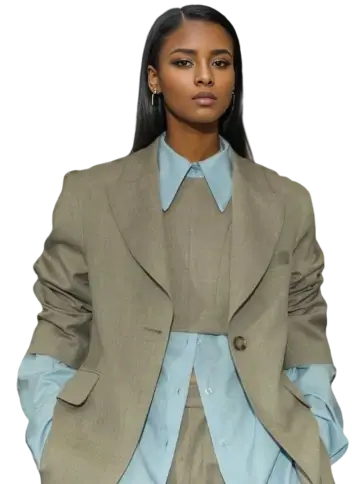
| Realistic portraits | Natural-looking skin, varied expressions, poses, and photographic techniques | Fashion, beauty, editorial, and lifestyle concepts |
| Intelligent lighting | Lighting controls and cinematic presets | Explore mood and direction before committing to a physical shoot |
These are documented capabilities, not a benchmark. The official page itself recommends checking transparency, small text, facts, and edited regions before using an output in production.
What is not yet safe to claim
Do not build a production promise around details that are not confirmed in the official public model and API directories.
- A universal release date for every region and account.
- A public API model ID.
- Fixed pricing, credit consumption, speed, or rate limits.
- A guaranteed number of editing rounds or layers.
- Automatic superiority over Seedream 5.0 Pro or another model.
- Availability inside every CapCut, Dreamina, or third-party workflow.
An official marketing page confirms that a capability is being presented. It does not prove that every account has it or that every output will meet a commercial brief.
A responsible access check
Step 1: Check the model selector
Open Dreamina, enter AI Image, and look for the exact model label Image 5.5 by Seedream 5.5. Record the selected model with any result you create.
Step 2: Check the controls shown to your account
Review the available aspect ratios, resolutions, output count, editing tools, lighting controls, and export formats. Do not copy settings from a third-party page if they are absent from your workspace.
Step 3: Run one measurable test
Choose one narrow requirement: a real alpha channel, a single localized color change, a short readable headline, or a specific lighting direction. Save the prompt and exported file.
Step 4: Inspect the exported result
Open the saved file at full size. Confirm the alpha channel, proofread every word, compare non-target regions after an edit, and verify any factual content.
The best first projects
Start with work that has a clear pass/fail condition. A transparent bottle asset can be placed over black and white backgrounds. A label-color revision can be compared directly with its source. A poster can use one short headline. A portrait can specify one key light direction.
Avoid beginning with a large multilingual campaign or dozens of SKUs. A controlled test reveals whether your current account, model version, and export path fit the job.
Coming Soon to WeShop AI
Seedream 5.5 workflows are coming soon to WeShop AI. Stay tuned.