












How to Create Soft Neon 3D Art with WeShop AI Image Generator
Turn portraits, multi-subject photos, and pet images into glowing soft neon 3D sculptures with a detailed WeShop AI prompt and practical refinement tips.
How to Create Soft Neon 3D Art with WeShop AI Image Generator
A portrait, pet photo, or character image can become the starting point for a glowing digital sculpture.
The key is not simply adding neon colors. This look combines translucent materials, softly blended gradients, internal illumination, rounded forms, and controlled preservation of the original subject.
With the right reference image and prompt, the WeShop AI Image Generator can reinterpret an ordinary photo as soft-focus neon 3D art while retaining its most important visual relationships.
Below are three examples of how the treatment can work across a portrait, a multi-subject composition, and a pet photo.
Three Soft Neon 3D Transformations
| Example | Input | Generated Result |
|---|---|---|
| Portrait and Prop Preservation | 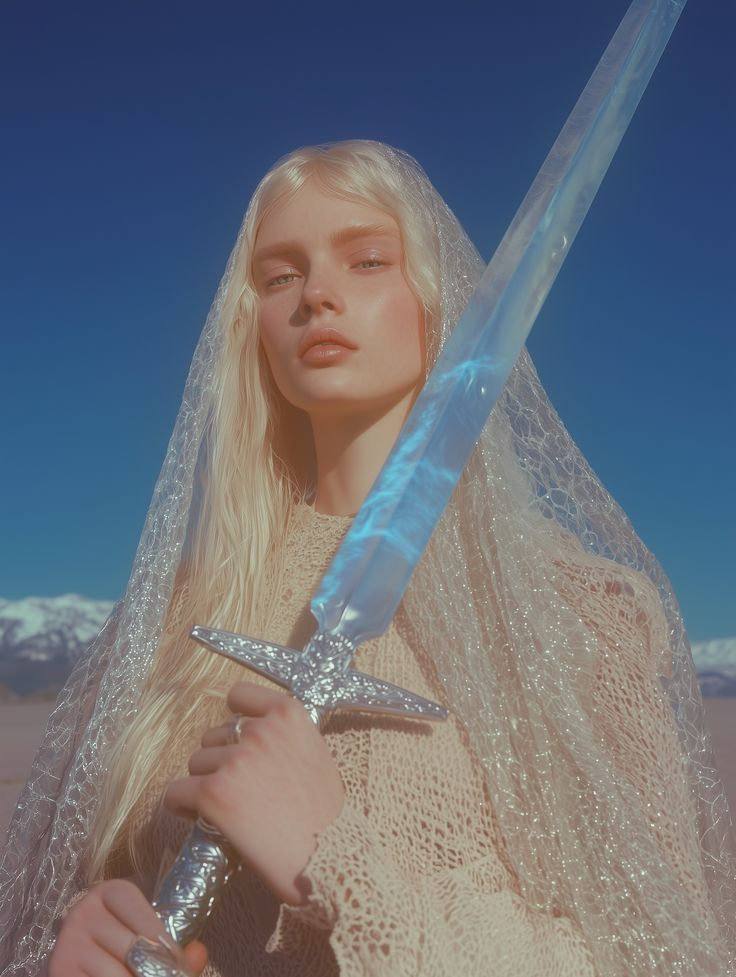 | 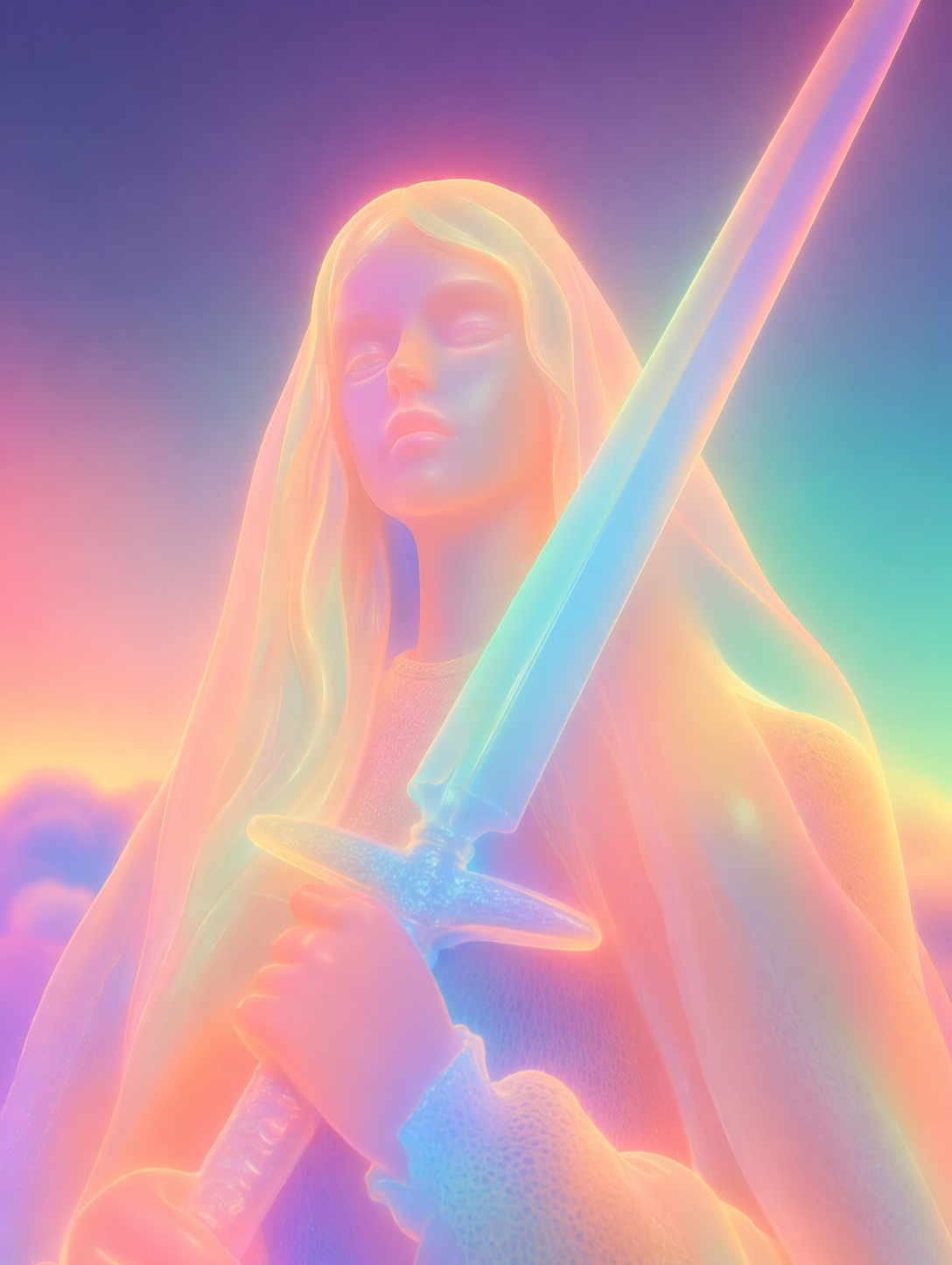 |
| Multi-Subject Composition | 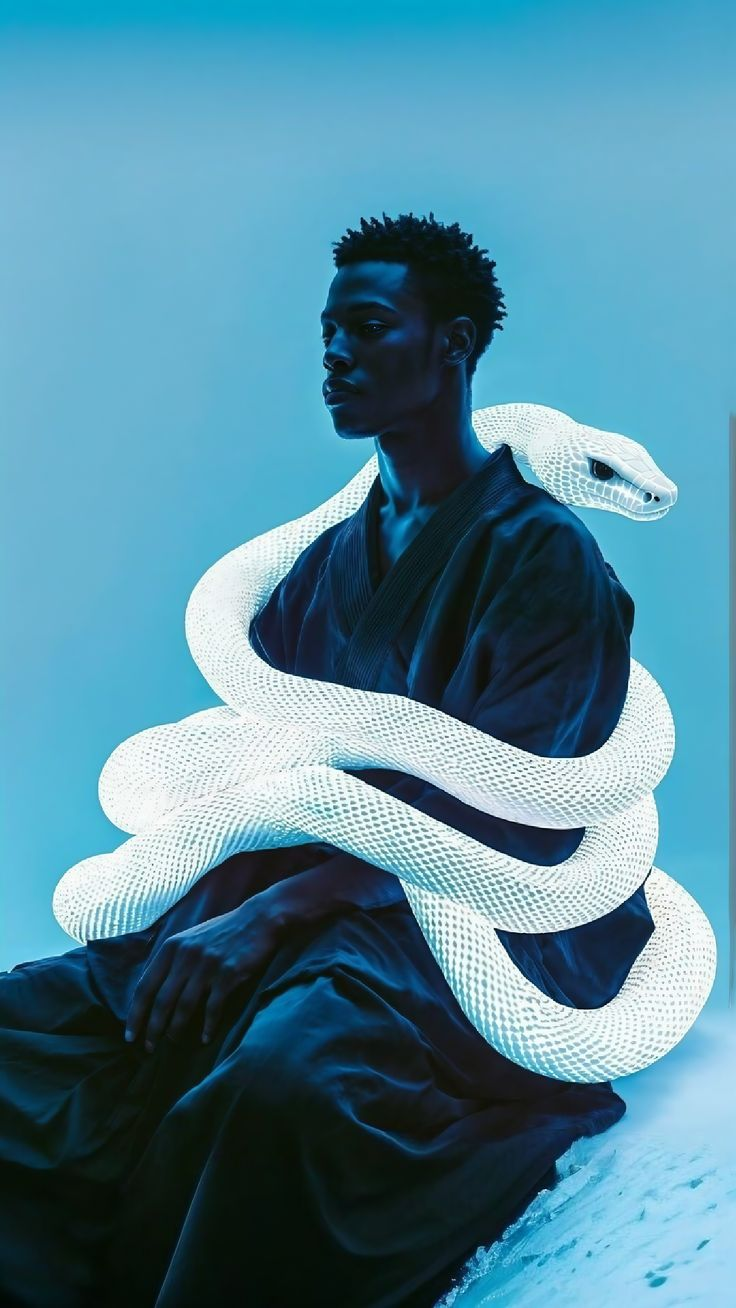 | 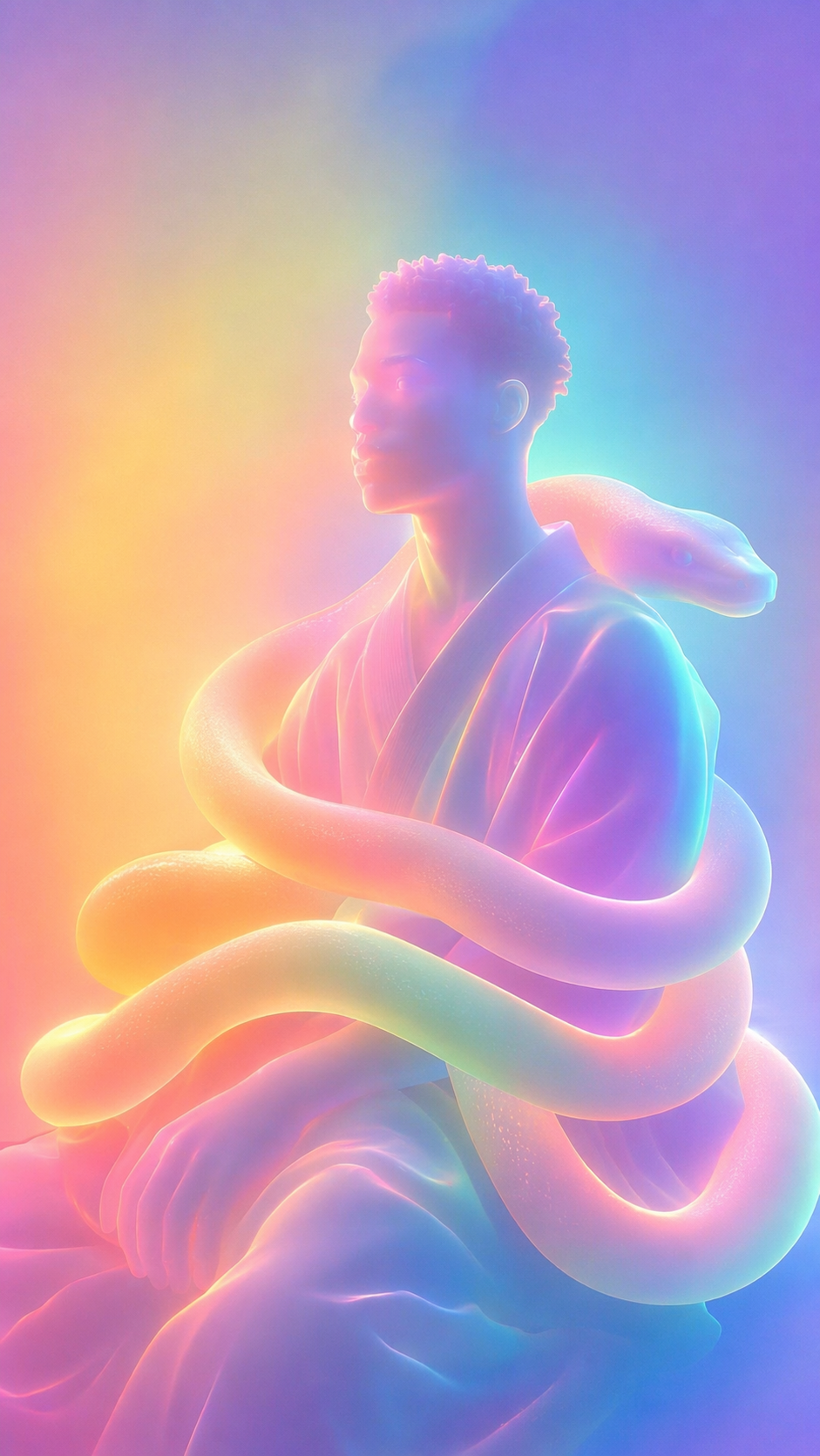 |
| Pet Photo Transformation | 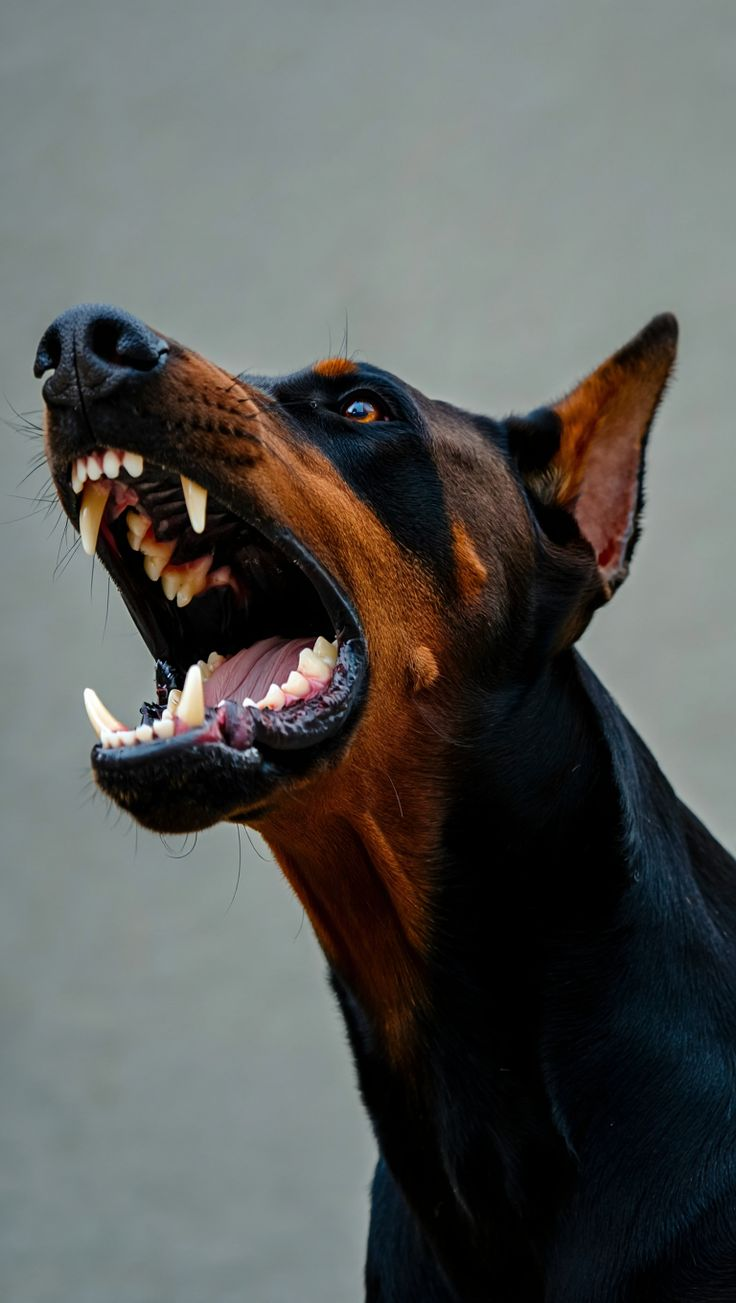 | 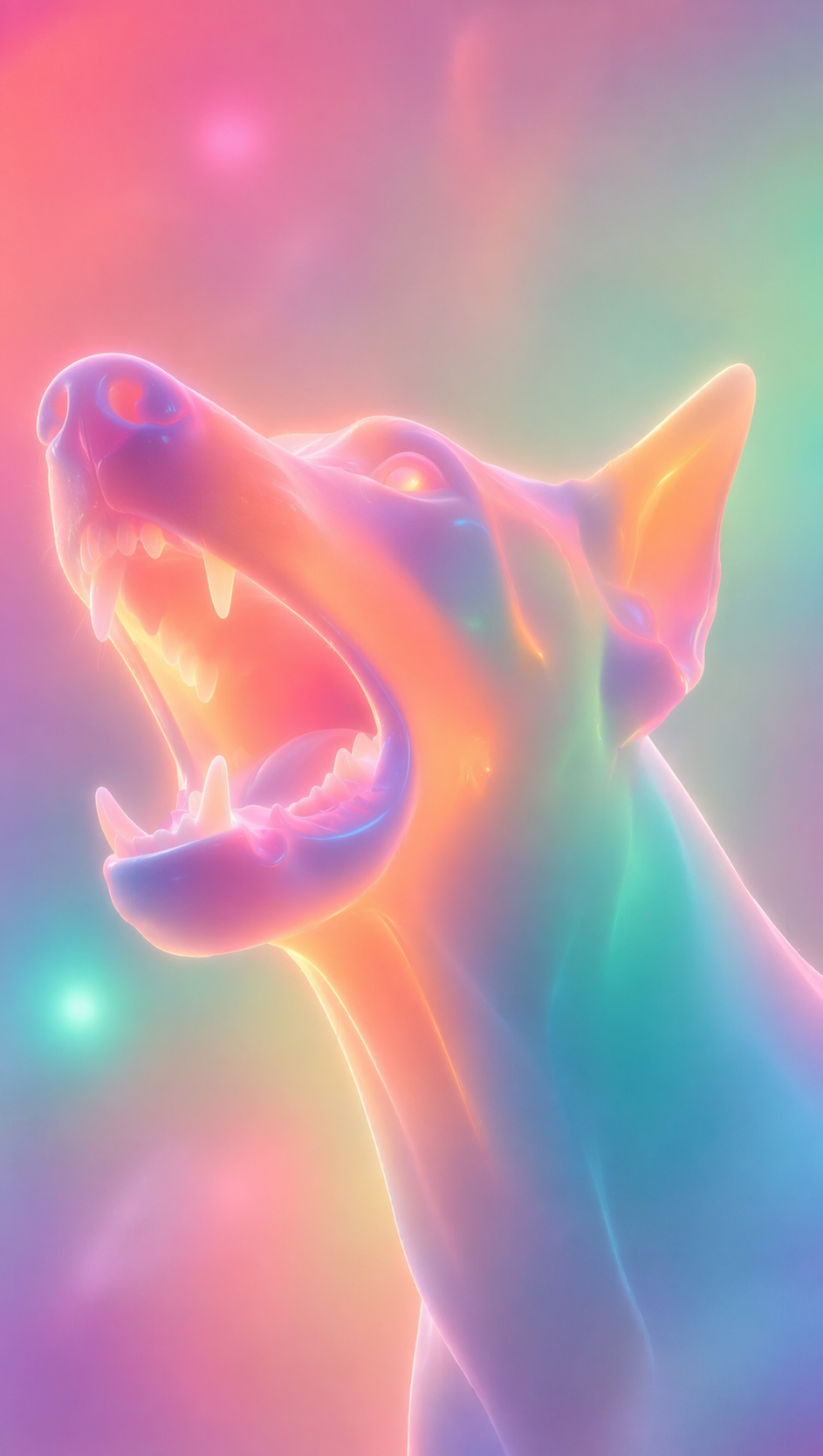 |
What Creates the Soft Neon 3D Look?
A reliable prompt needs to control four visual layers at the same time:
- Material: translucent plastic, frosted glass, glowing rubber, or soft ceramic.
- Color: continuous transitions between pink, orange, yellow, mint, cyan, and violet.
- Lighting: inner glow, rim light, backlight, and colored ambient reflections.
- Structure: preservation of the subject’s pose, silhouette, proportions, clothing, props, and important relationships.
Describing only the colors may produce a conventional image with a neon filter. Describing only the material may produce a hard or metallic 3D render.
The distinctive result comes from combining material, light, color, and structural preservation.
What You Need
Before starting, prepare:
- a reference photo with a clear subject;
- access to WeShop GPT Image;
- the complete English prompt provided below.
Choose an image where the main subject is easy to separate from the background.
Portraits, pets, fashion poses, and compositions with distinctive props can all work. However, excessive background clutter may compete with the subject after stylization.
Step 1: Upload the Reference Image
Open WeShop GPT Image and use the available reference-image or image-upload entry.
Before writing the prompt, decide which elements must remain recognizable.
For a portrait, this may include:
- pose and body proportions;
- facial structure;
- hairstyle and clothing silhouette;
- props and their positions;
- relationships between multiple subjects.
For a pet photo, prioritize the head angle, ears, eyes, mouth, expression, and overall silhouette.
The interface may change over time, so use the image-upload option shown in your current workspace rather than relying on a specific button label.
Step 2: Paste the Complete Soft Neon 3D Prompt
Copy the following prompt into the prompt field:
Transform the input image into a soft-focus neon-gradient sculptural artwork.

Preserve the identity, pose, proportions, clothing silhouette, main objects, and essential relationships from the input image. Do not copy unrelated characters, crowds, compositions, or poses from other references.

Style and texture:
Create a dreamy, surreal 3D illustration that feels like a digital sculpture. Render the subject with translucent plastic, frosted glass, glowing rubber, or soft ceramic materials. Use smooth rounded edges and moderately simplified details. The overall finish should be hazy, low-contrast, polished, and intentionally non-photorealistic.

Color and light:
Use saturated but softly diffused neon gradients, including fluorescent pink, coral orange, lemon yellow, mint green, cyan, violet, and pale gray-blue. Blend the colors smoothly like thermal imaging, colored mist, or a dreamlike halo.

Use bluish-purple, cyan, or deep-magenta shadows instead of pure black hard shadows. Add inner glow, soft backlighting, rim light, and ambient color reflections so the subject appears illuminated from within. Include subtle mist, fine grain, soft focus, and gentle gradient noise.

Subject treatment:
Transform the subject into a minimalist, rounded neon sculpture while preserving the recognizable pose and important visual features of the input. For portraits, soften facial details without completely losing the person’s recognizable structure. The face may resemble a smooth mask covered by a luminous halo.

Composition:
Use a clean background made from a solid color, soft gradient, mist, or large blurred color fields. Create a quiet, surreal, fairytale-like atmosphere with a subtle sense of distance and weightlessness.

Avoid:
realistic photography, sharp hard lines, pure black shadows, hard metallic surfaces, cluttered backgrounds, generic anime cel shading, excessive sharpening, horror, gore, deformed anatomy, extra fingers, unwanted text, watermarks, and logos.

Visual keywords:
soft neon gradient, dreamy 3D illustration, translucent sculpture, frosted glass texture, glowing rubber, pastel fluorescence, diffused light, inner glow, soft focus, surreal portrait, minimal details, smooth rounded forms, luminous mist, thermal color gradient, ethereal atmosphere, clean composition, high-end digital art
The unwanted elements are included in an Avoid section, so the prompt does not depend on a separate negative-prompt field.
Step 3: Generate and Inspect the Result
Start the generation using the control available in your current WeShop interface.
You can try it directly using the tool on the right.
When the result appears, inspect four areas rather than judging only the overall color.
How to Refine Common Problems
The Face Is Too Blurred
The prompt intentionally softens facial details. To preserve more identity, add:
Keep the facial structure recognizable, with clear but softly sculpted eyes, nose, and lips.
You can also replace:
soften facial details
with:
simplify fine skin texture while preserving recognizable facial structure
The Result Still Looks Too Photographic
Strengthen the material transformation:
Make the entire subject visibly sculptural and non-photorealistic, with translucent frosted-glass surfaces and smooth rounded forms.
The Shadows Are Too Dark
Add:
Replace all hard black shadows with softly diffused cyan, violet, and deep-magenta color shadows.
The Background Is Too Busy
Use a cleaner source image or add:
Remove all background clutter and replace it with a minimal misty gradient.
The Subject Structure Changes Too Much
Reinforce the preservation instructions:
Preserve the original pose, silhouette, proportions, camera angle, clothing structure, and placement of all main objects.
You Want a Colder, More Futuristic Palette
Replace the original color list with:
cyber blue, electric violet, deep-sea green, icy cyan, and silver-blue
Keep the soft focus, internal illumination, and translucent material instructions. Otherwise, the result may drift toward a harder metallic cyberpunk style.
Refine One Variable at a Time
The most effective workflow is usually incremental.
Use the first generation to evaluate the overall material, palette, and composition. In the next round, correct only the most important issue, such as facial clarity, background simplicity, shadow color, or subject preservation.
Changing the subject, lighting, palette, material, and composition at the same time can remove parts of the image that already work.
Create Your Own Soft Neon 3D Artwork
Choose a reference image with a clear silhouette, paste the complete prompt, and refine one visual variable at a time.
Try WeShop GPT Image