












How to Create Product Showcase and Ecommerce Marketing Videos with MiniMax H3
MiniMax H3 product video tutorial for ecommerce sellers and brand marketing teams, covering asset preparation, selling-point breakdowns, prompt templates, and ad creative formats.
A good ecommerce video needs to do more than just look great. Within a few seconds, viewers should be able to see the product clearly, understand its key selling points, and remember the brand. Traditional production usually involves photography, locations, models, post-production, and multiple versions for different channels. With multimodal AI video generation, you can start with product images, model references, style references, and a simple script to quickly test different creative directions.
MiniMax H3 supports combined references from images, video, audio, and text, and can generate videos with sound. It works well for product showcases, feature demonstrations, fashion ads, food product launches, and social media ad creatives.
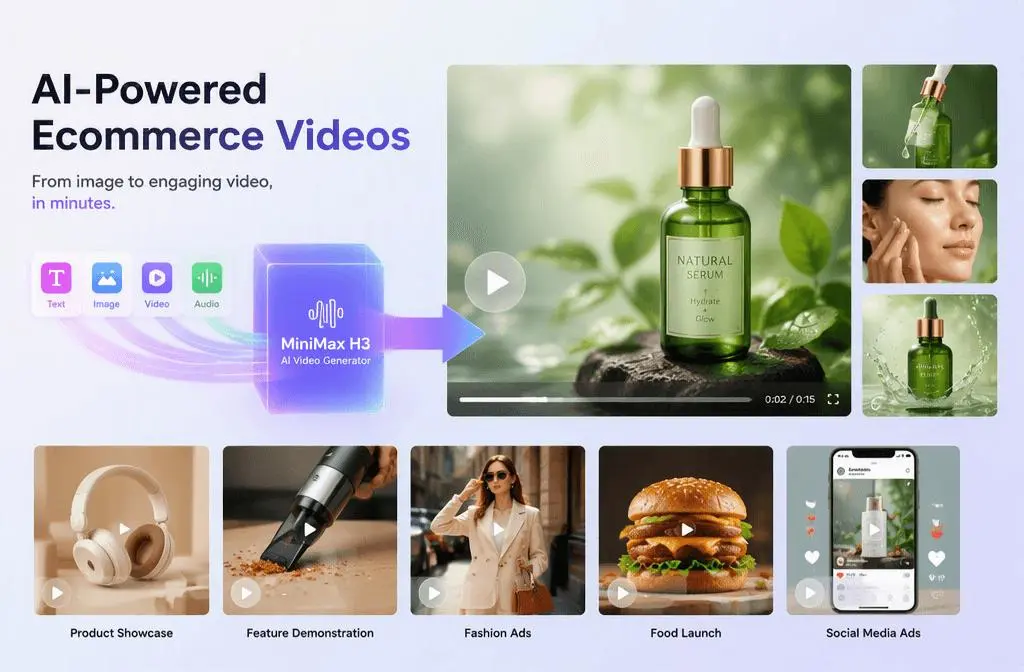
Start by Choosing the Right Type of Product Video
-
Product Appearance and Material Showcase The focus is on the product’s shape, materials, details, and overall brand feel. This works especially well for glasses, bags, footwear, fashion, beauty products, and food. Common shots include rotating product views, macro close-ups, light moving across the surface, and models wearing or using the product.
-
Feature and Structure Demonstration The goal is to turn product features into something viewers can actually see. For example, an ergonomic chair might highlight lumbar support, a breathable mesh back, and multi-directional adjustments. A hardware product might show its internal structure or how individual components work. Instead of using abstract phrases in your prompt, turn each selling point into a clear action or visual sequence.
-
Lifestyle and Performance Marketing Content Place the product in realistic lifestyle, work, or social settings and use character actions to communicate its value. For short-form platforms, you’ll usually want a faster opening, more obvious product visibility, and a vertical composition designed for mobile viewing.
How to Set Up and Generate Your Product Video
Step 1 — Provide clear front, side, and detail images. ps:Avoid mixing references with conflicting colors or product versions.
Step 2 — Define the Creative Direction Describe the main idea of the video, including the mood, setting, visual style, lighting, camera language, and overall campaign feel. For example:
- clearly state which shapes, materials, logos, and text must remain unchanged.
- Number model images and product images separately.
- If you have packaging, UI screens, or accessories, explain the purpose of each reference.
- If you use another video as a reference, specify whether you only want to follow its pacing, camera language, or atmosphere instead of simply asking for something “exactly the same.”
Step 3 — Generate and Refine Generate the first version and check the product details, character consistency, camera movement, timing, text, and overall visual style. If the result works well, refine individual details or create more versions for ads, social media, ecommerce campaigns, and other channels.
|
Step 1
|
Step 2
|
Step 3
|
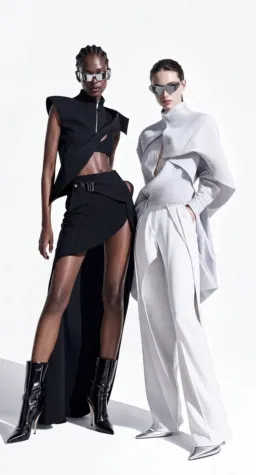
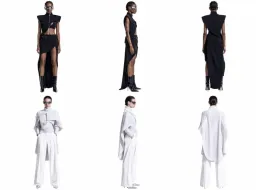
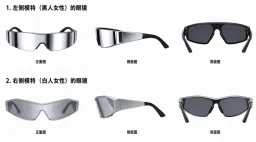
Template 1: 15-Second Fashion Product Ad
|
|
|
Template 2: Feature-Focused Product Demo

|

|
Template 3: Food Product Launch
How to Turn One Video into Multi-Channel Content
Don’t simply crop the same generated video into different aspect ratios afterward. Horizontal and vertical videos have different subject placement, text-safe areas, and pacing, so it is usually better to generate dedicated versions for each format.
- 16:9: Websites, YouTube, product launches, and brand displays.
- 9:16: TikTok, Instagram Reels, YouTube Shorts, and vertical ads.
- 1:1 or 4:3: Product pages, feed ads, and selected ecommerce placements.
- 6-second version: One key selling point with a strong CTA.
- 15-second version: A complete product showcase or short lifestyle story.
Common Problems with Ecommerce Videos
The product looks less and less like the original. Reduce conflicting reference images and clearly list the product structures, materials, and details that must remain unchanged.
There are lots of effects, but the selling point is unclear. Give each shot one main message. Show the product first, then use effects or graphics to explain the feature.
The text keeps coming out wrong. Write the exact product name, title, button text, and tagline in the prompt, and avoid placing too much text in a single frame.
The video feels more like a mood film than an ad. Make the product clearly visible within the first three seconds, then end with the brand and a clear action message.
When creating ecommerce content with H3, one of the most effective approaches is to first turn each product selling point into a visible action or scene, then use models, environments, and sound to make the message more convincing.
For AI ecommerce videos and AI product videos, product accuracy, information order, and channel adaptation matter more than simply stacking visual styles.