












Kling 4.0 Comatozze + Gattouz Edit: Replace Only One Person
Make a Comatozze and Gattouz edit with Kling 4.0 Reference. Replace the left woman using a portrait while retaining the right man in a two-person video.
Changing one person in a two-person video creates a specific problem: the replacement reference must guide the intended subject without spreading into the person beside them. This Kling 4.0 Comatozze + Gattouz edit demonstrates that selective brief using one portrait and a six-second source clip.
The request targets the woman on the left and asks to retain the man on the right. The result below is an AI-generated edit, presented as a workflow example rather than evidence of a real interaction or relationship involving the named people.
AI-generated character edit
Define the left-side edit and the right-side preservation target
The prompt begins with a spatial instruction: edit only the adult woman on the left of Video 1, using Image 1 as her appearance reference. It then describes the right-side man separately, naming the details that should remain: his face, black hair, striped black sweater, chain, position and movement.
This creates two clear roles for the same video. It supplies the person to replace, and it also supplies the person to retain. A generic instruction such as “replace the person with this photo” leaves that distinction ambiguous.
| Material | Intended role |
|---|---|
| Image 1 | Appearance reference for the left-side woman |
| Left side of Video 1 | Target position, head turns and performance timing |
| Right side of Video 1 | Original performer to retain, including his striped clothing |
| Whole source frame | Room, phone-camera perspective, composition and existing caption |
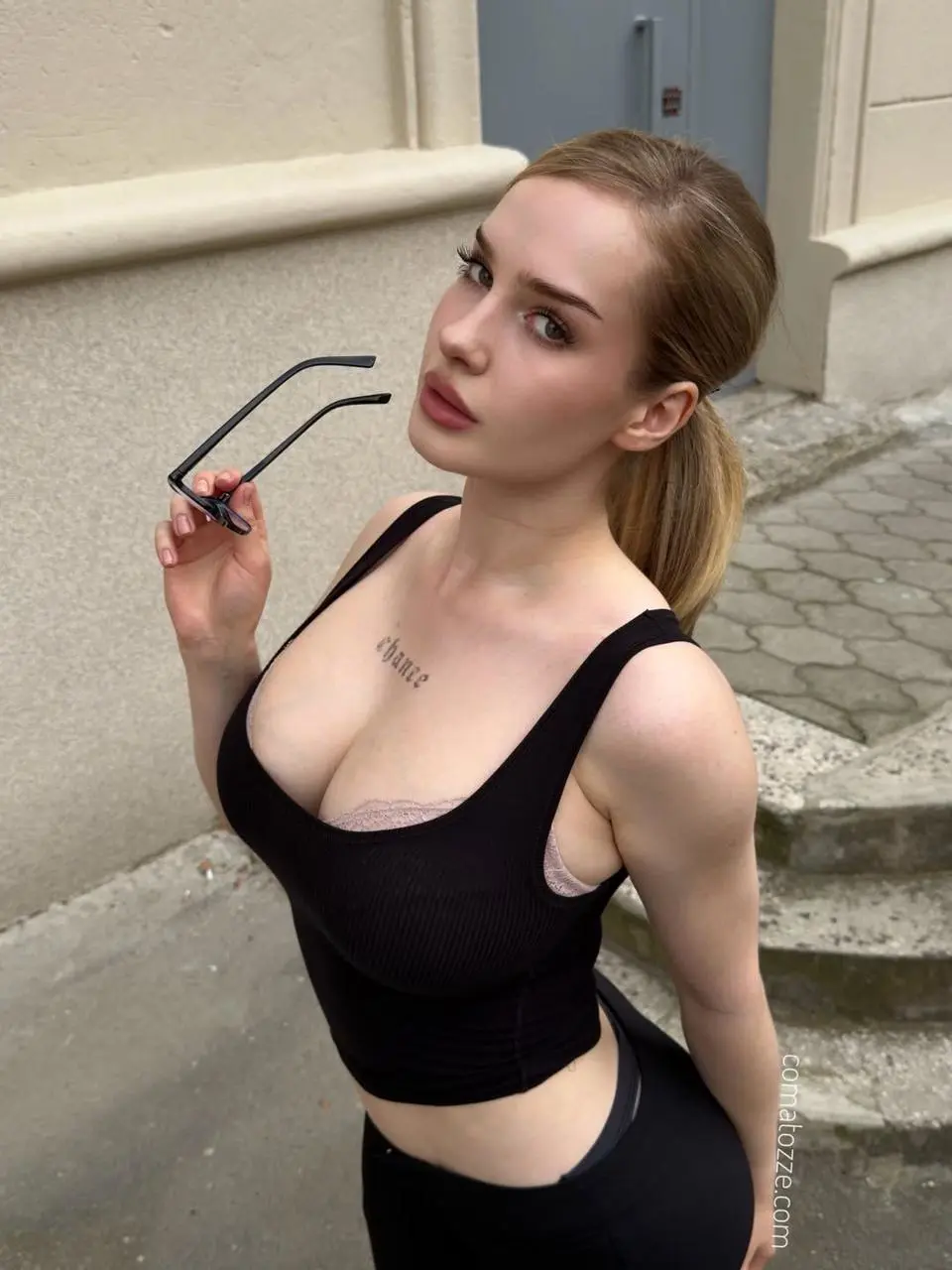
The reference photo also contains sunglasses, an outdoor background and a watermark. The prompt explicitly excludes those from the generated scene. This distinction matters: an attached reference should guide the requested appearance, rather than introduce every object visible in the photo.
Compare both people through the six-second sequence
Two-person reference
Generated character edit
In the sampled source and output frames, the two subjects sit together, glance toward each other, turn inward, briefly kiss and separate with smiles. The output introduces a different left-side face and light-colored tied-back hair. The man on the right remains recognizable, with dark hair and a black sweater with white horizontal stripes. The beige room and two-person framing also remain recognizable.
That supports the core selective-replacement use case. It does not establish that the right-side person is unchanged in every facial detail or that the original pixels are locked. “Protected” in this prompt is a written instruction, not a verified mask or region-lock control.
There are visible limits. The replacement top has a higher neckline than the supplied portrait, so this is not an exact garment-copy example. The top caption remains recognizable as “Gattouz,” while the small flag symbols vary. Review small graphics, facial proportions, shoulders and hands rather than assuming that a convincing opening frame proves complete preservation. Original soundtrack fidelity was not independently reviewed.
Set up the selective edit in WeShop
- Open Kling on WeShop and choose Kling 4.0 Reference.
- Attach the portrait as Image 1 and the two-person clip as Video 1. Check both thumbnails before generating.
- Identify the intended subject by screen position and appearance. In this case, the edit applies only to the left-side woman.
- Describe the adjacent person separately, listing the identity and clothing details that should remain. Keep the reference portrait assigned to the intended subject only.
- Match the recorded settings: 6 seconds, 9:16, 1080p, one output. Set duration in the control instead of relying only on the prompt.
- Generate and inspect both people before, during and after their faces overlap.
Use references and source clips you are authorized to edit. For a demonstration involving recognizable people, keep the AI-edit disclosure with the result and avoid presenting the clip as an authentic event.
Reuse the original left-only replacement prompt
This is the complete prompt from the supplied task. Its central structure is edit target → preservation target → interaction and scene. Adapt the appearance, screen position and action descriptions to your actual materials.
Edit ONLY the adult woman on the LEFT side of @Video1. Replace her with the adult woman from @Image1, matching the reference's recognizable facial structure, eyes, eyebrows, nose, lips, fair skin and light brown/dark blonde hair. Match the natural body proportions and black ribbed sleeveless tank top visible in @Image1, keeping the garment fully opaque and securely in place. Use plain black trousers for lower-body parts if visible, consistent with the photo's black outfit. Keep a natural everyday appearance without exaggerating body shape. Do not copy the reference photo's outdoor background, pose, handheld sunglasses or watermark.The adult man on the RIGHT is protected and MUST remain the ORIGINAL person from @Video1. Keep his exact facial features, black hairstyle, skin tone, expression, black sweater with white horizontal stripes, gold chain, hands, body position and movement unchanged. Do not replace him, blend the reference identity into his face, change his clothes or generate a different man. Only the left woman's appearance and outfit may change. Preserve natural occlusion and contact where their hair, faces, shoulders and hands overlap.
Reproduce the source's entire 6-second nonsexual affectionate sequence with the same timing: sitting side by side and smiling, glancing at each other, turning their heads toward one another, their brief gentle closed-mouth kiss, separating and smiling again. Preserve the exact head angles, expressions, hand placement and comfortable spacing; no additional kissing, new gestures or added scenes. Keep both adults fully clothed throughout. Maintain the left woman's identity during profile views and the brief face overlap, while the right man's original identity stays completely unchanged. Keep the original room, beige wall, seating, light, phone-camera perspective, vertical framing, existing top caption and flag symbols, and all source timing. Realistic anatomy, natural hair and cloth movement. No extra people, duplicate features, undressing, nudity, new captions, special effects or camera movement. Preserve the original soundtrack synchronized to the action.
The strong preservation wording describes the requested behavior. It should not be read as a guarantee of exact identity, garment, caption or soundtrack preservation.
Check identity leakage when the faces overlap
The closest-contact moment is the most useful inspection point in this case. Compare the right-side face against the source before the turn, during the overlap and after separation. Look for transferred eyebrows, altered hair, merged facial contours or duplicated features. Then check the left-side profile against the portrait, since a reference match in the opening view can weaken during a turn.
If both people change, revise the prompt to make the portrait's target explicit and remove wording that assigns the same identity to the whole frame. If the source subject remains, strengthen the left-side replacement instruction. These are troubleshooting directions; this case does not include controlled reruns proving that any single wording change fixes every failure.
For a different reference assignment, see the Comatozze face-and-outfit street edit. That workflow assigns both identity and wardrobe to photos. This tutorial instead concentrates on selecting one subject within a shared frame.
Try the one-person replacement workflow
Start with the loaded example, replace the portrait or source clip with your own materials, and update the left/right instructions before generating. Judge the result by the changed subject and the person meant to remain.
You can try it directly using the tool on the right.