












AI Image Generator: Combine Two Reference Images into a Pastel Desert Tennis Court
Learn how to assign environment and composition roles to two AI image references and generate a cohesive pastel desert tennis court with precise geometry.
AI Image Generator: Combine Two Reference Images into a Pastel Desert Tennis Court
A short prompt such as “create a pastel tennis court in the desert” leaves the AI image generator to decide the court geometry, camera angle, vegetation, terrain, and color palette.
A more controlled method is to upload two reference images with different responsibilities:
- The first image provides the desert environment, Joshua trees, and botanical mood.
- The second image provides the tennis-court composition, perspective, and structural layout.
- The prompt explains how those visual elements should be combined.
This is a multi-reference image generation workflow. The goal is not to blend two photographs into a visible collage. It is to extract selected information from each reference and construct one coherent new scene.
This tutorial uses an AI Image Generator to combine a Joshua tree desert with an outdoor tennis court, creating a pastel surreal sports landscape.
Step 1: Prepare Two References with Different Roles
Each reference image should provide a clearly defined group of visual information.
Reference Image 1: Desert Environment
The first image provides:
- Joshua tree shapes
- Desert terrain
- Sparse vegetation
- Open sky
- Warm, dry atmosphere
It does not control the tennis-court position or geometry.
Reference Image 2: Tennis-Court Structure
The second image provides:
- Camera angle
- Court perspective
- Court-line placement
- Net position
- Playing-area proportions
- Relationship between the court and surrounding landscape
It does not determine the final colors, plants, or desert identity.
The image numbers in the prompt must match the upload order. If the files are uploaded in a different order, the AI may confuse the environmental and structural references.
Step 2: Define the Creative Direction
The objective is not an ordinary photorealistic desert sports facility. It is a polished pastel visual designed for editorial, advertising, and social media use.
The final composition contains:
- Cream and pale-peach sand dunes
- Clear blue sky and soft white clouds
- Joshua trees
- Tall columnar cacti
- Round barrel cacti
- Succulents
- Pink, coral, orange, yellow, and lavender flowers
- Pink and lavender tennis surfaces
- Clean white court lines
- Central tennis net
- Metal bench
- Referee chair
- Bright, calm, slightly surreal commercial styling
The court still needs coherent geometry. A stylized palette should not result in curved boundary lines, an incorrectly positioned net, or an unusable playing layout.
The prompt therefore needs to define:
- What Image 1 contributes
- What Image 2 contributes
- The final color palette
- Court structure
- Botanical distribution
- Lighting and atmosphere
- Intended visual style
- Unwanted content
Step 3: Copy the Multi-Reference Prompt
Upload both references and use the following prompt:
Use the two uploaded images as complementary visual references.

REFERENCE ROLES:

Image 1 is the environment and botanical reference.

Use Image 1 to guide:

- the open desert atmosphere
- Joshua tree shapes and branching structure
- dry natural terrain
- scattered desert vegetation
- spacious outdoor mood
- warm arid landscape identity

Image 2 is the composition and tennis-court structure reference.

Use Image 2 to guide:

- the camera angle
- the overall court placement
- court proportions
- baseline and service-line geometry
- the central net position
- surrounding open space
- the relationship between the court and the landscape

Do not copy either image literally.

Combine the environmental character of Image 1 with the tennis-court composition of Image 2 to create one coherent new scene.

FINAL SCENE:

Create a dreamy pastel tennis court located in a surreal desert landscape.

The tennis court should use a refined pastel palette with:

- soft blush pink outer areas
- lavender and pale violet playing surfaces
- clean white court lines
- a subtle warm peach transition around the edges
- a pale pink tennis net with realistic mesh texture

Preserve believable tennis-court geometry. Keep the sidelines, baselines, service boxes, center marks, net height and court perspective visually coherent.

ENVIRONMENT:

Surround the court with rolling cream-colored and pale peach sand dunes.

Add several Joshua trees inspired by Image 1, along with tall columnar cacti, round barrel cacti, desert succulents and small flowering plants.

Scatter clusters of pink, coral, orange, yellow and lavender desert flowers around the edges of the court.

Keep the central playing area clean and unobstructed.

Place a simple metal bench near the foreground edge of the court and a minimal referee chair near one side of the net.

The furniture should match the scene’s clean editorial styling without blocking the court.

LIGHTING AND ATMOSPHERE:

Use bright, soft natural daylight under a clear pale-blue sky.

Add a few soft white clouds.

Use gentle shadows, warm highlights and subtle atmospheric depth across the sand dunes.

The mood should feel optimistic, imaginative, premium and calm.

STYLE:

High-end editorial landscape photography blended with polished surreal advertising art.

Pastel color grading, clean commercial composition, realistic materials, precise perspective, crisp court details and refined botanical textures.

The result should feel suitable for a sports-fashion campaign, lifestyle brand advertisement, social media post, website hero image or creative editorial.

COMPOSITION:

Use a wide landscape composition.

Keep the tennis court as the central visual focus.

Use desert plants and flowers to frame the foreground and side edges.

Leave the sky and distant dunes relatively clean to prevent visual clutter.

The scene must feel like one naturally designed environment, not a collage of two separate photographs.

IMPORTANT:

Do not add people or players.

Do not add text, logos, signs, watermarks, brand names or promotional badges.

Do not create extra tennis nets.

Do not distort the court lines or perspective.

Do not place cacti, flowers or furniture inside the active playing area.

Do not reproduce the exact background from either reference image.

Generate a new, coherent pastel desert tennis environment inspired by both references.

High-resolution commercial quality, realistic lighting, precise geometry, premium AI-generated campaign visual.
The most important part of the prompt appears near the beginning:
Image 1 is the environment and botanical reference.

Image 2 is the composition and tennis-court structure reference.
Without these role definitions, the model may copy one image too closely while treating the other as an unclear stylistic influence.
Reusable Multi-Reference Prompt Template
The same approach can be adapted to architecture, interiors, product scenes, fashion, and advertising visuals.
Use the uploaded images as complementary references.

REFERENCE ROLES:

Image 1 provides:
[Enter the environment, subject, plants, product, or materials]

Image 2 provides:
[Enter the composition, pose, spatial structure, camera angle, or layout]

If additional reference images are uploaded:

Image 3 provides:
[Enter the color palette, lighting, clothing, background, or artistic style]

FINAL REQUEST:

Create a new image that combines:

- [Information to preserve from Image 1]
- [Information to preserve from Image 2]
- [Information to preserve from Image 3, when applicable]

Do not copy any reference image literally.

Make the final result feel like one coherent scene rather than a collage.

SCENE:
[Describe the final environment]

SUBJECT:
[Describe the main subject]

COMPOSITION:
[Describe the aspect ratio, camera angle, and subject placement]

COLOR PALETTE:
[Describe the primary and supporting colors]

LIGHTING:
[Describe daylight, studio light, morning light, or sunset]

STYLE:
[Describe the photography, illustration, 3D, or advertising style]

IMPORTANT:
Preserve [enter the required structure and visual features].

Do not add [enter unwanted text, logos, people, or objects].

Do not distort [enter geometry, body proportions, or product appearance].

High-resolution commercial quality.
Step 4: Generate and Refine the Result
Open WeShop AI GPT Image, upload both references in the defined order, and paste the complete prompt.
Recommended settings:
| Setting | Recommendation |
|---|---|
| Task | Multi-reference generation or image-to-image |
| Reference images | 2 |
| Aspect ratio | 4:3 or 16:9 |
| Orientation | Landscape |
| Resolution | 1K for testing; 2K or 4K for final delivery |
| Initial quantity | 1–2 images |
If the output copies the original tennis court too closely, add:
Use Image 2 only for court geometry and camera perspective. Do not copy its grass color, surrounding trees, hills, or original lighting.
If the desert vegetation is too sparse, add:
Increase the number of Joshua trees, cacti, succulents, and small desert flowers around the outer edges while keeping the tennis court completely unobstructed.
If the result looks too realistic and lacks the intended dreamlike quality, add:
Strengthen the pastel pink, lavender, peach, and cream color palette while preserving realistic materials, court geometry, and natural daylight.
Final Effect
Input Reference Images
| Reference Image 1: Desert Environment | Reference Image 2: Tennis-Court Structure |
|---|---|
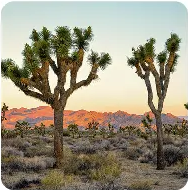 | 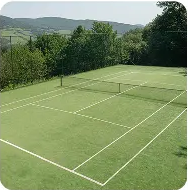 |
| Provides the Joshua trees, desert vegetation, dry terrain, and environmental mood. | Provides the tennis-court geometry, boundary lines, net placement, and camera perspective. |
AI Image Generator Result
| Pastel Desert Tennis Court |
|---|
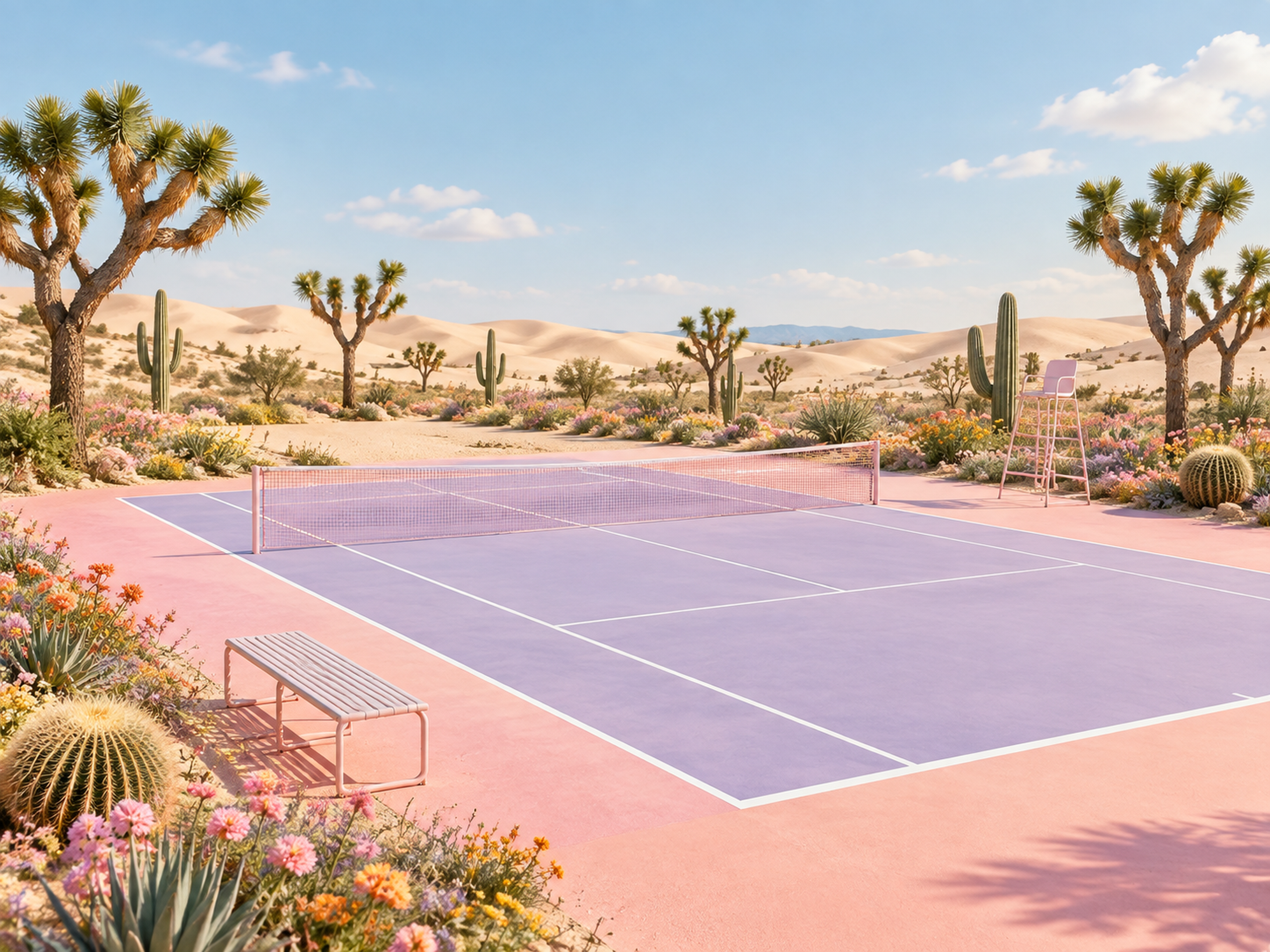 |
| The AI Image Generator combines the desert environment from Image 1 with the tennis-court composition from Image 2, then applies a unified pastel advertising style. |
Conclusion
Successful multi-reference AI generation is not about uploading as many images as possible. It depends on clearly defining what each image should contribute.
In this example:
- Image 1 controls the Joshua trees, desert plants, and environmental mood.
- Image 2 controls the tennis-court structure, composition, and perspective.
- The prompt controls the pastel palette, plant distribution, lighting, style, and prohibited content.
When the reference roles are explicit, an AI Image Generator is more likely to create a coherent new environment instead of copying one reference or producing a visible collage.
You can upload multiple references and try this image-to-image workflow with WeShop AI GPT Image.