Iterate an image-led character shot with Hailuo 2.3 Fast. MiniMax positions this variant for efficient short-clip creation; upload an image and describe a focused action.
Explore the tasks shown by these actual Hailuo 2.3 Fast results. Copy a prompt to try in the generator, or open the linked case for its saved setup. Supply your own images or clips when the request uses references.
Animated Bunny Eating a Carrot
Animate a rabbit taking a bite, chewing, and moving its ears. The image supplies the character before the action unfolds.
The bunny takes a big bite of the carrot, cheeks puff out while chewing, ears wiggle happily. Stop-motion claymation style, charming and cozy animation.
Give a fashion character a short sequence of smelling flowers, smiling, and walking past the market stalls.
The model smells the sunflowers, smiles, then walks along the market stalls browsing flowers. Vibrant colors, natural movement, lifestyle brand commercial video.
Animate a performer within a concert-screen scene. The starting image establishes both the performance area and its surrounding view.
Use image 1 as the first frame. The performer on the stage screen turns her head slightly and makes a small natural hand gesture. Keep the pink stage lights, LED screen and audience silhouettes consistent. One continuous audience-view shot, a fixed camera, no new people, no cuts and no text.
Hailuo 2.3 Fast is MiniMax’s faster-oriented image-to-video variant for repeated short-clip creation.
Character Performance
The 2.3 release emphasizes physical actions and small expression changes. An opening image supplies the character while the prompt gives it a performance.
Photographic or Stylized Motion
MiniMax highlights stylization as well as realistic movement. The visual treatment can come from a photographic, illustrated, or animated starting image.
WORKFLOWS
Choose Your Starting Input
Use the Hailuo 2.3 Fast input mode that matches the material you have.
Animate an Opening Image
Upload the frame that establishes the subject and scene. Describe the action, environmental movement, or camera direction that follows it.
PROMPT GUIDE
How to Direct Hailuo 2.3 Fast with a Prompt
Learn from the actual instructions behind these results. Each example keeps its complete original prompt and available inputs. For a new request, replace its subject and reference assignments with your own.
Add Motion to the Environment
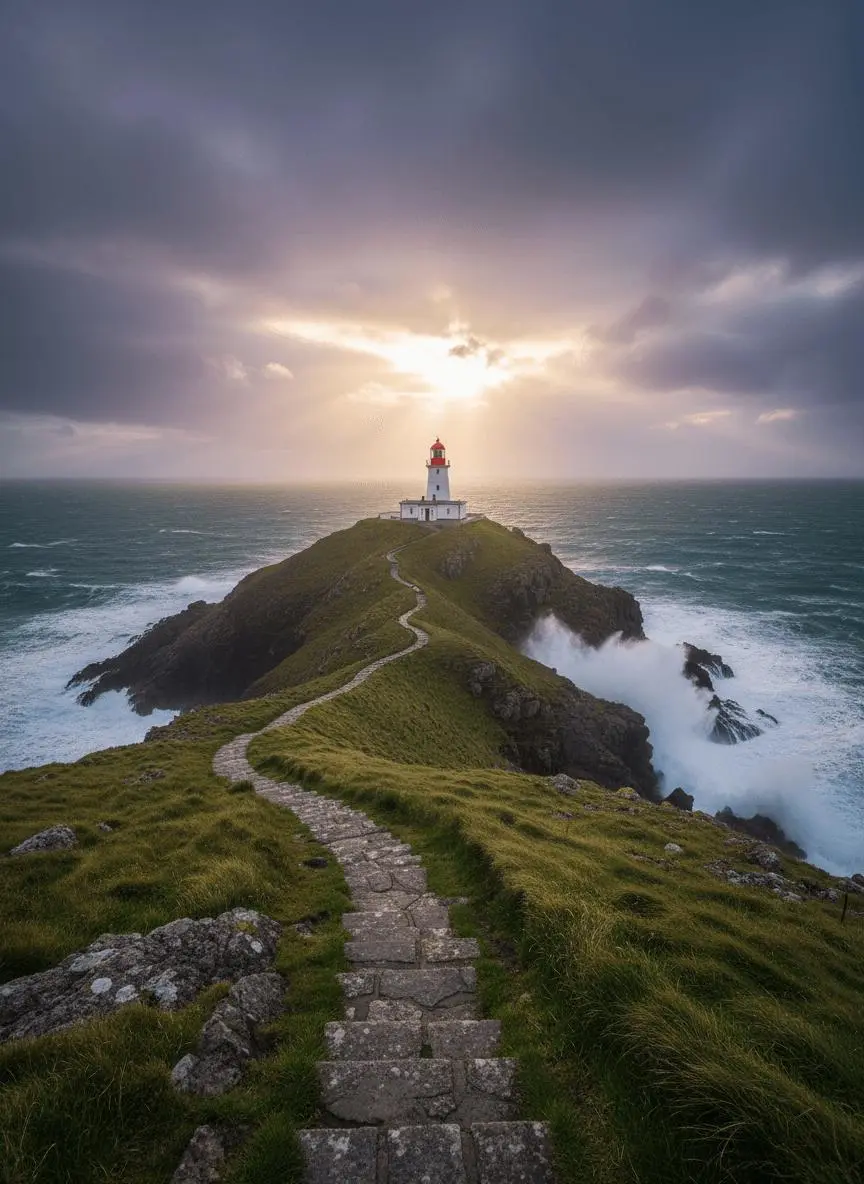
Identify the environmental element that moves while the composition remains recognizable. In this case: “Waves roll gently around the headland and foam against the rocks.”
Use image 1 as the first frame. Waves roll gently around the headland and foam against the rocks. The clouds drift slowly as sunlight breaks through. The camera glides forward along the stone path toward the lighthouse. Keep the geography and lighthouse consistent. One continuous landscape shot, no new buildings, no cuts and no text.
Describe How the Framing Changes
Name the camera movement and the part of the subject or environment it should reveal. In this case: “One continuous underwater shot with a subtle upward camera move, no text and no scene changes.”
Use image 1 as the first frame. The amber jellyfish pulses gently and rises slowly while its tentacles sway with the water. Tiny blue plankton drift past the reef. Keep the luminous color palette, reef arrangement and jellyfish identity consistent. One continuous underwater shot with a subtle upward camera move, no text and no scene changes.
Establish the Visual Starting Point
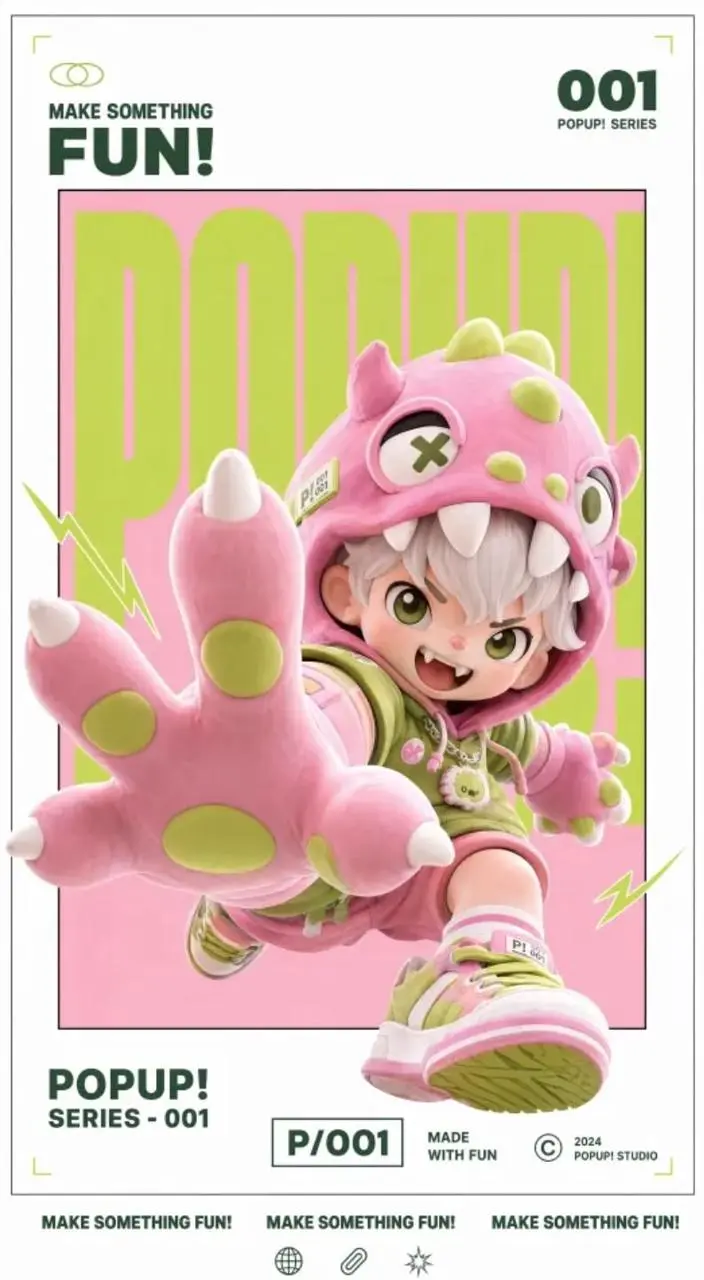
The request defines the subject and setting. Use it to study scene description rather than treating it as evidence of a particular motion or sound control. In this case: “Create a dynamic poster video that retains the original image's gallery white frame, inner frame, red, white and black color scheme, 3D figure feel and layout structure, and adds a lively sound effect”
Create a dynamic poster video that retains the original image's gallery white frame, inner frame, red, white and black color scheme, 3D figure feel and layout structure, and adds a lively sound effect when the text appears.
Describe the Marks or Medium
Name the visible treatment, such as the drawing marks or material, rather than relying only on a mood word. In this case: “Gentle watercolor animation, soft flowing movement, peaceful and dreamy.”
The panda slowly munches on bamboo, looks up with sleepy eyes, then yawns and stretches. Gentle watercolor animation, soft flowing movement, peaceful and dreamy.
HOW TO USE
Create Your First Hailuo 2.3 Fast Video
Start in the generator on this page. To reuse an example, click Copy Prompt, return to the description field, and adapt the prompt to your own inputs.
Provide the Scene and Inputs
Upload the opening image that establishes the scene, then describe its movement.
Choose the Output Options
Choose an offered duration, aspect ratio, and other available output options. Check the form’s displayed points before submitting.
Generate and Review
Click Generate and review the resulting video. Check movement, framing, continuity, and any delivered audio. Adjust your prompt or references for the next attempt.
Compare the documented model roles and the inputs and options currently listed in WeShop. Model names or matching settings do not by themselves establish equal output quality or a fixed generation-time difference.
Dimension
Hailuo 02
Hailuo 2.3
Hailuo 2.3 Fast
Model role
Physical movement and instruction-led scenes
Character expressions, physical actions, and stylization
Efficiency-oriented image-to-video variant
Inputs listed for the page
Animate an Opening Image; Guide the Opening and Ending Frames
Animate an Opening Image
Animate an Opening Image
Current WeShop options
Duration: 6s, 10s
Duration: 6s, 10s
Duration: 6s, 10s
Model role
Hailuo 02
Physical movement and instruction-led scenes
Hailuo 2.3
Character expressions, physical actions, and stylization
Hailuo 2.3 Fast
Efficiency-oriented image-to-video variant
Inputs listed for the page
Hailuo 02
Animate an Opening Image; Guide the Opening and Ending Frames
Hailuo 2.3
Animate an Opening Image
Hailuo 2.3 Fast
Animate an Opening Image
Current WeShop options
Hailuo 02
Duration: 6s, 10s
Hailuo 2.3
Duration: 6s, 10s
Hailuo 2.3 Fast
Duration: 6s, 10s
When to Consider Hailuo 2.3 Fast
Match the Model to Your Task
Consider Fast for an image-to-video workflow where efficient iteration is a priority. Compare a representative shot with standard 2.3 before choosing.
MORE VIDEO MODELS
Explore More Video Models
Open a related model page to review its capabilities, examples, and current generation options.
Answers about this version, its inputs, and how to get started.
What is Hailuo 2.3 Fast?
Hailuo 2.3 Fast is MiniMax’s faster-oriented image-to-video variant for repeated short-clip creation.
What is a good task to consider it for?
Consider Fast for an image-to-video workflow where efficient iteration is a priority. Compare a representative shot with standard 2.3 before choosing.
What do I need to provide?
Animate an Opening Image. Upload the frame that establishes the subject and scene. Describe the action, environmental movement, or camera direction that follows it.
Which output settings are offered here?
Duration: 6s, 10s
How do I try an example prompt?
Click Copy Prompt, return to the generator, and paste it into the description field. Add your own required references and update their roles. Linked case previews and Use This Prompt open the saved case; they do not automatically fill this page’s form.
What should I know about this version?
Fast is a vendor positioning, not a fixed WeShop runtime or price promise.